
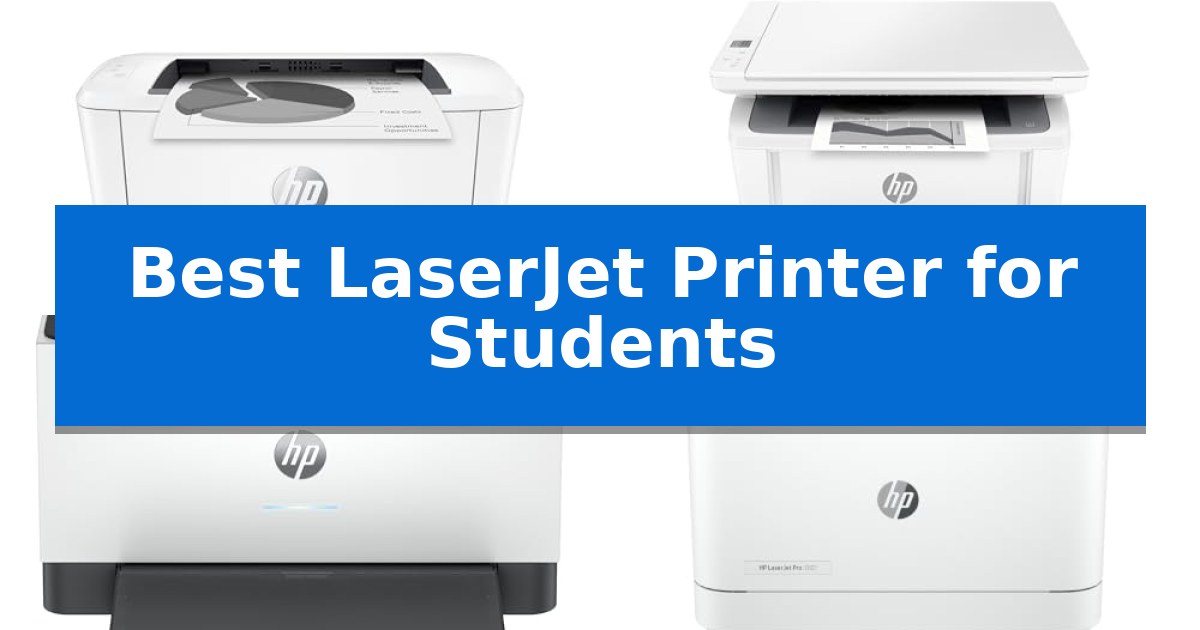
Finding the Best LaserJet Printer for Students requires balancing limited desk space with the need for reliable, high-speed document production. Whether you are printing research papers, lecture notes, or course materials, a monochrome laser printer offers the efficiency and sharp text quality that inkjet alternatives often struggle to match.
This guide evaluates five distinct HP models to help you identify which features—such as wireless connectivity, compact footprints, or all-in-one scanning capabilities—best align with your academic workload. We focus on practical performance metrics to ensure your choice supports your studies without taking up unnecessary room in your dorm or apartment.
You may also want to compare Best LaserJet Printer for Small Business, Best LaserJet Printer for Home Use, and Best LaserJet Printer for Home Office.
Best LaserJet Printer for Students
Quick Comparison
| Product | Best For | Key Strength | Score |
|---|---|---|---|
| HP LaserJet M110w Printer | Best Overall | Extremely compact footprint ideal for small desks and limited storage areas. | 4.9 |
| HP LaserJet MFP M140w Printer | All-in-One for Small Desks | Extremely compact footprint ideal for small desks and dorms. | 4.9 |
| HP LaserJet M207dw Printer | Fastest Two-Sided Student Printing | Fastest two-sided printing in its class for efficient paper usage. | 4.5 |
| HP LaserJet Pro 3001dw Printer | High-Volume Coursework Efficiency | High-speed output of up to 35 pages per minute. | 4.7 |
| HP LaserJet Pro 3101fdw Printer | Complete Scanning and Faxing | Fast print speeds of up to 35 pages per minute. | 4.3 |
How We Chose
- Physical dimensions and desk space requirements.
- Wireless connectivity and mobile printing capabilities.
- Print speed for high-volume coursework.
- Multifunction versatility including scanning and copying.
- Security features and network stability.
1 HP LaserJet M110w Printer — Compact Pick for Tight Spaces
Dorm rooms and small study spaces often lack the surface area for bulky office equipment, making the HP LaserJet M110w Printer a practical solution. As the world's smallest laser printer in its class, this compact device measures just over 6 inches in height, allowing it to fit into tight shelving or crowded desks without sacrificing core functionality.
Designed for efficiency, this monochrome laser printer delivers fast print speeds of up to 21 pages per minute, ensuring that lengthy research papers or reports are ready quickly. The unit is optimized for small teams or individual students, providing professional-quality black-and-white output that is consistent and sharp.
Connectivity is streamlined through wireless printing capabilities featuring self-reset technology to maintain a stable link. Students can print directly from various devices, including PCs, tablets, and smartphones, using the HP Smart app. This integration allows for cloud scanning and remote management, which helps simplify repetitive document tasks during busy academic semesters.
It is important to note that this printer is engineered to function exclusively with cartridges containing original HP chips or circuitry. This design choice means that cartridges using third-party chips will be blocked, and the system relies on periodic firmware updates to maintain these security measures.
Best for: Students living in dorms or small apartments who need a space-saving, reliable monochrome printer for text-heavy academic documents.
Skip if: Users who require color printing for charts and graphics or those who frequently print high volumes that would necessitate a larger paper tray capacity.
PROS
- Extremely compact footprint ideal for small desks and limited storage areas.
- Fast black-and-white printing at 21 pages per minute.
- Versatile wireless connectivity supporting mobile devices, tablets, and laptops.
- HP Smart app integration for efficient cloud scanning and remote printing.
CONS
- Restricted cartridge compatibility requiring original HP chips or circuitry.
- Monochrome-only output limits the ability to print color-coded notes or diagrams.
2 HP LaserJet MFP M140w Printer — All-in-One for Small Desks
Space-constrained dorm rooms and shared apartments require equipment that maximizes utility without sacrificing a large footprint. The HP LaserJet MFP M140w Printer addresses this by serving as the world's smallest laser in its class, integrating printing, scanning, and copying capabilities into a compact 14.2-inch by 10.4-inch frame.
Designed for efficiency, this unit delivers fast print speeds of up to 21 pages per minute for single-sided black-and-white documents. The inclusion of wireless connectivity with self-reset ensures the device maintains a stable connection to your network, allowing for consistent performance when managing reports or assignments.
The HP Smart App integration simplifies common student workflows, enabling users to scan directly to the cloud or initiate prints from a smartphone, tablet, or PC. It also features a specialized tool for copying both sides of ID cards onto a single sheet of paper, a practical addition for handling administrative documentation.
Compatibility is a central design choice, as the device supports a wide range of operating systems including Microsoft, Mac, AirPrint, Android, and Chromebook. Note that this printer is engineered to function exclusively with original HP chips or circuitry; it will restrict the use of cartridges containing non-HP components to maintain system effectiveness.
Best for: Students living in small spaces who need a compact, reliable all-in-one printer for black-and-white academic documents.
Skip if: Users who require color printing or those who prefer the flexibility of using third-party ink cartridges.
PROS
- Extremely compact footprint ideal for small desks and dorms.
- Fast print speeds reaching 21 pages per minute.
- Versatile mobile printing via the HP Smart app and wireless connectivity.
- Integrated ID card copy function for streamlined document handling.
CONS
- Restricted to original HP cartridges with official chips.
- Monochrome only, limiting use for projects requiring color.
3 HP LaserJet M207dw Printer — Fastest Two-Sided Student Printing
Efficiently managing heavy course loads requires a reliable way to produce dense research papers and study guides without constant manual intervention. The HP LaserJet M207dw Printer is built for this academic demand, featuring the fastest two-sided printing in its class. This capability allows students to automatically print multipage documents on both sides of the paper, saving time and resources during high-volume study sessions.
Designed to fit into tight living spaces, this monochrome laser printer maintains a compact footprint while offering robust connectivity options. It includes dual-band Wi-Fi with self-reset technology, which proactively monitors and resolves connection drops to ensure the printer remains ready for last-minute deadlines. For those who prefer a hardwired connection, an Ethernet port is also integrated into the device.
Security is a primary focus for shared living environments, and this model includes built-in security features to help protect the device from potential network attacks. This provides necessary peace of mind when operating the printer on dormitory or shared student housing networks. The unit is designed to handle diverse academic workflows, supporting wireless printing from a wide range of platforms including Microsoft, Mac, AirPrint, Android, and Chromebook.
While the device excels at text-heavy output, it is important to note that it is a monochrome-only printer, meaning it cannot produce color charts or diagrams. Additionally, the lack of a flatbed scanner means students who frequently need to digitize physical textbooks or handwritten notes will need to consider an alternative or supplementary device for those specific tasks.
Best for: Students who need a reliable, fast, and space-saving monochrome printer for high-volume text documents and research papers.
Skip if: Users who require color printing for charts, diagrams, or creative projects will need an inkjet or color laser alternative.
PROS
- Fastest two-sided printing in its class for efficient paper usage.
- Dual-band Wi-Fi with self-reset for reliable wireless connectivity.
- Compact design suitable for small desks or dorm rooms.
- Broad compatibility with mobile devices, laptops, and Chromebooks.
CONS
- Monochrome only, limiting its use for color-coded study materials.
- No flatbed scanner included, which may be a limitation for digitizing physical textbooks.
4 HP LaserJet Pro 3001dw Printer — High-Volume Coursework Efficiency
Managing high-volume academic workloads requires a reliable document output solution, and the HP LaserJet Pro 3001dw Printer is built specifically to handle the demands of small teams and busy study environments. With super-fast print speeds of up to 35 pages per minute, this device ensures that lengthy research papers and reports are ready in moments rather than minutes.
Efficiency is central to its design, featuring automatic two-sided printing to save on paper and streamline the creation of professional-quality documents. The printer integrates seamlessly into modern digital workflows, offering wireless printing capabilities from PCs, tablets, and mobile devices, alongside Ethernet and Bluetooth connectivity for versatile setup options.
Security remains a priority for academic and professional data, which is why this model includes HP Wolf Pro Security. This feature provides customizable settings to keep your information protected. Furthermore, the intelligent Wi-Fi system actively monitors for the most stable connection, ensuring the printer stays online and ready for your next deadline.
It is important to note that this printer is designed to function exclusively with cartridges containing original HP chips or circuitry. It will block cartridges utilizing non-HP components, and periodic firmware updates are deployed to maintain these security measures. This ensures consistent operation but limits the use of third-party consumables.
Best for: Students and small study groups requiring high-speed, reliable black-and-white document production with robust wireless connectivity.
Skip if: Users who require color printing for charts or graphics, or those who prefer the flexibility of using third-party ink or toner cartridges.
PROS
- High-speed output of up to 35 pages per minute.
- Automatic two-sided printing for efficient paper usage.
- Intelligent Wi-Fi connectivity for consistent uptime.
- HP Wolf Pro Security for data protection.
CONS
- Restricted cartridge compatibility requiring original HP chips.
- Black-and-white only printing capability.
5 HP LaserJet Pro 3101fdw Printer — Complete Scanning and Faxing
Managing heavy coursework and research projects requires a reliable printing solution that handles high-volume document production without constant maintenance. The HP LaserJet Pro 3101fdw Printer is engineered for this exact demand, featuring an auto document feeder and auto 2-sided printing that streamline the processing of long reports, syllabi, and academic papers.
Designed to support up to 7 users, this all-in-one device integrates printing, scanning, copying, and faxing into a single, space-efficient unit. It delivers fast black-and-white print speeds of up to 35 pages per minute, ensuring that last-minute study materials or final drafts are ready when needed. The inclusion of HP Wolf Pro Security provides customizable data protection, which is a practical benefit for students handling sensitive research or personal information.
Connectivity is a core strength of this model, as it utilizes intelligent Wi-Fi to maintain a stable connection for wireless printing from mobile devices, tablets, and laptops. It supports a wide range of platforms including AirPrint, Chromebook, and Android, making it compatible with the diverse hardware often found in a student environment. For those who prefer a wired setup, the printer also includes Ethernet and Bluetooth options.
With dimensions of 15 inches in height and a footprint of 19.25 by 19.25 inches, the HP LaserJet Pro 3101fdw Printer offers a robust feature set while remaining manageable for a shared student workspace. It is a practical choice for those who prioritize consistent, professional-quality monochrome output and versatile document handling capabilities over color printing.
Best for: Students and small groups who require high-speed, reliable monochrome document production and versatile scanning capabilities.
Skip if: You require color printing for graphics, charts, or photography projects, as this is a dedicated monochrome laser printer.
PROS
- Fast print speeds of up to 35 pages per minute.
- All-in-one functionality including scanning, copying, and faxing.
- Wireless connectivity compatible with mobile devices, Chromebooks, and laptops.
- Automated features like auto 2-sided printing and an auto document feeder.
CONS
- Monochrome-only output limits use for color-coded academic materials.
- Physical footprint may be large for cramped dorm desk spaces.
Best LaserJet Printer for Students Buying Guide
Understanding Laser Printing for Students
Laser printers are generally preferred for academic work because they utilize toner rather than liquid ink, which prevents smudging and ensures crisp, professional-looking text. For students, this means documents remain legible even if they are handled frequently or stored in backpacks.
Unlike inkjet printers, laser models are designed for fast print speeds, allowing you to generate long research papers or multi-page assignments in seconds. This efficiency is a significant advantage when you are working under tight deadlines.
Connectivity and Mobile Integration
Modern student printers must integrate seamlessly with various devices, including laptops, tablets, and smartphones. Look for models that offer wireless printing with self-reset features, which help maintain a stable connection even in crowded campus Wi-Fi environments.
The inclusion of mobile apps, such as the HP Smart App, allows you to manage print jobs, scan documents directly to the cloud, and monitor toner levels from your mobile device, providing flexibility when you are away from your desk.
Space Constraints in Dorms
Dorm rooms and small apartments often have limited surface area. Prioritizing a compact design ensures your printer fits comfortably on a desk or shelf without cluttering your workspace.
Some models are specifically engineered as the smallest in their class, making them ideal for tight living quarters. Consider the height, width, and depth dimensions to ensure the unit fits your specific furniture setup.
Multifunction vs. Single-Function
Decide whether you need a dedicated printer or an all-in-one device. A single-function printer is usually more compact and cost-effective if you only need to print documents.
However, an all-in-one model that includes scanning and copying can be invaluable for digitizing physical notes, textbooks, or administrative forms, potentially saving you trips to the campus library or print center.
Security and Data Protection
For students handling sensitive research or personal documents, built-in security features are an important consideration. Advanced models may include security settings that protect the printer from unauthorized access or potential network attacks.
Ensuring your printer has robust security measures helps keep your academic work and personal information safe, especially when using shared network environments common in student housing.
Frequently Asked Questions
Are laser printers better than inkjets for students?
Laser printers are typically better for students who primarily print text-based documents. They offer faster speeds, lower cost-per-page, and more durable, smudge-resistant output compared to most inkjet printers.
Do I need an all-in-one printer for college?
If you frequently need to scan notes or copy physical documents, an all-in-one printer is highly recommended. If you only print digital files, a standard laser printer will save you space and money.
Can I print from my phone or tablet?
Yes, most modern HP LaserJet printers support wireless printing from mobile devices, PCs, and tablets via apps like the HP Smart App or standard mobile printing protocols.
How much space does a typical student laser printer take?
Many student-focused laser printers are designed to be compact, often measuring around 13-14 inches in width and under 8 inches in height, making them suitable for small desks.
What is the benefit of duplex printing?
Duplex printing, or automatic two-sided printing, saves paper and reduces the physical bulk of your printed assignments, which is helpful for managing large volumes of coursework.
Conclusion: Our Top Pick
When selecting the right printer for your academic needs, the HP LaserJet M110w Printer stands out as the most practical choice for students with limited space. Its compact footprint and reliable wireless connectivity make it an efficient tool for printing essential coursework without dominating your desk.
While it lacks the scanning capabilities of larger all-in-one models, its speed and ease of use provide a streamlined experience for those who primarily need to print text-heavy documents. For students requiring scanning or faxing, consider upgrading to an all-in-one model, but for pure printing efficiency in a small room, this remains our top recommendation.