
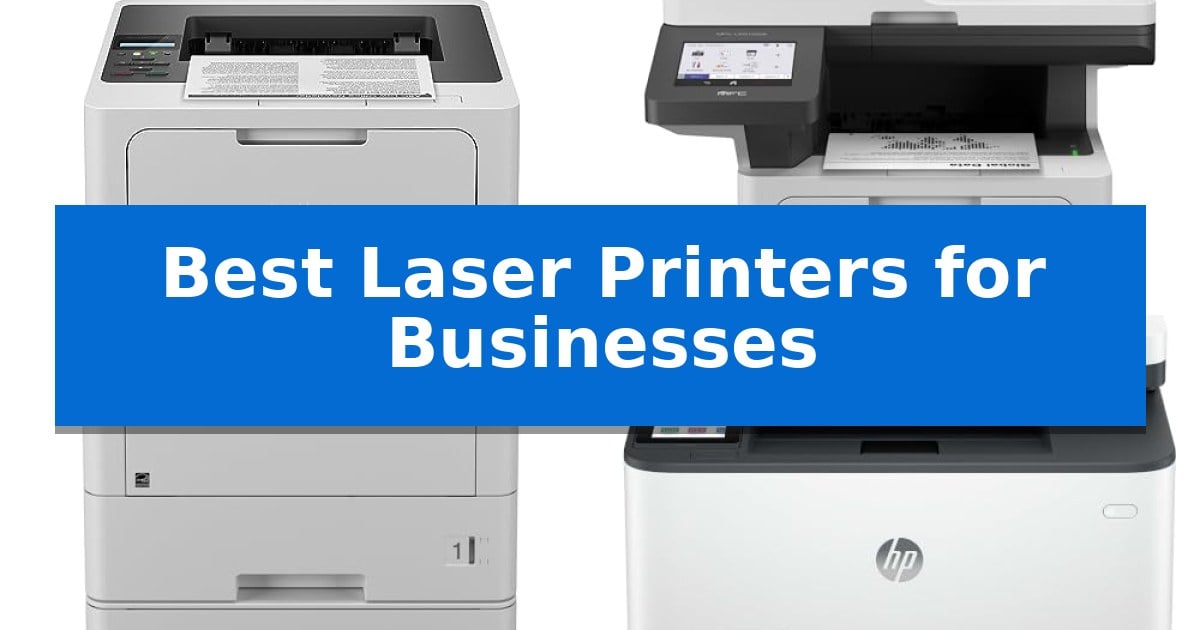
Selecting the Best Laser Printers for Businesses requires balancing print speed, paper handling capacity, and long-term operational costs. For busy offices, the primary goal is minimizing downtime while maintaining consistent document quality across high-volume workflows.
Whether your team requires a dedicated monochrome workhorse for text-heavy reports or an all-in-one device capable of scanning and copying, choosing the right hardware directly impacts daily productivity. We have analyzed five laser printers to help you identify which model aligns with your specific office infrastructure and output requirements.
You may also want to compare Best Laser Printers for Business, Best Laser Printers for Apple Computers, and Best Laser Printers for All-in-One Mac Use.
Best Laser Printers for Businesses
Quick Comparison
| Product | Best For | Key Strength | Score |
|---|---|---|---|
| Brother HL-6210DW Monochrome Laser Printer | Best Overall | 50 ppm output speed for efficient high-volume printing. | 4.9 |
| Brother MFC-L5915DW Monochrome Laser All-in-One | Fast Scanning for Busy Offices | High-speed output of up to 50 pages per minute. | 4.3 |
| Brother HL-L5210DWT Monochrome Laser Printer | Expanded Paper Capacity | High-speed printing up to 48ppm for increased productivity. | 4.5 |
| HP LaserJet Pro 3101sdw Laser Printer | Reliable Small Team Printing | Fast 35 ppm print speeds for efficient document production. | 4.5 |
| HP Color LaserJet Pro MFP 3301sdw | Vivid Professional Color Output | Fast 26 ppm print speeds for both color and black documents. | 4.8 |
How We Chose
- Print speed (ppm) and duty cycle for high-volume environments.
- Paper handling capabilities, including tray capacity and multipurpose feed options.
- Connectivity standards such as Gigabit Ethernet and dual-band wireless networking.
- Operational cost efficiency through high-yield toner compatibility.
- Multifunction versatility, including scanning and copying features for document management.
1 Brother HL-6210DW Monochrome Laser Printer — High-Volume Office Efficiency
High-volume document workflows require hardware that minimizes downtime, and the Brother HL-6210DW Monochrome Laser Printer addresses this with a rapid output speed of 50 pages per minute. Designed for demanding office environments, this unit balances high-speed performance with the flexibility to handle large print jobs without constant paper replenishment.
The printer features a robust 520-sheet main tray and a 100-sheet multipurpose feed, which can be further expanded to a total capacity of 1,660 sheets using optional trays. This modular approach allows businesses to scale their paper handling capabilities as their document volume grows, ensuring uninterrupted production for long reports or high-frequency printing tasks.
Connectivity and security are integrated to support modern business networks. The device includes built-in Gigabit Ethernet and dual-band wireless networking, facilitating seamless sharing across multiple users and mobile devices. To protect sensitive data, the printer incorporates Triple Layer Security features, which safeguard the network, device, and documents throughout the transmission and printing process.
Operational efficiency is supported by the use of ultra high-yield replacement toner cartridges, which are rated for up to 18,000 pages. This high capacity helps reduce the frequency of supply changes and lowers the total cost per page, making it a practical choice for offices focused on managing long-term printing expenses.
Best for: High-volume office environments that require fast, reliable monochrome printing and scalable paper capacity.
Skip if: Users who require color printing capabilities or those with limited desk space who do not need high-volume paper handling.
PROS
- 50 ppm output speed for efficient high-volume printing.
- Expandable paper capacity up to 1,660 sheets.
- Triple Layer Security for network and document protection.
- Ultra high-yield toner support for up to 18,000 pages.
CONS
- Monochrome-only printing limits use to text and black-and-white documents.
- Large footprint when fully expanded with optional trays.
2 Brother MFC-L5915DW Monochrome Laser All-in-One — Fast Scanning for Busy Offices
High-volume document workflows require hardware that minimizes downtime, and the Brother MFC-L5915DW Monochrome Laser All-in-One addresses this with a robust 50ppm print and copy speed. Designed for demanding office environments, this machine balances rapid output with the capacity to handle large tasks through its 70-page auto document feeder, which supports single-pass, two-sided scanning at up to 56ipm.
Efficiency in a business setting often hinges on supply management. This printer supports the Brother Genuine TN920UXXL ultra high-yield toner cartridge, capable of producing up to 18,000 pages, which helps reduce the frequency of replacements and lowers overall operating costs. The inclusion of a 3,000-page starter cartridge allows for immediate deployment in busy workspaces.
Connectivity and integration are essential for modern office infrastructure. The Brother MFC-L5915DW features built-in Gigabit Ethernet and dual-band wireless networking, ensuring reliable integration into existing wired or wireless office networks. The unit also provides versatility for various media types, featuring a large document glass that accommodates up to legal-sized documents.
While the device is built for speed and volume, its physical footprint is a consideration for smaller desks, measuring 19.5" x 18.6" x 19.1". It serves as a comprehensive solution for businesses prioritizing high-speed monochrome output and efficient, automated scanning capabilities.
Best for: Busy office environments requiring high-speed monochrome printing and high-volume, two-sided document scanning.
Skip if: Users who require color printing or those with very limited desk space who do not need high-volume scanning capabilities.
PROS
- High-speed output of up to 50 pages per minute.
- Ultra high-yield toner support for 18,000-page capacity.
- Single-pass, two-sided scanning via a 70-page auto document feeder.
- Flexible connectivity including Gigabit Ethernet and dual-band Wi-Fi.
CONS
- Monochrome only printing capability.
- Large physical footprint may not suit compact workstations.
3 Brother HL-L5210DWT Monochrome Laser Printer — Expanded Paper Capacity
Managing high-volume document workflows requires hardware that minimizes downtime and maximizes throughput. The Brother HL-L5210DWT Business Monochrome Laser Printer addresses this need by offering a robust print speed of up to 48ppm, ensuring professional-quality documents are produced rapidly for busy office environments.
Efficiency is further supported by the printer's extensive paper handling capabilities. It features dual paper trays—a 250-sheet and a 520-sheet tray—alongside a 100-sheet multipurpose tray for specialty media. For organizations with even higher demands, the total capacity can be expanded up to 1,390 sheets with an optional tray, significantly reducing the frequency of manual refills.
Operating costs are a critical consideration for any business, and this model is designed to be cost-efficient through the use of the Brother Genuine TN920XXL super high-yield 11,000-page replacement toner cartridge. The device also prioritizes connectivity and data integrity, featuring built-in Gigabit Ethernet and dual-band wireless networking, complemented by Triple Layer Security features to protect sensitive documents during transit.
Designed for versatility, the printer supports mobile printing, allowing staff to print seamlessly from a variety of mobile devices. Its compact footprint of 15.3" x 14.7" x 15.3" ensures it can fit into various office layouts while providing the heavy-duty performance required for daily business operations.
Best for: High-volume business environments requiring fast monochrome printing and flexible, high-capacity paper management.
Skip if: Users who require color printing or those with very limited desk space who do not need the high-capacity dual-tray configuration.
PROS
- High-speed printing up to 48ppm for increased productivity.
- Expandable paper capacity up to 1,390 sheets to minimize downtime.
- Cost-efficient operation with super high-yield 11,000-page toner support.
- Triple Layer Security to safeguard network and document integrity.
CONS
- Monochrome-only output limits use to text and black-and-white documents.
- Larger footprint due to the dual-tray design may not suit cramped workspaces.
4 HP LaserJet Pro 3101sdw Laser Printer — Reliable Small Team Printing
Maintaining consistent output in a busy office environment requires hardware that balances speed with reliable document handling. The HP LaserJet Pro 3101sdw Laser Printer addresses this need by offering print speeds of up to 35 ppm, ensuring that high-volume black-and-white reports are ready when needed. This all-in-one device streamlines workflows by integrating printing, scanning, and copying into a single, space-saving footprint.
Designed for small teams, the unit features an automatic document feeder and supports automatic two-sided printing to reduce paper usage. Connectivity is managed through a dependable wireless system that actively seeks the most stable network connection. With a 250-sheet input tray, the printer is equipped to handle daily business demands without requiring constant paper replenishment.
The printer utilizes professional-grade toner designed to produce sharp, high-quality text and graphics. Users should note that this model is engineered to function exclusively with cartridges containing original HP chips or circuitry. To maintain security and performance, the device will block cartridges using non-HP components and will receive periodic firmware updates to enforce these operational standards.
Measuring 16.5 inches in width and 12.3 inches in height, the device is compact enough for most office desks while providing the necessary functionality for professional document management. It includes a one-year limited warranty to support its ongoing operation in a professional setting.
Best for: Small teams requiring a compact, reliable all-in-one monochrome printer for high-volume document production.
Skip if: Users who require color printing capabilities or those who prefer the flexibility of using third-party or remanufactured toner cartridges.
PROS
- Fast 35 ppm print speeds for efficient document production.
- Integrated automatic two-sided printing and 50-sheet auto document feeder.
- Reliable wireless connectivity optimized for stable network performance.
- Compact all-in-one design combining print, scan, and copy functions.
CONS
- Strict cartridge compatibility requiring original HP chips or circuitry.
- Limited to monochrome (black-and-white) output only.
5 HP Color LaserJet Pro MFP 3301sdw — Vivid Professional Color Output
Maintaining professional document workflows requires hardware that balances speed with consistent output quality. The HP Color LaserJet Pro MFP 3301sdw addresses this demand by integrating next-generation TerraJet toner technology, which is engineered to produce more vivid colors in business reports and marketing materials.
Designed for small teams, this all-in-one device streamlines office tasks through its auto document feeder and auto 2-sided printing capabilities. It supports a steady pace with print speeds reaching up to 26 ppm for both black and color documents, ensuring that high-volume tasks do not become a bottleneck during the workday.
The printer features a 250-sheet input tray to minimize the frequency of paper refills. It is built to operate exclusively with Original HP 218A standard and 218X high yield LaserJet toner cartridges, utilizing chip-based security to ensure consistent performance and print quality over time.
With a footprint measuring approximately 16.5 inches in height and 13.44 inches in width, the unit offers a compact profile for shared office environments. It includes wireless connectivity to facilitate flexible placement and easy access for multiple users within a small team setting.
Best for: Small teams requiring a compact, all-in-one color laser printer for professional reports and high-volume document tasks.
Skip if: Users who require the flexibility to use third-party or non-HP toner cartridges, as this device is restricted to original HP chips.
PROS
- Fast 26 ppm print speeds for both color and black documents.
- All-in-one functionality including scanning, copying, and automatic duplex printing.
- TerraJet toner formulation for enhanced color vibrancy.
- Compact design suitable for small office spaces.
CONS
- Restricted to Original HP toner cartridges with proprietary chips.
- Requires periodic firmware updates to maintain cartridge compatibility.
Best Laser Printers for Businesses Buying Guide
Evaluating Print Speed and Volume
For businesses with heavy daily output, print speed measured in pages per minute (ppm) is a critical metric. A printer that delivers 45 to 50 ppm significantly reduces wait times for large reports or multi-page documents, allowing staff to remain focused on core tasks rather than waiting at the machine.
Equally important is the monthly duty cycle, which indicates the maximum number of pages a printer can produce reliably. Choosing a device that exceeds your average monthly volume ensures longevity and prevents premature mechanical failure in demanding office settings.
Paper Handling and Capacity
Frequent paper refills disrupt workflow and decrease overall efficiency. Look for models that offer a high standard input capacity, ideally 500 sheets or more, to minimize the need for daily maintenance.
Many business-grade printers support expandable paper trays, allowing you to scale capacity as your business grows. Additionally, a dedicated multipurpose tray is essential for handling envelopes, labels, or custom media types without needing to swap out your primary paper supply.
Connectivity and Network Integration
Modern office environments require robust network connectivity to support multiple users. Gigabit Ethernet provides the most stable and secure connection for wired office networks, while dual-band wireless capabilities offer flexibility for mobile printing and placement.
Ensure the printer supports standard mobile printing protocols to allow employees to print directly from smartphones or tablets. This integration is vital for hybrid work environments where documents often originate on mobile devices.
Operational Cost Management
The initial purchase price of a printer is only one part of the total cost of ownership. High-yield toner cartridges are a key factor in reducing the cost-per-page, which is essential for businesses that print thousands of documents monthly.
Always verify the compatibility of ultra-high-yield toner options for your chosen model. While the upfront cost of these cartridges is higher, the significantly lower cost per page provides substantial long-term savings for high-volume printing.
Security Features
Protecting sensitive company data is a priority for any business. Advanced Triple Layer Security features help safeguard the network, secure the device itself, and protect documents while they are in transit between a computer and the printer.
Look for printers that offer secure print functions, which require a PIN or authentication at the device before a document is released. This prevents confidential documents from sitting unattended in the output tray.
Frequently Asked Questions
What is the difference between a monochrome and color laser printer?
A monochrome laser printer uses only black toner and is optimized for text-heavy documents, offering faster speeds and lower costs per page. A color laser printer uses four toner cartridges (CMYK) to produce color graphics and images, which is ideal for marketing materials or presentations.
Why does paper capacity matter for a business?
Higher paper capacity means fewer interruptions for staff to refill trays. In high-volume offices, a larger capacity allows for longer, uninterrupted print runs, which directly improves overall team productivity.
Can I use non-OEM toner cartridges?
Many manufacturers, including HP, design their printers to work specifically with cartridges containing their own chips. Using non-HP chips or circuitry may result in the printer blocking the cartridge or requiring firmware updates to maintain functionality.
What is an auto document feeder (ADF)?
An ADF allows you to scan or copy multiple pages automatically without having to place each sheet on the glass individually. This is a significant time-saver for offices that frequently digitize multi-page reports.
How do I determine the right printer for my team size?
Consider your average monthly print volume and the number of users. Small teams may find a 35 ppm printer sufficient, while larger departments with high-volume needs should prioritize models with 48-50 ppm speeds and expandable paper trays.
Conclusion: Our Top Pick
For businesses prioritizing high-volume efficiency and low operational costs, the Brother HL-6210DW Monochrome Laser Printer stands out as the most capable monochrome solution. Its 50 ppm output speed and expandable paper capacity make it an ideal choice for demanding office environments that require consistent, reliable performance.
While it lacks the scanning and copying features of an all-in-one unit, its focus on high-speed, cost-efficient document production makes it a superior investment for teams that primarily need a dedicated, high-performance printing workhorse.