
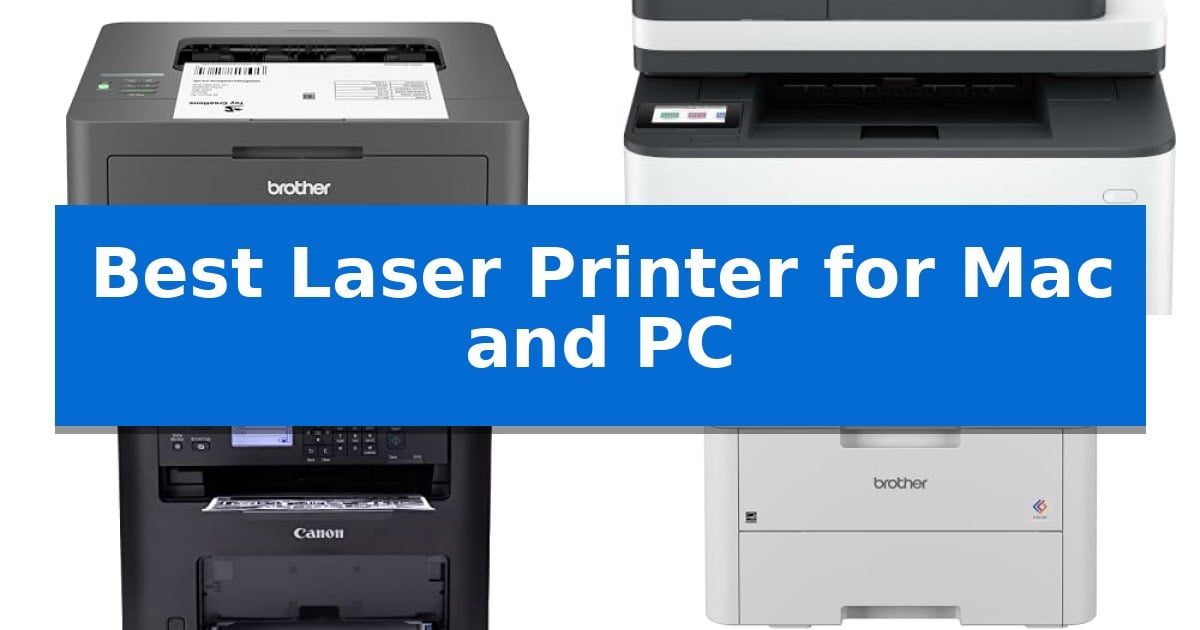
Finding a reliable printing solution that works seamlessly across different operating systems can be a source of frustration for many users. Whether you are managing a home office or a small team, the Best Laser Printer for Mac and PC must offer consistent performance, straightforward driver support, and versatile connectivity options.
We have evaluated five distinct laser printers to help you identify which machine aligns with your specific document needs. By focusing on essential features like wireless integration, print speed, and multi-function capabilities, this guide highlights the trade-offs between compact designs and high-volume productivity tools.
Best Laser Printer for Mac and PC in 2026
Quick Comparison
| Product | Best For | Key Strength | Score |
|---|---|---|---|
| Brother HL-L2405W Laser Printer | Best Overall | Compact design that fits easily into small home office spaces. | 4.9 |
| HP LaserJet Pro 3101sdw Laser Printer | Fast Multi-Function Productivity | Fast print speeds up to 35 ppm for efficient document handling. | 4.5 |
| Canon imageCLASS MF273dw Laser Printer | Reliable All-in-One Workflow | Fast 30 PPM print speed for high-volume document handling. | 4.7 |
| Brother HL-L3220CDW Color Laser Printer | Vibrant Output for Documents | Automatic duplex printing for efficient paper usage. | 4.4 |
| HP LaserJet MFP M140w Laser Printer | Smallest Footprint for Tight Spaces | World's smallest laser printer in its class for maximum space efficiency. | 4.6 |
How We Chose
- Cross-platform driver and software compatibility for both macOS and Windows.
- Wireless connectivity standards including dual-band Wi-Fi and mobile app integration.
- Physical dimensions and paper handling capacity relative to typical home office space.
- Print speed and multi-function capabilities such as scanning and copying.
- Long-term maintenance requirements and availability of genuine toner supplies.
1 Brother HL-L2405W Laser Printer — Compact Choice for Home Offices
Efficiency in a home workspace often comes down to footprint and connectivity, and the Brother HL-L2405W Wireless Compact Monochrome Laser Printer addresses these needs with a design that measures just 7.2 inches in height. This compact unit is engineered for consistent, high-quality black and white output, making it a practical choice for users who require reliable document printing without the bulk of larger office equipment.
The printer is equipped with dual-band wireless (2.4GHz/5GHz) connectivity, allowing for secure integration into both Mac and PC environments. For those who prefer a direct connection, a standard USB interface is also included. This flexibility is complemented by the Brother Mobile Connect App, which enables remote management and printing from mobile devices, providing a streamlined workflow for users on the go.
Performance is supported by a print speed of up to 30ppm, ensuring that one-sided documents are produced quickly. Paper management is handled by a 250-sheet paper tray, which reduces the frequency of refills, while a dedicated manual feed slot accommodates envelopes and specialty media, adding versatility for various office tasks.
To manage ongoing costs, the device supports the Refresh EZ Print Subscription Service, which tracks toner usage and automates replacements. Users can choose between standard and high-yield Brother Genuine TN830 or TN830XL toner cartridges to match their printing volume, ensuring the machine remains ready for daily operation.
Best for: Home and small office users who need a compact, reliable monochrome printer with flexible wireless and mobile connectivity options.
Skip if: Users who require color printing, high-volume duplex printing, or advanced scanning and copying capabilities will find this single-function monochrome model insufficient.
PROS
- Compact design that fits easily into small home office spaces.
- Dual-band wireless connectivity for reliable integration with multiple devices.
- Fast print speeds of up to 30 pages per minute.
- Versatile paper handling including a 250-sheet tray and manual feed slot.
CONS
- Monochrome-only output limits the printer to black and white documents.
- Single-function design lacks built-in scanning or copying capabilities.
2 HP LaserJet Pro 3101sdw Laser Printer — Fast Multi-Function Productivity
Maintaining a high-volume document workflow requires hardware that balances speed with consistent output quality. The HP LaserJet Pro 3101sdw Laser Printer is engineered for small teams, offering a robust monochrome printing solution that integrates printing, scanning, and copying into a single, space-saving unit measuring 16.5 by 12.3 inches.
Efficiency is central to this device's design, featuring a 35 page-per-minute print speed and an automatic two-sided printing function that helps manage paper consumption during large projects. To support high-demand tasks, the printer includes a 250-sheet input tray and a 50-sheet automatic document feeder, allowing users to process multi-page documents without constant manual intervention.
Connectivity is handled through a wireless system designed for stable network performance, ensuring the printer remains accessible across office environments. The device is built to work exclusively with cartridges containing original HP chips or circuitry. This hardware-level integration is supported by periodic firmware updates, which maintain the security and optimization of the printing system.
With a one-year limited warranty, this printer provides a reliable foundation for businesses that prioritize consistent, professional-quality black-and-white output. Its compact footprint ensures it fits on most standard office surfaces, making it a practical choice for teams that need to maximize their workspace while maintaining professional document production capabilities.
Best for: Small teams and home offices requiring high-speed, reliable monochrome printing and document scanning.
Skip if: Users who require color printing or those who prefer the flexibility of using third-party, non-chipped toner cartridges.
PROS
- Fast print speeds up to 35 ppm for efficient document handling.
- Automatic two-sided printing to reduce paper consumption.
- Integrated 50-sheet document feeder for streamlined scanning and copying.
- Dependable wireless connectivity designed for stable office networking.
CONS
- Restricted to HP-chipped cartridges, which prevents the use of third-party alternatives.
- Monochrome-only output, limiting the device to black-and-white documents.
3 Canon imageCLASS MF273dw Laser Printer — Reliable All-in-One Workflow
Maintaining a consistent office workflow requires hardware that bridges the gap between different operating systems without unnecessary friction. The Canon imageCLASS MF273dw Laser Printer addresses this by offering a robust 3-in-1 wireless solution that integrates seamlessly into both Mac and PC environments, serving as a reliable hub for printing, scanning, and copying.
This monochrome laser printer is engineered for efficiency, capable of producing documents at a rate of 30 pages per minute. For users who prioritize speed, the device boasts a first print out time of approximately 5.3 seconds, ensuring that documents are ready almost immediately after sending a command. The inclusion of auto 2-sided printing further enhances productivity by reducing paper consumption during high-volume tasks.
Designed for versatility, the Canon imageCLASS MF273dw Laser Printer utilizes the Toner 071 and 071 High-Capacity cartridges, allowing users to choose the supply volume that best matches their printing frequency. Its compact footprint—measuring roughly 15.4 by 14.6 inches—makes it a practical addition to shared workspaces or home offices where desk space is at a premium.
The device is built to handle standard office demands through its integrated auto document feeder, which simplifies the process of scanning or copying multi-page documents. By combining these essential functions into a single, durable unit, it provides a straightforward path for managing paper-based documentation across diverse digital ecosystems.
Best for: Small offices and home users requiring a reliable, fast monochrome multifunction printer that supports both Mac and PC workflows.
Skip if: Users who require color printing or high-resolution photo reproduction will find this monochrome-only laser printer unsuitable for their needs.
PROS
- Fast 30 PPM print speed for high-volume document handling.
- Auto 2-sided printing to improve efficiency and reduce paper waste.
- Wireless 3-in-1 functionality covering print, copy, and scan needs.
- Quick first print out time of approximately 5.3 seconds.
CONS
- Monochrome-only output limits the device to black-and-white printing.
- Requires specific Toner 071 series cartridges for operation.
4 Brother HL-L3220CDW Color Laser Printer — Vibrant Output for Documents
The Brother HL-L3220CDW Color Laser Printer is engineered to streamline document workflows through its 19 PPM output and integrated automatic duplex printing, which allows for efficient double-sided document creation. Designed for the professional home office, this unit balances speed with a compact footprint, measuring approximately 9.4 inches in height.
Connectivity is a primary focus, featuring advanced wireless capabilities that facilitate printing from laptops, smartphones, and tablets. The device integrates with major mobile platforms and cloud services, ensuring that users can manage print tasks directly from their preferred mobile devices without needing a direct wired connection.
To support high-volume tasks, the printer includes a 250-sheet paper tray that reduces the frequency of refills during busy work periods. Additionally, a manual feed slot provides the flexibility to handle envelopes and specialty media, accommodating diverse printing needs beyond standard office documents.
Security and reliability are addressed through built-in security protocols designed to safeguard sensitive business documents during wireless transmission. With its combination of vibrant color graphics and crisp text output, this model serves as a versatile tool for users requiring consistent, professional-quality results in a home or small office environment.
Best for: Home office professionals who require reliable wireless printing, duplex capabilities, and high-volume paper capacity for business documents.
Skip if: Users who require a multifunction device with scanning, copying, or faxing capabilities, as this model is a dedicated printer only.
PROS
- Automatic duplex printing for efficient paper usage.
- Wireless connectivity with mobile device and cloud integration.
- 250-sheet paper tray capacity for reduced maintenance.
- Manual feed slot for envelopes and specialty media.
CONS
- Single-function design lacks integrated scanning or copying features.
5 HP LaserJet MFP M140w Laser Printer — Smallest Footprint for Tight Spaces
Maintaining a productive workspace often requires equipment that minimizes clutter without sacrificing utility. The HP LaserJet MFP M140w Laser Printer addresses this by offering a compact, multi-functional design that integrates printing, scanning, and copying into a footprint specifically engineered for tight spaces, making it the world's smallest laser printer in its class.
Designed for small teams of one to three people, this device delivers fast print speeds of up to 21 pages per minute. It supports versatile connectivity, including wireless printing with a self-reset feature to maintain stable connections across Mac, PC, Chromebook, and mobile platforms, ensuring that your hardware remains accessible regardless of your preferred operating system.
Usability is enhanced through the HP Smart app, which allows users to manage repetitive tasks, scan documents directly to the cloud, and initiate prints from smartphones. The unit also includes a specialized feature for copying ID cards, enabling users to capture both sides of small documents onto a single sheet of paper, which is a practical benefit for professional environments handling identification or insurance cards.
This printer is built to work exclusively with cartridges containing original HP chips or circuitry. Users should note that the system will block cartridges using non-HP components, and the device requires periodic firmware updates to maintain these security measures. This design choice ensures consistent performance with proprietary supplies but limits the flexibility of using third-party alternatives.
Best for: Small teams of 1-3 people who need a space-saving, multi-functional laser printer for professional-quality black and white documents.
Skip if: Users who require color printing or those who prefer the flexibility of using third-party or non-HP branded toner cartridges.
PROS
- World's smallest laser printer in its class for maximum space efficiency.
- Fast print speeds of up to 21 pages per minute for efficient document handling.
- Integrated mobile printing and cloud scanning via the HP Smart app.
- Convenient ID card copy feature for small-format documents.
CONS
- Strict cartridge compatibility requiring original HP chips or circuitry.
- Monochrome-only output limits document versatility for color-dependent tasks.
Best Laser Printer for Mac and PC Buying Guide
Connectivity and OS Compatibility
The primary requirement for any printer in a mixed-computer environment is robust wireless connectivity. Modern printers should support both 2.4GHz and 5GHz bands to ensure a stable connection to your router, preventing dropped print jobs.
Ensure the printer supports standard protocols like AirPrint for macOS and compatible drivers for Windows. This eliminates the need for complex software installations and allows you to print directly from your laptop or mobile device without manual configuration.
Print Speed and Volume
Pages per minute (PPM) is a critical metric for those who frequently print long reports or high-volume documents. A faster print speed reduces wait times, allowing you to focus on other tasks rather than hovering over the machine.
Consider the input tray capacity as well. A larger tray, such as one holding 250 sheets, reduces the frequency of refills, which is essential for maintaining a smooth workflow during busy periods.
Multi-Function vs. Single-Function
Deciding between a single-function printer and an all-in-one (MFP) unit depends on your space and scanning needs. If you frequently digitize physical documents, an integrated automatic document feeder (ADF) is a significant time-saver.
However, if you only need high-quality black-and-white text output, a compact, single-function laser printer often provides a smaller footprint and lower maintenance requirements, making it ideal for tight desk spaces.
Toner Efficiency and Subscription Services
Laser printers rely on toner cartridges, which represent the primary ongoing cost. Look for printers that offer high-capacity toner options, as these typically provide a lower cost-per-page over the life of the machine.
Some manufacturers offer toner subscription services that track your usage and ship replacements automatically. This can be a convenient way to ensure you never run out of supplies, provided you are comfortable with the manufacturer's specific program.
Physical Footprint and Design
The physical size of the printer is often overlooked until it arrives on your desk. For small home offices, a compact design is vital to ensure the device does not dominate your workspace.
Check the dimensions and weight of the unit, especially if you plan to place it on a shelf or a small side table. A well-designed printer balances a small footprint with accessible paper paths and easy-to-reach controls.
Frequently Asked Questions
Do these laser printers work with both Mac and PC?
Yes, all the models listed are designed to be compatible with both macOS and Windows environments, typically utilizing standard network protocols or manufacturer-provided drivers.
What is the benefit of a laser printer over an inkjet?
Laser printers generally offer faster print speeds and sharper text quality for documents, and the toner does not dry out like ink, making them more reliable for occasional use.
Can I print from my smartphone?
Most modern laser printers with wireless connectivity support mobile printing through dedicated apps or native mobile OS features like AirPrint.
What does 'duplex printing' mean?
Duplex printing refers to the printer's ability to automatically print on both sides of the paper, which helps save paper and reduces waste.
Are these printers suitable for high-volume office work?
While some models are better suited for small teams, you should check the recommended monthly print volume for each specific model to ensure it meets your office demands.
Conclusion: Our Top Pick
For users seeking a reliable and efficient printing solution, the Brother HL-L2405W Laser Printer stands out as the most balanced choice. Its compact design, combined with fast 30ppm print speeds and dual-band wireless connectivity, makes it highly effective for both Mac and PC users working in home office settings.
While other models offer additional features like scanning or color output, this unit provides the most consistent monochrome performance for standard document needs. Its inclusion of a 250-sheet tray and support for mobile printing apps ensures it can handle daily tasks with minimal intervention, making it a dependable addition to any workspace.