
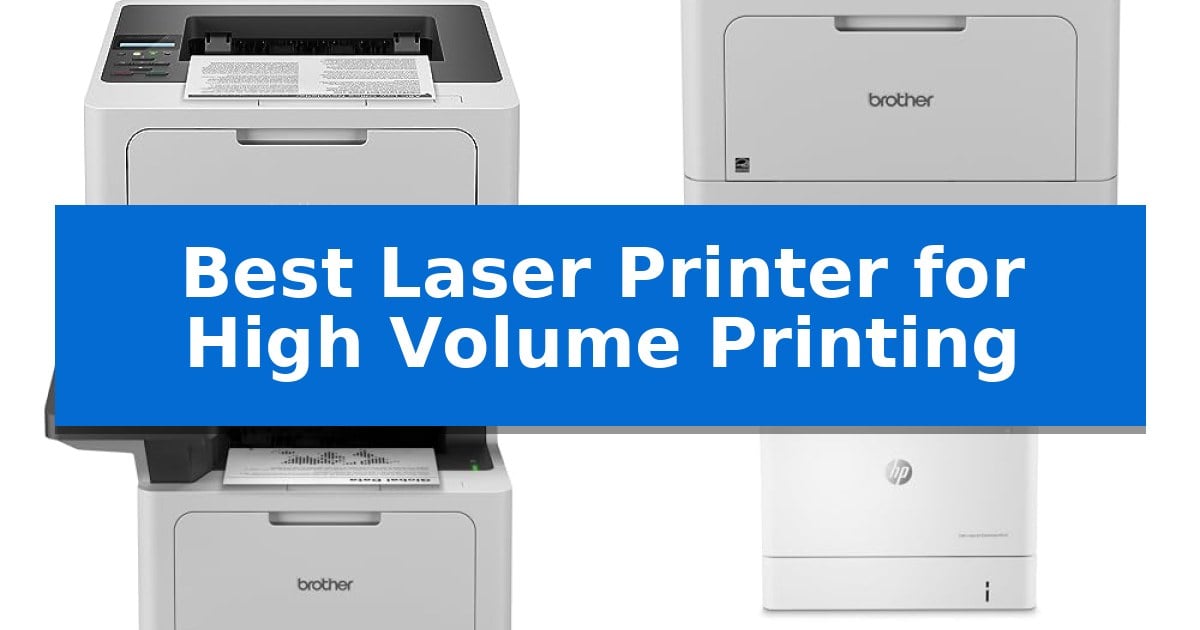
Maintaining a steady flow of documents is essential for any busy office, yet choosing the right hardware often feels overwhelming. When your daily operations depend on rapid, reliable output, finding the Best Laser Printer for High Volume Printing becomes a critical investment for your business productivity.
We have analyzed the latest monochrome and color laser printers to identify which machines truly handle heavy workloads without compromising on speed or paper management. Whether you need an all-in-one workhorse or a dedicated high-capacity printer, these selections focus on the technical specifications that keep your office running smoothly.
Best Laser Printer for High Volume Printing in 2026
Quick Comparison
| Product | Best For | Key Strength | Score |
|---|---|---|---|
| Brother HL-6210DW Laser Printer | Best Overall | 50 ppm print speed for rapid document completion. | 4.9 |
| Brother HL-L5210DWT Laser Printer | Maximum Paper Capacity | High-speed printing at 48ppm for increased office productivity. | 4.4 |
| Brother MFC-L5915DW Laser Printer | Fastest All-in-One Performance | High-speed output of 50 pages per minute for efficient document production. | 4.4 |
| HP Color LaserJet Enterprise M554dn | Professional Color Volume | High-speed performance reaching up to 35 ppm for efficient throughput. | 4.6 |
| Brother MFC-L5710DW Laser Printer | Efficient Multi-Function Output | Fast print and copy speeds up to 48ppm for high-volume tasks. | 4.5 |
How We Chose
- Print Speed: We prioritized models with high pages-per-minute (ppm) ratings to ensure rapid document turnaround.
- Paper Capacity: We assessed the total input tray capacity and expandability to reduce the frequency of manual paper refills.
- Toner Efficiency: We looked for high-yield and ultra-high-yield toner compatibility to lower the cost per page for large print jobs.
- Connectivity: We verified the inclusion of Gigabit Ethernet and dual-band wireless networking for seamless multi-user integration.
- Security Features: We examined the implementation of multi-layer security protocols to protect sensitive business documents during transmission.
1 Brother HL-6210DW Laser Printer — Best for Heavy Duty Workloads
Maintaining consistent output in a high-demand office environment requires hardware that balances speed with reliable capacity. The Brother HL-6210DW Laser Printer addresses this by delivering an impressive 50 ppm output speed, designed to handle substantial document volumes without sacrificing precision.
Beyond its raw speed, this monochrome laser printer is built for scalability. It comes standard with a 520-sheet main tray and a 100-sheet multipurpose feed, which can be expanded to a total capacity of 1,660 sheets using optional trays. This configuration minimizes the frequency of paper refills, allowing for uninterrupted workflows during large print runs.
Connectivity and security are integrated to support modern business networks. The device features Gigabit Ethernet and dual-band wireless networking, facilitating efficient printer sharing and mobile printing across an office environment. To protect sensitive business data, it includes Triple Layer Security features that safeguard the network, devices, and documents during transmission.
Operational efficiency is further supported by the use of Brother Genuine ultra high-yield replacement toner cartridges, which are rated for up to 18,000 pages. This high-yield capacity is a critical factor for businesses looking to manage and reduce the ongoing costs associated with high-volume monochrome document production.
Best for: High-volume office environments that require fast, reliable monochrome printing with expandable paper capacity and robust network security.
Skip if: Users who require color printing or those with limited desk space who do not need the high-capacity paper handling features.
PROS
- 50 ppm print speed for rapid document completion.
- Expandable paper capacity up to 1,660 sheets.
- Ultra high-yield toner support for up to 18,000 pages.
- Triple Layer Security for network and document protection.
CONS
- Monochrome-only output limits use to black and white documents.
- Large physical footprint when fully configured with optional trays.
2 Brother HL-L5210DWT Laser Printer — Maximum Paper Capacity
Managing high-volume document workflows requires hardware that minimizes downtime and maximizes throughput. The Brother HL-L5210DWT Business Monochrome Laser Printer addresses this need by providing a print speed of up to 48ppm, ensuring that large batches of professional-quality documents are processed with efficiency.
To support continuous operation, the device features a robust paper management system. It comes equipped with dual paper trays—a 250-sheet and a 520-sheet tray—alongside a 100-sheet multipurpose tray for specialty media. For environments with extreme printing demands, the total capacity can be further expanded up to 1,390 sheets using an optional tray.
Operating costs are a critical factor in high-volume settings. This printer is designed for cost-efficient output, supporting the Brother Genuine TN920XXL super high-yield 11,000-page replacement toner cartridge. The unit arrives with a 3,000-page starter cartridge to get workflows moving immediately.
Connectivity and security are integrated to fit into professional network environments. The printer includes Gigabit Ethernet and dual band wireless networking, allowing for flexible placement and seamless mobile printing. Furthermore, it incorporates Triple Layer Security features to protect sensitive documents and secure the network against unauthorized access during data transit.
Best for: Busy office environments requiring high-speed monochrome printing and flexible, high-capacity paper handling.
Skip if: Users who require color printing or those with limited desk space who do not need the high-capacity dual-tray configuration.
PROS
- High-speed printing at 48ppm for increased office productivity.
- Large paper capacity with dual trays expandable up to 1,390 sheets.
- Cost-efficient operation via support for 11,000-page super high-yield toner.
- Advanced security features to protect network and document integrity.
CONS
- Monochrome-only output limits use to text and black-and-white documents.
- Large footprint design may not suit compact workspaces.
3 Brother MFC-L5915DW Laser Printer — Fastest All-in-One Performance
Maintaining high productivity in a busy office requires equipment that minimizes downtime and handles heavy document loads efficiently. The Brother MFC-L5915DW Laser Printer is engineered for this environment, featuring a robust print and copy speed of up to 50 pages per minute to keep workflows moving without interruption.
Beyond raw speed, this all-in-one device streamlines document management through its 70-page capacity auto document feeder. It supports single-pass, two-sided scanning at speeds up to 56 images per minute, allowing users to digitize large stacks of double-sided documents quickly. The inclusion of a large document glass further accommodates varied media, including legal-sized sheets.
Operating costs are a critical consideration for high-volume environments. The Brother MFC-L5915DW Laser Printer supports the TN920UXXL ultra high-yield toner cartridge, which provides a capacity of up to 18,000 pages. This design choice helps reduce the frequency of supply changes and lowers the overall cost per page for offices with consistent printing demands.
Connectivity and integration are handled through built-in Gigabit Ethernet and dual-band wireless networking. These options provide the flexibility to place the printer where it is most accessible to the team while ensuring reliable access across wired or wireless office networks. The unit is designed to fit into professional spaces with dimensions of 19.5" x 18.6" x 19.1".
Best for: Busy office environments requiring high-speed monochrome printing, efficient two-sided scanning, and low-cost, high-yield toner options.
Skip if: Users who require color printing or those with limited desk space who do not need high-volume document handling capabilities.
PROS
- High-speed output of 50 pages per minute for efficient document production.
- Ultra high-yield toner support (18,000 pages) to minimize replacement frequency and operating costs.
- Single-pass, two-sided scanning via the 70-page auto document feeder.
- Flexible connectivity including Gigabit Ethernet and dual-band Wi-Fi.
CONS
- Monochrome-only printing limits this device to black-and-white documents.
- Substantial physical footprint may be too large for compact home office setups.
4 HP Color LaserJet Enterprise M554dn — Professional Color Volume
Maintaining consistent output in a busy office environment requires hardware that balances speed with reliability. The HP Color LaserJet Enterprise M554dn is engineered for high-volume demands, featuring a robust 650-sheet input capacity that minimizes the frequency of paper refills during large print runs.
Performance is driven by print speeds of up to 35 ppm, ensuring that multi-page documents are processed efficiently. The inclusion of automatic 2-sided printing further supports productivity while helping to reduce paper consumption, making it a practical choice for document-heavy workflows.
Security and management are integrated directly into the device architecture. With HP Wolf Enterprise Security, the printer employs defensive layers designed to detect and self-heal from malware. Administrators can centralize control via HP Web Admin, allowing for streamlined policy application and device updates across the office environment.
Sustainability is addressed through HP Auto-On/Auto-Off Technology, which intelligently manages power consumption by adjusting the printer's state based on usage. This feature ensures the device is ready when needed while minimizing energy waste during idle periods.
Best for: Professional office environments requiring secure, high-speed, and high-capacity color document production.
Skip if: Users who require a multi-function device with scanning, copying, or faxing capabilities, as this is a print-only unit.
PROS
- High-speed performance reaching up to 35 ppm for efficient throughput.
- Robust security features with HP Wolf Enterprise Security for malware detection.
- 650-sheet input capacity reduces the need for constant paper replenishment.
- Energy-efficient operation via intelligent Auto-On/Auto-Off technology.
CONS
- Print-only functionality limits utility for offices needing scanning or copying.
- Large physical footprint requires significant dedicated desk or floor space.
5 Brother MFC-L5710DW Laser Printer — Efficient Multi-Function Output
Managing a high-output office environment requires hardware that balances speed with operational efficiency. The Brother MFC-L5710DW Business Monochrome Laser All-in-One Printer addresses this need by delivering print and copy speeds reaching up to 48ppm, ensuring that large document batches are processed without significant downtime.
Beyond raw speed, this device focuses on long-term cost management through the use of the Brother Genuine TN920XXL super high-yield toner cartridge, which is rated for 11,000 pages. This high-capacity consumable helps reduce the frequency of replacements, making it a practical choice for environments where document volume is consistently high.
The printer integrates advanced document handling features, including a 50-page capacity auto document feeder that supports single-pass, two-sided scanning at speeds up to 60ipm. These capabilities allow users to digitize double-sided documents rapidly and route them directly to cloud services, email, or network destinations like SharePoint and SFTP servers.
Connectivity is handled through Gigabit Ethernet and dual-band wireless networking, providing flexibility for both wired and wireless office setups. The inclusion of a touchscreen interface simplifies navigation, allowing users to create searchable and editable Microsoft Office documents directly from the device.
Best for: Busy office environments requiring high-speed monochrome printing, efficient duplex scanning, and low-cost, high-yield toner options.
Skip if: Users who require color printing or those with limited desk space who do not need a high-volume, all-in-one business machine.
PROS
- Fast print and copy speeds up to 48ppm for high-volume tasks.
- Cost-efficient operation with 11,000-page super high-yield toner support.
- Single-pass duplex scanning at 60ipm for rapid document digitization.
- Flexible connectivity including Gigabit Ethernet and dual-band wireless.
CONS
- Monochrome-only output limits the device to black-and-white documents.
- Large physical footprint may be restrictive for smaller office desks.
Best Laser Printer for High Volume Printing Buying Guide
Understanding Print Speed and Duty Cycles
In a high-volume environment, the print speed measured in pages per minute (ppm) is the most immediate indicator of performance. A machine that delivers 48 to 50 ppm can significantly reduce wait times during peak hours, allowing staff to move on to other tasks faster.
Equally important is the duty cycle, which defines the maximum number of pages a printer can produce in a month. Always ensure the printer's rated capacity aligns with your actual monthly output to prevent premature hardware wear and mechanical failure.
The Importance of Paper Capacity
Frequent paper reloading is a major productivity killer. Printers that offer expandable paper trays allow you to scale your capacity as your business grows, moving from standard 520-sheet configurations to over 1,600 sheets.
Look for models that include a multipurpose tray for handling envelopes, labels, or custom media without needing to swap out the main paper supply. This flexibility is essential for offices that handle diverse document types alongside standard reports.
Managing Operational Costs
The initial purchase price of a printer is only one part of the equation; the cost per page is what truly impacts your long-term budget. High-volume printers that support ultra high-yield toner cartridges offer the best value by reducing the frequency of replacements.
By choosing a printer that supports cartridges capable of printing 11,000 to 18,000 pages, you minimize the labor cost associated with maintenance and ensure that your supply closet remains stocked for longer periods.
Network Connectivity and Security
Modern office environments require robust Gigabit Ethernet and dual-band wireless connectivity to handle large print queues from multiple devices simultaneously. Reliable network integration ensures that your printer remains accessible even during high-traffic periods.
Security should never be an afterthought. Features like Triple Layer Security protect your documents in transit and ensure that only authorized users can access the device, which is vital for maintaining compliance and data integrity.
All-in-One vs. Single Function
Deciding between an all-in-one (AIO) and a single-function printer depends on your scanning and copying needs. An AIO device with a high-speed auto document feeder (ADF) can drastically streamline your workflow by automating the digitization of physical files.
If your office only requires printing, a single-function laser printer is often more compact and easier to maintain. However, for offices that frequently digitize legal-sized documents, the added functionality of an AIO is usually worth the larger footprint.
Frequently Asked Questions
What is the primary benefit of a high-volume laser printer?
These printers are designed to handle thousands of pages per month with minimal maintenance, featuring faster print speeds and larger paper capacities than standard home printers.
Can I expand the paper capacity of these printers later?
Many professional-grade Brother laser printers offer optional paper trays that allow you to increase the total input capacity significantly as your office requirements grow.
Are these printers suitable for color printing?
Most of the models listed are monochrome laser printers, which are generally more cost-effective for high-volume text documents. For color needs, specific enterprise-grade models like the HP Color LaserJet are designed to handle high-volume color output.
How do I lower my printing costs?
Utilizing ultra high-yield toner cartridges is the most effective way to reduce the cost per page. These cartridges last significantly longer, reducing the frequency of purchases and maintenance.
What is the advantage of dual-band wireless networking?
Dual-band wireless provides more stable and faster connectivity by utilizing both 2.4GHz and 5GHz frequencies, reducing interference and ensuring reliable printing from mobile and desktop devices.
Conclusion: Our Top Pick
For offices requiring the most robust performance, the Brother HL-6210DW Laser Printer stands out as the premier choice. Its combination of a 50 ppm output speed and the ability to expand paper capacity up to 1,660 sheets makes it exceptionally well-suited for heavy-duty workloads.
While other models offer specific advantages like all-in-one scanning or color output, the HL-6210DW provides the most reliable foundation for high-volume monochrome printing. Its focus on security and cost-efficient toner usage ensures that it remains a productive asset for any growing business.