
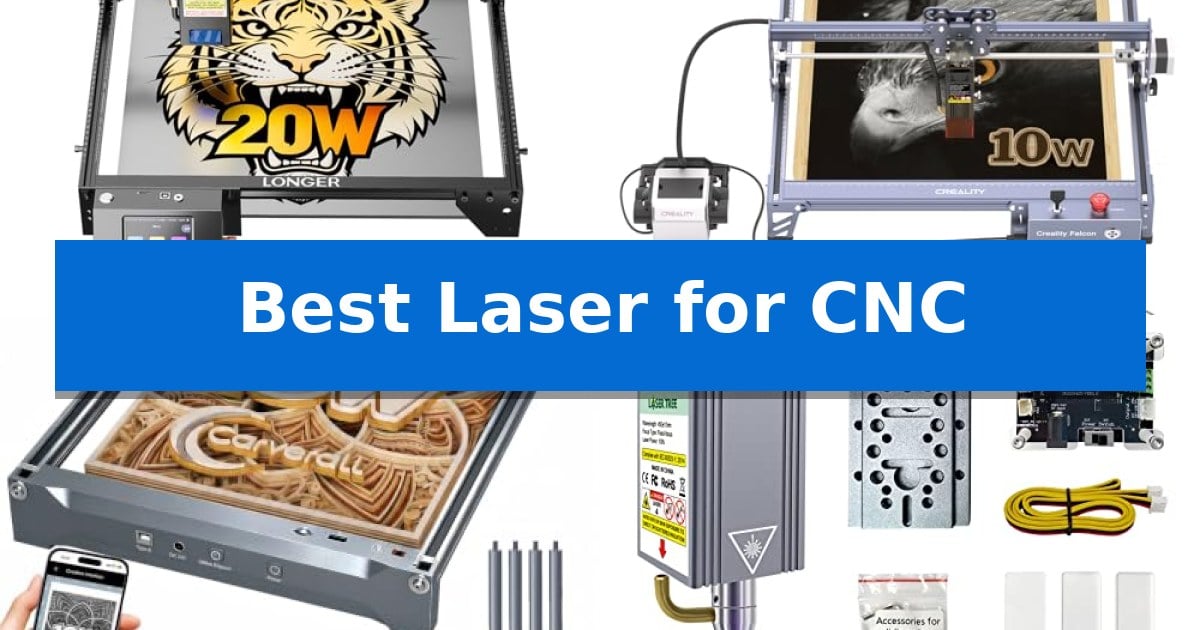
Integrating a laser system into your existing CNC setup or choosing a dedicated engraver can significantly expand your creative capabilities. Whether you are looking to etch detailed designs into wood or cut through acrylic, finding the Best Laser for CNC requires balancing power, precision, and compatibility with your current hardware.
Selecting the right tool involves understanding how laser power, focal spot size, and connectivity options impact your workflow. This guide evaluates five distinct options to help you determine which system best fits your specific material requirements and technical environment.
Best Laser for CNC in 2026: Maximize Workshop Versatility
Quick Comparison
| Product | Best For | Key Strength | Score |
|---|---|---|---|
| LONGER Ray5 20W Laser Engraver | Best Overall | Powerful 20W laser module capable of single-pass cutting through 15mm pine. | 4.9 |
| Creality Falcon Pro 10W Laser Engraver | Beginner-Friendly One-Touch Operation | One-button offline control simplifies operation without needing a constant PC connection. | 4.8 |
| Carverall K15 Pro Laser Engraver | Compact Design for Small Studios | Compact A4 workspace fits easily on standard desks. | 4.7 |
| LASER TREE 10W Laser Module | Upgrade Existing CNC Routers | Dual compressed spot technology for high-precision engraving. | 4.4 |
| Genmitsu 5000mW Laser Module | Lightweight Precision for Genmitsu | Broad compatibility with multiple Genmitsu CNC series. | 4.7 |
How We Chose
- Optical power output and cutting capability across common materials like wood, acrylic, and metal.
- Laser spot size and precision, which dictate the level of detail achievable in engraving tasks.
- Compatibility with existing CNC machine architectures and control software like LightBurn or LaserGRBL.
- Safety features, including protective shielding, emergency stops, and cooling mechanisms.
- Ease of installation and connectivity options, such as offline control and multi-device support.
1 LONGER Ray5 20W Laser Engraver — High-Speed Commercial-Grade Precision
Achieving precise cuts and intricate engravings requires a machine that balances power with fine-tuned control, and the LONGER Ray5 20W Laser Engraver is engineered to meet these demands through its high-power 20W laser module. By utilizing a 240MHz ESP32 chipset, this unit maintains stability during high-intensity tasks, supporting engraving speeds reaching 24,000mm/min.
The system features an ultra-fine 0.08 × 0.1mm laser spot, which allows for a high level of detail with precision up to 0.01mm. This capability is complemented by an advanced 256-color palette, enabling users to produce artistic results on materials ranging from stainless steel and metal to wood, leather, and acrylic. The machine is capable of single-pass cutting through 15mm pine wood or 8mm acrylic, with multi-pass options extending those capacities significantly.
Usability is centered around a 3.5-inch touchscreen that facilitates real-time progress monitoring and quick parameter adjustments. Connectivity is versatile, supporting USB, TF card, Wi-Fi, and app-based control, making it compatible with industry-standard software like LightBurn and LaserGRBL. The 400 × 365mm working area provides ample space for diverse projects, while the multi-core architecture allows a single host to manage multiple machines simultaneously.
Safety and maintenance are addressed through an integrated protective shield that filters over 95% of radiation, alongside a full protective enclosure. The hardware includes essential safety features such as an emergency stop, motion protection, and an active cooling system designed to extend the laser's lifespan. The package arrives with all necessary tools and documentation to support a straightforward assembly process.
Best for: Commercial studios and DIY enthusiasts requiring a balance of high-speed cutting power and fine-detail engraving precision.
Skip if: Users who require a larger working area than 400 × 365mm or those who prefer a non-DIY assembly experience.
PROS
- Powerful 20W laser module capable of single-pass cutting through 15mm pine.
- High-precision 0.01mm engraving with an ultra-fine 0.08 × 0.1mm laser spot.
- Versatile connectivity including Wi-Fi, app, and offline operation via TF card.
- Multi-machine control enabled by the ESP32 multi-core architecture.
CONS
- Fixed working area of 400 × 365mm may limit larger-scale project dimensions.
- Assembly required as the unit is provided as a DIY kit.
2 Creality Falcon Pro 10W Laser Engraver — Beginner-Friendly One-Touch Operation
Achieving precise detail in custom fabrication requires a reliable system, and the Creality Falcon Pro 10W Laser Engraver simplifies this process with its one-button innovation. This control box allows users to preview, start, pause, or stop engraving tasks directly in offline mode, reducing the need for constant computer tethering.
The machine is built for versatility, utilizing a supercharged 10W laser with a 72000mW output. This power enables the unit to cut through materials like wood, leather, paper, and dark acrylic, while also etching onto glass and metal surfaces. An improved 6-lens array focuses the beam down to a 0.06mm spot, which is designed to capture intricate details, such as fine art patterns or pet hair textures.
Efficiency is supported by a built-in air-assist device, which helps maintain clean surfaces by clearing debris during the cutting process. This feature aims to produce neat results in a single pass. The unit also prioritizes safety for new users, incorporating an emergency stop button, a laser protection cover, and a safety lock design to manage operation risks.
Setup is designed to be straightforward, with a simplified construction that allows for easy assembly. Users can import files via a TF card, making the device portable for use in various environments. With its compact footprint and integrated LED status indicator, this engraver serves as a functional tool for those looking to manage diverse engraving and cutting projects.
Best for: Beginners and hobbyists who need a compact, easy-to-assemble laser engraver with offline operation capabilities for wood, leather, and acrylic projects.
Skip if: Users requiring high-volume industrial production or those needing to cut through thick, non-standard materials beyond the capacity of a 10W laser module.
PROS
- One-button offline control simplifies operation without needing a constant PC connection.
- Integrated air assist promotes cleaner cuts and more efficient material processing.
- 6-lens array provides a precise 0.06mm focal spot for detailed engraving.
- Comprehensive safety features including an emergency stop and protective cover.
CONS
- 10W output power may limit the thickness of materials that can be cut in a single pass compared to higher-wattage industrial lasers.
3 Carverall K15 Pro Laser Engraver — Compact Design for Small Studios
Precision laser work for home studios and small businesses requires a balance of speed and detail, which is where the Carverall K15 Pro Laser Engraver enters the workflow. This 2-in-1 diode laser system is built to handle over 300 materials, including wood, acrylic, leather, and coated metal, utilizing a high-speed dual-fan diode module to manage heat during extended production runs.
Usability is a core focus of this machine, featuring a 3-minute assembly process and a versatile, compact A4-sized workspace. The system supports offline engraving via TF card, allowing for batch operations without a constant PC connection. For those who prefer digital control, the CutLabX software is compatible across computers, tablets, and phones, while also supporting industry-standard tools like LightBurn and LaserGRBL.
Performance is defined by its 4K clarity and a maximum speed of 15,000mm/min, achieving 0.01mm precision. The one-touch smart focus system simplifies setup, while the integrated smart memory saves the last file for rapid, one-tap repeat jobs. The unit also includes four heightening columns, enabling users to engrave taller objects like skateboards or gift boxes without needing additional hardware.
Designed for longevity and growth, the Carverall K15 Pro Laser Engraver features a module life rated for 15,000 hours. The system is modular, allowing users to add an optional 1W IR laser head for bare metal engraving, or expand capabilities with accessories like a honeycomb plate, air pump, or rotary roller, making it a scalable choice for evolving creative needs.
Best for: Small business owners and hobbyists who need a compact, upgradeable laser system for batch engraving and cutting on a variety of materials.
Skip if: Users who require a large-format workspace exceeding the A4 footprint or those needing to engrave bare stainless steel immediately without purchasing an additional IR laser module.
PROS
- Compact A4 workspace fits easily on standard desks.
- Offline engraving capabilities via TF card for batch jobs.
- Upgradeable design supports future addition of IR laser heads.
- High-speed performance with 15,000mm/min movement.
CONS
- Bare metal engraving requires an additional optional IR laser module purchase.
- Limited workspace size may restrict projects larger than A4 dimensions.
4 LASER TREE 10W Laser Module — Upgrade Existing CNC Routers
Integrating a high-performance laser module into an existing CNC setup can significantly expand your fabrication capabilities, from precise engraving to efficient cutting. The LASER TREE 10W Laser Module utilizes dual compressed spot technology to achieve a fine 0.08*0.08mm beam, enabling detailed work on materials like 304 stainless steel and dark acrylic.
Designed for versatility, this module features a built-in FAC (Fast Axis Collimation) lens that ensures a smaller, more focused beam for improved precision. It supports 5V PWM modulation for power adjustment and is compatible with a wide range of hardware, including CNC routers and 3D printers, via a standard XH2.54-3P socket.
The unit prioritizes operational efficiency with an integrated air assist nozzle, which helps clear debris and improves cutting penetration. For safety and convenience, the module includes a magnetic removable eye protection cover, allowing users to monitor the process without needing additional safety glasses during operation.
With a rated 20,000-hour diode lifetime, this module is built for consistent use. The kit provides a comprehensive installation package, including a driver adapter and focus fixing plates, making it a practical choice for those looking to upgrade their current CNC machine's functionality.
Best for: Users looking to upgrade an existing CNC router or 3D printer with high-precision engraving and cutting capabilities.
Skip if: Users whose CNC motherboard does not support 24V input or those who require a laser system for transparent or non-oxidized metal materials.
PROS
- Dual compressed spot technology for high-precision engraving.
- Integrated air assist nozzle for improved cutting efficiency.
- Magnetic removable eye protection for safer operation.
- Wide material compatibility including wood, stainless steel, and acrylic.
CONS
- Specific voltage requirement (24V) necessitates checking motherboard compatibility.
- Material limitations regarding transparent or non-oxidized surfaces.
5 Genmitsu 5000mW Laser Module — Lightweight Precision for Genmitsu
Upgrading your CNC machine with a dedicated laser module can significantly expand your fabrication capabilities, and the Genmitsu Laser Engraver Module is engineered specifically for seamless integration with popular models like the 3018-PRO and 3020-PRO MAX series. By utilizing an integrated control board directly within the laser head, this unit maintains a compact, lightweight profile that minimizes machine load and enhances operational stability.
The module features a 5000mW optical power output and a precise 0.1mm x 0.15mm laser spot, allowing for efficient cutting through materials such as 8mm pine board in a single pass. Designed for longevity, it incorporates upgraded heat dissipation and dust protection, which supports a rated service life exceeding 10,000 hours of consistent operation.
Safety and usability are prioritized through an included protective shield with a focus module, which simplifies the calibration process while filtering harmful light. This design choice ensures that users can make fast, accurate adjustments without compromising safety during the engraving or cutting process.
Compatibility is a primary strength of this module, as it is factory-engineered to fit the Genmitsu Pro and PROVer series, including the Cubiko and 4040 models. This direct-fit approach eliminates the need for complex mounting modifications, making it a straightforward upgrade for existing CNC owners looking to add laser functionality to their current setup.
Best for: Owners of Genmitsu Pro and PROVer series CNC machines seeking a plug-and-play laser upgrade for cutting and engraving.
Skip if: Users who own non-Genmitsu CNC machines or those requiring higher power output for thick industrial-grade materials.
PROS
- Broad compatibility with multiple Genmitsu CNC series.
- Compact, lightweight design with integrated control board.
- High-precision 0.1mm x 0.15mm laser spot for clean cuts.
- 10,000-hour service life with enhanced heat dissipation.
CONS
- Limited to specific Genmitsu machine models for seamless integration.
Best Laser for CNC Buying Guide
Understanding Laser Power and Material Compatibility
The optical power of a laser, typically measured in watts, is the primary factor determining what materials you can cut and how quickly. A 10W or 20W module is generally sufficient for most hobbyist and small-business applications, allowing for clean cuts through plywood and acrylic. Higher power levels enable faster processing and the ability to cut thicker materials in a single pass.
Compatibility is equally critical. Before purchasing, verify whether the laser module is designed to integrate with your specific CNC frame or if it operates as a standalone unit. Ensure the voltage requirements of the laser match your machine's motherboard to avoid electrical damage.
Precision and Focal Spot Size
The focal spot size is the measure of how tightly the laser beam is focused. A smaller spot size, often achieved through advanced lens arrays, results in higher energy density and finer engraving detail. This is essential for projects requiring intricate patterns or high-contrast text on surfaces like metal or glass.
Many modern modules feature fixed-focus or one-touch smart focus systems, which simplify the setup process. Consistent focus is vital for maintaining uniform engraving depth across the entire working area, especially when working with materials of varying thicknesses.
Safety and Operational Features
Operating a laser requires strict adherence to safety protocols. Look for modules that include protective shields to filter harmful radiation and integrated cooling systems to prevent overheating during long-duration jobs. These features not only protect the user but also extend the operational lifespan of the laser diode.
Advanced units often include emergency stop buttons and motion detection sensors that automatically pause the machine if it is bumped or if the laser head stops moving unexpectedly. These safeguards are essential for preventing accidents and material waste.
Software and Connectivity
The ability to control your laser through industry-standard software like LightBurn or LaserGRBL is a major advantage. These programs offer robust tools for image conversion, path optimization, and parameter adjustment, which are necessary for professional-grade results.
Connectivity options such as Wi-Fi, USB, or offline TF card support allow for flexible operation. Offline control is particularly useful for batch production, as it removes the need to keep a computer connected to the machine throughout the entire engraving process.
Maintenance and Longevity
To ensure your laser remains effective over time, prioritize models with robust heat dissipation and dust protection. Dust accumulation on the lens can significantly degrade performance, so choose a design that allows for easy cleaning and maintenance of the optical window.
Consider the expected lifespan of the laser diode, which is often rated in thousands of hours. Investing in a system with active cooling and quality components will provide more consistent results and reduce the need for frequent part replacements.
Frequently Asked Questions
Can I use any laser module with my CNC router?
No, compatibility depends on your CNC machine's voltage, mounting system, and control board. Always check the manufacturer's specifications to ensure the laser module is compatible with your specific model.
What is the difference between engraving and cutting power?
Engraving typically requires lower power and higher precision to create surface details, while cutting requires higher optical power to penetrate through the material thickness.
Do I need an air assist for my laser?
Air assist is highly recommended for cutting, as it blows away smoke and debris, resulting in cleaner edges and improved cutting depth by preventing the laser from being blocked.
Is it safe to operate these lasers at home?
Yes, provided you use the included protective shields, wear appropriate laser safety goggles, and ensure the workspace is well-ventilated to handle fumes produced during the process.
What software is best for laser engraving?
LightBurn and LaserGRBL are the most widely used software options, offering extensive compatibility with most diode laser engravers and CNC machines.
Conclusion: Our Top Pick
For those seeking a balance of high-speed performance and commercial-grade reliability, the LONGER Ray5 20W Laser Engraver stands out as the most capable option. Its 20W power module and ESP32 chipset provide the stability and speed necessary for both intricate engraving and efficient cutting tasks.
While other options like the Creality Falcon Pro or the Carverall K15 Pro offer excellent beginner-friendly features and compact designs, the LONGER Ray5 provides the most robust platform for users looking to scale their production. Ensure your workspace is properly ventilated and you have the necessary safety gear before beginning your first project.