
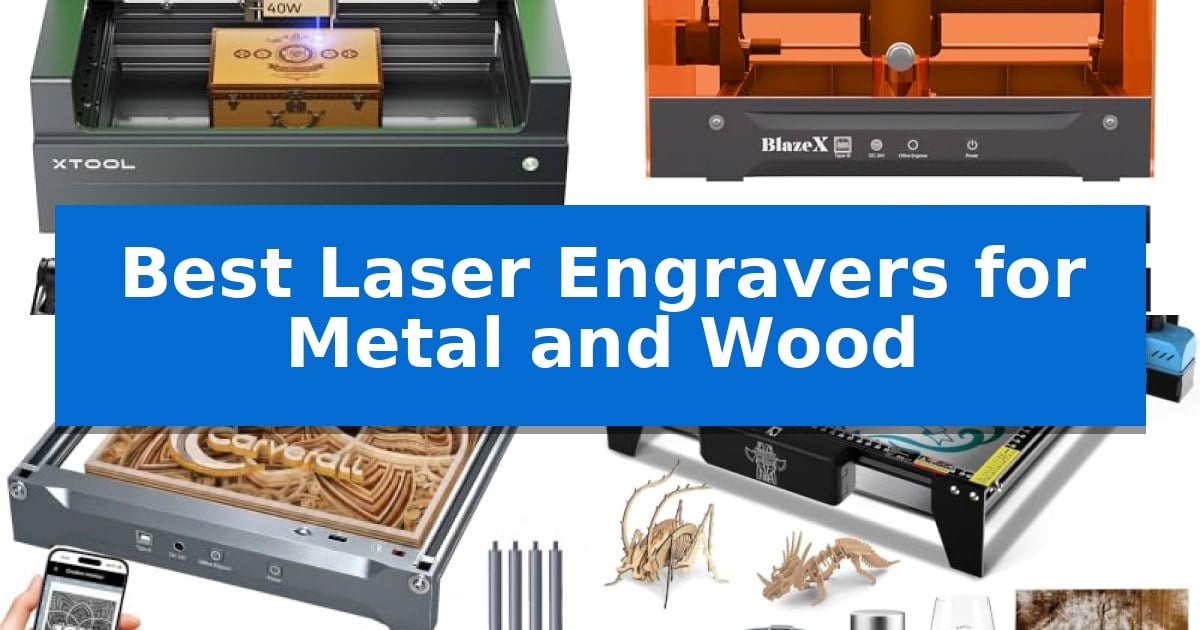
Finding the right equipment for detailed fabrication can be challenging when you need to switch between different materials. Whether you are working with hardwoods, coated metals, or acrylics, the Best Laser Engravers for Metal and Wood must offer a balance of power, accuracy, and ease of use to ensure your designs come to life exactly as intended.
Our guide focuses on machines that provide the necessary control for intricate patterns while maintaining the durability required for consistent production. By evaluating key technical specifications and operational features, we help you identify which model aligns with your specific project requirements, from batch processing to custom one-off creations.
Best Laser Engravers for Metal and Wood in 2026
Quick Comparison
| Product | Best For | Key Strength | Score |
|---|---|---|---|
| xTool S1 Laser Engraver | Best Overall | 40W laser power for efficient cutting of thick materials. | 4.9 |
| BlazeX M3 Laser Engraver | Smart Camera Precision | Smart camera guidance for accurate design preview and placement. | 4.6 |
| Carverall K15 Pro Laser Engraver | Fast Batch Processing | One-touch smart focus eliminates manual calibration guesswork. | 4.8 |
| Twotrees TTS-10 Pro Laser Engraver | Reliable Offline Operation | 10000mW optical power for deep and fast material processing. | 4.9 |
| Creality Falcon 10W Laser Engraver | Simple Setup for Beginners | High precision with a 0.06mm spot focus for detailed work. | 4.6 |
How We Chose
- Material compatibility and laser power output for cutting and engraving.
- Precision and resolution capabilities for fine detail work.
- Software integration and ease of design file management.
- Safety features, including enclosure design and sensor systems.
- Work area dimensions and support for oversized or cylindrical objects.
1 xTool S1 Laser Engraver — Best for Large Projects
The xTool S1 Laser Engraver distinguishes itself with a powerful 40W laser module capable of cutting through 18mm cherry wood in a single pass. This machine is engineered for high-volume and large-scale projects, offering a generous 23.93" x 15.16" bed size and rapid engraving speeds of up to 600mm/s.
Precision is managed through xTool’s patented Pin-point Positioning technology, which enables accurate work on complex or curved surfaces like spoons and plates. For users tackling exceptionally long materials, the AutoPassthrough Technology allows for projects up to 118 inches in length, significantly expanding the creative scope beyond the standard bed dimensions.
Usability is centered around the xTool Creative Space (XCS) software, which includes AI-powered design tools and access to over 1,000 tutorials. The system is designed for accessibility, featuring auto-focus and a library of pre-tested parameters for over 400 materials, allowing users to move from setup to production with minimal manual configuration.
Safety is integrated into the chassis design, which is rated as Class 1 for operation. The enclosure features a protective cover that filters 99% of laser light, eliminating the need for external goggles, while 5 built-in flame sensors and an emergency stop button provide automated protection during operation. The unit is constructed with a 3mm aerospace-grade aluminum frame to ensure stability during high-speed engraving tasks.
Best for: Users requiring a high-power, enclosed laser system for large-format wood and metal engraving projects.
Skip if: Users who require a portable, lightweight device or those with limited workspace for a full-sized desktop laser unit.
PROS
- 40W laser power for efficient cutting of thick materials.
- AutoPassthrough Technology supports materials up to 118 inches long.
- Class 1 safety enclosure with integrated flame sensors.
- Pin-point Positioning for high-accuracy engraving on curved surfaces.
CONS
- Large physical footprint requires significant dedicated workspace.
- Fixed enclosure design may limit access for extremely bulky objects that do not fit the passthrough.
2 BlazeX M3 Laser Engraver — Smart Camera Precision
Precision engraving on diverse surfaces requires a reliable tool capable of both intricate detail and clean material separation. The BlazeX M3 Laser Engraver distinguishes itself with an ultra-fine 0.01mm precision laser beam, designed to handle complex patterns on metal and glass while maintaining the power necessary for cutting wood and acrylic.
Efficiency in project setup is driven by the integrated high-definition smart camera, which syncs with software like LightBurn and CutLabX. This allows users to preview designs directly on the material, ensuring accurate placement and reducing the risk of material waste. The system is built for accessibility, supporting Windows, macOS, iOS, and Android platforms.
Safety and workspace management are addressed through a Class 1 Safety rating, which includes an enclosure to filter harmful radiation and an integrated fan system to exhaust smoke and odors. The machine features intelligent sensors that trigger an automatic stop if the lid is opened or the unit tilts, making it suitable for home studios and educational environments.
The BlazeX M3 Laser Engraver offers a modular approach to creative growth. Users can expand the machine's capabilities with an accessory ecosystem that includes a Rotary Roller for cylindrical objects, as well as Air Assist and Purifier add-ons to enhance edge clarity and detail. This bundle includes the essential honeycomb laser bed and 13 starter materials, providing a comprehensive foundation for new users.
Best for: Beginners and hobbyists who require a safe, all-in-one laser engraving solution with integrated camera guidance for precise material placement.
Skip if: Users who require a high-wattage industrial laser for heavy-duty, high-volume production cutting may find the 10W power output limiting.
PROS
- Smart camera guidance for accurate design preview and placement.
- Class 1 Safety rating with integrated smoke exhaustion and automatic tilt/lid sensors.
- Wide software compatibility including LightBurn and CutLabX across multiple operating systems.
- Comprehensive bundle including a honeycomb bed and starter materials for immediate use.
CONS
- 10W laser power may be insufficient for thick material cutting compared to higher-wattage industrial alternatives.
- Requires additional accessories like the Rotary Roller for advanced cylindrical projects.
3 Carverall K15 Pro Laser Engraver — Fast Batch Processing
Achieving precise, clean results on diverse materials requires a machine that balances power with ease of use. The Carverall K15 Pro Laser Engraver simplifies the transition from design to finished product with its one-touch smart focus and 15,000mm/min engraving speed, ensuring that intricate details on wood, acrylic, and coated metal remain sharp and clear.
Designed for both hobbyists and small business owners, this unit features a compact A4 workspace (11.8×7.9 inches) that fits easily on a desk while remaining versatile enough for batch production. The dual-fan diode module is engineered for consistent heat control, allowing for reliable performance during extended projects or repetitive tasks.
Software accessibility is a primary focus, as the system utilizes CutLabX for intuitive design, including AI-generated prompts. For those who prefer a streamlined workflow, the device supports offline engraving via TF card, eliminating the need for a constant computer connection. The machine also offers four heightening columns, providing the flexibility to engrave taller items like gift boxes or skateboards.
As your creative needs evolve, the Carverall K15 Pro Laser Engraver remains a viable long-term tool through its upgradeable architecture. Users can add an optional 1W IR laser head to expand functionality to bare metals like stainless steel and aluminum, or integrate accessories such as a rotary roller or air purifier to handle more complex fabrication requirements.
Best for: Small business owners and home crafters who need a compact, upgradeable, and beginner-friendly laser for batch engraving on wood, acrylic, and coated metals.
Skip if: Users requiring high-volume industrial cutting of thick materials or those needing a large-format workspace beyond the A4 dimensions.
PROS
- One-touch smart focus eliminates manual calibration guesswork.
- Offline engraving capability allows for batch processing without a PC.
- Upgradeable design supports future additions like IR laser heads for bare metal.
- Compact A4 footprint is ideal for home studios and small workspaces.
CONS
- Requires optional IR laser head for engraving bare metals like stainless steel.
- Limited to A4 workspace size, which may restrict larger project dimensions.
4 Twotrees TTS-10 Pro Laser Engraver — Reliable Offline Operation
Achieving precise detail on small-scale projects requires a machine capable of consistent motion and high-intensity output. The Twotrees TTS-10 Pro Laser Engraver utilizes a 10000mW optical power diode laser to facilitate deep, rapid marking on materials including wood, bamboo, acrylic, and anodized metal. This high-power output enables efficient material processing, making it a functional tool for creators who need to move beyond simple surface etching.
The unit is built around a 300x300mm engraving area, providing sufficient space for custom signage, jewelry, and personalized accessories. Its structural integrity is supported by a full metal frame and a reliable motion system featuring dual Y-axis motors and GT2-6mm synchronous belts, ensuring stability during operation. This robust construction helps maintain accuracy across the entire work surface, which is essential when working on intricate designs or small-batch production.
Efficiency is managed through a 32-bit dual-core MCU mainboard, which supports both online and offline workflows. Users can export files via LightBurn or LaserGRBL and execute projects directly from the included 4GB TF card, bypassing the need for a constant computer connection. This offline capability is particularly beneficial for workshop environments where a dedicated PC may not be available or desired at the machine station.
Designed for versatility, the system offers compatibility with mobile apps and web-based control interfaces. It arrives with necessary assembly tools and is backed by CE, FCC, ROHS, FDA, and UL62368 certifications, providing a standardized foundation for hobbyists and small-scale creators. While highly capable, users should note that the system requires surface preparation or marking sprays when working with bare stainless steel or uncoated metals.
Best for: Small business owners and hobbyists requiring a reliable, offline-capable laser engraver for wood, acrylic, and coated metal projects.
Skip if: Users needing to engrave bare, uncoated stainless steel or metal, as this machine requires surface preparation or marking sprays for those materials.
PROS
- 10000mW optical power for deep and fast material processing.
- Offline engraving capability via TF card and control board.
- 32-bit dual-core MCU for improved processing speed.
- Full metal frame construction with dual Y-axis motors.
CONS
- Not suitable for bare steel or uncoated metal without additional surface treatment.
5 Creality Falcon 10W Laser Engraver — Simple Setup for Beginners
Achieving precise detail on diverse materials requires a balance of power and control, which the Creality Falcon 10W Laser Engraver addresses through its 72W machine power and 10W output power. This unit is engineered to handle a variety of substrates, including wood, metal, glass, and acrylic, making it a versatile tool for those looking to expand their crafting capabilities.
The machine features an all-aluminum alloy structure reinforced with a steel shaft wheel guide rail design, which provides a stable platform for its 0.06mm x 0.06mm super fine spot focus. This high-precision focus allows for accuracy within 0.004 inches, ensuring that intricate designs are rendered with consistency. For cutting tasks, the 10W output is capable of slicing through 5mm basswood or 3mm black acrylic in a single pass at speeds reaching 10,000mm/m.
Usability is prioritized through a tool-free focusing plate that simplifies the setup process, allowing users to begin projects quickly. The unit supports multiple connectivity options, including Wi-Fi, USB cable, and SD card, providing flexibility in how files are transferred. Compatibility with LightBurn and LaserGRBL software ensures that both experienced users and newcomers have access to established design environments.
Safety and maintenance are integrated into the design, featuring an anti-UV filter acrylic module that blocks 97% of UV rays. The inclusion of a belt tension adjustment device helps maintain mechanical precision over time, while the manufacturer provides a 1-year free parts replacement policy to support long-term operation.
Best for: Beginners and hobbyists who need a versatile, easy-to-assemble laser engraver for cutting and marking wood, acrylic, and metal.
Skip if: Users requiring industrial-grade production speeds or those needing to cut materials thicker than 5mm will find the 10W output power insufficient for their needs.
PROS
- High precision with a 0.06mm spot focus for detailed work.
- Versatile material compatibility including wood, metal, and acrylic.
- Tool-free focus adjustment simplifies the initial setup.
- Multiple connectivity options including Wi-Fi and SD card support.
CONS
- Limited cutting depth restricted to 5mm basswood or 3mm acrylic.
- Requires external software like LightBurn or LaserGRBL for operation.
Best Laser Engravers for Metal and Wood Buying Guide
Understanding Laser Power and Material Compatibility
The power rating of a laser, typically measured in watts, dictates its ability to cut through thicker materials and the speed at which it can engrave. For wood, higher power allows for deeper cuts in a single pass, while for metal, the laser often relies on marking coatings or anodized surfaces rather than cutting through the metal itself.
Always verify if the laser module is a diode or infrared type, as this significantly impacts its effectiveness on specific materials. Some machines offer modular heads, allowing you to switch between diode lasers for wood and infrared lasers for bare metal, providing greater long-term versatility for your workshop.
Work Area and Project Scale
The physical size of the engraving bed determines the maximum dimensions of your projects. If you plan to create large door signs or batch-process multiple items simultaneously, a larger bed is essential to avoid constant repositioning.
Consider machines that feature passthrough technology, which allows you to feed longer materials through the unit. This feature effectively removes the constraints of the bed size, enabling you to work on items that are significantly longer than the machine itself.
Software and Design Workflow
Effective software integration is the bridge between your digital design and the physical product. Look for compatibility with industry-standard software like LightBurn, which offers advanced control over power, speed, and pathing for complex projects.
Many modern engravers also include proprietary software that simplifies the process for beginners by offering pre-tested material parameters. Features like AI-powered design generation or smart camera guidance can drastically reduce the learning curve and minimize material waste.
Safety and Workspace Environment
Laser engraving involves high-intensity light and the generation of smoke or fumes. An enclosed design is highly recommended as it filters harmful radiation, often eliminating the need for separate safety goggles, and helps contain smoke when paired with an exhaust system.
Integrated safety sensors, such as flame detection and lid-open shut-offs, provide critical protection. These features ensure that the machine stops operation immediately if an anomaly is detected, safeguarding both the user and the surrounding environment.
Precision and Motion Systems
The accuracy of an engraver is defined by its spot size and the stability of its motion system. A smaller laser spot size allows for finer detail and higher resolution in your engravings, which is crucial for intricate jewelry or small-scale text.
A robust frame, typically made from aluminum or steel, ensures that the motion system remains stable during high-speed operations. This stability prevents vibrations that could otherwise lead to blurred lines or inconsistent engraving depths, ensuring professional-grade results.
Frequently Asked Questions
Can these laser engravers cut through bare metal?
Most diode laser engravers are designed to engrave on coated or anodized metal. Cutting through bare metal typically requires high-powered industrial fiber lasers, which are different from the diode models listed here.
Do I need special software to operate these machines?
While many machines come with proprietary software, most are compatible with standard third-party software like LightBurn or LaserGRBL, which provide extensive control over the engraving process.
What is the benefit of a smart camera in a laser engraver?
A smart camera allows you to preview your design directly on the material before engraving begins. This ensures precise placement and helps prevent material waste by showing exactly where the laser will strike.
Are these machines safe to use in a home environment?
Models with Class 1 safety ratings and enclosed designs are suitable for home use as they filter harmful laser light and contain smoke, provided they are used in a well-ventilated area.
Can I engrave cylindrical objects like tumblers?
Yes, many of these machines support the use of a rotary roller accessory, which allows the laser to engrave around the circumference of cylindrical items like tumblers, mugs, and bottles.
Conclusion: Our Top Pick
Selecting the right tool depends on your specific project needs, such as the scale of your work and the variety of materials you intend to process. For those requiring a balance of high power, large work area, and advanced safety features, the xTool S1 Laser Engraver stands out as a versatile choice for both hobbyists and small-scale production.
Its combination of 40W power, patented positioning technology, and enclosed safety design makes it a reliable partner for complex projects. While other models offer specific benefits like smart camera guidance or compact footprints, the xTool S1 provides the most comprehensive feature set for users looking to handle everything from wood signs to metal tumblers with consistent precision.