
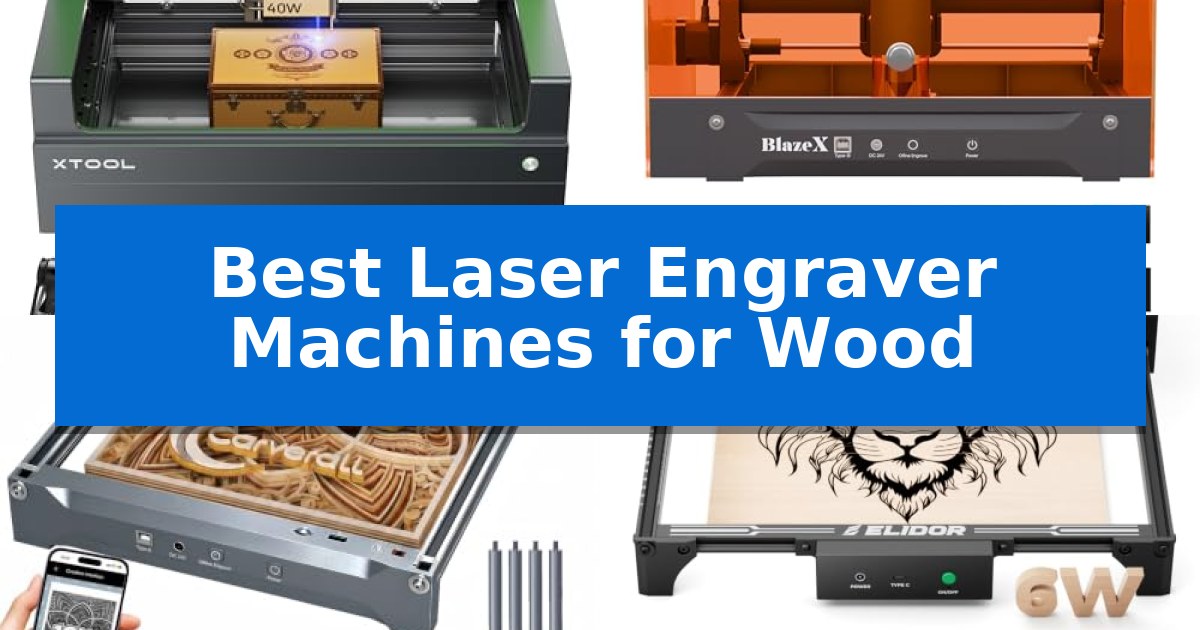
Finding the right equipment for woodworking projects can be daunting, especially when you need consistent results on various wood types. Whether you are a hobbyist creating personalized gifts or a small business owner scaling production, selecting the right tool is essential for achieving clean, professional-grade results.
Our guide highlights the Best Laser Engraver Machines for Wood currently available, focusing on machines that balance cutting power, engraving precision, and software accessibility. We have evaluated these tools to help you identify which model best suits your specific creative requirements and workspace constraints.
Best Laser Engraver Machines for Wood in 2026
Quick Comparison
| Product | Best For | Key Strength | Score |
|---|---|---|---|
| xTool S1 Laser Engraver | Best Overall | 40W laser power enables efficient cutting of thick wood materials. | 4.9 |
| BlazeX M3 Laser Engraver | Easiest for Precise Positioning | Smart camera guidance for real-time design preview and placement. | 4.8 |
| Carverall K15 Pro Laser Engraver | Best for Batch Crafting | Compact A4 workspace fits easily on standard desks while handling most common project sizes. | 4.5 |
| ELIDOR Laser Engraver | Compact Pick for Small Spaces | High-precision 0.01 mm accuracy for detailed designs. | 4.4 |
| Twotrees TTS-55 Pro Laser Engraver | Best Value for Beginners | Integrated air assist support for cleaner and deeper cutting results. | 4.3 |
How We Chose
- Laser power and cutting depth capabilities for various wood densities.
- Engraving precision and spot size for intricate design detailing.
- Software compatibility and ease of file integration for seamless design-to-production.
- Safety features and enclosure design for a secure home or studio environment.
- Work area dimensions to ensure the machine fits your specific project needs.
1 xTool S1 Laser Engraver — Best for Large Professional Projects
Achieving precise, high-volume production on wood requires a machine that balances raw power with intuitive control. The xTool S1 40W Laser Cutter and Laser Engraver distinguishes itself through its robust 40W laser module, capable of slicing through 18mm cherry wood in a single pass, making it a capable choice for those managing large-scale projects.
Beyond its cutting capacity, the machine integrates xTool’s patented Pin-point Positioning technology, which ensures high accuracy during engraving tasks. For complex geometries, the device supports 3D engraving on curved surfaces like spoons and plates, while the AutoPassthrough Technology allows users to handle materials up to 118 inches in length, significantly expanding the scope of potential projects.
Usability is centered around the xTool Creative Space (XCS) software, which simplifies the workflow with pre-tested parameter settings for over 400 materials. The system includes AI-powered design tools for those without formal design experience and provides access to a library of over 1,000 tutorials to assist with project execution.
Safety and durability are prioritized through an enclosed, Class 1 safety-rated design that filters 99% of laser light, eliminating the need for protective goggles. The unit is constructed with a 3mm aerospace-grade aluminum frame and features integrated flame sensors, an emergency stop button, and a lid-open sensor to maintain a secure workspace.
Best for: Professional creators and hobbyists requiring high-power cutting and engraving for large-scale wood projects.
Skip if: Users seeking a highly portable or entry-level budget device may find the robust, enclosed design of this unit excessive for their needs.
PROS
- 40W laser power enables efficient cutting of thick wood materials.
- AutoPassthrough Technology accommodates extra-long materials.
- Enclosed safety design provides Class 1 protection without external goggles.
- Integrated AI software simplifies design and parameter setup.
CONS
- Large physical footprint requires significant dedicated workspace.
2 BlazeX M3 Laser Engraver — Easiest for Precise Positioning
Achieving precise, clean results on wood, metal, or glass requires more than just raw power; it demands the ability to visualize and verify your work before the laser engages. The BlazeX M3 Laser Engraver integrates a high-definition smart camera that syncs with your PC, allowing you to preview designs directly on your material to ensure perfect alignment and eliminate wasted stock.
This 2-in-1 laser cutter and engraver is built for versatility, utilizing an ultra-fine 0.01mm precision beam to handle both intricate engraving patterns and clean cuts on wood or acrylic. The system arrives as a comprehensive bundle, including a protective enclosure, a honeycomb laser bed, and a tool kit, enabling hobbyists to begin projects immediately upon setup.
Safety and environmental control are central to the design, as the machine carries a Class 1 Safety rating to filter harmful radiation. An integrated fan system manages smoke and odors while maintaining a low-noise environment, making it suitable for home studios or educational settings. Smart sensors provide an added layer of protection by automatically halting operation if the lid is opened or the unit is tilted.
For those looking to expand their capabilities, the machine supports an ecosystem of professional upgrades, including a rotary roller for cylindrical items, air assist, and a dedicated purifier. With broad software compatibility across LightBurn, LaserGRBL, and CutLabX, the system accommodates users on Windows, macOS, iOS, and Android platforms.
Best for: Beginners and hobbyists who prioritize precise material alignment and integrated safety features for home-based wood engraving projects.
Skip if: Users requiring high-volume industrial production speeds or those who prefer an open-frame design without the constraints of a protective enclosure.
PROS
- Smart camera guidance for real-time design preview and placement.
- Class 1 Safety rating with automatic shut-off sensors for home use.
- Ultra-fine 0.01mm precision suitable for detailed engraving and cutting.
- Broad software compatibility including LightBurn and LaserGRBL.
CONS
- Enclosed design may limit the maximum size of materials that can be fed through the machine compared to open-frame models.
3 Carverall K15 Pro Laser Engraver — Best for Batch Crafting
Achieving precise detail on wood projects often requires a balance of speed and control, which is where the Carverall K15 Pro Laser Engraver distinguishes itself. This 10W diode laser system is built for creators who need a reliable, compact machine that handles everything from intricate jewelry to batch-produced coasters without occupying excessive desk space.
The machine features an 11.8×7.9-inch A4 workbed, designed to accommodate the vast majority of common DIY projects. Its one-touch smart focus system removes the guesswork from setup, while the dual-fan diode module is specifically engineered to manage heat during long, continuous engraving sessions. With a maximum speed of 15,000mm/min and 0.01mm precision, it delivers high-clarity results on over 300 materials, including wood, acrylic, and leather.
Usability is a core focus of the Carverall K15 Pro Laser Engraver, which supports wireless control via the CutLabX app and is compatible with industry-standard software like LightBurn and LaserGRBL. For those who prefer a streamlined workflow, the device supports offline batch processing via a TF card. The unit is also designed for longevity and growth, offering an upgrade path to an optional 1W IR laser head for marking bare metals like stainless steel.
Assembly is straightforward, requiring only six screws to set up, and the inclusion of four heightening columns allows for the customization of larger items like skateboards or gift boxes. With a rated module life of 15,000 hours and a 1-year manufacturer warranty, this machine serves as a durable, adaptable workhorse for home studios and small-scale crafting businesses.
Best for: Small business owners and hobbyists who need a compact, upgradeable laser engraver for batch-producing wood and acrylic crafts.
Skip if: Users who require a large-format workspace or the ability to cut through thick materials beyond 12mm plywood will find the A4 footprint and diode power insufficient.
PROS
- Compact A4 workspace fits easily on standard desks while handling most common project sizes.
- One-touch smart focus and AI-driven software simplify the design-to-engraving process.
- Upgradeable design allows for the addition of an IR laser head for bare metal engraving later.
- Dual-fan cooling system ensures consistent performance during long batch jobs.
CONS
- Limited work area may constrain users looking to engrave large-format signs or furniture.
- Diode laser limitations require an optional IR head upgrade for effective work on bare stainless steel.
4 ELIDOR Laser Engraver — Compact Pick for Small Spaces
Achieving precise, consistent results on wood surfaces requires a tool capable of fine-tuned control. The ELIDOR Laser Engraver distinguishes itself with a 0.04 × 0.14 mm laser spot that enables an engraving accuracy of up to 0.01 mm, providing the detail necessary for intricate graphics and crisp text.
Designed for versatility, this machine is equipped to handle a wide range of materials including wood, leather, acrylic, and metal. It supports high-speed operation up to 10,000 mm/min, which helps maintain productivity for small business creators or hobbyists working on personalized gifts and custom crafts.
The ELIDOR Laser Engraver prioritizes a portable workflow with a 300 × 300 mm working area while maintaining a lightweight profile of just 2.13 kg. This compact design makes it suitable for home workshops or mobile projects where space is at a premium, without sacrificing the ability to import common file formats like DXF, BMP, and JPG.
Compatibility is a core strength, as the unit works seamlessly with LaserGRBL and LightBurn software across Windows, macOS, and Linux platforms. For users requiring a controlled environment, the system can be paired with an optional protective enclosure to meet Class 1 laser safety standards.
Best for: DIY makers and small business creators who need a compact, portable, and software-compatible laser engraver for detailed wood and craft projects.
Skip if: Users who require a large-format engraving area beyond 300 × 300 mm or those who do not wish to source a separate enclosure for Class 1 safety compliance.
PROS
- High-precision 0.01 mm accuracy for detailed designs.
- Wide software compatibility including LightBurn and LaserGRBL.
- Compact and lightweight design for easy portability.
- Versatile material support beyond wood, including metal and acrylic.
CONS
- Enclosure required separately to achieve Class 1 safety classification.
- 300 × 300 mm limit may restrict larger scale projects.
5 Twotrees TTS-55 Pro Laser Engraver — Best Value for Beginners
The Twotrees TTS-55 Pro Laser Engraver distinguishes itself through its 5500mW (5.5W) laser module paired with a specialized metal air-assisted nozzle, which facilitates deeper, cleaner cuts on materials like wood, acrylic, and leather. Designed for makers and small business projects, this machine offers a 300 x 300 mm work area and utilizes LD+FAC+C-Lens compression technology to achieve a fine 0.08 x 0.46mm spot focus for high-precision detailing.
Performance is driven by a dual-core 32-bit MCU, allowing for engraving speeds reaching 30,000mm/min. The unit supports flexible operation modes, including online, TF card offline, and built-in Wi-Fi for remote control via mobile app or web interface. This connectivity ensures that users can manage projects without a constant tether to a primary computer.
Compatibility is a core strength, as the machine works seamlessly with LaserGRBL and LightBurn software across Windows, macOS, and Linux environments. The inclusion of a red laser shield enhances safety during operation, while the modular design is intended for straightforward assembly using the provided tools and guides.
While the Twotrees TTS-55 Pro Laser Engraver provides significant utility for hobbyists, it is important to note that its 5.5W power output is optimized for specific material thicknesses, such as 5mm plywood or 3mm acrylic. Users requiring high-volume industrial production or the ability to cut significantly thicker materials may need to consider higher-wattage alternatives.
Best for: Hobbyists and small business creators seeking an affordable, Wi-Fi-enabled laser engraver for wood, leather, and acrylic projects.
Skip if: Users who require industrial-grade production speeds or the capability to cut materials thicker than 5mm plywood.
PROS
- Integrated air assist support for cleaner and deeper cutting results.
- High-speed 32-bit control board with wireless Wi-Fi connectivity.
- Broad software compatibility including LightBurn and LaserGRBL.
- Fine 0.08mm spot focus for high-detail engraving accuracy.
CONS
- 5.5W laser power limits cutting depth to 5mm plywood and 3mm acrylic.
- Manual assembly required for initial setup.
Best Laser Engraver Machines for Wood Buying Guide
Understanding Laser Power
The laser power of an engraver, typically measured in watts, is the primary factor in determining what materials you can cut and how quickly you can engrave. Higher wattage allows for deeper cuts in a single pass, which is essential for thicker wood projects.
For simple surface engraving, lower-wattage diode lasers are often sufficient. However, if your projects involve cutting through plywood or thicker stock, look for machines with higher power ratings to ensure clean edges and improved productivity.
Work Area and Machine Footprint
The work area defines the maximum size of the material you can place inside the machine. Before purchasing, consider the scale of your typical projects; a larger bed provides more flexibility but requires a significantly larger footprint in your workshop.
Some models offer passthrough technology, which allows you to feed longer materials through the machine, effectively removing the constraints of the physical bed size for larger signs or long boards.
Precision and Spot Size
Laser spot size is critical for detail work. A smaller, more focused spot allows for finer lines and higher resolution in your engravings, which is vital for portraits or complex graphic designs.
Look for machines that utilize compression technology or advanced optics to maintain a tight focus across the entire work area, ensuring that your details remain sharp from the center to the edges of your material.
Software and Connectivity
The software ecosystem is the bridge between your digital design and the physical product. Ensure the machine is compatible with industry-standard software like LightBurn or LaserGRBL, which offer robust control over power, speed, and layering.
Modern machines often include wireless connectivity or offline engraving capabilities, allowing you to manage jobs via mobile apps or TF cards, which can streamline your workflow and reduce the need for a dedicated computer connection.
Safety and Enclosure
Working with lasers requires strict adherence to safety standards. An enclosed design is highly recommended as it filters harmful laser light and contains smoke and debris, creating a safer environment for home use.
Features like flame sensors and automatic shut-off mechanisms provide an extra layer of protection, halting the machine immediately if an issue is detected, which is particularly important for long-duration jobs.
Frequently Asked Questions
Can these laser engravers cut through all types of wood?
While most diode laser engravers are excellent for engraving and cutting softwoods like cherry or plywood, they may struggle with very dense hardwoods or thick materials. Always check the manufacturer's recommended material thickness and power settings.
Do I need special software to run these machines?
Most of these machines are compatible with popular software like LightBurn and LaserGRBL. Some brands also provide their own intuitive software, such as xTool Creative Space, which is designed to simplify the setup process for beginners.
Is an enclosure necessary for laser engraving?
An enclosure is highly recommended for safety and air quality. It protects your eyes from harmful laser radiation and helps contain smoke, dust, and noise, making it essential for indoor or residential workshops.
What is the difference between engraving and cutting?
Engraving involves etching the surface of the material to create a design, while cutting involves the laser passing all the way through the material to create shapes or parts. Higher power settings are generally required for cutting.
How do I ensure precise placement of my design?
Many modern laser engravers feature smart cameras or pin-point positioning technology. These tools allow you to preview your design on the material via your software, ensuring perfect alignment before you start the job.
Conclusion: Our Top Pick
Selecting the right tool for your woodworking projects depends on your specific needs for power, precision, and workspace size. After reviewing the available options, the xTool S1 Laser Engraver stands out as a versatile and powerful choice for those looking to handle both large-scale projects and intricate detailing.
With its robust 40W laser, advanced safety features, and user-friendly software, the xTool S1 Laser Engraver offers a reliable foundation for both hobbyists and professionals. Its ability to handle diverse materials and its focus on safety make it a standout investment for any serious maker.