
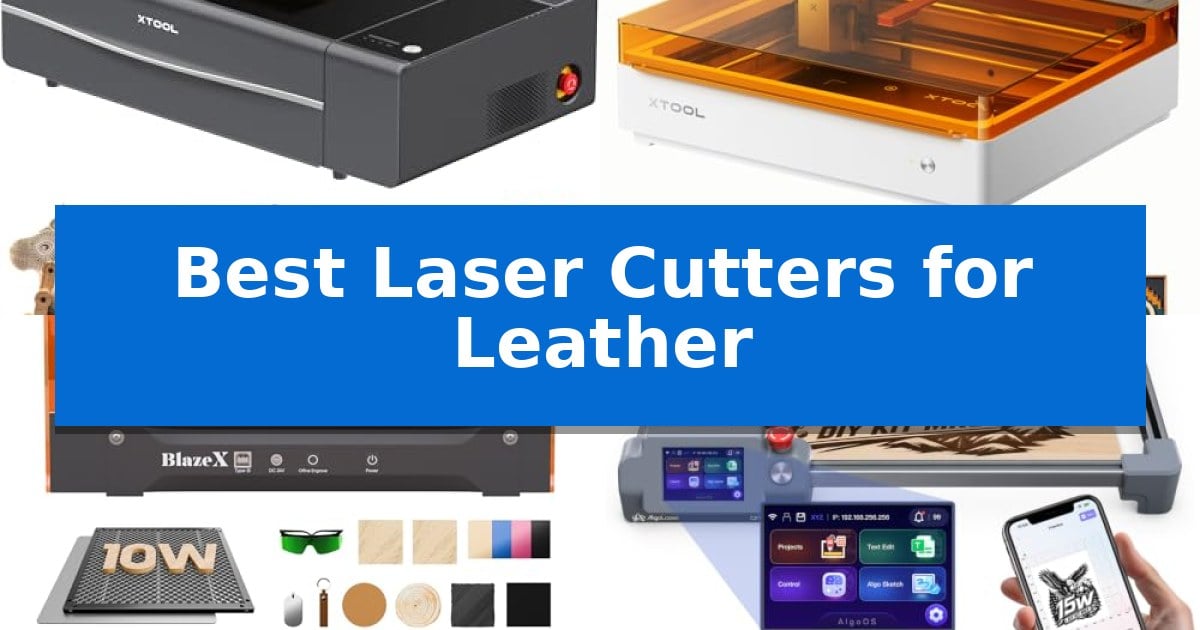
Working with leather requires a balance of delicate engraving and clean, consistent cutting. Finding the Best Laser Cutters for Leather involves identifying machines that can handle the unique density and thickness of hides without leaving charred edges or uneven surfaces.
Whether you are a hobbyist creating custom keychains or a professional producing detailed wallets, the right laser system transforms your workflow. We have analyzed five distinct laser engravers to help you determine which machine offers the precision and material versatility required for your specific leatherworking needs.
Best Laser Cutters for Leather in 2026
Quick Comparison
| Product | Best For | Key Strength | Score |
|---|---|---|---|
| xTool P2S CO2 Laser Cutter | Best Overall | 55W CO2 laser power for efficient, single-pass cutting of thick materials. | 4.9 |
| xTool M2 Laser Engraver | Versatile Dual-Camera Crafting | Built-in dual cameras for accurate, real-time workspace preview. | 4.9 |
| BlazeX M3 Laser Engraver | Smart Camera Guided Precision | Smart camera guidance for precise, real-time design placement. | 4.3 |
| AlgoLaser MK3 Laser Engraver | PC-Free Creative Workflow | PC-free operation via integrated touchscreen and AlgoOS. | 4.8 |
| ELIDOR Laser Engraver | Portable Class 1 Enclosed System | High-precision 0.01 mm accuracy for detailed leatherwork. | 4.5 |
How We Chose
- Laser power and beam precision for clean, char-free cuts.
- Software compatibility for importing complex leather patterns.
- Safety features including enclosure design and smoke extraction.
- Work area size relative to common leather project dimensions.
- Ease of setup for both beginners and experienced makers.
1 xTool P2S CO2 Laser Cutter — Professional Grade Desktop Power
Achieving precise, clean cuts on leather requires a machine capable of handling varied thicknesses while maintaining high-resolution accuracy. The xTool P2S 55W CO2 Laser Cutter addresses this through its industry-leading 55W output and a custom CO2 laser tube, providing the power necessary to process dense materials efficiently.
Designed for versatility, the xTool P2S features a large 26" x 14" bed that accommodates substantial leather hides. For those working with longer rolls, the Auto-Passthrough function supports materials up to 118 inches, while the Riser Base allows for engraving on objects up to 8.4 inches tall. This flexibility is complemented by 3D Curve Engraving, which automatically creates 3D models to ensure consistent focus on curved surfaces.
Workflow efficiency is managed by dual 16MP cameras that provide high-resolution, real-time previews of your workspace. The integrated LiDAR Ranging System delivers 0.001-inch autofocus precision, reducing setup errors. With engraving speeds reaching 600mm/s and smart fill batch processing, the system is optimized for high-volume production of custom leather goods.
Safety and maintenance are prioritized through an enclosed design, AI fire detection, and an upgraded exhaust system featuring a 233.3 CFM fan. The machine also includes a dual-cylinder air pump and stronger airflow to ensure cleaner edges on leather projects. These hardware enhancements simplify daily upkeep while maintaining a safer, smoke-managed environment.
Best for: Professional creators and small businesses requiring high-speed, precise cutting and engraving across large or thick leather materials.
Skip if: Users with limited workspace or those who only require a portable, low-power diode laser for occasional, small-scale leather crafting.
PROS
- 55W CO2 laser power for efficient, single-pass cutting of thick materials.
- Dual 16MP cameras and LiDAR for high-precision, real-time material alignment.
- Expandable working area with Auto-Passthrough and Riser Base compatibility.
- Advanced safety features including AI fire detection and efficient smoke extraction.
CONS
- Large physical footprint requires significant dedicated desk or workshop space.
- Class 4 laser classification necessitates strict adherence to safety protocols.
2 xTool M2 Laser Engraver — Versatile Dual-Camera Crafting
The xTool M2 Laser Engraver distinguishes itself through a built-in dual-camera system that provides a real-time preview of your workspace, allowing for a "Place & Go" workflow that eliminates the need for manual alignment when working with leather. This enclosed machine is designed for home crafters, offering a Class 1 safety rating with real-time monitoring to ensure a secure environment during operation.
Equipped with a 10W diode laser, this device is capable of precision cutting and engraving on a wide variety of materials, including leather, felt, wood, and cardstock. The hardware supports an innovative dual-mode architecture, which allows users to integrate an optional CMYK Inkjet module for full-color printing, expanding the creative possibilities beyond standard laser etching.
Usability is a core focus, supported by the xTool Studio software. This platform includes hundreds of ready-to-use templates and an integrated AI image generator, which helps beginners transition from design to finished project without a steep learning curve. The machine's enclosed design and automated features make it a practical choice for those looking to create personalized gifts or start a small-scale craft business.
While the base unit provides robust performance for most DIY tasks, users should note that specialized capabilities like the CMYK Inkjet module or the 3W IR laser for metal and plastic engraving are sold separately. The xTool M2 Laser Engraver serves as a versatile, all-in-one solution for makers who prioritize ease of use and safety in their home workshop.
Best for: Home crafters and DIY makers who need a safe, enclosed, and user-friendly machine for leather engraving and precision cutting.
Skip if: Users who require industrial-grade power for thick material cutting or those who do not need the integrated camera and software ecosystem.
PROS
- Built-in dual cameras for accurate, real-time workspace preview.
- Class 1 safety enclosure ensures a secure environment for home use.
- Beginner-friendly software with AI-integrated design tools.
- Versatile modular design supports future upgrades like color printing.
CONS
- Additional modules like the CMYK printer or IR laser are sold separately.
- 10W diode laser is optimized for home crafting rather than heavy-duty industrial production.
3 BlazeX M3 Laser Engraver — Smart Camera Guided Precision
Achieving precise, intricate designs on leather requires a tool that balances high-density beam control with intuitive positioning. The BlazeX M3 Laser Engraver addresses this by integrating a high-definition smart camera that syncs with software to allow for real-time design previews directly on your material, effectively eliminating the guesswork often associated with manual alignment.
This 2-in-1 laser cutter and engraver is engineered for versatility, utilizing an ultra-fine 0.01mm precision beam capable of handling complex patterns on leather, wood, and acrylic. The machine arrives as an all-in-one vision kit, which includes a protective enclosure, a honeycomb laser bed, and a tool kit, ensuring that users have the necessary infrastructure to begin projects immediately upon setup.
Safety and environmental control are prioritized through its Class 1 Safety rating, which includes integrated radiation filtering and an exhaust fan system to manage smoke and odors during operation. The system also features intelligent sensors that trigger an automatic stop if the lid is opened or the unit is tilted, making it a suitable choice for home studios and educational environments.
For those looking to expand their capabilities, the BlazeX M3 Laser Engraver supports an ecosystem of professional accessories, such as a Rotary Roller for cylindrical engraving and an Air Assist system to improve cutting edge clarity. Compatibility with LightBurn, LaserGRBL, and CutLabX ensures that the hardware integrates seamlessly with standard design workflows across Windows, macOS, iOS, and Android platforms.
Best for: Hobbyists and creators who require high-precision alignment and an integrated, all-in-one safety enclosure for leather and multi-material crafting.
Skip if: Users who require a large-format industrial laser cutter for high-volume production or heavy-duty industrial materials beyond the machine's specified capacity.
PROS
- Smart camera guidance for precise, real-time design placement.
- Class 1 Safety rating with integrated smoke exhaust and tilt sensors.
- Ultra-fine 0.01mm precision for detailed engraving work.
- Wide software compatibility including LightBurn and CutLabX.
CONS
- Requires optional accessories like the Rotary Roller for advanced cylindrical projects.
- Compact dimensions may limit the scale of larger leather goods projects.
4 AlgoLaser MK3 Laser Engraver — PC-Free Creative Workflow
The AlgoLaser MK3 15W Laser Engraver and Cutter Machine simplifies the transition from design to production by eliminating the need for a computer during standard operations. With its 3.5-inch touchscreen and built-in AlgoOS, users can execute projects directly on the device using AlgoType for text or AlgoSketch for manual drawing, making it a practical choice for those who prefer an integrated, offline workspace.
Designed for versatility, this machine features a 400 x 400mm work area, providing sufficient space to arrange multiple components for batch processing or larger decorative signs. The 15W diode laser is engineered to handle both detailed engraving and material cutting, allowing makers to create layered craft projects, ornaments, and personalized gifts on materials such as leather, wood, and acrylic.
Efficiency is a core focus of the AlgoLaser MK3, which arrives 95% pre-assembled to reduce setup time. The inclusion of a manual focus stick attached to the laser module ensures that users can quickly establish the correct focal distance before starting a job. For more complex design requirements, the machine maintains compatibility with standard industry software like LightBurn and LaserGRBL via a computer connection.
This system is particularly well-suited for small business owners or hobbyists looking to develop coordinated product collections. The visual preview tool allows for precise positioning of designs within the workspace, helping to minimize material waste and ensure accurate alignment for personalized items like event favors or custom leather goods.
Best for: Small business owners and hobbyists who require a versatile, semi-autonomous machine for batch-producing personalized leather and craft items.
Skip if: Users who require high-speed industrial production or those who exclusively use advanced, complex CAD workflows that necessitate a dedicated high-performance PC interface at all times.
PROS
- PC-free operation via integrated touchscreen and AlgoOS.
- 95% pre-assembled design for rapid setup.
- Spacious 400 x 400mm work area for batch processing.
- Versatile 15W diode laser capable of both engraving and cutting.
CONS
- Offline design capabilities are limited to basic text and sketches compared to full desktop software.
5 ELIDOR Laser Engraver — Portable Class 1 Enclosed System
Achieving precise, intricate designs on leather requires a tool capable of high-resolution output, and the ELIDOR Laser Engraver provides this through a fine 0.04 0.14 mm laser spot. With an engraving accuracy of 0.01 mm and speeds reaching 10,000 mm/min, this machine is engineered to handle detailed graphics and crisp text on various materials, including leather, wood, and acrylic. This level of precision allows creators to execute complex patterns that would be difficult to achieve by hand, making it a capable asset for personalized leather goods.
Designed for versatility and ease of use, the ELIDOR Laser Engraver features a compact 300 300 mm working area. Weighing only 2.13 kg, it is built for portability, making it suitable for home workshops or mobile projects. The system supports a wide range of file formats, including NC, DXF, BMP, JPG, and PNG, ensuring compatibility with popular software like LightBurn and LaserGRBL on Windows, macOS, and Linux. This software flexibility allows users to import diverse design files directly into their workflow.
For users prioritizing safety and professional-grade integration, the unit can be paired with a protective enclosure to establish a Class 1 laser system. This setup is particularly beneficial for those creating personalized items like keychains or custom gifts, offering a balance between professional flexibility and a beginner-friendly interface. While the compact footprint is ideal for smaller workspaces, it does necessitate careful planning for larger leather projects that exceed the 300 300 mm boundary.
Best for: DIY makers and small business creators who need a portable, high-precision tool for detailed leather engraving and custom craft projects.
Skip if: Users who require a large-format laser cutter for industrial-sized leather goods or those who do not have the space for an external protective enclosure to achieve a Class 1 safety rating.
PROS
- High-precision 0.01 mm accuracy for detailed leatherwork.
- Wide software compatibility including LightBurn and LaserGRBL.
- Compact and lightweight design for easy transport and storage.
- Class 1 safety potential when paired with an optional protective enclosure.
CONS
- Requires separate enclosure purchase to achieve Class 1 safety status.
- Limited 300 300 mm working area may restrict large-scale leather projects.
Best Laser Cutters for Leather Buying Guide
Understanding Laser Power for Leather
The laser power rating is the most critical factor when cutting leather. Higher wattage allows for faster cutting speeds and the ability to work with thicker hides in a single pass, which minimizes the risk of burning the material edges.
For most leather projects, a diode laser or CO2 laser provides the necessary intensity. While diode lasers are often more compact and suitable for intricate engravings, CO2 lasers generally offer superior cutting performance on thicker, denser leather types.
The Importance of Air Assist
An air assist system is essential for leatherworking. By blowing a steady stream of air directly onto the cutting point, it clears debris and smoke, which significantly reduces the amount of charring on the surface of the leather.
Without proper air assist, you may find that your leather projects require extensive post-processing to clean up smoke stains. Look for machines that include adjustable air assist to fine-tune the airflow based on the thickness of your material.
Software and Design Workflow
Your laser cutter is only as effective as the software driving it. Most modern machines support industry-standard software like LightBurn, which allows for precise control over power, speed, and pass counts.
Look for systems that offer real-time camera previews. This feature is invaluable for leatherworking, as it allows you to position your design exactly over the grain of the leather, ensuring that you avoid imperfections or make the most of a small, expensive piece of material.
Safety and Ventilation
Laser cutting leather produces smoke and odors that must be managed. A fully enclosed design is highly recommended to contain smoke and protect your eyes from the laser beam.
Ensure your workspace is equipped with an effective exhaust fan or air purifier. Proper ventilation not only keeps your workshop clean but also prevents the accumulation of fumes that can settle on the leather and affect the quality of your finished goods.
Work Area and Material Flexibility
The size of your working area dictates the scale of the projects you can undertake. If you plan to create large items like bags or belts, a larger bed size is necessary to accommodate the full pattern without needing to reposition the material.
Additionally, consider if the machine supports passthrough features or riser bases. These allow you to work with longer materials or thicker objects, such as pre-assembled bags or cylindrical items like tumblers, which expands the range of products you can offer.
Frequently Asked Questions
Can all laser cutters work on leather?
Most diode and CO2 laser cutters can engrave and cut leather, but results vary based on the laser type and power. Always test on a scrap piece first to determine the optimal settings.
Does laser cutting leather smell bad?
Yes, cutting leather produces a distinct, strong odor. An enclosed machine with a high-quality exhaust system or air purifier is recommended to mitigate the smoke and smell.
Will a laser cutter burn the edges of the leather?
Some charring is common, but it can be minimized by using an air assist system, choosing the correct power settings, and ensuring the laser is properly focused.
What software is best for leather laser cutting?
LightBurn is widely considered the industry standard for laser cutters due to its robust feature set, including camera integration and precise power control.
Can I engrave photos on leather?
Yes, most of these laser engravers can produce detailed photo engravings on leather by adjusting the power and speed settings to create different shades of depth.
Conclusion: Our Top Pick
Choosing the right tool for your leather projects depends on your specific volume and the types of items you intend to create. For those requiring professional-grade power and the ability to handle a wide range of materials, the xTool P2S CO2 Laser Cutter stands out as a highly capable solution.
With its 55W CO2 laser, dual 16MP cameras for precise alignment, and expandable working area, this machine provides the reliability needed for consistent, high-quality results. While it represents a significant investment, its advanced hardware and safety features make it an ideal choice for serious makers looking to scale their production.