
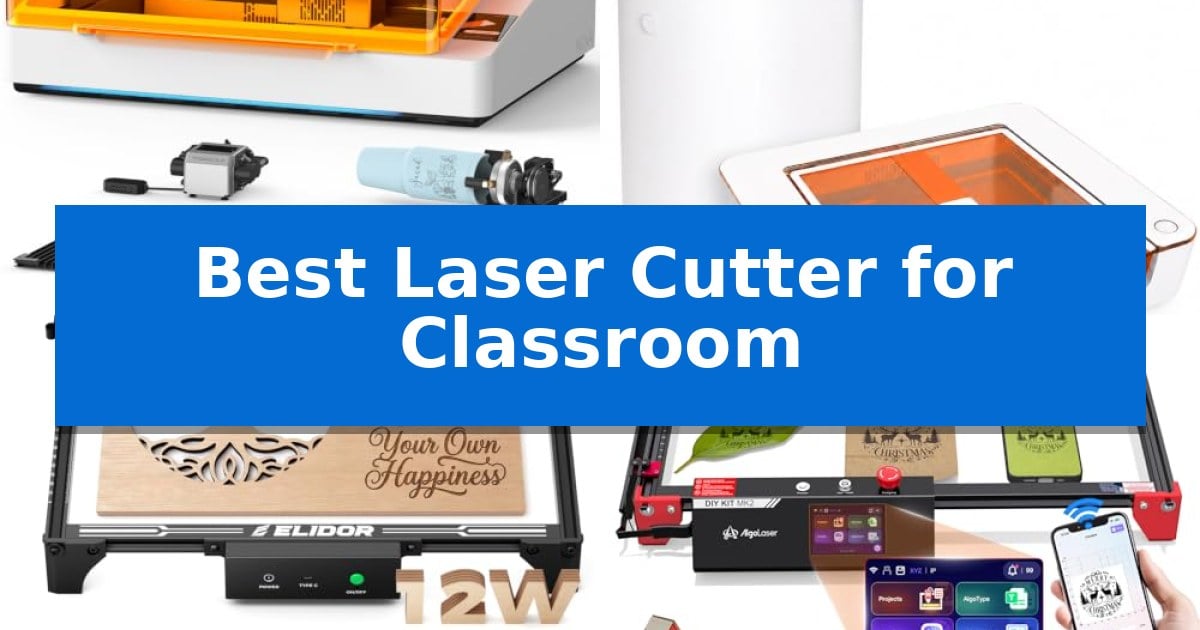
Integrating modern fabrication technology into an educational setting requires a careful balance between creative potential and rigorous safety standards. Finding the Best Laser Cutter for Classroom use means prioritizing machines that minimize smoke, noise, and exposure to laser light while remaining accessible for student projects.
Whether you are looking to introduce students to digital design or produce custom educational materials, the right equipment should simplify the workflow. We have evaluated five distinct laser engravers to help you identify which features—such as integrated filtration, enclosed designs, or intuitive software—best suit your specific classroom needs.
Best Laser Cutter for Classroom in 2026
Quick Comparison
| Product | Best For | Key Strength | Score |
|---|---|---|---|
| TOOCAA NOVA Laser Engraver | Best Overall | Class 1 safety features including flame detection and lid-open stop. | 4.9 |
| Glowforge Aura Laser Engraver | Integrated Filtration for Indoor Use | Integrated Craft Laser Filter allows for safe indoor use without external venting. | 4.8 |
| ELIDOR Laser Engraver | Portable Design for Mobile Projects | Portable and lightweight design for easy classroom mobility. | 4.5 |
| AlgoLaser Laser Engraver | PC-Free Touchscreen Operation | PC-free operation via integrated touchscreen and AlgoOS. | 4.8 |
| Artilume T1-P Laser Engraver | Foldable Frame for Small Spaces | Foldable design for easy storage in limited classroom spaces. | 4.4 |
How We Chose
- Safety features, including enclosure design, flame detection, and laser light filtration.
- Ease of use, focusing on auto-focus capabilities, software accessibility, and setup requirements.
- Material versatility to ensure the machine can handle a wide range of common classroom projects.
- Maintenance and environmental controls, such as built-in air filtration and exhaust systems.
- Operational flexibility, including connectivity options and support for various file formats.
1 TOOCAA NOVA Laser Engraver — Enclosed Design for Classroom Safety
The TOOCAA NOVA Laser Engraver integrates a 5MP HD AI camera to provide a real-time workspace preview, allowing users to drag and drop designs directly onto materials for precise, error-free alignment. This feature eliminates the need for manual guesswork, making it a highly accessible tool for educational environments where efficiency and accuracy are prioritized.
Designed with a fully enclosed structure, this machine prioritizes safety by filtering up to 99% of laser light while reducing smoke and noise. It includes multiple protective layers such as flame detection, an emergency stop, lid-open sensors, and a child lock, ensuring it remains safe for use in classrooms where students and staff are present.
The engraving process is streamlined through a 3-second auto-focus system and intelligent material recognition. By utilizing the included recognition card, the machine automatically applies optimal settings, significantly reducing the learning curve for beginners. The TOOCAA Studio software further enhances usability with over 1,000 templates and AI-driven image generation tools.
Versatility is a core strength, as the unit supports over 500 materials, including wood, acrylic, glass, and coated metal. The inclusion of a 360° rotary kit allows for the customization of cylindrical objects like tumblers and bottles without requiring additional risers, while the dual-channel exhaust system helps maintain cleaner cuts by minimizing burn marks.
Best for: Educational settings and classrooms requiring a safe, enclosed, and beginner-friendly laser cutting solution.
Skip if: Users who require an open-frame design for handling oversized materials that exceed the dimensions of an enclosed workspace.
PROS
- Class 1 safety features including flame detection and lid-open stop.
- 5MP AI camera for precise, real-time visual positioning.
- 3-second auto-focus and automated material recognition.
- Integrated 360° rotary kit for cylindrical engraving.
CONS
- Enclosed design limits the maximum size of materials that can be processed.
2 Glowforge Aura Laser Engraver — Integrated Filtration for Indoor Use
Integrating laser-based fabrication into a learning environment requires a balance of safety, ease of use, and compact design. The Glowforge Aura Laser Engraver & Cutter addresses these needs by incorporating an integrated Craft Laser Filter, which allows for indoor operation without the requirement for external window venting. This makes it a practical choice for classrooms where dedicated ventilation infrastructure may be unavailable.
The machine features a 12 x 12 inch work area housed within a durable molded case, utilizing glass-filled rails and steel slides to maintain precision during operation. Educators can utilize the Aura Vision live camera preview to align designs directly on materials, while the wide-angle lid camera and autofocus capabilities simplify the setup process for students and instructors alike.
Workflow management is handled through a web-based application compatible with Mac, PC, Chromebook, tablet, and phone, supporting standard file formats like JPEG, PNG, SVG, and PDF. The system uses a 6W diode laser capable of cutting, scoring, and engraving, providing a versatile tool for projects ranging from jewelry and labels to educational models and creative décor.
The included filtration system uses activated carbon to manage smoke and odors, with a replaceable cartridge design to ensure ongoing maintenance is straightforward. This combination of a compact footprint and simplified environmental controls positions the Glowforge Aura Laser Engraver & Cutter as a focused solution for modern makers and classroom settings.
Best for: Classrooms and small workshops requiring an indoor-safe laser cutting solution with integrated filtration.
Skip if: Users needing to cut thick materials or those requiring a larger work area than 12 x 12 inches will find this model too limited.
PROS
- Integrated Craft Laser Filter allows for safe indoor use without external venting.
- Aura Vision live camera preview enables precise design placement.
- Broad compatibility with web-based software across multiple device platforms.
- Compact desktop design fits easily into standard classroom layouts.
CONS
- 6W diode laser is optimized for light craft materials rather than heavy-duty industrial cutting.
- 12 x 12 inch work area limits the size of individual projects.
3 ELIDOR Laser Engraver — Portable Design for Mobile Projects
The ELIDOR Laser Engraver distinguishes itself in an educational setting through its compact, lightweight design, weighing only 2.13 kg (4.7 lbs). This portability allows instructors to easily move the device between classrooms or storage areas, making it a practical solution for hands-on learning environments where space is often at a premium.
Equipped with a 12W (12000mW) laser module, this machine provides the power necessary to work with a variety of materials common in school projects, including wood, leather, acrylic, cardboard, and even metal. The 0.04 × 0.14 mm laser spot ensures high-precision engraving with an accuracy of up to 0.01 mm, allowing students to produce detailed graphics and crisp text for personalized gifts or class assignments.
Usability is a core focus, as the device offers wide software compatibility with popular tools like LaserGRBL and LightBurn. It supports standard file formats such as NC, DXF, BMP, JPG, and PNG, enabling a straightforward workflow for students and teachers alike. The 300 × 300 mm working area provides sufficient space for a range of creative projects without requiring an oversized footprint.
For those integrating laser technology into a curriculum, the ELIDOR Laser Engraver balances professional-grade flexibility with a beginner-friendly interface. While it is a robust tool for creative expression, users should note that the open-frame design requires careful supervision and appropriate safety protocols when used in a classroom environment.
Best for: Teachers and students needing a portable, versatile laser engraver for small-scale creative projects and personalized crafts in a classroom setting.
Skip if: Users requiring a fully enclosed laser cutter for advanced safety features or those needing a larger working area for industrial-sized materials.
PROS
- Portable and lightweight design for easy classroom mobility.
- High-precision engraving with 0.01 mm accuracy.
- Broad material compatibility including wood, leather, and acrylic.
- Seamless software integration with LightBurn and LaserGRBL.
CONS
- Open-frame design necessitates strict safety supervision in school settings.
4 AlgoLaser Laser Engraver — PC-Free Touchscreen Operation
Integrating digital fabrication into a learning environment requires hardware that balances accessibility with precision. The AlgoLaser 10W Laser Engraver Machine addresses this by incorporating a 3.5" smart touchscreen and the proprietary AlgoOS, allowing students and instructors to manage projects directly on the device without needing a dedicated computer connection.
This system utilizes a 10W laser module capable of reaching speeds up to 12,000mm/min. With a 0.05mm ultra-fine laser spot, it provides the detail necessary for intricate wood, acrylic, and leather projects. The 15.7" x 17.1" workspace accommodates a variety of classroom materials, while the Class 1 laser safety design provides a necessary layer of protection for educational settings.
Flexibility is a core component of its design, supporting Wi-Fi, USB, APP, and TF card connectivity. This allows for diverse workflows, whether students are uploading files via mobile or running pre-saved designs from the machine's internal memory. It is also compatible with honeycomb beds and rotary rollers, expanding its utility from flat engraving to cylindrical objects.
Maintenance and setup are supported by 24/7 technical support and a 1-year warranty. While the machine is designed for ease of use, users should ensure they have appropriate ventilation and protective eyewear, as is standard practice for laser cutting in any shared workspace.
Best for: Classrooms and makerspaces requiring a standalone, PC-free interface for engraving and cutting wood, leather, and acrylic.
Skip if: Users requiring high-volume industrial production or those needing to cut materials thicker than what a 10W diode laser can process.
PROS
- PC-free operation via integrated touchscreen and AlgoOS.
- 12,000mm/min engraving speed for efficient project completion.
- Class 1 laser safety design suitable for educational environments.
- Versatile connectivity including Wi-Fi and mobile app support.
CONS
- Diode laser power limited to 10W, which may struggle with thicker materials.
- Requires external ventilation setup for safe indoor classroom use.
5 Artilume T1-P Laser Engraver — Foldable Frame for Small Spaces
Integrating laser technology into a learning environment requires a balance of safety, portability, and ease of use. The Artilume T1-P Foldable Laser Engraver addresses these needs with an exclusive foldable structure that allows educators to store the machine away when not in use, making it an ideal candidate for shared workspaces or classroom benches where permanent setups are not feasible.
This device features a 7000mW laser module capable of engraving and light cutting on common classroom materials like wood, paper, leather, and acrylic. With a 200x150mm work area and 0.01mm precision, it provides the accuracy necessary for detailed student projects, such as personalized name tags, labels, or small-batch ornaments, while maintaining speeds up to 10,000mm/min.
Usability is enhanced through Smart App Control, which enables students and teachers to operate the machine directly from a mobile device without needing a dedicated computer. For more advanced workflows, the unit maintains compatibility with standard desktop software like LightBurn and LaserGRBL, ensuring it can grow with the curriculum as students advance in their technical skills.
Safety and reliability are prioritized through built-in features including an emergency stop button and tilt warning protection, which immediately respond to abnormal operation or unexpected movement. The machine arrives pre-assembled to minimize setup time, and the included protective case serves a dual purpose as a height extension base, providing extra clearance for thicker materials to accommodate a wider variety of creative projects.
Best for: The Artilume T1-P is best for classrooms and small studios that require a portable, space-saving laser engraver with versatile software support for student projects.
Skip if: Skip this model if you require a large-format work area or high-power industrial cutting capabilities for thick materials, as the 7000mW laser is optimized for light cutting and detailed engraving.
PROS
- Foldable design for easy storage in limited classroom spaces.
- Pre-assembled hardware reduces initial setup time.
- Dual-purpose case functions as both a protective cover and a height extension base.
- Versatile connectivity supports both mobile app and desktop software workflows.
CONS
- Limited work area of 200x150mm may restrict the size of larger student projects.
- 7000mW power is intended for light cutting rather than heavy-duty material fabrication.
Best Laser Cutter for Classroom Buying Guide
Safety First in the Classroom
Safety is the primary concern when selecting a laser cutter for students. Look for fully enclosed designs that prevent accidental exposure to the laser beam and include lid-open sensors that automatically pause operation if the machine is opened.
Additionally, consider the air quality management within your room. Machines with integrated filtration systems or dual-channel exhaust are essential for keeping the air clean and reducing the smoke and odors that naturally occur during the cutting or engraving process.
Software and Workflow Simplicity
A classroom-friendly laser cutter should minimize the technical barrier to entry. Features like auto-focus and AI-powered workspace previews allow students to align their designs accurately without needing extensive manual calibration.
Software compatibility is equally important. Ensure the machine supports standard design formats and offers an intuitive interface or app-based control, which can help students move from an idea to a finished product with minimal frustration.
Material Versatility and Project Scope
The educational value of a laser cutter often depends on the variety of materials it can process. A versatile machine should be capable of working with wood, acrylic, leather, and coated metals, allowing for a wide range of creative projects.
Check if the machine includes accessories like a rotary roller, which expands the capability to engrave cylindrical objects like tumblers or bottles, providing more opportunities for students to explore complex design challenges.
Space and Portability Considerations
Classroom layouts are often dynamic, requiring equipment that can be easily moved or stored. If your space is limited, consider a foldable frame or a compact desktop footprint that fits comfortably on standard workbenches.
Portability features, such as lightweight construction, can be beneficial if the laser cutter needs to be shared between different departments or moved to a storage area when not in use.
Reliability and Support
Investing in a machine with a solid warranty and accessible technical support is crucial for long-term classroom use. Look for manufacturers that provide clear documentation and responsive help teams to assist with setup or troubleshooting.
Regular firmware updates and active community support can also extend the lifespan of your machine, ensuring that it remains compatible with the latest design software and continues to function reliably over time.
Frequently Asked Questions
Do I need a dedicated ventilation system for a classroom laser cutter?
Many modern classroom laser cutters come with integrated filtration systems that use activated carbon to capture smoke and odors. However, if your machine lacks this, you will need to ensure proper window venting or an external exhaust setup.
Can students operate these machines without prior design experience?
Yes, many of the models listed feature intuitive software, drag-and-drop interfaces, and template libraries that make it easy for beginners to start creating projects without needing advanced CAD skills.
What materials are safe to cut in a classroom setting?
Generally, wood, acrylic, leather, and paper are safe. Always avoid materials like PVC or vinyl, as they can release toxic gases when heated by a laser.
How often do filters need to be replaced?
The frequency of filter replacement depends on usage volume and the types of materials being cut. Most manufacturers provide guidelines based on hours of operation.
Are these machines safe for younger students?
While these machines include safety features like Class 1 laser protection, adult supervision is always recommended to ensure proper handling and adherence to safety protocols.
Conclusion: Our Top Pick
Selecting the right equipment for your students requires balancing functionality with safety. The TOOCAA NOVA Laser Engraver stands out as the best choice for a classroom environment due to its fully enclosed design, which provides essential protection against laser light and smoke. Its integrated AI camera and auto-focus features significantly reduce the learning curve, allowing students to focus on their creative projects rather than complex machine calibration.
With its robust safety suite—including flame detection and child locks—this machine offers the peace of mind necessary for educational settings. Its ability to handle over 500 materials and its included rotary kit make it a versatile tool that can grow with your curriculum, ensuring it remains a valuable asset for years to come.