
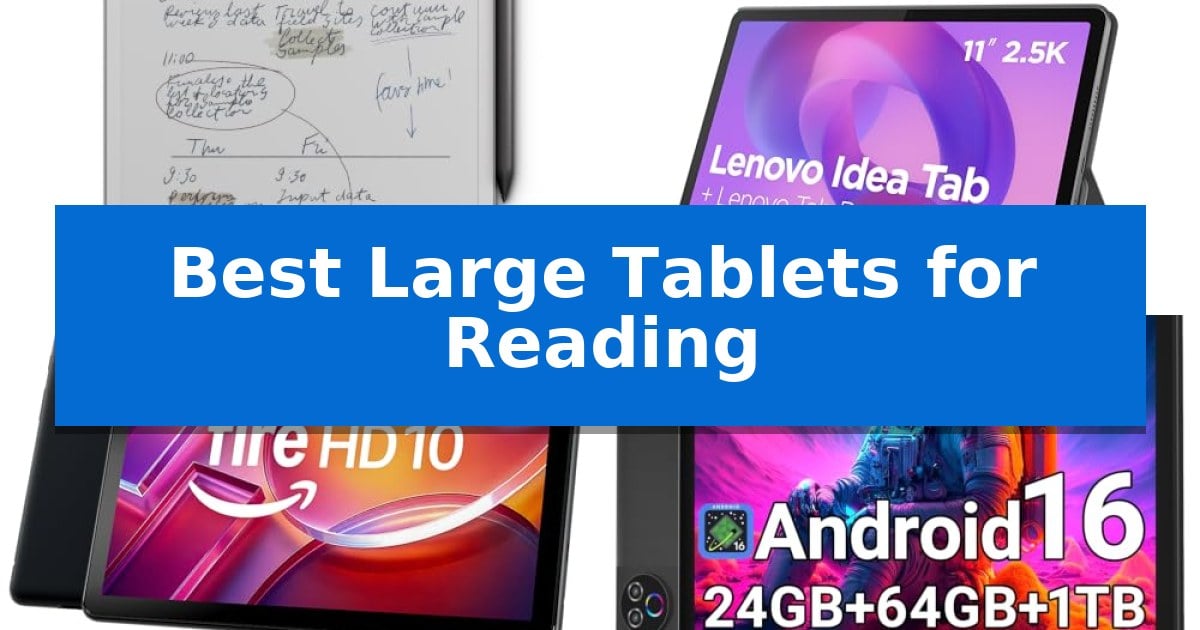
Finding the right device for long reading sessions requires more than just a large screen; it demands a display that prioritizes visual comfort and clarity. Whether you are consuming digital textbooks, technical documents, or novels, the Best Large Tablets for Reading offer specialized features like low-blue-light technology and paper-like surfaces to minimize fatigue.
Selecting a tablet for this purpose involves balancing display quality with portability and battery life. We have analyzed current market options to help you identify which device best aligns with your specific reading habits and environmental needs.
Best Large Tablets for Reading in 2026
Quick Comparison
| Product | Best For | Key Strength | Score |
|---|---|---|---|
| reMarkable Paper Pro Tablet | Best Overall | 11.8-inch Canvas Color display for a spacious, low-glare reading experience. | 4.9 |
| Lenovo Idea Tab | Sharp Display for Fatigue-Free Reading | TÜV Rheinland Low Blue Light hardware for reduced eye strain. | 4.6 |
| Amazon Fire HD 10 Tablet | Vibrant Full HD Entertainment Screen | 10.1-inch 1080p Full HD display for crisp text and media. | 4.5 |
| Evermyth Android 16 Tablet | Low-Blue-Light Tech Reduces Strain | Low-blue-light technology reduces eye strain during long reading sessions. | 4.8 |
| COOPERS Android 15 Tablet | Crisp Text on IPS Display | Expandable storage up to 1TB via SD card. | 4.3 |
How We Chose
- Display clarity and resolution for sharp text rendering.
- Blue light reduction features to minimize eye strain during extended use.
- Portability and weight for comfortable handheld reading.
- Battery efficiency to support long sessions without frequent charging.
- Input versatility for note-taking and document interaction.
1 reMarkable Paper Pro Tablet — Unmatched Paper-Like Reading Experience
The reMarkable Paper Pro Tablet distinguishes itself through an 11.8-inch Canvas Color display, providing a large, low-glare surface that mimics the feel of physical paper. This device is specifically engineered for those who prioritize a distraction-free environment for reading, sketching, and note-taking without the eye-strain typically associated with backlit screens.
Designed for versatility, the tablet includes an adjustable reading light, allowing for consistent use in various lighting conditions. The hardware comes paired with the Marker Plus, which features an integrated eraser and provides precise, responsive feedback during use. The system supports document organization through folders and tags, enabling users to annotate directly on PDFs and convert handwriting into typed text.
Portability remains a core focus, as the unit maintains an ultra-slim profile despite its expansive screen size. The display technology reflects natural light, making it suitable for outdoor reading, while the overall design emphasizes a natural writing friction that aims to replicate the experience of traditional pen and paper.
For users managing multiple workflows, the ability to sort and categorize documents ensures that notes and reading materials remain accessible. The inclusion of the Marker Plus and spare tips provides a complete kit for immediate use, catering to those who require a dedicated, focused tool for digital thinking and document review.
Best for: Users who require a large, paper-like display for reading and focused document annotation without the distractions of a standard tablet.
Skip if: Users who need a multi-purpose device for high-performance gaming, video streaming, or running complex third-party applications.
PROS
- 11.8-inch Canvas Color display for a spacious, low-glare reading experience.
- Natural paper-like writing feel with precise responsiveness.
- Integrated adjustable reading light for comfortable use in low-light environments.
- Advanced organization features including folder management, tagging, and handwriting-to-text conversion.
CONS
- Specialized e-ink functionality limits its use as a general-purpose multimedia tablet.
2 Lenovo Idea Tab — Sharp Display for Fatigue-Free Reading
The Lenovo Idea Tab prioritizes visual comfort during extended reading sessions by utilizing an 11-inch 2.5K IPS touchscreen display equipped with TÜV Rheinland Low Blue Light hardware solutions. This design choice aims to reduce eye fatigue, making it a practical choice for users who spend significant time reading digital documents or e-books.
Beyond its display, the tablet is powered by the MediaTek Dimensity 6300 processor, which supports AI-enhanced multitasking. This hardware configuration allows for smooth transitions between reading apps and other productivity tools. The device includes 8 GB of memory and 256 GB of storage, providing sufficient space for a large library of documents and educational materials.
Usability is enhanced by the inclusion of the Lenovo Tab Pen and a folio case, which support note-taking and organization. The tablet features four learning apps—Lenovo AI Note, Squid, Nebo, and MyScript Calculator—designed to assist with academic workflows. Additionally, the integrated Circle to Search with Google feature enables quick lookups or translations directly from the screen.
For connectivity and longevity, the device supports Smart Connect for cross-device task management and offers up to 12 hours of YouTube playback on a single charge. When power runs low, the included 20W charger facilitates faster replenishment. The quad Dolby Atmos-tuned speakers also provide clear audio for multimedia study breaks.
Best for: Students and readers who require a high-resolution, eye-friendly display for long-duration document review and academic tasks.
Skip if: Users who prefer a dedicated e-ink display for outdoor readability or those who require a smaller, more portable form factor for one-handed reading.
PROS
- TÜV Rheinland Low Blue Light hardware for reduced eye strain.
- 11-inch 2.5K IPS display with a 90Hz refresh rate for smooth visuals.
- Includes Lenovo Tab Pen and folio case for immediate productivity.
- AI-enhanced multitasking capabilities via the MediaTek Dimensity 6300.
CONS
- Larger 11-inch form factor may be less comfortable for one-handed reading compared to smaller tablets.
- IPS display technology may consume more power than specialized e-ink alternatives.
3 Amazon Fire HD 10 Tablet — Vibrant Full HD Entertainment Screen
The Amazon Fire HD 10 Tablet is built for those who prioritize a dedicated, portable screen for digital reading and media consumption. Featuring a 10.1-inch 1080p Full HD display, this device provides a high-definition canvas for text and imagery, supported by an octa-core processor and 4 GB of RAM for smooth navigation.
Designed for versatility, the tablet offers a lightweight and durable build using strengthened aluminosilicate glass, which is rated as 2.7 times more durable than the Samsung Galaxy Tab A8 (2022) in tumble tests. For readers who enjoy digital libraries, the device supports up to 1 TB of expandable storage via a micro-SD card, ensuring ample space for books, apps, and media.
Beyond reading, the tablet integrates with Alexa for hands-free assistance, allowing users to request book readings or control smart home devices via voice commands. The inclusion of Amazon Kids parental controls and compatibility with the Made for Amazon Stylus Pen—which supports 4,096 levels of pressure sensitivity—adds utility for note-taking and creative tasks.
With a battery life rated for up to 13 hours of video playback, the device is well-suited for extended sessions. While it excels in media and reading environments, users should note that it is optimized for the Amazon ecosystem, which defines its primary software interface and content access.
Best for: Readers and media consumers who want an affordable, durable, and large-screen tablet optimized for the Amazon ecosystem.
Skip if: Users who require access to the full Google Play Store or specific professional-grade creative software suites not available on the Fire OS platform.
PROS
- 10.1-inch 1080p Full HD display for crisp text and media.
- Expandable storage up to 1 TB via micro-SD card.
- High durability with strengthened aluminosilicate glass.
- 13-hour battery life for long-duration use.
CONS
- Ecosystem limitations due to the proprietary Fire OS interface.
- Micro-SD card and stylus sold separately, increasing total cost for full functionality.
4 Evermyth Android 16 Tablet — Low-Blue-Light Tech Reduces Strain
Extended reading sessions often lead to eye fatigue, but the Evermyth Android 16 Tablet addresses this with an integrated 10-inch HD IPS display featuring low-blue-light technology. This design choice specifically targets screen flicker and harsh light, making it a functional choice for those who spend hours reading digital books or documents.
Beyond its display, the tablet is powered by a 5-core processor capable of reaching speeds up to 1.8GHz, ensuring smooth navigation through e-book libraries and reading applications. The device includes 24GB of RAM (3GB physical and 21GB virtual), which facilitates quick app launches when switching between reading materials and other productivity tasks.
For users with extensive digital libraries, the 64GB internal storage can be expanded up to 1TB via a TF card slot. Connectivity is handled by Wi-Fi 6 and Bluetooth 5.4, providing stable network access for downloading content and reliable pairing with wireless accessories like headphones or page-turning remotes.
The 6000mAh battery is rated for up to 8 hours of mixed usage, offering enough capacity for long reading sessions without frequent interruptions. Charging is managed through a standard USB-C port, which simplifies the process of keeping the device powered for daily use.
Best for: Readers who prioritize eye-comfort features and expandable storage for large digital libraries.
Skip if: Users requiring a high-density, ultra-high-resolution display or long-term software update support beyond the standard manufacturer warranty.
PROS
- Low-blue-light technology reduces eye strain during long reading sessions.
- 1TB expandable storage capacity via TF card slot.
- Wi-Fi 6 and Bluetooth 5.4 for modern, stable connectivity.
- Lightweight 10-inch form factor for comfortable handheld use.
CONS
- 64GB base storage may be limited without an additional TF card.
- 8-hour mixed usage battery life may require daily charging for heavy users.
5 COOPERS Android 15 Tablet — Crisp Text on IPS Display
The COOPERS Android 15 Tablet features a 10-inch IPS display with a 1280×800 resolution, designed to provide sharp text and wide viewing angles for an improved reading experience. This device runs on the latest Android 15 operating system, offering enhanced compatibility and smoother navigation for daily tasks like browsing and ebook consumption.
Equipped with a quad-core processor and 8GB of RAM (3GB physical plus 5GB virtual expansion), the tablet is built for efficient multitasking and quick application launches. Users have access to 32GB of internal storage, which can be further expanded up to 1TB via an SD card, ensuring ample space for digital libraries and media files.
For extended reading sessions, the integrated 6000mAh battery supports 8-10 hours of mixed usage, allowing for consistent performance throughout the day. The inclusion of dual speakers and a 3.5mm headphone jack provides flexible audio options, while the GMS-certified system ensures seamless access to the Google Play Store for downloading reading apps and social media platforms.
The tablet includes a 2MP front camera and an 8MP rear camera for versatile functionality beyond reading. Its minimalist, high-end appearance makes it a practical choice for those seeking a functional device that balances performance with a portable, 10-inch form factor.
Best for: Users who need an affordable, portable tablet for reading and basic media consumption with expandable storage options.
Skip if: Users who require high-resolution displays for professional graphic design or heavy-duty processing power for intensive gaming.
PROS
- Expandable storage up to 1TB via SD card.
- Latest Android 15 OS for improved compatibility.
- IPS HD display provides clear text and wide viewing angles.
- Versatile connectivity including a 3.5mm headphone jack and built-in GPS.
CONS
- 32GB base storage may require an SD card for large media libraries.
- Standard 1280×800 resolution is optimized for basic reading rather than high-definition creative work.
Best Large Tablets for Reading Buying Guide
Display Technology and Eye Comfort
The most critical factor for a reading tablet is the display quality. Look for IPS panels or E-ink technology, which provide better contrast and wider viewing angles than standard screens. These technologies ensure that text remains crisp and legible, reducing the need for constant zooming or eye adjustment.
Many modern tablets now include low-blue-light hardware or software filters. These features are essential for evening reading, as they reduce the harsh blue spectrum that can disrupt sleep patterns and contribute to digital eye strain.
Portability and Ergonomics
A large tablet provides a better reading experience for PDFs and technical manuals, but it must remain manageable. Consider the overall weight and slim profile of the device, as holding a heavy tablet for an hour or more can lead to wrist fatigue.
Look for devices with durable, lightweight construction that can withstand daily transport. A balanced center of gravity is often overlooked but significantly improves the experience when reading in a reclined position or while commuting.
Battery Life and Power Management
For avid readers, battery longevity is non-negotiable. A tablet that requires a charge every few hours will interrupt your flow and limit your ability to read on the go. Prioritize devices with high-capacity batteries and power-efficient processors.
Check for fast-charging capabilities or USB-C compatibility, which allows you to use standard cables and chargers. Efficient power management ensures that your device remains ready for your next chapter without constant tethering to a wall outlet.
Storage and Content Management
Large documents and high-resolution book files can consume significant space. Ensure your chosen tablet offers sufficient internal storage or supports expandable memory via a microSD card slot. This is particularly important for users who maintain a large library of offline documents.
Effective file organization is also key. Tablets that allow for easy folder management, tagging, and direct annotation on PDFs provide a much more streamlined workflow for students and professionals.
Versatility and Input Options
While reading is the primary goal, many tablets offer stylus support for highlighting, sketching, or taking notes. If you frequently interact with your reading material, a device with high pressure sensitivity and a responsive digital pen can transform your reading into an active learning process.
Consider the operating system's ecosystem. Access to a wide range of reading apps, cloud synchronization, and cross-device connectivity can make it much easier to pick up where you left off on your phone or computer.
Frequently Asked Questions
Is an E-ink display better than an IPS display for reading?
E-ink displays are generally superior for long-term reading as they reflect ambient light like paper, significantly reducing glare and eye strain. However, IPS displays offer better color reproduction and faster refresh rates, which are better if you also use the tablet for videos or web browsing.
How much storage do I need for a reading tablet?
If you are primarily reading text-based e-books, 32GB to 64GB is sufficient. If you plan to store many large PDF files, technical manuals, or audiobooks, look for a tablet with 128GB or one that supports expandable storage via a microSD card.
Do all large tablets support stylus input?
No, stylus support is hardware-dependent. Always check if the specific model includes a digitizer layer for pen input. Some tablets are compatible with third-party styluses, while others require a proprietary pen from the manufacturer.
Can I read in the dark with these tablets?
Most modern tablets feature adjustable brightness or dedicated reading modes. Tablets with E-ink displays often include an adjustable front light, which shines light onto the screen rather than into your eyes, providing a more comfortable experience in low-light conditions.
What is the benefit of a 10-inch or larger screen for reading?
A larger screen allows you to view full pages of PDFs, academic papers, or magazines without constant scrolling or zooming. This is particularly beneficial for technical documents where diagrams and text are presented together.
Conclusion: Our Top Pick
For those seeking the most specialized reading experience, the reMarkable Paper Pro Tablet stands out as the premier choice. Its focus on a paper-like display and color capabilities provides a unique, distraction-free environment that mimics the feel of traditional print while offering the organizational benefits of a digital notebook.
While other tablets offer more multimedia features, the reMarkable Paper Pro Tablet is specifically engineered to prioritize eye comfort and a natural writing feel. If your primary goal is to read, annotate, and organize documents without the glare and interruptions of a standard backlit screen, this device is the most effective tool for your library.