
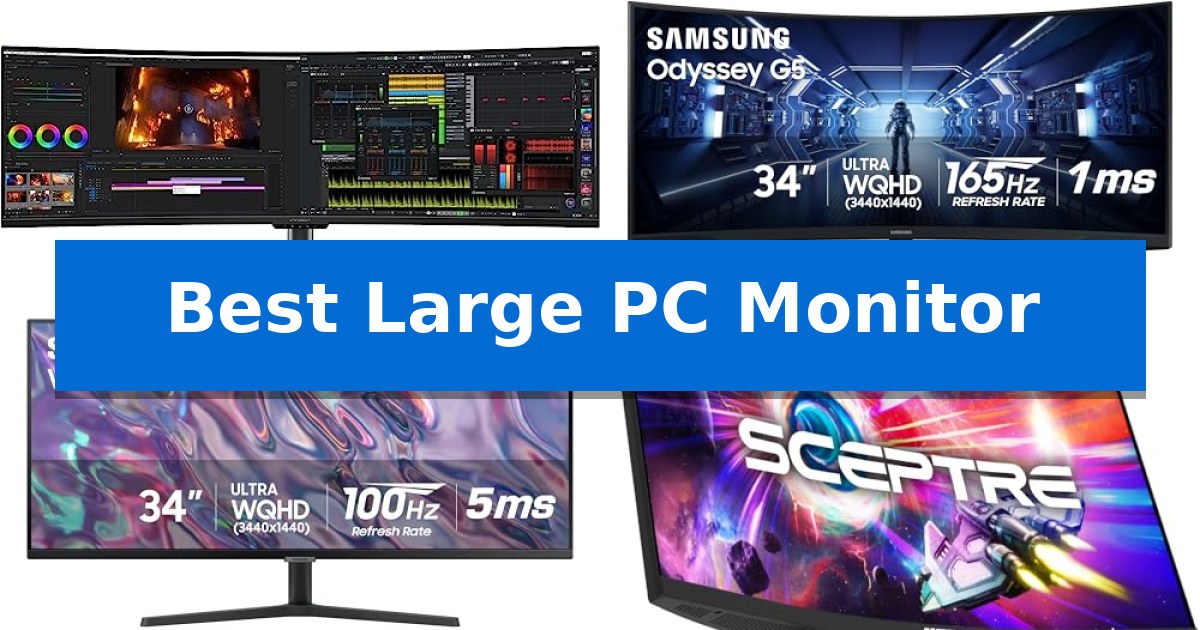
Finding the Best Large PC Monitor requires balancing your specific workspace constraints with the need for enhanced visual immersion. Whether you are managing complex multitasking workflows or seeking a deeper level of engagement in gaming, the right display can significantly alter how you interact with your digital environment.
We have evaluated five distinct large-format displays to help you navigate the trade-offs between screen curvature, resolution, and connectivity. By focusing on how these specifications translate into real-world utility, we aim to simplify your decision-making process.
Best Large PC Monitor in 2026: Maximize Your Digital Real Estate
Quick Comparison
| Product | Best For | Key Strength | Score |
|---|---|---|---|
| INNOCN 49C1G Ultrawide Monitor | Best Overall | 65W USB-C power delivery for convenient single-cable laptop connectivity. | 4.9 |
| Samsung Odyssey G5 Gaming Monitor | Immersive Curved Gaming Experience | 1000R curvature provides an immersive, wide field of view. | 4.8 |
| Samsung ViewFinity S50GC Monitor | Ultra-Wide Productivity Focus | Ultra-WQHD 21:9 aspect ratio provides expansive multitasking space. | 4.3 |
| Sceptre C345B-QUT168 Ultrawide Monitor | High Refresh Rate Immersion | 21:9 Ultrawide WQHD resolution provides significant extra workspace. | 4.8 |
| Samsung 32-Inch Flat Monitor | Expansive Borderless Workspace | Three-sided borderless design ideal for seamless multi-monitor configurations. | 4.3 |
How We Chose
- Panel technology and resolution clarity for specific use cases.
- Ergonomic adjustability, including tilt, swivel, and height options.
- Connectivity standards such as USB-C power delivery, HDMI, and DisplayPort.
- Multitasking capabilities like Picture-in-Picture (PIP) and Picture-by-Picture (PBP) support.
- Adaptive-sync technologies and refresh rates for motion handling.
1 INNOCN 49C1G Ultrawide Monitor — Maximum Multitasking Real Estate
The INNOCN 49C1G Ultrawide Monitor features an expansive 49-inch curved VA panel with an 1800R curvature, designed to maximize screen real estate for seamless multitasking. By utilizing a 32:9 aspect ratio, this display provides a significantly wider visual field than standard 16:9 monitors, making it a functional choice for users who need to manage multiple windows or applications simultaneously without the bezel interference of a dual-monitor setup.
Engineered for both productivity and entertainment, the monitor supports a 144Hz refresh rate via DisplayPort 1.4 and includes Adaptive-Sync technology to assist with smooth image transitions. The integration of PIP/PBP split-screen technology allows for the configuration of content from two separate input sources, enabling users to work, stream, or play from different devices on a single screen.
Connectivity is a primary focus, with the inclusion of a 65W USB-C port that supports power delivery, alongside DisplayPort 1.4, HDMI 2.1, and an RJ45 Ethernet port. This interface array allows for direct connection of laptops, tablets, and gaming consoles, while the adjustable stand provides tilt, swivel, and height customization to suit various viewing preferences.
The display meets DisplayHDR 400 standards and covers 99% of the sRGB color gamut, offering a 3000:1 contrast ratio for depth in visual content. The 1800R curvature is specifically intended to limit eye strain during extended use, providing a more immersive viewing angle that keeps peripheral details within a glance.
Best for: Professionals and gamers who require extensive screen real estate for multitasking and dual-source input management.
Skip if: Users who prefer a higher vertical resolution or a flat panel display for specialized color-critical design work.
PROS
- 65W USB-C power delivery for convenient single-cable laptop connectivity.
- PIP/PBP split-screen functionality for managing multiple input sources simultaneously.
- 144Hz refresh rate with Adaptive-Sync for smooth motion.
- 1800R curved design to minimize eye fatigue during long sessions.
CONS
- 3840 x 1080 resolution may lack the vertical sharpness of higher-density displays.
- Large physical footprint requires significant desk space.
2 Samsung Odyssey G5 Gaming Monitor — Immersive Curved Gaming Experience
The Samsung 34' Odyssey G5 Ultra-Wide Gaming Monitor utilizes a distinct 1000R curvature designed to match the natural human field of view. By filling the peripheral vision, this display aims to increase immersion during gaming sessions while providing a wide, seamless workspace that effectively replaces a dual-monitor setup.
Performance is driven by a 165Hz refresh rate paired with a 1ms (MPRT) response time, which works to minimize motion blur during fast-paced sequences. To maintain visual integrity, the monitor incorporates AMD FreeSync Premium technology, which utilizes adaptive sync to reduce screen tearing and stutter, ensuring that frame rates remain consistent even during demanding scenes.
Visual quality is supported by WQHD resolution and HDR10 compatibility. This combination allows for enhanced color accuracy and detail in both bright and dark areas of a game, helping to render content as intended by the creator. The VA panel technology is specifically chosen to provide the contrast necessary for these detailed visuals.
Designed for long-term use, the monitor includes features focused on eye comfort to mitigate strain during extended periods of activity. It offers multiple connectivity ports to integrate into various PC setups, supported by a sturdy build that measures 31.75 inches in width.
Best for: Gamers and professionals seeking an immersive, wide-format display that reduces the need for multiple monitor configurations.
Skip if: Users who require a flat screen for precise graphic design or those with limited desk space who cannot accommodate a 34-inch ultrawide footprint.
PROS
- 1000R curvature provides an immersive, wide field of view.
- 165Hz refresh rate and 1ms response time support smooth motion.
- AMD FreeSync Premium reduces screen tearing and input latency.
- WQHD resolution offers a sharp, expansive workspace.
CONS
- Large 34-inch footprint requires significant desk space.
- VA panel may not be ideal for users requiring extreme color-critical work compared to professional-grade IPS alternatives.
3 Samsung ViewFinity S50GC Monitor — Ultra-Wide Productivity Focus
Maximizing screen real estate for complex workflows is the primary advantage of the Samsung ViewFinity S50GC Monitor, which utilizes a 21:9 Ultra-WQHD aspect ratio to provide a expansive canvas for multitasking. This 34-inch flat display is engineered to replace dual-monitor setups by offering a seamless, borderless viewing experience that minimizes distractions during intensive tasks.
The monitor prioritizes visual fidelity through HDR10 support, capable of rendering over 1 billion colors to enhance depth and contrast. With a 3000:1 static contrast ratio, dark scenes appear deeper, while the 100Hz refresh rate ensures smoother motion for both professional design projects and entertainment. Integration with AMD Radeon FreeSync further stabilizes the output by synchronizing the display refresh rate with the graphics card to eliminate image tearing.
Designed for productivity, the unit features Picture-by-Picture (PBP) and Picture-in-Picture (PIP) capabilities. These allow users to connect two simultaneous sources via the two HDMI 2.2 ports and one DisplayPort 1.2 input, enabling efficient side-by-side project management. The display also incorporates an ambient light sensor that automatically adjusts brightness, alongside Eye Saver Mode and Flicker Free technology to reduce eye strain during extended work sessions.
The Samsung ViewFinity S50GC Monitor offers a clean, minimalist aesthetic with its virtually bezel-free design, making it an effective choice for users seeking a streamlined desk setup. While it provides significant horizontal space, the flat panel design is a distinct choice compared to curved alternatives, catering to those who prefer a traditional, distortion-free viewing plane.
Best for: Professionals and multitaskers who require a wide, flat display to manage multiple applications or projects simultaneously on a single screen.
Skip if: Users who prefer a curved display for immersive gaming or those who require integrated USB-C docking or high-wattage power delivery for laptop charging.
PROS
- Ultra-WQHD 21:9 aspect ratio provides expansive multitasking space.
- 100Hz refresh rate offers smoother motion than standard 60Hz monitors.
- PBP and PIP modes allow for efficient dual-source management.
- Ambient light sensor and eye-care features reduce visual fatigue.
CONS
- Flat panel design may not provide the same immersion as curved ultra-wide monitors.
- Limited port selection lacks modern USB-C connectivity for single-cable laptop integration.
4 Sceptre C345B-QUT168 Ultrawide Monitor — High Refresh Rate Immersion
Expanding your digital workspace requires more than just extra pixels; it demands a display that balances immersion with high-speed responsiveness. The Sceptre 34-inch Curved ultrawide WQHD Monitor (C345B-QUT168) addresses this by pairing a expansive 21:9 aspect ratio with a rapid 180Hz/165Hz refresh rate, providing a seamless canvas for both complex multitasking and fluid motion in fast-paced applications.
At the heart of this display is a 3440 x 1440 WQHD resolution, which offers 5 million pixels to deliver detailed imagery across its curved panel. The R1500 curvature is engineered to wrap the screen around your field of view, while the 1ms MPRT response time is specifically designed to minimize ghosting during rapid on-screen movement.
Beyond its primary display capabilities, the monitor incorporates a modern aesthetic with Luminous Backcover Lights that provide a distinct visual flair. Connectivity is handled via dual DisplayPort inputs, ensuring compatibility with high-bandwidth setups, while the inclusion of built-in speakers helps maintain a cleaner desk by reducing the need for external audio hardware.
For those balancing professional productivity with entertainment, the 21:9 ultrawide format provides 30% more screen space compared to standard monitors, allowing for side-by-side window management without the bezels of a dual-monitor setup. With 99% sRGB color coverage, it provides a reliable color range for general creative tasks and media consumption.
Best for: Users who require a wide, immersive display for multitasking and high-refresh-rate gaming on a single, expansive screen.
Skip if: Users who require professional-grade color accuracy for print-ready design or those with limited desk space who cannot accommodate a 32-inch wide footprint.
PROS
- 21:9 Ultrawide WQHD resolution provides significant extra workspace.
- 180Hz/165Hz refresh rate supports fluid motion for gaming and high-speed content.
- 1ms MPRT response time reduces ghosting during fast action.
- R1500 curved design enhances immersion and viewing comfort.
CONS
- Large physical footprint requires substantial desk space.
- Limited to 1-year warranty coverage.
5 Samsung 32-Inch Flat Monitor — Expansive Borderless Workspace
The Samsung 32-Inch Flat Monitor centers its design around an expansive, three-sided borderless display that minimizes physical distractions. This aesthetic choice is particularly beneficial for users who manage complex workflows across multiple screens, as it allows for a nearly continuous visual bridge between panels, effectively creating a more immersive and unified workspace.
Visual fluidity is managed through a 75Hz refresh rate, which provides a smoother motion experience compared to standard 60Hz panels. This is paired with AMD FreeSync technology, which works to synchronize the monitor’s frame rate with your graphics card. By aligning these signals, the display helps mitigate image tearing and stuttering, ensuring that video playback and rapid on-screen movements remain consistent and clear.
For those who utilize their display for entertainment or focused tasks, the integrated Game Mode is designed to adjust image contrast and color settings dynamically. This feature aims to improve visibility in darker environments, helping to distinguish details that might otherwise be obscured. Furthermore, the monitor incorporates Advanced Eye Care features, specifically Flicker Free technology and an Eye Saver Mode that reduces blue light emissions to support comfort during long hours of use.
This monitor serves as a practical, high-capacity solution for professionals and casual users who prioritize screen real estate and visual comfort. By balancing motion-smoothing technologies with dedicated eye-protection features, it provides a versatile foundation for both productivity-driven multitasking and media consumption.
Best for: Users who require a large, borderless screen for multitasking or multi-monitor setups that prioritize eye comfort and smooth visual transitions.
Skip if: Users who require high-refresh-rate gaming performance beyond 75Hz or those who need specialized color accuracy for professional-grade creative work.
PROS
- Three-sided borderless design ideal for seamless multi-monitor configurations.
- AMD FreeSync support for reduced image tearing during motion.
- Advanced Eye Care features including Flicker Free and Eye Saver Mode.
- 75Hz refresh rate for smoother motion than standard 60Hz panels.
CONS
- 75Hz refresh rate may not meet the needs of competitive gamers.
- Flat panel design may not be preferred by users seeking immersive curvature.
Best Large PC Monitor Buying Guide
Understanding Screen Curvature
Curvature is measured in millimeters, such as 1000R or 1800R, representing the radius of the circle the screen would form. A lower number indicates a tighter curve, which is designed to keep the edges of the display within your peripheral vision.
For large displays, a curve can help reduce eye strain by maintaining a consistent focal distance across the entire panel. However, flat monitors remain the standard for design and creative work where straight lines must remain geometrically accurate.
Resolution and Aspect Ratio
The aspect ratio determines the shape of your workspace. A 32:9 ratio provides an ultra-wide field of view that effectively replaces dual-monitor setups, while 21:9 offers a balance for both productivity and cinematic media.
Resolution must scale with screen size to maintain image sharpness. WQHD or double FHD resolutions are common for these sizes, ensuring that text remains legible and images retain detail without requiring excessive scaling settings.
Connectivity and Power Delivery
Modern large monitors often serve as a hub for your entire workstation. Look for USB-C connectivity with power delivery, which allows you to charge your laptop and transmit video signals through a single cable.
Additional ports like HDMI 2.1 and DisplayPort 1.4 are essential for high-refresh-rate gaming and ensuring compatibility with modern consoles and high-performance graphics cards.
Refresh Rate and Motion Handling
A higher refresh rate, measured in Hertz (Hz), results in smoother motion on screen. While 60Hz is standard for office work, 100Hz to 165Hz provides a noticeable improvement in fluidity for gaming and fast-paced video editing.
Adaptive-sync technologies, such as AMD FreeSync, synchronize the monitor's refresh rate with your graphics card to eliminate screen tearing and stuttering during demanding tasks.
Ergonomics and Mounting
Given the physical footprint of a large monitor, the stand's capabilities are critical. Height, tilt, and swivel adjustments allow you to position the screen at eye level to prevent neck and shoulder strain.
If your desk space is limited, check for VESA mount compatibility. This allows you to attach the monitor to a dedicated arm, freeing up valuable surface area and providing greater flexibility in positioning.
Frequently Asked Questions
Do I need a curved monitor for productivity?
Curved monitors are primarily beneficial for large, ultra-wide screens, as they help keep the edges of the display within your natural field of view, potentially reducing eye strain during long sessions.
Can I use an ultrawide monitor for gaming?
Yes, many ultrawide monitors feature high refresh rates and adaptive-sync technology, making them excellent for immersive gaming, provided your graphics card can support the higher resolution.
What is the benefit of USB-C power delivery?
USB-C power delivery allows you to connect a laptop to your monitor with one cable, simultaneously transmitting video, data, and power, which simplifies cable management on your desk.
What is PBP/PIP technology?
Picture-by-Picture (PBP) and Picture-in-Picture (PIP) allow you to display content from two different input sources simultaneously on the same screen, which is ideal for multitasking.
Is a 32-inch flat monitor better than a 34-inch curved one?
It depends on your use case. A 32-inch flat monitor is often preferred for design work where geometry matters, while a 34-inch curved monitor is typically better for immersion and expansive multitasking.
Conclusion: Our Top Pick
When selecting the Best Large PC Monitor, the INNOCN 49C1G Ultrawide Monitor stands out for its massive 32:9 aspect ratio and comprehensive connectivity suite. Its ability to act as a dual-monitor replacement with integrated USB-C power delivery makes it a highly efficient choice for power users and multitaskers who need to streamline their workflow.
While its size requires a significant amount of desk space, the inclusion of PIP/PBP technology and a high 144Hz refresh rate provides the versatility needed for both professional projects and immersive entertainment. It is an ideal solution for those who want to maximize their digital real estate without the clutter of multiple cables or displays.