
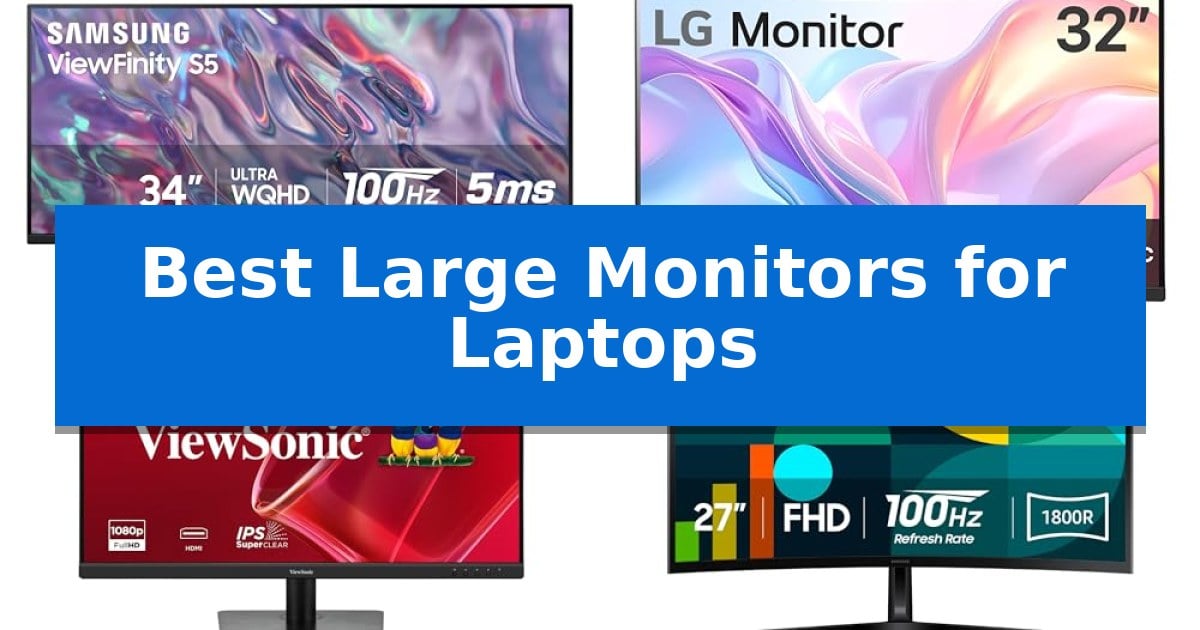
Finding the right external display can transform your laptop into a powerful workstation. When you need to manage multiple windows, edit creative projects, or simply reduce eye strain, the Best Large Monitors for Laptops offer the necessary screen real estate to streamline your workflow.
Selecting a monitor involves balancing resolution, panel technology, and connectivity to ensure it integrates seamlessly with your existing hardware. This guide examines five distinct models to help you identify which display best matches your specific professional or personal requirements.
Best Large Monitors for Laptops in 2026
Quick Comparison
| Product | Best For | Key Strength | Score |
|---|---|---|---|
| Samsung ViewFinity S50GC Ultra-WQHD Monitor | Best Overall | 21:9 Ultra-WQHD aspect ratio maximizes screen real estate for multitasking. | 4.9 |
| LG 32MR50C-B Curved Monitor | Immersive Large Screen Experience | 100Hz refresh rate for smoother motion compared to standard monitors. | 4.3 |
| ViewSonic VA3209M IPS Monitor | Clear Visuals for Daily Tasks | Large 32-inch display provides ample workspace for multitasking. | 4.6 |
| Samsung Essential S3 Curved Monitor | Curved Comfort for Long Sessions | 1800R curvature enhances immersion and reduces peripheral distractions. | 4.9 |
| Samsung 32-Inch Flat Monitor | Borderless View for Modern Setups | Three-sided borderless design for seamless multi-monitor configurations. | 4.8 |
How We Chose
- Screen size and aspect ratio for multitasking capacity.
- Panel technology and color depth for visual clarity.
- Refresh rate and synchronization features for motion smoothness.
- Connectivity options including HDMI and DisplayPort for laptop compatibility.
- Integrated eye-care features to reduce fatigue during extended sessions.
1 Samsung ViewFinity S50GC Ultra-WQHD Monitor — Best for Multitasking Productivity
Maximizing screen real estate for complex workflows is the primary advantage of the Samsung ViewFinity S50GC Ultra-WQHD Monitor, which utilizes a wide 21:9 aspect ratio to provide a seamless, expansive workspace. This display is designed to replace multi-monitor setups with a single, continuous panel that reduces bezel distractions while offering significant horizontal room for multitasking.
The monitor features an Ultra-WQHD resolution paired with HDR10 support, which renders over 1 billion colors to enhance depth in both dark and bright areas of your content. To maintain visual comfort during extended work sessions, the device includes an ambient light sensor that automatically adjusts brightness, alongside Eye Saver Mode and Flicker Free technology to minimize blue light exposure and screen strain.
Performance is bolstered by a 100Hz refresh rate, which provides smoother motion than standard 60Hz panels, benefiting both design tasks and casual gaming. The integration of AMD Radeon FreeSync further stabilizes the experience by synchronizing the refresh rate with your graphics card to eliminate image tearing during high-motion sequences.
Connectivity and productivity are supported through 2 x HDMI 2.2 and 1 x DisplayPort 1.2 inputs. The monitor enables advanced multitasking via Picture-by-Picture (PBP), allowing you to view two distinct sources at their native resolution simultaneously, or Picture-in-Picture (PIP), which lets you resize a second source while maintaining focus on your primary task.
Best for: Professionals and creators who require a wide, single-screen workspace to manage multiple applications or projects simultaneously without the visual break of a dual-monitor setup.
Skip if: Users who require high-precision color accuracy for professional-grade print work or those whose desk space cannot accommodate a 34-inch wide form factor.
PROS
- 21:9 Ultra-WQHD aspect ratio maximizes screen real estate for multitasking.
- 100Hz refresh rate provides smoother motion compared to standard monitors.
- PBP and PIP modes allow for efficient management of multiple input sources.
- Ambient light sensor automatically optimizes brightness for eye comfort.
CONS
- 34-inch width requires a significant amount of desk surface area.
- Flat panel design may result in less immersive viewing angles compared to curved alternatives.
2 LG 32MR50C-B Curved Monitor — Immersive Large Screen Experience
Managing multiple applications on a single screen requires a display that balances expansive real estate with functional utility. The LG 32MR50C-B Curved Monitor provides a 32-inch canvas designed to help users organize complex workflows with greater clarity. By utilizing a VA panel with FHD 1920×1080 resolution, this monitor delivers consistent image quality, while the curved design creates a more immersive viewing experience for extended sessions.
For users who prioritize fluid movement, the 100Hz refresh rate offers smoother motion compared to standard 60Hz displays, which is beneficial for both streaming media and casual gaming. The inclusion of AMD FreeSync technology helps ensure seamless, fluid movement during fast-paced content, while Black Stabilizer functionality enhances visibility in darker scenes to improve overall clarity.
Designed for long-term comfort, the monitor features a dedicated Reader Mode that reduces blue light output, making it easier to view text and documents for extended periods. The OnScreen Control interface allows users to quickly split the display or adjust settings via mouse clicks, streamlining the multitasking process without needing to navigate physical buttons.
The unit is supported by an ergonomic tilt stand, providing the flexibility to adjust the screen angle for an optimal viewing position. While the VA panel offers vibrant color, users should note that it has specific viewing angle limitations compared to IPS technology. Additionally, the FHD resolution on a 32-inch screen results in a lower pixel density, which may be a trade-off for those requiring high-density detail for professional design work.
Best for: Users seeking a large, curved display to improve multitasking and visual comfort during extended work or media sessions.
Skip if: Users who require a 4K resolution display for high-density professional design or video editing work.
PROS
- 100Hz refresh rate for smoother motion compared to standard monitors.
- Curved design provides an immersive viewing experience for productivity.
- Reader Mode helps reduce eye strain during long periods of use.
- OnScreen Control allows for easy workspace customization.
CONS
- FHD resolution on a 32-inch screen may result in lower pixel density.
- VA panel technology has specific viewing angle limitations compared to IPS.
3 ViewSonic VA3209M IPS Monitor — Clear Visuals for Daily Tasks
Expanding your digital workspace with the ViewSonic VA3209M IPS Monitor provides a significant increase in screen real estate, utilizing a 32-inch panel that helps manage complex workflows or multiple windows simultaneously. This display is designed to integrate into various home office or study environments, offering a practical solution for users who need a larger canvas for daily tasks.
The monitor features a Full HD (1920 x 1080) IPS panel, which ensures consistent color reproduction and wide viewing angles. To support fluid visuals during multimedia use, the device incorporates VESA Adaptive Sync technology and a 75Hz refresh rate, which work together to reduce screen tearing and provide smoother motion.
Prioritizing user comfort during extended sessions, the ViewSonic VA3209M IPS Monitor includes integrated Flicker-Free technology and a Blue Light Filter. These features are intended to minimize eye fatigue, making the display suitable for long periods of work or study. Additionally, the ViewMode presets allow for quick adjustments to gamma, contrast, and brightness, tailoring the visual output to specific activities like web browsing, text editing, or movie watching.
Connectivity is handled through standard HDMI and VGA inputs, ensuring compatibility with a wide range of modern laptops, PCs, and legacy hardware. The unit also features a frameless design and built-in dual speakers, which helps maintain a clean desk aesthetic while providing basic audio output without requiring external peripherals.
Best for: Users seeking a large, budget-conscious display for general office productivity and multimedia consumption.
Skip if: Professionals requiring high-resolution 4K detail or color-critical work will find the 1080p resolution on a 32-inch panel insufficient for their needs.
PROS
- Large 32-inch display provides ample workspace for multitasking.
- IPS panel technology ensures consistent colors and wide viewing angles.
- Adaptive Sync and 75Hz refresh rate offer smoother visuals than standard 60Hz panels.
- Integrated eye-care features like Flicker-Free and Blue Light Filter reduce strain.
CONS
- 1080p resolution may result in lower pixel density on a 32-inch screen.
- Limited connectivity options lack modern standards like USB-C or DisplayPort.
4 Samsung Essential S3 Curved Monitor — Curved Comfort for Long Sessions
The Samsung Essential S3 Curved Monitor (LS27D366GANXZA) utilizes a distinctive 1800R curvature to wrap around your field of vision, which helps minimize peripheral distractions during extended laptop-based workflows. By creating a more immersive viewing environment, this 27-inch display enhances depth perception, making it a practical choice for users who spend long hours managing multiple windows or creative projects.
Performance is driven by a 100Hz refresh rate, which provides smoother motion compared to standard 60Hz panels. This feature reduces lag and motion blur, benefiting users who switch between productivity tasks and fast-paced media consumption. The inclusion of Game Mode allows for specific adjustments to color and image contrast, helping to reveal details in darker scenes that might otherwise be missed.
Prioritizing user comfort, the display features Advanced Eye Comfort technology certified by TÜV. This system is designed to minimize blue light emissions and reduce screen flicker, aiming to mitigate eye strain during long sessions. The monitor also offers increased versatility through integrated HDMI and D-sub ports, allowing for direct connections to various laptop setups without requiring additional adapters.
Measuring 24.5 inches in width and 18.4 inches in height, this monitor provides a substantial screen real estate upgrade for laptop users. While the curved design is optimized for engagement, it is important to note that the physical footprint requires dedicated desk space. With a one-year manufacturer warranty, it serves as a reliable, dedicated visual hub for a variety of computing needs.
Best for: Users seeking an immersive, curved display to reduce eye strain and improve focus during long hours of laptop-based work.
Skip if: Users who require a flat screen for precise graphic design work or those with limited desk space who need a compact, non-curved monitor.
PROS
- 1800R curvature enhances immersion and reduces peripheral distractions.
- 100Hz refresh rate provides smoother motion for both work and media.
- Advanced eye comfort technology helps minimize strain during long sessions.
- Integrated HDMI and D-sub ports offer flexible connectivity options.
CONS
- Curved form factor may not be ideal for tasks requiring perfectly straight lines.
- Physical footprint of the 27-inch curved design requires significant desk space.
5 Samsung 32-Inch Flat Monitor — Borderless View for Modern Setups
A clean, modern aesthetic defines the Samsung 32-Inch Flat Monitor, which utilizes a three-sided borderless design to minimize visual distractions. This large-format display is engineered to integrate into multi-monitor setups, allowing for a nearly gapless viewing experience that maximizes screen real estate for laptop users.
Performance is centered on a 75Hz refresh rate, which facilitates smoother motion for presentations, video playback, and casual gaming compared to standard 60Hz panels. To maintain visual integrity during fast-paced content, the monitor incorporates AMD FreeSync technology, which synchronizes the display's refresh rate with the graphics card to mitigate image tearing and stuttering.
The display includes specialized Game Mode settings that enhance color and contrast, assisting in visibility during dark scenes. For extended work sessions, the monitor prioritizes user comfort through Advanced Eye Care features, including Flicker Free technology to eliminate screen flicker and an Eye Saver Mode that reduces blue light emissions.
Connectivity is handled via HDMI and DisplayPort inputs, ensuring compatibility with a wide range of modern laptops. The unit measures approximately 28.09 inches in width and 20.97 inches in height, providing a substantial workspace that can help reduce the need for constant window switching.
Best for: Users seeking an expansive, borderless display for multi-tasking and general productivity with their laptop.
Skip if: Users requiring high-resolution 4K panels or high-refresh-rate gaming displays will find the 75Hz limit and standard resolution insufficient.
PROS
- Three-sided borderless design for seamless multi-monitor configurations.
- 75Hz refresh rate provides smoother motion than standard displays.
- AMD FreeSync support reduces screen tearing during dynamic content.
- Advanced Eye Care suite includes flicker-free and blue light reduction.
CONS
- 75Hz refresh rate is not intended for competitive high-frame-rate gaming.
- Large 32-inch footprint requires significant desk space.
Best Large Monitors for Laptops Buying Guide
Understanding Display Size and Aspect Ratio
The physical dimensions of a monitor dictate how much information you can view simultaneously. A standard 16:9 aspect ratio is common for general tasks, while ultra-wide 21:9 displays, such as those with an Ultra-WQHD resolution, provide significant horizontal space for side-by-side window management.
When choosing a size, consider your desk depth. A 32-inch or 34-inch monitor requires more physical space but allows for a more immersive experience, whereas 27-inch models offer a balance between screen area and desk footprint.
Panel Technology and Visual Quality
Most modern monitors utilize IPS or VA panels. IPS panels are generally preferred for their consistent color reproduction and wide viewing angles, making them ideal for design work. VA panels often provide higher static contrast ratios, which can result in deeper blacks and better performance in darker environments.
Features like HDR10 support can further enhance the visual experience by expanding the color gamut and brightness range, ensuring that content appears closer to the creator's original intent.
Refresh Rate and Motion Performance
While higher refresh rates are often associated with gaming, they also contribute to a smoother desktop experience. A 100Hz refresh rate reduces motion blur when scrolling through documents or navigating complex interfaces compared to standard 60Hz or 75Hz panels.
Technologies like AMD FreeSync help synchronize the monitor's refresh rate with your laptop's graphics output, which effectively minimizes screen tearing during video playback or casual gaming sessions.
Connectivity and Compatibility
Ensure your laptop has the necessary ports to drive the monitor at its native resolution. Most monitors in this category feature HDMI and DisplayPort inputs, providing flexibility for various laptop models.
Some monitors also include advanced features like PBP (Picture-by-Picture) and PIP (Picture-in-Picture), which allow you to view input from two different sources simultaneously, further increasing your multitasking potential.
Ergonomics and Eye Care
Extended screen time can lead to eye strain. Look for monitors that include Flicker-Free technology and Blue Light Filters or Eye Saver modes. These features help maintain comfort during long work or study sessions.
Adjustable stands that allow for tilt customization are also essential for maintaining proper posture. A monitor that can be positioned at eye level helps prevent neck and shoulder discomfort over time.
Frequently Asked Questions
Do I need a specific cable to connect my laptop to these monitors?
Most of these monitors use standard HDMI or DisplayPort cables. Ensure your laptop has a compatible port or use a reliable adapter if your laptop only features USB-C or Thunderbolt outputs.
What is the benefit of a curved monitor?
A curved screen wraps more closely around your field of vision, which can enhance depth perception and minimize peripheral distractions, making it particularly effective for immersive tasks.
Can I use these monitors for gaming?
Yes, many of these monitors feature 75Hz or 100Hz refresh rates and AMD FreeSync, which provide a smooth experience for casual gaming, though they are primarily designed for productivity.
What does the 21:9 aspect ratio mean?
A 21:9 aspect ratio is wider than the standard 16:9 widescreen format. It provides extra horizontal space, allowing you to open multiple applications side-by-side without needing a dual-monitor setup.
How do I reduce eye strain while using a large monitor?
Utilize built-in features like Eye Saver Mode or Blue Light Filters, and ensure your monitor's brightness is adjusted to match the ambient lighting of your workspace.
Conclusion: Our Top Pick
For users seeking the most versatile and efficient workspace, the Samsung ViewFinity S50GC Ultra-WQHD Monitor stands out as the top choice. Its 21:9 aspect ratio and Ultra-WQHD resolution provide the necessary space to manage multiple projects simultaneously, while the 100Hz refresh rate ensures smooth navigation and motion.
With integrated eye-care technology and support for PBP/PIP functionality, this monitor is well-suited for professionals who require a reliable and high-performing display to complement their laptop setup. It effectively balances productivity features with a clean, borderless design that fits modern office environments.