
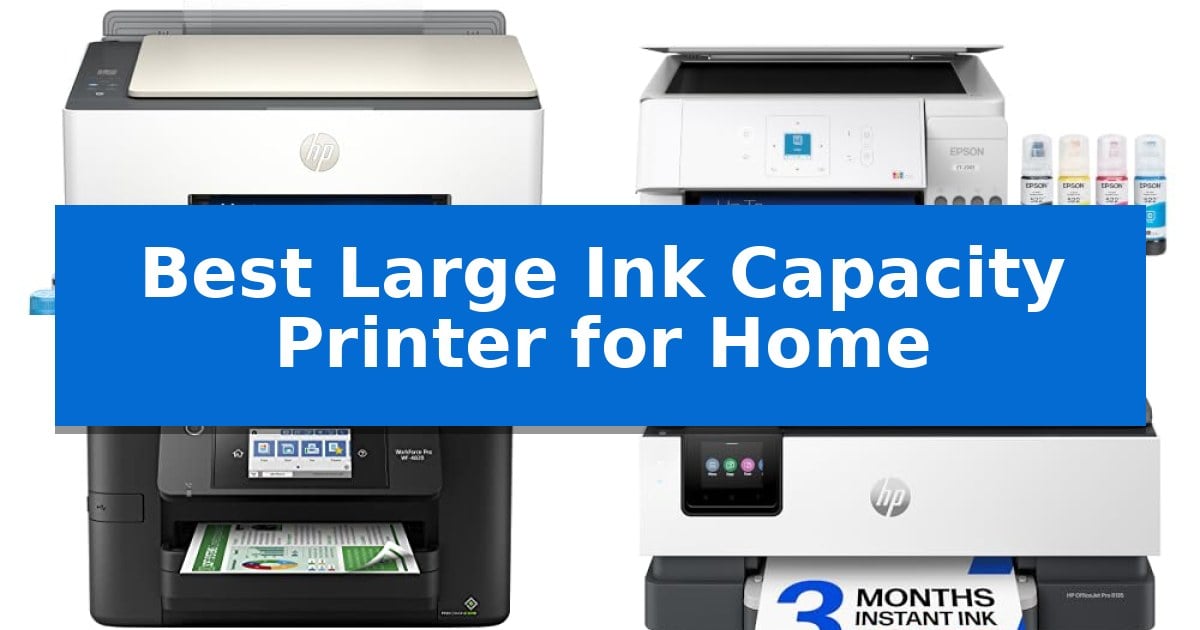
Finding the Best Large Ink Capacity Printer for Home is a smart move for anyone tired of constantly replacing expensive, low-yield ink cartridges. Whether you are managing a busy home office or printing school projects for the family, the right high-capacity printer can significantly reduce your cost-per-page while minimizing the hassle of frequent maintenance.
Our guide focuses on reliable models that prioritize efficiency, offering either massive refillable ink tanks or high-yield cartridge systems designed for heavy workloads. By choosing a printer built for volume, you can spend less time worrying about ink levels and more time focusing on your documents, reports, and creative projects.
Best Large Ink Capacity Printer for Home in 2026: Save on Printing Costs
Quick Comparison
| Product | Best For | Key Strength | Score |
|---|---|---|---|
| HP Smart Tank 5003 Ink Tank Printer | Best Overall | 3 years of ink included for significant long-term savings. | 4.9 |
| Epson EcoTank ET-2903 Supertank Printer | Years of ink in one box | Significant ink capacity providing up to 3 years of printing from the included supply. | 4.7 |
| Epson Workforce Pro WF-4820 Inkjet Printer | High-speed for heavy workloads | High-speed printing with 25 black/12 color ISO ppm. | 4.5 |
| HP OfficeJet Pro 8135 Inkjet Printer | Professional quality for home offices | Automated supply management via the 3-month Instant Ink trial. | 4.7 |
| HP OfficeJet Pro 8125 Inkjet Printer | Reliable daily business printing | High-capacity 225-sheet input tray for reduced paper reloading. | 4.3 |
How We Chose
- Ink Delivery System: We prioritized printers featuring cartridge-free refillable tanks or high-yield systems that significantly lower long-term operating costs.
- Paper Capacity: We assessed the input tray sizes and document handling features, such as automatic document feeders, to ensure they meet the demands of frequent printing.
- Connectivity and Integration: We looked for reliable wireless and mobile printing options that allow for seamless document management from smartphones and tablets.
- Print Quality and Speed: We evaluated the balance between output speed and document clarity to ensure professional results for both text and color graphics.
- Maintenance Requirements: We favored designs that simplify user intervention, such as mess-free refill mechanisms and durable, long-lasting printheads.
1 HP Smart Tank 5003 Ink Tank Printer — Cartridge-free for massive volume
The HP Smart Tank 5003 Ink Tank Printer eliminates the recurring expense and inconvenience of traditional cartridges by utilizing a high-capacity, cartridge-free refillable ink system. Designed for households that require consistent output, this all-in-one device allows users to print, scan, and copy without the frequent maintenance often associated with standard inkjet models.
Efficiency is central to its design, as the unit comes with up to 3 years of ink included in the box. This supply is rated to produce up to 6,000 pages, making it a practical solution for high-volume home printing needs. The mess-free refill system simplifies the replenishment process; ink bottles are designed to plug directly into the tank, allowing them to drain automatically without the need for squeezing or risking spills.
Beyond its capacity, the printer supports mobile and wireless printing, providing flexibility for users to manage documents from various devices. It also produces borderless prints and is engineered to deliver sharper text and richer colors, ensuring that quality is maintained even during long-term use. The compact footprint, measuring approximately 17.11 inches in width and 6.19 inches in height, allows it to fit into most home office environments.
While the system is built for reliability, it includes a one-year or 30,000-page limited hardware warranty. This model is intended for users who prioritize long-term cost savings and reduced intervention over the rapid, high-speed performance found in enterprise-grade laser equipment.
Best for: High-volume home users who want to minimize the frequency of ink replacements and reduce long-term printing costs.
Skip if: Users who require high-speed laser printing performance or those who rarely print and do not need the capacity of an ink tank system.
PROS
- 3 years of ink included for significant long-term savings.
- Cartridge-free refillable ink system reduces waste and maintenance.
- Mess-free, easy-access refill bottles prevent spills during operation.
- Wireless and mobile printing capabilities for flexible connectivity.
CONS
- Initial setup of an ink tank system is more involved than standard cartridge printers.
- Not optimized for high-speed output compared to dedicated laser printers.
2 Epson EcoTank ET-2903 Supertank Printer — Years of ink in one box
Managing home printing costs often leads to the frustration of frequent cartridge replacements, but the Epson EcoTank ET-2903 Supertank Printer addresses this by utilizing large, refillable ink tanks rather than traditional cartridges. This design shift allows the unit to hold enough ink to last up to 3 years, providing a substantial capacity that minimizes the need for constant maintenance.
Beyond its ink capacity, this all-in-one printer serves as a versatile tool for home offices, featuring a high-resolution flatbed scanner and the ability to print at speeds of 11 black or 6 color ISO ppm. The system is built for longevity, incorporating Epson Heat-Free technology and a permanent printhead designed to endure for the life of the machine, which helps reduce the environmental impact of plastic waste.
Usability is enhanced through the 1.44" color display and the Epson Smart Panel app, which facilitates wireless and mobile printing from smart devices. The inclusion of EcoFit ink bottles ensures that the refilling process remains clean and straightforward, preventing common issues like bottle mix-ups during the replenishment cycle.
While the printer offers high-quality output with a 5760 x 1440 dpi resolution, users should note that the 100-sheet paper tray is optimized for standard home volume rather than high-capacity commercial output. This balance makes it a practical choice for households looking to consolidate their printing, scanning, and copying needs into a single, efficient footprint.
Best for: Home users who prioritize long-term ink savings and want to avoid the frequent waste and cost associated with traditional ink cartridges.
Skip if: Users who require high-volume paper handling or automatic document feeding for large, multi-page scanning tasks will find the 100-sheet tray and flatbed-only scanner limiting.
PROS
- Significant ink capacity providing up to 3 years of printing from the included supply.
- Cartridge-free design that eliminates plastic waste and simplifies the refilling process.
- Permanent printhead engineered for long-term reliability and durability.
- Wireless and mobile connectivity supporting Apple AirPrint and the Epson Smart Panel app.
CONS
- Limited paper capacity with a 100-sheet tray that requires more frequent refilling for heavy users.
- Flatbed scanner lacks an automatic document feeder for multi-page scanning.
3 Epson Workforce Pro WF-4820 Inkjet Printer — High-speed for heavy workloads
Maintaining a high-volume workflow at home requires hardware that balances speed with consistent output. The Epson Workforce Pro WF-4820 Inkjet Printer addresses this need by utilizing PrecisionCore Heat-Free Technology, which enables rapid printing speeds of up to 25 black and 12 color ISO ppm. This design choice prioritizes efficiency, allowing for quick first-page-out times that minimize waiting during busy work sessions.
Designed for heavy-duty productivity, the printer features a 250-sheet paper capacity to reduce the frequency of refills. Workflow is further streamlined by auto 2-sided printing and a 35-page automatic document feeder (ADF), which simplifies handling multi-page projects. The inclusion of DURABrite Ultra instant-dry pigment inks ensures that documents maintain professional-grade quality with accurate dot placement.
Navigation is managed through a 4.3-inch color touchscreen, providing a centralized interface for all tasks. Connectivity is highly flexible, supporting wireless setup via mobile devices using Bluetooth Low Energy (BLE), as well as Wi-Fi Direct and Ethernet networking. Users can also leverage the Epson Smart Panel App to manage print and scan tasks directly from a smartphone.
Security and maintenance are integrated into the core functionality. The device includes comprehensive security features such as secure wireless protocols and Secure Data Erase to protect sensitive information. By employing heat-free technology, the unit is engineered for long-term reliability, helping to reduce potential downtime in a home office environment.
Best for: Small home offices requiring high-speed, multi-function printing and robust wireless connectivity.
Skip if: Users with limited desk space or those who do not require an automatic document feeder or high-volume paper capacity.
PROS
- High-speed printing with 25 black/12 color ISO ppm.
- Large 250-sheet paper capacity for high-volume tasks.
- Versatile connectivity including Wi-Fi Direct, Ethernet, and Bluetooth.
- Integrated 35-page ADF and auto 2-sided printing for efficiency.
CONS
- Large physical footprint may be restrictive for smaller home workstations.
4 HP OfficeJet Pro 8135 Inkjet Printer — Professional quality for home offices
Managing high-volume document workflows requires a reliable foundation, and the HP OfficeJet Pro 8135 Inkjet Printer is engineered to streamline these tasks with its 225-sheet input tray and integrated auto document feeder. This all-in-one device handles professional-quality color printing, scanning, copying, and faxing, making it a versatile hub for home office environments.
Efficiency is central to the design of the HP OfficeJet Pro 8135 Inkjet Printer, which supports print speeds up to 20 ppm in black and 10 ppm in color. Users can navigate settings through a 2.7-inch color touchscreen that features a phone-like interface, while the HP App enables remote management of print, scan, and copy tasks directly from a smartphone.
The printer integrates HP AI to optimize formatting for web pages and emails, effectively removing unwanted content to prevent wasted pages. Connectivity is maintained via dual-band Wi-Fi that automatically detects and resolves connection issues, while HP Wolf Essential Security provides built-in protection against network-based cyber threats.
Sustainability and cost management are addressed through a construction using more than 45% recycled plastic and a 3-month trial of Instant Ink. This subscription service automates supply replenishment, helping to manage ink costs. Note that this device is designed to function exclusively with original HP chips and circuitry to maintain operational effectiveness.
Best for: Home offices requiring a versatile, connected all-in-one printer with automated supply replenishment and AI-assisted document formatting.
Skip if: Users who require high-volume laser-class output speeds or those who prefer using third-party ink cartridges, as this model is restricted to original HP circuitry.
PROS
- Automated supply management via the 3-month Instant Ink trial.
- HP AI formatting tools to reduce paper waste from web prints.
- Integrated security features with HP Wolf Essential Security.
- Dual-band Wi-Fi for reliable wireless connectivity.
CONS
- Restricted to original HP chips, preventing the use of third-party cartridges.
- Firmware-dependent operation which requires periodic updates to maintain security and compatibility.
5 HP OfficeJet Pro 8125 Inkjet Printer — Reliable daily business printing
Managing high-volume document workflows requires hardware that minimizes downtime, and the HP OfficeJet Pro 8125 Wireless All-in-One Color Inkjet Printer addresses this with an integrated 225-sheet input tray and an auto document feeder. This device is engineered for home offices that prioritize consistent output, offering print speeds of up to 20 ppm for black and 10 ppm for color.
Navigation is handled through a 2.7-inch color touchscreen that features a phone-like interface for quick access to print, scan, and copy functions. For those who prefer mobile workflows, the HP App allows for direct printing, scanning, and faxing from a smartphone, while dual-band Wi-Fi provides reliable connectivity by automatically detecting and resolving network issues.
Precision is a core focus, as the printer utilizes HP AI to optimize print formatting for web pages and emails, effectively removing unwanted content to prevent wasted pages. Security is bolstered by HP Wolf Essential Security, which helps protect the device and network from potential cyber threats.
The unit supports sustainable practices by being constructed with more than 45% recycled plastic content. Users can also leverage the included 3-month trial of Instant Ink, a subscription service designed to deliver cartridges directly to your door before you run out, potentially saving up to 50% on ink costs.
It is important to note that this printer is designed to function exclusively with cartridges containing original HP chips or circuitry. The system will block cartridges using non-HP components, and periodic firmware updates are implemented to maintain these security and operational measures.
Best for: Home offices requiring a reliable, connected all-in-one printer for high-volume document and presentation printing.
Skip if: Users who prefer utilizing third-party or non-original ink cartridges, as this device strictly requires original HP chips.
PROS
- High-capacity 225-sheet input tray for reduced paper reloading.
- HP AI print optimization to reduce wasted pages and improve layout precision.
- Dual-band Wi-Fi connectivity for improved network reliability.
- HP Wolf Essential Security integration for network protection.
CONS
- Strict original HP chip requirement limits the use of third-party ink alternatives.
Best Large Ink Capacity Printer for Home Buying Guide
Understanding Ink Delivery Systems
The most significant factor in a high-capacity printer is how it stores and delivers ink. Supertank or ink tank printers use large, refillable reservoirs instead of traditional cartridges. This design is ideal for home users who print hundreds of pages monthly, as it drastically reduces the cost per page and eliminates the waste associated with plastic cartridges.
Alternatively, some high-volume inkjet printers use high-yield cartridges combined with subscription services. While these still require cartridge changes, they are often designed for specific business-grade workflows that prioritize consistent, professional-quality output over the lowest possible cost per page.
Paper Handling and Productivity
A printer's efficiency is not just about ink; it is also about how it handles paper. Look for models with a 250-sheet input tray if you want to avoid constant refills during large print jobs. An Automatic Document Feeder (ADF) is another essential feature for anyone who frequently needs to scan or copy multi-page documents.
For those who print reports or double-sided documents, automatic two-sided printing (duplexing) is a critical time-saver. This feature allows the printer to flip the paper automatically, reducing paper waste and manual effort while maintaining a professional look for your documents.
Connectivity and Mobile Printing
Modern home printers must integrate into your existing digital ecosystem. Reliable dual-band Wi-Fi is standard for ensuring a stable connection that doesn't drop during large print jobs. Many printers now include dedicated apps that allow you to scan, copy, and print directly from your smartphone or tablet.
Look for support for standard mobile printing protocols like Apple AirPrint or Mopria Print Service. These allow you to print from almost any device on your network without needing to install complex drivers or software, making the entire process much more user-friendly.
Print Quality and Resolution
High capacity should not come at the expense of quality. If you primarily print text documents, look for printers that offer sharp, laser-like text and consistent black ink density. For those who also print photos or marketing materials, check the DPI (dots per inch) resolution to ensure the printer can handle color graphics with clarity.
Some printers incorporate pigment-based inks, which are generally more resistant to smudging and water, making them ideal for business documents. Dye-based inks, on the other hand, often provide more vibrant colors for photographic prints, so choose based on your most frequent printing needs.
Maintenance and Reliability
High-volume printers are designed to be workhorses, but they still require basic maintenance. Features like mess-free refill systems prevent ink spills and ensure you don't mix up colors during the refill process. A well-designed tank system should be easy to access and monitor.
Consider the duty cycle or the manufacturer's warranty as an indicator of the printer's expected lifespan. Printers built for heavy workloads often feature more robust printheads and internal components designed to withstand thousands of pages of output without requiring frequent service.
Frequently Asked Questions
Are ink tank printers better than cartridge printers for home use?
Ink tank printers are generally more cost-effective for high-volume printing because they use inexpensive ink bottles rather than expensive cartridges. If you print frequently, the initial investment in a tank printer is usually offset by the lower cost per page.
Do I need an Automatic Document Feeder (ADF)?
An ADF is highly recommended if you frequently scan or copy multi-page documents. It allows you to stack several pages and let the printer process them automatically, saving you from having to place each page on the scanner glass manually.
Can I use third-party ink in my printer?
Most manufacturers recommend using genuine ink to ensure optimal performance and print quality. Using non-genuine ink can sometimes cause clogs or damage to the printhead, which may not be covered under the manufacturer's warranty.
What is duplex printing?
Duplex printing is the ability of a printer to automatically print on both sides of a sheet of paper. This is a standard feature on many office-grade printers and is excellent for saving paper and creating professional-looking reports.
How do I ensure my printer stays connected to Wi-Fi?
Ensure your printer is within range of your router and, if possible, use a 2.4GHz or 5GHz band that is not overcrowded. Many modern printers also have built-in features to detect and resolve connection issues automatically.
Conclusion: Our Top Pick
For most home users seeking the best balance of high ink capacity, low operating costs, and reliable performance, the HP Smart Tank 5003 Ink Tank Printer stands out as the top choice. Its cartridge-free system is designed to handle high volumes without the recurring expense of traditional ink cartridges, making it an ideal long-term solution for busy households.
While other models offer specific advantages like faster print speeds or specialized business features, the HP Smart Tank 5003 provides the most straightforward, cost-effective experience for everyday printing. Its mess-free refill system and included ink supply ensure you can start printing immediately and continue for years with minimal maintenance.