
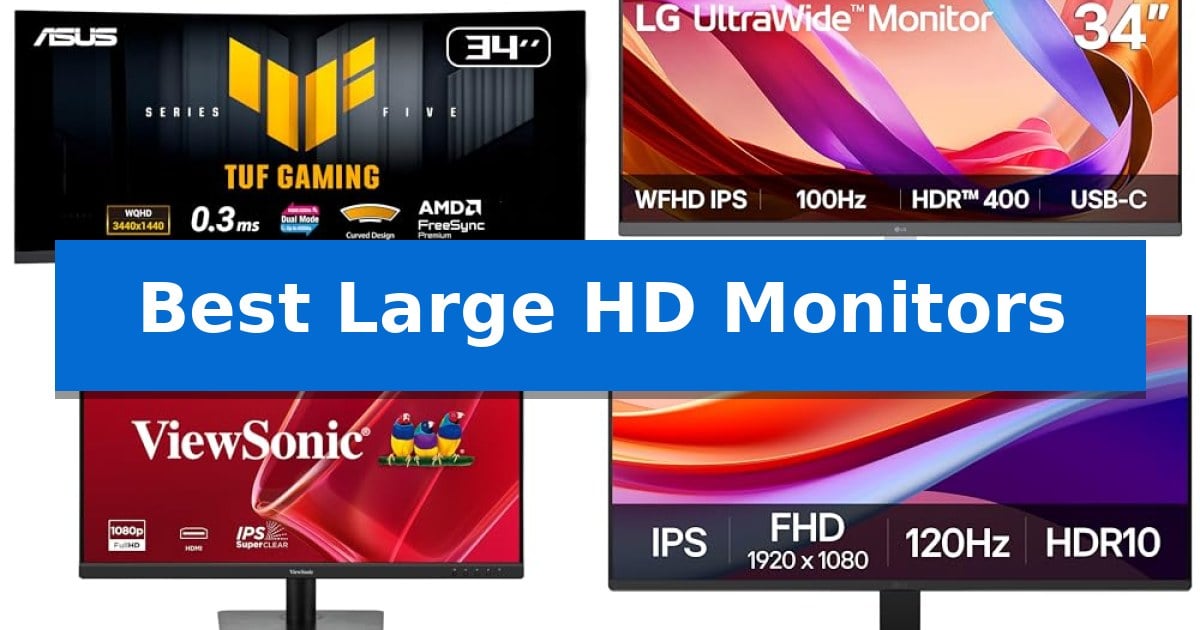
Finding the right display is essential for anyone spending long hours at a desk, whether you are managing complex spreadsheets or editing high-resolution media. The Best Large HD Monitors offer the screen real estate needed to organize multiple windows efficiently, reducing the need for constant toggling between applications.
Selecting a monitor involves balancing resolution, refresh rates, and ergonomic features to suit your specific workflow. In this guide, we examine five distinct models to help you identify which display provides the clarity, comfort, and connectivity required for your professional or personal setup.
Best Large HD Monitors in 2026: Boost Your Productivity
Quick Comparison
| Product | Best For | Key Strength | Score |
|---|---|---|---|
| ASUS TUF Gaming VG34WQL5A Monitor | Best Overall | Dual-mode performance switching between WQHD 200Hz and HD 400Hz. | 4.9 |
| LG 34U530A-W UltraWide Monitor | Maximum Screen Space for Multitasking | 21:9 UltraWide aspect ratio provides extensive horizontal space for efficient multitasking. | 4.3 |
| ViewSonic VA3209M Monitor | Large Display for Comfortable Viewing | Large 32-inch IPS display for an expansive viewing area. | 4.7 |
| LG 27U411A-B Monitor | Vibrant Colors for Creative Work | 120Hz refresh rate for smooth visual transitions. | 4.8 |
| Acer KB272 G0bi Monitor | Fast Response for Smooth Motion | 120Hz refresh rate for smooth motion in gaming and video. | 4.4 |
How We Chose
- Display resolution and panel technology for visual clarity.
- Refresh rate and response time for motion smoothness.
- Connectivity options including USB-C, HDMI, and DisplayPort.
- Ergonomic adjustability such as height, tilt, and swivel capabilities.
- Specialized features like HDR support, blue light filters, and multitasking software.
1 ASUS TUF Gaming VG34WQL5A Monitor — Expansive Ultrawide for Immersive Play
The ASUS TUF Gaming VG34WQL5A Monitor distinguishes itself with a versatile dual-mode display, allowing users to toggle between a high-resolution 3440 x 1440 WQHD experience at 200Hz and a high-speed 720p mode at 400Hz. This flexibility is managed via a dedicated hotkey, providing a tailored visual environment for different gaming genres.
Designed for fluid motion, the monitor features a 0.5ms minimum response time and ELMB SYNC technology. By combining Extreme Low Motion Blur with variable refresh rate support, it effectively minimizes ghosting and screen tearing. The inclusion of AMD FreeSync Premium and Variable Overdrive further ensures consistent, tear-free performance during demanding sequences.
The 1500R curved panel is complemented by DisplayHDR 400 compliance and HDR-10 support, which work to improve contrast and detail in both bright and dark scenes. For convenience, the DisplayWidget Center allows users to adjust monitor settings directly through their mouse, removing the need to navigate physical OSD buttons.
Built for longevity and ease of use, the unit includes an ergonomic stand and is backed by a 3-year warranty that features advanced replacement and repair services. The package comes equipped with a DisplayPort cable, and users receive a complimentary 3-month subscription to Adobe Creative Cloud, adding value for those who balance gaming with creative workflows.
Best for: Gamers who require a flexible display capable of switching between high-resolution immersion and ultra-high refresh rate performance.
Skip if: Users who prioritize a flat screen for professional color-critical design work or those with limited desk space for a 34-inch ultrawide footprint.
PROS
- Dual-mode performance switching between WQHD 200Hz and HD 400Hz.
- 0.5ms response time paired with ELMB SYNC for reduced motion blur.
- 1500R curvature provides an immersive field of view for gaming.
- 3-year warranty with advanced replacement service included.
CONS
- Large footprint requires significant desk space due to the 34-inch ultrawide design.
- DisplayHDR 400 is an entry-level HDR standard that does not offer the peak brightness of higher-tier HDR certifications.
2 LG 34U530A-W UltraWide Monitor — Maximum Screen Space for Multitasking
Expanding your digital workspace requires more than just extra pixels; it demands a display that balances screen real estate with functional utility. The LG 34U530A-W UltraWide Monitor addresses this by providing a 34-inch 21:9 aspect ratio, offering significant horizontal space that allows users to manage multiple windows side-by-side without the clutter of a dual-monitor setup.
Performance is anchored by a 100Hz refresh rate, which ensures smoother motion for daily tasks and streaming compared to standard 60Hz panels. The display utilizes an IPS panel with VESA DisplayHDR 400 support and 99% sRGB color coverage, providing consistent image quality and brightness across a wide range of viewing angles.
Connectivity is streamlined through a versatile USB Type-C port, which handles display output and data transfer via a single cable. This setup is complemented by built-in stereo speakers featuring Waves MaxxAudio, reducing the need for external audio hardware on a crowded desk.
Practicality is integrated into the design through the included L-shaped stand, which supports height, tilt, and swivel adjustments to accommodate various ergonomic preferences. Additionally, the proprietary Switch app allows for advanced multitasking, enabling users to split the screen into up to six distinct sections for organized workflows.
Best for: Professionals and multitaskers who need an expansive horizontal workspace for managing multiple applications simultaneously without a multi-monitor configuration.
Skip if: Users who require a 4K resolution or a higher pixel density for professional-grade color grading and ultra-fine detail work.
PROS
- 21:9 UltraWide aspect ratio provides extensive horizontal space for efficient multitasking.
- USB Type-C connectivity enables single-cable display and data management.
- 100Hz refresh rate offers smoother visual performance than standard monitors.
- Adjustable stand includes height, tilt, and swivel options for ergonomic positioning.
CONS
- WFHD resolution (2560 x 1080) may appear less sharp than 4K displays on a 34-inch screen.
- Limited to 1080p vertical resolution, which may restrict vertical workspace for certain creative applications.
3 ViewSonic VA3209M Monitor — Large Display for Comfortable Viewing
The ViewSonic VA3209M Monitor provides a expansive 32-inch workspace, making it a practical choice for users who need to manage multiple windows or documents simultaneously without the complexity of a multi-monitor setup. Its Full HD (1920 x 1080) IPS panel ensures consistent color reproduction and wide viewing angles, which helps maintain visual clarity when viewing the screen from various positions at a desk.
Designed for both utility and comfort, this monitor incorporates VESA Adaptive Sync technology to support a 75Hz refresh rate. This combination helps reduce screen tearing during multimedia playback or casual use, resulting in smoother motion. The inclusion of Flicker-Free technology and a Blue Light Filter addresses common concerns regarding eye fatigue during extended periods of work or study.
The ViewSonic VA3209M Monitor features a frameless design that contributes to a clean aesthetic, while the integrated ViewMode presets allow users to quickly toggle between optimized settings for different tasks, such as 'Text', 'Web', or 'Movie' modes. These presets adjust the gamma, contrast, and brightness to suit specific content types without requiring manual calibration.
Connectivity is handled through standard HDMI and VGA inputs, ensuring compatibility with a wide range of hardware, from modern laptops to legacy desktop systems. The monitor also includes built-in dual speakers, providing a space-saving audio solution for daily tasks, and is backed by a 3-year limited warranty covering parts, labor, and the backlight.
Best for: Home office users and students who require a large, comfortable screen for multitasking and daily productivity tasks.
Skip if: Users who require high-resolution 4K clarity for professional graphic design or video editing, as the 1080p resolution on a 32-inch panel results in a lower pixel density.
PROS
- Large 32-inch IPS display for an expansive viewing area.
- Adaptive Sync and 75Hz refresh rate for smoother visual performance.
- Integrated eye-care features like Flicker-Free and Blue Light Filter.
- Versatile connectivity with both HDMI and VGA ports.
CONS
- 1080p resolution may appear less sharp on a screen of this size compared to higher-resolution alternatives.
- Limited input options restricted to HDMI and VGA only.
4 LG 27U411A-B Monitor — Vibrant Colors for Creative Work
Finding a display that balances high-speed performance with daily utility is essential for a streamlined workspace. The LG 27U411A-B Monitor offers a versatile solution by combining a 120Hz refresh rate with a sharp Full HD (1920 x 1080) resolution, ensuring fluid motion for both professional applications and gaming sessions.
The monitor is built for efficiency, featuring a virtually borderless 3-side design that minimizes visual distractions and supports clean multi-monitor setups. Users can leverage the Switch app to divide the screen into up to 6 distinct sections, which simplifies multitasking by allowing multiple windows to be managed simultaneously on a single panel.
For those who prioritize performance, the display includes 1ms Motion Blur Reduction (MBR) and Dynamic Action Sync to reduce input lag and ghosting during fast-paced sequences. Additionally, the Black Stabilizer feature improves visibility in dark areas of the screen, while HDR10 support and 99% sRGB color gamut coverage ensure that colors remain rich and accurate for creative work.
Ergonomics are addressed through a tilt-adjustable stand that provides a range of -5° to 20°, allowing users to find a comfortable viewing angle. To support long hours of use, the Reader Mode reduces blue light output, helping to maintain a more comfortable experience during extended reading or document-focused tasks.
Best for: Users seeking a versatile 27-inch display that balances high-refresh-rate gaming features with productive multitasking tools.
Skip if: Professionals requiring higher than 1080p resolution for detailed graphic design or 4K video editing work.
PROS
- 120Hz refresh rate for smooth visual transitions.
- Switch app enables advanced screen splitting and multitasking.
- 1ms Motion Blur Reduction and Dynamic Action Sync for responsive gaming.
- 99% sRGB color gamut coverage for accurate color reproduction.
CONS
- Full HD (1920 x 1080) resolution may appear less sharp on a 27-inch screen compared to higher-density displays.
5 Acer KB272 G0bi Monitor — Fast Response for Smooth Motion
The Acer KB272 G0bi Monitor offers a balanced approach to visual clarity and motion performance with its 27-inch Full HD display. Designed for both productivity and gaming, this monitor features a 120Hz refresh rate and a 1ms VRB response time, ensuring that fast-moving content is rendered with minimal smearing or ghosting.
Equipped with Adaptive-Sync (FreeSync Compatible) technology, the monitor synchronizes its refresh rate with your graphics card to provide a smooth, tear-free experience during video playback and gaming sessions. The IPS panel ensures consistent image quality, while the 99% sRGB color gamut provides accurate color reproduction for everyday tasks.
The display is built with a 16:9 aspect ratio and a 250-nit brightness level, making it suitable for standard office lighting environments. It includes a blue light filter to help reduce eye strain during extended periods of use. The unit is VESA mountable, allowing for flexible installation on monitor arms or wall mounts to save desk space.
With a pixel pitch of 0.311mm, the screen provides clear text and image detail at a 1080p resolution. Connectivity is handled through HDMI and VGA ports, ensuring compatibility with a wide range of modern and legacy hardware. The monitor comes with a 3-year warranty covering parts and labor, providing long-term support for your setup.
Best for: Users seeking a versatile 27-inch monitor that balances high refresh rate gaming capabilities with standard office productivity features.
Skip if: Users who require a higher resolution than 1080p for professional graphic design or detailed video editing work.
PROS
- 120Hz refresh rate for smooth motion in gaming and video.
- Adaptive-Sync support to prevent screen tearing.
- 1ms response time reduces ghosting in fast transitions.
- VESA mountable design for flexible workspace configuration.
CONS
- 1080p resolution may appear less sharp on a 27-inch screen compared to higher resolutions.
- 250 nits brightness is sufficient for indoor office use but may struggle in very bright rooms.
Best Large HD Monitors Buying Guide
Panel Technology and Visual Quality
The underlying panel technology, such as IPS (In-Plane Switching), is critical for color accuracy and wide viewing angles. Monitors using IPS panels ensure that colors remain consistent even when you are not sitting directly in front of the center of the screen.
Additionally, HDR (High Dynamic Range) support enhances the contrast between bright and dark areas of an image. This feature is particularly beneficial for creative professionals who require precise color reproduction and a more dynamic visual experience.
Refresh Rate and Motion Handling
A higher refresh rate, measured in Hertz (Hz), determines how many times the screen updates per second. While 60Hz is standard for office work, 100Hz or higher provides significantly smoother motion, which is advantageous for gaming and reducing eye strain during rapid scrolling.
Coupled with a fast response time, these features minimize ghosting and motion blur. This is essential for maintaining sharp visuals during fast-paced action or when navigating complex user interfaces.
Connectivity and Workspace Integration
Modern monitors often serve as the hub for your entire workstation. USB Type-C connectivity is a highly valued feature, as it allows for both display output and data transfer through a single cable, effectively reducing desktop clutter.
Ensure your chosen monitor includes the necessary ports, such as HDMI or DisplayPort, to maintain compatibility with your existing laptop, desktop, or gaming console without requiring multiple adapters.
Ergonomics and Viewing Comfort
Long-term comfort depends heavily on the physical adjustability of the monitor stand. Look for models that offer height, tilt, and swivel adjustments to align the screen with your natural line of sight, which helps prevent neck and shoulder fatigue.
Integrated features like Blue Light Filters and Flicker-Free technology are also important for those who spend extended periods reading or working. These settings help reduce eye strain by adjusting color temperatures and stabilizing screen brightness.
Multitasking and Screen Real Estate
Large monitors, particularly Ultrawide models, provide a significant advantage for multitasking. By offering a wider aspect ratio, these displays allow you to snap multiple windows side-by-side, effectively replacing a dual-monitor setup with a single, seamless screen.
Some manufacturers include proprietary software, such as split-screen applications, to further customize your layout. This software can help you manage your workspace more efficiently by organizing windows into specific zones with a single click.
Frequently Asked Questions
What is the benefit of a curved monitor?
A curved display, such as one with a 1500R curvature, is designed to match the natural field of view of the human eye. This can create a more immersive experience and help maintain a consistent distance between your eyes and the edges of the screen.
Do I need a high refresh rate for office work?
While a high refresh rate is not strictly necessary for basic office tasks, it does make the overall interface feel more responsive and fluid. It can also help reduce eye fatigue during long sessions of scrolling through documents or web pages.
How does USB-C connectivity simplify my setup?
USB-C allows you to transmit video signals and data using a single cable. If your laptop supports it, this can also provide power delivery, meaning you can charge your device while simultaneously using it as a display, significantly reducing cable clutter.
What does HDR400 mean for a monitor?
HDR400 is a VESA certification indicating that the monitor can reach a peak brightness of at least 400 nits. This provides better contrast and more vibrant colors compared to standard monitors, making it a good entry point for HDR content.
Can I use a gaming monitor for creative work?
Yes, many gaming monitors feature high-quality IPS panels and excellent color gamut coverage, making them suitable for creative tasks. However, always check the specific color accuracy specifications if your work requires professional-grade color grading.
Conclusion: Our Top Pick
When selecting from the available options, the ASUS TUF Gaming VG34WQL5A Monitor stands out as a versatile choice for users who prioritize both immersive gaming and productive multitasking. Its ultrawide 34-inch curved display and dual-mode performance switching provide a unique balance of speed and screen real estate that is difficult to match in a single unit.
While other models offer specific advantages like compact footprints or specialized color modes, this monitor provides the most comprehensive set of features for a modern, high-performance workspace. Its combination of high refresh rates, ergonomic design, and advanced gaming technology ensures it remains a reliable investment for years to come.