
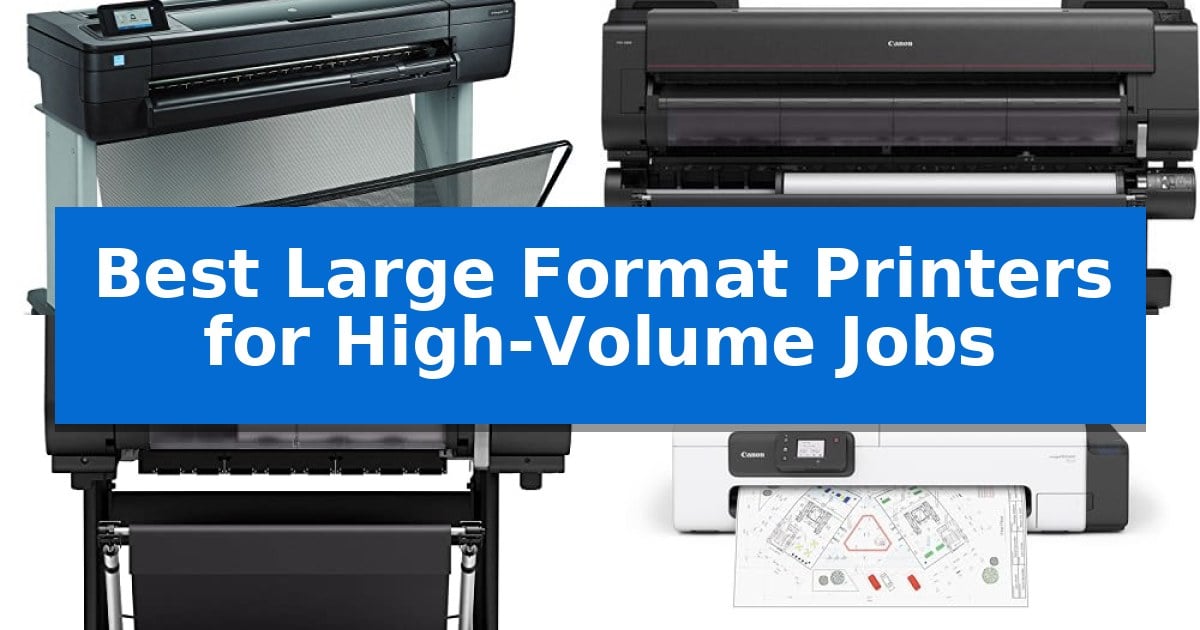
Managing large-scale printing demands requires equipment that balances speed, media versatility, and consistent output quality. Whether you are an architectural firm producing technical schematics or a studio handling fine art reproductions, finding the Best Large Format Printers for High-Volume Jobs is essential to maintaining your production schedule without sacrificing precision.
The right printer must integrate seamlessly into your existing network while handling diverse media types, from standard rolls to cut sheets. We have analyzed current market options to help you identify which systems provide the necessary throughput and reliability for your specific professional environment.
Best Large Format Printers for High-Volume Jobs in 2026
Quick Comparison
| Product | Best For | Key Strength | Score |
|---|---|---|---|
| HP DesignJet T730 Plotter Printer | Best Overall | Rapid output speed of 25 seconds per D/A1-size print. | 4.9 |
| Canon imagePROGRAF PRO-6000 Printer | Professional Photographic Large-Scale Output | 60-inch wide format capability for large-scale production. | 4.5 |
| Canon imagePROGRAF PRO-2100 Printer | Precision Fine Art Reproduction | Professional-grade fine art reproduction capabilities. | 4.3 |
| Canon imagePROGRAF TC-21 Printer | Compact Desktop Workflow Efficiency | Largest ink capacity in its class with 280 ml included. | 4.9 |
| Epson Expression Photo HD XP-15000 | Wide-Format Photo Studio Essential | 6-color Claria Photo HD ink system for enhanced color gamut. | 4.4 |
How We Chose
- Throughput speed for A1/D-size technical prints.
- Media handling capabilities, including roll-to-sheet switching and tray capacity.
- Connectivity options such as Gigabit Ethernet and Wi-Fi for multi-user environments.
- Ink capacity and cartridge size options to minimize intervention during long print runs.
- Physical footprint and setup requirements for office or studio integration.
1 HP DesignJet T730 Plotter Printer — Fast Production for Technical Prints
Efficiency in high-volume technical environments requires hardware that minimizes downtime while maintaining output quality. The HP DesignJet T730 Large Format Wireless Plotter Printer is engineered for AEC professionals who demand consistent 36-inch printing performance, whether situated in a central office or deployed directly at a job site.
This plotter achieves significant production speed, capable of delivering D/A1-size prints in just 25 seconds. To support high-volume workflows, the device features flexible media handling, including sheet feed, roll feed, and an integrated input tray. The inclusion of an automatic cutter and a media bin assists in managing large print runs without constant manual intervention.
Operational costs and material waste are addressed through intelligent design choices. Users can select from 40-ml to 300-ml ink cartridges to align with specific volume requirements, while the automatic sheet feeder allows for half-scale printing, which can reduce media waste by up to 50%. Connectivity is robust, featuring Gigabit Ethernet, Wi-Fi, and mobile printing support via HP ePrint, Apple AirPrint, and the HP All-in-One printer remote app.
The HP DesignJet T730 Large Format Wireless Plotter Printer balances a compact footprint with the capacity to handle demanding technical documentation. While it includes essential security features and comprehensive software utilities for Mac and Windows, it remains focused on the core requirements of speed and reliability for technical drawings.
Best for: AEC professionals and technical teams requiring rapid, high-volume 36-inch document production in office or field environments.
Skip if: Users who require specialized high-resolution photo-quality output or those who do not have the space for a 36-inch wide-format hardware footprint.
PROS
- Rapid output speed of 25 seconds per D/A1-size print.
- Flexible ink capacity with options up to 300-ml to reduce supply change frequency.
- Mobile printing support via Wi-Fi Direct and standard mobile applications.
- Waste reduction features including automatic half-scale printing.
CONS
- Physical footprint requires dedicated space for a 36-inch wide-format device.
- Limited to technical print applications rather than high-end graphic arts or photo printing.
2 Canon imagePROGRAF PRO-6000 Printer — Professional Photographic Large-Scale Output
The Canon imagePROGRAF PRO-6000 Printer is engineered for high-volume, large-format production, featuring a substantial 60-inch output width that accommodates demanding professional photographic and graphic design workflows. This unit is designed to handle continuous, high-capacity printing tasks where precision and scale are paramount, making it a specialized tool for studios or print shops requiring consistent, large-scale output.
Built with a robust chassis measuring 79 inches in width, this printer provides a stable platform for heavy-duty output. Its design focuses on professional-grade reliability, supported by a 1-year on-site warranty that ensures technical assistance is available for maintenance or operational needs in a production environment. This service inclusion is critical for facilities that rely on the machine as a core piece of infrastructure.
Potential users should note the physical footprint of this machine, which requires a dedicated space of 79 inches wide by 46 inches high. It is best suited for facilities with the floor space to accommodate its size and the specific need for 60-inch wide media handling. The integration of this printer into a professional workflow is facilitated by its large-format capabilities, which allow for the production of wide-scale graphics and photographic prints that smaller desktop units cannot manage.
Best for: Professional print shops and photography studios requiring high-volume, 60-inch wide format output.
Skip if: Home users or small offices with limited floor space and no requirement for 60-inch wide-format media.
PROS
- 60-inch wide format capability for large-scale production.
- 1-year on-site warranty included for professional support.
- Robust build quality designed for high-volume environments.
CONS
- Large physical footprint requires significant dedicated workspace.
- Heavy-duty design is not suitable for portable or small-office use.
3 Canon imagePROGRAF PRO-2100 Printer — Precision Fine Art Reproduction
Achieving consistent, high-quality output for demanding professional environments requires a machine built for precision. The Canon imagePROGRAF PRO-2100 Printer is engineered for fine art reproduction, offering a specialized 24-inch wide format that caters to high-volume production needs where color accuracy and reliability are paramount.
This printer integrates advanced imaging technology to handle complex print jobs efficiently. By utilizing a robust design, it serves as a central hub for studios and print shops that require consistent performance over long production runs. The inclusion of a 1 year on-site warranty by Canon provides professional assurance, ensuring that maintenance and support are readily available to keep workflows uninterrupted.
Designed with a footprint of 49 inches in length and 35 inches in width, the device balances a substantial output capacity with a manageable size for professional workspaces. Its construction reflects a focus on durability and ease of use, allowing operators to manage large-format media with confidence. As a Canon Platinum Reseller supported product, it meets the rigorous standards expected by industry professionals.
When selecting hardware for high-volume tasks, the trade-off often lies between physical space and output capability. While this unit is optimized for fine art and high-volume professional work, users should ensure their workspace can accommodate its dimensions. It remains a focused tool for those who prioritize output quality and long-term service support over general-purpose office printing.
Best for: Professional studios and print shops requiring high-precision, large-format fine art reproduction.
Skip if: Users with limited floor space or those who require a compact, entry-level printer for casual, low-volume document printing.
PROS
- Professional-grade fine art reproduction capabilities.
- Includes a 1 year on-site warranty for reliable support.
- Optimized for high-volume production environments.
- Backed by Canon Platinum Reseller service standards.
CONS
- Large physical footprint requires dedicated workspace.
- Specialized focus may be overkill for general office tasks.
4 Canon imagePROGRAF TC-21 Printer — Compact Desktop Workflow Efficiency
Managing high-volume printing tasks requires a reliable, space-efficient solution that balances output quality with ease of maintenance. The Canon imagePROGRAF TC-21 Printer addresses these demands by offering a 24-inch desktop roll printer design that integrates an automatic sheet feeder, allowing users to switch between roll media and cut sheets without manual intervention.
Designed for productivity, this printer features wired and wireless connectivity, including built-in Wi-Fi, which enables seamless printing from computers, smartphones, and tablets. The 4-color ink system is engineered to produce crisp text and vibrant graphics, ensuring that posters and technical documents maintain professional clarity even during high-volume runs.
Usability is a central focus of the Canon imagePROGRAF TC-21 Printer, which includes an intuitive tiltable touchscreen control panel and animated installation guides to simplify the setup process. Maintenance is streamlined through top and front interior access, making it straightforward to refill the 280 ml of included ink—the largest capacity in its class—or replace paper rolls.
With its ENERGY STAR and EPEAT Gold ratings, this device is built to operate efficiently in busy office environments. While it provides a robust set of features for large-format needs, its compact footprint ensures it remains a practical choice for workspaces where floor-standing plotters are not feasible.
Best for: Small to medium-sized offices or creative workspaces requiring high-quality, 24-inch large-format printing with a compact desktop footprint.
Skip if: Users who require printing widths greater than 24 inches or those who need specialized high-speed production printing for industrial-scale volumes.
PROS
- Largest ink capacity in its class with 280 ml included.
- Versatile media handling via automatic roll and cut sheet feeder.
- Intuitive touchscreen interface with animated setup guides.
- Flexible connectivity including high-speed USB, Ethernet, and Wi-Fi.
CONS
- Limited to 24-inch width, which may not suit all large-format requirements.
5 Epson Expression Photo HD XP-15000 — Wide-Format Photo Studio Essential
Achieving professional-grade output in a home or studio environment requires a machine capable of handling diverse media without sacrificing color accuracy. The Epson Expression Photo HD XP-15000 addresses this by utilizing a 6-color Claria Photo HD ink system, which incorporates dedicated gray and red inks to expand the color gamut and improve black-and-white print quality.
Designed for versatility, this printer handles borderless media from 4 inches by 6 inches up to 13 inches by 19 inches. Its physical footprint is notably compact, measuring 30.9 inches in width and 16.2 inches in height, making it an efficient choice for desktop setups where space is at a premium. The inclusion of a 50-sheet rear tray specifically for specialty media like cardstock simplifies the workflow for high-volume creative projects.
For document-heavy tasks, the unit supports auto 2-sided printing and features a 200-sheet front tray. Connectivity is streamlined through wireless capabilities, and the system integrates with Dash Replenishment to track ink usage and automate orders when levels run low, ensuring consistent uptime for ongoing jobs.
The printer is engineered to operate exclusively with Epson Genuine Cartridges to maintain the integrity of the printing system. While it offers robust wide-format capabilities, users should note that the system is optimized for specific ink formulations to prevent potential damage, which is a critical consideration for long-term maintenance.
Best for: Photographers and home studio creators who require high-quality, wide-format photo printing in a compact desktop footprint.
Skip if: Users who require high-speed office document printing or those who prefer using third-party ink alternatives, as this system is designed for exclusive use with genuine cartridges.
PROS
- 6-color Claria Photo HD ink system for enhanced color gamut.
- Supports borderless printing up to 13 x 19 inches.
- Compact design that is 30 percent smaller than its predecessor.
- 50-sheet rear specialty tray for diverse media handling.
CONS
- Exclusive use of Epson Genuine Cartridges required to maintain warranty and system health.
- 9.2 ppm print speed may be a bottleneck for extremely high-volume document tasks.
Best Large Format Printers for High-Volume Jobs Buying Guide
Understanding Media Handling Requirements
The ability to manage different paper sizes and types is critical for high-volume workflows. Printers that offer automatic roll and cut sheet feeding allow you to transition between project types without manual intervention, significantly reducing downtime. Look for systems that include a media bin or automatic cutter to ensure prints are organized and ready for immediate use.
Consider the maximum width supported by the device. While 24-inch models are often sufficient for posters and smaller schematics, 36-inch or 60-inch units are necessary for larger architectural plans or wide-format photographic displays. Ensure the printer's media path is compatible with the specific paper finishes you frequently use, such as cardstock or specialized fine art media.
Connectivity and Network Integration
In a busy office, the printer must be accessible to multiple users. Gigabit Ethernet connectivity provides the most stable and fast connection for large file transfers, which is vital when printing complex CAD files or high-resolution images. Many modern units also include Wi-Fi and mobile printing support, allowing team members to initiate prints directly from tablets or smartphones.
Check for support for standard protocols like Apple AirPrint or dedicated mobile apps. These features enable remote printing from job sites or different areas of the office, enhancing overall workflow efficiency. A robust network interface ensures that print jobs are processed quickly without bottlenecking your local network.
Ink Management and Operational Costs
High-volume printing requires efficient ink management to keep operating costs predictable. Printers that support large-capacity ink cartridges (such as 300-ml options) are preferable for long production runs, as they reduce the frequency of cartridge replacements. This is a key factor in maintaining continuous operation during tight project deadlines.
Evaluate the color configuration of the printer. A 4-color system is typically sufficient for technical drawings and posters where text clarity and vibrant graphics are the priority. Conversely, if your work involves fine art or high-end photography, a 6-color or multi-ink system—including specialized inks like gray or red—is necessary to achieve a wider color gamut and smoother gradients.
Physical Footprint and Installation
Before purchasing, measure your available workspace carefully. Large format printers can occupy significant floor space, and you must account for clearance required for top and front interior access. This access is necessary for routine maintenance, such as refilling ink tanks or clearing paper jams.
If space is at a premium, consider compact desktop models that still offer roll-feed capabilities. These units are designed to fit on standard office furniture while providing the same resolution and color accuracy as their larger counterparts. Always verify the weight of the unit to ensure your flooring or table can support the equipment safely.
Warranty and Professional Support
Given the investment involved in professional printing hardware, the warranty and support structure are vital. Look for manufacturers that offer on-site warranty coverage, which can save significant time and logistics costs if a hardware issue arises. This is particularly important for businesses that rely on their printer for daily revenue-generating tasks.
Check if the manufacturer provides authorized reseller support or dedicated technical assistance. Having access to professional installation guides and firmware updates is essential for keeping the device running optimally over its lifespan. A reliable support network is as important as the printer's technical specifications.
Frequently Asked Questions
What is the difference between a plotter and a standard wide-format printer?
A plotter is typically optimized for vector-based technical drawings, such as CAD files and architectural schematics, prioritizing line accuracy and speed. A wide-format printer is often geared toward high-resolution photographic output and graphic design, focusing on color gamut and image detail.
Can I use third-party ink in these printers?
Most manufacturers strongly recommend using genuine ink cartridges. Using non-genuine ink can lead to printhead damage and may void your manufacturer's warranty. It is best to stick to the ink series specified by the manufacturer for your model.
How do I determine the right ink capacity for my volume?
If you print daily, look for models that support larger cartridge sizes (e.g., 300-ml). Smaller cartridges (e.g., 40-ml or 70-ml) are better suited for occasional use or low-volume environments where ink shelf life might be a concern.
Are these printers compatible with both Mac and Windows?
Yes, most professional large format printers include utility software for both Mac and Windows platforms. Always check the specific product specifications to confirm the supported operating systems in your environment.
What maintenance is required for these printers?
Routine maintenance includes replacing ink cartridges, loading paper rolls, and occasionally cleaning the printhead or paper path. Many modern printers feature animated installation and maintenance guides on their touchscreen panels to assist with these tasks.
Conclusion: Our Top Pick
For professionals requiring a balance of speed, reliability, and technical precision, the HP DesignJet T730 Plotter Printer stands out as a highly effective solution for high-volume technical printing. Its ability to produce D/A1-size prints in just 25 seconds, combined with versatile media handling and support for large-capacity ink cartridges, makes it a dependable choice for AEC professionals.
While other models in this list offer specialized features for photography or fine art, the HP DesignJet T730 remains our top pick for its focus on production efficiency and robust construction. Its integration of wireless connectivity and mobile printing further ensures it can adapt to the fast-paced demands of modern office and job-site environments.