
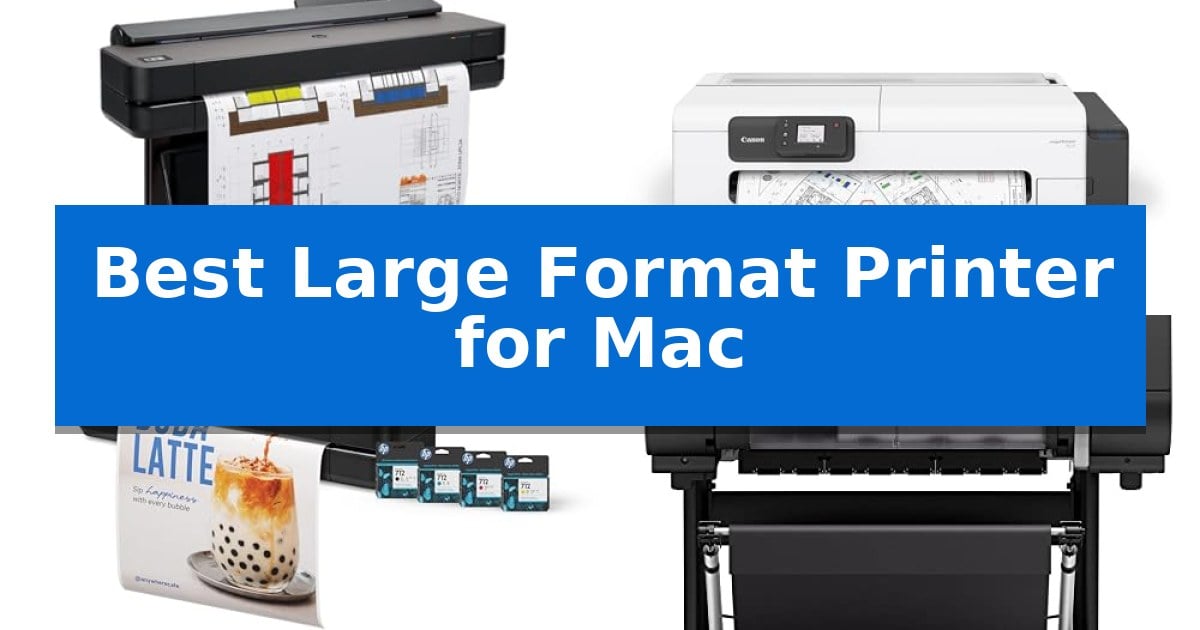
Finding the right output device for a creative or technical workflow requires balancing print dimensions with specific color accuracy and software compatibility. Whether you are drafting complex architectural blueprints or producing high-resolution gallery prints, selecting the Best Large Format Printer for Mac involves evaluating how well the hardware integrates with macOS drivers and your existing design applications.
This guide examines five distinct models to help you navigate the trade-offs between desktop-friendly footprints and full-scale 36-inch production capabilities. By focusing on connectivity, media handling, and software support, we highlight which machines provide the most reliable performance for your specific output requirements.
Best Large Format Printer for Mac in 2026
Quick Comparison
| Product | Best For | Key Strength | Score |
|---|---|---|---|
| HP DesignJet T650 Large Format Plotter | Best Overall | Automatic sheet/roll switching for versatile media handling. | 4.9 |
| Canon imagePROGRAF TC-21 Large Format Printer | Compact desktop roll printing | Compact 24-inch desktop design saves valuable workspace. | 4.6 |
| HP DesignJet T210 Large Format Printer | Efficient 24-inch CAD output | Includes up to 1-year of ink for immediate cost savings. | 4.4 |
| Canon imagePROGRAF PRO-2100 Fine Art Printer | Professional gallery-grade color | Professional gallery-grade color output for high-end creative projects. | 4.3 |
| Epson Expression Photo HD Wide-Format Printer | High-detail 13×19 photo printing | 6-color Claria Photo HD ink system including red and gray for expanded color range. | 4.5 |
How We Chose
- macOS Compatibility and Driver Support
- Media Handling Versatility (Roll vs. Sheet)
- Print Speed and Resolution for CAD or Fine Art
- Physical Dimensions and Workspace Integration
- Software Workflow Efficiency and Connectivity
1 HP DesignJet T650 Large Format Plotter — Fast 36-inch precision for architects
Precision and efficiency in large-format printing are essential for technical workflows, and the HP DesignJet T650 Large Format Plotter is engineered to handle complex architectural and engineering documents with ease. This 36-inch device streamlines the production of technical line drawings, renders, and maps by integrating directly with CAD applications and common design software.
The printer features an automatic sheet feeder accessory that allows for seamless transitions between large-format rolls and smaller wide-format sheets up to 13-by-19 inches. With its automatic horizontal cutter and media bin, the unit manages output effectively, reducing the need for manual intervention during high-volume tasks.
Workflow management is simplified through the included HP Click software, which supports PDF error checking, auto-nesting, and drag-and-drop printing. Connectivity options include Gigabit Ethernet and Wi-Fi 802.11, enabling remote management via the HP Smart app from mobile devices or desktop computers.
Designed for cost-effective operation, the system is noted for using 95% less ink for routine maintenance compared to competing models. The unit includes a 2-year HP Care Pack with onsite support, providing long-term reliability for professional environments that require consistent, high-quality output.
Best for: Architects, engineers, and construction professionals requiring precise, automated large-format printing for technical drawings and renders.
Skip if: Users who do not require 36-inch wide media support or those who prefer a compact desktop printer for standard document sizes.
PROS
- Automatic sheet/roll switching for versatile media handling.
- HP Click software integration for efficient file management and error checking.
- 2-year onsite warranty support included for professional peace of mind.
- Cost-efficient ink usage during routine maintenance cycles.
CONS
- Large physical footprint requires significant dedicated office space.
- Specific ink and printhead requirements (HP 712/713) limit third-party supply options.
2 Canon imagePROGRAF TC-21 Large Format Printer — Compact desktop roll printing
The Canon imagePROGRAF TC-21 Large Format Printer is designed for high-efficiency, space-conscious environments, offering a 24-inch desktop footprint that accommodates both roll and cut sheet media. It simplifies the transition from digital files to physical output by including an automatic sheet feeder, making it a practical choice for users who need to produce posters and technical documents without the bulk of traditional large-format hardware.
Equipped with a 4-color ink system, this printer is engineered to produce crisp text and vibrant imagery. It distinguishes itself by shipping with a full set of ink—totaling 280 ml—which provides a significant initial supply for high-volume tasks. The inclusion of an intuitive tiltable touchscreen control panel and animated installation guides streamlines the setup process, reducing the technical barrier for new users.
Maintenance and daily operation are prioritized through a design that allows for easy top and front interior access. This layout simplifies the tasks of refilling ink tanks and replacing paper rolls. For connectivity, the device supports both wired Ethernet and high-speed USB, alongside built-in Wi-Fi, enabling seamless integration into existing network workflows for computers, tablets, and smartphones.
As an ENERGY STAR and EPEAT Gold rated device, the printer balances performance with energy efficiency. While its compact size is ideal for smaller workspaces, it maintains the capability to handle a wide variety of media types, ensuring versatility for diverse printing needs.
Best for: Small offices or creative workspaces requiring a compact, network-ready 24-inch printer for posters and technical documents.
Skip if: Users who require high-speed production printing or specialized wide-format capabilities beyond 24 inches will find this desktop model too limited for their needs.
PROS
- Compact 24-inch desktop design saves valuable workspace.
- Includes 280 ml of ink out of the box, the most in its class.
- Built-in Wi-Fi and Ethernet allow for flexible, multi-device connectivity.
- Automatic sheet feeder provides versatility for different media types.
CONS
- Limited to 24-inch width, which may not suit all large-format requirements.
3 HP DesignJet T210 Large Format Printer — Efficient 24-inch CAD output
The HP DesignJet T210 Large Format Printer simplifies professional wide-format output by including up to one year of ink in the box, making it a practical choice for architects, designers, and engineers who require consistent, high-quality prints. This 24-inch printer is engineered for versatility, handling both large format rolls and smaller sheets through an optional automatic feeder.
Designed to integrate seamlessly into a professional workflow, this device features HP Click software, which enables users to drag and drop files including PDF, TIFF, and DWF formats. The software provides automated error checking and auto-nesting to minimize paper waste, while the HP Smart app allows for remote management and printing from mobile devices or desktop computers.
Efficiency is a core focus, with the unit capable of producing A1/D size prints in as little as 45 seconds. It is built to be cost-effective, utilizing 95% less ink for routine maintenance compared to many competitor plotter printers. The inclusion of an automatic horizontal cutter ensures clean, precise edges on roll-fed media without manual intervention.
With its compact 40-inch width and 60-pound frame, the printer fits into professional environments where space is at a premium. It supports a wide range of professional applications, from technical blueprints and CAD line-drawings to indoor signage and sewing patterns, providing a reliable solution for in-house production needs.
Best for: Professional designers, architects, and engineers who need a compact, efficient solution for in-house CAD and large-format printing.
Skip if: Users requiring high-volume production speeds or those who need to print on media wider than 24 inches.
PROS
- Includes up to 1-year of ink for immediate cost savings.
- HP Click software reduces paper and ink waste through auto-nesting.
- Automatic horizontal cutter simplifies roll-fed media handling.
- Versatile media support for both 24-inch rolls and smaller sheets.
CONS
- Limited to 24-inch width, which may not suit all large-format requirements.
- Optional accessory required for automatic sheet feeding.
4 Canon imagePROGRAF PRO-2100 Fine Art Printer — Professional gallery-grade color
Achieving professional-grade color accuracy for large-scale prints requires hardware designed for precision and consistent output. The Canon imagePROGRAF PRO-2100 Fine Art Printer is engineered to meet these demands, offering a specialized 24-inch wide-format solution that integrates into high-end creative workflows.
This printer is built for environments where color fidelity is non-negotiable. As a professional-grade device, it provides the reliability needed for gallery-quality production. The unit is supported by a 1 year on-site warranty by Canon, ensuring that professional users have access to technical support directly from the manufacturer to maintain operational uptime.
Designed with a footprint of 49 inches in length and 35 inches in width, this machine is a substantial piece of equipment intended for dedicated studio or office spaces. Its robust build quality reflects its purpose as a long-term investment for photographers and artists who require consistent, large-format output capabilities for their creative projects.
For those sourcing professional equipment, the Canon imagePROGRAF PRO-2100 Fine Art Printer is available through authorized channels such as CES Imaging, a Canon Platinum Reseller. This ensures that buyers receive authentic hardware backed by official manufacturer support and service standards.
Best for: Professional photographers and fine art creators who require consistent, gallery-grade color accuracy on large-format media.
Skip if: Users with limited studio space or those who do not require professional-grade, wide-format printing capabilities.
PROS
- Professional gallery-grade color output for high-end creative projects.
- Includes a 1 year on-site warranty for reliable professional support.
- 24-inch wide-format capacity suitable for large-scale art and photography.
CONS
- Large physical footprint requires significant dedicated floor or table space.
- Specialized equipment may exceed the needs of casual or home-office users.
5 Epson Expression Photo HD Wide-Format Printer — High-detail 13×19 photo printing
Achieving professional-grade photo output at home requires a device capable of handling expansive color gamuts and diverse media types. The Epson Expression Photo HD Wide-Format Printer is engineered specifically for this, utilizing a 6-color Claria Photo HD ink system that incorporates dedicated gray and red inks to produce an ultra-wide color gamut and refined black-and-white prints.
This printer is designed for versatility in the studio, supporting borderless printing in sizes ranging from 4 inches by 6 inches up to 13 inches by 19 inches. Its physical footprint is notably compact, being 30 percent smaller than its predecessor, which allows it to fit more easily onto a desktop while still providing a 50-sheet rear tray for specialty media like cardstock.
Workflow efficiency is addressed through both physical and digital design choices. It features a 200-sheet front tray for standard documents and supports auto 2-sided printing. For those who print frequently, the unit includes Dash Replenishment capability, which monitors ink levels and can automate the ordering process to prevent mid-project interruptions.
Maintenance and longevity are prioritized through the manufacturer's specified ink ecosystem. The printing system is designed to function exclusively with Epson Genuine Cartridges to ensure consistent output and prevent potential hardware damage. The package includes a cleaning sheet and a full set of ink to facilitate immediate setup for high-detail photography projects.
Best for: Photographers and home studio users who require high-detail, wide-format printing up to 13×19 inches in a space-saving design.
Skip if: Users who require high-volume office document printing or those who prefer using third-party, non-genuine ink cartridges.
PROS
- 6-color Claria Photo HD ink system including red and gray for expanded color range.
- Ultra-compact footprint that is 30% smaller than previous wide-format models.
- Versatile media handling with a 50-sheet rear tray for specialty paper and cardstock.
- Automated ink management via Dash Replenishment.
CONS
- Exclusive use of Epson Genuine Cartridges required to maintain warranty and prevent damage.
- Lower page-per-minute speed compared to dedicated high-speed office laser printers.
Best Large Format Printer for Mac Buying Guide
Understanding Media Handling
Large format printers offer different ways to manage paper, ranging from automatic roll feeds to sheet-fed trays. If your workflow involves frequent switching between different sizes, look for models that include an automatic sheet feeder or a media bin to reduce manual intervention.
For architectural or engineering tasks, roll-fed media is essential for long-form blueprints. Conversely, photographers or graphic designers may prioritize a printer that can handle heavyweight cardstock or specific fine art paper through a dedicated rear-loading path.
Connectivity and Software Integration
Seamless integration with macOS is vital for a productive workflow. Most modern units offer Gigabit Ethernet and Wi-Fi 802.11 connectivity, allowing you to print directly from your desktop or mobile devices using dedicated apps like HP Smart or standard AirPrint protocols.
Consider the software suite included with the printer. Tools like HP Click or similar proprietary drivers can significantly reduce paper waste by providing PDF error checking and auto-nesting features, which automatically arrange your files to maximize the use of your media roll.
Resolution and Color Accuracy
The number of ink colors and the printhead technology directly impact the final output quality. A 6-color ink system often provides a wider color gamut, which is crucial for fine art prints and vibrant posters where color precision is non-negotiable.
For technical drawings and CAD work, a 4-color system is typically sufficient to produce crisp text and clear lines. Ensure the printer's resolution matches your project needs, as higher-end models are optimized for detail-heavy renders rather than high-speed line drawings.
Physical Footprint and Workspace
Large format printing equipment can occupy significant floor space. Before purchasing, measure your available area, keeping in mind that 36-inch plotters require more clearance than 24-inch desktop models.
If you have a limited workspace, consider a compact desktop roll printer. These units are designed to sit on a sturdy table, providing professional-grade output without the need for a dedicated floor stand, making them ideal for smaller studios or home offices.
Maintenance and Long-Term Costs
Routine maintenance, such as printhead cleaning, consumes ink and paper. Some manufacturers offer printers with cost-saving efficiencies that use significantly less ink for these maintenance cycles compared to older or competing models.
Look for printers that include a warranty or support package, such as an onsite service plan. This can be a major benefit for business users who cannot afford downtime, as it ensures that technical issues are addressed by professionals without the need to ship the unit away.
Frequently Asked Questions
Are these printers compatible with the latest macOS versions?
Yes, all listed models are designed to work with current macOS environments, typically utilizing standard drivers or manufacturer-specific software like HP Click or Canon's utility suites for seamless printing.
Can I print from my iPad or iPhone?
Many of these printers support mobile printing through dedicated apps like the HP Smart app or standard wireless protocols, allowing you to manage print jobs directly from your tablet or smartphone.
What is the difference between a plotter and a fine art printer?
A plotter is generally optimized for high-speed, high-volume technical output like CAD drawings and blueprints, while a fine art printer focuses on color accuracy, gamut, and high-resolution detail for photography and graphic design.
Do I need a special stand for these printers?
It depends on the model. Some 24-inch units are designed as desktop printers, while 36-inch plotters usually come with a floor stand and media bin to manage larger rolls of paper.
How do I handle different paper sizes automatically?
Models with automatic sheet/roll switching allow you to load both rolls and individual sheets. The printer software will detect the file size and pull from the appropriate source, eliminating the need for manual paper swaps.
Conclusion: Our Top Pick
For those requiring a balance of speed, precision, and robust support, the HP DesignJet T650 Large Format Plotter stands out as the most versatile choice. Its ability to handle 36-inch rolls while also accommodating smaller sheets via an automatic feeder makes it highly adaptable for both technical blueprints and marketing posters.
While other models offer specific advantages for fine art or compact desktop use, the T650's inclusion of a 2-year onsite warranty and efficient ink usage for maintenance provides a reliable, long-term solution for professional environments. It remains a top recommendation for users who prioritize workflow efficiency and consistent, high-quality output.