
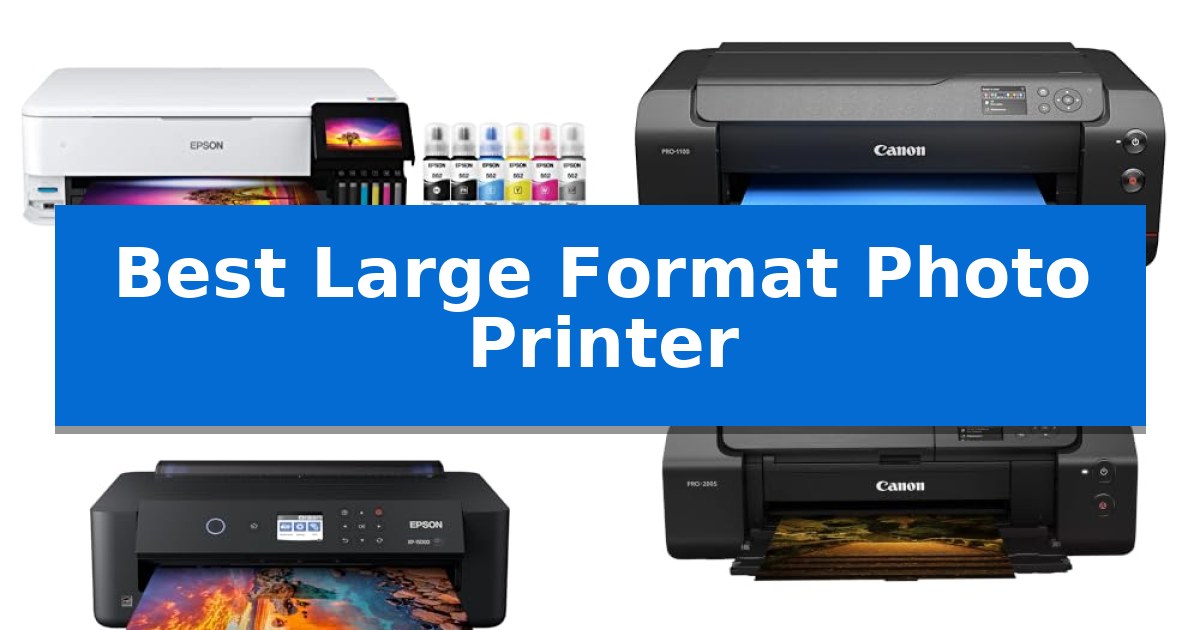
Finding the right equipment for professional-grade output often means balancing color accuracy with physical footprint. Whether you are a photographer looking to showcase your work or a designer needing high-quality proofs, selecting the Best Large Format Photo Printer requires a clear understanding of your specific output requirements and space constraints.
The following analysis explores five distinct printing solutions, ranging from compact desktop units to industrial-scale displays. We examine the trade-offs between ink technologies, media handling capabilities, and overall workflow integration to help you determine which model aligns with your production needs.
Best Large Format Photo Printer in 2026
Quick Comparison
| Product | Best For | Key Strength | Score |
|---|---|---|---|
| Epson EcoTank ET-8550 Photo Printer | Best Overall | Extremely low cost per photo compared to traditional ink cartridges. | 4.9 |
| Canon imagePROGRAF PRO-1100 Photo Printer | Professional gallery-grade pigment output | 11 pigment-based ink system with Chroma Optimizer for superior gloss uniformity. | 4.4 |
| Epson Expression Photo HD XP-15000 | Compact professional wide-format choice | 6-color Claria Photo HD ink includes red and gray for enhanced color range. | 4.5 |
| Canon PIXMA PRO-200S Photo Printer | High-speed vibrant dye-based printing | 8-color dye-based ink system for vibrant color reproduction. | 4.7 |
| Canon imagePROGRAF PRO-4100 Printer | Industrial scale for large displays | High-resolution output of 2400 x 1200 dpi for exceptional detail. | 4.3 |
How We Chose
- Ink system technology (pigment vs. dye-based)
- Maximum media size and borderless printing support
- Physical dimensions and workspace footprint
- Connectivity options and workflow management tools
- Cost-efficiency regarding ink consumption and replacement
1 Epson EcoTank ET-8550 Photo Printer — Lowest cost per photo print
Achieving high-quality prints at home often requires balancing ink costs with output size, a challenge addressed by the Epson EcoTank Photo ET-8550. This wide-format all-in-one printer eliminates traditional cartridges, utilizing a 6-color Claria ET Premium ink system designed to produce vibrant photos and sharp text on media up to 13 x 19 inches.
The core advantage of this model is its cartridge-free printing architecture. By using high-yield ink bottles, users can significantly reduce the cost per print, with 4 x 6-inch photos costing approximately 4 cents each. The system is engineered for efficiency, providing up to 2 years of ink in the box, which minimizes the frequency of replacements and helps reduce environmental waste compared to standard cartridge-based systems.
Designed for creators and home studios, the Epson EcoTank Photo ET-8550 combines scanning, copying, and printing capabilities in a single unit. Its high-accuracy printhead ensures consistent quality across various creative projects, making it a practical solution for those who require large-format output without the recurring expense of individual ink cartridges.
While the unit offers significant savings on consumables, its physical footprint is substantial, measuring 29.8 inches in length and 20.6 inches in width. Prospective users should ensure they have adequate desk space to accommodate this wide-format device, which weighs 24.5 pounds.
Best for: Creators and home studio users who require frequent, high-quality, large-format photo printing at a low cost per page.
Skip if: Users with limited workspace or those who only print documents occasionally, as the initial investment and physical size may be excessive for basic needs.
PROS
- Extremely low cost per photo compared to traditional ink cartridges.
- Wide-format capability supporting prints up to 13 x 19 inches.
- Large ink capacity provides up to 2 years of ink in the box.
- Reduced environmental impact due to the elimination of cartridge waste.
CONS
- Large physical footprint requires significant dedicated desk space.
- Higher initial purchase price compared to entry-level cartridge printers.
2 Canon imagePROGRAF PRO-1100 Photo Printer — Professional gallery-grade pigment output
Achieving gallery-grade output requires precise control over ink deposition, a task the Canon imagePROGRAF PRO-1100: 17” Professional Wireless Inkjet Photo Printer manages through its advanced L-COA PRO image processing engine. Designed for photographers who demand high-fidelity color reproduction, this printer utilizes an 11 pigment-based ink system paired with a Chroma Optimizer to ensure uniform glossiness and reduced bronzing on specialized media.
The printer addresses common mechanical challenges in large-format printing through an integrated Air Feeding System, which stabilizes paper movement to prevent skewing during high-resolution output. To maintain consistent performance over time, the unit incorporates anti-clogging technology via a FINE print head, ensuring that ink ejection remains precise even during long print sessions.
Workflow management is streamlined through dedicated software tools, including Media Configuration and Color Calibration, which allow users to maintain strict control over the printing environment. The Professional Print & Layout software acts as a bridge between the hardware and creative suites, offering a seamless interface for managing complex print jobs from Adobe or Canon’s own Digital Photo Professional applications.
While the Canon imagePROGRAF PRO-1100 provides a comprehensive suite of professional features, it is a substantial piece of equipment weighing 83 pounds. Its footprint requires a dedicated workspace, making it a specialized choice for studio environments rather than casual desktop use.
Best for: Professional photographers and artists requiring high-precision, large-format pigment-based printing with advanced color management tools.
Skip if: Users with limited desk space or those who do not require professional-grade pigment ink systems for gallery-quality output.
PROS
- 11 pigment-based ink system with Chroma Optimizer for superior gloss uniformity.
- Air Feeding System ensures accurate paper alignment and prevents skewing.
- Professional Print & Layout software provides seamless integration with Adobe workflows.
- L-COA PRO technology enables rapid processing of high-volume image data.
CONS
- Heavy 83-pound design requires a sturdy, dedicated surface for operation.
3 Epson Expression Photo HD XP-15000 — Compact professional wide-format choice
Achieving professional-grade prints at home requires a device capable of handling diverse media and color accuracy. The Epson Expression Photo HD XP-15000 addresses this by utilizing a 6-color Claria Photo HD ink system that incorporates dedicated red and gray inks, specifically engineered to expand the color gamut and improve the quality of black and white photography.
This printer is designed for versatility in a home studio environment, supporting borderless printing in sizes ranging from 4 inches by 6 inches up to 13 inches by 19 inches. Its physical footprint is notably compact, being 30 percent smaller than previous wide-format models, which allows it to fit more easily on standard desktop workspaces without sacrificing the ability to handle professional-grade projects.
For workflow efficiency, the unit features a 50-sheet rear tray dedicated to specialty media, including cardstock, alongside a 200-sheet front tray for standard documents. It also supports auto 2-sided document printing, providing a balance between high-end photo output and everyday office utility. The inclusion of Dash Replenishment technology helps maintain productivity by tracking ink usage and ordering replacements automatically when levels run low.
Users should note that the printer is designed for use exclusively with Epson Genuine Cartridges. Using non-genuine ink may result in damage not covered under the manufacturer's limited warranty. With a sound pressure level of 49 dB(A), it operates within typical noise expectations for a desktop inkjet device.
Best for: Photographers and home studio users who require wide-format, high-gamut color printing in a compact desktop footprint.
Skip if: Users who require high-volume, high-speed office document production or those who prefer using third-party ink alternatives.
PROS
- 6-color Claria Photo HD ink includes red and gray for enhanced color range.
- Supports 13 x 19 inch borderless printing for large-format projects.
- Compact design is 30% smaller than previous generations.
- Dedicated 50-sheet rear tray for specialty media and cardstock.
CONS
- Exclusively compatible with Epson Genuine Cartridges.
- Limited to 9.2 ppm print speed, which may not suit high-volume document needs.
4 Canon PIXMA PRO-200S Photo Printer — High-speed vibrant dye-based printing
Achieving professional-grade print quality at home requires a device capable of handling diverse media and high-resolution output. The Canon PIXMA PRO-200S Professional 13" Wireless Inkjet Photo Printer is engineered for this exact purpose, utilizing an 8-color dye-based ink system to deliver vibrant, high-quality images on a variety of surfaces.
Efficiency is central to its design, as evidenced by its high-speed printing capabilities. The unit can produce a bordered A3+ print in 90 seconds or an 8" x 10" print in 53 seconds, allowing for rapid iteration during creative projects. Users can manage these tasks and monitor ink levels or printer status directly through the integrated 3.0-inch color LCD monitor.
Versatility in output size is a key advantage for photographers and designers. The printer supports borderless printing ranging from compact 3.5" x 3.5" squares up to large 13" x 19" formats. This flexibility ensures that users can produce everything from gallery-quality prints to custom-sized creative projects without needing to trim edges manually.
While the printer offers robust performance, its physical footprint is substantial, measuring 28.7 inches in length and weighing 32 pounds. This size necessitates a dedicated workspace, making it a specialized tool for those who prioritize output quality and format flexibility over portability.
Best for: Photographers and creative professionals who require high-speed, vibrant, large-format printing up to 13" x 19".
Skip if: Users with limited desk space or those who primarily print standard documents rather than high-resolution photography.
PROS
- 8-color dye-based ink system for vibrant color reproduction.
- Supports borderless printing up to 13" x 19".
- High-speed printing output for A3+ and 8" x 10" sizes.
- Integrated 3.0-inch color LCD for easy status monitoring.
CONS
- Large 32-pound footprint requires significant dedicated desk space.
5 Canon imagePROGRAF PRO-4100 Printer — Industrial scale for large displays
The Canon imagePROGRAF PRO-4100 11-Color 44" Large Format Inkjet Printer is engineered for high-volume, professional-grade output, utilizing a 12-channel integrated print head to achieve a maximum resolution of 2400 x 1200 dpi. This system is designed to handle demanding workflows through the L-COA PRO Image Processing Engine, which facilitates rapid processing for prints up to 44 inches in width.
Reliability is maintained through an integrated Color Density Sensor that provides automatic calibration, ensuring consistent color reproduction across large-scale projects. The printer utilizes 12 individual pigment-based LUCIA PRO ink tanks, which are available in 160ml, 330ml, and 700ml capacities, allowing users to scale their ink supply based on specific production volume requirements.
Integration into existing professional environments is supported by versatile connectivity options, including USB 2.0 High Speed, Ethernet (10/100/1000 Base-T/TX), and integrated WiFi. The unit features a robust PF-10 print head designed for long-term performance, though its substantial physical footprint—measuring 68 inches in length and weighing 345 pounds—requires a dedicated space for operation.
This printer serves as a comprehensive tool for creators and businesses requiring precise color accuracy and wide-format capabilities. By separating ink channels and offering multiple tank sizes, it provides a flexible approach to managing ongoing printing expenses while maintaining high output standards for large-format displays.
Best for: Professional studios and print shops requiring high-resolution, wide-format output with consistent color calibration.
Skip if: Users with limited floor space or those who do not require 44-inch wide printing capabilities will find the unit's size and industrial capacity excessive.
PROS
- High-resolution output of 2400 x 1200 dpi for exceptional detail.
- Automatic calibration via integrated Color Density Sensor ensures color accuracy.
- Flexible ink management with multiple tank capacity options up to 700ml.
- Versatile connectivity including Ethernet and WiFi for seamless integration.
CONS
- Large physical footprint requires significant dedicated workspace.
- Heavy construction at 345 pounds limits mobility once installed.
Best Large Format Photo Printer Buying Guide
Understanding Ink Systems
The choice between pigment-based and dye-based inks is the most critical decision for any photographer. Pigment inks are generally favored for their longevity, scratch resistance, and ability to produce deep, archival-quality blacks, making them the standard for gallery displays.
Dye-based inks, by contrast, offer exceptional color vibrancy and are often preferred for high-speed printing where color saturation is the priority. Consider the intended lifespan of your prints when selecting your ink system, as pigment inks typically provide superior resistance to environmental fading.
Media Handling and Versatility
Large format printing is not just about the width of the paper; it is about the variety of media you can feed through the machine. Look for printers that offer rear tray specialty media support if you frequently work with heavy cardstock or fine art papers.
Ensure the device supports the specific borderless dimensions you require. Many professional units allow for seamless output from 4×6 inch snapshots up to 13×19 inch or even 44-inch wide rolls, providing the flexibility needed for diverse creative projects.
Workspace and Footprint
Before investing in a wide-format device, measure your available desk or floor space carefully. While some models are designed to be ultra-compact, others are industrial machines that require dedicated floor space and stable surfaces to operate effectively.
Consider the accessibility of the printer for maintenance tasks. You will need enough clearance to open the top or rear trays for paper loading and to access ink tanks or cartridges, which can significantly increase the actual operational footprint of the device.
Connectivity and Workflow
Modern professional printers should integrate seamlessly into your existing digital environment. Look for wireless connectivity and robust management software that supports color calibration and media configuration, which are essential for maintaining consistent output quality.
For professional studios, features like accounting managers and advanced print-head technology help track ink usage and ensure precise ink ejection, reducing waste and improving the overall efficiency of your production cycle.
Long-Term Cost Management
The initial price of a printer is only one part of the investment. Evaluate the cost of consumables, specifically the ink yield and the frequency of replacement. High-capacity ink bottles or tanks can significantly lower the cost per print compared to traditional cartridges.
Look for systems that offer cartridge-free printing or high-yield ink bottles to minimize waste and reduce the total cost of ownership over the life of the printer, especially if you produce high volumes of creative work.
Frequently Asked Questions
What is the difference between pigment and dye-based inks?
Pigment-based inks are typically more archival and resistant to fading, making them ideal for professional gallery prints. Dye-based inks offer higher color vibrancy and are often faster, making them suitable for high-speed, colorful output.
Can I print on different types of paper?
Most large format photo printers support a variety of media, including fine art paper, cardstock, and glossy photo paper. Always check the printer's specifications for maximum paper thickness and compatibility with specialty media.
How do I maintain print quality over time?
Regular use of the printer is the best way to prevent clogging. Many modern printers include anti-clogging technology and automated print-head cleaning cycles to maintain consistent ink ejection.
Are these printers suitable for home studios?
Yes, many wide-format printers are designed specifically for home studios, offering compact footprints and wireless connectivity to fit into smaller workspaces while still providing professional-grade output.
What does 'borderless printing' mean?
Borderless printing allows you to print images that extend to the very edge of the paper, eliminating the need for white margins and providing a clean, professional finish for photos and art prints.
Conclusion: Our Top Pick
For those seeking the most efficient balance of professional output and long-term cost savings, the Epson EcoTank ET-8550 Photo Printer stands out as the premier choice. Its cartridge-free system significantly reduces the cost per print, making it an ideal solution for creators who produce a high volume of work and want to avoid the frequent expense and waste associated with traditional ink cartridges.
While other models in this list offer specialized pigment systems for specific gallery-grade requirements, the Epson EcoTank provides the most versatile and economical platform for a wide range of creative projects. Its ability to handle up to 13 x 19 inch prints with high-accuracy color reproduction ensures that you do not have to sacrifice quality for efficiency.