
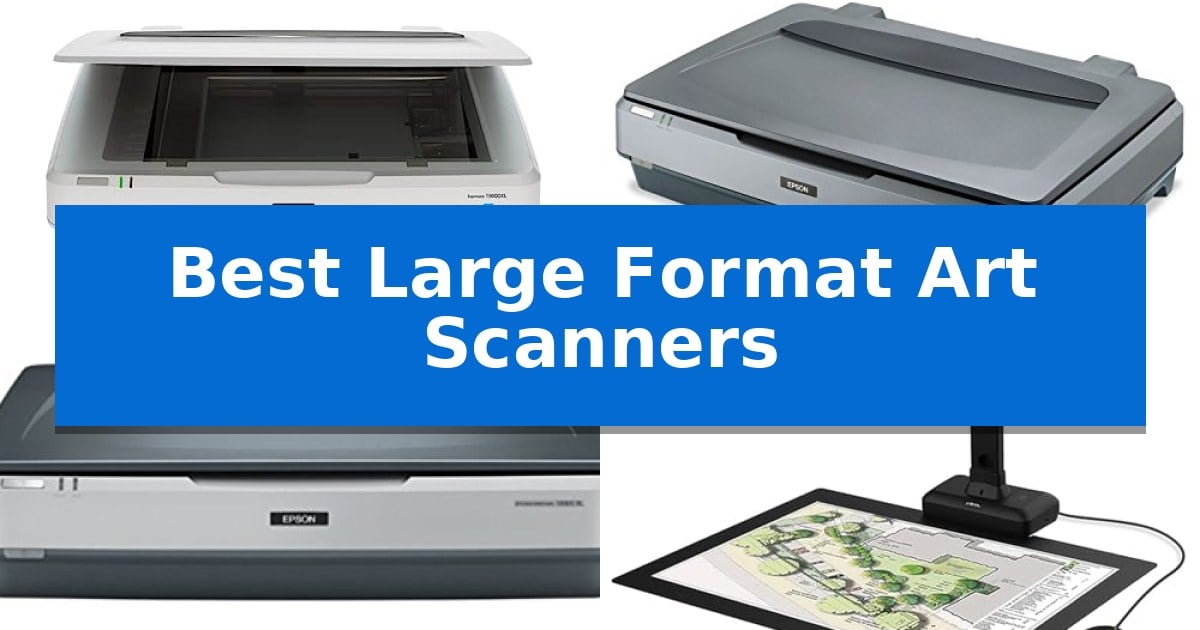
Digitizing oversized artwork, detailed blueprints, or historical documents requires specialized hardware capable of maintaining high fidelity across a large surface area. Standard desktop scanners often fall short, leaving creators and archivists struggling to stitch together multiple images or losing critical detail in the process.
Finding the Best Large Format Art Scanners involves balancing optical resolution, color depth, and the specific physical requirements of your media. Whether you are archiving fine art or processing high-volume technical documents, selecting the right device ensures that every stroke and line is captured with precision.
Best Large Format Art Scanners in 2026
Quick Comparison
| Product | Best For | Key Strength | Score |
|---|---|---|---|
| Epson Expression 13000XL Flatbed Scanner | Best Overall | Large 12.2" x 17.2" scanning area for oversized media. | 4.9 |
| Epson Expression 11000XL Graphic Arts Scanner | High-Resolution Large Format Imaging | Large 12.2 x 17.2-inch scanning area for oversized media. | 4.8 |
| Epson Expression 10000XL Wide-Format Scanner | Reliable Wide-Area Graphic Scanning | Expansive A3 scanning surface for large-format media. | 4.8 |
| VIISAN S21 Large Format Book Scanner | Overhead Capture for Large Books | Large A2 capture area suitable for oversized documents and maps. | 4.3 |
| Plustek S60 Large Format Document Scanner | Fast Batch Processing for Ledger | Wide-format support for documents up to 12" x 17" and long-paper mode up to 200". | 4.4 |
How We Chose
- Maximum scanning area dimensions to ensure compatibility with specific project sizes.
- Optical resolution and sensor technology for capturing fine detail and color accuracy.
- Workflow integration features, including batch processing capabilities and software support.
- Physical design considerations, such as overhead versus flatbed configurations, for different media types.
- Versatility in handling diverse materials, from delicate books to thick technical blueprints.
1 Epson Expression 13000XL Flatbed Scanner — Professional Choice for Fine Art
Achieving high-fidelity digital archives requires hardware capable of handling oversized media with precise color reproduction. The Epson Expression 13000XL Large Format Flatbed Photo Scanner is engineered specifically for this purpose, featuring a spacious 12.2" x 17.2" scanning area that accommodates large-format reflective documents and artwork without the need for stitching.
At the core of its performance are the Epson MatrixCCD and ReadyScan LED technologies, which work in tandem to ensure bold, vibrant color accuracy. With a high 2400 x 4800 dpi resolution and a 3.8 Dmax, the scanner captures intricate details and subtle tonal gradations, making it a robust solution for professional photo archiving and fine art digitization.
Usability is enhanced by Epson’s Easy Photo Fix technology, which provides one-touch color restoration and automatic dust removal to revitalize faded originals. For users managing large projects, the device supports batch scanning to increase productivity, while the included LaserSoft Imaging SilverFast Ai software and calibration targets ensure consistent results.
Integration into existing professional workflows is straightforward thanks to the included TWAIN driver, allowing the scanner to interface with virtually any imaging software on PC or Mac. While the unit is a dedicated flatbed, users requiring film digitization can expand its capabilities by pairing it with an optional Transparency Unit, which supports film up to 12" x 16.5".
Best for: Professional photographers, archivists, and fine artists who need to digitize large-format reflective media with high color accuracy.
Skip if: Users who primarily scan standard letter-sized documents or those who lack the desk space for a large-format flatbed device.
PROS
- Large 12.2" x 17.2" scanning area for oversized media.
- High 2400 x 4800 dpi resolution for exceptional detail.
- Easy Photo Fix technology for one-touch restoration of faded photos.
- Includes professional-grade SilverFast Ai software with calibration targets.
CONS
- Large physical footprint requires significant workspace.
- Transparency Unit for film scanning must be purchased separately.
2 Epson Expression 11000XL Graphic Arts Scanner — High-Resolution Large Format Imaging
Capturing high-resolution detail from oversized documents requires a specialized approach that standard office equipment simply cannot match. The Epson Expression 11000XL Graphic Arts Scanner is engineered specifically for this purpose, featuring a large flatbed surface that accommodates materials up to 12.2 x 17.2 inches, making it a primary tool for digitizing professional artwork, blueprints, and large-format photography.
At the core of its imaging capability is the Color Epson MatrixCCD line sensor, which works in tandem with Micro Step Drive technology to deliver a high optical resolution of 2400 x 4800 dpi. This combination ensures that fine lines and intricate textures are preserved with high fidelity, providing the precision necessary for archival-quality digital reproductions.
Designed for integration into established professional workflows, the device maintains broad compatibility with various operating systems, including Windows 8, 7, Vista, XP, and Mac OS X 10.5.x through 10.8.x. Its robust construction, weighing approximately 32 pounds, provides a stable platform for scanning delicate or heavy media without the risk of shifting during the capture process.
While the scanner offers significant utility for large-format projects, users should account for its substantial footprint. Measuring 30.7 inches in width and 24.1 inches in length, it requires a dedicated, spacious workstation. This design choice prioritizes the ability to handle oversized media over portability, ensuring that the scanning bed remains perfectly flat and rigid for consistent results.
Best for: Professional artists, archivists, and designers who need to digitize high-resolution, large-format documents and artwork up to 12.2 x 17.2 inches.
Skip if: Users with limited desk space or those who only require standard letter-sized document scanning will find this large-format unit unnecessarily bulky and expensive.
PROS
- Large 12.2 x 17.2-inch scanning area for oversized media.
- High 2400 x 4800 dpi optical resolution for detailed image capture.
- Color Epson MatrixCCD sensor provides professional-grade color accuracy.
- Micro Step Drive technology ensures precise scanning movement.
CONS
- Large physical footprint requires significant dedicated workspace.
- Heavy construction makes the unit difficult to move or reposition.
3 Epson Expression 10000XL Wide-Format Scanner — Reliable Wide-Area Graphic Scanning
Capturing fine details from oversized documents requires hardware capable of handling significant physical dimensions without sacrificing image fidelity. The Epson Expression 10000XL Wide-Format Graphic Arts Scanner is engineered for this specific demand, featuring an A3 sized scanning surface that accommodates originals up to 12.2 by 17.2 inches. This expansive bed allows for the digitization of large-scale artwork, architectural blueprints, or oversized photographic prints in a single pass.
Beyond its physical capacity, the device prioritizes high-resolution output with a 2,400 x 4,800 optical resolution and a 3.8 Dmax optical density. These specifications provide the depth and clarity necessary for professional graphic arts applications, ensuring that subtle gradients and fine lines are preserved. The scanner supports 48-bit color depth and 16-bit grayscale, offering a wide color gamut for color-critical projects.
Versatility in workflow is supported through multiple connectivity options, including USB 2.0 and Firewire, with optional networking capabilities available for shared office environments. The unit is compatible with both PC and Mac systems, allowing for integration into diverse professional setups. Users can also utilize the 50% to 200% zoom functionality to adjust the scale of the output directly during the scanning process.
Built for a professional footprint, the scanner measures approximately 25.8 inches in width and weighs 43.42 pounds. This substantial build reflects its focus on stable, high-volume graphic scanning. While it occupies a significant amount of desk space, the design ensures that large-format media remains flat and secure throughout the scanning cycle.
Best for: Professional graphic artists, photographers, and archivists who require high-resolution digitization of oversized documents and artwork up to A3 size.
Skip if: Users with limited workspace or those who only require standard letter-sized scanning will find the large footprint and professional-grade specifications unnecessary.
PROS
- Expansive A3 scanning surface for large-format media.
- High optical density of 3.8 Dmax for superior detail capture.
- Flexible connectivity including USB 2.0, Firewire, and optional networking.
- Professional-grade color depth at 48-bit for accurate reproduction.
CONS
- Large physical footprint requires significant dedicated desk space.
- Heavy construction makes the unit difficult to move once installed.
4 VIISAN S21 Large Format Book Scanner — Overhead Capture for Large Books
Digitizing oversized manuscripts, maps, and journals requires specialized hardware capable of capturing high-resolution images without the constraints of a traditional flatbed scanner. The VIISAN S21 Large Format Book Scanner addresses this need through an overhead camera design that accommodates documents up to A2 size (594×420 mm), allowing for the capture of large-format materials that would otherwise be impossible to scan on standard equipment.
Equipped with a 26MP sensor, this scanner provides high-resolution imaging that can be software-enhanced up to 600 DPI. The device utilizes a 90-degree foldable hinge and adjustable height settings, enabling users to switch between A2 and A3 scanning modes depending on the document size. It also features a built-in 3-level LED light control, which helps maintain consistent illumination for clear captures, provided the environment is not overly bright or the paper excessively reflective.
The accompanying OfficeCam software provides the intelligence behind the hardware, offering features such as automatic page flattening for curved book surfaces, fingerprint removal, and edge repair. The software also supports multi-language OCR, allowing users to convert scanned images into editable formats like Word, Excel, or PDF. Additionally, the scanner is UVC/UAC compliant, meaning it can function as a document camera for remote collaboration and video conferencing.
While the scanner offers versatile capture capabilities, users should note that the software is limited to x64 and x86 architectures on Windows and macOS. It is not compatible with ARM-based devices, such as the Surface Pro X. This makes it a powerful tool for standard desktop and laptop users who require a flexible, overhead solution for archiving or presenting large-format physical documents.
Best for: The VIISAN S21 is best for professionals and researchers who need to digitize large-format books, maps, and manuscripts using an overhead capture method.
Skip if: Skip this device if you primarily use ARM-based computing hardware, as the required software is not compatible with those architectures.
PROS
- Large A2 capture area suitable for oversized documents and maps.
- High-resolution 26MP sensor with software-enhanced 600 DPI support.
- Intelligent software features including auto-flattening and OCR conversion.
- UVC/UAC compliance allows for use as a live document camera.
CONS
- Incompatible with ARM-based devices such as the Surface Pro X.
- Not recommended for use with highly reflective or glary paper.
5 Plustek S60 Large Format Document Scanner — Fast Batch Processing for Ledger
Digitizing oversized blueprints, financial spreadsheets, and long-form business records requires hardware that moves beyond standard letter-sized constraints. The Plustek S60 High-Speed Large Format Document Scanner addresses this by supporting documents up to 12 inches wide and 17 inches long, with a specialized long-paper mode that accommodates continuous data or charts up to 200 inches in length.
Efficiency in high-volume environments is managed through a 100-sheet Auto Document Feeder (ADF), capable of processing up to 64 pages per minute in landscape orientation. To maintain document integrity during rapid batch scanning, the device integrates ultrasonic multi-feed detection, which identifies and alerts the user if multiple pages are pulled through simultaneously, preventing data loss.
The physical design prioritizes desktop utility with a 50% collapsible structure that reduces the scanner's footprint when not in use. For specialized media, a straight paper path allows for the manual feeding of thick documents like passports without requiring driver adjustments, while 9 customizable one-touch workflow keys enable users to route scanned files directly to designated folders or email destinations.
Connectivity is handled via USB 3.2 for high-bandwidth data transfer, and the unit maintains broad compatibility through TWAIN compliance, ensuring it integrates with standard document management software on Windows 7 through 11. The scanner is built for commercial-grade reliability, supporting a peak daily duty cycle of up to 18,000 sheets.
Best for: Offices and engineering firms requiring high-speed, automated batch scanning of ledger, tabloid, and extra-long format documents.
Skip if: Users who primarily scan standard letter-sized documents or those who require wireless connectivity, as this model relies on a wired USB connection.
PROS
- Wide-format support for documents up to 12" x 17" and long-paper mode up to 200".
- High-speed batch processing at 64 ppm with a 100-sheet ADF.
- Ultrasonic multi-feed detection to ensure scanning accuracy.
- Collapsible design for space-saving storage.
CONS
- Wired-only connectivity via USB 3.2, lacking integrated Wi-Fi or network scanning options.
Best Large Format Art Scanners Buying Guide
Understanding Scanning Surface Requirements
The most critical factor when selecting a scanner is the maximum scanning area. You must ensure the device can accommodate your largest typical document without requiring complex stitching software. Flatbed scanners provide a stable, consistent surface, while overhead scanners offer more flexibility for bound books or irregular objects.
Consider the physical footprint of the scanner in your workspace. Large-format flatbeds are substantial pieces of equipment that require dedicated desk or table space. If your workspace is limited, overhead cameras or collapsible models may offer a more practical solution without sacrificing the ability to capture large-format media.
Resolution and Color Fidelity
For fine art reproduction, optical resolution (measured in DPI) is paramount. Higher resolution allows for larger prints and deeper detail analysis. Look for scanners that offer high-bit color depth to ensure that subtle gradients and complex color palettes are accurately represented in your digital files.
Advanced sensors, such as MatrixCCD technology, contribute to better color reproduction and reduced noise. When scanning historical or faded documents, features like one-touch color restoration or automatic dust removal can significantly reduce post-processing time, allowing you to focus on the creative aspects of your work.
Workflow and Productivity Features
If you are digitizing large volumes of documents, batch scanning and high-capacity automatic document feeders (ADF) are essential. These features allow you to process stacks of paper efficiently, significantly increasing throughput compared to manual, single-page scanning methods.
Software compatibility is equally important. Ensure the scanner supports standard TWAIN drivers, which allow the device to integrate seamlessly with professional imaging software. Customizable one-touch buttons can also streamline repetitive tasks, such as routing files directly to specific folders or email addresses.
Handling Specialized Media
Not all scanners are designed for reflective media. If you need to digitize film, negatives, or transparencies, you will require a scanner that supports an optional transparency unit. This hardware is specifically engineered to provide the necessary backlighting for transparent materials.
For bound books or fragile manuscripts, look for overhead scanners that feature auto-flattening technology. These systems use software to correct the curvature of pages near the spine, ensuring that the resulting digital image appears flat and readable without damaging the original binding.
Durability and Maintenance
High-volume scanning environments demand robust hardware. Check the daily duty cycle of the scanner to ensure it can handle your expected workload without premature wear. Commercial-grade scanners often include features like ultrasonic multi-feed detection to prevent jams and protect original documents from damage during high-speed operation.
Regular maintenance is vital for longevity. Ensure that the scanner's glass surface is easy to clean and that the internal components are accessible. Investing in a device with a reputable warranty and accessible technical support can provide peace of mind for long-term professional use.
Frequently Asked Questions
What is the difference between a flatbed and an overhead scanner?
A flatbed scanner uses a glass platen to press the document against the sensor, which is ideal for high-resolution, flat artwork. An overhead scanner uses a camera-like sensor mounted above the document, offering more flexibility for books, 3D objects, and large-format items that cannot lay flat.
Do I need a high DPI for scanning blueprints?
While fine art requires very high DPI for large-scale printing, technical blueprints often require high contrast and line clarity. A moderate DPI is usually sufficient for blueprints, provided the scanner has good edge detection and line-sharpening capabilities.
Can I scan books with a standard flatbed scanner?
You can, but it is often difficult to get the spine of the book flat against the glass, which can cause distortion. Overhead scanners are generally better for books because they can capture the entire page without requiring the book to be pressed flat.
What does TWAIN compliance mean for my workflow?
TWAIN is a standard interface that allows your scanner to communicate directly with various imaging applications. Being TWAIN compliant ensures that you can scan images directly into software like Photoshop or other document management systems without saving intermediate files.
How do I prevent multi-feed errors in high-speed scanners?
Many high-speed scanners include ultrasonic multi-feed detection, which uses sound waves to detect if more than one sheet of paper is passing through the feed mechanism at once. This prevents errors and protects your documents.
Conclusion: Our Top Pick
Selecting the right equipment depends heavily on the nature of your media. For fine art and high-resolution archival needs, the Epson Expression 13000XL Flatbed Scanner stands out due to its exceptional color accuracy and large scanning area. Its ability to handle reflective media with high precision makes it a reliable choice for professional creators.
While this flatbed model excels in image quality, users dealing primarily with high-volume document archiving or bound books might consider overhead or ADF-equipped alternatives to better suit their specific operational requirements. Always evaluate your primary media type against the scanner's specific strengths to ensure the best results for your projects.