
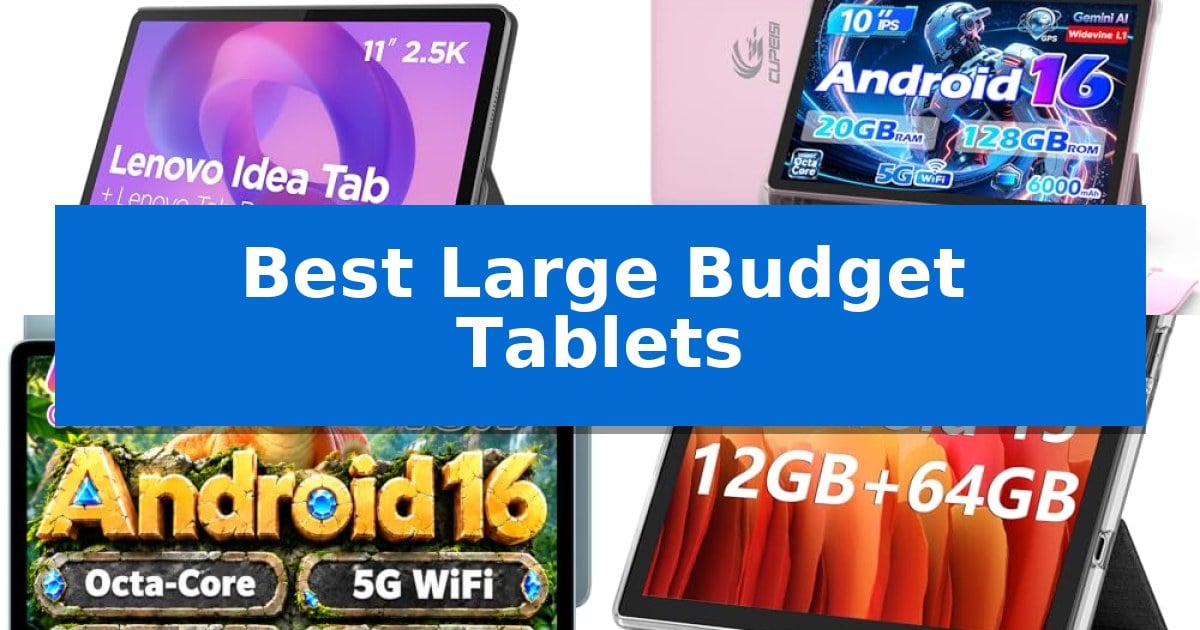
Finding a reliable, expansive screen without breaking the bank is a common challenge for students and remote workers alike. Whether you are managing digital coursework, streaming media, or handling light productivity tasks, the right hardware can significantly improve your daily workflow.
We have evaluated the Best Large Budget Tablets currently available to help you navigate the crowded market of affordable devices. By focusing on display quality, processing efficiency, and practical utility, we have identified models that offer the best balance of performance and price for your specific requirements.
Best Large Budget Tablets in 2026: Maximize Your Productivity for Less
Quick Comparison
| Product | Best For | Key Strength | Score |
|---|---|---|---|
| Lenovo Idea Tab | Best Overall | High-resolution 2.5K display with 90Hz refresh rate for smooth visuals. | 4.9 |
| CUPEISI Android 16 Tablet | Versatile Productivity Bundle | Includes Bluetooth keyboard, mouse, and stylus for immediate productivity. | 4.7 |
| TECLAST P35 Tablet | Reliable for Daily Streaming | Widevine L1 support enables high-definition streaming on popular video platforms. | 4.4 |
| ECOPAD Android 15 Tablet | Expansive Storage for Media | 1TB SD card expansion support for massive local storage. | 4.5 |
| COOPERS Android 15 Tablet | Cost-Effective Entertainment Choice | Latest Android 15 OS for improved compatibility and interface responsiveness. | 4.7 |
How We Chose
- Display clarity and resolution to ensure comfortable reading and media consumption.
- Processor efficiency and RAM capacity for smooth multitasking and app responsiveness.
- Storage flexibility, including support for external expansion via microSD cards.
- Battery capacity and power management for reliable, all-day usage.
- Inclusion of essential accessories like keyboards, styluses, or protective cases.
1 Lenovo Idea Tab — Premium Display for Students
The Lenovo Idea Tab streamlines academic workflows with its integrated Tab Pen and a suite of four pre-loaded learning applications, including Lenovo AI Note and MyScript Calculator. This 11-inch device is built for students who need a portable, responsive tool for sketching, organizing notes, and calculating complex equations without switching between multiple platforms.
Equipped with a MediaTek Dimensity 6300 processor, the tablet supports efficient multitasking for study sessions. The 11-inch 2.5K IPS display features a 90Hz refresh rate and TÜV Rheinland Low Blue Light hardware certification, which helps reduce eye strain during extended reading or research periods. For visual clarity, the screen covers 72% NTSC color gamut, paired with quad speakers tuned with Dolby Atmos for clear audio playback.
Connectivity and ecosystem integration are handled via Smart Connect, allowing users to transition tasks across devices without manual file transfers. The tablet also includes Circle to Search with Google, enabling users to highlight items on the screen for instant search results or translations. With a battery rated for up to 12 hours of YouTube playback and a 20W fast charger, the device is designed to maintain productivity throughout long campus days.
The tablet arrives with a Folio Case for protection and portability. While it offers a high-resolution display and specialized software for education, users should note that its primary design focus is on student-centric productivity and media consumption rather than high-end professional creative workloads.
Best for: Students requiring a dedicated, portable device for note-taking, research, and media consumption with integrated stylus support.
Skip if: Users who require a full desktop operating system or high-performance hardware for intensive professional video editing and 3D rendering.
PROS
- High-resolution 2.5K display with 90Hz refresh rate for smooth visuals.
- Integrated student software suite including AI-powered note-taking and calculation tools.
- Includes essential accessories like the Tab Pen and Folio Case out of the box.
- Smart Connect functionality for seamless cross-device task management.
CONS
- Limited to mobile-based productivity apps rather than full desktop software suites.
- 20W charging speed may be slower compared to premium flagship tablet standards.
2 CUPEISI Android 16 Tablet — Versatile Productivity Bundle
The CUPEISI Android 16 Tablet provides a comprehensive mobile computing solution by bundling a 10.1-inch display with a Bluetooth keyboard, wireless mouse, and stylus. This 2-in-1 design allows users to transition between a standard tablet interface and a laptop-style setup, making it a practical choice for those who need to manage work, study, or media consumption on the go.
At the core of this device is an octa-core 2.0GHz processor paired with 20GB of RAM, achieved through a combination of physical memory and expansion technology. The 128GB of internal storage provides a baseline for applications and files, which can be further increased by up to 2TB using a microSD card. This hardware configuration is designed to support the Android 16 operating system, which includes Google GMS certification for access to standard application ecosystems.
Visuals are handled by a 1280×800 IPS touchscreen, which features a dedicated "Reading Mode" to adjust light output for more comfortable use during extended sessions. Connectivity is supported by Wi-Fi 6, offering faster and more stable wireless transmission compared to older standards. The tablet is powered by a 6000mAh battery, rated for approximately 6-8 hours of use, and includes an 8MP rear camera alongside a 2MP front camera for basic imaging needs.
This tablet is well-suited for users prioritizing a complete, out-of-the-box productivity kit that includes necessary peripherals. While it offers significant storage expandability and modern wireless connectivity, users requiring high-resolution displays for professional graphic design or heavy-duty gaming may find the 1280×800 resolution and entry-level processor limitations to their specific workflows.
Best for: Users needing an all-in-one productivity bundle that includes a keyboard, mouse, and stylus for mobile work or study.
Skip if: Users who require a high-resolution display for professional creative work or high-performance hardware for demanding gaming.
PROS
- Includes Bluetooth keyboard, mouse, and stylus for immediate productivity.
- Supports up to 2TB of expandable storage via microSD card.
- Features modern Wi-Fi 6 connectivity for stable wireless performance.
- Equipped with the latest Android 16 OS and GMS certification.
CONS
- Display resolution is limited to 1280×800, which may lack sharpness for high-end media.
- Battery life is rated for 6-8 hours, which may require frequent charging during long work days.
3 TECLAST P35 Tablet — Reliable for Daily Streaming
Finding a tablet that balances a large screen with a modest price point often leads to compromises in display quality or software capability. The TECLAST P35 10 Inch Android 16 Tablet addresses this by integrating a 10.1-inch HD IPS display with Widevine L1 DRM, ensuring that high-definition streaming on platforms like Netflix is accessible without a premium price tag.
Beyond its media capabilities, the device is built for daily productivity and learning. It features a Unisoc T7200 octa-core processor and 16GB of total RAM—comprised of 3GB physical and 13GB virtual memory—to facilitate smooth app switching. The inclusion of split-screen multitasking allows users to run two applications simultaneously, such as taking notes while watching tutorial videos, which is particularly beneficial for students and casual learners.
Usability is enhanced through thoughtful design choices like integrated GPS and BDS for offline navigation, and a 6000mAh battery designed to support a full day of light activities. The tablet runs on an optimized Android 16 system with GMS certification, providing full access to the Google Play Store. For families, the device includes built-in Kids Mode and parental controls, allowing for secure multi-user profiles.
While the TECLAST P35 10 Inch Android 16 Tablet excels in streaming and light productivity, it is important to manage expectations regarding its hardware. It is specifically engineered for everyday tasks like web browsing and e-book reading, rather than high-intensity gaming or heavy-duty multitasking, ensuring the user experience remains stable for its intended use case.
Best for: Students and casual users who need a reliable, large-screen device for streaming, reading, and light multitasking on a budget.
Skip if: Users who require a high-performance tablet for professional-grade creative work, heavy-duty gaming, or intensive multitasking.
PROS
- Widevine L1 support enables high-definition streaming on popular video platforms.
- Split-screen multitasking allows for efficient side-by-side app usage.
- Large 6000mAh battery provides sufficient power for a full day of light tasks.
- Integrated GPS and BDS support offline navigation for travelers.
CONS
- Not designed for heavy-duty gaming or high-intensity processing tasks.
- 32GB internal storage may require a TF card for users with large media libraries.
4 ECOPAD Android 15 Tablet — Expansive Storage for Media
Finding a balance between screen size and affordability often leads to compromises, but the ECOPAD Android 15 Tablet addresses this by offering a 10.1-inch display alongside significant storage flexibility. Designed for users who prioritize media consumption and file management, this tablet provides a straightforward interface for daily tasks.
At the heart of the ECOPAD Android 15 Tablet is a quad-core processor paired with 12GB of RAM (4GB physical plus 8GB virtual) and 64GB of internal storage. For those requiring more space for photos, videos, or documents, the device supports expansion up to 1TB via an SD card. The 1280×800 IPS HD touchscreen is built to handle video playback and reading, supported by a 6000mAh battery rated for up to 8 hours of uninterrupted video use.
Connectivity and utility are bolstered by dual-band Wi-Fi and Bluetooth 5.0, ensuring stable links for streaming or peripheral connections. The tablet includes a 2.0MP front camera and an 8.0MP rear camera for video calls or basic photography. With a lightweight profile and a 1-year warranty, it serves as a practical, entry-level option for those who need a large-format device without complex overhead.
Choosing this tablet involves weighing its focus on storage and screen size against the limitations of its entry-level processor. While it excels at media playback and general multitasking, users with heavy professional software requirements or high-end gaming needs may find the hardware constraints noticeable.
Best for: Users who need a large-screen tablet primarily for media consumption, reading, and storing large libraries of local files on a budget.
Skip if: Power users or gamers who require high-performance processing, advanced multitasking capabilities, or high-resolution displays for professional creative work.
PROS
- 1TB SD card expansion support for massive local storage.
- 10.1-inch IPS HD display provides a large viewing area for media.
- 6000mAh battery supports up to 8 hours of video playback.
- Dual-band Wi-Fi connectivity for improved network stability.
CONS
- Quad-core processor may limit performance in demanding applications.
- 1280×800 resolution is standard definition rather than Full HD.
5 COOPERS Android 15 Tablet — Cost-Effective Entertainment Choice
The COOPERS Android 15 Tablet offers a modern software foundation for users seeking a versatile 10-inch device for media consumption and daily tasks. Built with the latest Android 15 system, it provides a familiar interface with GMS certification, ensuring direct access to the Google Play Store for essential social and productivity applications.
Performance is driven by a quad-core processor paired with 8GB of RAM (3GB physical plus 5GB virtual expansion). The device features 32GB of internal storage, which can be significantly increased up to 1TB via an SD card slot, accommodating large libraries of photos, videos, or e-books. The 10-inch IPS display delivers a resolution of 1280×800, providing clear text and wide viewing angles for comfortable web browsing and video playback.
Designed for portability and utility, the tablet includes a 6000mAh battery rated for 8-10 hours of mixed usage. It is equipped with dual cameras—a 2MP front-facing lens for video calls and an 8MP rear camera for capturing images. Connectivity options include 2.4G Wi-Fi, Bluetooth 4.2, and a 3.5mm headphone jack, while built-in GPS and FM radio add extra functionality for travel or leisure.
This tablet balances cost-effectiveness with a comprehensive feature set, making it a practical choice for those who need a dedicated screen for entertainment without a premium price tag. Its minimalist design and included Type-C charging cable round out a package focused on straightforward, reliable performance for everyday digital activities.
Best for: Users seeking an affordable, entry-level 10-inch tablet for media streaming, reading, and light web browsing.
Skip if: Users requiring high-performance hardware for intensive gaming, professional video editing, or heavy multitasking.
PROS
- Latest Android 15 OS for improved compatibility and interface responsiveness.
- Expandable storage up to 1TB via SD card for extensive media libraries.
- Versatile connectivity including a 3.5mm headphone jack and built-in GPS.
- IPS display offering sharp text and wider viewing angles.
CONS
- Limited 32GB internal storage requires an SD card for significant app or media storage.
- Basic quad-core processor is optimized for light tasks rather than high-end performance.
Best Large Budget Tablets Buying Guide
Display Quality and Screen Size
The primary advantage of these devices is the 10-inch to 11-inch screen size, which provides significantly more workspace than a standard smartphone. Look for IPS display technology, which offers wider viewing angles and more consistent color reproduction, making it ideal for both study and entertainment.
Resolution is equally important; a 2.5K or HD display ensures that text remains sharp and images appear detailed. Features like Low Blue Light hardware can also be a major benefit if you plan to use the tablet for extended reading or late-night study sessions.
Performance and Multitasking
While budget tablets are not designed for high-intensity gaming, they should handle daily tasks with ease. A multi-core processor is essential for keeping applications responsive. Pay attention to the RAM capacity, as higher amounts allow you to switch between browser tabs and productivity apps without significant lag.
Many modern budget tablets now support split-screen multitasking, allowing you to run two applications simultaneously. This is a critical feature for students who need to take notes while watching a lecture or reference documents while writing.
Storage and Expandability
Internal storage fills up quickly with apps, photos, and downloaded media. While some models offer generous base storage, the ability to use a microSD card for expansion is a highly valuable feature. This allows you to store large files, such as offline videos or textbooks, without compromising system performance.
Always check the maximum supported expansion capacity, as some devices can support up to 2TB of additional storage. This flexibility ensures that your tablet remains useful even as your digital library grows over time.
Connectivity and Ecosystem
Reliable wireless connectivity is the backbone of a modern tablet experience. Look for dual-band Wi-Fi support, which allows you to connect to both 2.4GHz and 5GHz networks for more stable and faster internet speeds. This is particularly important for streaming video or participating in online classes.
Some tablets feature advanced ecosystem tools like Smart Connect, which enables seamless task transitions between your tablet and other devices. If you plan to use your tablet as a secondary workspace, these software features can save significant time.
Battery Life and Portability
A large screen requires a substantial battery to remain portable throughout the day. Most tablets in this category feature 6000mAh batteries or larger, which are generally sufficient for several hours of continuous streaming or light work.
Consider the weight and thickness of the device if you plan to carry it in a backpack. A slim, lightweight design is often preferred for students on the move, but ensure that this does not come at the expense of a sturdy build or necessary cooling components.
Frequently Asked Questions
Can these tablets replace a laptop for schoolwork?
These tablets are excellent for light productivity, such as note-taking, web research, and document editing. However, they are generally not a full replacement for a laptop if your coursework requires specialized desktop software or heavy-duty multitasking.
What is the benefit of Widevine L1 certification?
Widevine L1 certification is a security standard that allows a tablet to stream high-definition content from platforms like Netflix and other major video services. Without this, your streaming quality may be limited to standard definition.
Is it worth getting a tablet with a keyboard bundle?
Yes, if you plan to do significant typing, a bundle that includes a keyboard case and mouse can transform your tablet into a more capable workstation, often at a lower total cost than purchasing these accessories separately.
How much RAM do I really need for a tablet?
For basic tasks like streaming and web browsing, 4GB to 8GB of RAM is typically sufficient. If you plan to use multiple apps simultaneously, look for models that offer higher RAM or virtual memory expansion features.
Are these tablets suitable for children?
Many of these models include built-in parental controls and dedicated 'Kids Modes.' These features allow you to create separate user profiles, manage screen time, and restrict access to specific apps, making them safer for younger users.
Conclusion: Our Top Pick
After reviewing the current options, the Lenovo Idea Tab stands out as the most well-rounded choice for students and general users. Its combination of a high-resolution 2.5K display, smooth 90Hz refresh rate, and dedicated productivity apps makes it a versatile tool for both academic work and relaxation.
While other models offer great value through included accessories or expandable storage, the Lenovo Idea Tab provides a more refined hardware experience and a robust ecosystem of AI-powered tools. If you prioritize display quality and long-term reliability for your daily tasks, this tablet is our top recommendation.