
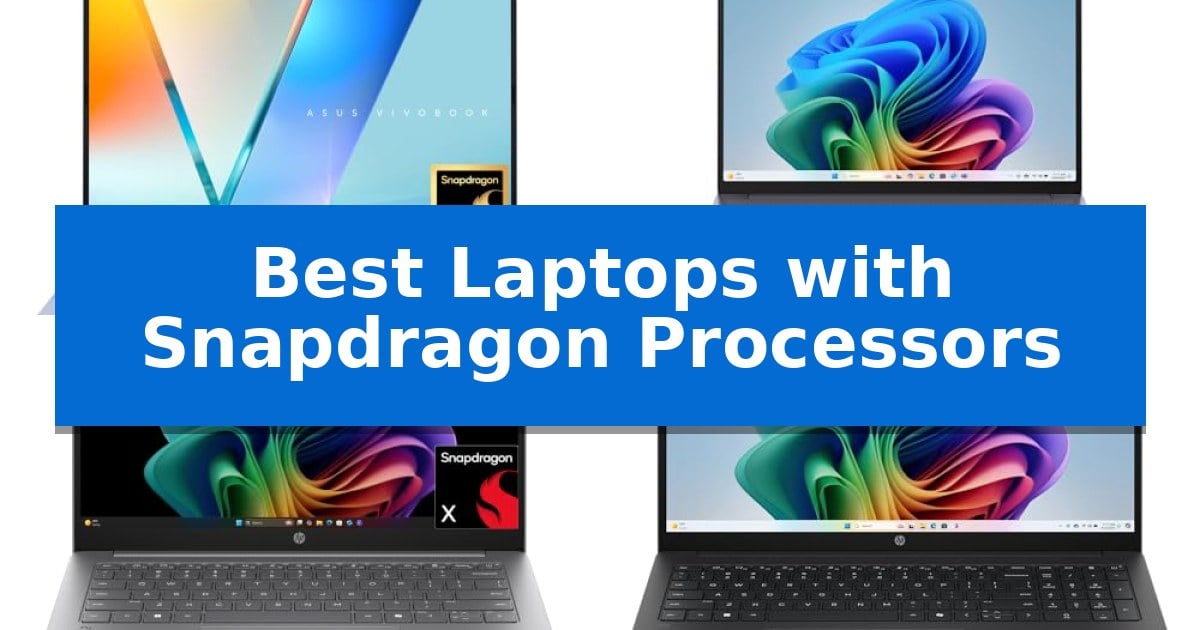
Finding the right machine for your daily workflow often comes down to balancing power, portability, and battery longevity. The latest generation of devices utilizing ARM-based architecture has changed the landscape, offering a new approach to mobile computing that prioritizes efficiency without sacrificing the responsiveness required for modern tasks.
Our guide explores the Best Laptops with Snapdragon Processors to help you identify which hardware aligns with your specific requirements. Whether you need a machine for extended travel, creative multitasking, or reliable everyday productivity, these systems provide unique advantages in thermal management and power consumption.
Best Laptops with Snapdragon Processors in 2026
Quick Comparison
| Product | Best For | Key Strength | Score |
|---|---|---|---|
| ASUS Vivobook S16 Laptop | Best Overall | Snapdragon X2 Elite processor with AI-focused NPU. | 4.9 |
| Lenovo IdeaPad Slim 3X Laptop | Smarter Mobility for Daily Tasks | 45 TOPS NPU for AI-driven performance and multitasking. | 4.5 |
| HP OmniBook 3 14 Laptop | Extended Battery for Mobile Productivity | Extended battery life capabilities designed for all-day efficiency. | 4.5 |
| HP OmniBook 3 16 Laptop | Spacious Screen for Efficient Multitasking | 16:10 aspect ratio display provides more vertical workspace. | 4.9 |
| ASUS Vivobook 16 Laptop | Reliable Performance for Everyday Life | MIL-STD 810H military-grade durability for reliable daily use. | 4.8 |
How We Chose
- Processor efficiency and NPU capabilities for AI-driven tasks.
- Display resolution, panel technology, and aspect ratio for workspace management.
- Battery capacity and power management features for extended usage.
- Port selection and physical connectivity options for peripheral support.
- Build quality and adherence to portability standards.
1 ASUS Vivobook S16 Laptop — Elite AI Power and OLED Display
The ASUS Vivobook S16 Laptop leverages the efficiency of the Snapdragon X2 Elite processor to deliver a balance of portable design and sustained performance. Weighing just 3.70 lbs and measuring 0.7 inches thin, this device is engineered for users who require a mobile workstation that does not compromise on build quality, meeting US MIL-STD 810H durability standards.
Visuals are handled by a 16-inch 16:10 WUXGA OLED display, which provides high contrast and vivid detail suitable for both professional tasks and media consumption. The integration of the Snapdragon X2 Elite with up to 80 NPU TOPS positions this as a Copilot+ PC, enabling advanced AI-enhanced workflows. Multitasking is supported by 16 GB of memory and 1 TB of storage, ensuring responsive operation for daily computing needs.
Connectivity and power management are central to the laptop's utility. It features WiFi 7 for high-speed networking and a versatile port selection, including two USB 4.0 Gen 3 Type-C ports, two USB-A ports, and an HDMI 2.1 output. The 70Wh battery is rated for up to 31 hours of video playback, with fast-charging capabilities that restore 60% capacity in 49 minutes.
Security and usability features include an IR FHD camera with a physical privacy shutter and Windows Hello support. The backlit chiclet keyboard includes a dedicated numeric keypad, while the audio system is enhanced by Dolby Atmos and an integrated array microphone for clear communication.
Best for: Users seeking a highly portable, durable laptop with long battery life and AI-accelerated performance for productivity tasks.
Skip if: Users who require specific x86-based software compatibility or dedicated high-end discrete graphics for intensive gaming or 3D rendering.
PROS
- Snapdragon X2 Elite processor with AI-focused NPU.
- 16-inch WUXGA OLED display for high-quality visuals.
- US MIL-STD 810H certified durability.
- Extensive connectivity including USB 4.0 and WiFi 7.
CONS
- Non-upgradeable memory configuration.
- Limited to Windows 11 Home ecosystem constraints.
2 Lenovo IdeaPad Slim 3X Laptop — Smarter Mobility for Daily Tasks
Modern mobile workflows demand hardware that balances high-efficiency processing with physical resilience. The Lenovo IdeaPad Slim 3X Laptop addresses this by integrating a 45 TOPS NPU, specifically engineered to handle AI-driven multitasking while maintaining power efficiency throughout the day. This device is designed for users who require a portable workstation that pairs advanced processing capabilities with an expansive 15.3-inch display.
Durability is a core component of the design, as the Lenovo IdeaPad Slim 3X Laptop features a premium-grade metal chassis that has undergone military-grade MIL-STD 810H testing. The 16:10 WUXGA display provides increased vertical screen space, which is particularly beneficial for productivity workflows and media consumption. This aspect ratio helps users view more content without constant scrolling, making it a practical choice for document management and creative tasks.
Security and privacy are prioritized through a physical webcam shutter and a fingerprint reader for secure, rapid access. The system is powered by a 60Wh battery, complemented by Rapid Boost charging technology to ensure the device remains operational during extended periods away from a power outlet. These features collectively support a mobile-first user experience.
Storage flexibility is a key design choice, as the laptop includes a ready-to-expand SSD slot, allowing for user-managed storage upgrades without the need for external service. This provides a path for users to increase their capacity as their data needs grow. Additionally, the inclusion of a 3-month Xbox PC Game Pass provides immediate access to a library of gaming content, showcasing the device's versatility beyond standard productivity.
Best for: Users seeking a durable, AI-ready laptop with expandable storage and a large display for daily productivity and mobile use.
Skip if: Users who require specific x86-based software compatibility or those who prefer a smaller, ultra-compact form factor.
PROS
- 45 TOPS NPU for AI-driven performance and multitasking.
- Military-grade durability with a premium metal chassis.
- User-expandable SSD slot for flexible storage management.
- Physical webcam shutter and fingerprint reader for enhanced security.
CONS
- Fixed 16GB memory configuration limits future RAM upgrades.
3 HP OmniBook 3 14 Laptop — Extended Battery for Mobile Productivity
Efficiency in mobile computing often hinges on balancing power with portability, a challenge addressed by the HP OmniBook 3 14 Laptop. This device centers its performance around the Snapdragon X X1-26-100 processor, which is engineered to manage demanding productivity tasks while maintaining a focus on power efficiency for extended use.
The visual experience is anchored by a 2K OLED display featuring a 1920×1200 resolution and up to 300 nits of brightness, providing high-contrast, crisp imagery. For those involved in frequent collaboration, the laptop integrates an FHD IR camera with an HDR auto-switch that dynamically adjusts contrast and color to maintain clarity during video calls, even in difficult lighting conditions.
Designed for the modern professional, the laptop includes Copilot+ PC experiences accessible via a dedicated key, alongside Otter.ai integration to automate meeting transcriptions and summaries. Connectivity is handled by Qualcomm Wi-Fi 6E, ensuring high-speed wireless performance, while the Qualcomm Adreno GPU supports graphics-intensive tasks without compromising the system's overall power profile.
With a chassis weighing just 3.13 pounds and measuring 0.58 inches in height, the HP OmniBook 3 14 Laptop is built for mobility. It is equipped with 16 GB LPDDR5x RAM and a 256 GB PCIe Gen4 NVMe M.2 SSD, providing the necessary bandwidth and storage speed for multitasking. The inclusion of HP Fast Charge allows the system to reach 50% battery capacity in approximately 45 minutes, supporting a workflow that requires minimal downtime.
Best for: Professionals and students who prioritize long battery life, AI-assisted productivity tools, and a lightweight form factor for daily mobile use.
Skip if: Users who require extensive local storage for large media files or those who need a dedicated GPU for professional-grade 3D rendering or high-end gaming.
PROS
- Extended battery life capabilities designed for all-day efficiency.
- 2K OLED display providing vibrant color and sharp visual clarity.
- Integrated AI-powered tools like Otter.ai and Copilot+ for streamlined workflows.
- FHD IR camera with HDR auto-switching for high-quality video conferencing.
CONS
- Limited internal storage capacity at 256 GB.
- Integrated graphics may not meet the needs of power users focused on heavy rendering.
4 HP OmniBook 3 16 Laptop — Spacious Screen for Efficient Multitasking
The HP OmniBook 3 16 Laptop centers its design around a 16-inch WUXGA IPS display with a 16:10 aspect ratio, providing increased vertical screen real estate for efficient multitasking. This device integrates the Snapdragon X X1-26-100 processor, an 8-core chip capable of reaching peak clock speeds up to 2.98 GHz, tailored for users prioritizing on-the-go productivity and efficient power management.
Equipped with 16GB of LPDDR5x memory and a 512GB SSD, the laptop balances responsiveness with essential storage capacity. The hardware is optimized to support AI-driven workflows through its integrated Copilot AI capabilities, running on Windows 11 Home. This configuration is intended to maintain consistent performance for daily professional or academic tasks.
Connectivity options are designed for versatility, featuring two USB Type-C ports with 10Gbps signaling rates and two USB Type-A ports at 5Gbps. An HDMI 2.1 port is included for external display support, alongside a standard headphone/microphone combo jack. The chassis, finished in Mica Silver, measures 0.58 inches in thickness and weighs 3.65 pounds.
The 16:10 display aspect ratio is a notable feature for those who frequently work with documents or web content, as it reduces the need for constant scrolling. By combining the Snapdragon processor with a high-resolution 1920×1200 IPS panel, the laptop aims to provide a balance between visual clarity and mobile efficiency.
Best for: Users who require a large, high-resolution display and efficient multitasking capabilities for mobile productivity.
Skip if: Users who need specialized discrete graphics for intensive gaming or high-end video rendering, as this model focuses on general productivity and AI-assisted tasks.
PROS
- 16:10 aspect ratio display provides more vertical workspace.
- Snapdragon X X1-26-100 processor optimized for efficiency.
- Versatile port selection including HDMI 2.1 and high-speed USB-C.
- 16GB LPDDR5x RAM ensures smooth multitasking.
CONS
- Fixed storage capacity of 512GB may be limiting for large media libraries.
- Integrated graphics are not suited for demanding professional creative or gaming software.
5 ASUS Vivobook 16 Laptop — Reliable Performance for Everyday Life
The ASUS Vivobook 16 Laptop provides a distinct advantage for daily productivity through its Snapdragon X X1 26 100 Processor, which balances power and efficiency for everyday computing tasks. This machine is built to handle multitasking and entertainment with ease, supported by 8 GB of RAM and a 512 GB SSD for responsive operation.
Visual clarity is prioritized with a 16-inch WUXGA display featuring a 16:10 aspect ratio, 300 nits of brightness, and an anti-glare coating. The screen design is complemented by a functional chassis that includes a lay-flat hinge for easier collaboration and a physical webcam cover to ensure user privacy.
Typing comfort is addressed via the ASUS ErgoSense chiclet keyboard, which includes a dedicated numeric keypad for efficient data entry. The audio experience is managed by a SonicMaster-tuned sound system, designed to provide a balanced output for media consumption.
Durability and connectivity are central to the device's utility. It meets US MIL-STD 810H military-grade standards for ruggedness and offers a comprehensive port selection, including two USB 4.0 Gen 3 Type-C ports and two USB 3.2 Gen 1 Type-A ports. Users can also benefit from fast charging, which restores 50% of battery capacity in approximately 30 minutes.
Best for: Users seeking a durable, productivity-focused laptop with a large display and efficient processor for everyday office and home tasks.
Skip if: Users requiring high-end dedicated graphics for professional video editing or gaming, or those needing more than 8 GB of RAM for memory-intensive workflows.
PROS
- MIL-STD 810H military-grade durability for reliable daily use.
- Versatile connectivity with USB 4.0 Type-C and HDMI 2.1 ports.
- Fast charging capability reaching 50% in 30 minutes.
- ErgoSense keyboard with integrated numeric keypad.
CONS
- Fixed 8 GB RAM configuration may limit heavy multitasking.
- Standard 60Hz refresh rate is optimized for productivity rather than high-motion gaming.
Best Laptops with Snapdragon Processors Buying Guide
Understanding Processor Efficiency
Laptops featuring Snapdragon processors are designed to maximize performance-per-watt. Unlike traditional x86 architectures, these chips often allow for thinner chassis designs and significantly longer battery life, making them ideal for users who frequently work away from power outlets.
When selecting a model, consider the specific version of the processor. Higher NPU (Neural Processing Unit) TOPS ratings generally indicate better performance for AI-accelerated applications, which are becoming increasingly standard in modern operating systems.
Display Technology and Aspect Ratio
The shift toward 16:10 aspect ratios is a major benefit for productivity. This taller screen format provides more vertical space, which is particularly useful for document editing, web browsing, and managing multiple windows simultaneously.
Look for OLED or high-resolution IPS panels if your work involves color-sensitive tasks or media consumption. These displays offer deeper contrast and better color accuracy than standard base-level screens, enhancing the overall visual experience.
Battery Life and Charging Standards
One of the primary advantages of these laptops is their ability to sustain long periods of operation on a single charge. Many models now include fast-charging capabilities, allowing you to regain a significant percentage of battery life in under an hour.
Always verify the rated battery capacity in Watt-hours (Wh) and consider how your specific usage patterns—such as screen brightness and background processes—will impact real-world longevity.
Connectivity and Peripheral Support
While these laptops are often ultra-portable, port selection remains critical. Ensure your chosen model includes the necessary USB-C or USB-A ports for your existing peripherals, as well as HDMI outputs if you frequently connect to external monitors.
Check for support for modern wireless standards like Wi-Fi 7, which can provide more stable and faster connections in crowded network environments, ensuring your workflow remains uninterrupted.
Durability and Build Quality
Portability often comes with the risk of accidental damage. Many of the laptops in this category are tested against MIL-STD 810H standards, which evaluate the device's ability to withstand drops, vibrations, and temperature extremes.
A metal chassis often provides a more rigid and premium feel compared to plastic alternatives, though it may slightly increase the overall weight of the device. Balance your need for a lightweight build with the structural integrity required for your environment.
Frequently Asked Questions
Are these laptops compatible with all Windows applications?
Most modern Windows applications are compatible, though it is recommended to check for specific software requirements if you rely on specialized legacy programs.
What is a Copilot+ PC?
A Copilot+ PC is a designation for hardware that meets specific performance requirements for advanced AI features, including a high-performance NPU.
Can I upgrade the storage on these laptops?
Some models, such as the Lenovo IdeaPad Slim 3X, feature an accessible SSD slot, but this varies by manufacturer and model. Always check the specific product specifications.
Do these laptops support external displays?
Yes, most models include USB-C or HDMI ports that support external monitor connectivity. Check the port specifications for the specific resolution and refresh rate support.
How does the Snapdragon processor affect battery life?
The architecture of these processors is highly power-efficient, often resulting in significantly longer battery life compared to traditional laptop processors during standard productivity tasks.
Conclusion: Our Top Pick
For users seeking the best balance of performance, display quality, and AI-driven efficiency, the ASUS Vivobook S16 Laptop stands out as the top recommendation. Its combination of a high-quality OLED display, the powerful Snapdragon X2 Elite processor, and robust battery life makes it a versatile tool for both professional and personal use.
While other models offer specific benefits like enhanced durability or different storage configurations, the ASUS Vivobook S16 provides the most comprehensive feature set for a wide range of mobile computing needs.