
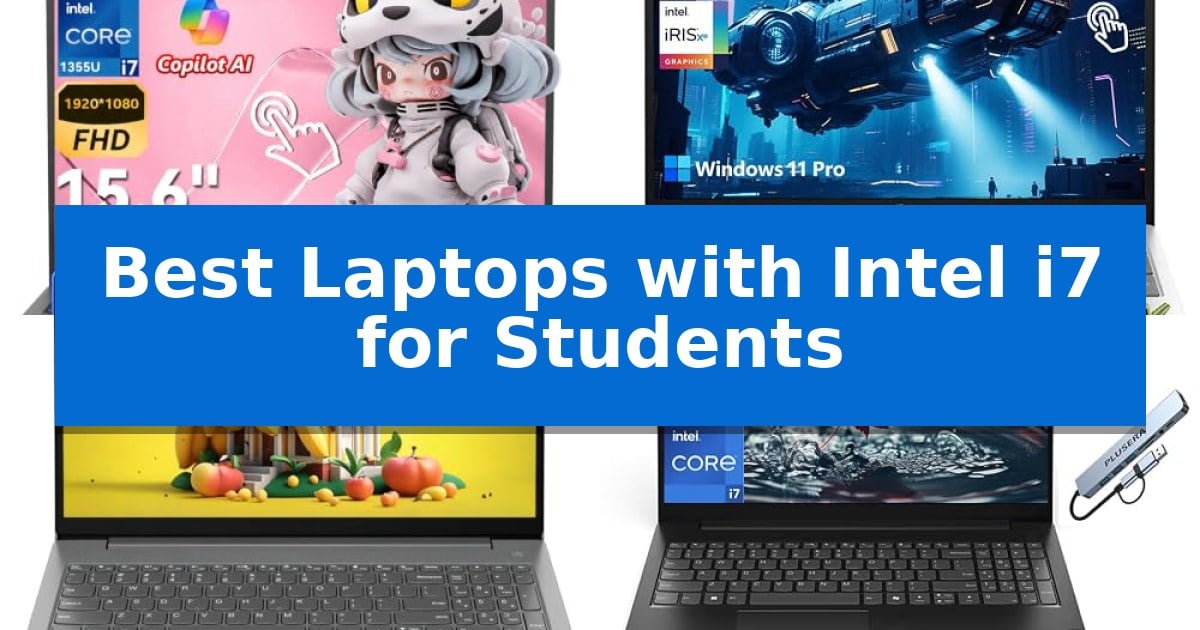
Finding the right machine for a demanding academic workload requires balancing raw processing power with reliable daily portability. The Best Laptops with Intel i7 for Students provide the necessary computational headroom to handle complex multitasking, large datasets, and specialized software without slowing down during critical project phases.
Whether you are managing heavy research, editing multimedia assignments, or keeping up with a fast-paced schedule of online classes, selecting a device with an Intel i7 processor ensures your workflow remains fluid. This guide examines key options currently available to help you identify a laptop that aligns with your specific study habits and technical requirements.
Best Laptops with Intel i7 for Students in 2026: Power for Campus
Quick Comparison
| Product | Best For | Key Strength | Score |
|---|---|---|---|
| Dell 15 Touchscreen Laptop | Best Overall | 32GB DDR5 RAM enables responsive multitasking and rapid application switching. | 4.9 |
| HP 15.6 Touchscreen Laptop | Versatile Interface for Creative Tasks | 13th Gen Intel Core i7-1355U processor for responsive multitasking. | 4.7 |
| Lenovo V15 G4 Laptop | Durable Build for Daily Campus Use | 13th Gen Intel Core i7-13620H processor provides strong multitasking capabilities. | 4.6 |
| Lenovo V15 G5 Laptop | High-Speed Storage for Large Projects | Intel Core i7-13620H processor provides strong multi-core performance for demanding applications. | 4.3 |
| Dell Latitude 7420 Laptop | Compact Design for Mobile Students | 11th Gen Intel Core i7 processor for responsive multitasking. | 4.6 |
How We Chose
- Processor capability and core count for multitasking efficiency.
- Memory and storage capacity to support large files and rapid application switching.
- Display quality and touchscreen functionality for interactive learning.
- Portability and build durability for frequent travel between classrooms and libraries.
- Connectivity options including Wi-Fi standards and peripheral expansion.
1 Dell 15 Touchscreen Laptop — Fast Charging for Busy Schedules
Academic and professional success often hinges on the ability to manage multiple high-demand applications simultaneously. The Dell 15 Touchscreen Laptop addresses this need by pairing a 13th Gen Intel Core i7-1355U processor with 32GB of DDR5 RAM. This hardware configuration provides the necessary computational overhead to switch between complex research documents, large spreadsheets, and video conferencing software without significant lag.
The 15.6-inch Full HD anti-glare touchscreen display serves as a central hub for productivity, allowing for intuitive navigation through digital notes and reports. For users who frequently handle data entry, the integrated numeric keypad simplifies the process of managing figures, while the 1TB PCIe NVMe SSD ensures rapid file access and provides ample storage for large academic projects.
Efficiency extends to the device's power management through Dell ExpressCharge technology. This feature allows the battery to reach an 80% charge in approximately 60 minutes, a practical advantage for students and professionals moving between lecture halls, libraries, or remote workspaces. Running on Windows 11 Pro, the laptop also integrates tools like Windows Copilot to assist with daily organizational tasks.
While the device is built for high-demand environments, its 4.28-pound weight and 15.6-inch footprint represent a trade-off for those seeking a more compact, ultra-portable machine. However, for users who prioritize raw multitasking power and a large, interactive workspace, this laptop offers a balanced, professional-grade solution.
Best for: Students and professionals requiring high-capacity RAM and fast-charging capabilities for intensive multitasking and daily productivity.
Skip if: Users who prioritize ultra-portable, lightweight form factors or those who do not require a numeric keypad and a 15.6-inch display footprint.
PROS
- 32GB DDR5 RAM enables responsive multitasking and rapid application switching.
- 13th Gen Intel Core i7-1355U processor supports demanding workflows with up to 5.0GHz turbo speeds.
- ExpressCharge technology minimizes downtime by charging the battery to 80% in about one hour.
- 1TB PCIe NVMe SSD provides substantial, high-speed storage for large files.
CONS
- 4.28-pound weight may be less convenient for users seeking a highly portable machine.
- 15.6-inch form factor occupies more desk and bag space compared to smaller ultrabooks.
2 HP 15.6 Touchscreen Laptop — Versatile Interface for Creative Tasks
The HP 15.6 Touchscreen Laptop distinguishes itself with a versatile 15.6-inch Full HD IPS touchscreen, providing an intuitive interface for students who need to sketch, edit videos, or brainstorm ideas collaboratively. This model is engineered to balance academic demands with creative workflows, making it a functional choice for those who prefer direct screen interaction over traditional input methods.
At the core of this device is the 13th Gen Intel Core i7-1355U processor, a 10-core chip designed to handle multitasking and quick application launches. Paired with 16GB of DDR4 RAM and a 1TB SSD, the system offers substantial storage for large files and responsive performance during intensive study sessions. The inclusion of Intel Iris Xe Graphics further supports light creative tasks and media consumption.
Portability remains a priority, as the unit weighs 3.52 pounds and measures 0.73 inches in height, allowing for easy transport between classrooms or study spaces. For connectivity, it features Wi-Fi 6 for stable networking and a variety of ports to support external peripherals. The integrated HD privacy camera and Microsoft Copilot AI companion in Windows 11 Pro are included to assist with document summarization and workflow management.
This laptop comes as a complete package, including a premium gaming mouse to enhance productivity right out of the box. While it offers a robust set of features for students, users should note that the 15.6-inch form factor is best suited for those who prioritize screen real estate over the extreme portability of smaller ultrabooks.
Best for: Students and professionals who require a responsive, high-capacity touchscreen device for multitasking and creative projects.
Skip if: Users who prioritize ultra-lightweight portability or a smaller form factor for frequent travel may find the 15.6-inch footprint less convenient.
PROS
- 13th Gen Intel Core i7-1355U processor for responsive multitasking.
- 16GB RAM and 1TB SSD provide ample speed and storage capacity.
- Full HD IPS touchscreen supports intuitive creative and collaborative work.
- Microsoft Copilot AI integration assists with document and workflow management.
CONS
- 15.6-inch display may be too large for users seeking maximum portability.
3 Lenovo V15 G4 Laptop — Durable Build for Daily Campus Use
Balancing academic workload and portability requires a machine that handles heavy multitasking without unnecessary bulk. The Lenovo V15 G4 Laptop addresses this by integrating a 13th Gen Intel Core i7-13620H processor, which features 10 cores and 16 threads capable of reaching 4.9GHz. This hardware configuration is designed to manage demanding applications and concurrent browser tabs, making it a functional choice for students who need to switch between research, writing, and creative projects.
The device emphasizes practical usability with a 15.6-inch FHD anti-glare display that prioritizes reduced eye strain during long study sessions. Its build quality is supported by MIL-STD-810H testing, providing a level of durability suitable for the rigors of campus life. Weighing 1.65kg, it remains lightweight enough for daily transport between lecture halls and libraries without sacrificing screen real estate.
Connectivity is a primary focus, featuring an 8-in-1 expansion hub that includes HDMI 4K and SD/MicroSD support, which is particularly beneficial for students who rely on various peripherals or external storage. The inclusion of WiFi 6 and Gigabit Ethernet ensures stable network access, while the privacy shutter on the 720p camera provides a physical measure for security during remote learning or video calls.
For students managing diverse project requirements, the combination of 16GB of DDR4 RAM and a 512GB PCIe 4.0 SSD offers a balance of memory for multitasking and fast boot times. The integration of Windows 11 Home and Copilot AI tools provides a modern software environment, while the numeric keypad adds efficiency for data-heavy coursework or financial tasks.
Best for: Students who require a durable, high-performance laptop with extensive peripheral connectivity for multitasking and academic projects.
Skip if: Users who prioritize ultra-compact form factors or high-end dedicated graphics for intensive 3D gaming or professional-grade video rendering.
PROS
- 13th Gen Intel Core i7-13620H processor provides strong multitasking capabilities.
- MIL-STD-810H durability ensures the chassis can withstand daily campus transit.
- 8-in-1 expansion hub included for versatile peripheral and display connectivity.
- 16GB RAM and 512GB NVMe SSD provide a responsive environment for academic software.
CONS
- DDR4 memory is slightly older technology compared to current DDR5 standards.
- 720p webcam resolution is basic for high-definition video conferencing.
4 Lenovo V15 G5 Laptop — High-Speed Storage for Large Projects
Managing complex academic projects requires a reliable machine that balances processing power with efficient storage. The Lenovo V15 G5 Laptop addresses this need by pairing a high-performance Intel Core i7-13620H processor with 16GB of DDR5 RAM, ensuring that multitasking between research papers, browser tabs, and specialized software remains fluid.
The 15.6-inch FHD display features an anti-glare coating and a 16:9 aspect ratio, which provides a clear workspace for extended reading or document editing. With a 1TB PCIe SSD, students gain access to rapid data transfer speeds, significantly reducing wait times when loading large files or booting up the system for quick study sessions.
Connectivity is a priority for modern campus life, and this model includes a versatile port selection, such as a USB-C port, two USB-A 3.2 ports, and a dedicated Ethernet RJ-45 jack for stable wired internet. The inclusion of a numeric keypad and a built-in camera privacy shutter adds practical utility for both data entry tasks and secure video conferencing.
Designed with portability in mind, this laptop maintains a professional aesthetic while offering the necessary hardware to handle demanding coursework. The combination of its robust internal components and diverse connectivity options makes it a dependable tool for students who require a machine capable of keeping up with a rigorous academic schedule.
Best for: Students and professionals who require a high-performance processor and ample storage for multitasking and data-heavy academic work.
Skip if: Users who prioritize extreme portability or ultra-lightweight designs, as this 4.6-pound unit is built for stationary productivity rather than frequent travel.
PROS
- Intel Core i7-13620H processor provides strong multi-core performance for demanding applications.
- 1TB PCIe SSD offers significant storage capacity and fast data access.
- Versatile connectivity including Ethernet RJ-45 and multiple USB ports for peripheral support.
- Camera privacy shutter enhances security during video calls.
CONS
- 4.6-pound weight may be heavier than some ultra-portable student laptops.
- 45% NTSC display may not meet the color accuracy requirements of professional creative work.
5 Dell Latitude 7420 Laptop — Compact Design for Mobile Students
For students balancing heavy course loads and mobile study sessions, the Dell Latitude 7420 Laptop offers a balance of portability and processing power. Weighing just 2.66 pounds with a compact 14-inch footprint, this device is built to fit easily into crowded backpacks while providing the necessary performance for academic multitasking.
At the heart of this machine is an 11th Gen Intel Core i7-1165G7 processor, which provides the responsiveness required for running research applications, word processing, and web-based tools simultaneously. The inclusion of 16GB of RAM ensures that switching between browser tabs and productivity software remains fluid, while the 512GB SSD facilitates rapid boot-up times and quick access to stored documents.
The 15.6-inch FHD display with a 1920×1080 resolution provides clear visuals for reading digital textbooks or streaming educational content. Designed for versatility, the laptop includes integrated Wi-Fi and Bluetooth for reliable connectivity in campus environments, alongside a responsive keyboard that supports comfortable typing during long study sessions.
As a certified refurbished model, this unit undergoes rigorous functionality testing and cleaning to meet quality standards. It arrives with all essential accessories and includes a 90-day warranty, offering a practical solution for students who require a capable, professional-grade laptop without the cost of a brand-new unit.
Best for: Students who need a portable, high-performance laptop for multitasking and academic work.
Skip if: Users who require a dedicated high-end GPU for intensive 3D rendering or professional video editing.
PROS
- 11th Gen Intel Core i7 processor for responsive multitasking.
- 16GB RAM and 512GB SSD for efficient performance and storage.
- Lightweight 2.66-pound design ideal for campus mobility.
- Certified Refurbished quality assurance with a 90-day warranty.
CONS
- 90-day warranty is shorter than typical new-device coverage.
- Refurbished condition may arrive in generic packaging.
Best Laptops with Intel i7 for Students Buying Guide
Processor Performance and Multitasking
The Intel i7 processor is a critical component for students who frequently run multiple applications simultaneously. Higher core counts and turbo frequencies allow for smoother transitions between web browsers, research tools, and creative software, ensuring that your system does not become a bottleneck during intense study sessions.
When evaluating these laptops, consider the generation of the processor. Newer generations typically offer improved power efficiency, which can extend battery life during long days on campus while maintaining the high-speed performance required for complex academic tasks.
Memory and Storage Considerations
For students, 16GB of RAM is often considered the baseline for modern productivity, though 32GB configurations provide significant advantages for those working with large datasets or video editing. Sufficient memory prevents system lag when you have dozens of browser tabs and background applications open at once.
Storage speed is equally important. Solid State Drives (SSDs) are standard in these models, offering fast boot times and quick file access. A 512GB or 1TB capacity ensures you have enough room for your entire library of digital textbooks, research documents, and project files without needing external storage.
Display and Interaction
A 15.6-inch Full HD display is a common standard that balances screen real estate with portability. Many students prefer touchscreen functionality, which allows for more intuitive navigation, document signing, and interactive note-taking during lectures or group collaborations.
Anti-glare coatings are a valuable feature for students who study in varying lighting conditions, such as bright libraries or outdoor campus spaces. A high-quality screen reduces eye strain, allowing for longer, more comfortable study sessions.
Portability and Build Quality
Since students are constantly on the move, the physical design of the laptop is a major factor. A lightweight chassis and compact dimensions make it easier to carry the device in a backpack throughout the day. Look for materials that offer durability, such as reinforced frames or carbon fiber, to withstand the rigors of daily campus life.
Weight distribution and overall footprint are essential for mobile students. A laptop that feels sturdy but remains manageable in weight will reduce fatigue when moving between classes, labs, and study halls.
Connectivity and Peripheral Support
Modern student laptops must support a wide range of peripherals. Look for a variety of ports, including USB-C, HDMI, and Ethernet, which ensure compatibility with projectors, external monitors, and wired networks. Wi-Fi 6 support is also critical for maintaining stable connections in crowded campus environments.
Additional features like numeric keypads can be highly beneficial for students in finance, engineering, or data-heavy fields. Privacy shutters on webcams and built-in microphones are also important for secure and clear participation in remote learning and video meetings.
Frequently Asked Questions
Is an Intel i7 processor overkill for a student?
While an i7 may exceed the needs of basic word processing, it is highly beneficial for students using specialized software, multitasking heavily, or working with large media files. It provides a performance buffer that keeps the laptop responsive for several years.
How much RAM do I actually need for college?
For most students, 16GB of RAM is sufficient for smooth multitasking. If your coursework involves heavy video editing, 3D modeling, or complex data analysis, opting for 32GB is a wise investment to ensure long-term performance.
Are touchscreen laptops better for students?
Touchscreen laptops offer added versatility for note-taking, document review, and navigation. They are particularly useful for students who prefer a more tactile way to interact with their digital materials.
Why is an SSD better than an HDD for a student laptop?
SSDs are significantly faster than traditional hard drives, leading to quicker boot times and faster application launches. They are also more durable because they lack moving parts, making them ideal for laptops that are frequently transported.
What ports should I look for in a student laptop?
A good selection of ports includes USB-C for modern peripherals and charging, HDMI for external displays, and USB-A for legacy devices. Ethernet ports are also helpful for stable internet connections in dorms or labs.
Conclusion: Our Top Pick
Choosing the right laptop is a significant decision that impacts your daily academic productivity. After reviewing the available options, the Dell 15 Touchscreen Laptop stands out as the most balanced choice for students. Its combination of a powerful 13th Gen Intel Core i7 processor, 32GB of DDR5 RAM, and a spacious 1TB SSD provides the performance and storage capacity needed for even the most demanding academic schedules.
The inclusion of Dell ExpressCharge technology further enhances its utility for students who move between classes and study areas, as it minimizes downtime. While other models offer specific advantages in portability or budget, this laptop provides a comprehensive, high-performance package that is well-suited for the diverse needs of modern students.