
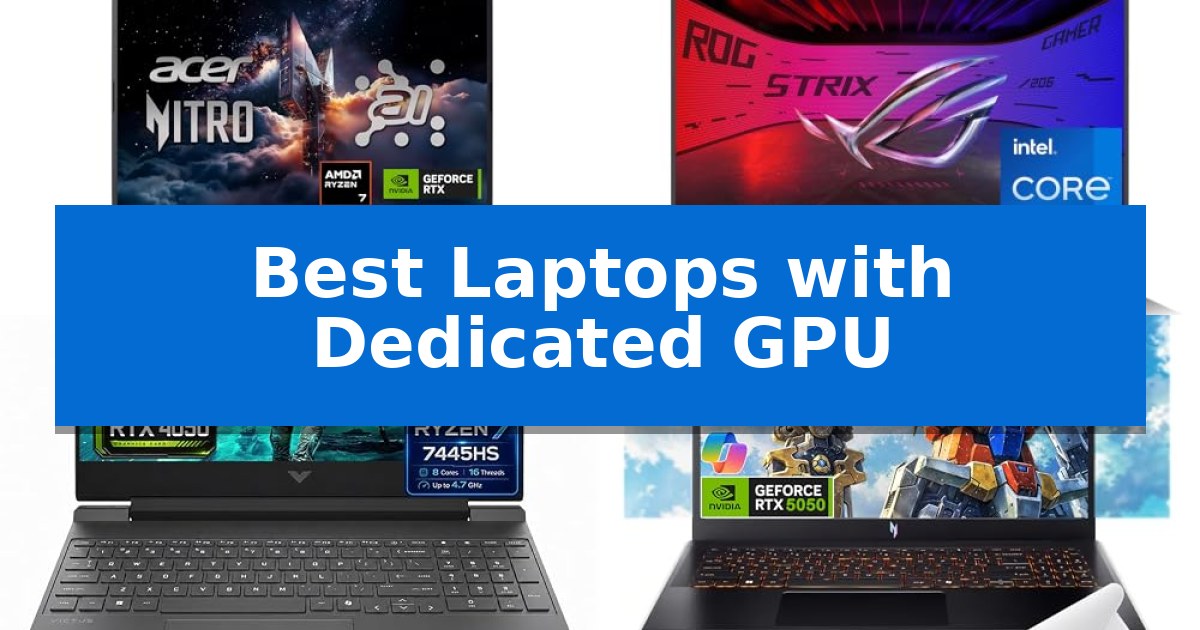
Finding the right machine for graphics-intensive tasks requires balancing raw rendering power with thermal management and portability. Whether you are a digital artist, a video editor, or a competitive gamer, selecting one of the Best Laptops with Dedicated GPU ensures your hardware can handle complex visual workloads without stuttering.
Our analysis focuses on current hardware configurations, prioritizing machines that integrate modern graphics architectures with efficient cooling systems. By examining key specifications like VRAM, refresh rates, and processor synergy, we help you identify which portable workstation or gaming rig aligns with your specific creative or performance requirements.
Best Laptops with Dedicated GPU in 2026
Quick Comparison
| Product | Best For | Key Strength | Score |
|---|---|---|---|
| Acer Nitro V 16S Gaming Laptop | Best Overall | NVIDIA Blackwell architecture with 572 AI TOPS for advanced graphics. | 4.9 |
| ASUS ROG Strix G16 Gaming Laptop | Next-Gen Blackwell Graphics Power | NVIDIA Blackwell architecture with DLSS 4 support for advanced graphical rendering. | 4.9 |
| HP Victus 15 Gaming Laptop | Balanced Power for Daily Productivity | High-refresh 144Hz display with FreeSync Premium for smooth visuals. | 4.5 |
| Acer Nitro V 15 Gaming Laptop | High Refresh Rate Visuals | NVIDIA GeForce RTX 5050 with 8GB of dedicated GDDR7 VRAM. | 4.3 |
| HP Victus 15.6" Full HD 144Hz Gaming Laptop | Reliable Entry-Level Dedicated Graphics | 144Hz refresh rate display for smooth motion | 4.7 |
How We Chose
- Graphics Architecture: We prioritize laptops utilizing the latest NVIDIA Blackwell or equivalent dedicated GPU architectures to ensure support for modern ray tracing and AI-driven rendering.
- Thermal Efficiency: We assess the cooling solutions, such as vapor chambers and multi-fan designs, which are essential for maintaining stable clock speeds under heavy graphical loads.
- Display Fidelity: We look for panels that offer high refresh rates and accurate color reproduction, which are critical for both fluid gameplay and professional color-grading workflows.
- Memory and Storage Scalability: We prioritize systems with DDR5 memory and high-speed PCIe Gen 4 SSDs to prevent bottlenecks when loading large assets or textures.
- Connectivity Standards: We evaluate the inclusion of modern ports like Thunderbolt 4, HDMI 2.1, and Wi-Fi 6/7 to ensure seamless integration with external displays and high-speed networks.
1 Acer Nitro V 16S Gaming Laptop — AI-Enhanced Performance for Gamers
The Acer Nitro V 16S Gaming Laptop distinguishes itself through its integration of the NVIDIA Blackwell architecture, utilizing the GeForce RTX 5060 Laptop GPU to provide 572 AI TOPS for advanced ray tracing and neural rendering. This machine is built to handle demanding visual tasks, supported by an AMD Ryzen 7 260 processor that delivers up to 38 AI Overall TOPS, making it a capable tool for both high-fidelity gaming and intensive content creation workflows.
Visual clarity is managed by a 16-inch WUXGA display that covers 100% of the sRGB color gamut, ensuring accurate color reproduction. The 180Hz refresh rate supports fluid motion during fast-paced sequences, while DLSS 4 technology—powered by fifth-generation Tensor Cores—works to optimize frame rates and image quality through AI-driven super resolution and ray reconstruction.
Internally, the device is equipped with 32GB of DDR5 5600MHz memory across two slots, providing a robust foundation for multitasking. Storage needs are addressed by a 1TB PCIe Gen 4 SSD, with an additional M.2 slot available for future capacity expansion, allowing users to scale their storage as their library grows.
Designed for versatility, the laptop features Wi-Fi 6 for stable connectivity and includes a one-year International Travelers Limited Warranty. Weighing 4.63 pounds with a slim 0.79-inch profile, it balances a high-performance feature set with a form factor suitable for users who require a portable workstation that does not compromise on graphical or processing power.
Best for: Gamers and content creators who require AI-accelerated performance and high-refresh-rate visuals in a portable 16-inch form factor.
Skip if: Users who prioritize a lighter, ultra-portable chassis or those who require more than 32GB of RAM, as the system is capped at this capacity.
PROS
- NVIDIA Blackwell architecture with 572 AI TOPS for advanced graphics.
- 180Hz WUXGA display with 100% sRGB coverage for color accuracy.
- Expandable storage via an additional PCIe M.2 slot.
- 32GB DDR5 memory for efficient multitasking.
CONS
- Maximum RAM capacity is limited to 32GB.
- Wi-Fi 6 standard, which is not the latest Wi-Fi 7 iteration.
2 ASUS ROG Strix G16 Gaming Laptop — Next-Gen Blackwell Graphics Power
The ASUS ROG Strix G16 (2025) Gaming Laptop distinguishes itself through the integration of the latest NVIDIA Blackwell architecture, specifically utilizing the RTX 5060 Laptop GPU to drive high-fidelity visuals and advanced processing capabilities. Designed for users requiring a balance of portable computing and graphical horsepower, this machine leverages an Intel Core i7 Processor 14650HX to handle demanding workloads and gaming sessions.
Equipped with 16GB of DDR5-5600MHz memory and a 1TB PCIe Gen 4 SSD, the system ensures rapid data access and efficient multitasking. The 16-inch FHD+ display operates at a 165Hz refresh rate with a 3ms response time, further enhanced by an ACR film designed to improve contrast and mitigate glare during extended use.
Thermal management is handled by the ROG Intelligent Cooling system, which incorporates an end-to-end vapor chamber, tri-fan technology, and Conductonaut extreme liquid metal on the chipset. This configuration is engineered to maintain system stability under load while keeping the chassis comfortable for the user.
Aesthetically, the laptop features a 360-degree RGB light bar that integrates with ROG peripherals, though it includes a dedicated Stealth Mode for professional environments where lighting needs to be disabled. The device remains a robust choice for those seeking a dedicated GPU in a 16-inch form factor.
Best for: Gamers and creators who require a high-refresh-rate display and the latest NVIDIA Blackwell graphics architecture in a 16-inch form factor.
Skip if: Users who prioritize a lightweight, ultra-thin chassis or those who do not require the thermal and power overhead of a dedicated gaming-focused GPU.
PROS
- NVIDIA Blackwell architecture with DLSS 4 support for advanced graphical rendering.
- ROG Intelligent Cooling system featuring liquid metal and vapor chamber technology.
- 165Hz FHD+ display with ACR film for improved contrast and reduced glare.
- Stealth Mode functionality for professional, non-gaming environments.
CONS
- Heavy design at approximately 5.84 pounds, which may impact portability.
- 16GB RAM may be limiting for extremely intensive professional creative workflows.
3 HP Victus 15 Gaming Laptop — Balanced Power for Daily Productivity
The HP Victus 15 Gaming Laptop distinguishes itself through a balanced integration of the AMD Ryzen 7 7445HS processor and the NVIDIA GeForce RTX 4050 GPU, providing a capable foundation for both demanding creative workflows and high-refresh-rate gaming. This combination allows for effective handling of GPU-accelerated applications and multitasking, supported by a robust internal architecture.
Visual fidelity is managed by a 15.6-inch Full HD IPS display that boasts a 144Hz refresh rate and AMD FreeSync Premium technology. These features work in tandem to minimize screen tearing and provide fluid motion during fast-paced visual tasks. The inclusion of an anti-glare coating and a micro-edge design further refines the viewing experience for extended sessions.
For connectivity and storage, the device offers a versatile array of ports, including HDMI 2.1 for external 4K output at 60Hz and a USB-C port that supports both DisplayPort and Power Delivery. The system is equipped with Wi-Fi 6E and Bluetooth 5.3 for modern wireless standards, ensuring stable network and peripheral connections.
Usability is enhanced by a full-size backlit keyboard featuring a dedicated numeric keypad, complemented by DTS:X Ultra spatial audio for immersive sound. The integration of the OMEN Gaming Hub provides a centralized interface for managing system performance, making this laptop a practical solution for users who require a machine that transitions effectively between professional productivity and entertainment.
Best for: Users who need a versatile, mid-range laptop capable of handling both modern gaming and GPU-accelerated professional tasks.
Skip if: Users who require a lightweight, ultra-portable device or those who need higher-tier GPU performance for professional-grade 3D rendering.
PROS
- High-refresh 144Hz display with FreeSync Premium for smooth visuals.
- Versatile connectivity including HDMI 2.1 and USB-C with Power Delivery.
- Powerful combination of Ryzen 7 7445HS and RTX 4050 graphics.
- Expandable memory and storage options for long-term utility.
CONS
- Weight of 5 pounds may be less ideal for frequent travel.
- 720p HD camera resolution is standard and lacks higher-fidelity options.
4 Acer Nitro V 15 Gaming Laptop — High Refresh Rate Visuals
Gaming performance relies heavily on the integration of a dedicated graphics processor, and the Acer Nitro V 15 Gaming Laptop addresses this by pairing an Intel Core i5-13420H processor with the NVIDIA GeForce RTX 5050 Laptop GPU. This combination is designed to handle demanding visual tasks, supported by 8GB of dedicated GDDR7 VRAM for high-fidelity rendering.
The laptop features a 15.6-inch Full HD widescreen LED-backlit IPS display that supports a 165Hz refresh rate. This high refresh capability is intended to provide smoother motion during fast-paced sequences, ensuring that the visual output keeps pace with the internal processing power.
For system responsiveness, the device includes 16GB of DDR4 memory and a 512GB PCIe Gen 4 SSD. This storage configuration is optimized for accelerated load times, allowing for quicker access to applications and game assets compared to older storage standards.
Connectivity and power management are handled through a versatile USB Type-C port that supports USB 3.2 Gen 2 speeds up to 10 Gbps. This port also enables DisplayPort functionality, Thunderbolt 4 compatibility, and up to 65W of charging, offering a streamlined interface for external peripherals and power delivery.
Best for: Gamers and users requiring dedicated GPU performance for visual tasks in a portable 15.6-inch form factor.
Skip if: Users who require extensive internal storage expansion or a larger display for professional creative workflows may find the 512GB SSD and 15.6-inch screen limiting.
PROS
- NVIDIA GeForce RTX 5050 with 8GB of dedicated GDDR7 VRAM.
- 165Hz high refresh rate display for fluid visuals.
- Thunderbolt 4 and USB-C charging support.
- PCIe Gen 4 SSD for fast data access.
CONS
- 512GB storage capacity may require external drives for large game libraries.
- DDR4 memory is standard rather than the newer DDR5.
5 HP Victus 15.6" Full HD 144Hz Gaming Laptop — Reliable Entry-Level Dedicated Graphics
The HP Victus 15.6" Full HD 144Hz Gaming Laptop centers its design around a high-refresh-rate display, pairing a 144Hz panel with dedicated graphics to provide fluid motion for fast-paced visuals. This machine is built for users who require a balance of graphical processing power and a responsive screen in a portable form factor.
At the heart of this system is an Intel Core i5-12450H processor, which delivers 4.4GHz speeds to handle demanding applications and gaming workloads. The inclusion of an NVIDIA GeForce RTX 3050 6GB GDDR6 graphics card ensures that users have the necessary hardware for rendering gaming visuals effectively. This combination is supported by 16GB of DDR4-3200 RAM, which can be expanded up to 64GB to accommodate intensive multitasking needs.
Storage and connectivity are handled through a 512GB PCIe SSD, providing quick data access, with the capacity to upgrade to a 2TB drive for larger libraries. The 15.6-inch FHD IPS display features micro-edge bezels and an anti-glare coating, minimizing distractions during extended use. Integrated Wi-Fi 6 ensures stable network connectivity, while the backlit keyboard allows for operation in various lighting conditions.
Designed for versatility, this laptop runs on Windows 11 Pro, making it suitable for both professional environments and gaming setups. While it offers robust internal hardware, its 7-pound weight and dimensions reflect its focus on a stationary or semi-portable workstation role rather than ultra-lightweight travel.
Best for: Users seeking a balanced, upgradeable entry-level gaming laptop with a high-refresh-rate display for fluid visual performance.
Skip if: Users who prioritize a lightweight, ultra-portable design for frequent travel will find the 7-pound weight and larger footprint less convenient.
PROS
- 144Hz refresh rate display for smooth motion
- Expandable memory up to 64GB
- Dedicated NVIDIA RTX 3050 graphics
- Upgradable storage capacity up to 2TB
CONS
- Heavier chassis at 7 pounds
- Base 512GB storage may require early upgrades for large game libraries
Best Laptops with Dedicated GPU Buying Guide
Understanding Dedicated GPU Roles
A dedicated GPU operates with its own VRAM, separate from the system's main memory. This separation is vital for tasks like 3D rendering, video encoding, and high-fidelity gaming, as it prevents the graphics processor from competing with the CPU for bandwidth.
When choosing between models, consider your primary use case. A GPU with higher VRAM capacity is generally better for 4K video editing and complex 3D scenes, while a higher clock speed may benefit competitive gaming where frame rates are the priority.
Thermal Management and Performance
Graphics-heavy laptops generate significant heat, which can lead to thermal throttling if not managed correctly. Look for designs that feature vapor chambers or liquid metal thermal interfaces, as these technologies move heat away from the chipset more effectively than traditional heat pipes.
A well-cooled laptop not only maintains higher performance for longer periods but also extends the longevity of internal components. Ensure the chassis design allows for adequate airflow, especially if you plan to use the device on a desk for extended rendering sessions.
Display Specifications for Visual Work
The GPU is only as effective as the display it drives. For gaming, a high refresh rate (144Hz or higher) is essential for motion clarity. For creative work, prioritize color accuracy (sRGB or DCI-P3 coverage) to ensure your output looks consistent across different screens.
Features like NVIDIA G-Sync or AMD FreeSync can further enhance the experience by synchronizing the display's refresh rate with the GPU's frame output, effectively eliminating screen tearing and stuttering during intense action.
Memory and Storage Bottlenecks
Modern dedicated GPUs require fast data pipelines. DDR5 memory provides the necessary bandwidth to keep the GPU fed with data, reducing latency during complex tasks. Aim for at least 16GB of RAM, though 32GB is recommended for professional creative workflows.
Similarly, a PCIe Gen 4 SSD ensures that game assets and high-resolution video files load almost instantaneously. If your work involves massive project files, look for laptops that offer an additional M.2 slot for future storage expansion.
Connectivity and External Displays
If you plan to use your laptop as a desktop replacement, check the available output ports. HDMI 2.1 is the standard for connecting to high-resolution 4K monitors at high refresh rates, while Thunderbolt 4 or USB-C with DisplayPort support offers versatility for docking stations.
Reliable networking is also a factor. Wi-Fi 6 or 7 support ensures that you can download large game files or upload high-bitrate video projects without being tethered to an Ethernet cable, provided your router supports these standards.
Frequently Asked Questions
Do I need a dedicated GPU for office work?
No, a dedicated GPU is generally unnecessary for standard office tasks like word processing, web browsing, or email. Integrated graphics are more than sufficient for these activities and often provide better battery life.
What is the difference between VRAM and system RAM?
VRAM (Video RAM) is dedicated exclusively to the graphics card for storing textures, shaders, and frame buffers. System RAM is used by the CPU to manage the operating system and general applications.
Can I upgrade the GPU in my laptop later?
In almost all modern laptops, the GPU is soldered directly to the motherboard. It is not possible to upgrade the graphics card after purchase, so choose the configuration that meets your long-term needs.
Why does my laptop get loud during gaming?
Laptops with dedicated GPUs require active cooling to prevent overheating. When the GPU is under load, the internal fans spin at higher speeds to exhaust heat, which creates audible noise.
Is a higher refresh rate display always better?
A higher refresh rate provides smoother motion, which is excellent for gaming. However, for professional color work, prioritize color gamut coverage and resolution over refresh rate if you have to choose between them.
Conclusion: Our Top Pick
Selecting from the Best Laptops with Dedicated GPU requires a clear understanding of your performance needs versus your mobility requirements. For those who need a balance of cutting-edge AI capabilities and robust gaming performance, the Acer Nitro V 16S Gaming Laptop stands out as a highly capable machine. Its integration of the AMD Ryzen 7 processor and the RTX 5060 GPU provides a strong foundation for both modern gaming and intensive AI-driven creative tasks.
While other models offer specific advantages in cooling or entry-level pricing, the Acer Nitro V 16S offers a comprehensive feature set that addresses the most critical needs of modern users. By choosing this model, you are investing in a platform that leverages the latest in Blackwell architecture and neural rendering to ensure your hardware remains relevant for your upcoming projects.