
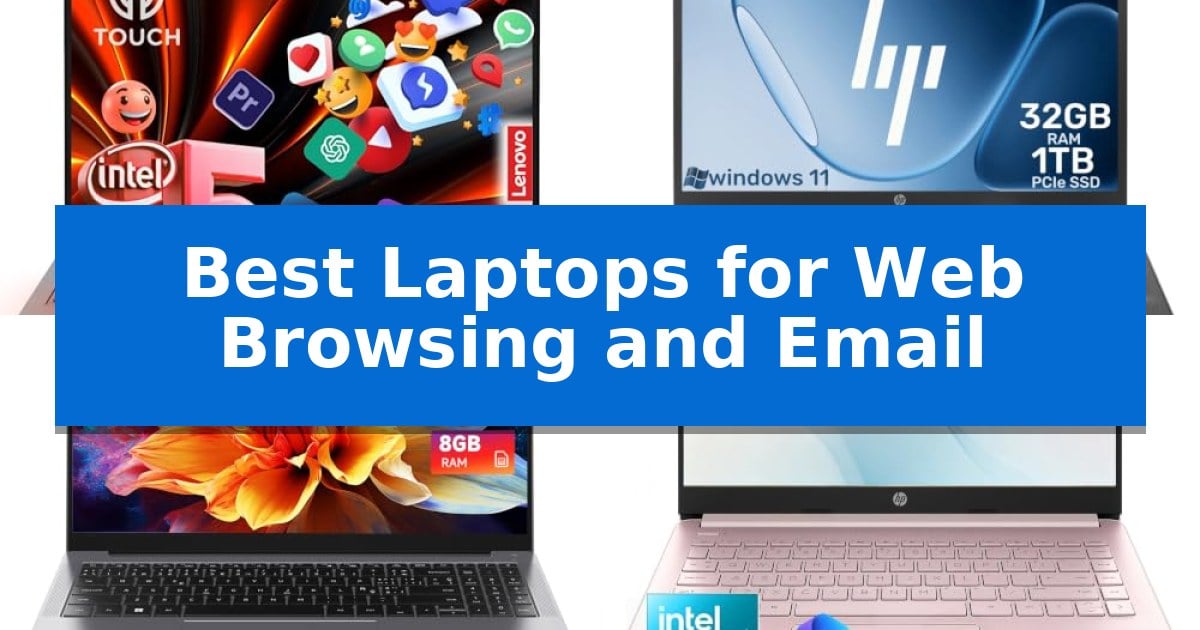
Finding the right device for everyday digital tasks can be overwhelming given the sheer number of options available. Whether you are managing a busy inbox, researching online, or streaming content, the Best Laptops for Web Browsing and Email need to balance responsive performance with reliable connectivity.
Our selection focuses on machines that prioritize comfortable typing, clear display quality, and sufficient processing power to handle multiple browser tabs without lag. By evaluating these essential factors, we help you identify a laptop that streamlines your workflow and keeps you connected throughout the day.
Best Laptops for Web Browsing and Email in 2026
Quick Comparison
| Product | Best For | Key Strength | Score |
|---|---|---|---|
| Lenovo IdeaPad 15.6 Inch Laptop | Best Overall | 16GB RAM ensures smooth performance across multiple browser tabs. | 4.9 |
| HP 17.3 Inch Laptop | Spacious Display for Easy Reading | 17.3-inch anti-glare display provides an expansive workspace for documents and web pages. | 4.9 |
| CHUWI 15.6 Inch Laptop | Smooth Performance for Multiple Tabs | AMD Ryzen 5 processor ensures smooth multitasking for daily office and web tasks. | 4.8 |
| HP 14 Inch Laptop | Portable Choice for Students | Lightweight and portable design at approximately 3.2 lbs. | 4.5 |
| Lenovo IdeaPad 1 Laptop | Essential Productivity on a Budget | Full-size keyboard with dedicated numeric keypad for efficient data entry. | 4.7 |
How We Chose
- Processing capability for smooth multitasking across multiple browser tabs.
- Display clarity and anti-glare features for comfortable reading and extended use.
- Keyboard layout and tactile feedback for efficient email composition.
- Connectivity options including Wi-Fi standards and physical ports for peripherals.
- Portability and battery life for flexible use in different environments.
1 Lenovo IdeaPad 15.6 Inch Laptop — Fast Multitasking for Daily Work
The Lenovo IdeaPad 15.6 Inch Laptop simplifies daily digital tasks through its 13th Gen Intel Core i5-1335U processor and 16GB of RAM, providing the necessary overhead for managing multiple browser tabs and email clients simultaneously. This model is engineered for users who prioritize efficient multitasking without the complexity of high-end workstation hardware.
Navigation is handled via a 15.6-inch Full HD IPS touchscreen, which features 10-point touch support and an anti-glare finish to maintain visibility in various lighting conditions. The inclusion of Microsoft Copilot provides integrated AI assistance for drafting emails and summarizing information, directly supporting productivity workflows.
Connectivity options are tailored for standard office and home setups, featuring Wi-Fi 6 for wireless networking and a variety of physical ports including HDMI, USB-A, and USB-C. While the USB-C port is limited to data transfer, the overall port selection accommodates common peripherals like external monitors and storage drives.
For communication, the device includes a 720p HD webcam paired with dual microphones and a physical privacy shutter, ensuring control over camera access during video calls. The integrated stereo speakers with Dolby Audio support provide consistent sound output for meetings and media playback.
Best for: Users seeking a reliable, responsive machine for web-based productivity, email management, and video conferencing.
Skip if: Users who require high-performance graphics, specialized software compatibility, or a lightweight device for frequent travel.
PROS
- 16GB RAM ensures smooth performance across multiple browser tabs.
- Full HD IPS touchscreen provides clear, interactive navigation.
- Physical privacy shutter offers immediate control over webcam security.
- Wi-Fi 6 support enables fast and stable wireless connectivity.
CONS
- USB-C port is restricted to data transfer only.
- 720p webcam resolution is basic for high-definition video conferencing.
2 HP 17.3 Inch Laptop — Spacious Display for Easy Reading
Managing daily digital tasks requires a reliable interface that prioritizes screen real estate and input comfort. The HP 17.3 Inch Laptop centers its design around a massive 17.3-inch HD+ anti-glare display, providing a spacious workspace that reduces the need for constant scrolling when reviewing documents, spreadsheets, or long-form web content.
Under the hood, the system is powered by the Intel Core 5 120U processor, which utilizes 10 cores and 12 threads to maintain responsiveness across browser tabs and office applications. This hardware is paired with 32GB of DDR4 RAM, ensuring that multitasking between email clients, web browsers, and productivity software remains fluid without significant slowdowns.
For those who prioritize data access and typing ergonomics, the device includes a 1TB PCIe NVMe SSD for fast file retrieval and a full-size keyboard complete with a dedicated numeric keypad. This layout is specifically tailored for users who spend significant time entering data, managing personal finances, or composing lengthy emails in a home or office environment.
Connectivity remains a focus for daily communication, featuring integrated Wi-Fi 6 and an HD camera for virtual appointments and video calls. Weighing 4.6 pounds, this laptop serves as a stationary desktop replacement, offering a stable and comfortable platform for users who prefer a large-screen experience over portability.
Best for: Users who prioritize a large display and comfortable typing experience for daily web browsing, email, and office productivity tasks.
Skip if: Users who require a lightweight, highly portable device for frequent travel or those who prefer a smaller form factor for use in cramped spaces.
PROS
- 17.3-inch anti-glare display provides an expansive workspace for documents and web pages.
- 32GB of RAM supports heavy multitasking across numerous browser tabs and applications.
- Full-size keyboard with numeric keypad enhances comfort for data entry and email tasks.
- 1TB PCIe NVMe SSD offers ample storage and responsive system access.
CONS
- 4.6-pound weight makes it less suitable for users who need a portable laptop for travel.
- Large chassis footprint requires significant desk space compared to standard 13-inch or 15-inch models.
3 CHUWI 15.6 Inch Laptop — Smooth Performance for Multiple Tabs
Managing daily digital tasks requires a machine that balances processing power with a reliable display, and the CHUWI 15.6 Inch Laptop is built to handle these specific demands. Featuring an AMD Ryzen 5 3450U processor paired with Radeon Vega 8 graphics, this laptop provides the necessary overhead for multi-tab web browsing and office productivity without the lag often found in entry-level hardware.
The 15.6-inch FHD IPS display offers a 1920 x 1080 resolution, which is essential for maintaining text clarity during long sessions of reading emails or drafting documents. By utilizing an IPS panel, the screen provides wide viewing angles, ensuring that visuals remain consistent even when the device is used in various home or office environments.
Workflow efficiency is supported by the inclusion of 8GB of RAM and a 256GB SSD, which facilitate quick boot times and responsive application switching. For those who rely on remote communication, the integrated HD webcam with a privacy shutter and dual microphones provide a straightforward solution for video meetings, while the dual-band Wi-Fi ensures a stable connection for uninterrupted online work.
Designed for practical daily use, the chassis measures just 0.7 inches in height and weighs 3.55 pounds, making it a portable choice for students or professionals. The inclusion of a Type-C port and HDMI output adds flexibility for connecting to external peripherals, while the active cooling fan helps maintain system stability during extended periods of operation.
Best for: Students and office workers who need a reliable, portable machine for multi-tab browsing, document editing, and video conferencing.
Skip if: Users who require high-end dedicated GPU performance for professional video editing or intensive 3D rendering will find the integrated graphics insufficient.
PROS
- AMD Ryzen 5 processor ensures smooth multitasking for daily office and web tasks.
- FHD IPS display provides crisp, distortion-free visuals for document work.
- Integrated webcam shutter offers a physical layer of privacy for remote meetings.
- Dual-band Wi-Fi connectivity supports stable internet access.
CONS
- 256GB SSD may require external storage for users with large media libraries.
- 8GB RAM is fixed and may limit performance for highly demanding professional workflows.
4 HP 14 Inch Laptop — Portable Choice for Students
The HP 14 Inch Laptop is built for portability, weighing approximately 3.2 lbs, which makes it a practical choice for students and users who need to carry a device between home, school, or a café. Its compact 14-inch form factor is specifically designed to fit easily into a backpack while providing enough screen space for daily tasks.
Driven by an Intel Celeron N4120 4-Core processor with speeds up to 2.6GHz, this device is configured to handle essential computing needs. It provides the necessary power for common activities such as web browsing, managing email, streaming content, and completing school assignments or light productivity work.
The system comes equipped with 8GB of RAM and runs on Windows 11, offering a modern interface for everyday navigation. To support a variety of peripherals, it includes 1× USB-C, 2× USB-A, an HDMI 1.4b port, and a dedicated headphone/microphone combo jack, ensuring compatibility with standard accessories.
With its distinctive Rose Pink finish, the laptop offers a unique aesthetic compared to standard silver or black hardware. It is a functional tool for those who prioritize a lightweight, mobile device for communication and research tasks.
Best for: Students and everyday users who need a lightweight, portable machine for web browsing, email, and light schoolwork.
Skip if: Users who require high-performance hardware for intensive tasks like video editing, professional gaming, or heavy multitasking will find the processor and storage configuration insufficient.
PROS
- Lightweight and portable design at approximately 3.2 lbs.
- Includes essential connectivity options like USB-C, USB-A, and HDMI.
- Features a distinctive Rose Pink finish for a modern look.
- Equipped with 8GB of RAM for reliable everyday performance.
CONS
- The Intel Celeron processor is limited to light productivity and basic web tasks.
- The 14-inch display may feel restrictive for users who prefer larger workspaces.
5 Lenovo IdeaPad 1 Laptop — Essential Productivity on a Budget
The Lenovo IdeaPad 1 Laptop is built for users who prioritize reliability for daily digital tasks like managing email, browsing the web, and handling document editing. Its AMD Athlon Silver 3050U processor and integrated graphics provide the necessary foundation for these essential productivity activities, making it a practical choice for home offices and school environments.
Equipped with a 15.6-inch HD anti-glare display, this device minimizes distracting reflections, which is useful for extended sessions of reading or working on assignments. The inclusion of a full-size keyboard with a numeric keypad offers a tangible benefit for those who frequently perform data entry, accounting, or household budgeting tasks.
Connectivity is a highlight, featuring Wi-Fi 6 for stable online meetings and classes, alongside a versatile array of ports including USB-C, USB-A, and HDMI 1.4. The 720p HD webcam is enhanced with a physical privacy shutter and dual-array microphones, ensuring that remote communication remains secure and clear.
With a portable design weighing approximately 3.52 pounds and a profile of 0.7 inches, the laptop balances screen real estate with mobility. It operates on Windows 11 Home, providing a familiar interface for managing business applications and daily digital workflows.
Best for: Students and home office users who need a reliable, budget-friendly device for web browsing, email, and document management.
Skip if: Users requiring high-performance hardware for intensive tasks like video editing, 3D rendering, or modern gaming.
PROS
- Full-size keyboard with dedicated numeric keypad for efficient data entry.
- Physical privacy shutter on the webcam for enhanced security.
- Wi-Fi 6 support for reliable wireless connectivity.
- Anti-glare screen reduces eye strain during long work sessions.
CONS
- Limited storage capacity with 128GB eMMC.
- Entry-level processor not suited for demanding professional software.
Best Laptops for Web Browsing and Email Buying Guide
Prioritizing Display Quality
Since web browsing and email involve significant amounts of reading, the display is your primary interface. Look for Full HD (1920×1080) resolution to ensure text appears sharp and images remain clear. An anti-glare finish is particularly beneficial if you work in brightly lit rooms or near windows, as it reduces distracting reflections.
Screen size also plays a role in your comfort. A 15.6-inch or 17.3-inch display provides a more spacious workspace for side-by-side window multitasking, while a 14-inch display is often better suited for those who prioritize portability and frequent travel.
Performance for Multitasking
Even for basic tasks, modern web browsers can be resource-intensive. A laptop with at least 8GB of RAM is recommended to keep multiple tabs and applications running without stuttering. Processors with multiple cores, such as Intel Core i5 or AMD Ryzen 5, offer the responsiveness needed to switch between email clients and web applications quickly.
Storage speed is equally important for a snappy experience. A Solid State Drive (SSD) is essential for fast boot times and quick application loading. Avoid older mechanical drives if possible, as they can significantly slow down your daily workflow.
Keyboard and Input Comfort
If you spend a large portion of your day typing emails, the quality of the keyboard is non-negotiable. A full-size keyboard that includes a dedicated numeric keypad can be a major advantage for data entry and financial tasks. Look for keys with consistent travel and a layout that feels natural to your hands.
The trackpad should be responsive and support multi-touch gestures to make navigating web pages more intuitive. If you find yourself doing extensive document work, ensure the palm rest area is comfortable and does not become overly warm during extended sessions.
Connectivity and Ports
Reliable internet access is the backbone of web-based work. Ensure your chosen laptop supports Wi-Fi 6, which provides faster and more stable connections, especially in busy environments. This helps prevent interruptions during video calls or while loading complex websites.
Physical ports are still vital for connecting accessories. A mix of USB-A and USB-C ports allows you to connect external mice, keyboards, or storage drives easily. An HDMI port is also useful if you need to connect your laptop to an external monitor for a larger viewing area.
Portability vs. Screen Real Estate
The trade-off between screen size and weight is a personal decision based on your lifestyle. A larger laptop acts as a desktop replacement, offering a more immersive experience at the cost of being heavier and harder to carry in a standard backpack.
Conversely, a smaller, thinner laptop is ideal for students or professionals who move between locations frequently. Consider how often you will actually be transporting the device versus how much time you spend at a stationary desk before making your final choice.
Frequently Asked Questions
How much RAM do I really need for web browsing?
For modern web browsing, 8GB of RAM is the recommended baseline. It allows you to keep several browser tabs and an email client open simultaneously without significant slowdowns.
Is an SSD necessary for a budget laptop?
Yes, an SSD is highly recommended. It provides significantly faster boot times and makes the entire operating system feel more responsive compared to traditional hard drives.
Does screen resolution matter for email?
Higher resolution screens, such as Full HD, make text look crisper and easier to read, which reduces eye strain during long sessions of reading and writing emails.
What is the benefit of Wi-Fi 6?
Wi-Fi 6 offers faster data transfer speeds and better performance in crowded network environments, ensuring a more stable connection for video calls and web browsing.
Can I use a 14-inch laptop for office work?
Absolutely. A 14-inch laptop is a great choice for office work if you prioritize portability. If you need more screen space, you can always connect it to an external monitor via HDMI.
Conclusion: Our Top Pick
Selecting the right laptop for your daily needs comes down to balancing your requirement for screen space against your need for portability. If you prioritize a mix of high-speed performance and a clear, interactive display, the Lenovo IdeaPad 15.6 Inch Laptop stands out as a versatile choice for managing emails, browsing, and multitasking.
While other models offer specific advantages like a larger 17.3-inch screen or a more compact 14-inch frame, the Lenovo provides a well-rounded experience that handles everyday productivity tasks with ease. It remains our top recommendation for users seeking a reliable, modern device that keeps them efficient throughout the day.