
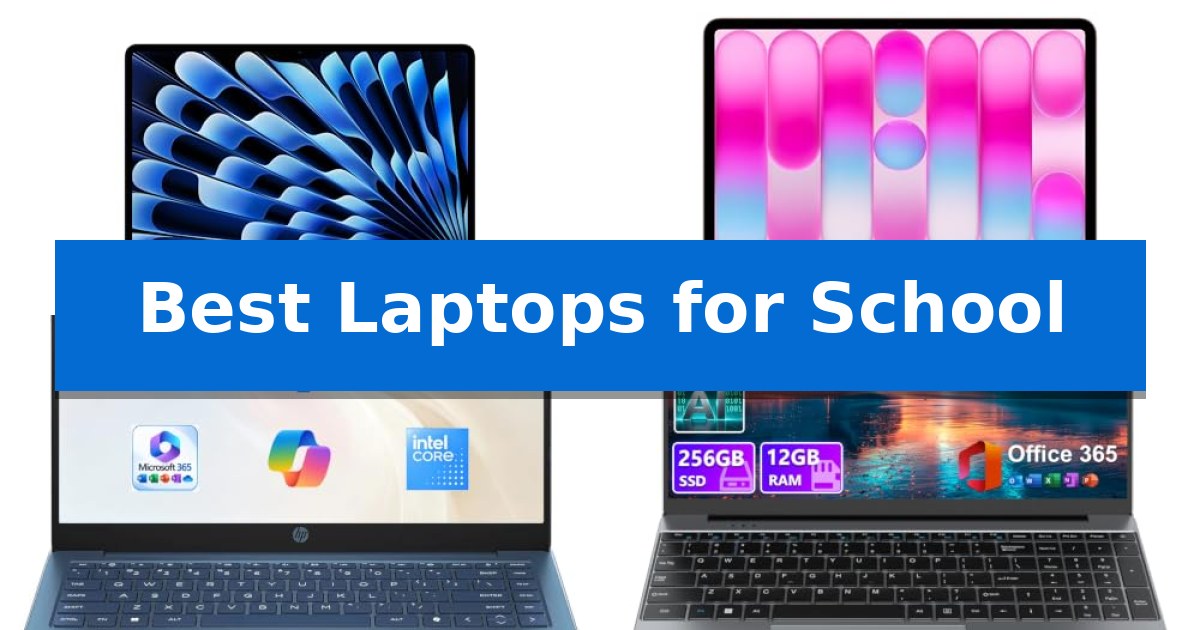
Finding the right device for your studies can significantly impact your daily productivity. Whether you are navigating heavy research projects or managing a full schedule of online classes, selecting from the Best Laptops for School requires balancing processing power with essential portability.
Our guide focuses on identifying machines that handle academic workloads efficiently while offering the reliability needed for long days on campus. We analyze key specifications and design features to ensure you find a tool that fits your specific major and study habits.
Best Laptops for School in 2026: Power Your Academic Success
Quick Comparison
| Product | Best For | Key Strength | Score |
|---|---|---|---|
| Apple MacBook Air 13-inch Laptop | Best Overall | 18-hour battery life for all-day campus use | 4.9 |
| Apple MacBook Neo 13-inch Laptop | Portable AI-Ready Student Choice | Up to 16 hours of battery life for all-day academic use. | 4.3 |
| HP 14 Inch Everyday Laptop | Reliable Daily Driver for Classes | Lightweight 3.24 lb design for easy portability. | 4.8 |
| DRKAKO 15.6 Inch FHD IPS Laptop | Expansive Screen for Research | 180° lay-flat hinge for easy screen sharing | 4.6 |
| HP 14 Inch Chromebook Laptop | Budget-Friendly Web-Based Learning | Quad-core processor provides reliable multitasking for web-based tasks. | 4.8 |
How We Chose
- Processing capability and memory capacity for smooth multitasking.
- Display quality and screen size for comfortable reading and research.
- Battery longevity to support a full day of classes without frequent charging.
- Portability and weight for easy transport between home and campus.
- Connectivity options for peripherals and external displays.
1 Apple MacBook Air 13-inch Laptop — Premium Power for Demanding Majors
The Apple MacBook Air 13-inch Laptop is engineered for the modern student, featuring the powerful M5 chip that integrates advanced AI capabilities directly into a highly portable, thin-and-light chassis. Designed to handle demanding academic workloads, this machine balances high-speed performance with an impressive 18-hour battery life, ensuring it remains operational throughout a full day of classes and study sessions.
Equipped with 16GB of unified memory and a 512GB SSD, the device provides a responsive environment for multitasking across creative and productivity applications. The 13.6-inch Liquid Retina display supports 1 billion colors, offering crisp text and vivid visuals for presentations and media. Enhanced by the Apple Intelligence platform, the laptop assists with writing and organization while maintaining strict data privacy standards.
Connectivity is robust, featuring two Thunderbolt 4 ports, MagSafe charging, and the latest Wi-Fi 7 and Bluetooth 6 standards. The 12MP Center Stage camera and three-mic array ensure high-quality video conferencing, while the four-speaker sound system supports Spatial Audio and Dolby Atmos. The integration with iPhone allows for seamless file sharing and cross-device control, streamlining the workflow between mobile and desktop environments.
This laptop is built for those who prioritize a balance of portability and sustained power. While it offers a premium feature set, users should consider their specific software requirements and the necessity of the macOS ecosystem before choosing this as their primary academic tool.
Best for: Students who require a highly portable, AI-capable laptop with long battery life for intensive academic and creative tasks.
Skip if: Users who require specific Windows-only software or those who prefer a larger display for complex multitasking workflows.
PROS
- 18-hour battery life for all-day campus use
- M5 chip with Neural Engine for AI-accelerated performance
- Wi-Fi 7 and Bluetooth 6 for advanced connectivity
- 13.6-inch Liquid Retina display with 1 billion colors
CONS
- macOS ecosystem may not support all specialized Windows-based academic software
- Two Thunderbolt 4 ports may require adapters for legacy peripherals
2 Apple MacBook Neo 13-inch Laptop — Portable AI-Ready Student Choice
The Apple MacBook Neo 13-inch Laptop is engineered for students who require a portable, AI-ready machine that fits into a busy academic schedule. Featuring the A18 Pro chip, this device is built to handle intensive tasks ranging from summarizing class notes with Apple Intelligence to managing complex presentations, all while maintaining a slim, durable recycled aluminum enclosure.
Designed for all-day reliability, the laptop offers up to 16 hours of battery life, ensuring it can support back-to-back lectures and late-night study sessions without needing a power outlet. The 13-inch Liquid Retina display supports 1 billion colors, providing a high-clarity visual experience that makes reading digital textbooks and reviewing research materials comfortable.
Communication and collaboration are streamlined through a 1080p FaceTime HD camera and a dual-mic array, which work together to ensure clear audio and video during remote group projects or virtual office hours. The integration with the Apple ecosystem allows for seamless transitions between devices, enabling students to start an email on their iPhone and finish it on the MacBook Neo effortlessly.
Sustainability and aesthetics are balanced in this model, which is available in four distinct colors, each featuring a color-coordinated keyboard. With its 8GB of Unified Memory and 256GB SSD storage, the laptop provides a responsive environment for macOS, ensuring that essential academic applications run efficiently throughout the school year.
Best for: Students who prioritize portability, long battery life, and deep integration with the Apple ecosystem for academic tasks.
Skip if: Users who require extensive local storage for large media files or those who need specialized software that is not compatible with macOS.
PROS
- Up to 16 hours of battery life for all-day academic use.
- A18 Pro chip optimized for AI-driven productivity and Apple Intelligence.
- Durable recycled aluminum construction with a lightweight, portable profile.
- Liquid Retina display with support for 1 billion colors.
CONS
- Fixed 8GB Unified Memory may limit performance for highly intensive professional creative workflows.
- 256GB SSD storage may require external drives for students with large file libraries.
3 HP 14 Inch Everyday Laptop — Reliable Daily Driver for Classes
Balancing academic demands with portability requires a device that handles daily tasks without unnecessary bulk. The HP 14 Inch Everyday Laptop addresses this by integrating a lightweight 3.24 lb chassis with a reliable Intel processor, making it a practical companion for students moving between classrooms or study sessions.
Performance is centered on efficient daily operation, utilizing an Intel CPU and integrated graphics to manage web browsing, office applications, and streaming. The inclusion of Windows 11 Home and a dedicated Microsoft Copilot key provides an intuitive interface for managing school projects and organizing digital files through the integrated 128GB SSD and cloud storage options.
Visual comfort is prioritized through a 14-inch HD anti-glare display with 250 nits of brightness, which helps maintain clarity in various lighting conditions. For virtual collaboration, the HP True Vision 720p HD camera features noise reduction and dual-array microphones, ensuring clear audio and video during online lectures or group meetings.
Connectivity and battery life are designed for the modern student's schedule. The laptop supports Wi-Fi 6 and Bluetooth 5.4 for stable networking, while the battery is rated for up to 11.5 hours of video playback. With a variety of ports including USB-C and HDMI 1.4b, it offers the necessary flexibility to connect to external monitors or peripherals for a more productive study setup.
Best for: Students and professionals seeking a lightweight, portable device for daily academic tasks, web browsing, and virtual meetings.
Skip if: Users requiring high-performance computing for video editing, heavy gaming, or those needing more than 128GB of local storage for large software installations.
PROS
- Lightweight 3.24 lb design for easy portability.
- Up to 11.5 hours of video playback battery life.
- Integrated Wi-Fi 6 and Bluetooth 5.4 for stable connectivity.
- Dedicated Copilot key for AI-assisted navigation.
CONS
- 128GB SSD capacity may be limited for large media libraries.
- 1366×768 resolution display is standard definition.
4 DRKAKO 15.6 Inch FHD IPS Laptop — Expansive Screen for Research
The DRKAKO 15.6 Inch FHD IPS Laptop provides a specialized 180° lay-flat hinge, a design choice that simplifies screen sharing and collaborative group presentations in academic settings. This device is engineered for students who require a balance of portability and screen real estate for research and document management.
Equipped with a J4105 quad-core processor and 12GB of DDR4 RAM, the laptop handles standard academic tasks such as web browsing, streaming online lectures, and managing document-heavy workflows. The inclusion of a 256GB SSD ensures rapid system startup and file access, while the storage remains expandable up to 2TB via SSD or 1TB via microSD for long-term project storage.
The 15.6-inch FHD IPS display features a 1920×1080 resolution with ultra-narrow bezels, maximizing the available workspace for immersive reading and writing. To support productivity, the unit comes pre-installed with a 1-year subscription to Office 365, including Word, Excel, and PowerPoint, alongside an integrated AI assistant designed to help draft essays and summarize complex readings.
Designed for the mobile student, the chassis weighs 3.7 lbs and measures 0.79 inches in thickness, fitting easily into standard backpacks. The 53.2Wh battery supports up to 6 hours of operation, while connectivity options—including USB-C, USB 3.2, Mini HDMI, and dual-band Wi-Fi 5—ensure compatibility with external monitors, projectors, and wireless peripherals.
Best for: Students requiring a large, high-resolution display and pre-installed productivity software for research and essay writing.
Skip if: Users who require high-performance hardware for video editing, 3D rendering, or intensive gaming, as the J4105 processor is optimized for everyday productivity tasks.
PROS
- 180° lay-flat hinge for easy screen sharing
- 12GB RAM for efficient multitasking
- 1-year Office 365 subscription included
- Expandable storage options up to 2TB
CONS
- 6-hour battery life may require charging during long school days
- J4105 processor is limited to basic productivity and web tasks
5 HP 14 Inch Chromebook Laptop — Budget-Friendly Web-Based Learning
The HP 14 Inch Chromebook Laptop provides a streamlined, web-based computing experience designed to handle daily academic tasks through its Intel Celeron N4120 processor. This quad-core chip features a 1.1GHz base clock that boosts up to 2.6GHz, offering a balance of power consumption and performance for multitasking across browser-based applications.
Built with a focus on portability and connectivity, the device weighs 3.35 pounds and measures 0.72 inches in height. It includes essential ports such as HDMI, USB-A, and USB-C, allowing students to connect to external displays or peripherals without needing extra adapters. The inclusion of a webcam makes it ready for remote learning sessions and video conferencing.
The system runs on Chrome OS, which prioritizes efficiency and security for web-centric workflows. With 64GB of eMMC storage and 4GB of RAM, the hardware is optimized for cloud-based storage and light productivity, ensuring that students can access their documents and research materials reliably throughout the school day.
This laptop is a practical choice for those who primarily work within a browser environment. Its design emphasizes simplicity and ease of use, making it an accessible tool for students who need a dedicated machine for writing papers, conducting research, and attending virtual classes.
Best for: Students who primarily use web-based applications and cloud services for their coursework.
Skip if: Users who require high-performance software, local storage for large files, or specialized desktop applications not compatible with Chrome OS.
PROS
- Quad-core processor provides reliable multitasking for web-based tasks.
- Versatile connectivity options including HDMI and USB-C ports.
- Lightweight and slim design for easy portability between classes.
- Chrome OS offers a secure and simplified user experience.
CONS
- Limited 4GB RAM may restrict performance during heavy multitasking.
- 64GB eMMC storage is minimal for users who store large amounts of local media.
Best Laptops for School Buying Guide
Processing Power and Memory
The processor is the engine of your laptop. For most students, a modern chip provides the necessary speed to run office suites, web browsers, and research tools simultaneously. Look for systems that offer efficient performance to ensure your applications remain responsive during intense study sessions.
Memory, or RAM, is equally critical for multitasking. Having sufficient memory allows you to keep multiple browser tabs and documents open without experiencing slowdowns. For most academic workflows, 8GB to 16GB of memory is the standard for maintaining a fluid experience.
Display and Visual Comfort
Since you will likely spend hours reading digital texts and viewing presentations, a high-quality display is essential. Features like high resolution and anti-glare coatings help reduce eye strain during long research sessions.
Consider the screen size that best balances your need for workspace with your need for portability. A 13-inch or 14-inch screen is often ideal for students who move between classrooms, while a 15.6-inch display offers more room for side-by-side document viewing.
Battery Life and Portability
A student laptop should ideally last through a full day of lectures without requiring a power outlet. Look for devices that advertise extended battery life, as this provides the freedom to study in libraries, cafes, or common areas without tethering yourself to a wall.
Weight is another vital factor. A lightweight chassis makes it easier to carry your laptop in a backpack alongside textbooks and other supplies. Prioritizing a thin, durable design ensures your device can withstand the rigors of daily travel.
Connectivity and Ports
Modern laptops often rely on USB-C and Thunderbolt ports for both charging and connecting to external displays. Ensure your chosen model has enough ports to connect your essential peripherals, such as a mouse, external drive, or presentation adapter.
Wireless connectivity is also paramount. Look for support for the latest Wi-Fi standards to ensure stable internet access in crowded campus environments, which is crucial for online classes and cloud-based research.
Software and AI Integration
Many modern laptops now include integrated AI tools designed to assist with summarizing notes, drafting essays, and organizing schedules. These features can be a significant time-saver, helping you streamline your workflow and focus on your coursework.
Consider the operating system that best supports your required software. Whether you prefer the integration of macOS or the broad compatibility of Windows, choose a platform that aligns with the tools you use most frequently for your assignments.
Frequently Asked Questions
How much storage do I need for school?
For most students, a 256GB or 512GB SSD is sufficient for storing documents, research papers, and essential applications. If you work with large media files, you may want to consider higher capacity or cloud storage options.
Is a Chromebook enough for college?
A Chromebook is an excellent choice if your work is primarily web-based, such as writing in Google Docs, researching online, and attending video meetings. However, check if your specific major requires specialized software that may not be compatible with Chrome OS.
Why is battery life so important for students?
Students often move between classrooms, libraries, and study groups throughout the day. Reliable battery life ensures you can stay productive without the stress of finding an available power outlet in a busy campus building.
Should I choose a 13-inch or 15-inch laptop?
A 13-inch laptop is generally more portable and easier to fit on small lecture hall desks. A 15-inch laptop provides more screen real estate, which is beneficial for students who frequently multitask or work with complex spreadsheets.
Do I need a dedicated graphics card?
Most students do not need a dedicated graphics card unless they are pursuing fields like graphic design, video editing, or 3D modeling. Integrated graphics are typically sufficient for standard academic tasks like word processing and streaming.
Conclusion: Our Top Pick
Selecting the right laptop is a personal decision that depends on your specific academic needs and mobility requirements. For students seeking a balance of high-end performance, exceptional battery life, and a portable design, the Apple MacBook Air 13-inch Laptop stands out as a top choice for its ability to handle demanding majors and AI-driven tasks.
While the MacBook Air is our top recommendation, ensure you consider your specific software requirements and budget before making a final decision. Each of the models reviewed offers unique strengths, from budget-friendly web-based learning to expansive screens for research, allowing you to choose the device that best supports your educational journey.