
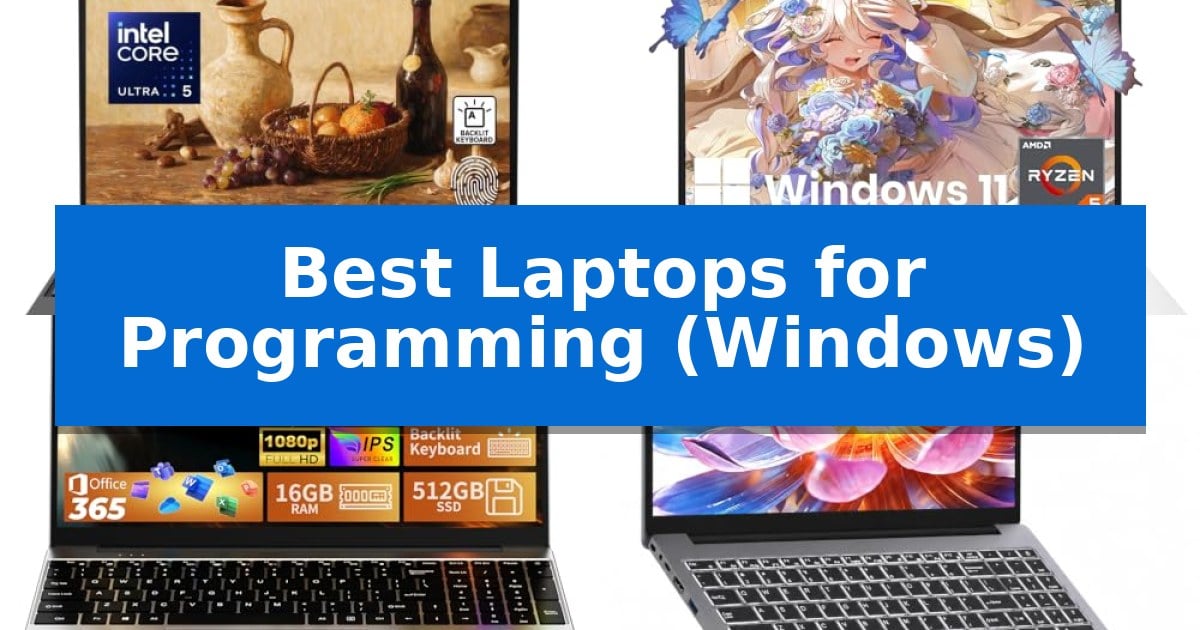
Finding the right hardware for software development requires balancing processing power, memory, and display real estate. Whether you are compiling code, managing databases, or running virtual machines, the Best Laptops for Programming (Windows) must provide a reliable environment for your specific development stack.
This guide evaluates current Windows-based laptops to help you identify which machine aligns with your workflow. We focus on technical specifications, port availability, and build quality to ensure you can make an informed decision for your next development workstation.
Best Laptops for Programming (Windows) in 2026: Engineered for Coding
Quick Comparison
| Product | Best For | Key Strength | Score |
|---|---|---|---|
| Lenovo ThinkPad T16 Laptop | Best Overall | 16:10 WUXGA display provides extra vertical space for coding. | 4.9 |
| HP EliteBook 645 G9 Laptop | Reliable Performance for Business Dev | MIL-STD-810H military-grade durability for reliable field use. | 4.3 |
| MOONFISH 2026 Laptop | Balanced Specs for Student Projects | 16GB RAM and 512GB SSD for efficient multitasking | 4.9 |
| WISESWAN Windows 11 Laptop | Budget-Friendly Multitasking Capability | 12GB of RAM provides better multitasking headroom than standard 8GB entry-level configurations. | 4.6 |
| Lenovo 100e Windows Netbook | Ultra-Portable for Basic Scripting | Ultra-portable design weighing only 2.2 pounds. | 4.8 |
How We Chose
- Processor architecture and core count for handling multi-threaded compilation tasks.
- Memory capacity and type to ensure smooth multitasking across IDEs and local servers.
- Display resolution and panel quality for clear, extended coding sessions.
- Connectivity options, including port variety for peripherals and external monitors.
- Build durability and portability for developers who work across multiple locations.
1 Lenovo ThinkPad T16 Laptop — AI-Ready Power for Complex Coding
Efficient development workflows often depend on hardware that balances processing power with expansive screen real estate. The Lenovo ThinkPad T16 Laptop addresses this by integrating an Intel Core Ultra 5 225U processor, which features 12 cores and an integrated Intel AI Boost NPU capable of 12 TOPS of acceleration for specialized workloads.
The device centers on a 16-inch WUXGA IPS display with a 16:10 aspect ratio. This configuration provides a taller vertical workspace, which is beneficial for viewing long code blocks or managing side-by-side IDE panels. The 400-nit brightness and anti-glare surface are engineered to maintain visibility across varied lighting environments.
For multitasking and storage, the system includes 8GB of DDR5 RAM and a 512GB PCIe 4.0 NVMe SSD. Lenovo supplements the internal storage with an included 500GB portable HDD, providing a dedicated space for project archives or backups. The unit is built to MIL-STD-810H standards, ensuring durability for professional use.
Connectivity options are robust, featuring two Thunderbolt 4 ports, two USB-A ports, and HDMI 2.1 for external monitor setups. Security is managed through the ThinkShield suite, which includes a discrete TPM 2.0 chip and a fingerprint reader integrated into the power button, while the Windows 11 Pro operating system supports advanced device management requirements.
Best for: Developers and professionals requiring a large, high-resolution screen and AI-accelerated processing for multitasking.
Skip if: Users who require high-capacity onboard RAM for memory-intensive virtualization or heavy compilation tasks may find the 8GB configuration limiting.
PROS
- 16:10 WUXGA display provides extra vertical space for coding.
- Intel AI Boost NPU offers hardware-level acceleration for AI tasks.
- Dual Thunderbolt 4 ports allow for high-speed peripheral and display connectivity.
- MIL-STD-810H durability ensures a robust build for daily professional use.
CONS
- 8GB DDR5 RAM may be insufficient for complex memory-heavy development environments.
- Large 16-inch form factor increases the overall footprint compared to ultra-portable alternatives.
2 HP EliteBook 645 G9 Laptop — Reliable Performance for Business Dev
The HP EliteBook 645 G9 Laptop is built for professionals who require a balance of mobility and robust processing power, featuring the 6-core AMD Ryzen 5 PRO 5675U processor. This hardware configuration is specifically tuned to handle demanding business applications and data-intensive analysis, making it a viable candidate for developers working in Windows environments.
Designed with a focus on durability and portability, the device weighs only 1.37 kg (3 lbs) and adheres to MIL-STD-810H military standards. This construction ensures the laptop can withstand the rigors of travel for consultants and field technicians who need a reliable machine across multiple work locations.
For extended coding sessions, the 14-inch Full HD anti-glare display minimizes reflections and eye strain. The system includes 16GB of DDR4 RAM and a 256GB PCIe SSD, which facilitates rapid application loading and responsive system performance during multitasking workflows.
Connectivity is a primary strength of this model, offering a comprehensive array of ports including USB-C with power delivery, three USB-A ports, HDMI, and a dedicated RJ-45 Gigabit Ethernet port. This wide selection allows developers to connect to essential peripherals and wired networks without the need for additional dongles.
Best for: Business professionals and developers who require a portable, durable Windows laptop with extensive legacy and modern port connectivity.
Skip if: Users who require high-capacity internal storage for large datasets or intensive local media libraries may find the 256GB SSD limiting.
PROS
- MIL-STD-810H military-grade durability for reliable field use.
- Comprehensive port selection including native RJ-45 Ethernet and HDMI.
- Energy-efficient 6-core AMD Ryzen PRO processor for multitasking.
- Anti-glare display designed to reduce eye strain during long sessions.
CONS
- Limited 256GB storage capacity may require external drives for large projects.
- 90-day warranty period is shorter than standard new hardware offerings.
3 MOONFISH 2026 Laptop — Balanced Specs for Student Projects
The MOONFISH 2026 Laptop provides a balanced foundation for development tasks by pairing a capable i5 processor with 16GB of RAM and a 512GB SSD. This hardware configuration is designed to handle multitasking and rapid file access, which are essential for maintaining a smooth workflow when running integrated development environments or managing multiple project files simultaneously.
Designed with a 15.6-inch FHD (1920×1080) IPS display, this laptop offers a clear workspace for viewing code and documentation. The inclusion of a full backlit keyboard ensures that typing remains comfortable and accurate, even in low-light environments, while the 0.8-inch thin profile and 3.5 lb weight make it a portable option for those who need to move between workspaces.
Connectivity is addressed through a versatile port selection, including Type-C, USB 3.0, Mini HDMI, and a micro SD card slot, allowing for the integration of external monitors and peripherals. The device comes pre-installed with Windows 11 Pro and lifetime Office 365, providing a ready-to-use environment for business and academic projects right out of the box.
To support long work sessions, the unit features a 38.5Wh battery and is backed by a 2-year warranty with 24/7 online support. This combination of hardware, software, and support services makes it a practical choice for students and professionals seeking a reliable machine for daily programming and office tasks.
Best for: Students and professionals requiring a portable, ready-to-use Windows 11 machine for coding and general productivity tasks.
Skip if: Users who require high-end dedicated graphics or extreme processing power for intensive tasks like 3D rendering or large-scale machine learning.
PROS
- 16GB RAM and 512GB SSD for efficient multitasking
- Full backlit keyboard for comfortable typing in any lighting
- Windows 11 Pro and lifetime Office 365 pre-installed
- 2-year warranty with 24/7 online support
CONS
- 38.5Wh battery may limit extended unplugged usage compared to higher-capacity alternatives
4 WISESWAN Windows 11 Laptop — Budget-Friendly Multitasking Capability
The WISESWAN Windows 11 Laptop offers a practical foundation for coding tasks by combining an Intel Core i3 processor with 12GB of RAM. This configuration provides the necessary overhead for running integrated development environments, managing multiple browser tabs for documentation, and handling background processes simultaneously without significant slowdowns.
Designed for versatility, the device features a 15.6-inch Full HD anti-glare display that helps reduce eye strain during extended programming sessions. The inclusion of a backlit keyboard is a functional addition for developers working in low-light environments, ensuring key visibility during late-night debugging or project completion.
Connectivity is a priority for modern development workflows, and this machine includes WiFi 6 for stable network access. The I/O selection is robust for a portable unit, offering three USB 3.0 ports, a Type-C port with PD3.0 fast charging, and an HDMI 2.1 output for connecting external monitors to expand your workspace.
Portability remains a key factor for students or professionals on the move, with the unit weighing 1.63kg and measuring 19.5mm in thickness. With a 57.75Wh battery providing approximately 7 hours of mixed-use life, it supports a full day of academic or light professional tasks away from a power outlet.
Best for: Students and entry-level developers requiring a portable, budget-friendly Windows machine for coding and daily productivity.
Skip if: Users who require high-performance hardware for heavy virtualization, local machine learning model training, or intensive graphical rendering.
PROS
- 12GB of RAM provides better multitasking headroom than standard 8GB entry-level configurations.
- WiFi 6 and Bluetooth 5.2 ensure modern, high-speed wireless connectivity.
- Versatile I/O including USB-C with PD3.0 and HDMI 2.1 for multi-monitor setups.
- Expandable storage via a TF card slot supporting up to 2TB.
CONS
- Dual-core processor may limit performance in highly parallelized or resource-heavy development environments.
- Integrated Intel UHD Graphics 620 is not suitable for GPU-accelerated tasks or modern gaming.
5 Lenovo 100e Windows Netbook — Ultra-Portable for Basic Scripting
The Lenovo 100e Windows Netbook provides a compact, portable platform for developers who require a lightweight machine for basic scripting and remote terminal tasks. Weighing just 2.2 pounds and measuring 11.4 inches in length, this device is designed for users who prioritize mobility and a minimal footprint in their workspace.
Equipped with an Intel Celeron N4020 Dual-core processor and 4 GB of RAM, the system is tailored for light-duty computing. The 64 GB Flash Memory offers sufficient space for essential development environments and text-based editors, while the 11.6" HD Display with a resolution of 1366 x 768 provides a functional interface for code review and terminal management.
This netbook is built with a focus on practical design, featuring a slim 0.78-inch profile that fits easily into bags for travel. The inclusion of Windows provides a familiar environment for those integrating into standard development workflows, ensuring compatibility with common command-line tools and lightweight IDEs.
While the hardware is optimized for portability, users should note the constraints of the 4 GB RAM and 64 GB storage capacity. This machine is best suited for focused, single-task programming sessions rather than resource-intensive compilation or virtualization, making it a specialized tool for specific coding needs.
Best for: Developers who need a highly portable, lightweight machine for basic scripting, text editing, and remote terminal access.
Skip if: Users who require high-performance hardware for compiling large codebases, running virtual machines, or managing memory-intensive development environments.
PROS
- Ultra-portable design weighing only 2.2 pounds.
- Compact 11.6-inch form factor ideal for tight workspaces.
- Windows operating system compatibility for standard development tools.
CONS
- Limited 4 GB RAM restricts multitasking and heavy resource usage.
- 64 GB storage capacity may require external solutions for large projects.
Best Laptops for Programming (Windows) Buying Guide
Processor and Performance
The processor is the heart of your development machine. For most coding tasks, look for modern multi-core CPUs that can handle background processes while you run your primary IDE. Higher core counts are particularly beneficial when running containers or virtual machines.
Consider the thermal management of the chassis. A powerful processor that throttles due to heat will negate its performance benefits during long compilation cycles. Look for laptops that prioritize sustained performance over peak burst speeds.
Memory and Storage Requirements
Programming environments are increasingly memory-intensive. While 8GB may suffice for basic scripting, 16GB or more is recommended for modern web development, mobile app building, or data analysis. Fast RAM, such as DDR5, can further improve responsiveness.
Storage speed is equally vital for project load times and system boot speed. NVMe PCIe SSDs are the standard, offering the high read/write speeds necessary for large codebases. Always ensure your storage capacity can accommodate your development tools, libraries, and local project files.
Display and Ergonomics
A high-resolution display with an anti-glare coating is essential for reducing eye strain during long hours of coding. A 16:10 or 3:2 aspect ratio is often preferred by developers as it provides more vertical space for viewing code blocks.
Ergonomics extend to the keyboard and touchpad. A tactile, backlit keyboard is a significant advantage for late-night coding sessions. Ensure the keyboard layout feels natural to your typing style to maintain speed and accuracy.
Connectivity and Expansion
A developer's workspace often involves multiple external monitors, docking stations, and peripherals. Look for a robust selection of ports, including Thunderbolt 4 or USB-C with Power Delivery, which allow for single-cable connectivity to your entire desk setup.
Wireless connectivity, such as Wi-Fi 6E, ensures stable and fast network access for pulling repositories and deploying code. Bluetooth 5.x support is also useful for connecting wireless peripherals without occupying limited USB ports.
Durability and Portability
If you frequently travel or work from different locations, the physical build of your laptop matters. Look for chassis that meet military-grade durability standards, as these are designed to withstand the rigors of daily transport.
Weight and thickness are critical for portability, but they should not come at the expense of necessary cooling or port selection. A well-balanced laptop offers a professional design that is easy to carry while remaining functional for a full day of work.
Frequently Asked Questions
How much RAM do I need for programming?
For basic web development or scripting, 8GB is the minimum. However, for professional development involving virtual machines, Docker containers, or large IDEs, 16GB or more is highly recommended.
Is a dedicated GPU necessary for programming?
Most programming tasks rely on CPU and RAM. A dedicated GPU is only necessary if your development work involves machine learning, 3D rendering, or game development.
Why is the aspect ratio important for coding?
A 16:10 or 3:2 aspect ratio provides more vertical screen space than the traditional 16:9, allowing you to see more lines of code at once without excessive scrolling.
Are renewed laptops reliable for development?
Renewed laptops can be a cost-effective choice, provided they come from a reputable source and include a warranty. Always verify the internal components match your performance requirements.
Can I upgrade the storage on these laptops?
Upgradability varies by model. Some business-class laptops allow for easy SSD replacement, while others have soldered components. Check the specific technical documentation for your chosen model.
Conclusion: Our Top Pick
When selecting the Lenovo ThinkPad T16 Laptop, you are choosing a machine built for sustained professional productivity. Its combination of an AI-ready processor, 16-inch anti-glare display, and comprehensive port selection makes it a highly capable workstation for complex coding tasks.
While the included 8GB of RAM may require an upgrade for extremely heavy multitasking, the overall build quality and security features provide a stable foundation for any developer. It remains our top recommendation for those seeking a reliable, business-ready Windows laptop for daily programming.