
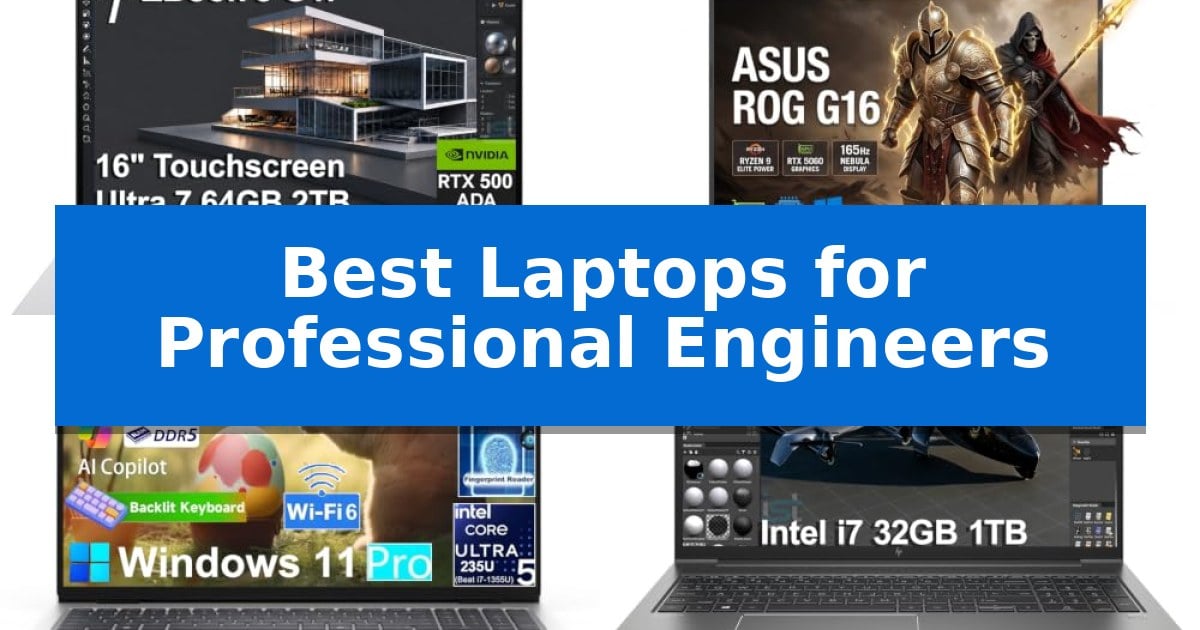
Professional engineering demands hardware that can handle complex simulations, 3D modeling, and intensive data processing without compromise. Finding the Best Laptops for Professional Engineers requires balancing raw computational power with the reliability needed for mission-critical software like SolidWorks and AutoCAD.
Our analysis focuses on mobile workstations that offer ISV certifications, robust thermal management, and professional-grade graphics. Whether you are an architect, a simulation specialist, or a data analyst, these machines are engineered to maintain productivity in demanding environments.
Best Laptops for Professional Engineers in 2026
Quick Comparison
| Product | Best For | Key Strength | Score |
|---|---|---|---|
| HP ZBook 8 G1i Mobile Workstation | Best Overall | ISV-certified performance for professional engineering software like AutoCAD and SolidWorks. | 4.9 |
| ASUS ROG Strix G16 Laptop | High-Speed Multitasking Power | High-performance AMD Ryzen 9 9955HX processor with 16 cores for intensive multitasking. | 4.3 |
| Dell Pro 16 Business Laptop | Reliable Daily Professional Compute | 64GB DDR5 RAM allows for extensive multitasking and memory-intensive applications. | 4.8 |
| HP ZBook Power Mobile Workstation | Portable Technical Design Platform | ISV certifications ensure stable operation for professional engineering software. | 4.3 |
How We Chose
- ISV Certification: Ensuring software compatibility for tools like AutoCAD, SolidWorks, and Revit.
- Processing Power: Prioritizing multi-core performance for complex simulations and multitasking.
- Graphics Capability: Assessing dedicated GPU performance for 3D rendering and visualization.
- Connectivity and Expansion: Evaluating the availability of Thunderbolt, Ethernet, and multi-display support.
- Build Quality and Thermal Stability: Confirming the chassis durability and cooling efficiency under sustained heavy loads.
1 HP ZBook 8 G1i Mobile Workstation — Certified for CAD and Simulation
The HP ZBook 8 G1i Mobile Workstation provides a specialized foundation for engineering workflows by integrating an Intel Core Ultra 7 255H processor with 16 cores and an NVIDIA RTX 500 Ada GPU. This combination is specifically configured to handle demanding tasks such as 3D rendering, complex simulations, and AI-driven design processes, supported by ISV certifications for industry-standard applications like SolidWorks, AutoCAD, and MATLAB.
Engineered for high-intensity multitasking, the system includes 64GB of DDR5 RAM and a 2TB PCIe NVMe M.2 SSD, ensuring rapid data access and smooth performance during multi-layer project management. The 16-inch WUXGA (1920×1200) touchscreen offers a 300-nit anti-glare display, providing the visual clarity required for precise CAD work and detailed modeling.
Connectivity is a primary focus for professional environments, featuring 2x Thunderbolt 4 ports that support multi-display setups up to 8K@60Hz. The inclusion of Wi-Fi 7 and a physical Ethernet (RJ-45) port ensures stable, high-speed networking for remote collaboration and large file transfers. Security is managed through HP Wolf Pro Security and an integrated fingerprint reader, while the 5MP IR privacy-shutter webcam facilitates secure, high-quality video conferencing.
Designed for professional mobility, the laptop maintains a sleek form factor while housing robust hardware. The Windows 11 Pro operating system provides enterprise-grade management tools, including BitLocker and Remote Desktop, making it a comprehensive solution for engineers and architects who require consistent, reliable performance across both office and field-based environments.
Best for: Professional engineers and architects requiring ISV-certified performance for CAD, 3D simulation, and AI-enhanced design workflows.
Skip if: Users who prioritize ultra-lightweight portability or a 4K resolution display may find the 16-inch form factor and WUXGA resolution less suitable for their specific needs.
PROS
- ISV-certified performance for professional engineering software like AutoCAD and SolidWorks.
- High-capacity memory and storage with 64GB DDR5 RAM and 2TB SSD.
- Comprehensive connectivity including Thunderbolt 4, Wi-Fi 7, and Ethernet.
- Enterprise-grade security features including HP Wolf Pro Security and IR webcam.
CONS
- WUXGA resolution may be limiting for users requiring higher-density 4K displays.
- Fixed hardware configuration requires professional resealing for memory or storage upgrades.
2 ASUS ROG Strix G16 Laptop — High-Speed Multitasking Power
Engineers requiring substantial computational overhead for complex simulations, 3D rendering, and multitasking will find the ASUS ROG Strix G16 Gaming Laptop a formidable workstation. At its core, the device is driven by the AMD Ryzen 9 9955HX processor, which utilizes 16 cores and 32 threads with boost clocks reaching 5.4GHz, providing the necessary throughput for demanding technical workflows.
Visual precision is managed by the 16-inch WUXGA ROG Nebula display, which features a 165Hz refresh rate and a 3ms response time. This configuration is designed to maintain fluid motion tracking, which is beneficial for engineers working with high-frame-rate visualizations or detailed modeling interfaces. The inclusion of an NVIDIA GeForce RTX 5060 laptop GPU with 8GB of dedicated GDDR7 VRAM ensures that graphics-intensive tasks are handled with dedicated hardware resources.
For multitasking and large-scale data management, the laptop is equipped with 64GB of DDR5-5600MHz RAM and a 2TB PCIe Gen 4 NVMe SSD. This memory capacity allows for the simultaneous operation of multiple engineering applications without data bottlenecks, while the high-speed storage supports rapid load times for large project files and libraries.
Thermal stability is maintained through the ASUS ROG Intelligent Cooling architecture, which is engineered to channel airflow across internal components to prevent throttling during intensive, prolonged sessions. The unit also includes Windows 11 Pro, an RGB backlit keyboard with a numeric keypad, and Dolby Atmos acoustic processing, rounding out a package that balances raw power with functional design for professional environments.
Best for: Professional engineers and creators who require high-core-count processing, significant RAM capacity, and dedicated GPU performance for complex simulations and multitasking.
Skip if: Users who prioritize extreme portability or long battery life over raw computational power and thermal management capacity.
PROS
- High-performance AMD Ryzen 9 9955HX processor with 16 cores for intensive multitasking.
- Generous 64GB DDR5 RAM and 2TB PCIe Gen 4 SSD for handling large datasets.
- Dedicated NVIDIA RTX 5060 GPU with GDDR7 VRAM for graphics-heavy engineering tasks.
- ROG Intelligent Cooling system to maintain stability during sustained high-load operations.
CONS
- Substantial weight of 5.51 pounds may impact portability for frequent travelers.
- The 16-inch form factor and cooling requirements result in a thicker chassis design.
3 Dell Pro 16 Business Laptop — Reliable Daily Professional Compute
The Dell Pro 16 Business Laptop centers its utility on a high-capacity 64GB DDR5 RAM configuration, providing the overhead necessary for engineers running multiple virtual machines, complex data analysis tools, or large-scale simulations simultaneously. This hardware foundation ensures that memory-intensive professional applications remain responsive during heavy multitasking sessions.
Equipped with an Intel Core Ultra 5 235U processor featuring 12 cores and 14 threads, the device manages demanding business workloads with clock speeds reaching up to 4.9GHz. This processing capability is paired with a 2TB SSD, offering significant local storage for large project files, CAD models, and technical documentation, while facilitating rapid boot times and quick file access.
The 16-inch WUXGA (1920 x 1200) display utilizes a 16:10 aspect ratio, which increases vertical screen real estate. This design choice is particularly beneficial for viewing extensive spreadsheets, long lines of code, or technical schematics without excessive scrolling. The screen is rated at 300 nits, providing sufficient brightness for standard office environments.
Connectivity and security are integrated through Wi-Fi 6E and Bluetooth 5.3, ensuring stable network performance for remote collaboration and video conferencing. The inclusion of a fingerprint reader adds a layer of biometric security for quick access, while the backlit keyboard supports productivity in low-light conditions. The system arrives pre-installed with Windows 11 Pro, offering the security and management tools required for professional workstation environments.
Best for: Professional engineers and power users who require high RAM capacity and significant local storage for multitasking and data-heavy workflows.
Skip if: Users who require a dedicated high-end GPU for intensive 3D rendering or specialized graphical engineering tasks, as this model focuses on general business and data-processing performance.
PROS
- 64GB DDR5 RAM allows for extensive multitasking and memory-intensive applications.
- 2TB SSD provides ample space for large project files and fast data retrieval.
- 16:10 aspect ratio display offers increased vertical workspace for technical documents.
- Wi-Fi 6E ensures modern, high-speed wireless connectivity.
CONS
- Integrated graphics may limit performance in specialized 3D rendering or GPU-accelerated engineering software.
- 4.27-pound weight is relatively substantial for frequent travel compared to ultra-portable alternatives.
4 HP ZBook Power Mobile Workstation — Portable Technical Design Platform
Engineers and technical designers require a machine that balances raw processing power with the reliability needed for complex simulations and CAD workflows. The HP ZBook Power Mobile Workstation is built for these high-demand environments, featuring an Intel Core i7-12800H processor with 14 cores and 32GB of DDR5 memory to handle large datasets and intensive multitasking without compromise.
Designed for professional stability, this workstation includes NVIDIA RTX A1000 4GB professional graphics, which are essential for accelerated rendering and 3D modeling. The system is backed by Independent Software Vendor (ISV) certifications, ensuring that critical engineering software like AutoCAD, SolidWorks, and ANSYS runs with consistent performance.
The chassis is constructed from durable all-aluminum and meets MIL-STD 810H standards, providing the physical resilience required for field work or frequent travel. Despite its robust build, it maintains a professional aesthetic while housing an 83Wh battery to sustain productivity throughout the workday.
Connectivity is a highlight for technical setups, as the device supports dual external 4K monitors via Thunderbolt 4 and HDMI without needing a separate docking station. With an integrated RJ-45 Ethernet port, Wi-Fi 6, and a privacy-shuttered webcam, it is equipped for both high-speed data transfer and secure remote collaboration.
Best for: Professional engineers and architects who require ISV-certified performance for CAD, 3D modeling, and complex technical simulations.
Skip if: Users seeking an ultra-lightweight or thin-and-light laptop for casual use will find the workstation's focus on heavy-duty performance and durable chassis construction unnecessary.
PROS
- ISV certifications ensure stable operation for professional engineering software.
- Robust all-aluminum chassis meets MIL-STD 810H durability standards.
- Thunderbolt 4 and HDMI ports enable multi-monitor setups without a dock.
- High-performance Intel Core i7-12800H processor handles demanding computational tasks.
CONS
- 90-day warranty period is shorter than standard consumer laptops.
- Professional workstation design prioritizes performance and durability over extreme portability.
Best Laptops for Professional Engineers Buying Guide
Understanding ISV Certification
ISV (Independent Software Vendor) certification is a critical factor for professional engineers. It guarantees that the laptop's hardware and drivers have been tested and verified to work seamlessly with specific engineering applications.
Using a certified machine minimizes the risk of crashes, graphical glitches, or data loss during long simulation runs or complex 3D modeling sessions.
Processor and Memory Requirements
Engineering workloads rely heavily on multi-core processors. Look for high-thread-count CPUs that can handle parallel tasks, such as running a simulation while simultaneously managing a large CAD assembly.
64GB of DDR5 RAM is increasingly becoming the standard for professional workstations, providing the headroom necessary for large datasets and complex multi-layer projects.
Graphics Performance for 3D Modeling
While gaming GPUs offer high frame rates, professional engineers benefit more from NVIDIA RTX Ada or A-series graphics. These cards are optimized for precision, stability, and specific viewport performance in CAD software.
Dedicated video memory (VRAM) is essential for rendering high-resolution textures and complex geometric models without stalling the system.
Connectivity and Multi-Display Setups
A professional engineer's workspace often involves multiple monitors, external drives, and network-attached storage. Thunderbolt 4 ports provide the high-speed bandwidth required for these peripherals.
Having a dedicated RJ-45 Ethernet port is also vital for stable, high-speed data transfers in office or laboratory environments where Wi-Fi might be inconsistent.
Thermal Management and Durability
High-performance computing generates significant heat. A well-designed mobile workstation must feature robust thermal management to prevent throttling during long-duration rendering or compute-intensive tasks.
Look for chassis designs that meet MIL-STD 810H standards, ensuring the laptop can withstand the physical rigors of field work, travel, and daily professional use.
Frequently Asked Questions
Do I need a workstation-class GPU for CAD?
While consumer GPUs can run CAD software, workstation-class GPUs like the NVIDIA RTX Ada series offer better stability and are specifically optimized for the precision required in professional engineering applications.
Why is ISV certification important?
ISV certification ensures that your hardware is officially supported by software developers, which significantly reduces the likelihood of software-related crashes or performance bottlenecks.
How much RAM is enough for engineering?
For modern 3D modeling and simulation, 32GB is a baseline, but 64GB is recommended to ensure smooth multitasking and the ability to handle large, complex assemblies without performance degradation.
Are gaming laptops suitable for engineering?
Gaming laptops often feature high-performance CPUs and GPUs, but they may lack the ISV certifications, thermal endurance, and professional-grade build quality found in dedicated mobile workstations.
What is the benefit of a 16:10 display aspect ratio?
A 16:10 aspect ratio provides more vertical screen real estate, which is highly beneficial for viewing spreadsheets, long lines of code, and complex CAD toolbars simultaneously.
Conclusion: Our Top Pick
When selecting a machine for professional engineering, the HP ZBook 8 G1i Mobile Workstation stands out as the most balanced choice. Its combination of ISV-certified performance, high-speed connectivity, and robust security features makes it a reliable platform for demanding CAD and simulation workflows.
While other options offer specific advantages in gaming or general business, the ZBook series is purpose-built for the technical requirements of engineers. It provides the necessary stability and power to handle complex projects, ensuring that your hardware remains an asset rather than a bottleneck in your professional environment.