
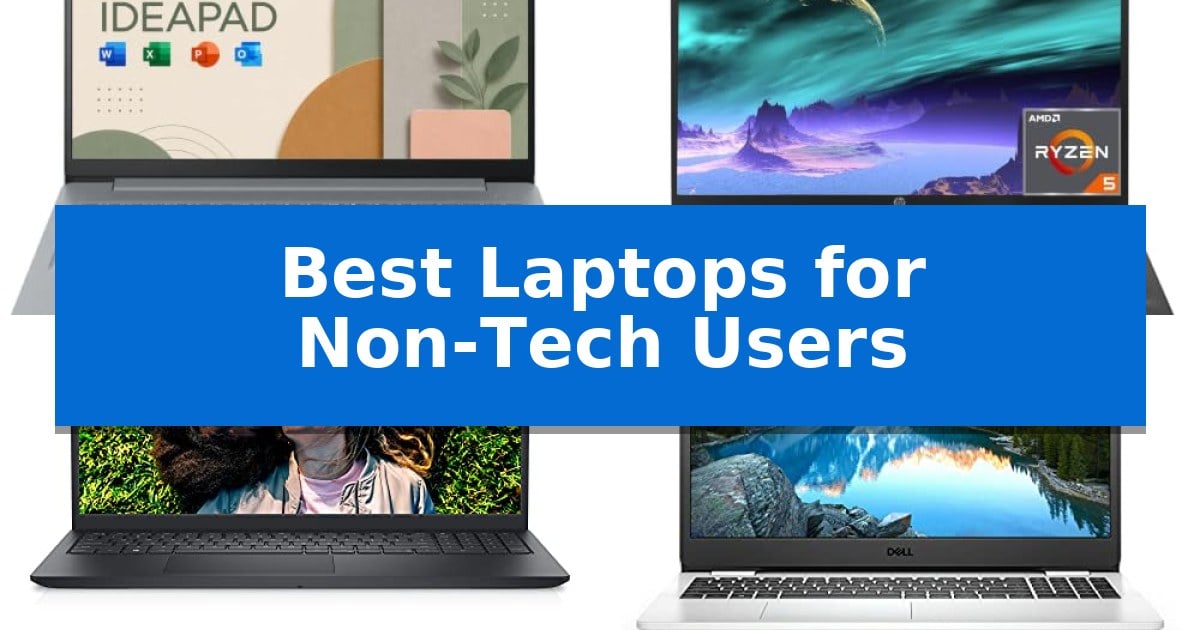
Finding the right computer shouldn't feel like learning a new language. For those who prioritize straightforward functionality over complex specifications, selecting the Best Laptops for Non-Tech Users requires focusing on reliability, clear displays, and out-of-the-box usability.
Whether you are managing household documents, browsing the web, or staying connected with family, the ideal device should minimize setup time and maximize comfort. We have evaluated several options to help you find a machine that supports your daily routine without unnecessary technical hurdles.
Best Laptops for Non-Tech Users in 2026
Quick Comparison
| Product | Best For | Key Strength | Score |
|---|---|---|---|
| Lenovo IdeaPad Slim 3i Laptop | Best Overall | Pre-installed Microsoft 365 subscription for immediate productivity. | 4.9 |
| HP 17 Laptop | Large Screen for Easy Viewing | Spacious 17.3-inch anti-glare display for comfortable viewing. | 4.8 |
| Dell Inspiron 15 3511 Laptop | Ergonomic Design for Comfort | Ergonomic lift hinge improves typing comfort. | 4.6 |
| Dell Inspiron 15 3505 Laptop | Straightforward Everyday Computing | AMD Ryzen 3 processor provides efficient performance for daily tasks. | 4.4 |
| Dell Latitude 7300 Business Laptop | Reliable Compact Productivity | Ready to use with Windows 11 Pro pre-installed. | 4.8 |
How We Chose
- Display clarity and anti-glare features for reduced eye strain during extended use.
- Ergonomic design elements, such as lift hinges and comfortable keyboard layouts.
- Out-of-the-box readiness with pre-installed operating systems and essential software.
- Connectivity options that ensure compatibility with common peripherals and wireless networks.
- Build quality and physical dimensions that balance screen real estate with desk space.
1 Lenovo IdeaPad Slim 3i Laptop — Simple Setup for Daily Tasks
The Lenovo IdeaPad Slim 3i Laptop simplifies daily computing by integrating an Intel N150 processor with a streamlined, 0.7-inch thin chassis. This device is engineered for users who prioritize a straightforward, reliable interface for document editing, web browsing, and general productivity without the added complexity of touch-screen navigation.
Visuals are delivered via a 15.6-inch Full HD display, which utilizes an anti-glare coating and 250 nits of brightness to maintain clarity in various lighting conditions. The inclusion of a full-size keyboard enhances typing comfort, while the integrated HD webcam features a built-in privacy shutter, providing a physical safeguard for personal security when the camera is not in use.
Out-of-the-box functionality is a core focus, as the laptop comes pre-loaded with Windows 11 and a 1-year subscription to Microsoft 365. This ensures that essential office software is ready for immediate deployment, reducing the need for time-consuming setup or additional software purchases.
Connectivity remains flexible despite the slim profile, featuring USB Type-C and Type-A ports alongside an HDMI output for external display support. Wireless networking is managed through Wi-Fi 6 and Bluetooth, ensuring stable connections for both home and travel environments. With a weight of 5 pounds, the unit balances portability with the necessary hardware for consistent, daily use.
Best for: Users seeking a simple, reliable laptop for basic productivity, web browsing, and document editing.
Skip if: Users requiring high-performance hardware for intensive tasks like video editing, 3D rendering, or gaming.
PROS
- Pre-installed Microsoft 365 subscription for immediate productivity.
- Full-size keyboard for comfortable typing.
- Integrated privacy shutter for the HD webcam.
- Versatile port selection including USB-C and HDMI.
CONS
- Limited storage capacity at 128GB SSD.
- Non-touch display may not suit users accustomed to tablet-like navigation.
2 HP 17 Laptop — Large Screen for Easy Viewing
The HP 17 Laptop offers a substantial 17.3-inch anti-glare display, providing a spacious workspace that simplifies document editing and web browsing for users who prefer a larger view. By prioritizing screen real estate, this device reduces the need for constant window switching, making it a practical choice for daily administrative tasks and media consumption.
Under the hood, this laptop is powered by an AMD Ryzen 5 7430U 6-Core processor, which provides the necessary computing power to handle multitasking and streaming without significant friction. It comes equipped with 16GB of DDR4 RAM and a 512GB PCIe SSD, ensuring that applications load efficiently and providing ample space for personal files. The inclusion of an extra 2.5-inch hard drive bay allows for future storage expansion if your library grows over time.
Designed for straightforward usability, the chassis features a full-size keyboard complete with a dedicated numeric keypad, which is particularly useful for those who frequently work with spreadsheets or data entry. The system arrives with Windows 11 Home pre-installed, meaning it is ready for immediate use. Connectivity is handled by modern Wi-Fi 6 and Bluetooth 5.4 standards, ensuring stable wireless performance for home or office environments.
While the large form factor provides a comfortable viewing experience, it is worth noting that the device weighs 4.5 pounds, which is a consideration for those who prioritize portability. The 720P HD webcam and standard port selection round out a package focused on delivering a reliable, out-of-the-box experience for general computing needs.
Best for: Users who prioritize a large, easy-to-read screen and a full-sized keyboard for comfortable home or office productivity.
Skip if: Users who require a lightweight, highly portable device for frequent travel will likely find the 17.3-inch form factor and 4.5-pound weight cumbersome.
PROS
- Spacious 17.3-inch anti-glare display for comfortable viewing.
- 16GB of RAM ensures smooth multitasking for daily applications.
- Expandable storage via an extra 2.5-inch hard drive bay.
- Full-size keyboard with a dedicated numeric keypad.
CONS
- Larger footprint and 4.5-pound weight reduce portability.
- Non-backlit keyboard may be difficult to use in low-light conditions.
3 Dell Inspiron 15 3511 Laptop — Ergonomic Design for Comfort
The Dell Inspiron 15 3511 Laptop prioritizes user comfort through a thoughtful lift hinge design that elevates the keyboard to an ergonomic typing angle. This 15.6-inch device is built for daily reliability, featuring tiny rubber feet and hinge bumpers that provide stability on hard surfaces, preventing unwanted skidding during use.
Visual clarity and eye health are addressed via the Full HD LED non-touch WVA display, which incorporates Dell ComfortView Low Blue Light Software. This solution is designed to optimize eye comfort by reducing harmful blue light emissions, making it a practical choice for extended periods of screen time.
Portability remains a focus despite the larger screen size, as the laptop utilizes a three-side narrow bezel to keep the overall footprint compact enough to fit into most bags. The chassis also reflects a commitment to sustainability by incorporating post-consumer recycled plastics in its construction.
Powered by an Intel Core i3-1115G4 processor paired with 8GB of DDR4 RAM and a 256GB PCIe SSD, this machine provides a balanced configuration for standard computing tasks. It comes equipped with Windows 11 Home and Intel UHD Graphics, offering a straightforward, ready-to-use experience for those who prefer a reliable, no-fuss computing environment.
Best for: Users seeking an ergonomic, reliable laptop for daily productivity and comfortable long-term viewing.
Skip if: Users requiring high-performance hardware for intensive gaming, video editing, or professional creative software.
PROS
- Ergonomic lift hinge improves typing comfort.
- ComfortView Low Blue Light software reduces eye strain.
- Sustainable design featuring post-consumer recycled plastics.
- Narrow bezel display maximizes screen area in a compact frame.
CONS
- Non-touch display limits interaction options.
- Entry-level i3 processor may struggle with heavy multitasking.
4 Dell Inspiron 15 3505 Laptop — Straightforward Everyday Computing
The Dell Inspiron 15 3505 is designed for users who prioritize a straightforward, reliable computing experience without the complexity of high-end hardware. At its core, the AMD Ryzen 3 3250U Mobile Processor works in tandem with 8GB of DDR4 RAM to provide a stable foundation for daily activities such as web browsing, document creation, and media streaming. This combination ensures that common applications remain responsive, making it a practical choice for home or office environments where efficiency is the primary goal.
Visual clarity is provided by the 15.6-inch FHD display, which offers a spacious, glare-resistant workspace suitable for reading text and viewing media. Because the screen is a non-touch model, it maintains a consistent, matte-like viewing experience that avoids the fingerprints often associated with touch-sensitive panels. This focus on a clean, functional display helps keep the user's attention on their work or entertainment.
Storage and graphics are handled by a 256GB SSD and integrated AMD APU graphics. The SSD is a significant benefit for general users, as it allows for faster file access and quicker system boot times compared to traditional mechanical drives. While the integrated graphics are not intended for intensive gaming or professional video editing, they are well-suited for standard media playback and general productivity tasks, keeping the system cool and quiet during normal operation.
The device comes pre-installed with Windows 10 Home, ensuring a familiar interface that is ready for immediate use. With a silver chassis and a weight of 5.94 pounds, the laptop is built with a focus on utility. While its size makes it less portable than lightweight ultrabooks, it provides a substantial, stable footprint for desk-based work, serving as a dependable tool for those who need a no-fuss setup.
Best for: Users seeking a reliable, no-frills laptop for essential daily tasks like web browsing, document creation, and media consumption.
Skip if: Users who require high-performance hardware for intensive gaming, professional video editing, or those who prioritize a lightweight device for frequent travel.
PROS
- AMD Ryzen 3 processor provides efficient performance for daily tasks.
- 256GB SSD ensures faster boot times and file access.
- 15.6-inch FHD display offers a clear and spacious viewing area.
- 8GB DDR4 RAM supports stable multitasking for standard applications.
CONS
- Non-touch screen may limit navigation preferences for some users.
- 5.94-pound weight makes it less portable than ultrabook alternatives.
5 Dell Latitude 7300 Business Laptop — Reliable Compact Productivity
The Dell Latitude 7300 Business Laptop provides a straightforward computing experience by arriving with Windows 11 Pro pre-installed, allowing users to start working immediately upon opening the lid. This device is designed for those who require a reliable machine for daily tasks such as web browsing, document management, and video conferencing without the complexity of configuring a new system from scratch.
Equipped with an Intel Core i5-8365U processor, the laptop delivers consistent performance for everyday productivity. Multitasking is supported by 16GB of DDR4 RAM, while the 512GB M.2 SSD ensures quick boot times and provides ample space for personal files and essential applications. The 13.3-inch Full HD display offers a clear visual workspace, and the integrated webcam and microphone facilitate remote communication.
This professionally refurbished unit is tested to ensure it meets quality standards and includes a 90-day warranty for added peace of mind. Its compact design, measuring 0.6 inches in height, makes it a portable solution for home or office use. By focusing on essential hardware and a clean software environment, it serves as a practical tool for users who prioritize functionality and ease of use.
Best for: Users seeking a reliable, ready-to-use laptop for daily productivity, web browsing, and video calls.
Skip if: Users who require the latest high-end processor for intensive creative software, gaming, or heavy video editing.
PROS
- Ready to use with Windows 11 Pro pre-installed.
- 16GB DDR4 RAM enables smooth multitasking for standard applications.
- 512GB M.2 SSD provides fast storage and quick system responsiveness.
- Professionally refurbished and tested for reliable performance.
CONS
- Non-touch display may not suit users accustomed to tablet-like navigation.
- Refurbished status means it is not a brand-new factory unit.
Best Laptops for Non-Tech Users Buying Guide
Understanding Display Specifications
For non-tech users, the display is the most important interface. Look for Full HD or HD+ resolutions, which provide enough sharpness for reading text and viewing photos without requiring complex scaling adjustments. An anti-glare coating is a critical feature, as it minimizes distracting reflections from overhead lighting or windows.
Consider the physical size of the screen based on your primary use case. A 15.6-inch or 17.3-inch display offers a larger canvas, making it easier to read documents and manage multiple windows side-by-side. If you spend significant time reading, look for features like Low Blue Light software to help maintain eye comfort.
Prioritizing Ergonomics and Comfort
Daily computing should not result in physical strain. Many modern laptops feature a lift hinge design, which elevates the rear of the keyboard deck to create a more natural typing angle. This small adjustment can significantly improve wrist comfort during long sessions of email or document editing.
Check for a full-size keyboard, especially one that includes a dedicated numeric keypad. This is particularly beneficial for users who frequently enter data or manage household budgets, as it provides a familiar layout similar to traditional desktop keyboards.
Connectivity and Peripheral Support
A laptop should work seamlessly with the devices you already own. Ensure your chosen model has a variety of ports, including USB Type-A for legacy flash drives and mice, and HDMI for connecting to external monitors or televisions. A headphone/mic combo jack remains essential for private video calls.
Wireless connectivity is equally vital. Look for Wi-Fi 6 support to ensure a stable and fast connection to your home network, and Bluetooth capabilities for pairing wireless headphones or speakers without needing complex wired setups.
Storage and Memory Basics
For general tasks, you do not need excessive technical power, but you do need responsiveness. A Solid State Drive (SSD) is essential for quick boot times and snappy application loading compared to older hard drive technologies. Aim for at least 256GB of storage to house your photos, documents, and essential programs.
Memory, or RAM, determines how many tasks you can handle at once. While 8GB is generally sufficient for web browsing and office applications, 16GB provides a smoother experience if you tend to keep many browser tabs open simultaneously. Prioritize these components to ensure the laptop remains fast over several years.
Operating System and Software Readiness
The best laptops for non-tech users are those that are ready to use immediately. Models pre-installed with Windows 11 provide a modern, intuitive interface that is widely supported. Some devices even include productivity suites like Microsoft 365, which allow you to start working on documents and spreadsheets right away.
When purchasing, look for machines that emphasize a simple setup process. Avoid devices that require complex driver installations or manual configuration. A laptop that allows you to simply open the lid and begin your tasks is the hallmark of a user-friendly experience.
Frequently Asked Questions
Do I need a touchscreen for everyday tasks?
While touchscreens can be convenient, they are not strictly necessary for standard document editing or web browsing. Non-touch displays often feature anti-glare coatings that are better for reducing reflections and eye strain.
What is the benefit of a numeric keypad?
A numeric keypad is a set of number keys on the right side of the keyboard. It is highly beneficial for users who frequently input numerical data, such as household expenses or tax forms, as it mimics the layout of a calculator.
How much storage do I actually need?
For most users, 256GB is sufficient for the operating system, common applications, and a large collection of documents. If you store thousands of high-resolution photos or videos, you may want to look for a model with 512GB or an expandable drive bay.
Is a renewed or refurbished laptop a good choice?
Refurbished laptops, such as those that have been professionally tested and certified, can offer excellent value. They are often restored to look and work like new, providing a reliable option at a lower price point than brand-new models.
What is a lift hinge?
A lift hinge is a design feature where the back of the laptop chassis is slightly raised when the screen is opened. This tilts the keyboard toward the user, which can make typing more comfortable and improve airflow for cooling.
Conclusion: Our Top Pick
Choosing the right laptop is about finding a balance between reliable performance and ease of use. For most users, the Lenovo IdeaPad Slim 3i Laptop stands out as the top choice due to its straightforward setup, portable design, and inclusion of essential productivity software.
While other models offer specific advantages like larger screens or increased memory, the Lenovo provides a well-rounded experience that minimizes technical friction. By focusing on your specific needs—whether that is screen size, portability, or keyboard layout—you can select a machine that serves as a dependable tool for your daily digital life.