
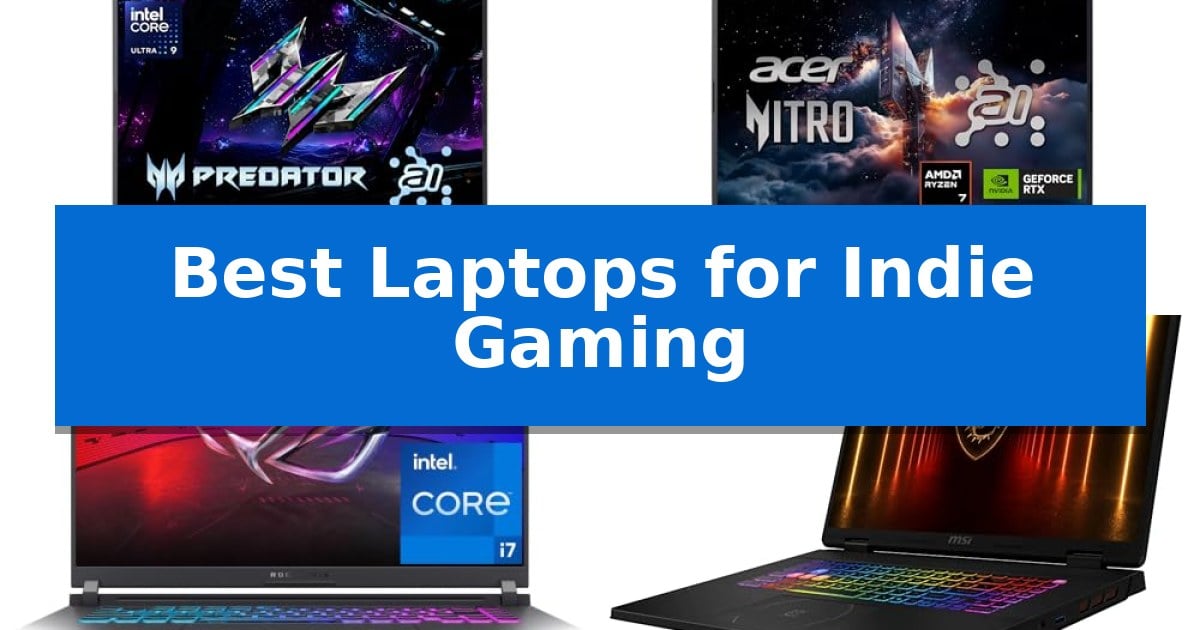
Indie games often prioritize unique art styles and innovative mechanics over raw graphical demand, yet they still require a reliable machine to run smoothly. Finding the Best Laptops for Indie Gaming means balancing sufficient processing power with a display that brings vibrant, stylized worlds to life without needing a massive, heavy chassis.
Whether you are exploring sprawling pixel-art landscapes or fast-paced platformers, the right hardware ensures your experience remains fluid and immersive. We have evaluated several current models to help you identify which device best matches your specific gaming habits and portability needs.

Best Laptops for Indie Gaming in 2026: Compact Power for Indie Titles
Quick Comparison
| Product | Best For | Key Strength | Score |
|---|---|---|---|
| Acer Predator Helios Neo 14 Gaming Laptop | Best Overall | High-performance hardware including the Intel Core Ultra 9 and RTX 5070 GPU. | 4.9 |
| Acer Nitro V 16S Gaming Laptop | Smooth Visuals for Indie Action | NVIDIA Blackwell architecture with 572 AI TOPS for advanced graphics. | 4.7 |
| ASUS ROG Strix G16 Gaming Laptop | Advanced Cooling for Marathon Sessions | Advanced ROG Intelligent Cooling with liquid metal and vapor chamber technology. | 4.6 |
| msi Crosshair 18 HX Gaming Laptop | Immersive Display for Indie Worlds | High-refresh 240Hz QHD+ display for fluid motion. | 4.5 |
| Acer Nitro V Gaming Laptop | Efficient Performance for Indie Games | 180Hz refresh rate display minimizes motion blur for fluid gameplay. | 4.4 |
How We Chose
- GPU and CPU performance balance for modern indie engine requirements.
- Display refresh rates and color accuracy to ensure stylized art looks sharp.
- Thermal management systems to maintain stability during extended sessions.
- Portability and build quality for users who game on the move.
- Connectivity options for external peripherals and high-speed networking.
1 Acer Predator Helios Neo 14 Gaming Laptop — Compact Powerhouse for Indie Titles
The Acer Predator Helios Neo 14 Gaming Laptop centers its design around a compact 14.5-inch form factor, providing a portable solution for gamers who require high-end hardware without the bulk of traditional desktop-replacement machines. By integrating the Intel Core Ultra 9 processor 285H and the NVIDIA GeForce RTX 5070 Laptop GPU, this device delivers significant computational power for both modern gaming and AI-accelerated tasks.
Performance is bolstered by the inclusion of 32GB of LPDDR5X memory and a 1TB PCIe Gen 4 SSD, ensuring rapid data access for demanding titles. The display features a 165Hz refresh rate and WQXGA resolution, utilizing NVIDIA G-SYNC and Advanced Optimus to maintain visual fluidity. For thermal management, the system employs 5th Gen AeroBlade 3D fans and liquid metal thermal grease to sustain efficiency during extended sessions.
Connectivity options are extensive for a chassis of this size, featuring a Thunderbolt 4 port, HDMI 2.1, and multiple USB 3.2 Gen 2 ports. The inclusion of Killer Wireless Wi-Fi 6E AX1675 ensures stable networking, while the customizable 3-zone RGB keyboard allows for personalization. Users can manage system performance and fan profiles through the PredatorSense interface, which also provides access to AI-driven resource tools.
Weighing 4.19 lbs, this laptop balances rugged construction with mobility. The 16:10 aspect ratio display offers extra vertical screen space, which is beneficial for both gaming immersion and general productivity. While the compact footprint is ideal for travel, the internal cooling architecture is engineered to handle the thermal output of its high-performance components.
Best for: Gamers who need a high-performance, portable machine capable of handling demanding titles and AI-accelerated workloads in a compact 14.5-inch form factor.
Skip if: Users who require a larger screen for professional-grade creative work or those who prioritize maximum upgradeability beyond the available M.2 slot.
PROS
- High-performance hardware including the Intel Core Ultra 9 and RTX 5070 GPU.
- Compact 14.5-inch display with a fast 165Hz refresh rate and G-SYNC support.
- Advanced cooling system featuring liquid metal thermal grease and 5th Gen AeroBlade 3D fans.
- Versatile port selection including Thunderbolt 4 and HDMI 2.1.
CONS
- Limited internal storage expansion with only one additional M.2 slot available.
- Compact chassis design may result in higher surface temperatures under sustained maximum load.
2 Acer Nitro V 16S Gaming Laptop — Smooth Visuals for Indie Action
The Acer Nitro V 16S Gaming Laptop distinguishes itself through the integration of the NVIDIA Blackwell architecture, utilizing the GeForce RTX 5060 Laptop GPU to provide 572 AI TOPS for advanced ray tracing and neural rendering. This hardware foundation is paired with the AMD Ryzen 7 260 processor, which delivers up to 38 AI Overall TOPS, ensuring that both demanding gaming sessions and AI-driven creative workflows are handled with efficiency.
Visual fidelity is managed by a 16-inch WUXGA display that features a 180Hz refresh rate and 100% sRGB color coverage. This combination of high-speed motion handling and color accuracy is designed to support the varied aesthetic demands of indie titles, from fast-paced action games to visually intricate art-heavy projects. The inclusion of DLSS 4 with Multi Frame Generation further assists in maintaining fluid frame rates during complex sequences.
Internal capacity is built for longevity and performance, featuring 32GB of DDR5 5600MHz memory across two slots. Storage needs are met by a 1TB PCIe Gen 4 SSD, with an additional M.2 slot available for future expansion. This configuration provides a robust baseline for users who require significant multitasking overhead and fast data access speeds for large game libraries.
While the device offers significant processing power, it maintains a portable form factor weighing 4.63 pounds with a thickness of 0.79 inches. The inclusion of Wi-Fi 6 ensures stable connectivity for online gaming, while the one-year International Travelers Limited Warranty provides support for users who may be mobile. This laptop balances high-end graphical capabilities with the practical requirements of a modern gaming setup.
Best for: Gamers and creators who require a balance of high-refresh-rate visuals and AI-accelerated processing for both indie gaming and content production.
Skip if: Users who prioritize extreme portability or long-distance battery life over high-performance desktop-replacement hardware will find the 4.63-pound weight and power-hungry components less suitable for their needs.
PROS
- NVIDIA Blackwell architecture with 572 AI TOPS for advanced graphics.
- 180Hz WUXGA display with 100% sRGB coverage for smooth and accurate visuals.
- 32GB DDR5 memory and expandable storage via an extra M.2 slot.
- AI-powered performance via AMD Ryzen 7 260 and DLSS 4 technologies.
CONS
- Weight of 4.63 pounds may be cumbersome for frequent travelers.
- Power requirements for the RTX 5060 GPU may limit battery longevity during intensive gaming.
3 ASUS ROG Strix G16 Gaming Laptop — Advanced Cooling for Marathon Sessions
Maintaining consistent thermal performance during long gaming sessions is essential for hardware longevity, and the ASUS ROG Strix G16 (2025) Gaming Laptop addresses this with an advanced ROG Intelligent Cooling system. By utilizing an end-to-end vapor chamber, tri-fan technology, and Conductonaut extreme liquid metal applied directly to the chipset, this machine is engineered to manage heat effectively under sustained loads.
At the heart of its performance is an Intel Core i7 Processor 14650HX paired with an NVIDIA GeForce RTX 5060 Laptop GPU. This combination leverages the NVIDIA Blackwell architecture, incorporating DLSS 4 and Max-Q technologies to support demanding graphical tasks. The system is rounded out by 16GB of DDR5-5600MHz memory and a 1TB PCIe Gen 4 SSD, ensuring rapid data access for modern game libraries.
Visuals are rendered on a 16-inch FHD+ 16:10 display featuring a 165Hz refresh rate and a 3ms response time. To improve clarity, the screen includes a new ACR film designed to enhance contrast while minimizing glare. The chassis also features a 360° RGB light bar that integrates with existing peripherals, though users can activate Stealth Mode to disable all lighting for a more understated aesthetic.
Connectivity and portability are balanced through the inclusion of Wi-Fi 7 and a design that measures 0.9 inches in thickness. While it offers high-level performance, the unit weighs approximately 5.84 pounds, making it a substantial piece of hardware for those prioritizing desktop-class cooling and processing power in a portable form factor.
Best for: Gamers who require sustained thermal management and high-refresh-rate visuals for intensive indie and AAA titles.
Skip if: Users who prioritize a lightweight, ultra-thin form factor for frequent travel may find the 5.84-pound weight and 0.9-inch profile less convenient.
PROS
- Advanced ROG Intelligent Cooling with liquid metal and vapor chamber technology.
- NVIDIA Blackwell architecture GPU supporting DLSS 4.
- 165Hz FHD+ display with anti-glare ACR film.
- Wi-Fi 7 support for modern high-speed networking.
CONS
- Substantial weight of 5.84 pounds may limit portability.
- Fixed 16GB memory configuration may require consideration for specific high-memory workloads.
4 msi Crosshair 18 HX Gaming Laptop — Immersive Display for Indie Worlds
The msi Crosshair 18 HX Gaming Laptop centers its performance around the Intel Core Ultra 9 Processor 275HX, a 24-core powerhouse capable of boosting up to 5.4 GHz. This hardware configuration is designed to handle demanding indie titles that prioritize complex physics or high-fidelity art styles, ensuring smooth operation alongside its 32GB of DDR5 5600MHz RAM.
Visual fidelity is managed by an expansive 18-inch QHD+ (2560×1600) IPS display that features a 240Hz refresh rate. The inclusion of a 100% DCI-P3 color gamut provides accurate color reproduction, which is beneficial for developers or creators who double as gamers. The NVIDIA GeForce RTX 5070 with 8GB of GDDR7 memory drives these visuals, offering the necessary overhead for advanced ray tracing and AI-accelerated rendering.
Storage and connectivity are streamlined for modern workflows. A 2TB NVMe SSD ensures rapid boot times and quick access to large game libraries, while Intel Wi-Fi 6E AX211 and Bluetooth 5.3 provide stable wireless links. The chassis houses a 720p HD webcam with a privacy shutter and a premium audio setup consisting of dual 2W speakers and dual 2W woofers for integrated sound.
While the 18-inch form factor offers an immersive experience, it results in a device weighing approximately 13.14 pounds. This makes it a stationary powerhouse rather than a highly portable machine, fitting best into a dedicated home desk setup where screen real estate is the primary priority.
Best for: Gamers and creators who require a large, high-refresh-rate display and significant processing power for a dedicated home gaming station.
Skip if: Users who prioritize portability or frequent travel, as the 18-inch form factor and 13.14-pound weight are designed for stationary use.
PROS
- High-refresh 240Hz QHD+ display for fluid motion.
- Powerful Intel Core Ultra 9 275HX processor for heavy multitasking.
- 2TB NVMe SSD provides ample high-speed storage.
- 100% DCI-P3 color gamut ensures vibrant and accurate visuals.
CONS
- Heavy 13.14-pound weight limits portability.
- Large 18-inch footprint requires significant desk space.
5 Acer Nitro V Gaming Laptop — Efficient Performance for Indie Games
The Acer Nitro V Gaming Laptop is designed for users who need a balance of performance and portability, featuring the Intel Core 7 processor 240H and the NVIDIA GeForce RTX 5050 Laptop GPU. This combination supports simultaneous gaming, streaming, and creative tasks, with Intel Application Optimization managing resources in real time to maintain efficiency.
Visuals are rendered on a 16-inch WUXGA display that offers a 180Hz refresh rate and a 3ms Overdrive Response Time. The 16:10 aspect ratio and 300nit brightness provide a clear workspace for both gaming and productivity, while DLSS 4 technology utilizes AI to enhance frame rates and image quality during demanding graphical sequences.
Thermal management is handled by an advanced dual-fan cooling system with quad-intake and quad-exhaust architecture. Users can monitor and adjust these settings via NitroSense AI Performance Tracking, which allows for real-time fan speed customization to ensure stable performance during extended sessions.
Connectivity is robust, featuring a Thunderbolt 4 USB-C port, HDMI 2.1, and Intel Killer Wi-Fi 6 AX1650. The device includes 16GB of DDR5 memory and a 1TB PCIe Gen 4 SSD, with an additional slot available to expand memory up to 32GB, making it a versatile choice for those who prioritize upgradeability and peripheral support.
Best for: Gamers and creators who require a balance of high-refresh-rate visuals and multi-tasking performance in a portable 16-inch form factor.
Skip if: Users who require a lightweight ultrabook for travel or those who need more than 32GB of RAM for professional-grade workstation tasks.
PROS
- 180Hz refresh rate display minimizes motion blur for fluid gameplay.
- Thunderbolt 4 and HDMI 2.1 provide extensive connectivity for high-speed peripherals.
- Dual-fan cooling system maintains stable performance during multitasking.
- Expandable memory supports up to 32GB of DDR5 RAM.
CONS
- Weight of 5.29 lbs may be heavy for frequent travelers.
- Limited to 32GB maximum RAM capacity.
Best Laptops for Indie Gaming Buying Guide
Understanding GPU Requirements for Indie Titles
While indie games are generally less demanding than AAA titles, many modern releases utilize advanced lighting and physics engines. A dedicated NVIDIA GeForce RTX series GPU provides the necessary overhead for ray tracing and AI-enhanced rendering, ensuring that even visually dense indie games maintain high frame rates.
Look for GPUs that support DLSS technology, as this can significantly boost performance in games that might otherwise be unoptimized. Having a capable graphics card ensures your laptop remains relevant as indie developers continue to push the boundaries of visual fidelity.
The Importance of Display Quality
Indie games often rely on distinct color palettes and intricate art styles. A display with 100% sRGB color gamut coverage is essential for seeing these games exactly as the developers intended. High color accuracy prevents washed-out visuals and ensures that vibrant, stylized graphics pop.
A 165Hz or 240Hz refresh rate provides a smoother experience, particularly in fast-paced action or platforming games. Combined with G-SYNC or similar adaptive sync technologies, you can eliminate screen tearing, which is crucial for maintaining immersion during intense gameplay moments.
Thermal Management and Sustained Performance
Gaming laptops generate significant heat, which can lead to thermal throttling if not managed correctly. Advanced cooling solutions, such as liquid metal thermal grease and multi-fan architectures, are vital for keeping internal components at optimal temperatures during long gaming sessions.
Effective heat dissipation not only protects your hardware but also ensures consistent performance. A well-cooled laptop prevents sudden frame rate drops, allowing you to enjoy your favorite indie titles without interruption or hardware fatigue.
Portability vs. Screen Real Estate
Indie gaming often happens in various environments, from home desks to coffee shops. A 14-inch or 16-inch form factor offers a sweet spot between screen real estate and portability. Smaller chassis designs are easier to carry, while larger screens provide a more expansive view of detailed game worlds.
Consider the weight and dimensions of the chassis. A lighter, more compact build is ideal if you travel frequently, whereas a larger 18-inch model might be better suited for a stationary setup where maximum immersion is the priority.
Connectivity and Future-Proofing
Your gaming setup often involves more than just the laptop. Ensure your device has a robust selection of ports, including Thunderbolt 4 and HDMI 2.1, to support high-resolution external monitors and high-speed accessories. These interfaces provide the bandwidth necessary for modern displays and high-speed data transfers.
Reliable networking, such as Wi-Fi 6E or Wi-Fi 7, is essential for downloading large game libraries and playing multiplayer indie titles without lag. A well-connected laptop ensures you are ready for both current gaming demands and future updates.
Frequently Asked Questions
Do I need a high-end GPU for indie games?
While many indie games are lightweight, modern titles with complex 3D graphics benefit significantly from a dedicated GPU. An RTX-series card provides the performance buffer needed for smooth gameplay and advanced features like ray tracing.
Is a high refresh rate display necessary for indie games?
A high refresh rate, such as 165Hz or higher, makes movement in fast-paced action and platformer games appear much smoother. It is a noticeable upgrade over standard 60Hz panels for any gaming experience.
How does thermal management affect my gaming experience?
Effective cooling prevents thermal throttling, which is when a laptop slows down to reduce heat. Good cooling ensures your game maintains a consistent frame rate throughout your entire session.
What is the benefit of DLSS for indie gaming?
DLSS uses AI to boost frame rates and improve image quality. Even in less demanding indie titles, it can help maintain high FPS at higher resolutions, providing a more fluid visual experience.
Are 14-inch laptops powerful enough for gaming?
Yes, modern 14-inch gaming laptops are designed to pack significant power into a compact frame. They are excellent for gamers who prioritize portability without wanting to sacrifice performance.
Conclusion: Our Top Pick
For gamers seeking the best balance of power, portability, and display performance for indie titles, the Acer Predator Helios Neo 14 Gaming Laptop stands out as our top recommendation. Its combination of the Intel Core Ultra 9 processor and NVIDIA RTX 5070 GPU provides exceptional performance in a compact, travel-friendly chassis.
This laptop is well-equipped to handle both current indie hits and future releases with its high-refresh-rate display and advanced cooling system. While it is a premium choice, the investment is justified by its build quality and the seamless, high-fidelity gaming experience it delivers for a wide range of titles.