
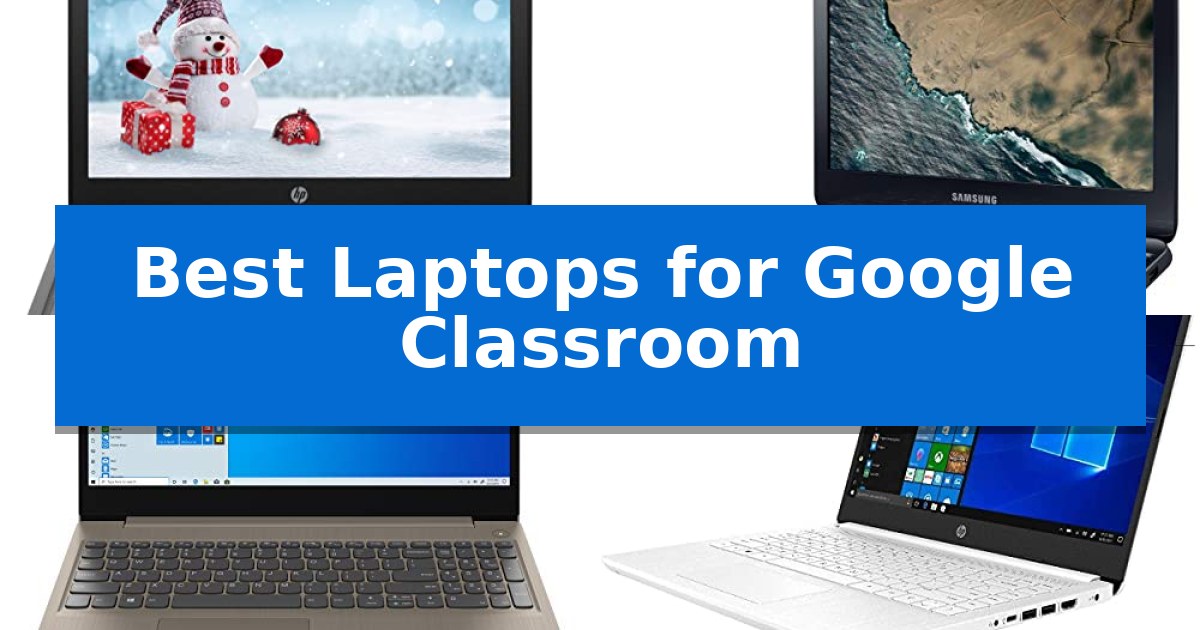
Finding the right device for educational environments requires balancing essential software compatibility with long-term reliability. When selecting the Best Laptops for Google Classroom, the primary focus must be on consistent performance for web-based applications, video conferencing, and document management.
Students and educators need hardware that integrates seamlessly with cloud-based platforms while remaining portable enough for daily use. This guide evaluates five distinct models to help you identify which device aligns with your specific academic requirements and budget constraints.
Best Laptops for Google Classroom in 2026
Quick Comparison
| Product | Best For | Key Strength | Score |
|---|---|---|---|
| HP 11 Chromebook | Best Overall | Compact and lightweight design for easy transport. | 4.9 |
| Samsung Chromebook 3 | Portable Choice for Students | 11-hour battery life supports extended use throughout the school day. | 4.8 |
| Lenovo IdeaPad 3 | Larger Screen for Multitasking | Full HD 1080p display provides clear visuals for text and video. | 4.4 |
| HP 14 Laptop | Balanced Daily Computing | 8GB DDR4 RAM allows for smooth multitasking across browser tabs and applications. | 4.8 |
| HP Stream 14 Laptop | Lightweight Design for Mobility | Lightweight design at 3.24 lbs for easy transport | 4.9 |
How We Chose
- Processing power and memory capacity for multitasking across browser tabs and educational apps.
- Display quality and screen size to ensure clear visibility for reading and video lessons.
- Portability and build weight for students moving between classrooms or study spaces.
- Connectivity options including webcam quality and port availability for peripherals.
- Operating system compatibility with standard web-based classroom platforms.
1 HP 11 Chromebook — Streamlined for Educational Tasks
The HP 11 Chromebook provides a compact, portable solution for educational environments, measuring just 11.4 inches in length and weighing 2.35 pounds. Its design is specifically tailored for students and users who require a lightweight device for daily tasks such as accessing Google Classroom or participating in video meetings.
Equipped with a MediaTek MT8183 Octa-Core Processor and 4GB of RAM, this laptop is built to handle standard web-based applications and educational software efficiently. The inclusion of 32GB eMMC storage provides sufficient space for essential files, while the Chrome OS environment ensures a streamlined, secure experience focused on cloud-based productivity.
Connectivity and usability are prioritized through integrated WiFi and a built-in webcam, which are essential for remote learning and virtual collaboration. The device also features a USB Type-C port, offering a modern standard for charging and peripheral connectivity, ensuring compatibility with current educational hardware setups.
With its Ash Gray finish and durable construction, the HP 11 Chromebook balances functional design with the portability needed for a classroom setting. It serves as a dedicated tool for students, providing the necessary interface to manage assignments and stay connected without the complexity of traditional desktop operating systems.
Best for: Students and users needing a highly portable, lightweight device for Google Classroom and web-based educational tasks.
Skip if: Users who require extensive local storage, high-performance computing for video editing, or a larger screen for multitasking.
PROS
- Compact and lightweight design for easy transport.
- MediaTek Octa-Core Processor optimized for web-based tasks.
- USB Type-C connectivity for modern charging and peripherals.
- Chrome OS provides a secure, student-friendly interface.
CONS
- Limited 32GB eMMC storage capacity.
- 4GB RAM may restrict heavy multitasking.
2 Samsung Chromebook 3 — Portable Choice for Students
The Samsung Chromebook 3 provides a lightweight, portable computing solution for students, weighing just 2.54 lbs. Its 11.6-inch anti-glare display is designed to minimize reflections, making it a practical choice for classroom environments where lighting conditions can vary. By reducing glare, this screen helps maintain visibility during long study sessions, which is essential for students focusing on digital coursework.
Powered by an Intel Celeron N3060 dual-core processor with a max turbo speed of 2.16GHz, this device runs on Chrome OS. It includes 4GB of LPDDR3 RAM and 16GB of eMMC storage, a configuration specifically optimized for web-based applications and cloud-integrated workflows. This setup allows students to access Google Classroom and other browser-based tools efficiently without the overhead of heavy local software.
Connectivity is handled through a variety of ports, including USB 3.0, USB 2.0, HDMI, and a DisplayPort, allowing for easy connection to external monitors or peripherals. The inclusion of a 720p webcam supports video conferencing for remote learning, while the 802.11ac wireless LAN ensures stable network access for streaming educational content.
With a rated 11 hours of battery life from its 2-cell li-ion battery, this laptop is built to last through a typical school day without needing a constant power source. Its compact footprint and functional port selection make it a straightforward tool for students managing digital assignments, offering a balance of mobility and essential connectivity for modern learning environments.
Best for: Students requiring a lightweight, portable device for web-based classroom tasks and cloud-based learning.
Skip if: Users who require significant local storage capacity or high-performance hardware for intensive software applications.
PROS
- 11-hour battery life supports extended use throughout the school day.
- Anti-glare display reduces eye strain and reflections in bright classrooms.
- Lightweight 2.54 lbs design is easy for students to carry between classes.
- Versatile port selection including HDMI and USB 3.0 for peripheral connectivity.
CONS
- Limited 16GB eMMC storage requires reliance on cloud-based file management.
- 1366 x 768 resolution is standard for this class but lacks high-definition clarity.
3 Lenovo IdeaPad 3 — Larger Screen for Multitasking
Managing digital assignments requires a reliable display and consistent processing power, which is why the Lenovo IdeaPad 3 is a practical candidate for students. This device features a 15.6" Full HD Anti-glare Display with a resolution of 1920 x 1080, providing ample screen real estate for viewing multiple browser tabs or documents simultaneously during remote learning sessions.
Under the hood, the laptop is equipped with an AMD Ryzen 5 3500U Quad-Core Processor and 8GB of DDR4 SDRAM. This combination supports standard multitasking needs, such as running educational web applications, video conferencing, and word processing. The 256GB SSD offers sufficient storage for school files while contributing to faster system responsiveness compared to traditional hard drives.
Connectivity and usability are addressed through integrated WiFi 802.11ac and Bluetooth 5.0 for stable peripheral and network connections. The inclusion of a 720p HD Webcam and Dolby Audio dual speakers facilitates participation in virtual classrooms. Physical connectivity includes two USB 3.1 ports, one USB 2.0 port, and an HDMI output for external monitor support.
The chassis includes a 4-in-1 Media Card Reader, which is useful for transferring photos or documents from external storage. With its 15.6-inch form factor, the laptop balances a larger viewing area with a weight of approximately 4 pounds, making it a stationary-focused choice for home-based study environments.
Best for: Students requiring a larger screen for multitasking and document management within a home-based learning environment.
Skip if: Users who prioritize extreme portability or long-distance travel, as the 15.6-inch form factor and 4-pound weight are better suited for desk-bound use.
PROS
- Full HD 1080p display provides clear visuals for text and video.
- AMD Ryzen 5 processor delivers capable performance for educational software.
- 256GB SSD ensures quick access to files and applications.
- Versatile port selection including HDMI and multiple USB inputs.
CONS
- Larger 15.6-inch footprint may be less convenient for small desks or frequent travel.
- Standard 720p webcam resolution is sufficient but basic for high-definition video requirements.
4 HP 14 Laptop — Balanced Daily Computing
The HP 2021 Newest 14' Laptop provides a functional foundation for educational environments by combining an Intel Celeron N4020 processor with 8GB of DDR4 RAM. This hardware configuration is designed to handle multiple browser tabs and common educational applications simultaneously, making it a practical choice for students navigating digital coursework.
Visual clarity for reading and assignments is supported by a 14-inch diagonal HD anti-glare micro-edge display with a resolution of 1366×768. The integration of Intel UHD Graphics 600 ensures consistent image quality for standard internet browsing and basic media playback, while the anti-glare coating helps maintain visibility in various lighting conditions.
Storage management is handled through a hybrid system consisting of 64GB eMMC flash memory paired with a 256GB Micro SD card, offering a total of 320GB of space. This setup facilitates quick boot-up times and provides sufficient capacity for document storage and high-definition video playback, which are essential for active learning environments.
For immediate productivity, the device includes a pre-installed 1-year subscription to MS Office 365 and operates on Windows 10 in S mode. This software suite allows students to begin working on assignments immediately, while the inclusion of a built-in webcam and HDMI port ensures the device is ready for video conferencing and external display connectivity.
Best for: Students requiring a budget-conscious, reliable laptop for web-based coursework and document management in a classroom setting.
Skip if: Users who require high-performance processing for intensive video editing, complex 3D rendering, or heavy gaming, as the Celeron processor and eMMC storage are optimized for basic productivity.
PROS
- 8GB DDR4 RAM allows for smooth multitasking across browser tabs and applications.
- Pre-installed 1-year MS Office 365 subscription provides immediate access to essential productivity tools.
- Anti-glare display reduces eye strain and improves visibility in bright environments.
- Hybrid storage system combines flash memory for speed with a Micro SD card for expanded capacity.
CONS
- Intel Celeron N4020 processor is limited to entry-level tasks and may struggle with demanding software.
- Windows 10 in S mode restricts application installation to the Microsoft Store unless switched to regular Windows.
5 HP Stream 14 Laptop — Lightweight Design for Mobility
The HP Stream 14 Laptop is engineered for students who require a highly mobile device, weighing just 3.24 pounds. This lightweight profile makes it a practical choice for transitioning between classrooms or establishing a compact, dedicated workspace for digital learning.
At the heart of the device is an Intel N4020 processor capable of speeds up to 2.8GHz, providing the necessary processing power for standard educational tasks. It is configured with 4GB of RAM and 64GB of eMMC storage, a baseline setup optimized for web-based applications and document management. To assist with storage needs, the package includes a 64GB SD card to supplement the internal drive.
Connectivity features are tailored for modern academic requirements, including an HDMI port for external display output and an integrated webcam for virtual sessions. The device is compatible with Google Classroom and Zoom, ensuring students have the essential tools for remote or hybrid learning workflows. Additionally, it comes with a one-year subscription to Office 365 to support productivity right out of the box.
Best for: Students requiring a lightweight, portable device for web-based schoolwork and virtual classroom participation.
Skip if: Users who need high-performance multitasking, heavy video editing capabilities, or large amounts of local storage for professional software.
PROS
- Lightweight design at 3.24 lbs for easy transport
- Includes 64GB SD card for expanded storage capacity
- Pre-loaded with 1 year of Office 365
- Integrated webcam and HDMI port for virtual learning
CONS
- Limited 4GB RAM may restrict multitasking performance
- 64GB eMMC storage is modest for large file collections
Best Laptops for Google Classroom Buying Guide
Processor and Memory Requirements
The processor is the engine of your laptop, determining how quickly it handles tasks like loading educational websites or running video calls. For most classroom activities, entry-level processors are sufficient, but having adequate RAM is crucial for keeping multiple browser tabs open simultaneously without significant slowdowns.
Students often run several applications at once, such as a video conferencing tool and a word processor. Choosing a device with at least 4GB to 8GB of RAM ensures that these tasks remain responsive throughout the school day.
Display and Visual Comfort
A clear display is essential for long study sessions. Look for anti-glare coatings, which help reduce eye strain caused by overhead lighting or sunlight in classrooms. Screen resolution, typically HD (1366×768) or Full HD (1920×1080), dictates the sharpness of text and images.
Screen size is a trade-off between screen real estate and portability. Smaller 11.6-inch models are highly portable, while 14-inch or 15.6-inch screens provide more space for side-by-side multitasking, which can be beneficial for research projects.
Storage Solutions
Modern student laptops often utilize eMMC flash memory or SSD storage. eMMC is common in budget-friendly Chromebooks, offering fast boot times for web-based tasks. SSD storage provides faster data access and is generally found in more versatile Windows-based laptops.
Since many classroom tasks are cloud-based, local storage needs may be lower than those of a professional workstation. However, having enough space for offline files and local documents remains a practical consideration for students.
Portability and Build
For students who carry their device in a backpack, weight is a significant factor. Laptops weighing under 3 pounds are generally easier to transport daily. Durable chassis materials and compact form factors help protect the device from the rigors of a school environment.
Consider the overall dimensions of the laptop to ensure it fits comfortably in standard school bags. A thinner profile often correlates with a lighter build, making it a preferred choice for mobile students.
Connectivity and Peripherals
Reliable webcam and microphone integration is non-negotiable for remote or hybrid learning. Ensure the laptop includes a built-in camera that provides clear video for virtual classroom participation.
Check for a variety of ports, such as USB Type-C, HDMI, and headphone jacks. These allow students to connect external monitors, projectors, or headsets, which are frequently required for presentations and focused study sessions.
Frequently Asked Questions
Do I need a high-end processor for Google Classroom?
No, Google Classroom is a web-based platform that runs efficiently on most modern entry-level processors. Focus more on sufficient RAM and a stable internet connection.
Is 4GB of RAM enough for a student?
Yes, 4GB is generally sufficient for basic web browsing, document editing, and video calls. If you plan to keep many tabs open or run more intensive applications, 8GB is a better choice.
What is the benefit of a Chromebook over a Windows laptop?
Chromebooks are optimized for web-based tasks and often provide longer battery life and faster boot times. Windows laptops offer more versatility if you need to run specific desktop software.
How important is screen resolution?
Higher resolution, such as Full HD, provides crisper text and more workspace. However, standard HD resolution is perfectly adequate for most classroom assignments.
Can I use external accessories with these laptops?
Yes, most of these laptops feature standard ports like USB and HDMI, allowing you to connect mice, keyboards, external drives, and monitors easily.
Conclusion: Our Top Pick
Selecting the right device depends on balancing your specific academic needs with portability and budget. For students prioritizing a streamlined, lightweight, and reliable experience for web-based learning, the HP 11 Chromebook stands out as a highly effective choice.
This model provides the essential features required for daily educational tasks, including a portable design and compatibility with classroom software. Its focus on efficiency makes it a practical solution for students who need a dependable tool for their studies.