
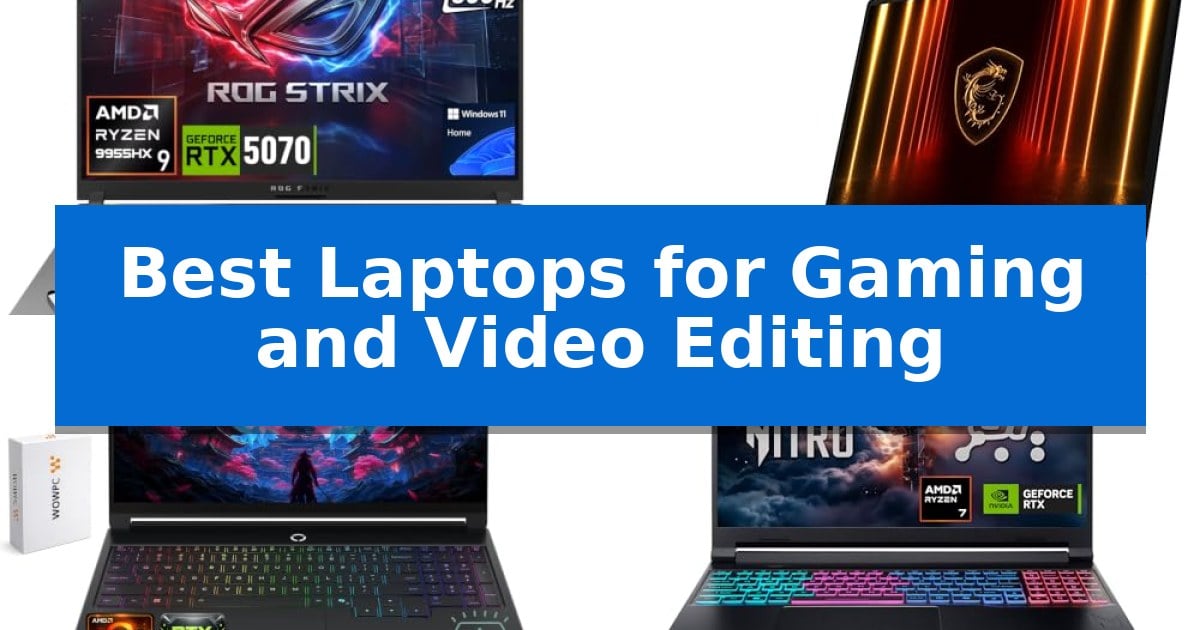
Finding the right machine for demanding tasks requires balancing raw processing power with thermal management and display accuracy. Whether you are rendering complex 4K timelines or competing in high-refresh-rate titles, the Best Laptops for Gaming and Video Editing must handle heavy sustained loads without compromising stability.
This guide evaluates current hardware options based on their ability to manage intensive creative workflows and gaming performance. By focusing on essential specifications like GPU capabilities, display color gamut, and cooling efficiency, we help you identify which device aligns with your specific professional or recreational needs.
Best Laptops for Gaming and Video Editing in 2026
Quick Comparison
| Product | Best For | Key Strength | Score |
|---|---|---|---|
| ASUS ROG Strix G16 | Best Overall | GeForce RTX 5070 GPU with GDDR7 memory for advanced rendering and gaming. | 4.9 |
| MSI Crosshair 18 HX AI | Expansive Display for Precision Editing | Expansive 18-inch QHD+ display with 240Hz refresh rate and 100% DCI-P3 color gamut. | 4.7 |
| Lenovo Legion 5a | Vivid OLED for Color Accuracy | 15.3-inch WQXGA OLED display with 100% DCI-P3 color accuracy. | 4.4 |
| Acer Nitro V 16S | AI-Accelerated Performance for Creators | AI-powered performance via AMD Ryzen 7 260 and NVIDIA RTX 5060 GPU. | 4.8 |
| MECHREVO Aurora 16X | High-Refresh Visuals for Smooth Editing | 16-core Intel Core i7-14650HX processor provides robust multi-threaded performance for demanding creat… | 4.9 |
How We Chose
- GPU performance and VRAM capacity for rendering and ray tracing.
- Display color accuracy, resolution, and refresh rate for visual precision.
- Thermal design efficiency to prevent performance throttling during long sessions.
- Processor core count and thread count for multitasking and compilation.
- Connectivity options for external peripherals and high-speed data transfer.
1 ASUS ROG Strix G16 — Elite Power for Creative Workflows
The ASUS ROG Strix G16 centers its performance around the GeForce RTX 5070 8GB GDDR7 GPU, a component engineered to provide a significant leap in ray tracing and AI-enhanced DLSS 4 capabilities. This hardware foundation is specifically tuned to accelerate demanding creative workflows, including video editing, 3D rendering, and graphic design, while maintaining the graphical overhead required for modern AAA gaming.
At the heart of the system is the AMD Ryzen 9 9955HX processor, featuring 16 cores and 32 threads with a max turbo frequency of 5.4 GHz. This processing power is paired with 32GB of DDR5 memory and a 2TB SSD, ensuring that multitasking between complex video timelines and high-fidelity gaming environments remains fluid. The machine is built to sustain these loads through an optimized thermal design that prevents performance throttling during extended sessions.
Visual fidelity is managed by a 16-inch QHD+ 2.5K IPS display boasting a 300Hz refresh rate, which provides the motion clarity necessary for fast-paced competitive titles. The chassis includes a backlit RGB keyboard with a dedicated Copilot key, integrating modern AI-assisted productivity tools directly into the interface.
Connectivity is robust, featuring two USB 4 Type-C ports that support DisplayPort and power delivery with data speeds up to 40Gbps, alongside an RJ45 LAN port for stable networking. Security is addressed through Firmware TPM and BIOS password protection, while the 90Wh battery and 280W adapter are included to support the high-performance hardware requirements.
Best for: Users requiring a high-performance machine for both intensive video editing workflows and competitive gaming.
Skip if: Users who prioritize a lightweight, ultra-portable form factor, as this 5.51-pound unit is designed for stationary power rather than frequent travel.
PROS
- GeForce RTX 5070 GPU with GDDR7 memory for advanced rendering and gaming.
- AMD Ryzen 9 9955HX processor provides high core counts for multitasking.
- 300Hz QHD+ display offers high refresh rates for smooth visual performance.
- Dual USB 4 Type-C ports support high-speed data and display connectivity.
CONS
- Heavy 5.51-pound chassis limits portability for daily commuting.
- High-performance components necessitate a large 280W power adapter.
2 MSI Crosshair 18 HX AI — Expansive Display for Precision Editing
The MSI Crosshair 18 HX AI provides a expansive 18-inch workspace, making it a distinct choice for users who require significant screen real estate for complex video editing timelines and immersive gaming environments. With its high-resolution QHD+ panel and a 240Hz refresh rate, it balances visual fidelity with the fluid motion necessary for competitive play.
Under the hood, this machine is powered by the Intel Core Ultra 9 Processor 275HX, which features 24 cores to handle intensive multitasking and rendering tasks. The inclusion of 32GB of DDR5 RAM ensures that demanding creative applications remain responsive, while the NVIDIA GeForce RTX 5070 with 8GB of GDDR7 memory provides the graphical overhead required for advanced ray tracing and AI-accelerated workflows.
Storage needs for large media files are addressed by a 2TB NVMe SSD, offering rapid access to assets and quick boot times. The chassis is designed for modern connectivity, incorporating Intel Wi-Fi 6E AX211 and Bluetooth 5.3 to maintain stable links for peripherals and network-dependent tasks.
For professional communication, the laptop includes a 720p HD webcam equipped with a privacy shutter. Audio performance is handled by a quad-speaker system consisting of two 2W speakers and two 2W woofers, tuned by Dynaudio to provide a more robust sound profile during media playback or gaming sessions.
Best for: Content creators and gamers who prioritize a large, high-refresh-rate display and high-core-count processing for heavy multitasking.
Skip if: Users seeking a highly portable or lightweight device, as the 18-inch form factor and 13.14-pound weight are optimized for stationary desktop-replacement use.
PROS
- Expansive 18-inch QHD+ display with 240Hz refresh rate and 100% DCI-P3 color gamut.
- High-performance Intel Core Ultra 9 275HX processor with 24 cores for demanding workloads.
- Large 2TB NVMe SSD provides ample space for high-resolution video projects and game libraries.
- NVIDIA GeForce RTX 5070 graphics with GDDR7 memory for advanced rendering capabilities.
CONS
- Substantial physical footprint and weight of 13.14 pounds limit portability.
- 720p webcam resolution may be insufficient for users requiring high-definition video conferencing.
3 Lenovo Legion 5a — Vivid OLED for Color Accuracy
The Lenovo Legion 5a distinguishes itself through a high-fidelity 15.3-inch WQXGA OLED display, offering a 2560 x 1600 resolution and 100% DCI-P3 color coverage that provides the visual precision required for detailed video editing and immersive gaming. This laptop integrates the AMD Ryzen 7 250 processor, which features 8 cores and 16 threads, paired with NVIDIA GeForce RTX 5060 graphics to handle demanding creative workloads and modern gaming titles.
Designed for versatility, the system includes 32GB of DDR5 RAM and a 1TB PCIe M.2 SSD, ensuring rapid application loading and ample space for large media files. The inclusion of integrated AMD Ryzen AI, delivering up to 16 TOPS of NPU performance, supports AI-enhanced applications, while the RTX 5060 GPU utilizes 8GB of GDDR7 memory and up to 115W TGP to facilitate smooth 3D rendering and graphics-intensive tasks.
Connectivity is a primary focus, featuring Wi-Fi 7, Bluetooth 5.4, and a comprehensive port selection including USB4, HDMI 2.1, and Ethernet. The chassis houses an 80Wh battery with Rapid Charge Pro support, maintaining a portable form factor at approximately 5 pounds. Additional features such as a 5MP camera with a privacy shutter and a 1-zone RGB backlit keyboard enhance its utility for both professional and recreational environments.
This machine balances performance and portability, making it a capable tool for users who require a high-resolution color-accurate screen alongside dedicated graphics power. While the hardware is optimized for multitasking, users should note the physical dimensions and weight when considering frequent travel requirements.
Best for: Creators and gamers who require a color-accurate OLED display and dedicated graphics for high-performance tasks.
Skip if: Users who prioritize an ultra-lightweight design or extended battery life over high-performance graphics and processing power.
PROS
- 15.3-inch WQXGA OLED display with 100% DCI-P3 color accuracy.
- NVIDIA GeForce RTX 5060 with 8GB GDDR7 memory for graphics-intensive workloads.
- Wi-Fi 7 and USB4 connectivity for high-speed data transfer.
- AMD Ryzen 7 250 processor with integrated AI performance.
CONS
- Approximately 5 lb weight may be less portable than ultrabook alternatives.
- 115W TGP requires consistent power access for maximum performance.
4 Acer Nitro V 16S — AI-Accelerated Performance for Creators
The Acer Nitro V 16S integrates the AMD Ryzen 7 260 processor with 38 AI Overall TOPS, providing a specialized foundation for users balancing intensive gaming sessions with demanding video editing workflows. This machine is built to handle complex rendering and high-fidelity gaming through its NVIDIA GeForce RTX 5060 Laptop GPU, which utilizes Blackwell architecture and 572 AI TOPS to accelerate neural rendering and ray tracing tasks.
Visual fidelity is managed by a 16-inch WUXGA 1920 x 1200 display that covers 100% sRGB color space, ensuring the color accuracy required for professional video production. The 180Hz refresh rate provides the fluid motion necessary for competitive gaming, while the inclusion of DLSS 4 and fifth-generation Tensor Cores helps maintain high frame rates and image quality during resource-heavy operations.
For multitasking and storage, the laptop is equipped with 32GB of DDR5 5600MHz memory across two slots, alongside a 1TB PCIe Gen 4 SSD. The chassis design includes an additional available M.2 slot, offering a clear path for storage expansion as project files grow. The system is designed to balance these high-performance components within a portable frame weighing 4.63 pounds.
The Acer Nitro V 16S serves as a robust workstation for creators who require gaming-grade hardware to expedite video exports and AI-driven effects. While it offers significant processing power, users should note that the 32GB RAM capacity is the maximum supported, which may be a limiting factor for those managing extremely large-scale 8K video projects or complex multi-layered compositions.
Best for: Content creators and gamers who need an AI-accelerated machine capable of handling both high-fidelity gaming and professional video editing tasks.
Skip if: Users who require more than 32GB of RAM for professional-grade 8K video production or those seeking a lighter, non-gaming-focused ultrabook.
PROS
- AI-powered performance via AMD Ryzen 7 260 and NVIDIA RTX 5060 GPU.
- 100% sRGB color coverage for accurate video color grading.
- 180Hz refresh rate for smooth visual performance.
- Expandable storage with an additional PCIe M.2 slot.
CONS
- 32GB RAM limit may restrict professional-grade 8K video editing workflows.
- 4.63-pound weight is heavier than standard productivity ultrabooks.
5 MECHREVO Aurora 16X — High-Refresh Visuals for Smooth Editing
The MECHREVO Aurora 16X is engineered for demanding creative and gaming workloads, anchored by the 16-core Intel Core i7-14650HX processor. This high-performance CPU, featuring 8 performance cores and 8 efficient cores, provides the necessary multi-threaded power for intensive tasks like 4K video editing, AI programming, and complex code builds.
Visual fidelity is managed by a 16-inch 2.5K IPS display that utilizes a 16:10 aspect ratio, offering increased vertical screen real estate for editing timelines and creative software interfaces. With 100% sRGB color coverage and a 180Hz refresh rate, the panel balances color accuracy for professional work with the fluid motion required for competitive gaming.
Graphics performance is driven by a 115W full-power RTX 5060 GPU, which leverages the Blackwell architecture to support DLSS 4, ray tracing, and Studio acceleration. These features are specifically integrated to improve rendering speeds in 3D design and video production, while also maintaining high frame rates in modern AAA titles.
To sustain performance during extended sessions, the laptop employs an Ice Shark cooling system. This thermal solution combines dual high-performance fans, 10mm heat pipes, and phase-change thermal material to support up to 175W of combined CPU and GPU power, ensuring stability under heavy load.
System management is centralized through the MECHREVO Control Center. This interface allows users to toggle between High-Power Mode for maximum hardware utilization and Quiet Performance Mode to reduce fan noise, providing granular control over performance profiles, cooling, and RGB lighting.
Best for: Content creators and gamers who require a high-refresh 2.5K display and significant multi-core processing power for intensive video editing and multitasking.
Skip if: Users who require an ultra-lightweight or highly portable device, as the 5.18-pound weight and performance-focused cooling system prioritize power over maximum mobility.
PROS
- 16-core Intel Core i7-14650HX processor provides robust multi-threaded performance for demanding creative workflows.
- 115W RTX 5060 GPU with Blackwell architecture supports hardware-accelerated video editing and ray tracing.
- 16-inch 2.5K 180Hz IPS display offers 100% sRGB coverage for accurate color work and fluid motion.
- High-Efficiency Cooling System supports up to 175W of combined thermal headroom for sustained heavy loads.
CONS
- 5.18-pound weight makes the unit less portable than ultrabook-style laptops.
- Performance-focused design may result in higher fan noise during peak operation compared to lower-wattage systems.
Best Laptops for Gaming and Video Editing Buying Guide
Prioritizing GPU and VRAM
The graphics processing unit is the most critical component for both gaming and video editing. A dedicated GPU with sufficient VRAM allows for faster rendering times in software like Premiere Pro or DaVinci Resolve and enables advanced features like ray tracing in modern games.
Look for current-generation mobile GPUs that support AI-enhanced upscaling, as these technologies significantly improve frame rates and reduce export times for complex video projects.
Display Quality and Color Accuracy
For video editing, the display is your primary tool for color grading and detail work. A high-resolution screen with 100% DCI-P3 or sRGB coverage ensures that the colors you see on your screen are accurate to the final output.
High refresh rates are equally important for gaming, providing smoother motion and lower input latency. A balance of high resolution and high refresh rate is ideal for a versatile workstation.
Thermal Management and Cooling
High-performance components generate significant heat, which can lead to thermal throttling if the cooling system is inadequate. Laptops with robust heat pipe designs and efficient airflow are essential for maintaining peak performance during sustained rendering or gaming.
Consider the physical design of the chassis, as larger laptops often provide more room for heat dissipation, which can lead to quieter fan operation under load.
Processor and Memory Requirements
Video editing and modern gaming are CPU-intensive tasks that benefit from high core and thread counts. A processor with a high turbo frequency ensures snappy performance during application launches and real-time playback.
Memory, or RAM, is equally vital; 32GB is currently the recommended baseline for professional video editing and multitasking, ensuring that your system remains responsive even with multiple resource-heavy applications open.
Connectivity and Expansion
A professional workflow often requires connecting external monitors, high-speed storage, and audio interfaces. Ensure your chosen laptop features modern ports like USB4 or Thunderbolt, which provide the bandwidth necessary for rapid file transfers.
Reliable wireless connectivity, such as Wi-Fi 6E or Wi-Fi 7, is also essential for cloud-based collaboration and online gaming, ensuring stable connections even in crowded network environments.
Frequently Asked Questions
How much RAM do I need for video editing?
For professional video editing, 32GB of RAM is the recommended standard to handle 4K footage and complex timelines smoothly.
Is a high refresh rate display necessary for video editing?
While not strictly required for editing, a high refresh rate display provides a smoother experience during playback and is highly beneficial for gaming.
Why is thermal management important in a gaming laptop?
Effective cooling prevents thermal throttling, which is when the CPU and GPU slow down to protect themselves from overheating, causing performance drops.
Can I upgrade the storage on these laptops?
Many gaming laptops feature accessible M.2 slots for SSD upgrades, but it is best to check the specific model's documentation for upgradeability.
What is the benefit of an OLED display?
OLED displays offer superior contrast, deep blacks, and excellent color accuracy, making them ideal for precise color grading in video editing.
Conclusion: Our Top Pick
The ASUS ROG Strix G16 stands out as a highly capable machine for users who need a balance of raw power and reliable thermal performance. Its combination of a high-refresh QHD+ display and a powerful GPU makes it well-suited for both intensive creative workflows and high-end gaming.
While other models offer specific advantages like larger screens or OLED panels, the ASUS ROG Strix G16 provides a comprehensive feature set that addresses the core requirements of modern content creators and gamers alike.