
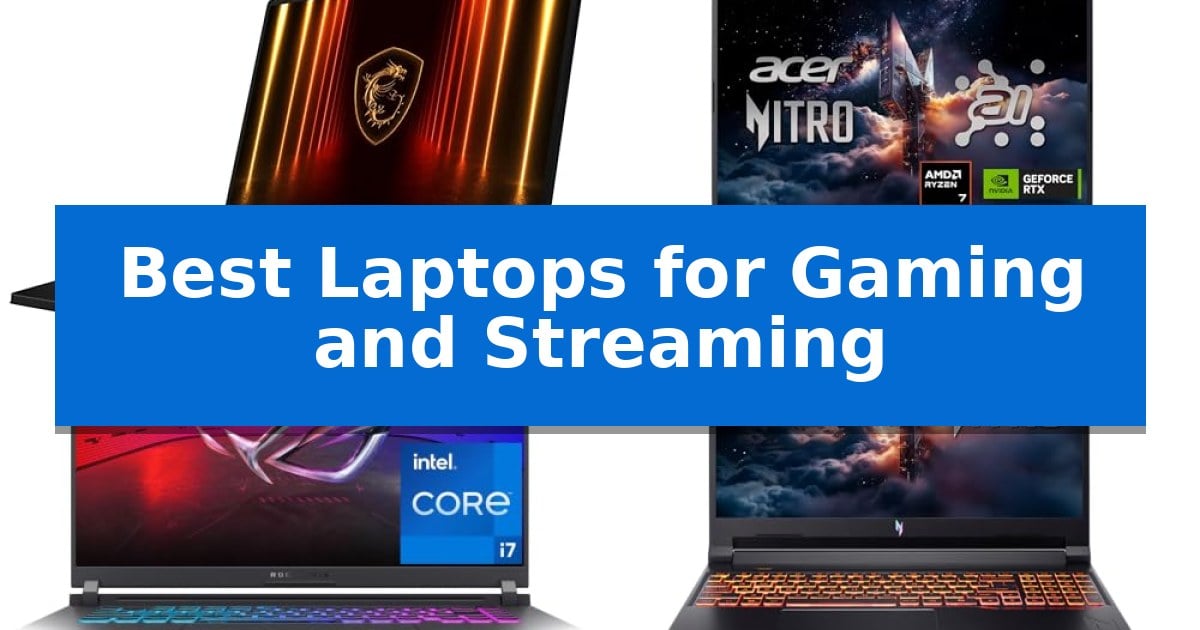
Balancing high-fidelity gaming with the resource-heavy requirements of live streaming demands significant processing power and thermal management. Finding the Best Laptops for Gaming and Streaming requires identifying machines that can handle simultaneous encoding and rendering without sacrificing frame rates or system stability.
Our analysis focuses on laptops that provide the necessary CPU overhead, dedicated graphics acceleration, and display fidelity to support professional-grade content creation. We examine how specific hardware configurations impact your ability to maintain a consistent broadcast while running modern, demanding titles.
Best Laptops for Gaming and Streaming in 2026
Quick Comparison
| Product | Best For | Key Strength | Score |
|---|---|---|---|
| MSI Crosshair 18 HX AI Gaming Laptop | Best Overall | High-performance 24-core Intel Core Ultra 9 processor for demanding multitasking. | 4.9 |
| Acer Nitro V 16S AI Gaming Laptop | AI-Enhanced Performance for Creators | AI-powered performance via AMD Ryzen 7 260 and NVIDIA RTX 5060 GPU. | 4.7 |
| ASUS ROG Strix G16 Gaming Laptop | Advanced Cooling for Intense Sessions | Advanced thermal management featuring an end-to-end vapor chamber and liquid metal cooling. | 4.4 |
| Acer Nitro V Gaming Laptop | Stream and Play Simultaneously | Advanced hybrid architecture for efficient multitasking. | 4.5 |
| Acer Nitro V 15 Gaming Laptop | High-FPS Visuals for Competitive Play | High-refresh-rate 165Hz display for smooth motion in competitive gaming. | 4.3 |
How We Chose
- Processor and memory overhead for simultaneous application execution.
- Graphics architecture and AI-driven frame generation capabilities.
- Display resolution, color accuracy, and refresh rate for visual consistency.
- Thermal management systems designed for extended, high-intensity sessions.
- Connectivity options for external peripherals and high-speed networking.
1 MSI Crosshair 18 HX AI Gaming Laptop — Elite Power for Pro Streaming
The MSI Crosshair 18 HX AI Gaming Laptop is built for high-demand workflows, centered around the Intel Core Ultra 9 Processor 275HX. This 24-core powerhouse, capable of boosting up to 5.4 GHz, provides the raw computational overhead required for simultaneous gaming and high-bitrate streaming.
Visual fidelity is managed by an expansive 18-inch QHD+ (2560×1600) IPS display. With a 240Hz refresh rate and 100% DCI-P3 color gamut, the panel ensures fluid motion for fast-paced titles while maintaining the color accuracy necessary for professional content creation and video editing.
Graphics performance is driven by the NVIDIA GeForce RTX 5070 with 8GB GDDR7 memory. This GPU leverages advanced ray tracing and AI acceleration to maintain high frame rates during complex rendering tasks. The system is supported by 32GB of DDR5 5600MHz RAM and a 2TB NVMe SSD, ensuring rapid file access and minimal load times for large game libraries.
Connectivity and audio are tailored for a modern desk setup. The laptop includes Intel Wi-Fi 6E AX211 for stable wireless networking and a 720p HD webcam with a privacy shutter. The integrated Dynaudio speaker system, featuring two 2W speakers and two 2W woofers, provides clear audio output, while the sleek design omits an optical drive to maintain a modern profile.
Best for: Serious gamers and streamers who require a large, high-refresh-rate display and significant processing power for multitasking.
Skip if: Users who prioritize portability, as the 18-inch form factor and 13.14-pound weight make this device better suited for a stationary desk setup than for travel.
PROS
- High-performance 24-core Intel Core Ultra 9 processor for demanding multitasking.
- Vibrant 240Hz QHD+ display with 100% DCI-P3 color coverage.
- Advanced NVIDIA RTX 5070 GPU with GDDR7 memory for modern rendering.
- Massive 2TB NVMe SSD storage for large game and media files.
CONS
- Substantial 13.14-pound weight limits mobility.
- 720p webcam resolution may be limiting for professional-grade streaming without external hardware.
2 Acer Nitro V 16S AI Gaming Laptop — AI-Enhanced Performance for Creators
The Acer Nitro V 16S AI Gaming Laptop integrates the AMD Ryzen 7 260 processor with 38 AI Overall TOPS, providing a foundation for demanding gaming and high-resolution streaming workflows. This machine is built to handle intensive tasks, utilizing its hardware architecture to support 4K HDR streaming and complex AI-driven processes.
Graphics performance is driven by the NVIDIA GeForce RTX 5060 Laptop GPU, which leverages the Blackwell architecture and 572 AI TOPS. This GPU incorporates fourth-gen RT Cores and fifth-gen Tensor Cores to facilitate neural rendering technologies, including DLSS 4 with Multi Frame Generation. These features are designed to assist in maintaining frame rates and visual fidelity during active gaming sessions.
Visual output is managed by a 16-inch WUXGA display with a 180Hz refresh rate, ensuring fluid motion for fast-paced content. The panel provides 100% sRGB color coverage, which is a key requirement for creators needing color-accurate output. The chassis houses 32GB of DDR5 5600MHz memory and a 1TB PCIe Gen 4 SSD, with an additional M.2 slot available for future storage expansion.
Connectivity and physical design are optimized for a stationary or semi-portable setup, weighing 4.63 pounds. The device includes Wi-Fi 6 for network stability and is backed by a one-year International Travelers Limited Warranty, providing support for users who may require service while traveling.
Best for: Gamers and content creators who require AI-accelerated performance and high-refresh-rate visuals for streaming and competitive play.
Skip if: Users who prioritize extreme portability or long-distance travel may find the 16-inch form factor and 4.63-pound weight less convenient than smaller, ultralight alternatives.
PROS
- AI-powered performance via AMD Ryzen 7 260 and NVIDIA RTX 5060 GPU.
- 180Hz high-refresh-rate display with 100% sRGB color coverage.
- Expandable storage with an available M.2 PCIe slot.
- 32GB DDR5 memory for multitasking efficiency.
CONS
- Weight of 4.63 pounds may be cumbersome for frequent commuters.
- Wi-Fi 6 standard is not the latest Wi-Fi 7 iteration.
3 ASUS ROG Strix G16 Gaming Laptop — Advanced Cooling for Intense Sessions
Maintaining high frame rates while broadcasting requires a machine that balances raw processing power with sophisticated thermal management. The ASUS ROG Strix G16 (2025) Gaming Laptop addresses this demand by integrating an Intel Core i7 Processor 14650HX with the NVIDIA GeForce RTX 5060 Laptop GPU, utilizing the latest NVIDIA Blackwell architecture to handle intensive rendering and encoding tasks simultaneously.
Visual fidelity is managed through a 16-inch FHD+ 16:10 display that features a 165Hz refresh rate and a 3ms response time. To ensure clarity during long sessions, the panel includes a specialized ACR film designed to minimize glare and improve contrast, providing a consistent viewing experience for both gameplay and content creation.
Thermal stability is a core component of this system, featuring ROG Intelligent Cooling technology. The chassis houses an end-to-end vapor chamber paired with tri-fan technology and Conductonaut extreme liquid metal applied directly to the chipset. This configuration is engineered to maintain performance levels during sustained workloads, ensuring the hardware remains within optimal operating temperatures.
For those who prioritize aesthetics, the laptop includes a 360° RGB light bar that integrates with existing ROG peripherals. When a more professional appearance is required, the system offers a Stealth Mode that disables all lighting, allowing the device to transition seamlessly between a gaming setup and a workstation environment.
Best for: Gamers and streamers who require a high-refresh-rate display and advanced thermal cooling to maintain performance during long, intensive broadcasting sessions.
Skip if: Users who require a lightweight or highly portable device, as the 5.84-pound chassis and cooling-heavy design prioritize sustained performance over mobility.
PROS
- Advanced thermal management featuring an end-to-end vapor chamber and liquid metal cooling.
- NVIDIA Blackwell architecture GPU support for efficient rendering and gaming performance.
- 165Hz refresh rate display with anti-glare ACR film for smooth, clear visuals.
- Versatile lighting controls including a 360° RGB light bar and a dedicated Stealth Mode.
CONS
- Substantial weight of 5.84 pounds may limit portability for frequent travelers.
- Fixed 16GB DDR5 memory capacity may require future consideration for users with extreme multitasking needs.
4 Acer Nitro V Gaming Laptop — Stream and Play Simultaneously
The Acer Nitro V Gaming Laptop is engineered for demanding multitasking, featuring an Intel Core 7 processor 240H that utilizes advanced hybrid architecture to manage gaming, streaming, and creative workflows simultaneously. This model integrates Intel Application Optimization to dynamically allocate system resources, ensuring stable performance during intensive sessions.
Graphics performance is driven by the NVIDIA GeForce RTX 5050 Laptop GPU, which leverages the Blackwell architecture to provide full ray tracing and 440 AI TOPS of processing power. With AI-powered DLSS 4 technology, the system enhances frame rates and image quality through neural rendering, specifically designed to reduce latency in fast-paced environments.
The 16-inch WUXGA 1920 x 1200 display offers a 180Hz refresh rate and a 3ms overdrive response time, minimizing motion blur for fluid visuals. This high-resolution screen is complemented by an advanced dual-fan cooling system with quad-intake and quad-exhaust architecture, which maintains thermal stability during extended use.
Connectivity is robust, featuring an Intel Killer E2600 Ethernet Controller and Wi-Fi 6 AX1650 for reliable online performance. The chassis includes a versatile port selection, highlighted by a Thunderbolt 4 USB-C port and HDMI 2.1, supporting external displays and high-speed peripheral integration for a comprehensive streaming setup.
Best for: Gamers and streamers who require a high-refresh-rate display and AI-accelerated graphics for simultaneous multitasking.
Skip if: Users seeking an ultra-lightweight device or those who prioritize extreme portability over a 16-inch form factor and dedicated thermal management system.
PROS
- Advanced hybrid architecture for efficient multitasking.
- NVIDIA Blackwell architecture with AI-powered DLSS 4.
- 180Hz refresh rate display for fluid motion.
- Comprehensive connectivity including Thunderbolt 4 and HDMI 2.1.
CONS
- 5.29 lbs weight may be cumbersome for frequent travelers.
- 16-inch form factor occupies significant desk space.
5 Acer Nitro V 15 Gaming Laptop — High-FPS Visuals for Competitive Play
The Acer Nitro V 15 Gaming Laptop is engineered for users who require a balance of high-frame-rate gaming and efficient multitasking for streaming. At its core, the Intel Core i7-13620H processor provides the necessary computational power to handle demanding workloads, allowing you to play, record, and stream simultaneously without compromising performance.
Visual fidelity is managed by the NVIDIA GeForce RTX 4050 Laptop GPU, which utilizes DLSS 3.5 and AI-powered ray tracing to enhance image quality and realism. This graphics capability is paired with a 15.6-inch Full HD display featuring a 165Hz refresh rate, designed to minimize ghosting and provide the accuracy needed for competitive gaming environments.
For storage and memory, the device comes equipped with 16GB of DDR5 memory—expandable up to 32GB via two slots—and a 1TB PCIe Gen 4 SSD. These specifications ensure rapid data access and sufficient space for large game libraries and high-resolution media files.
Connectivity options are robust, featuring Wi-Fi 6 for stable wireless performance and Killer Ethernet E2600 for wired reliability. The inclusion of a Thunderbolt 4 port adds versatility, supporting bidirectional data transfer, video display, and power charging through a single interface.
Best for: Gamers and streamers who need a balance of high-refresh-rate visuals and multi-tasking performance in a portable 15.6-inch form factor.
Skip if: Users who require a larger display or more advanced GPU configurations for professional-grade 4K video rendering or extremely high-end graphical workloads.
PROS
- High-refresh-rate 165Hz display for smooth motion in competitive gaming.
- Intel Core i7-13620H processor capable of handling simultaneous gaming and streaming.
- Versatile Thunderbolt 4 port for high-speed data, video, and charging.
- Expandable memory up to 32GB via two DDR5 slots.
CONS
- Limited to 16GB of RAM out of the box, requiring an upgrade for maximum multitasking capacity.
- RTX 4050 GPU may be a limiting factor for users targeting ultra-high settings in the most demanding modern titles.
Best Laptops for Gaming and Streaming Buying Guide
Processor and Memory Requirements
Streaming requires significant CPU resources to encode video in real-time while the game engine simultaneously processes physics and logic. A multi-core processor with high clock speeds is essential to prevent bottlenecks that could cause dropped frames or stuttering during your broadcast.
Equally important is the RAM capacity and speed. Modern streaming setups benefit from at least 32GB of DDR5 memory, which ensures that background applications, streaming software, and the game itself can operate without competing for limited system resources.
Graphics and AI Acceleration
The GPU is the heart of your gaming experience, but for streamers, it also handles the heavy lifting of hardware-accelerated encoding. Look for architectures that support advanced neural rendering, which can intelligently boost frame rates and improve image quality without overwhelming the system.
Features like DLSS and AI-powered frame generation allow you to maintain high visual fidelity in demanding games while leaving enough overhead for the streaming software to capture and broadcast your gameplay smoothly.
Display Fidelity and Refresh Rates
A high-refresh-rate display is critical for competitive gaming, but for streaming, color accuracy is just as vital. A display with a wide color gamut, such as 100% DCI-P3, ensures that your audience sees the game exactly as you intended, with vibrant, true-to-life colors.
The refresh rate should ideally be 165Hz or higher to minimize motion blur during fast-paced action. This combination of speed and color precision provides a professional look for your stream while giving you the competitive edge needed to perform at your best.
Thermal Management and Stability
Streaming sessions often last for hours, which generates substantial heat. A laptop with an advanced cooling system—utilizing vapor chambers, multiple fans, and high-performance thermal compounds—is necessary to prevent thermal throttling during long broadcasts.
Effective thermal design ensures that your components maintain their peak performance levels throughout the entire session. If a laptop cannot dissipate heat efficiently, the system will automatically lower its clock speeds, leading to noticeable performance drops in both your game and your stream.
Connectivity and Expansion
A reliable streaming setup often involves multiple peripherals, including microphones, cameras, and capture cards. Ensure your chosen laptop has a robust selection of ports, such as Thunderbolt 4 or USB 3.2 Gen 2, to handle high-bandwidth data transfers without latency.
Stable network connectivity is non-negotiable for streaming. Look for laptops equipped with high-speed Wi-Fi 6E or dedicated Ethernet controllers that prioritize gaming and streaming traffic to ensure your broadcast remains uninterrupted by network jitter.
Frequently Asked Questions
Do I need a dedicated capture card if I use a gaming laptop?
While many modern gaming laptops are powerful enough to handle encoding internally, a dedicated external capture card can offload some of the processing burden and provide more flexibility for professional audio and video inputs.
How much RAM is recommended for streaming?
For a smooth experience, 32GB of RAM is highly recommended. This provides enough headroom to run your game, streaming software (like OBS), and other background utilities simultaneously without performance degradation.
Does the display resolution affect streaming performance?
Yes, gaming at higher resolutions like QHD+ requires more GPU power. If you are struggling with frame rates while streaming, lowering the game resolution or using AI-based upscaling can help maintain a stable stream output.
Why is thermal management so important for streamers?
Streaming keeps the CPU and GPU under constant load. If the laptop overheats, it will throttle performance to protect the hardware, which can cause your game to lag and your stream to drop frames.
Can I stream effectively using Wi-Fi?
While Wi-Fi 6E is very capable, a wired Ethernet connection is always preferred for streaming. It provides the most stable and consistent bandwidth, which is critical for maintaining a high-quality, lag-free broadcast.
Conclusion: Our Top Pick
When selecting the right machine for your needs, the MSI Crosshair 18 HX AI Gaming Laptop stands out due to its robust combination of a high-core-count processor and advanced graphics architecture. Its 18-inch display provides the screen real estate necessary for managing complex streaming layouts, while the 2TB NVMe SSD ensures rapid load times for even the largest game libraries.
While this model offers elite performance, users should ensure their workspace can accommodate its larger form factor. For those prioritizing a balance of raw power and professional-grade display quality, it remains a highly capable choice for demanding gaming and streaming environments.