
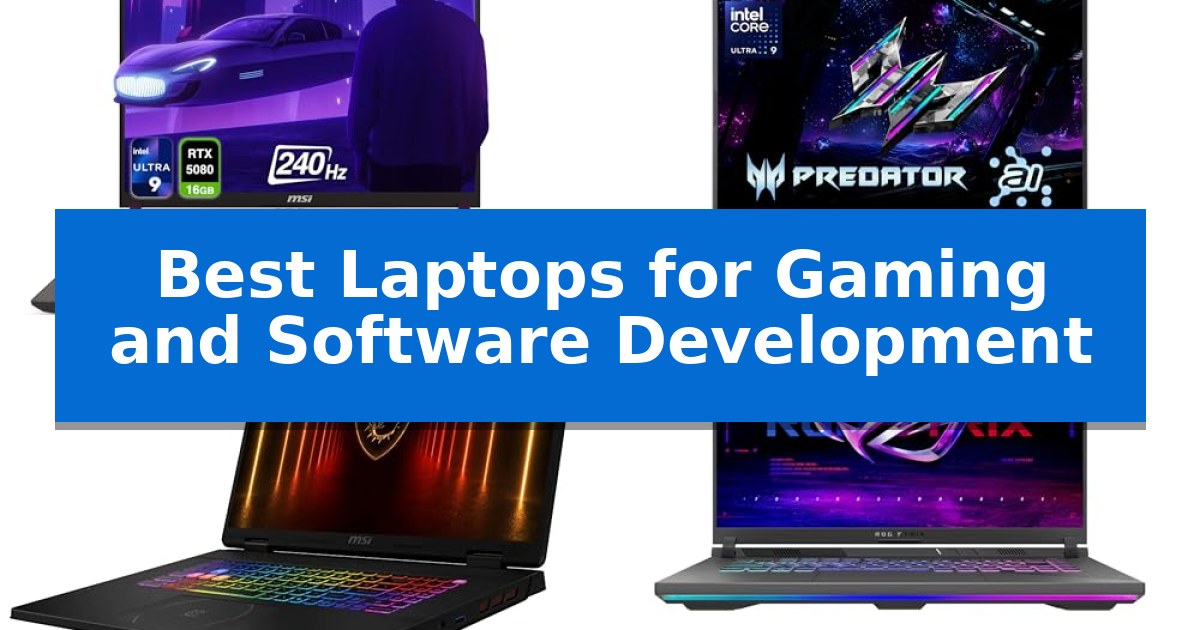
Finding the right machine that balances high-frame-rate gaming with the intensive demands of compiling code and running virtual environments is a complex challenge. Developers and gamers alike require hardware that doesn't just meet minimum requirements but provides the thermal headroom and processing stability necessary for long-term productivity and entertainment.
The Best Laptops for Gaming and Software Development are defined by their ability to handle multi-threaded workloads while maintaining consistent performance under load. In this guide, we examine five distinct models to help you identify which machine aligns with your specific workflow, whether you prioritize raw computational power, display fidelity, or a compact form factor for mobile development.
Best Laptops for Gaming and Software Development in 2026
Quick Comparison
| Product | Best For | Key Strength | Score |
|---|---|---|---|
| MSI Vector 16 HX AI Gaming Laptop | Best Overall | High-performance Intel Core Ultra 9-275HX processor for demanding tasks. | 4.9 |
| Acer Predator Helios Neo 14 Gaming Laptop | Compact AI-accelerated performance | High-performance Intel Core Ultra 9 and RTX 5070 GPU in a compact 14.5-inch chassis. | 4.5 |
| MSI Crosshair 18 HX AI Gaming Laptop | Expansive display for complex coding | High-performance Intel Core Ultra 9 275HX processor with 24 cores for heavy multitasking. | 4.8 |
| ASUS ROG Strix G16 Gaming Laptop | High-speed multitasking for creators | High-performance AMD Ryzen 9 9955HX processor for intensive multitasking. | 4.3 |
| ASUS ROG Strix G16 (2025) Gaming Laptop | Efficient thermal management for builds | Advanced thermal management with liquid metal and tri-fan cooling. | 4.7 |
How We Chose
- Processing power and multi-core performance for compiling large codebases.
- GPU architecture and VRAM capacity for modern gaming and AI-accelerated tasks.
- Display resolution, refresh rate, and color accuracy for visual clarity.
- Thermal design and cooling efficiency to prevent throttling during sustained workloads.
- Port selection and connectivity standards for external hardware and peripherals.
1 MSI Vector 16 HX AI Gaming Laptop — Professional-grade power for developers
The MSI Vector 16 HX AI Gaming Laptop is engineered for high-stakes environments, utilizing the Intel Core Ultra 9-275HX processor and NVIDIA GeForce RTX 5080 GPU to handle demanding software development workflows and complex computational tasks. This machine leverages Blackwell architecture and DLSS 4 technology, providing a specialized foundation for professionals who require significant processing power beyond standard consumer hardware.
Designed with a 16-inch WQXGA display at a 2560×1600 resolution, the laptop offers a 240Hz refresh rate and 100% DCI-P3 color coverage, ensuring high visual fidelity for both creative work and gaming. The 16:10 aspect ratio provides additional vertical screen real estate, which is particularly beneficial for managing extensive codebases or multitasking across multiple development windows.
Connectivity and performance are supported by 64 GB of DDR5 RAM and a 4 TB PCIe SSD, ensuring rapid data access and sufficient memory for resource-heavy applications. The chassis integrates two Thunderbolt 5 ports with DisplayPort and Power Delivery 1.4, alongside HDMI 2.1 and Wi-Fi 6E capabilities, offering a robust interface for peripheral setups and high-speed networking.
The device features a 24-zone RGB keyboard for customizable input, while the Max-Q optimization suite manages power efficiency to balance the high-performance components. Weighing approximately 49.82 pounds as a total package, this system is a stationary powerhouse intended for users who prioritize raw output and professional-grade specifications over portability.
Best for: STEM professionals and developers who require high-end computational power and massive storage for complex software projects and gaming.
Skip if: Users who prioritize a lightweight, highly portable device for frequent travel will find the substantial weight and dimensions of this workstation impractical.
PROS
- High-performance Intel Core Ultra 9-275HX processor for demanding tasks.
- 64 GB DDR5 RAM and 4 TB SSD provide extensive memory and storage capacity.
- NVIDIA GeForce RTX 5080 GPU with Blackwell architecture for advanced graphical processing.
- Thunderbolt 5 connectivity for high-speed data transfer and peripheral support.
CONS
- Significant weight makes this model less suitable for users needing frequent mobility.
- High-performance hardware may result in a larger physical footprint than standard ultrabooks.
2 Acer Predator Helios Neo 14 Gaming Laptop — Compact AI-accelerated performance
The Acer Predator Helios Neo 14 Gaming Laptop distinguishes itself through a highly portable 14.5-inch form factor that integrates a high-performance Intel Core Ultra 9 processor 285H and the NVIDIA GeForce RTX 5070 GPU. This machine is engineered for users who require significant computational power for both gaming and software development without the bulk of a traditional desktop replacement.
Performance is driven by the NVIDIA Blackwell architecture, which provides 798 AI TOPS to accelerate neural rendering and ray tracing tasks. The inclusion of 32GB of LPDDR5X memory and a 1TB PCIe Gen 4 SSD ensures that multitasking across complex development environments and modern game engines remains fluid. The system utilizes 5th Gen AeroBlade 3D fans and liquid metal thermal grease to manage heat during intensive workloads.
The display is a 14.5-inch WQXGA matte panel with a 165Hz refresh rate and 100% sRGB color gamut coverage, supported by NVIDIA G-SYNC and Advanced Optimus for tear-free visuals. Connectivity is robust, featuring a Thunderbolt 4 port, HDMI 2.1, and multiple USB 3.2 Gen 2 ports, allowing for a versatile workstation setup with external peripherals.
Designed for mobility, the chassis weighs 4.19 lbs and includes a 3-zone customizable RGB keyboard. PredatorSense software provides granular control over system performance modes and fan speeds, enabling users to prioritize thermal efficiency or raw output depending on the current task.
Best for: This laptop is best for developers and gamers who need a compact, high-performance machine that can handle demanding compilation tasks and modern gaming titles on the go.
Skip if: Skip this model if you require a larger screen for split-screen multitasking or need an easily user-upgradable chassis beyond the available M.2 slot.
PROS
- High-performance Intel Core Ultra 9 and RTX 5070 GPU in a compact 14.5-inch chassis.
- 165Hz WQXGA display with 100% sRGB coverage for color-accurate work and smooth gaming.
- Advanced cooling system featuring liquid metal and 5th Gen AeroBlade 3D fans.
- Versatile connectivity including Thunderbolt 4 and HDMI 2.1.
CONS
- Compact 14.5-inch form factor may limit screen real estate for complex software development workflows.
- Onboard memory is fixed, limiting future RAM expansion beyond the initial 32GB.
3 MSI Crosshair 18 HX AI Gaming Laptop — Expansive display for complex coding
The MSI Crosshair 18 HX AI Gaming Laptop is engineered for users who require significant computational overhead for both high-fidelity gaming and intensive software development. At its core, the device features an Intel Core Ultra 9 Processor 275HX, which provides 24 cores and a turbo boost capability up to 5.4 GHz. This processing power is paired with 32GB of DDR5 5600MHz RAM, ensuring that developers can run multiple virtual machines, containers, or large integrated development environments alongside demanding applications without bottlenecking.
Visual clarity and screen real estate are prioritized through the 18-inch QHD+ (2560×1600) IPS display. With a 240Hz refresh rate and 100% DCI-P3 color gamut, the panel offers both the fluidity required for competitive gaming and the color accuracy necessary for UI/UX design or video editing. The inclusion of an NVIDIA GeForce RTX 5070 with 8GB GDDR7 memory provides the hardware acceleration needed for modern ray tracing and AI-driven rendering tasks.
For development workflows involving large codebases or local assets, the 2TB NVMe SSD provides substantial high-speed storage, facilitating rapid boot times and file access. Connectivity is managed via Intel Wi-Fi 6E AX211 and Bluetooth 5.3, ensuring stable wireless networking for remote collaboration or cloud-based deployment. The laptop also integrates a 720p HD webcam with a privacy shutter and a Dynaudio sound system consisting of two 2W speakers and two 2W woofers to support professional communication and media consumption.
While the device offers high-end specifications, its physical footprint is significant, measuring 15.9 inches in length and weighing 13.14 pounds. This design choice favors desktop-replacement utility over portability, making it a stationary workstation rather than a lightweight travel companion. The absence of an optical drive reflects a modern approach to software distribution, focusing entirely on high-speed digital storage and connectivity.
Best for: Professional developers and gamers who prioritize screen real estate and multi-core processing power in a stationary workstation environment.
Skip if: Users who require a lightweight, highly portable laptop for frequent travel or those who have limited desk space.
PROS
- High-performance Intel Core Ultra 9 275HX processor with 24 cores for heavy multitasking.
- 18-inch QHD+ 240Hz display provides expansive and fluid workspace.
- 32GB DDR5 RAM and 2TB NVMe SSD ensure fast data handling and ample storage.
- NVIDIA RTX 5070 GPU with GDDR7 memory for advanced graphics and AI acceleration.
CONS
- Substantial weight of 13.14 pounds limits mobility.
- Large form factor requires significant desk space.
4 ASUS ROG Strix G16 Gaming Laptop — High-speed multitasking for creators
The ASUS ROG Strix G16 (2025) features the high-performance AMD Ryzen 9 9955HX Processor and the NVIDIA GeForce RTX 5070 Laptop GPU, making it a robust candidate for demanding gaming and software development workflows. This combination leverages the latest NVIDIA Blackwell architecture to handle intensive compilation tasks and high-fidelity rendering with efficiency.
Designed with a 16-inch 16:10 FHD+ display that offers a 165Hz refresh rate and 3ms response time, the device provides the visual clarity and fluidity required for both competitive gaming and detailed coding environments. The inclusion of a MUX Switch with Advanced Optimus allows users to toggle between integrated and dedicated graphics to optimize performance or extend battery life without requiring a system restart.
Thermal management is handled by ROG Intelligent Cooling, which utilizes Tri-Fan technology, a full-width heatsink, and full-surround vents to maintain system stability under heavy loads. For professional environments, the customizable RGB lightbar can be toggled into Stealth Mode, effectively disabling all lighting for a more understated aesthetic.
The laptop is equipped with 16GB of DDR5-5600MHz memory and a 1TB PCIe Gen 4 SSD, providing the necessary bandwidth for multitasking and rapid data access. Connectivity is supported by Wi-Fi 6E, ensuring stable wireless networking for remote development or online gaming sessions.
Best for: Developers and gamers who require high-end processing power and dedicated GPU performance in a portable 16-inch form factor.
Skip if: Users who prioritize a lightweight, ultra-thin chassis or those who require more than 16GB of RAM out of the box for extremely memory-intensive virtualization tasks.
PROS
- High-performance AMD Ryzen 9 9955HX processor for intensive multitasking.
- MUX Switch with Advanced Optimus for optimized graphics performance.
- Advanced Tri-Fan cooling system to maintain thermal stability.
- Stealth Mode for a professional, non-gaming aesthetic.
CONS
- 16GB DDR5 memory may require an upgrade for specific high-end development environments.
- 5.51-pound weight makes it heavier than standard ultrabook-style laptops.
5 ASUS ROG Strix G16 (2025) Gaming Laptop — Efficient thermal management for builds
The ASUS ROG Strix G16 (2025) Gaming Laptop is engineered for demanding workflows, utilizing an Intel Core i7 Processor 14650HX paired with an NVIDIA GeForce RTX 5060 Laptop GPU. This combination leverages the NVIDIA Blackwell architecture to support advanced graphics rendering and complex software compilation tasks, making it a robust choice for users who balance high-end gaming with intensive development environments.
To maintain sustained performance during heavy workloads, the device incorporates ROG Intelligent Cooling technology. This system features an end-to-end vapor chamber, tri-fan technology, and Conductonaut extreme liquid metal applied directly to the chipset. These thermal management components are designed to keep the system stable and quiet, ensuring that the hardware can handle extended sessions of coding or gaming without thermal throttling.
The visual experience is driven by a 16-inch FHD+ 16:10 display with a 165Hz refresh rate and 3ms response time. The integration of a new ACR film enhances contrast and minimizes glare, providing clarity for both detailed code editors and fast-paced gaming environments. For professional settings, the 360° RGB light bar can be toggled via Stealth Mode, allowing the laptop to transition from a vibrant gaming aesthetic to a refined, understated look.
Memory and storage are optimized for multitasking, featuring 16GB of DDR5-5600MHz memory and a 1TB PCIe Gen 4 SSD. This configuration provides the necessary bandwidth for running virtual machines or large development projects while maintaining fast load times for modern game libraries. With Wi-Fi 7 connectivity, the device is equipped for high-speed networking, supporting the requirements of modern software development and online gaming.
Best for: Users who require a high-performance machine capable of handling both intensive software development environments and modern gaming titles.
Skip if: Users who prioritize a lightweight, portable form factor for travel, as this unit weighs 5.84 pounds and is designed primarily for stationary power.
PROS
- Advanced thermal management with liquid metal and tri-fan cooling.
- High-refresh-rate display with ACR film for improved contrast.
- Modern connectivity including Wi-Fi 7 for fast networking.
- Versatile aesthetic with a customizable RGB light bar and stealth mode.
CONS
- Heavier chassis design compared to ultrabook-style laptops.
- Fixed 16GB memory may require future upgrades for extremely memory-intensive development tasks.
Best Laptops for Gaming and Software Development Buying Guide
Processor and Memory Requirements
For software development, the CPU is the heart of your machine. Look for high-core-count processors that can handle multiple virtual machines, containers, and IDEs simultaneously. A high-performance chip ensures that your build times remain short, even as your projects grow in complexity.
RAM is equally critical. While 16GB is often considered a baseline, 32GB or 64GB of DDR5 memory provides the necessary overhead for running memory-intensive applications like Docker or complex game engines without system slowdowns.
Graphics and AI Acceleration
Modern gaming laptops are increasingly leveraging NVIDIA Blackwell architecture and DLSS 4 technology to boost frame rates and improve visual fidelity. For developers working in machine learning or graphics programming, these Tensor Cores offer significant acceleration for AI-based tasks.
When selecting a GPU, consider the VRAM capacity. Higher VRAM allows for larger texture sets in games and more complex datasets in professional applications, ensuring your hardware remains relevant as software and gaming requirements evolve.
Display Quality and Refresh Rates
A high-quality display is essential for both long coding sessions and immersive gaming. Look for WQXGA resolution (2560×1600) to provide extra vertical screen real estate, which is particularly beneficial for viewing more lines of code at once.
A 240Hz refresh rate or similar high-speed panel not only makes gaming smoother but also reduces eye strain during extended work hours. Ensure the panel offers a wide color gamut, such as 100% DCI-P3, for accurate visual representation.
Thermal Management and Cooling
High-performance components generate significant heat. Effective thermal management is the difference between a laptop that maintains peak performance and one that throttles under pressure. Features like vapor chambers, liquid metal thermal grease, and multi-fan arrays are vital.
A well-cooled system not only performs better but also lasts longer. Prioritize models that emphasize airflow design and heat dissipation, as these will sustain high clock speeds during long gaming sessions or intensive compilation tasks.
Connectivity and Expansion
Your laptop should serve as a hub for your entire workstation. Look for Thunderbolt 5 or USB 3.2 Gen 2 ports, which provide the necessary bandwidth for high-speed external storage and multiple high-resolution monitors.
Reliable wireless connectivity, such as Wi-Fi 6E or Wi-Fi 7, is essential for cloud-based development and online gaming. A robust port selection reduces the need for cumbersome dongles and ensures compatibility with your existing peripherals.
Frequently Asked Questions
How much RAM do I need for software development?
For modern development, 32GB of RAM is recommended to handle multiple IDE instances, virtual machines, and browser tabs without performance degradation.
Is a 16:10 aspect ratio better for coding?
Yes, the 16:10 aspect ratio provides more vertical space compared to traditional 16:9 displays, allowing you to see more lines of code or documentation simultaneously.
Why is thermal management important for gaming laptops?
Effective cooling prevents thermal throttling, which occurs when components slow down to reduce heat. This ensures consistent frame rates in games and stable performance during long builds.
Can I use a gaming laptop for professional work?
Absolutely. Gaming laptops are often equipped with high-end CPUs and GPUs that are more than capable of handling professional software development, video editing, and data analysis.
What is the benefit of DLSS technology?
DLSS uses AI to upscale images, allowing for higher frame rates and improved performance in games without sacrificing significant visual quality.
Conclusion: Our Top Pick
Choosing the right laptop requires balancing raw performance with the specific needs of your development environment and gaming habits. The MSI Vector 16 HX AI Gaming Laptop stands out as the top pick due to its combination of the Intel Core Ultra 9 processor, massive 64GB RAM capacity, and the powerful RTX 5080 GPU.
This configuration provides an exceptional foundation for both heavy-duty software compilation and high-fidelity gaming. While it is a substantial investment, its professional-grade performance and robust feature set make it a reliable choice for users who demand high efficiency and longevity from their hardware.