
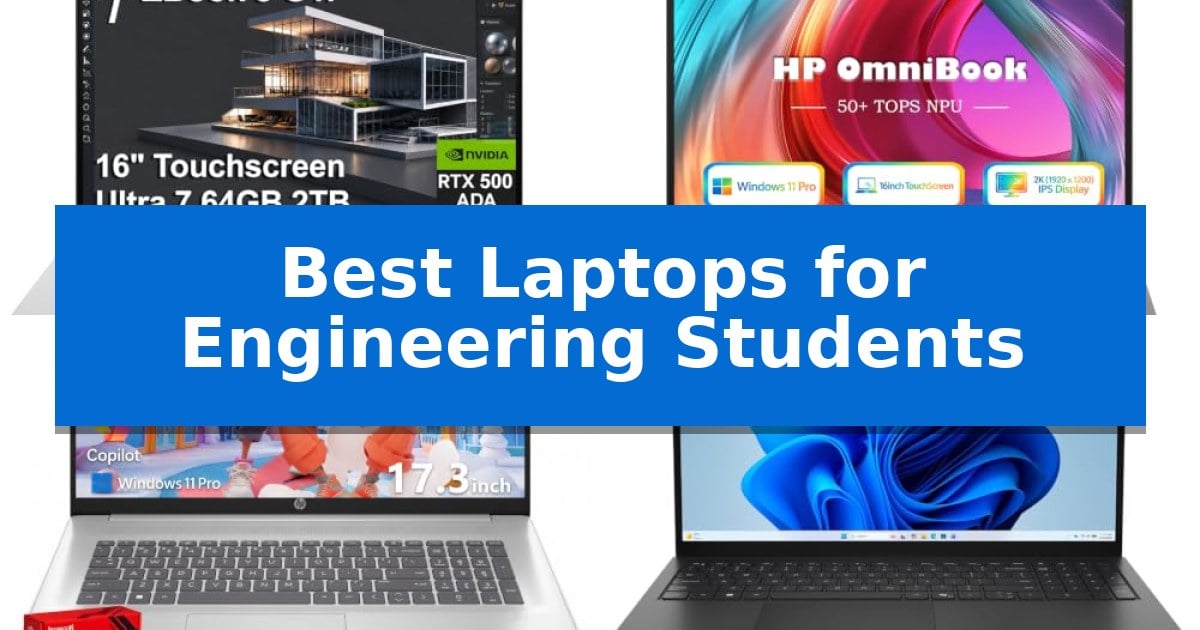
Engineering students require hardware that can handle intensive software, from CAD modeling and 3D rendering to complex data simulations. Finding the right machine involves balancing raw processing power with the portability needed for long days on campus and late-night study sessions.
We have analyzed the Best Laptops for Engineering Students to identify which models offer the necessary technical specifications and reliability for demanding academic workflows. Whether you prioritize heavy-duty performance or a lightweight design for mobility, these selections cater to the specific needs of modern engineering curricula.
Best Laptops for Engineering Students in 2026
Quick Comparison
| Product | Best For | Key Strength | Score |
|---|---|---|---|
| HP ZBook 8 G1i Mobile Workstation | Best Overall | ISV-certified performance for professional engineering software. | 4.9 |
| HP OmniBook Touchscreen Laptop | Versatile AI-Ready Performance | Dedicated 50 TOPS NPU for efficient on-device AI task management. | 4.8 |
| HP 17 Inch Laptop | Expansive Workspace for Multitasking | Expansive 17.3-inch Full HD IPS display for improved multitasking. | 4.5 |
| Dell 15.6 Laptop | Efficient Daily Engineering Tasks | Intel Core Ultra processors with NPU-powered AI for responsive multitasking. | 4.4 |
| Apple MacBook Neo 13-inch | Portable AI-Enhanced Computing | A18 Pro chip provides efficient performance for AI-integrated apps and daily tasks. | 4.7 |
How We Chose
- Processing power and multi-core performance for simulation and coding tasks.
- Graphics capabilities required for CAD, 3D modeling, and rendering applications.
- Memory and storage configurations that support multitasking and large project files.
- Display quality and screen real estate for detailed design work and data analysis.
- Connectivity options for external monitors, peripherals, and high-speed data transfer.
1 HP ZBook 8 G1i Mobile Workstation — Pro-Grade Power for CAD
The HP ZBook 8 G1i Mobile Workstation is engineered for demanding technical workflows, featuring the Intel Core Ultra 7 255H Processor and NVIDIA RTX 500 Ada GPU to handle complex 3D rendering, simulations, and AI development tasks. This mobile workstation is built to support engineering-specific software, with ISV certifications ensuring reliable performance for applications including SolidWorks, AutoCAD, and MATLAB.
Designed for professional productivity, the laptop offers a 16-inch WUXGA touchscreen with anti-glare technology and 300-nit brightness. Multitasking is supported by 64GB of DDR5 RAM and a 2TB PCIe NVMe M.2 SSD, providing the memory and storage capacity necessary for large datasets and multi-layer projects. The inclusion of Windows 11 Pro adds enterprise-grade security features like BitLocker and remote management capabilities.
Connectivity is a primary focus, with the device offering 2x Thunderbolt 4 ports, USB-C 3.2 Gen 2×2, HDMI 2.1, and an RJ-45 Ethernet port for stable network access. Wireless performance is enhanced by Wi-Fi 7 and Bluetooth 5.4, ensuring fast data transfers. Security is further bolstered by a 5MP IR privacy-shutter webcam for secure facial recognition and a built-in fingerprint reader.
The HP ZBook 8 G1i Mobile Workstation balances performance with portability, weighing approximately 3.79 pounds. While it provides high-end computing power, users should note that the memory and SSD have been upgraded from the original factory configuration, with a three-year warranty provided by the reseller, Issaquah Highlands Tech, alongside the manufacturer's warranty for remaining components.
Best for: Engineering and design students requiring a certified workstation for CAD, 3D modeling, and AI-assisted workflows.
Skip if: Users seeking an ultra-lightweight laptop for basic academic tasks or those who do not require dedicated professional-grade graphics and ISV-certified hardware.
PROS
- ISV-certified performance for professional engineering software.
- High-capacity 64GB RAM and 2TB storage for intensive multitasking.
- Comprehensive connectivity including Thunderbolt 4 and Wi-Fi 7.
- Enterprise-grade security with IR webcam and fingerprint reader.
CONS
- Heavier design compared to standard ultrabooks.
- Resealed unit due to memory and storage upgrades.
2 HP OmniBook Touchscreen Laptop — Versatile AI-Ready Performance
Engineering students require hardware that balances computational power with portability for campus life. The HP OmniBook Touchscreen Laptop addresses this by integrating an AMD Ryzen AI 7 445 processor with a dedicated 50 TOPS NPU, designed to handle intensive multitasking and AI-driven workflows without compromising mobility.
Performance is supported by 16GB of DDR5-5600 memory and a 1TB PCIe Gen4 NVMe SSD, ensuring rapid boot times and efficient handling of complex engineering software and large datasets. The 16-inch 2K IPS touchscreen features anti-glare coating and 300 nits of brightness, providing a clear workspace for technical diagrams and spreadsheets.
Designed for the rigors of a student schedule, the device measures only 0.58 inches thin and weighs 3.61 lbs. Connectivity is robust, featuring Wi-Fi 6, Bluetooth 5.4, and a comprehensive port selection including 2x USB-C (PD/DP), 2x USB-A, and HDMI 2.1 to support external monitors and peripherals.
Security and communication are prioritized through Windows 11 Pro, which includes BitLocker encryption. The 1080p FHD IR camera, equipped with a physical privacy shutter and AI noise-reduction microphones, facilitates clear video conferencing for remote labs or group projects.
Best for: Engineering students who need a portable, AI-capable machine for multitasking, technical software, and frequent travel between classes.
Skip if: Users who require dedicated high-end discrete graphics for intensive 3D rendering or CAD modeling may find the integrated AMD Radeon 840M graphics insufficient.
PROS
- Dedicated 50 TOPS NPU for efficient on-device AI task management.
- High-speed 16GB DDR5 memory and 1TB NVMe storage for smooth multitasking.
- Comprehensive connectivity including HDMI 2.1 and multiple USB ports.
- Thin and lightweight design at 0.58 inches and 3.61 lbs for portability.
CONS
- Integrated graphics may limit performance in heavy 3D engineering simulations.
- 300 nits brightness may be less visible in direct, bright outdoor sunlight.
3 HP 17 Inch Laptop — Expansive Workspace for Multitasking
Engineering students often require a substantial workspace for complex schematics and multitasking, which the HP 17 Inch Laptop addresses with its expansive 17.3-inch Full HD IPS anti-glare display. This large screen utilizes a micro-edge bezel design and 178-degree viewing angles, providing the necessary screen real estate for managing multiple windows, technical documentation, and design software simultaneously.
Under the hood, the device is powered by an AMD Ryzen 5 7430U processor, featuring 6 cores and 12 threads with speeds reaching up to 4.3GHz. This hardware configuration is designed to handle demanding productivity workloads, video conferencing, and various engineering applications with consistent responsiveness. The inclusion of 32GB of RAM and a 1TB SSD ensures that memory-intensive tasks and large project files remain accessible without significant bottlenecks.
To streamline technical workflows, the laptop features a dedicated Copilot AI Key, offering integrated intelligent assistance for research, content creation, and workflow management. The system runs on Windows 11 Pro, which provides professional-grade management and security features suitable for academic and business environments. Connectivity is supported by Wi-Fi 6 and Bluetooth 5.4, while the chassis includes USB-C, USB-A, and HDMI ports to facilitate connection to external monitors and peripherals.
Portability is balanced against the need for a large display, with the unit weighing 3 pounds. The device supports HP Fast Charge technology, capable of restoring 50% of the battery in approximately 45 minutes, which is beneficial for students moving between lecture halls and labs. The full-size keyboard includes a dedicated numeric keypad, aiding in efficient data entry for spreadsheets and technical calculations.
Best for: Engineering students who prioritize a large, high-resolution display for multitasking and require significant RAM for complex software applications.
Skip if: Students who require a highly portable, compact device for frequent travel or those needing dedicated high-end discrete graphics for intensive 3D rendering.
PROS
- Expansive 17.3-inch Full HD IPS display for improved multitasking.
- 32GB of RAM provides ample headroom for memory-intensive engineering software.
- Fast charging capabilities restore 50% battery in 45 minutes.
- Windows 11 Pro offers professional-grade security and management tools.
CONS
- Large 17.3-inch form factor may be cumbersome for students with limited desk space or small backpacks.
- Integrated graphics may limit performance in heavy 3D modeling or high-end rendering tasks.
4 Dell 15.6 Laptop — Efficient Daily Engineering Tasks
The Dell 15.6 Laptop streamlines technical workflows through its integration of Intel Core Ultra processors, which utilize NPU-powered AI features to maintain system responsiveness during intensive multitasking. Designed with a focus on both utility and ergonomics, the chassis features lifted hinges that improve typing comfort while simultaneously facilitating better airflow for internal components.
Visual clarity is prioritized via a 15-inch display that supports up to 300 nits of brightness, housed within a 3-sided narrow bezel design. To mitigate eye strain during long study sessions, the integrated Dell ComfortView technology reduces blue-light emissions. The inclusion of a dedicated Copilot key provides immediate access to AI-assisted organizational tools, intended to accelerate daily research and documentation tasks.
This device is equipped with 16GB of DDR5 RAM and a 512GB SSD, providing a balance of memory capacity and storage speed for standard engineering software environments. The carbon black finish and business-ready design offer a professional aesthetic, while the backlit keyboard ensures usability in varied lighting conditions. Connectivity is supported by Wi-Fi 6, ensuring stable network performance for remote collaboration and research.
The system is backed by a 1-year basic onsite service warranty following remote diagnosis, providing a layer of support for hardware-related concerns. With a weight of 3.67 pounds and a slim 0.74-inch profile, the unit maintains a portable form factor suitable for students moving between classrooms and study spaces.
Best for: Engineering students requiring a portable, AI-accelerated laptop for multitasking and daily academic research.
Skip if: Users who require dedicated high-performance discrete graphics for intensive 3D rendering or complex CAD simulations.
PROS
- Intel Core Ultra processors with NPU-powered AI for responsive multitasking.
- Lifted hinge design improves ergonomics and system airflow.
- Dell ComfortView reduces blue-light emissions for extended study sessions.
- Dedicated Copilot key for quick access to AI productivity tools.
CONS
- Integrated Intel Graphics may limit performance in graphics-heavy engineering applications.
- 512GB SSD capacity may require external storage for large project files.
5 Apple MacBook Neo 13-inch — Portable AI-Enhanced Computing
Engineering students require a reliable, portable workstation capable of handling demanding software and long study sessions. The Apple 2026 MacBook Neo 13-inch addresses this with its A18 Pro chip, which provides the necessary processing power for complex assignments and AI-integrated workflows while maintaining a highly portable, durable recycled aluminum enclosure.
Designed for all-day productivity, this laptop features up to 16 hours of battery life, allowing students to transition between lectures and late-night research without constant tethering to a power outlet. The 13-inch Liquid Retina display supports 1 billion colors, ensuring that technical diagrams, code, and presentations are rendered with crisp, accurate detail.
Usability is enhanced through seamless integration with other hardware, such as the ability to control an iPhone directly from the desktop or sync tasks across devices. The inclusion of a 1080p FaceTime HD camera and a dual-mic array provides clear communication for project collaborations, while the macOS environment ensures that essential applications run with high efficiency.
While the device offers significant performance, it is important to note the 256GB SSD storage and 8GB Unified Memory configuration. This setup is optimized for standard engineering coursework and AI-assisted productivity, though users with massive local datasets or intensive virtualization requirements may need to consider their specific storage needs.
Best for: Engineering students who prioritize extreme portability, all-day battery life, and seamless integration with the Apple ecosystem for their daily coursework and AI-assisted productivity.
Skip if: Students who require extensive local storage for massive datasets or specialized engineering software that demands higher than 8GB of unified memory for complex virtualization.
PROS
- A18 Pro chip provides efficient performance for AI-integrated apps and daily tasks.
- Up to 16 hours of battery life supports extended study sessions away from power outlets.
- Durable recycled aluminum design ensures long-term portability.
- Liquid Retina display offers high-quality visuals for detailed technical work.
CONS
- Fixed 8GB Unified Memory may limit performance for highly intensive virtualization or heavy multitasking.
- 256GB SSD storage may require external solutions for students managing large project files.
Best Laptops for Engineering Students Buying Guide
Prioritizing Processing Power
Engineering software often relies on high-performance CPUs to execute complex calculations. Look for processors with multiple cores and high clock speeds, as these are critical for running software like MATLAB or SolidWorks without significant lag.
Modern mobile workstations often feature processors designed for efficiency and power, ensuring that you can handle heavy compilation tasks or simulation runs while maintaining stability during extended usage.
Graphics and Rendering Capabilities
For students focusing on mechanical or civil engineering, a dedicated GPU is often a necessity rather than a luxury. Graphics cards, such as those in the NVIDIA RTX series, provide the hardware acceleration needed for real-time 3D rendering and viewport performance in CAD programs.
If your coursework involves less intensive 3D work, integrated graphics might suffice, but a dedicated GPU significantly improves the experience when working with complex assemblies or high-fidelity models.
Memory and Storage Considerations
Multitasking is a standard part of student life, and engineering projects often require multiple heavy applications to be open simultaneously. A minimum of 16GB of RAM is recommended, though 32GB or more is preferable for complex simulations and large datasets.
Fast storage is equally important for quick boot times and rapid access to large project files. NVMe SSDs are the industry standard, offering the high read and write speeds necessary to keep your workflow moving without waiting for data to load.
Display Quality and Ergonomics
You will spend hours looking at your screen, so prioritize high-resolution displays with accurate color reproduction. Anti-glare coatings are particularly helpful for working in varied lighting conditions, such as lecture halls or bright library spaces.
Consider the physical dimensions and weight of the laptop, especially if you commute frequently. While larger screens offer more workspace, they often come at the cost of portability, so find the balance that suits your personal travel needs.
Connectivity and Future-Proofing
Engineering setups often require connecting to external monitors, high-speed storage, and specialized hardware. Ensure your laptop features a robust selection of ports, including Thunderbolt 4, USB-C, and HDMI, to avoid constant reliance on dongles.
Modern wireless standards like Wi-Fi 7 or Wi-Fi 6 are essential for maintaining stable connections in crowded campus networks, ensuring you can collaborate and access cloud-based resources without interruption.
Frequently Asked Questions
How much RAM do I really need for engineering school?
While 16GB is a baseline for general tasks, engineering students should aim for 32GB to handle complex CAD assemblies, large simulations, and multitasking without performance bottlenecks.
Is a dedicated graphics card mandatory?
It depends on your major. Mechanical, civil, and aerospace engineering students using CAD and 3D modeling software will benefit significantly from a dedicated GPU, whereas software engineering students may prioritize CPU performance.
Should I choose a 17-inch laptop or a smaller model?
A 17-inch screen provides more workspace for design, but 15-inch or 16-inch models are generally more portable. Many students opt for a smaller, lighter laptop and use an external monitor at home for detailed work.
Do I need a laptop with a touchscreen?
Touchscreens can be useful for sketching or annotating diagrams, but they are not strictly necessary for engineering software. Prioritize internal components like CPU and RAM over touch functionality.
How long should my laptop battery last?
Engineering laptops are power-hungry, but aim for at least 6-8 hours of battery life for general campus use. Always carry your charger for intensive tasks like rendering or simulation, which will drain the battery quickly.
Conclusion: Our Top Pick
Selecting the right hardware is a foundational step in your engineering education. After evaluating the available options, the HP ZBook 8 G1i Mobile Workstation stands out as the most capable choice for students who need a balance of professional-grade performance and reliable mobility.
With its robust Intel Core Ultra 7 processor, dedicated NVIDIA RTX graphics, and substantial 64GB of RAM, this workstation is specifically built to handle the rigorous demands of CAD, simulation, and AI-enhanced design. Its ISV certifications ensure that your essential engineering software will run with the stability required for your academic success.