
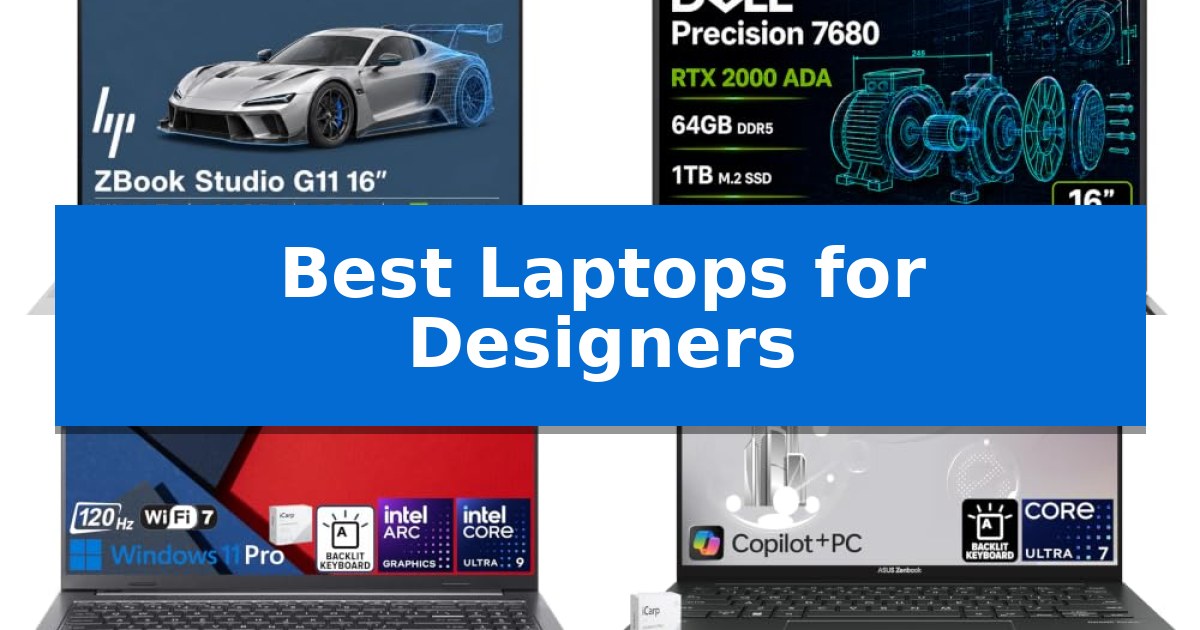
Designers require hardware that balances raw computational power with precise color reproduction to handle complex visual workflows. Finding the Best Laptops for Designers involves navigating a landscape of high-resolution displays, dedicated graphics cards, and thermal management systems that can sustain long rendering sessions without throttling.
Whether you are working in 3D modeling, high-resolution video editing, or intricate vector illustration, your machine must serve as a reliable extension of your creative process. This guide examines current mobile workstations and creator-focused laptops to help you identify the right balance of performance and portability for your specific design needs.
Best Laptops for Designers in 2026
Quick Comparison
| Product | Best For | Key Strength | Score |
|---|---|---|---|
| HP ZBook Studio G11 | Best Overall | ISV certified for professional design software like AutoCAD and SolidWorks. | 4.9 |
| Dell Precision 7680 | ISV-Certified for Pro CAD Design | High-performance NVIDIA RTX 2000 Ada GPU optimized for professional design and rendering. | 4.3 |
| Acer Aspire 16 AI | Color-Accurate Display for Creators | 100% sRGB color coverage on a 120Hz touchscreen display. | 4.7 |
| ASUS Zenbook 14 OLED | Vibrant OLED for Precision Editing | 100% DCI-P3 OLED display provides professional-grade color accuracy for design work. | 4.5 |
| HP OmniBook 7 | Large Screen for Detailed Layouts | 100% sRGB color accuracy on a large 17.3-inch display. | 4.6 |
How We Chose
- Color accuracy and display technology, prioritizing sRGB and DCI-P3 coverage.
- Processing power and dedicated GPU performance for 3D rendering and complex simulations.
- Connectivity options, focusing on Thunderbolt 4 and high-speed data transfer ports.
- Thermal efficiency and build quality to ensure sustained performance under heavy loads.
- RAM and storage configurations that support multitasking large design files.
1 HP ZBook Studio G11 — Workstation Power for Complex 3D
Professional creative workflows demand hardware that balances raw compute power with thermal stability, and the HP ZBook Studio G11 is engineered specifically for these high-stakes environments. By integrating the Intel Core Ultra 7 165H processor—a 16-core powerhouse—with the NVIDIA RTX 1000 Ada GPU, this workstation provides the necessary overhead for complex 3D rendering, simulation, and AI-driven development tasks. Its specialized thermal architecture is designed to sustain peak performance during extended rendering sessions, ensuring that hardware stability is maintained when projects are at their most demanding.
For designers requiring precise visual feedback, the 16-inch WUXGA display offers 100% sRGB color gamut coverage and 400-nit brightness, providing a reliable canvas for color-accurate work. The device excels in workspace management through its native triple-display output capability, enabled by two Thunderbolt 4 ports and additional USB-C connectivity. This allows professionals to expand their digital workspace across multiple monitors, which is essential for managing multi-layer projects or comparing complex CAD models side-by-side.
Security and connectivity are prioritized to meet enterprise standards, featuring a built-in fingerprint reader, an IR camera with a privacy shutter, and the latest Wi-Fi 7 standard for high-speed data transfers. The system comes pre-installed with Windows 11 Pro, which utilizes BitLocker for robust file encryption. Furthermore, the laptop holds ISV certifications for industry-standard applications such as AutoCAD, SolidWorks, and Revit, guaranteeing that the hardware is optimized for the specific software stacks used by engineers and architects.
While the HP ZBook Studio G11 is a formidable tool for production, it is built with a focus on durability and performance rather than extreme portability. The inclusion of 64GB DDR5 RAM and a 2TB PCIe NVMe SSD ensures fast data access, though users should note that the unit is resealed to accommodate these high-capacity upgrades. This workstation is a strategic investment for professionals who require a reliable, certified platform for intensive computational and creative output.
Best for: Professional designers and engineers requiring ISV-certified performance for CAD, 3D modeling, and AI-assisted workflows.
Skip if: Users seeking a lightweight, ultra-portable device for basic office tasks or casual content consumption may find the workstation-grade hardware and weight excessive.
PROS
- ISV certified for professional design software like AutoCAD and SolidWorks.
- High-performance hardware featuring an Intel Core Ultra 7 processor and RTX 1000 Ada GPU.
- Extensive connectivity with dual Thunderbolt 4 ports and Wi-Fi 7 support.
- Enterprise-grade security including an IR camera and fingerprint reader.
CONS
- Heavy workstation build compared to standard consumer ultrabooks.
- Resealed unit due to memory and SSD upgrades.
2 Dell Precision 7680 — ISV-Certified for Pro CAD Design
Precision-engineered for demanding professional environments, the Dell Precision 7680 utilizes advanced CAMM DDR5 RAM to maximize memory density and performance while maintaining a slim chassis profile. This mobile workstation is built to handle intensive computational tasks, making it a robust choice for architects, engineers, and creative professionals who require reliable, high-speed processing for 3D rendering, CAD design, and complex simulations.
At the heart of this workstation is the Intel Core i7-13850HX vPro Processor paired with the NVIDIA RTX 2000 Ada 8GB GPU, a combination specifically selected to accelerate professional workflows. The system is further optimized for data science and AI-driven applications, ensuring that heavy multitasking remains fluid. With 64GB of RAM and a 1TB PCIe NVMe SSD, the device provides the necessary overhead for large project files and rapid data access.
The 16-inch FHD+ Anti-Glare display provides a clear workspace, while the machine's extensive connectivity options allow for a multi-monitor setup without the need for a docking station. Users can connect up to four external 4K displays via the integrated Thunderbolt 4, USB-C, and HDMI ports. The inclusion of Wi-Fi 6E and a dedicated Ethernet port ensures stable, high-speed networking for collaborative studio or office environments.
Designed for durability and long-term utility, the chassis meets MIL-STD-810H testing standards, ensuring it can withstand the rigors of on-site work. The ISV certifications provide assurance that the hardware is compatible with industry-standard professional software. Running Windows 11 Pro, the system leverages AI-powered tools to assist in workflow management, supported by a manufacturer warranty extending until February 2029.
Best for: Professional architects, engineers, and creators who require ISV-certified hardware for intensive CAD, 3D rendering, and data-heavy workflows.
Skip if: Users seeking a lightweight, ultra-portable laptop for casual creative tasks or general office work may find the 5.9-pound weight and workstation-focused feature set excessive.
PROS
- High-performance NVIDIA RTX 2000 Ada GPU optimized for professional design and rendering.
- CAMM DDR5 RAM architecture allows for faster memory speeds and a thinner device profile.
- Extensive I/O connectivity supports up to four external 4K monitors natively.
- MIL-STD-810H durability ensures reliability in demanding work environments.
CONS
- Substantial 5.9-pound weight limits portability compared to standard ultrabooks.
- FHD+ display resolution may be less detailed than higher-density panels for fine-art color grading.
3 Acer Aspire 16 AI — Color-Accurate Display for Creators
Designers requiring high color fidelity and responsive multitasking often look for hardware that balances processing power with display precision. The Acer Aspire 16 AI addresses these needs by pairing an Intel Octa-core Ultra 9 288V processor with a 16-inch WUXGA touchscreen that features 100% sRGB coverage, ensuring that visual work is rendered with accurate color representation.
Beyond its display, this laptop is built for professional workflows, utilizing an integrated Intel Arc 140V GPU and 32GB of RAM to handle demanding creative software. The inclusion of a 1TB SSD provides ample storage for large project files, while the 120Hz refresh rate on the matte ComfyView panel helps maintain smooth motion during editing or navigation.
Connectivity is a major focus for professional setups, and this model includes two USB-C 4.0 ports capable of 40Gbps data transfer and 100W power delivery. It also features HDMI 2.1, RJ45 Ethernet, and a MicroSD card reader, allowing designers to connect to external monitors, high-speed storage, and wired networks without relying on multiple dongles.
Running on Windows 11 Professional, the machine also integrates modern conveniences like an FHD IR webcam for video conferencing and Wi-Fi 7 for fast wireless connectivity. Its backlit keyboard and DTS audio system round out a package designed to support both intensive creative sessions and daily professional tasks in a portable 3.4-pound frame.
Best for: Professional designers and creators who require a color-accurate display and versatile port selection for demanding creative workflows.
Skip if: Users who require a dedicated high-end discrete GPU for intensive 3D rendering or heavy video editing may find the integrated Intel Arc graphics insufficient for their specific needs.
PROS
- 100% sRGB color coverage on a 120Hz touchscreen display.
- Versatile connectivity including dual USB-C 4.0 ports with 100W power delivery.
- High-performance multitasking with an Intel Ultra 9 288V processor and 32GB of RAM.
- Integrated RJ45 Ethernet and MicroSD card reader for professional workflows.
CONS
- Integrated graphics may limit performance in specialized 3D modeling or heavy-duty video rendering tasks.
- WUXGA resolution may be lower than some high-end 4K creative displays.
4 ASUS Zenbook 14 OLED — Vibrant OLED for Precision Editing
Achieving color accuracy and fluid multitasking during design workflows requires hardware that balances processing power with display fidelity. The ASUS Zenbook 14 OLED addresses these needs by pairing a high-performance 16-core Intel Ultra 7 255H processor with a vibrant 14-inch WUXGA OLED touchscreen, ensuring that both complex rendering tasks and precise visual adjustments are handled with efficiency.
The display is a standout feature for creative work, offering 500nits of HDR brightness and 100% DCI-P3 color gamut coverage. This combination provides the contrast and color depth necessary for professional design projects. With the inclusion of the Intel Arc 140T GPU, the system is equipped to manage graphic-intensive applications while maintaining a portable form factor that weighs just 2.65 pounds.
Connectivity is streamlined for modern professional setups through two Thunderbolt 4 ports, a USB-A 3.2 port, and HDMI 2.1. These interfaces allow for seamless integration with external high-resolution monitors and high-speed peripherals. The inclusion of Wi-Fi 7 ensures fast, reliable network performance, while the FHD IR privacy camera supports secure authentication for business environments.
Designed for productivity, the laptop includes 16GB of RAM and a 512GB SSD to handle demanding software suites without lag. The chassis is exceptionally thin at 0.59 inches, making it a practical choice for designers who frequently move between studio, office, and client meetings without sacrificing the performance required for creative output.
Best for: Designers and business professionals who require a highly portable, color-accurate OLED display and robust processing power for creative software.
Skip if: Users who require massive local storage capacity or dedicated high-end workstation graphics for extreme 3D rendering will find the 512GB SSD and integrated GPU limiting.
PROS
- 100% DCI-P3 OLED display provides professional-grade color accuracy for design work.
- Intel 16-core Ultra 7 255H processor delivers high-speed performance for multitasking.
- Ultra-portable design at only 2.65 pounds and 0.59 inches thick.
- Dual Thunderbolt 4 ports ensure versatile connectivity for external displays and peripherals.
CONS
- 512GB SSD may be insufficient for users with large media libraries or extensive project files.
- Integrated Intel Arc 140T GPU is not a substitute for dedicated desktop-class graphics cards.
5 HP OmniBook 7 — Large Screen for Detailed Layouts
Designers requiring expansive digital canvases for complex layouts will find the HP OmniBook 7 a compelling choice, anchored by its large 17.3-inch FHD IPS touchscreen. This display is calibrated for color-critical work, offering 400 nits of brightness and 100% sRGB color gamut coverage, ensuring that visual assets are rendered with high accuracy.
At the heart of this machine is the Intel 8-core Ultra 7 258V processor, paired with an integrated Intel Arc 140V GPU. This hardware configuration is designed to handle demanding creative software, supported by 32GB of DDR5 memory for smooth multitasking across heavy design files and a 1TB SSD for fast data access and storage.
The chassis is built for professional utility, measuring just 0.6 inches in height despite its large footprint. Connectivity is a priority, featuring a versatile array of ports including Thunderbolt 4, three SuperSpeed USB-A ports, two SuperSpeed USB-C ports, and HDMI 2.1, allowing for seamless integration into existing studio setups with external monitors and peripherals.
Beyond performance, the device includes a 5MP IR privacy camera for secure video conferencing and a backlit keyboard for low-light environments. The inclusion of DTS:X Ultra and Poly Studio audio enhancements rounds out the package, providing a comprehensive workstation for professionals who prioritize screen real estate and connectivity.
Best for: Designers and business professionals who require a large, color-accurate display and extensive port connectivity for complex creative workflows.
Skip if: Users who prioritize portability or a smaller form factor will find the 17.3-inch size and 5.18-pound weight cumbersome for frequent travel.
PROS
- 100% sRGB color accuracy on a large 17.3-inch display.
- Extensive port selection including Thunderbolt 4 and HDMI 2.1.
- 32GB DDR5 RAM for demanding multitasking.
- 5MP IR privacy camera for secure professional communication.
CONS
- Large 17.3-inch form factor limits portability.
- Heavy 5.18-pound weight compared to smaller ultrabooks.
Best Laptops for Designers Buying Guide
Display Quality and Color Accuracy
For any designer, the display is the most critical component. Look for panels that offer at least 100% sRGB coverage, though DCI-P3 is preferred for video-centric workflows. IPS panels provide consistent viewing angles, while OLED technology offers superior contrast ratios and deeper blacks, which are essential for precision editing.
Brightness levels are equally important, especially if you work in varying lighting conditions. A minimum of 400 nits is generally recommended to ensure visibility and color depth, while anti-glare coatings help reduce eye strain during long hours of detailed layout work.
Processing Power and Graphics
Creative tasks like 3D rendering and real-time simulation demand both a high-performance CPU and a dedicated GPU. Modern mobile workstations often utilize Intel Core Ultra or i7/i9 processors paired with NVIDIA RTX Ada generation GPUs, which are optimized for professional applications like AutoCAD and Revit.
The amount of dedicated video memory (VRAM) is a key differentiator. If your work involves complex 3D environments or multi-layer video projects, prioritize GPUs with at least 6GB or 8GB of VRAM to ensure your software runs smoothly without memory-related bottlenecks.
Memory and Storage Requirements
Design software is notoriously memory-intensive. While 16GB of RAM might suffice for basic graphic design, 32GB or 64GB is the standard for professional 3D modeling and video production. Having sufficient RAM prevents the system from relying on slower storage-based caching, which can significantly slow down your workflow.
Storage speed is just as vital as capacity. PCIe NVMe M.2 SSDs are the industry standard for fast file loading and project saving. Ensure the laptop allows for future upgrades or comes pre-configured with at least 1TB of storage to accommodate large project files and asset libraries.
Connectivity and Peripheral Support
A designer's workspace often includes multiple external monitors, drawing tablets, and high-speed storage drives. Thunderbolt 4 ports are essential for high-bandwidth connectivity, allowing you to daisy-chain monitors or connect high-speed docks without sacrificing data transfer speeds.
Check for a variety of ports, including USB-A for legacy peripherals and HDMI 2.1 for modern display compatibility. Reliable wireless connectivity, such as Wi-Fi 7, is also a major advantage for teams that rely on cloud-based collaboration and large file syncing.
Thermal Management and Build Quality
High-performance components generate significant heat. A laptop's ability to dissipate this heat directly impacts its ability to maintain peak performance. Look for workstations with robust thermal systems that include multiple heat pipes and efficient fan configurations to prevent thermal throttling during long rendering tasks.
Portability often comes at the cost of thermal headroom. If you frequently work on-site or in a studio, a slightly heavier, thicker chassis often houses better cooling solutions, which is a worthwhile trade-off for professional-grade reliability and sustained performance.
Frequently Asked Questions
Do I really need an ISV-certified laptop for design?
ISV (Independent Software Vendor) certification ensures that the hardware has been tested and is guaranteed to work reliably with specific professional software like SolidWorks or AutoCAD. If your work depends on these applications, it is a highly recommended feature for stability.
Is OLED better than IPS for design work?
OLED displays offer superior contrast and color depth, making them excellent for photo and video editing. However, IPS panels are often preferred for print design due to their consistent color reproduction across different viewing angles and lack of potential burn-in over time.
How much RAM is enough for professional design?
For basic graphic design, 16GB is adequate. However, for 3D modeling, complex animation, or 4K video editing, 32GB is the recommended minimum, with 64GB providing a more comfortable buffer for multitasking.
Can I upgrade the storage on these laptops later?
Many mobile workstations are designed with upgradeability in mind, often featuring accessible M.2 SSD slots. However, it is always best to check the specific model's documentation, as some thinner, creator-focused laptops may have soldered components.
What is the benefit of Thunderbolt 4 for designers?
Thunderbolt 4 provides high-speed data transfer, power delivery, and support for multiple 4K or 8K displays through a single cable. It is essential for maintaining a clean, efficient desk setup with multiple peripherals.
Conclusion: Our Top Pick
Selecting the right hardware is a foundational step in your creative career. For those requiring a balance of workstation-grade performance and professional reliability, the HP ZBook Studio G11 stands out as a top-tier choice. Its combination of the Intel Core Ultra 7 processor and the NVIDIA RTX 1000 Ada GPU provides the necessary horsepower for demanding 3D and AI-assisted workflows.
While other options like the Dell Precision 7680 offer specialized ISV certifications for CAD, or the ASUS Zenbook 14 OLED provides a more portable, vibrant display, the HP ZBook Studio G11 remains our top pick for its overall versatility and sustained performance. It is a robust investment for any designer looking to streamline their creative process and handle complex projects with confidence.