

Finding the right hardware that balances the intense graphical demands of modern gaming with the color accuracy required for professional design is a common challenge. Whether you are rendering complex 3D scenes or competing in fast-paced titles, the hardware must handle heavy computational loads without sacrificing visual fidelity.
Our guide highlights the Best Laptops for Design and Gaming currently available, focusing on machines that integrate high-refresh-rate displays, robust cooling systems, and the latest processing architectures to ensure your creative and gaming sessions remain fluid and productive.
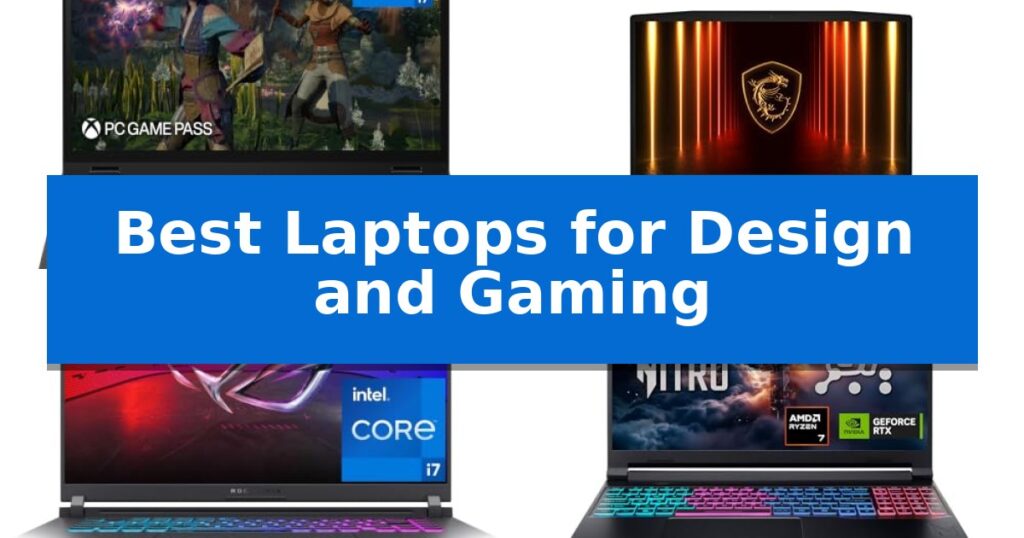
Best Laptops for Design and Gaming in 2026
Quick Comparison
| Product | Best For | Key Strength | Score |
|---|---|---|---|
| Lenovo Legion 5i Gaming Laptop | Best Overall | NVIDIA GeForce RTX 5070 graphics with AI horsepower for advanced rendering and gaming. | 4.9 |
| MSI Katana 15 HX Gaming Laptop | Elite Power for Intensive Rendering | Intel Core i9-14900HX 24-core processor for demanding multitasking. | 4.8 |
| ASUS ROG Strix G16 Gaming Laptop | Balanced Performance for Creators | NVIDIA Blackwell architecture GPU provides advanced graphical capabilities for gaming and creation. | 4.5 |
| Acer Nitro V 16S Gaming Laptop | AI-Enhanced Workflow and Gaming | High-performance AI processing with 572 AI TOPS for advanced rendering and gaming. | 4.6 |
How We Chose
- Display quality, specifically color gamut coverage and panel technology, to ensure design precision.
- GPU architecture and AI-driven rendering capabilities for handling complex graphics and gaming frame rates.
- Thermal management systems to maintain consistent performance during sustained high-load tasks.
- Processor core count and architecture to support multitasking between heavy design software and modern games.
- Portability and build quality for users who need to transition between studio environments and mobile setups.
1 Lenovo Legion 5i Gaming Laptop — OLED Display for Creative Precision
The Lenovo Legion 5i Gaming Laptop is built for users who require a balance of high-end graphical output and portable design. Featuring the NVIDIA GeForce RTX 5070 with Blackwell architecture, this machine provides significant AI-driven graphical capabilities for both demanding AAA gaming and professional creative workflows.
At the heart of its performance is the Intel Core i7-14700HX processor, which utilizes a hybrid architecture to handle intensive multitasking. The 15-inch 2.5K WQXGA PureSight OLED display offers high color accuracy and flexible refresh rates up to 165Hz, ensuring that visual fidelity remains a priority for design tasks and fast-paced gaming alike.
Thermal management is handled by the Legion Coldfront: Hyper system, which integrates turbo-charged stealth fans with copper heat pipes to maintain stability during heavy loads. The chassis measures 0.85 inches in height and weighs 4.4 pounds, making it a viable option for students or professionals who need to move between locations without sacrificing hardware power.
For added convenience, the device includes fast-charging technology that reaches 70% capacity in under 30 minutes via USB Type-C. Users also receive 3 months of PC Game Pass, providing immediate access to a library of titles to test the system's capabilities right out of the box.
Best for: University students and creative professionals who need a portable, high-performance machine for both gaming and design work.
Skip if: Users who require a larger screen for professional-grade color grading or those who prioritize maximum battery life over high-performance graphical processing.
PROS
- NVIDIA GeForce RTX 5070 graphics with AI horsepower for advanced rendering and gaming.
- PureSight OLED display provides high color accuracy and a 165Hz refresh rate.
- Legion Coldfront: Hyper cooling system ensures quiet operation under load.
- Fast-charging capability via USB Type-C for improved mobility.
CONS
- 16GB of memory may be a limiting factor for extremely complex multi-threaded creative projects.
- 4.4-pound weight is portable but heavier than standard ultrabooks.
2 MSI Katana 15 HX Gaming Laptop — Elite Power for Intensive Rendering
The MSI Katana 15 HX Gaming Laptop centers its performance around the Intel Core i9-14900HX processor, utilizing a 24-core hybrid architecture designed to handle intensive multitasking and demanding gaming workloads. This high-performance CPU is paired with the NVIDIA GeForce RTX 5070 GPU, which leverages the Blackwell architecture to provide advanced ray tracing and AI-driven upscaling for enhanced visual fidelity.
For visual tasks, the laptop features a 15.6-inch QHD display with a 165Hz refresh rate and 100% DCI-P3 color gamut coverage. These specifications are intended to reduce motion blur during fast-paced gameplay while providing the color accuracy necessary for creative design work. The system maintains stability during extended use through the Cooler Boost 5 thermal solution, which incorporates dual fans and a five-heat-pipe design to manage heat dissipation.
The chassis includes a 4-zone RGB keyboard featuring highlighted WASD keys for gaming precision. Connectivity options are comprehensive, offering USB-C Gen 2, multiple USB-A ports, an RJ45 Ethernet port, and HDMI output capable of 8K resolution. Wireless networking is supported via Wi-Fi 6E, and the device includes Hi-Res Audio support for integrated sound output.
Measuring 0.99 inches in thickness and weighing 4.96 pounds, the device balances internal hardware capacity with a portable form factor. It comes equipped with 32GB of DDR5 memory and a 1TB NVMe SSD, providing a foundation for high-speed data access and large project file storage.
Best for: Users requiring a high-performance mobile workstation capable of handling both professional-grade design tasks and intensive modern gaming.
Skip if: Users who prioritize a lightweight, ultra-thin design or extended battery life over the raw processing and thermal requirements of a high-wattage HX-series CPU and dedicated RTX 5070 GPU.
PROS
- Intel Core i9-14900HX 24-core processor for demanding multitasking.
- QHD 165Hz display with 100% DCI-P3 color accuracy.
- Cooler Boost 5 thermal system for sustained performance.
- Comprehensive connectivity including USB-C Gen 2 and 8K-ready HDMI.
CONS
- 4.96-pound weight may be less portable than ultrabook alternatives.
- High-performance hardware requires a robust cooling system, contributing to the 0.99-inch thickness.
3 ASUS ROG Strix G16 Gaming Laptop — Balanced Performance for Creators
Balancing the high-intensity demands of modern gaming with the precision required for creative workflows, the ASUS ROG Strix G16 (2025) centers its utility on a high-performance Intel Core i7 Processor 14650HX and the latest NVIDIA GeForce RTX 5060 laptop GPU. This combination leverages the NVIDIA Blackwell architecture to provide the necessary graphical overhead for rendering tasks and high-frame-rate gaming, supported by DLSS 4 and Max-Q technologies for optimized power efficiency.
The visual experience is anchored by a 16-inch FHD+ 16:10 display with a 165Hz refresh rate and a 3ms response time. To ensure clarity during long sessions, the panel features a specialized ACR film designed to enhance contrast while minimizing distracting glare. This display configuration provides the fluidity needed for competitive gaming and the screen real estate often preferred for creative software interfaces.
Thermal management is handled by ROG Intelligent Cooling, which utilizes an end-to-end vapor chamber and tri-fan technology. By applying Conductonaut extreme liquid metal directly to the chipset, the system maintains thermal stability under heavy workloads. For users transitioning between environments, the 360° RGB light bar offers full customization, while Stealth Mode allows for a quick transition to a professional, non-illuminated aesthetic.
With 16GB of DDR5-5600MHz memory and a 1TB PCIe Gen 4 SSD, the laptop provides a responsive foundation for multitasking and rapid asset loading. Connectivity is future-ready with Wi-Fi 7 integration, ensuring high-bandwidth wireless performance for cloud-based creative projects or online gaming.
Best for: Users who require a versatile machine capable of handling both demanding creative software and modern gaming titles in a single, portable package.
Skip if: Users who prioritize a 4K resolution display or need more than 16GB of RAM out of the box for extremely memory-intensive professional rendering tasks.
PROS
- NVIDIA Blackwell architecture GPU provides advanced graphical capabilities for gaming and creation.
- ROG Intelligent Cooling system with liquid metal ensures thermal stability during sustained loads.
- 165Hz FHD+ display with ACR film reduces glare and improves contrast for better visual clarity.
- Wi-Fi 7 support offers the latest in high-speed wireless connectivity.
CONS
- 16GB of RAM may be a limiting factor for power users who run multiple memory-heavy creative applications simultaneously.
- FHD+ resolution may not satisfy users who specifically require 4K or higher pixel density for precise color-critical design work.
4 Acer Nitro V 16S Gaming Laptop — AI-Enhanced Workflow and Gaming
The Acer Nitro V 16S Gaming Laptop integrates the AMD Ryzen 7 260 processor with the NVIDIA GeForce RTX 5060 Laptop GPU, delivering up to 572 AI TOPS for demanding creative workflows and high-fidelity gaming. This machine is built to handle intensive tasks through its AI-powered architecture, which supports advanced features like DLSS 4 for improved frame rates and image reconstruction.
Visuals are rendered on a 16-inch WUXGA display that covers 100% of the sRGB color gamut, ensuring color accuracy for design projects. The 180Hz refresh rate provides fluid motion, which is essential for fast-paced gaming environments. With 32GB of DDR5 5600MHz memory and a 1TB PCIe Gen 4 SSD, the system offers significant capacity for multitasking and high-speed data access.
Designed for versatility, the laptop includes two PCIe M.2 slots, allowing for future storage expansion. The inclusion of Wi-Fi 6 ensures stable connectivity, while the overall build maintains a balance between performance hardware and portability. The system is backed by a one-year International Travelers Limited Warranty, providing support for users who require a reliable machine for both professional design and entertainment.
This laptop is a practical choice for those who need a balance of raw processing power and visual fidelity. While it excels in AI-driven applications and gaming, users should ensure their specific software requirements align with the hardware capabilities provided by the RTX 50 series architecture.
Best for: Content creators and gamers who require AI-accelerated performance and high color accuracy for design and entertainment.
Skip if: Users who require a lightweight ultraportable device or those who need more than 32GB of RAM for extreme workstation tasks.
PROS
- High-performance AI processing with 572 AI TOPS for advanced rendering and gaming.
- 100% sRGB color coverage on a 180Hz display for accurate and smooth visuals.
- Expandable storage via an additional available PCIe M.2 slot.
- Large 32GB DDR5 memory capacity for efficient multitasking.
CONS
- Fixed maximum memory of 32GB limits future RAM upgrades.
- Weight of 4.63 pounds may be less portable than dedicated thin-and-light laptops.
Best Laptops for Design and Gaming Buying Guide
Display Technology and Color Accuracy
For design work, the display is the most critical component. Look for panels that offer high color accuracy, such as 100% DCI-P3 or sRGB coverage, to ensure your work looks consistent across different devices. OLED technology is particularly beneficial for designers because it provides deep blacks and high contrast ratios, which are essential for color grading and detailed editing.
Gamers should prioritize high refresh rates, typically 165Hz or higher, to reduce motion blur during fast-paced action. A display that combines these gaming-focused refresh rates with professional-grade color reproduction is the hallmark of a truly versatile machine.
GPU Performance and AI Acceleration
Modern graphics cards, such as those built on the NVIDIA Blackwell architecture, are essential for both high-end gaming and accelerated rendering. These GPUs utilize AI-driven technologies like DLSS to boost frame rates in games and reduce render times in creative applications, effectively bridging the gap between entertainment and professional productivity.
When evaluating a laptop, consider the specific AI TOPS (Tera Operations Per Second) capability of the GPU. Higher AI performance can significantly speed up workflows in software that leverages neural rendering or automated design tools, making the laptop more efficient for complex projects.
Thermal Management and Sustained Load
High-performance components generate significant heat, which can lead to thermal throttling if not managed correctly. Look for laptops that feature advanced cooling solutions, such as vapor chambers, multiple heat pipes, and high-airflow fans. Effective cooling ensures that the CPU and GPU can maintain peak performance during long gaming marathons or intensive rendering sessions.
A well-designed thermal system also contributes to a quieter user experience. Systems that direct airflow away from the keyboard and palm rest areas are preferable for long hours of work or play, as they prevent the chassis from becoming uncomfortably hot.
Processor Architecture and Multitasking
The CPU acts as the brain of your laptop, handling everything from background processes to the logic of your games and design software. Hybrid architecture processors, which combine performance cores for heavy lifting and efficiency cores for background tasks, are ideal for multitasking. This setup allows you to keep creative suites running smoothly while managing system resources efficiently.
Ensure your chosen model has sufficient RAM, ideally 16GB or more, to support these demanding applications. A fast NVMe SSD is also essential to minimize load times for large project files and game assets, keeping your workflow uninterrupted.
Portability and Connectivity
Even high-performance laptops should offer a degree of mobility. Consider the weight and dimensions of the chassis if you plan to travel frequently. Laptops that utilize power-efficient hardware can often provide better battery life, though you should always expect to carry a charger for intensive tasks.
Connectivity is equally important. Ensure the device includes modern ports like USB-C with fast-charging capabilities, HDMI for external displays, and high-speed Wi-Fi standards. These features allow you to integrate the laptop into a larger studio or gaming setup with ease.
Frequently Asked Questions
Can I use a gaming laptop for professional graphic design?
Yes, many gaming laptops are excellent for design because they feature high-performance GPUs and high-quality displays. Just ensure the model you choose has a screen with high color accuracy, such as 100% sRGB or DCI-P3 coverage.
Why is the display refresh rate important for gaming?
A higher refresh rate, such as 165Hz or 180Hz, allows the screen to update more frequently, resulting in smoother motion and reduced input lag, which is vital for competitive gaming.
Do I need a laptop with AI-enhanced features?
AI-enhanced features can significantly improve performance in both gaming and creative work. Technologies like DLSS use AI to boost frame rates and improve image quality, while AI-tuned performance engines can optimize system resources for specific apps.
How do I prevent my laptop from overheating during heavy tasks?
Choose a laptop with robust thermal management, such as vapor chambers or multiple heat pipes. Additionally, ensure the laptop is placed on a hard, flat surface to allow for proper airflow through the intake and exhaust vents.
Is 1TB of storage enough for gaming and design?
1TB is a solid starting point for most users, offering enough space for several large games and numerous project files. If you work with massive 4K video files or keep a very large game library, you may eventually need an external drive or an internal upgrade.
Conclusion: Our Top Pick
Selecting the right machine requires balancing raw power with visual precision. For those who need a reliable, high-performance device that excels in both creative tasks and gaming, the Lenovo Legion 5i Gaming Laptop stands out as a top contender due to its PureSight OLED display and intelligent thermal management.
While other models offer specific advantages like higher RAM or different processor configurations, the overall synergy of the display quality and cooling efficiency makes it a versatile choice for professionals and gamers alike.