
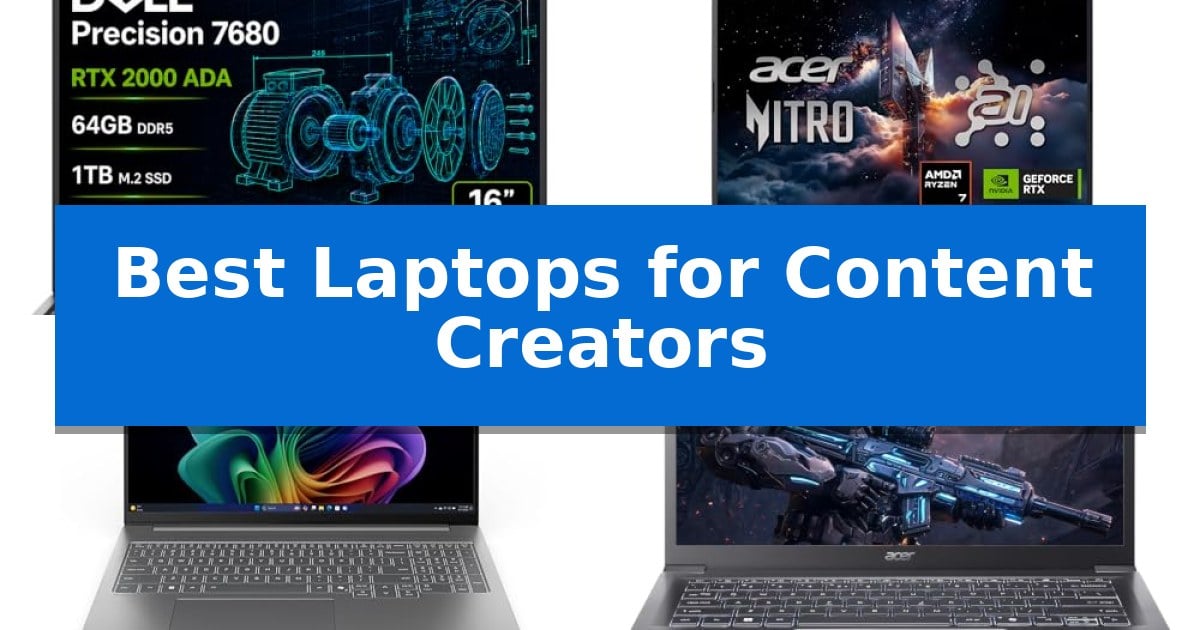
Selecting the right hardware is essential for maintaining a seamless creative workflow. Whether you are editing high-resolution video, rendering complex 3D models, or managing color-sensitive graphic design projects, the hardware under your hood dictates your efficiency and output quality.
Finding the Best Laptops for Content Creators requires balancing raw processing power with display fidelity and thermal management. We have evaluated five distinct machines to help you identify which system aligns with your specific professional requirements and creative demands.
Best Laptops for Content Creators in 2026: Power Your Creative Vision
Quick Comparison
| Product | Best For | Key Strength | Score |
|---|---|---|---|
| Dell Precision 7680 Workstation Laptop | Best Overall | NVIDIA RTX 2000 Ada 8GB GPU for professional-grade rendering. | 4.9 |
| Acer Nitro V 16S Gaming Laptop | AI-Accelerated Graphics for Creators | NVIDIA GeForce RTX 5060 GPU with 572 AI TOPS for advanced rendering. | 4.3 |
| Lenovo IdeaPad Pro 5 Laptop | Vibrant OLED for Color-Sensitive Work | High-resolution 2.8K OLED display with 120Hz refresh rate. | 4.6 |
| Acer Aspire AI Laptop | Portable Efficiency for Creative Projects | 47 TOPS NPU for local AI acceleration and task automation. | 4.5 |
| Dell 16 Plus Touchscreen Laptop | Balanced Multitasking for Modern Creators | Intel Core 7 150U processor for efficient multitasking. | 4.8 |
How We Chose
- Processing power and multi-core performance for rendering and multitasking.
- Graphics capabilities and AI-acceleration support for creative software.
- Display color accuracy, resolution, and refresh rates for visual precision.
- Connectivity options for external peripherals, storage, and multi-monitor setups.
- Portability and build quality for professionals working across different environments.
1 Dell Precision 7680 Workstation Laptop — Professional Power for Heavy Rendering
The Dell Precision 7680 Workstation Laptop is engineered for high-stakes professional environments, featuring an NVIDIA RTX 2000 Ada 8GB GPU that provides the graphical horsepower necessary for complex 3D rendering, CAD design, and simulation tasks. This machine is built to handle intensive creative workflows, positioning itself as a central hub for engineers, architects, and data analysts who require reliable, workstation-class performance.
At the heart of its performance is the Intel Core i7-13850HX vPro Processor, paired with 64GB of DDR5 CAMM RAM. The use of CAMM memory technology is a design choice that overcomes traditional SODIMM limitations, allowing for faster memory speeds while maintaining a thinner chassis profile. Storage is handled by a 1TB PCIe NVMe M.2 SSD, ensuring rapid access to large project files.
The 16-inch FHD+ (1920 x 1200) Anti-Glare display provides a clear workspace, while the system's I/O capabilities allow for extensive multitasking. Users can connect up to four external monitors via HDMI, USB-C, and Thunderbolt 4 ports, outputting at 4K resolution at 60Hz. This connectivity, combined with Wi-Fi 6E and an integrated Ethernet port, ensures stable data transfer and peripheral integration.
Built for durability, the laptop undergoes MIL-STD-810H testing, ensuring it can withstand the rigors of studio or on-site work environments. It comes pre-installed with Windows 11 Pro, which includes AI-powered Copilot to assist in managing complex professional tasks. With ISV certifications, the device is optimized for compatibility with industry-standard creative and engineering software suites.
Best for: Professional creators, engineers, and data analysts requiring ISV-certified performance for CAD, 3D rendering, and complex simulation workflows.
Skip if: Users seeking a lightweight, ultra-portable laptop for casual creative work or those who prioritize high-resolution 4K internal displays over workstation-grade durability and connectivity.
PROS
- NVIDIA RTX 2000 Ada 8GB GPU for professional-grade rendering.
- CAMM DDR5 RAM architecture for improved performance and thermal efficiency.
- Extensive connectivity with support for four external 4K monitors.
- MIL-STD-810H durability and ISV application certifications.
CONS
- Heavy 5.9-pound chassis may limit portability for frequent travelers.
- FHD+ display resolution is lower than some high-end creator-focused alternatives.
2 Acer Nitro V 16S Gaming Laptop — AI-Accelerated Graphics for Creators
The Acer Nitro V 16S AI Gaming Laptop integrates the NVIDIA GeForce RTX 5060 Laptop GPU, utilizing Blackwell architecture and 572 AI TOPS to deliver advanced ray tracing and neural rendering capabilities for demanding creative workflows. This machine is engineered to handle intensive tasks, from high-fidelity 3D rendering to complex AI-driven processing, providing a robust foundation for modern content creation.
Equipped with an AMD Ryzen 7 260 CPU and 32GB of DDR5 5600MHz memory, the laptop ensures efficient multitasking and responsiveness. The inclusion of 38 AI Overall TOPS supports accelerated performance for creative software, while the 1TB PCIe Gen 4 SSD provides high-speed storage for large project files and media assets.
Visual precision is managed by a 16-inch WUXGA 1920 x 1200 display that covers 100% sRGB color gamut, ensuring accurate color reproduction essential for photo and video editing. The 180Hz refresh rate offers fluid motion, which benefits creators working with high-frame-rate video or animation, maintaining clarity during fast-paced playback.
Designed with a focus on thermal and operational efficiency, the Acer Nitro V 16S Gaming Laptop features an additional PCIe M.2 slot for storage expansion, allowing users to scale their capacity as their library grows. The unit balances its high-performance internals within a portable chassis, making it a versatile tool for creators who require desktop-class power in a mobile form factor.
Best for: Content creators and gamers who require AI-accelerated graphics performance and high-fidelity color accuracy for visual production.
Skip if: Users who prioritize ultra-lightweight portability or a 4K resolution display for high-density editing workflows may find this 16-inch WUXGA model less suitable.
PROS
- NVIDIA GeForce RTX 5060 GPU with 572 AI TOPS for advanced rendering.
- 100% sRGB color coverage for accurate visual editing.
- 32GB DDR5 memory provides ample headroom for multitasking.
- Expandable storage via an additional PCIe M.2 slot.
CONS
- WUXGA resolution may be limiting for creators requiring 4K-native editing environments.
- 4.63-pound weight is substantial for frequent long-distance travel.
3 Lenovo IdeaPad Pro 5 Laptop — Vibrant OLED for Color-Sensitive Work
The Lenovo IdeaPad Pro 5-2025 is engineered for demanding creative workflows, centered around a high-resolution 16-inch 2.8K OLED display. With a 120Hz refresh rate and VRR support, this panel provides the visual precision required for color-sensitive tasks like video editing and graphic design, while the 16:10 aspect ratio offers extra vertical screen real estate for productivity applications.
Performance is driven by the AMD Ryzen AI Series processor, which integrates specialized AI-accelerated features to handle multitasking and complex creative workloads efficiently. For graphics-intensive projects, the inclusion of an NVIDIA GeForce RTX 5050 GPU provides the necessary horsepower for rendering and video processing, while the system intelligently switches to integrated graphics to conserve resources during lighter tasks.
Designed for professional mobility, the chassis is MIL-STD-810H tested for durability, ensuring it can withstand the rigors of travel. Despite its robust build, it remains transportable for power users who need a reliable workstation on the go. Security and convenience are prioritized through features like Windows Hello support, a privacy shutter on the FHD webcam, and TPM 2.0/Microsoft Pluton security integration.
Connectivity is comprehensive, featuring dual USB-C ports with USB4, DisplayPort, and Power Delivery, alongside HDMI 2.1 for external 8K display support. The inclusion of an SD card reader and multiple USB-A ports ensures seamless integration with existing peripherals and studio equipment, making it a versatile hub for content creators.
Best for: Content creators and power users who require a color-accurate OLED display and discrete graphics in a durable, portable form factor.
Skip if: Users who prioritize extreme lightweight portability or those who do not require discrete GPU performance for their specific creative workflows.
PROS
- High-resolution 2.8K OLED display with 120Hz refresh rate.
- NVIDIA GeForce RTX 5050 discrete graphics for rendering.
- MIL-STD-810H durability for reliable travel.
- Versatile connectivity including USB4 and HDMI 2.1.
CONS
- 3.93-pound weight may be heavier than ultra-portable alternatives.
4 Acer Aspire AI Laptop — Portable Efficiency for Creative Projects
Creative professionals require hardware that balances raw processing power with the mobility to move between studio spaces and remote locations. The Acer Aspire AI Laptop addresses this by integrating the Intel Core Ultra 7 258V processor, which features a dedicated NPU capable of 47 TOPS. This architecture allows for local execution of AI tasks, such as real-time video effects and background automation, ensuring privacy and efficiency for demanding workflows.
For multitasking and storage-heavy projects, the system is equipped with 32GB LPDDR5X RAM and a 2TB PCIe SSD. These specifications facilitate smooth operation when managing multiple browser tabs and large media files simultaneously. The inclusion of Intel Arc 140V graphics provides the necessary GPU acceleration for tasks like photo retouching in Lightroom or 1080p video editing in Premiere and DaVinci Resolve.
The device is designed for the modern workspace, featuring a 14-inch touchscreen that supports stylus input for precise creative control. Its physical footprint is optimized for travel, measuring just 0.7 inches thin and weighing 3.09 lbs. To maintain connectivity without clutter, it includes a dedicated USB-C hub that provides HDMI, USB-A, Ethernet, and an SD card reader, ensuring compatibility with professional peripherals.
Connectivity and power management are handled through WiFi 6E for stable data transfers and a battery configuration designed to support full workdays. By combining high-capacity storage with a portable form factor, the Acer Aspire AI Laptop serves as a versatile command center for freelancers and digital nomads who need to maintain desktop-level productivity on the go.
Best for: Creative professionals and remote workers who need a portable, AI-accelerated machine for photo editing, 1080p video production, and multitasking.
Skip if: Users requiring high-end 4K video rendering or intensive 3D modeling may find the integrated Intel Arc graphics insufficient compared to dedicated workstation GPUs.
PROS
- 47 TOPS NPU for local AI acceleration and task automation.
- 32GB LPDDR5X RAM and 2TB SSD for high-performance multitasking.
- Included USB-C hub provides essential connectivity for professional peripherals.
- Ultra-portable design at 3.09 lbs and 0.7 inches thin.
CONS
- Integrated graphics may limit performance in heavy 3D or 4K video workflows.
- 14-inch screen size may feel restrictive for complex timeline-based editing.
5 Dell 16 Plus Touchscreen Laptop — Balanced Multitasking for Modern Creators
The Dell 16 Plus Touchscreen Laptop centers its design around the Intel Core 7 150U processor, providing a foundation for users who require consistent speed during multitasking and creative workflows. This machine is built to handle demanding applications while maintaining the responsiveness needed for modern content creation.
Visual work benefits from the 16-inch IPS FHD+ touchscreen display, which offers wide viewing angles and vibrant color reproduction. This immersive screen serves as a primary interface for interactive productivity, streaming, and detailed editing tasks, supported by 16GB of DDR5 RAM to ensure smooth performance across multiple open programs.
For professionals managing large files, the 512GB SSD provides rapid boot times and efficient storage. The integration of Copilot AI PC features within Windows 11 Home adds a layer of intelligent assistance to daily operations, while WiFi 6E and Bluetooth 5.3 ensure high-speed wireless connectivity for stable data transfers.
The chassis is designed with a backlit keyboard for comfortable input in varied lighting conditions and includes a fingerprint reader for secure, quick access. Weighing 4.27 pounds with a 0.78-inch profile, it balances a large workspace with the portability required by mobile creators and multitaskers.
Best for: Content creators and multitaskers who need a large, responsive touchscreen display and reliable processing power for professional workflows.
Skip if: Users who require dedicated high-end graphics hardware for intensive 3D rendering or professional video editing may find the integrated graphics and storage capacity limiting.
PROS
- Intel Core 7 150U processor for efficient multitasking.
- 16-inch IPS FHD+ touchscreen provides an expansive, interactive workspace.
- WiFi 6E and Bluetooth 5.3 for advanced, high-speed connectivity.
- Integrated fingerprint reader for enhanced security and quick login.
CONS
- 512GB SSD may require external storage for large creative project libraries.
- 4.27-pound weight is noticeable for frequent travelers compared to smaller ultrabooks.
Best Laptops for Content Creators Buying Guide
Prioritizing Processing Power
For content creators, the CPU is the engine of your workflow. High-core-count processors like the Intel Core i7-13850HX or Intel Ultra 7 258V are vital for handling intensive tasks such as video encoding and complex software compilation.
When choosing a laptop, look for chips that offer a balance of performance cores for heavy lifting and efficiency cores for background tasks. This ensures your system remains responsive even when running multiple resource-heavy applications simultaneously.
Graphics and AI Acceleration
Modern creative software increasingly relies on GPU acceleration and AI-driven features. Dedicated graphics cards, such as the NVIDIA RTX 2000 Ada or RTX 5060, provide the necessary horsepower for real-time rendering and hardware-accelerated effects.
The inclusion of Tensor Cores and AI TOPS capability allows for faster neural rendering and smarter automation within applications like Adobe Premiere or DaVinci Resolve, significantly reducing export times and improving playback fluidity.
Display Fidelity for Visual Work
Color accuracy is non-negotiable for designers and photographers. Laptops featuring OLED panels or high-coverage sRGB displays ensure that what you see on your screen translates accurately to the final output.
Resolution also plays a key role; a 2.8K or FHD+ display provides the extra screen real estate needed to manage complex timelines and toolbars without feeling cramped, while high refresh rates reduce eye strain during long editing sessions.
Memory and Storage Requirements
Creative projects demand significant RAM and fast storage. We recommend at least 32GB of DDR5 memory to prevent bottlenecks when working with large assets or high-bitrate video files.
Fast PCIe Gen 4 SSDs are equally important, as they drastically reduce load times for applications and project files. Having a large capacity, such as 1TB or 2TB, allows you to keep active projects on your local drive for maximum speed.
Connectivity and Expansion
A professional workstation must integrate into your existing studio setup. Look for versatile I/O ports including Thunderbolt 4, HDMI 2.1, and dedicated SD card readers for quick file transfers from cameras.
Robust connectivity options allow you to drive external 4K monitors, connect high-speed storage arrays, and maintain stable network connections, ensuring your laptop serves as a true command center for your creative projects.
Frequently Asked Questions
How much RAM do I need for video editing?
For 1080p editing, 16GB is a minimum, but 32GB or more is highly recommended for 4K workflows and multitasking with multiple creative applications.
Why is a dedicated GPU important for creators?
A dedicated GPU offloads rendering and visual processing tasks from the CPU, enabling real-time previews, faster export times, and hardware acceleration in professional software.
Are OLED displays better for color-sensitive work?
Yes, OLED displays typically offer superior contrast ratios and color accuracy, making them ideal for professional photography, graphic design, and color grading.
Can I upgrade the storage on these laptops?
Many professional-grade laptops feature M.2 slots for SSD expansion, but it is always best to check the specific model's documentation for upgradeability before purchasing.
What is the benefit of AI-powered processors?
AI-powered processors include dedicated NPUs that handle background tasks, video effects, and automation locally, which improves system efficiency and privacy.
Conclusion: Our Top Pick
For professionals who demand the highest level of performance and reliability, the Dell Precision 7680 Workstation Laptop stands out as the premier choice. Its robust workstation-class architecture, featuring the NVIDIA RTX 2000 Ada GPU and high-speed DDR5 CAMM RAM, is specifically engineered to handle the most demanding rendering and design workflows with ease.
While other options offer excellent portability or display technology, the Dell Precision 7680 provides the necessary ISV certifications and MIL-STD-810H durability to ensure your creative work is never interrupted. It is the most capable machine for those who view their laptop as a primary, mission-critical tool for professional content creation.