
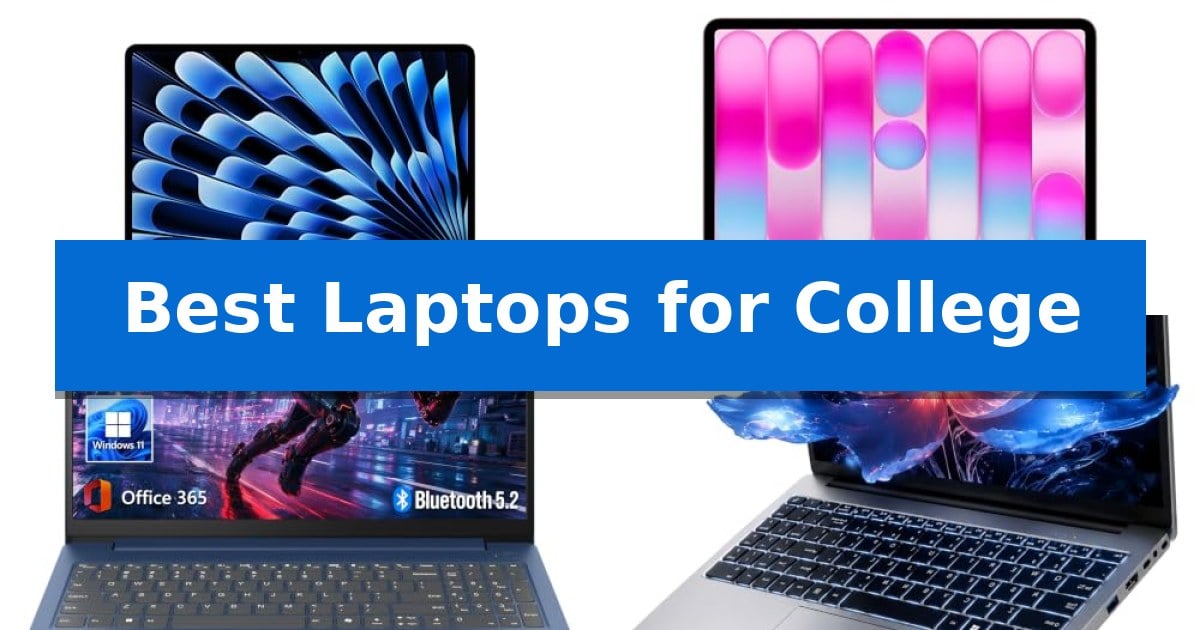
Navigating the demands of higher education requires a reliable machine that can handle everything from intensive research papers to late-night study sessions. Finding the Best Laptops for College means prioritizing devices that offer a blend of portability, processing power, and battery longevity to keep you productive across campus.
Whether you are heading to the library, attending back-to-back lectures, or collaborating on group projects, your device needs to be as mobile and capable as your schedule demands. We have analyzed the latest hardware to help you identify which features and specifications align best with your specific field of study and daily workflow.
Best Laptops for College in 2026: Choosing the Right Campus Companion
Quick Comparison
| Product | Best For | Key Strength | Score |
|---|---|---|---|
| Apple MacBook Air 13-inch Laptop | Best Overall | M5 chip with dedicated AI acceleration for responsive performance. | 4.9 |
| Apple MacBook Neo 13-inch Laptop | Portable Design for Daily Tasks | Up to 16 hours of battery life for all-day use. | 4.7 |
| Lenovo Essential Laptop | Durable Full HD Display | MIL-STD-810H tested for enhanced durability during travel. | 4.9 |
| WISESWAN Windows 11 Laptop | Backlit Keyboard for Late Study | Backlit keyboard for comfortable typing in dim environments. | 4.6 |
| HP OmniBook 3 Laptop | Large Screen for Multitasking | Large 17.3-inch Full HD IPS display for an expansive, clear workspace. | 4.6 |
How We Chose
- Portability and weight for easy transport between classrooms and study spaces.
- Battery endurance to support a full day of lectures without frequent charging.
- Processing capabilities and memory to manage multitasking and specialized software.
- Display quality and screen size for comfortable reading and document editing.
- Connectivity options and wireless standards for reliable campus network access.
1 Apple MacBook Air 13-inch Laptop — Powerful AI-Ready Performance
The Apple 2026 MacBook Air 13-inch Laptop integrates the advanced M5 chip, providing a specialized platform for AI tasks through its dedicated Neural Engine and GPU with Neural Accelerators. This hardware foundation is designed to handle demanding academic workloads while maintaining a portable form factor that weighs just 2.71 pounds.
Efficiency is central to this model's design, offering up to 18 hours of battery life to support a full day of classes without requiring a power outlet. The 13.6-inch Liquid Retina display supports 1 billion colors, ensuring that visual content, from presentations to high-resolution media, is rendered with sharp detail and contrast.
Connectivity options include two Thunderbolt 4 ports, a MagSafe charging port, and a headphone jack, allowing for a versatile workstation setup that supports up to two external displays. Wireless performance is bolstered by the Apple N1 chip, which enables Wi-Fi 7 and Bluetooth 6 connectivity for reliable network access in campus environments.
For remote collaboration, the 12MP Center Stage camera automatically adjusts to keep the user in frame during video calls, while the three-mic array and four-speaker system provide spatial audio support. The integration with macOS ensures that built-in applications like FaceTime and Messages operate with optimized performance, while Apple Intelligence features assist with writing and productivity tasks.
Best for: Students needing a lightweight, AI-capable laptop with long battery life and seamless integration with other Apple devices.
Skip if: Users who require a larger display for professional design work or those who need a wider variety of legacy ports without using adapters.
PROS
- M5 chip with dedicated AI acceleration for responsive performance.
- 18-hour battery life suitable for extended campus use.
- Wi-Fi 7 support for high-speed wireless connectivity.
- 13.6-inch Liquid Retina display with high color accuracy.
CONS
- Limited port selection requiring adapters for some peripherals.
- Fixed 16GB unified memory which cannot be upgraded after purchase.
2 Apple MacBook Neo 13-inch Laptop — Portable Design for Daily Tasks
The Apple MacBook Neo 13-inch Laptop is engineered for portability and efficiency, featuring a durable recycled aluminum enclosure that weighs just over 2.7 pounds. Designed to handle the demands of a student schedule, it integrates the A18 Pro chip to support both everyday academic assignments and AI-driven tasks.
Equipped with a vibrant 13-inch Liquid Retina display, this laptop supports 1 billion colors, ensuring text and visuals remain sharp during long study sessions. The device is built for productivity, offering up to 16 hours of battery life to sustain users from morning classes through late-night work without needing a power outlet.
Communication and collaboration are supported by a 1080p FaceTime HD camera and a dual-mic array, which work alongside side-firing speakers to provide clear audio for video calls. The integration with macOS allows for seamless interaction with other Apple devices, such as controlling an iPhone directly from the laptop or syncing tasks across platforms.
The inclusion of Apple Intelligence tools provides privacy-focused assistance for writing and organizing notes. With its color-coordinated keyboard and compact 0.5-inch height, the machine balances aesthetic appeal with the functional requirements of a mobile computing setup.
Best for: Students who prioritize portability, long battery life, and seamless integration with the Apple ecosystem for academic tasks.
Skip if: Users who require a larger display for professional creative work or those who need specific hardware compatibility outside of the macOS environment.
PROS
- Up to 16 hours of battery life for all-day use.
- Portable and durable recycled aluminum design.
- A18 Pro chip optimized for AI and everyday productivity.
- Seamless integration with iPhone and other Apple devices.
CONS
- Limited to 256GB SSD storage in the base configuration.
- 8GB Unified Memory may be a constraint for intensive multitasking.
3 Lenovo Essential Laptop — Durable Full HD Display
Navigating a busy academic schedule requires a machine that balances portability with reliable daily performance. The Lenovo 15.6" FHD Essential Laptop is built to handle common student tasks like document editing, research, and virtual meetings through its efficient Intel processor and 8GB of LPDDR5 memory.
Designed with mobility in mind, this laptop weighs just 3.42 lbs and measures 0.70 inches thin, making it a practical choice for carrying between lecture halls and study spaces. Its durability is supported by MIL-STD-810H testing, ensuring it withstands the rigors of frequent transport.
The 15.6-inch Full HD anti-glare display offers a clear workspace for presentations and online classes, featuring a TÜV Rheinland Low Blue Light solution to assist with comfort during long study sessions. Connectivity is handled by Wi-Fi 6 for stable wireless access, alongside a variety of ports including USB-C with Power Delivery and an SD card reader for external storage.
For added convenience, the device includes a dedicated Copilot key for AI-assisted tasks and a physical privacy shutter on the 720p camera. With Microsoft 365 Personal included, it provides a ready-to-use environment for students managing coursework and collaborative projects.
Best for: Students who need a lightweight, durable, and reliable laptop for everyday academic tasks like writing papers, attending virtual classes, and web research.
Skip if: Users who require high-performance hardware for intensive tasks like 3D rendering, video editing, or gaming, as this model is optimized for essential productivity.
PROS
- MIL-STD-810H tested for enhanced durability during travel.
- Lightweight and thin profile for easy portability on campus.
- Versatile connectivity including USB-C with Power Delivery and Wi-Fi 6.
- Anti-glare display with low blue light certification for comfortable viewing.
CONS
- Limited internal storage capacity of 128GB, necessitating cloud or external storage usage.
- Entry-level performance suited for essential computing rather than resource-heavy professional software.
4 WISESWAN Windows 11 Laptop — Backlit Keyboard for Late Study
Late-night study sessions are supported by the integrated backlit keyboard of the WISESWAN Windows 11 Laptop, a feature designed to maintain productivity in low-light environments. This 15.6-inch device balances portability and screen real estate, making it a practical companion for students moving between classrooms and libraries.
Equipped with an Intel Core i3 processor (2 cores, 4 threads, up to 3.4GHz) and 12GB of RAM, this laptop provides the necessary overhead for multitasking across office software and online learning platforms. The 256GB SSD ensures quick access to files, while the TF card slot allows for storage expansion up to 2TB, accommodating large datasets or media collections.
The Full HD (1920×1080) anti-glare display utilizes a thin-bezel design to maximize the viewing area for lecture notes and video streaming. Connectivity is handled by WiFi 6 (802.11ax) and Bluetooth 5.2, ensuring stable network performance. The inclusion of USB 3.0, HDMI 2.1, and Type-C ports—with the latter supporting PD3.0 fast charging—provides broad compatibility with external monitors and peripherals.
Weighing 1.63kg (3.6 lbs) and measuring 19.5mm in thickness, the laptop is built for mobility. The 57.75Wh high-capacity battery is rated for approximately 7 hours of mixed-use, offering enough endurance to cover a standard day of academic commitments without needing to reach for the charger.
Best for: Students who prioritize a backlit keyboard and versatile port selection for daily academic tasks and online classes.
Skip if: Users requiring high-performance computing for intensive tasks like 3D rendering or professional video editing, as the dual-core processor is optimized for general productivity.
PROS
- Backlit keyboard for comfortable typing in dim environments.
- Expandable storage via TF card slot up to 2TB.
- Versatile connectivity including WiFi 6, Bluetooth 5.2, and PD3.0 fast charging.
- Lightweight and thin chassis for easy transport in a backpack.
CONS
- Dual-core processor limits performance for heavy multitasking or demanding software.
- 7-hour battery life may require a charger for long days away from an outlet.
5 HP OmniBook 3 Laptop — Large Screen for Multitasking
The HP OmniBook 3 Laptop is designed for students who require a large, expansive workspace, featuring a 17.3-inch Full HD IPS display with 178-degree wide-viewing angles. This screen size provides significant room for multitasking between research papers, streaming lectures, and managing complex course schedules.
Equipped with an AMD Ryzen 3 30 processor and 8 GB of LPDDR5 RAM, this machine handles everyday academic tasks and casual photo editing with responsive efficiency. The inclusion of a 512 GB PCIe NVMe M.2 SSD ensures fast boot times and ample storage for large project files and digital textbooks.
Connectivity and communication are prioritized through integrated Wi-Fi 6 and Bluetooth 5.4, ensuring stable connections in busy campus environments. The device also features an FHD camera with HDR auto-switch and advanced AI noise reduction, which helps maintain clear video quality and audio focus during remote group projects or virtual office hours.
For students on the move, the laptop supports HP Fast Charge, capable of restoring the battery from 0 to 50% in approximately 45 minutes. The dedicated Copilot key provides immediate access to AI-powered assistance, helping to streamline workflows and organize digital notes more effectively.
Best for: Students who prioritize a large display for multitasking and need reliable performance for daily academic coursework.
Skip if: Students who require a highly portable, lightweight device for frequent travel between classrooms, as the 17.3-inch form factor is larger and heavier than standard ultrabooks.
PROS
- Large 17.3-inch Full HD IPS display for an expansive, clear workspace.
- Fast 512 GB PCIe NVMe M.2 SSD for efficient file storage and system responsiveness.
- Advanced AI noise reduction for clearer communication during virtual meetings.
- HP Fast Charge capability for quick battery replenishment.
CONS
- Large 17.3-inch footprint may be cumbersome for students with limited desk space or small backpacks.
- 4.43-pound weight is heavier than smaller, more portable laptop alternatives.
Best Laptops for College Buying Guide
Balancing Performance and Portability
The most critical factor for students is finding a balance between processing power and physical weight. A laptop that is too heavy becomes a burden during long walks across campus, while one that lacks sufficient RAM or CPU speed may struggle with complex applications or heavy multitasking.
Look for devices that utilize modern, efficient chipsets. These components often provide the best ratio of performance to power consumption, ensuring the system remains responsive without generating excessive heat or requiring a bulky cooling system.
The Importance of Battery Longevity
Campus life rarely provides access to a power outlet in every seat. Prioritizing a laptop with all-day battery life is essential for students who spend significant time away from their dorms or apartments.
Consider the manufacturer's claims regarding battery performance, but also look for features like fast charging capabilities. This allows you to quickly top up your device during short breaks between classes, ensuring you are never left with a dead screen during a lecture.
Display Quality for Academic Work
You will spend hours reading digital textbooks, writing essays, and reviewing presentations. A high-quality Full HD display with an anti-glare coating is vital for reducing eye strain during extended study sessions.
Screen size is a trade-off; larger displays offer more room for side-by-side document editing, while smaller screens significantly reduce the overall footprint and weight of the laptop, making it easier to fit into crowded bags.
Connectivity and Wireless Standards
A stable internet connection is non-negotiable for online research and video conferencing. Ensure your chosen laptop supports the latest Wi-Fi 6 or Wi-Fi 7 standards to take advantage of faster, more reliable campus networks.
Check for a versatile selection of ports, including USB-C and HDMI. These allow you to easily connect to external monitors in library study rooms or projectors in classrooms, ensuring you are prepared for any presentation requirement.
Storage and Data Management
While cloud storage is increasingly common, having sufficient local SSD storage is still important for quick file access and system responsiveness. An SSD is significantly faster than traditional hard drives, which helps your operating system and applications launch almost instantly.
If you work with large media files or specialized datasets, consider the base storage capacity carefully. Many modern laptops offer expandable storage options or high-speed ports that allow you to connect external drives for additional space.
Frequently Asked Questions
How much RAM do I really need for college?
For most general academic tasks, 8GB to 16GB of unified memory or RAM is sufficient for smooth multitasking, web browsing, and document creation.
Is a touchscreen necessary for students?
A touchscreen is not strictly necessary, but it can be helpful for students who prefer annotating PDFs or navigating interfaces with gestures.
What is the best screen size for a student laptop?
A 13-inch to 14-inch screen is generally considered the sweet spot for portability, while 15-inch or larger screens are better if you prioritize screen real estate for multitasking.
Should I prioritize a lightweight design?
Yes, if you carry your laptop to campus every day, a lighter weight significantly reduces physical strain and makes the device easier to manage in a backpack.
Do I need a dedicated graphics card?
Unless you are a student in a field like 3D design, video editing, or high-end gaming, integrated graphics are usually more than capable of handling standard academic workloads.
Conclusion: Our Top Pick
Selecting the right hardware is an investment in your academic efficiency. For most students, the Apple MacBook Air 13-inch Laptop stands out as the premier choice due to its exceptional battery life, highly portable design, and powerful M5 chip that handles modern AI-driven tasks with ease.
While other models offer larger screens or different operating systems, the combination of performance, build quality, and portability found in this device makes it a reliable partner for almost any major. Ensure you verify that your specific software requirements align with the macOS environment before making your final decision.