
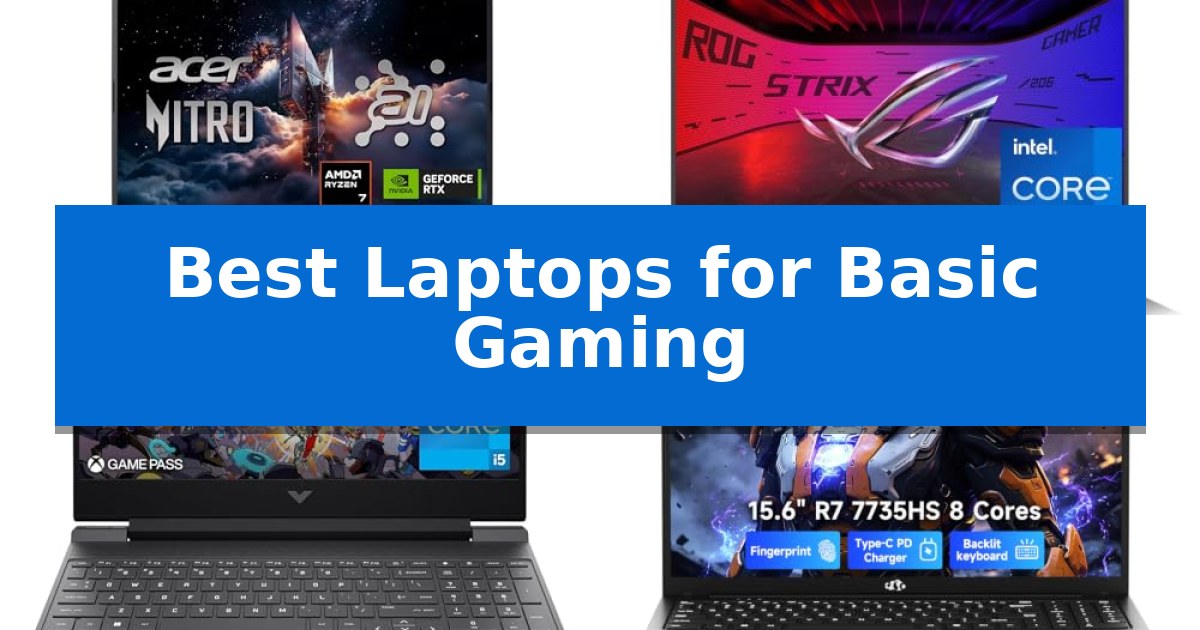
Finding the right machine for light gaming shouldn't require a massive investment in professional-grade hardware. The Best Laptops for Basic Gaming are those that balance reliable processing power with capable integrated or entry-level discrete graphics, allowing you to enjoy your favorite titles without the bulk or cost of high-end rigs.
Whether you are looking to jump into popular esports titles or enjoy casual indie games, the right hardware makes all the difference. We have evaluated the latest releases to help you identify which features—from display refresh rates to cooling solutions—truly impact your gaming experience.
Best Laptops for Basic Gaming in 2026: Entry-Level Power for Casual Play
Quick Comparison
| Product | Best For | Key Strength | Score |
|---|---|---|---|
| Acer Nitro V 16S Gaming Laptop | Best Overall | NVIDIA GeForce RTX 5060 with Blackwell architecture for advanced ray tracing. | 4.9 |
| ASUS ROG Strix G16 Gaming Laptop | Advanced Thermal Cooling | Advanced thermal cooling system with liquid metal and tri-fan technology. | 4.7 |
| HP Victus 15.6 Gaming Laptop | Smooth 144Hz Visuals | 144Hz refresh rate display for fluid motion. | 4.7 |
| NIMO 15.6 Light-Gaming Laptop | Portable Everyday Power | AMD Ryzen 7 7735HS processor provides strong multitasking capability. | 4.8 |
| KAIGERR 16.0 Gaming Laptop | Expandable Memory Storage | Expandable memory and storage via dual M.2 slots. | 4.6 |
How We Chose
- Graphics capability, prioritizing dedicated GPUs or high-performance integrated solutions.
- Display refresh rates, focusing on 144Hz and above for fluid motion.
- Thermal management systems to ensure sustained performance under load.
- Memory and storage configurations that allow for seamless multitasking and quick game loading.
- Portability and build quality for users who need a machine that transitions easily between work and play.
1 Acer Nitro V 16S Gaming Laptop — High-End AI Performance
The Acer Nitro V 16S Gaming Laptop distinguishes itself with the integration of the NVIDIA GeForce RTX 5060 Laptop GPU, which utilizes NVIDIA Blackwell architecture and 572 AI TOPS to facilitate advanced ray tracing and neural rendering. This hardware configuration is designed to handle demanding graphical tasks while maintaining a focus on fluid motion through its 180Hz refresh rate display.
Performance is further supported by the AMD Ryzen 7 260 CPU, which offers up to 38 AI Overall TOPS to assist with both gaming and AI-driven content creation. The system includes 32GB of DDR5 5600MHz memory and a 1TB PCIe Gen 4 SSD, providing a substantial foundation for multitasking and rapid data access. Users have the flexibility to expand storage via an additional available PCIe M.2 slot.
Visual fidelity is managed by a 16-inch WUXGA display that covers 100% of the sRGB color gamut, ensuring color accuracy for creators and gamers alike. The implementation of DLSS 4 technology, powered by fifth-generation Tensor Cores, allows for improved frame rates and image quality through AI-based frame generation and super resolution, which can be beneficial during fast-paced gaming scenarios.
Designed for portability and sustained use, the unit weighs 4.63 pounds and measures 0.79 inches in thickness. It includes a one-year International Travelers Limited Warranty, providing a degree of support for users who may be traveling with their equipment. The inclusion of Wi-Fi 6 ensures connectivity for online gaming and streaming requirements.
Best for: Gamers and content creators who require AI-accelerated performance and a high-refresh-rate display for both gaming and creative workflows.
Skip if: Users who prioritize extreme portability or a smaller form factor, as the 16-inch display and 4.63-pound weight may be less convenient for frequent commuters.
PROS
- NVIDIA GeForce RTX 5060 with Blackwell architecture for advanced ray tracing.
- 32GB DDR5 memory for efficient multitasking.
- 180Hz refresh rate display with 100% sRGB coverage.
- AI-powered performance via AMD Ryzen 7 260 and DLSS 4.
CONS
- Limited to 32GB maximum RAM capacity.
- 4.63-pound weight may be heavy for some users.
2 ASUS ROG Strix G16 Gaming Laptop — Advanced Thermal Cooling
The ASUS ROG Strix G16 Gaming Laptop centers its design around the ROG Intelligent Cooling system, which utilizes an end-to-end vapor chamber and tri-fan technology to maintain thermal stability during extended sessions. This thermal management is further enhanced by the application of Conductonaut extreme liquid metal directly to the chipset, ensuring consistent operation.
Equipped with an Intel Core i7 Processor 14650HX and an NVIDIA GeForce RTX 5060 Laptop GPU, this machine provides the necessary hardware for modern gaming and multitasking. The inclusion of DLSS 4 and Max-Q technologies allows for efficient graphical processing, while the 16GB of DDR5-5600MHz memory ensures smooth performance across various applications.
Visuals are rendered on a 16-inch FHD+ display featuring a 165Hz refresh rate and a 3ms response time. The screen incorporates a new ACR film specifically engineered to enhance contrast and minimize glare, providing a clearer viewing experience in diverse lighting conditions.
For users who value aesthetic customization, the laptop features a 360-degree RGB light bar that synchronizes with peripheral devices. When a more discreet appearance is required, the integrated Stealth Mode allows users to disable all lighting effects instantly, transitioning the device to a professional-looking aesthetic.
Best for: Gamers who prioritize advanced thermal management and high-refresh-rate visuals in a 16-inch form factor.
Skip if: Users who require a lightweight, ultra-portable device may find the 5.84-pound weight and 16-inch footprint less convenient for frequent travel.
PROS
- Advanced thermal cooling system with liquid metal and tri-fan technology.
- 165Hz high-refresh-rate display with anti-glare ACR film.
- Customizable 360-degree RGB lighting with a dedicated Stealth Mode.
- High-performance hardware featuring the latest RTX 5060 GPU.
CONS
- Substantial weight of over 5.8 pounds may limit portability.
- 16-inch form factor occupies more desk space than compact alternatives.
3 HP Victus 15.6 Gaming Laptop — Smooth 144Hz Visuals
The HP Victus 15.6 Gaming Laptop centers its performance around the Intel Core i5-12450H processor, providing the necessary foundation for entry-level gaming and multitasking. This machine is built to handle modern software demands through a combination of a dedicated NVIDIA GeForce RTX 3050 6GB graphics card and a 144Hz refresh rate display, which aims to provide smoother visual transitions during active gameplay.
Designed with a 15.6-inch FHD IPS micro-edge anti-glare screen, the laptop minimizes reflections while maintaining color consistency. The internal architecture supports significant memory expansion, allowing users to upgrade from the base 16GB of DDR4-3200 RAM up to 64GB, ensuring the system remains capable as software requirements evolve. Storage needs are met by a 512GB PCIe SSD, which offers quick data access for faster load times.
Connectivity and usability are addressed through integrated Wi-Fi 6 for stable network performance and a backlit keyboard for visibility in low-light environments. The chassis is engineered for a balance of portability and cooling, though its dimensions and weight reflect its status as a dedicated gaming-focused device rather than an ultra-portable notebook.
When considering the HP Victus 15.6 Gaming Laptop for basic gaming, it is important to note that while the RTX 3050 is capable of handling standard titles, it is optimized for 1080p resolution. The inclusion of Windows 11 Pro provides a professional-grade operating system environment, making this unit suitable for both gaming sessions and general productivity tasks.
Best for: Users seeking a dedicated entry-level gaming machine with a high-refresh-rate display and significant RAM upgrade potential.
Skip if: Users requiring a lightweight, ultra-thin laptop for travel or those needing high-end GPU power for intensive 4K rendering.
PROS
- 144Hz refresh rate display for fluid motion.
- Upgradable RAM capacity up to 64GB.
- Dedicated NVIDIA RTX 3050 graphics for gaming visuals.
- Wi-Fi 6 support for reliable connectivity.
CONS
- Heavier chassis design compared to standard productivity laptops.
- Base 512GB storage may require external expansion for large game libraries.
4 NIMO 15.6 Light-Gaming Laptop — Portable Everyday Power
The NIMO 15.6 Light-Gaming Laptop is built to bridge the gap between everyday productivity and entry-level gaming through its AMD Ryzen 7 7735HS processor. By utilizing 8 cores and integrated Radeon 680M graphics, this machine provides a responsive environment for multitasking across creative apps, coding tools, and casual media tasks without the bulk of a dedicated gaming rig.
Performance is supported by 16GB of DDR5 5600MHz memory and a 256GB PCIe 4.0 SSD, which work together to minimize load times and keep app switching fluid. The inclusion of a 15.6-inch Full HD display offers a spacious workspace for split-screen tasks, while the backlit keyboard and 180-degree hinge add practical utility for late-night study or shared workspace environments.
Connectivity is a primary focus, featuring two full-function USB-C ports that support 100W PD charging, alongside HDMI 2.0, three USB-A ports, and a Micro SD reader. This port selection allows for a clutter-free desk setup, enabling direct connection to monitors and peripherals without the need for additional dongles.
Designed for long-term reliability, the device includes a 2-year manufacturer warranty with US-based support workflows. The integration of a fingerprint reader into the touchpad provides a secure and efficient login experience, making this a balanced choice for students and professionals who prioritize portability and functional design.
Best for: Students and professionals who need a portable, versatile machine capable of handling multitasking and light gaming without carrying a heavy, oversized laptop.
Skip if: Users who require high-end dedicated GPU performance for AAA gaming or intensive 3D rendering, or those who need more than 256GB of internal storage out of the box.
PROS
- AMD Ryzen 7 7735HS processor provides strong multitasking capability.
- 100W PD charging via USB-C reduces the need for proprietary adapters.
- 2-year manufacturer warranty with US-based support.
- Comprehensive port selection including HDMI and multiple USB-A/C ports.
CONS
- 256GB SSD capacity may be limiting for users with large media libraries or multiple modern games.
- Integrated Radeon 680M graphics are suitable for light gaming only, not high-demand titles.
5 KAIGERR 16.0 Gaming Laptop — Expandable Memory Storage
The KAIGERR 16.0 Gaming Laptop offers a distinct advantage for users needing a balance of performance and portability through its AMD Ryzen 7 processor, which features 8 cores and 16 threads with speeds reaching up to 4.5GHz. This architecture is engineered to handle multitasking and responsive computing, making it a viable foundation for those seeking Best Laptops for Basic Gaming without requiring a dedicated heavy-duty workstation.
Equipped with 16GB DDR4 2666MHz RAM and a 512GB M.2 NVMe PCIe 3.0 SSD, this device provides the necessary overhead for smooth application loading and system responsiveness. The design prioritizes future-proofing through dual M.2 slots, allowing users to expand memory up to 64GB and total storage up to 4TB, ensuring the system can grow alongside evolving software requirements.
Visuals are delivered via a 16-inch thin-bezel display that emphasizes a wide viewing angle and clear detail, housed within a chassis that measures just 18.9mm in thickness. Weighing only 1.7kg, the laptop maintains a portable form factor suitable for students or professionals who need to transition between environments while retaining access to their gaming and productivity tools.
Connectivity is robust, featuring WiFi 6 and Bluetooth 5.2 for stable wireless performance. The port selection includes USB 3.2, a full-function Type-C port for charging, and an HDMI 1.4 output, providing the versatility needed to connect external displays or peripherals. The inclusion of a 180-degree flat hinge and a physical camera privacy switch adds practical utility for varied workspaces.
Best for: Students and professionals who require a portable, expandable device capable of handling basic gaming and daily productivity tasks.
Skip if: Users who require high-end dedicated GPU performance for AAA gaming or intensive 3D rendering will find this integrated-graphics-focused laptop insufficient.
PROS
- Expandable memory and storage via dual M.2 slots.
- Portable 1.7kg design with a slim 18.9mm profile.
- Versatile Type-C charging and comprehensive port selection.
- Physical camera privacy switch for enhanced security.
CONS
- Limited to DDR4 memory speeds compared to newer DDR5 standards.
- Integrated graphics are not intended for high-fidelity gaming.
Best Laptops for Basic Gaming Buying Guide
Understanding Graphics Requirements
For basic gaming, the graphics processing unit (GPU) is the most critical component. While integrated graphics have improved significantly, a dedicated GPU like the NVIDIA GeForce RTX series provides the necessary horsepower for ray tracing and higher graphical settings in modern titles.
Consider your specific game library when choosing. Less demanding titles may run well on integrated solutions, but if you plan to play graphically intensive games, prioritizing a dedicated card is essential for maintaining a playable frame rate.
The Importance of Refresh Rates
A high refresh rate display—typically 144Hz or higher—is a game-changer for fluidity. It reduces motion blur and makes fast-paced action feel significantly more responsive compared to standard 60Hz panels.
When paired with a capable GPU, a high-refresh screen ensures that the visual output matches the processing speed, providing a smoother and more immersive experience during competitive or fast-paced gameplay.
Thermal Management and Cooling
Gaming generates significant heat, and efficient thermal cooling is vital to prevent performance throttling. Look for laptops that feature advanced heat pipes, multiple fans, or vapor chambers to keep internal components at optimal temperatures.
Effective cooling not only protects your hardware over time but also ensures that your laptop maintains consistent performance during longer gaming sessions, preventing sudden frame rate drops caused by overheating.
Memory and Storage Expansion
Modern games require substantial storage space and fast data access. A PCIe Gen 4 SSD is highly recommended for reduced load times, while at least 16GB of DDR5 RAM ensures the system can handle background tasks alongside your game without stuttering.
Check if the laptop offers expandable memory or storage slots. Being able to upgrade your RAM or add a second SSD later can extend the lifespan of your machine, allowing you to keep up with larger game files as your library grows.
Connectivity and Portability
A versatile port selection, including USB-C with Power Delivery and high-speed HDMI, allows you to connect external monitors, mechanical keyboards, and high-quality headsets easily.
If you commute or travel, consider the weight and chassis design. A balance between a robust cooling system and a portable form factor is key for students or professionals who need a gaming-capable device that fits comfortably in a backpack.
Frequently Asked Questions
Can I use a gaming laptop for work and school?
Yes, most gaming laptops are excellent for productivity. Their high-performance CPUs and ample RAM make them well-suited for multitasking, coding, and creative software.
Is 16GB of RAM enough for basic gaming?
16GB is currently the sweet spot for most gaming and multitasking needs. It provides enough headroom for modern games and background applications.
What is the benefit of a 144Hz display?
A 144Hz display refreshes the screen 144 times per second, resulting in much smoother motion and reduced input lag compared to standard 60Hz screens.
Should I prioritize CPU or GPU for basic gaming?
For gaming, the GPU is generally the priority. However, a strong CPU is still necessary to avoid bottlenecks, especially in CPU-intensive strategy or simulation games.
Can I upgrade the storage on these laptops?
Many of the models listed feature multiple M.2 slots, allowing you to add more storage capacity as your game library expands.
Conclusion: Our Top Pick
For those seeking the best balance of performance, AI-driven features, and display quality, the Acer Nitro V 16S Gaming Laptop stands out as our top recommendation. Its combination of the AMD Ryzen 7 processor and the NVIDIA GeForce RTX 5060 GPU provides a robust foundation for both gaming and content creation, while the 180Hz display ensures a fluid visual experience.
While other models offer specific advantages like advanced thermal cooling or extreme portability, the Acer Nitro V 16S delivers the most well-rounded package for the price. It is an ideal choice for users who want a reliable, high-performance machine that can handle modern gaming demands with ease.