
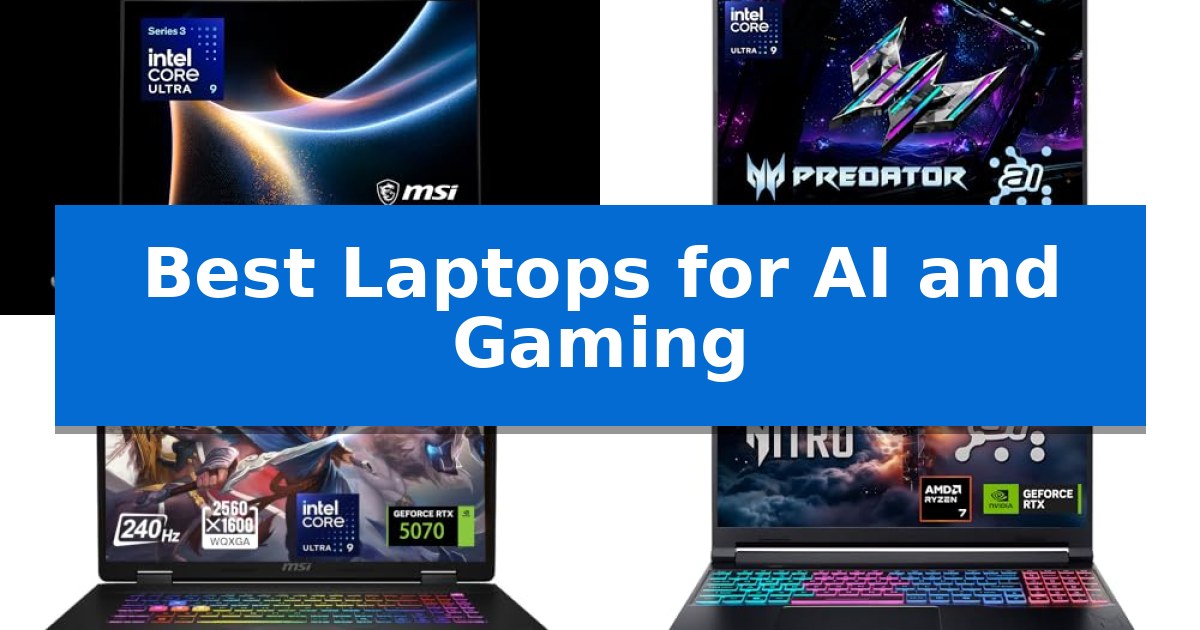
Finding the right machine that balances heavy-duty artificial intelligence processing with high-fidelity gaming can be a challenge. Modern users require hardware that handles both complex neural rendering and competitive gaming frames without compromise.
Our guide explores the Best Laptops for AI and Gaming to help you identify which hardware configurations provide the necessary compute power for your specific creative and entertainment needs.
Best Laptops for AI and Gaming in 2026
Quick Comparison
| Product | Best For | Key Strength | Score |
|---|---|---|---|
| msi Stealth 16 AI+ Gaming Laptop | Best Overall | NVIDIA GeForce RTX 5070 Ti with 16GB GDDR7 VRAM for advanced AI-enhanced graphics. | 4.9 |
| Acer Predator Helios Neo 14 Laptop | Compact power with massive AI TOPS | Powerful AI-ready hardware featuring the Intel Core Ultra 9 and RTX 5070. | 4.3 |
| msi Crosshair 18 HX AI Laptop | Desktop-class performance in large format | Desktop-class performance with a 24-core Intel Core Ultra 9 processor. | 4.4 |
| Acer Nitro V 16S Gaming Laptop | Balanced entry into AI-accelerated gaming | NVIDIA Blackwell architecture with 572 AI TOPS for advanced graphics. | 4.6 |
| msi Vector 16 HX AI Laptop | High-speed connectivity for competitive play | NVIDIA GeForce RTX 5070 Ti for advanced ray tracing and AI-boosted performance. | 4.6 |
How We Chose
- Graphics Processing Unit (GPU) architecture and AI-specific TOPS performance.
- Processor core count and multi-tasking efficiency for intensive workloads.
- Display refresh rates, color accuracy, and resolution for visual fidelity.
- Connectivity standards including Wi-Fi 7 and Thunderbolt support for peripheral integration.
- Thermal management systems designed to sustain peak performance during long sessions.
1 msi Stealth 16 AI+ Gaming Laptop — Premium OLED display for visual creators
High-performance computing requires a balance of raw processing power and visual fidelity, particularly when managing complex AI workloads alongside modern gaming. The msi Stealth 16 AI+ Gaming Laptop addresses these demands by integrating the latest Intel Core Ultra 9 processor, providing the computational overhead necessary for intensive multitasking and demanding software environments.
Visual clarity and responsiveness are central to the user experience, supported by a 16-inch QHD+ OLED display. With a 240Hz refresh rate, this panel ensures fluid motion, which is critical for competitive gaming scenarios. The inclusion of NVIDIA GeForce RTX 5070 Ti graphics, featuring 16GB of GDDR7 VRAM, enables advanced AI-powered visuals through DLSS 4, providing a significant boost to frame rates and image quality in supported titles.
Connectivity and build efficiency are prioritized to maintain a streamlined workflow. The device incorporates Wi-Fi 7, facilitating rapid data transfers and stable streaming capabilities. Weighing 4.39 pounds with a slim 0.79-inch profile, the chassis is designed for portability without sacrificing the internal thermal management required for high-end components.
This system is configured with 32GB of DDR5 memory and a 1TB NVMe SSD, ensuring fast load times and efficient data handling. By combining high-speed storage with a modern processor architecture, the laptop serves as a capable platform for users who require a machine that transitions seamlessly between creative AI projects and high-fidelity gaming.
Best for: Visual creators and gamers who require a high-refresh OLED display paired with powerful AI-capable hardware.
Skip if: Users who prioritize extreme portability or a smaller form factor, as the 16-inch chassis and high-performance cooling requirements result in a larger footprint.
PROS
- NVIDIA GeForce RTX 5070 Ti with 16GB GDDR7 VRAM for advanced AI-enhanced graphics.
- 240Hz QHD+ OLED display providing high-speed, high-resolution visual performance.
- Wi-Fi 7 integration for superior wireless connectivity and faster data throughput.
- Intel Core Ultra 9 processor optimized for demanding AI and multi-threaded tasks.
CONS
- 4.39-pound weight may be less ideal for users seeking an ultra-lightweight travel device.
- 16-inch form factor occupies more desk and bag space compared to compact 13 or 14-inch alternatives.
2 Acer Predator Helios Neo 14 Laptop — Compact power with massive AI TOPS
The Acer Predator Helios Neo 14 AI Gaming Laptop integrates the Intel Core Ultra 9 processor 285H with an NVIDIA GeForce RTX 5070 GPU, delivering a high-performance foundation for both demanding gaming sessions and AI-accelerated workflows. By utilizing 798 AI TOPS of horsepower, this machine supports advanced neural rendering and real-time performance optimization, making it a versatile tool for users who require significant computational power in a portable form factor.
Visual fidelity is managed through a 14.5-inch WQXGA matte display featuring a 165Hz refresh rate and 100% sRGB color gamut. The inclusion of NVIDIA G-SYNC and Advanced Optimus ensures smooth, tear-free motion during gameplay. The chassis is engineered for thermal efficiency, employing 5th Gen AeroBlade 3D fans and liquid metal thermal grease to maintain system stability under heavy loads.
Connectivity and expansion are handled by a robust selection of ports, including Thunderbolt 4, HDMI 2.1, and multiple USB 3.2 Gen 2 interfaces. The laptop comes equipped with 32GB LPDDR5X onboard memory and a 1TB PCIe Gen 4 SSD, with an additional M.2 slot available for future storage expansion. Killer Wireless Wi-Fi 6E ensures high-bandwidth network performance across multiple frequency bands.
Customization is centralized through PredatorSense, which allows for granular control over system performance modes, fan speeds, and the 3-zone RGB lighting on the keyboard. Despite its compact 4.19 lbs weight, the device maintains a durable metal-built chassis, balancing the need for mobility with the structural integrity required for intensive processing tasks.
Best for: Gamers and creators who require high-performance AI processing and discrete graphics in a compact, portable 14.5-inch form factor.
Skip if: Users who prioritize maximum screen real estate or require extensive internal hardware upgradeability beyond storage expansion.
PROS
- Powerful AI-ready hardware featuring the Intel Core Ultra 9 and RTX 5070.
- High-refresh 165Hz WQXGA display with 100% sRGB coverage.
- Advanced thermal management using liquid metal and 5th Gen AeroBlade fans.
- Versatile connectivity including Thunderbolt 4 and HDMI 2.1.
CONS
- Limited memory upgradeability due to the 32GB LPDDR5X being onboard.
- Compact 14.5-inch display may be restrictive for users needing larger workspaces.
3 msi Crosshair 18 HX AI Laptop — Desktop-class performance in large format
The msi Crosshair 18 HX AI Gaming Laptop is built for users who require desktop-class processing power in a portable form factor, centered around the 24-core Intel Core Ultra 9 275HX processor. This machine is engineered to handle demanding AI workloads, high-end gaming, and intensive creative tasks like video editing and 3D rendering.
At the heart of its graphical capabilities is the NVIDIA GeForce RTX 5070 Laptop GPU, which utilizes the NVIDIA Blackwell architecture. This hardware supports advanced features such as DLSS 4, Multi Frame Generation, and ray tracing, providing the necessary acceleration for both modern gaming titles and AI-assisted professional workflows.
The device features a large 18-inch QHD+ display with a 240Hz refresh rate, offering increased screen real estate for multitasking and high-motion clarity for competitive gaming. To support heavy data demands, the system is equipped with 64GB of DDR5-5600MHz memory and a 1TB NVMe SSD, ensuring rapid load times and responsive performance during complex operations.
Designed for sustained use, the laptop includes a SteelSeries 24-Zone RGB keyboard with anti-ghosting support for precise inputs. Connectivity options are robust, featuring Wi-Fi 6E for high-speed networking and Thunderbolt 4 for external displays and high-speed storage, making it a versatile hub for streamers and creators.
Best for: This laptop is best for gamers, streamers, and creative professionals who need a high-performance, large-screen mobile workstation capable of handling intensive AI and gaming tasks.
Skip if: Skip this model if you prioritize a lightweight, compact design for frequent travel, as the 18-inch form factor and 6.83-pound weight are optimized for stationary or semi-stationary use.
PROS
- Desktop-class performance with a 24-core Intel Core Ultra 9 processor.
- Advanced graphics via the NVIDIA RTX 5070 GPU with AI acceleration.
- High-refresh 18-inch QHD+ display for immersive visuals and productivity.
- Generous 64GB DDR5 memory capacity for heavy multitasking.
CONS
- Heavy 6.83-pound chassis limits portability compared to smaller gaming laptops.
4 Acer Nitro V 16S Gaming Laptop — Balanced entry into AI-accelerated gaming
The Acer Nitro V 16S AI Gaming Laptop integrates the latest NVIDIA Blackwell architecture, utilizing the GeForce RTX 5060 Laptop GPU to deliver 572 AI TOPS for advanced ray tracing and neural rendering. This hardware foundation is designed to handle demanding gaming sessions and AI-driven workflows, supported by an AMD Ryzen 7 260 CPU that contributes up to 38 AI Overall TOPS.
Visual fidelity is managed by a 16-inch WUXGA 1920 x 1200 display that covers 100% of the sRGB color gamut, ensuring accurate color reproduction for creators. The panel features a 180Hz refresh rate, providing fluid motion for fast-paced gaming environments. The integration of DLSS 4 technology further enhances performance by utilizing AI to boost frame rates and improve image reconstruction.
Internally, the device is equipped with 32GB of DDR5 5600MHz memory across two slots, providing high-bandwidth multitasking capabilities. Storage needs are met by a 1TB PCIe Gen 4 SSD, with an additional M.2 slot available for future expansion. Connectivity is supported by Wi-Fi 6, ensuring stable wireless networking for online gaming and streaming.
Measuring 0.79 inches in thickness and weighing 4.63 pounds, the laptop balances portability with its internal cooling and processing requirements. The unit includes a one-year International Travelers Limited Warranty, providing support for users who require mobility alongside their high-performance computing tasks.
Best for: Gamers and creators who require AI-accelerated performance and high-refresh-rate visuals in a portable 16-inch form factor.
Skip if: Users who require more than 32GB of RAM or those who need a higher resolution display than WUXGA for professional-grade 4K video editing.
PROS
- NVIDIA Blackwell architecture with 572 AI TOPS for advanced graphics.
- 180Hz refresh rate display with 100% sRGB coverage.
- 32GB DDR5 memory for efficient multitasking.
- Expandable storage via an additional PCIe M.2 slot.
CONS
- Maximum RAM capacity is limited to 32GB.
- WUXGA resolution may not satisfy users seeking higher pixel density.
5 msi Vector 16 HX AI Laptop — High-speed connectivity for competitive play
The msi Vector 16 HX AI Laptop distinguishes itself with the integration of the NVIDIA GeForce RTX 5070 Ti, a GPU engineered to handle high-FPS competitive gaming alongside demanding creator workflows. By combining this graphics power with the Intel Core Ultra 7-255HX processor, the system provides a foundation for both AAA titles and AI-accelerated tasks like those found in Microsoft Copilot.
Designed for sustained output, the laptop features MSI’s Advanced Cooler Boost thermal system. This shared-pipe cooling architecture is intended to manage heat during extended gaming or rendering sessions, ensuring that performance remains consistent. The 16-inch high-refresh display offers a balance between screen real estate for multitasking and the responsiveness required for fast-paced action.
Connectivity is a primary focus, highlighted by the inclusion of Thunderbolt 5, which facilitates high-speed data transfers for external peripherals and multi-monitor setups. With Wi-Fi 6E support, DDR5 memory, and NVMe storage, the hardware is configured to support modern networking and data-heavy applications, making it a versatile choice for users who bridge the gap between gaming and professional content creation.
While the 5.95-pound chassis provides a robust housing for these components, its size is a consideration for those prioritizing portability. The system is built for users who require a stationary or semi-stationary workstation that can handle intensive compute loads without compromising on connectivity or thermal management.
Best for: Gamers and creators who require high-performance graphics and AI acceleration in a desktop-replacement form factor.
Skip if: Users who prioritize a lightweight, highly portable device for frequent travel will find the 5.95-pound weight and 16-inch footprint less convenient.
PROS
- NVIDIA GeForce RTX 5070 Ti for advanced ray tracing and AI-boosted performance.
- Intel Core Ultra 7-255HX processor optimized for gaming and AI tools.
- Thunderbolt 5 connectivity for fast peripheral and multi-monitor support.
- Advanced Cooler Boost thermals for stable performance during long sessions.
CONS
- Heavier 5.95-pound chassis may limit portability for some users.
Best Laptops for AI and Gaming Buying Guide
Understanding AI and Gaming Hardware Requirements
The Best Laptops for AI and Gaming rely heavily on the synergy between the CPU and the GPU. For AI tasks, the NPU (Neural Processing Unit) and the GPU's Tensor Cores are critical, as they handle the mathematical heavy lifting required for machine learning models and image generation.
When gaming, the focus shifts to the GPU's ability to render frames and utilize technologies like DLSS to maintain high frame rates. A balanced system ensures that you are not bottlenecked by either component, allowing for seamless transitions between creative work and gaming.
The Importance of Display Technology
A high-quality display is essential for both gaming immersion and precise creative work. Look for panels that offer high refresh rates, such as 240Hz, to ensure smooth motion in fast-paced games. Color accuracy is equally important for creators who need to see their work exactly as it is intended.
OLED technology provides superior contrast and deep blacks, making it a preferred choice for visual creators. However, traditional high-quality IPS panels with G-SYNC support remain excellent for competitive gaming where tear-free performance is the priority.
Thermal Management and Sustained Performance
High-performance components generate significant heat, which can lead to thermal throttling if not managed correctly. Advanced cooling solutions, such as liquid metal thermal grease and multi-fan arrays, are vital for maintaining high clock speeds during extended use.
When choosing a laptop, consider the chassis design and airflow. Larger formats often allow for more robust cooling systems, which can be beneficial for desktop-class processors that demand consistent thermal headroom to perform at their peak.
Connectivity and Future-Proofing
Modern gaming and AI setups often require multiple high-speed peripherals. Features like Thunderbolt 5 or Thunderbolt 4 ports allow for rapid data transfer and connection to external displays or high-speed storage solutions.
Wi-Fi 7 support is becoming increasingly relevant for those who stream games or download large datasets. Ensuring your laptop has the latest networking standards will help maintain stable connections and reduce latency in online environments.
Balancing Portability and Power
There is often a trade-off between the raw power of a desktop-replacement laptop and the portability of a compact machine. Smaller 14-inch models offer impressive performance for their size but may have different thermal profiles compared to 18-inch models.
Assess your mobility needs before making a purchase. If you travel frequently, a compact, high-performance laptop is ideal. If your machine will primarily stay on a desk, the larger screen and enhanced cooling of a bigger laptop may provide a better overall experience.
Frequently Asked Questions
What is the role of AI TOPS in a gaming laptop?
AI TOPS (Tera Operations Per Second) measures the processing power of the NPU and GPU for AI-specific tasks. Higher TOPS allow for faster background removal, audio optimization, and accelerated neural rendering in creative applications.
Can I use a gaming laptop for professional AI development?
Yes, many modern gaming laptops are equipped with powerful GPUs and high-speed memory that are well-suited for local AI development, model training, and running large language models.
Is an OLED display better than an IPS display for gaming?
OLED displays offer superior contrast and color depth, which is excellent for immersion. IPS displays often provide higher refresh rates and are less susceptible to burn-in, making them a common choice for competitive gamers.
How does thermal management affect performance?
Effective thermal management prevents the CPU and GPU from overheating. When components get too hot, the system automatically slows them down to protect the hardware, which results in lower frame rates and slower processing speeds.
Do I need 32GB of RAM for AI and gaming?
For modern AI workloads and high-end gaming, 32GB of RAM is recommended. It provides enough headroom for multitasking, running complex models, and ensuring that games have sufficient memory for high-resolution textures.
Conclusion: Our Top Pick
Selecting the right hardware is a balance of your specific performance needs and your lifestyle requirements. Whether you prioritize the visual fidelity of an OLED screen or the raw power of a desktop-class processor, these machines represent the current standard for high-performance computing.
For those seeking the best overall experience, the msi Stealth 16 AI+ Gaming Laptop stands out as our top recommendation. Its combination of a premium OLED display, high-speed Wi-Fi 7 connectivity, and the latest Intel Core Ultra 9 processor makes it a versatile powerhouse for both demanding AI tasks and immersive gaming sessions.