
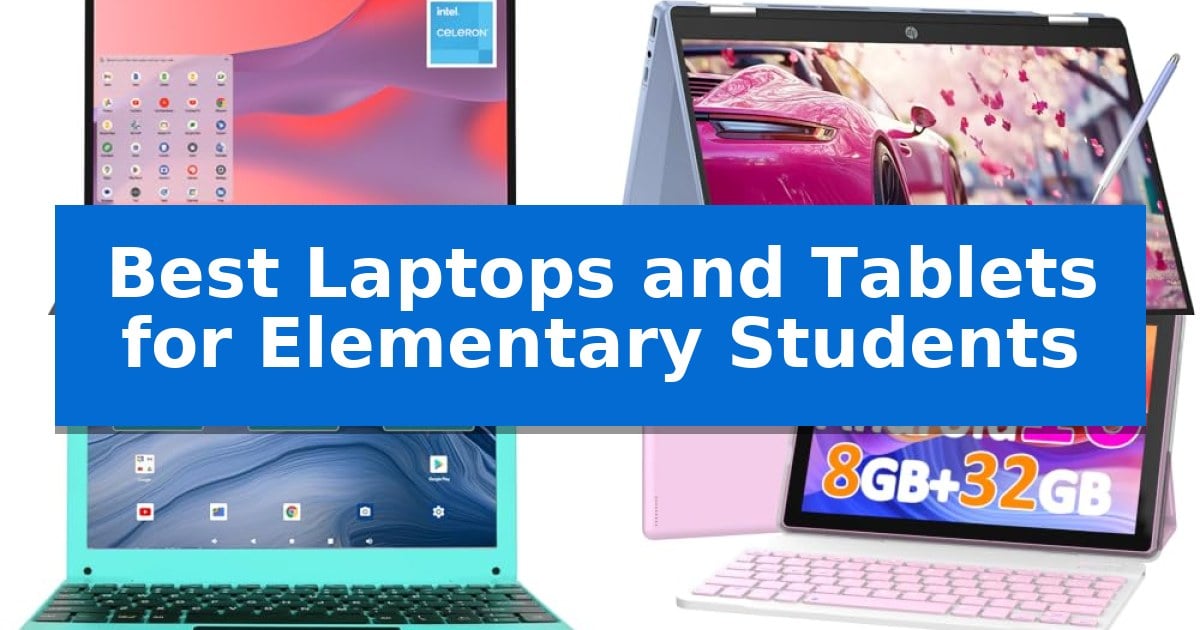
Finding the right technology for young learners requires balancing durability with ease of use. As children transition into digital learning, the Best Laptops and Tablets for Elementary Students must be capable of handling daily schoolwork while remaining intuitive enough for smaller hands to navigate comfortably.
Our guide focuses on practical devices that prioritize essential features like sturdy construction, long battery life, and reliable connectivity. Whether you need a dedicated laptop for typing assignments or a flexible tablet for interactive lessons, these selections are designed to support your student's growing educational needs.
Best Laptops and Tablets for Elementary Students in 2026
Quick Comparison
| Product | Best For | Key Strength | Score |
|---|---|---|---|
| Samsung Galaxy Chromebook Go Laptop | Best Overall | Military-tough construction designed to withstand drops and dings. | 4.9 |
| HP Chromebook x360 Touchscreen Laptop | Versatile Modes for Young Learners | Versatile 2-in-1 design with four distinct usage modes. | 4.9 |
| ZHAOHUIXIN Android 13 Tablet | Fast Multitasking for Homework | Complete 2-in-1 value bundle including keyboard, mouse, and case. | 4.6 |
| COOPERS Android 16 Tablet | Complete Bundle for Beginners | Comprehensive bundle includes essential accessories like a keyboard, mouse, and stylus. | 4.4 |
| HBESTORE Mini Laptop | Lightweight Design for Travel | Complete gift bundle including a mouse and carrying bag. | 4.8 |
How We Chose
- Durability and build quality to withstand daily school use.
- Battery life sufficient for a full day of learning and homework.
- Ease of use for younger students navigating educational software.
- Versatility in form factor, such as 2-in-1 designs or included accessories.
- Reliable connectivity for online classes and research tasks.
1 Samsung Galaxy Chromebook Go Laptop — Durable Build for School Days
Equipped with a military-tough design, the Samsung 14" Galaxy Chromebook Go Laptop is built to handle the daily rigors of a student's environment. This device offers a balance of durability and portability, featuring a slim, lightweight profile that fits easily into school bags while providing the structural integrity needed to survive accidental bumps or drops.
Powered by an Intel Celeron N4500 processor and running on the streamlined ChromeOS, this laptop provides a secure and fast computing experience. Students can access essential tools like Google Docs, Gmail, and Gemini directly, ensuring they have the necessary software for schoolwork. The inclusion of Wi-Fi connectivity, rated as three times faster than previous generations, helps students complete assignments efficiently.
The Samsung 14" Galaxy Chromebook Go Laptop is designed for long school days, boasting a 12-hour battery life that minimizes the need for mid-day charging. Its integration with mobile devices allows for seamless file transfers, enabling students to manage their digital content across platforms with ease. Additionally, the package includes a trial for Google AI Pro, providing access to advanced productivity tools and 5 TB of cloud storage.
With a 14-inch display and a weight of only 3.2 pounds, this laptop prioritizes ergonomic usability for younger users. The combination of 64GB of storage and the cloud-centric nature of ChromeOS ensures that students have sufficient space for their educational projects while maintaining a simple, user-friendly interface.
Best for: Elementary students requiring a durable, lightweight, and long-lasting device for school assignments and cloud-based learning.
Skip if: Users who require high-performance hardware for intensive video editing, gaming, or specialized software that is not compatible with ChromeOS.
PROS
- Military-tough construction designed to withstand drops and dings.
- 12-hour battery life supports full-day usage without frequent charging.
- Slim and lightweight form factor for easy portability.
- Fast Wi-Fi connectivity for efficient web-based tasks.
CONS
- Limited 64GB local storage may require reliance on cloud services.
- Intel Celeron processor is optimized for basic tasks rather than heavy multitasking.
2 HP Chromebook x360 Touchscreen Laptop — Versatile Modes for Young Learners
The HP Chromebook x360 Touchscreen Laptop offers a versatile 2-in-1 design that adapts to the changing needs of elementary students, functioning as a laptop, tablet, tent, or stand. This flexibility is supported by an included Stylus Pen, allowing children to interact with the 14-inch FHD IPS touchscreen for creative tasks or digital assignments.
Performance is driven by an 8-core Intel processor paired with 8GB of RAM, providing the necessary headroom for multitasking across browser tabs and background applications. The inclusion of a 256GB SSD ensures quick boot times and efficient data access, which is essential for maintaining a smooth workflow during school hours.
Designed with modern connectivity in mind, the device features Wi-Fi 6E for stable network performance and a USB-C port for versatile peripheral support. The hardware also prioritizes privacy and convenience with an integrated FHD webcam with a privacy shutter and a backlit keyboard for use in various lighting conditions.
While this device provides a robust feature set for educational use, the 2-in-1 form factor and 14-inch screen size are tailored for students who benefit from touch-based interaction and convertible modes. It balances portability with a durable build, making it a practical tool for both classroom environments and home study.
Best for: Elementary students who require a versatile 2-in-1 device for both traditional typing tasks and interactive, touch-based learning.
Skip if: Students who require a dedicated high-performance workstation for intensive video editing or specialized software that is not compatible with the ChromeOS ecosystem.
PROS
- Versatile 2-in-1 design with four distinct usage modes.
- Includes a Stylus Pen for interactive learning and drawing.
- Fast performance with 8GB RAM and 256GB SSD storage.
- Modern Wi-Fi 6E connectivity for reliable internet access.
CONS
- ChromeOS limitations may restrict the use of certain desktop-grade software applications.
3 ZHAOHUIXIN Android 13 Tablet — Fast Multitasking for Homework
Providing elementary students with a dedicated device for schoolwork requires a balance of portability and functional versatility. The ZHAOHUIXIN Android 13 Tablet addresses this by offering a complete 2-in-1 bundle that transitions between a tablet for reading and a laptop for typing assignments, ensuring students have the right tool for different academic tasks.
At the heart of this device is the Allwinner A523 Octa-Core processor, which provides the necessary speed for multitasking and online classes. With 4GB of RAM and 128GB of internal storage—which can be further expanded via a TF card—the system is configured to handle educational applications and media streaming without significant lag.
The 10.1-inch HD IPS display features a 1280×800 resolution, designed to provide clear visuals for educational content while maintaining power efficiency. The unit is housed in a lightweight plastic body that fits easily into standard school backpacks, making it a practical choice for students moving between home and the classroom.
Connectivity and power are managed through a 5000mAh battery and versatile port options, including two USB 2.0 ports and a Type-C charging port. While the device supports dual-band WiFi and Bluetooth for connecting peripherals like the included wireless mouse, it is important to note that it does not support wired HDMI output, which may limit external display options.
Best for: Elementary students needing an all-in-one, budget-friendly device for basic schoolwork, online classes, and educational apps.
Skip if: Users who require wired HDMI connectivity for external monitors or those needing a high-performance machine for intensive software applications.
PROS
- Complete 2-in-1 value bundle including keyboard, mouse, and case.
- Upgraded Octa-Core performance for smooth multitasking.
- Expandable storage via TF card slot.
- Lightweight and portable design for students.
CONS
- No support for wired HDMI output.
- 5-hour battery life may require frequent recharging during long school days.
4 COOPERS Android 16 Tablet — Complete Bundle for Beginners
Providing a complete, out-of-the-box solution for early education, the COOPERS Android 16 Tablet arrives as a comprehensive bundle that includes a keyboard, mouse, case, and stylus. This 10.1-inch device is designed to serve as a versatile 2-in-1 tool, allowing students to transition between tablet-based touch interaction and a more traditional laptop-style setup for typing tasks.
At the heart of the system is an Android 16-based OS, which leverages AI to enhance responsiveness and app compatibility. The hardware is built around a 4-core CPU clocked at 1.8GHz, paired with 8GB of RAM (3GB fixed plus 5GB virtual memory) and 32GB of internal storage. For students needing extra space for educational materials or media, the device supports storage expansion up to 1TB via a Micro SD card.
The display features a 1280*800 resolution, suitable for viewing learning content and video conferencing via the 2MP front-facing camera. Connectivity is handled through dual-band 2.4GHz and 5GHz Wi-Fi and Bluetooth 5.0, ensuring stable connections for online assignments. The integrated 6000mAh battery is rated to provide between 6 and 8 hours of usage, supporting a full school day of light tasks.
The included protective case and stand are practical additions for younger users, helping to prevent damage while providing an ergonomic viewing angle. With its GMS certification, the tablet grants access to the Google Store, allowing for the installation of various mainstream applications to support diverse learning needs.
Best for: Elementary students requiring an all-in-one, portable device for light educational tasks and media consumption.
Skip if: Users who require high-performance processing for intensive creative software or a full desktop operating system for specialized school applications.
PROS
- Comprehensive bundle includes essential accessories like a keyboard, mouse, and stylus.
- Expandable storage up to 1TB via Micro SD card for extensive file management.
- Dual-band Wi-Fi support ensures reliable connectivity for online learning.
- Protective case and stand included to enhance durability and usability.
CONS
- Limited internal storage of 32GB necessitates the use of an external Micro SD card for most users.
- Moderate battery life of 6-8 hours may require mid-day charging during heavy usage.
5 HBESTORE Mini Laptop — Lightweight Design for Travel
Providing a dedicated space for digital learning requires a device that balances portability with functional utility. The HBESTORE 10.1 Inch Mini Laptop is designed for students, featuring a lightweight 0.75kg build that fits easily into standard school bags, making it a practical choice for homework, online classes, and educational entertainment.
This device runs on the Android 12 operating system, powered by an Allwinner A133 quad-core processor. The 1280×800 IPS display provides a clear visual interface for video lessons, while the internal 64GB eMMC storage offers space for school files, which can be further expanded using a TF card. Connectivity is supported through integrated WiFi and Bluetooth, alongside dual USB ports for attaching peripherals like a mouse.
For all-day learning, the netbook includes a battery rated for 5 to 7 hours of use. It charges via a modern Type-C port, simplifying cable management. The package arrives as a complete gift bundle, including a mouse, carrying bag, and charger, providing a ready-to-use setup for elementary students.
While the device is well-suited for basic web browsing and educational applications, its entry-level hardware is optimized specifically for light tasks. Its compact 10.1-inch form factor is ideal for younger users, though those requiring high-performance multitasking or heavy software applications may find the hardware constraints limiting.
Best for: Elementary students needing a lightweight, portable device for basic homework, web browsing, and video-based online classes.
Skip if: Students or power users who require high-performance processing, large-scale multitasking, or a full desktop operating system for complex software.
PROS
- Complete gift bundle including a mouse and carrying bag.
- Lightweight 0.75kg design for easy transport.
- Expandable storage via TF card slot.
- Type-C charging for modern convenience.
CONS
- Entry-level processor limits performance to basic tasks.
- 5 to 7 hour battery life may require mid-day charging for intensive use.
Best Laptops and Tablets for Elementary Students Buying Guide
Prioritizing Durability
Elementary students often move their devices between home and school, making physical durability a primary concern. Look for models that feature reinforced chassis or designs specifically tested to handle accidental drops and dings.
A device that can survive the rigors of a backpack environment ensures that your investment lasts throughout the school year. Features like military-grade construction or robust plastic housing are excellent indicators of a device built for younger users.
Choosing the Right Form Factor
The choice between a traditional laptop and a 2-in-1 tablet depends on how your student completes their work. A convertible laptop offers the best of both worlds, allowing the device to flip into a tablet mode for reading or stay in laptop mode for typing.
For students who primarily consume content or use touch-based educational apps, a tablet with a detachable keyboard provides a lightweight and flexible solution. Consider whether your child needs a physical keyboard for developing typing skills or if a touchscreen interface is sufficient for their current curriculum.
Battery Life and Portability
A student's device should ideally last through a full school day without needing a mid-day charge. Look for models that specify long-lasting battery performance, which allows students to focus on their lessons rather than hunting for a power outlet.
Portability is equally important, as smaller students need devices that are lightweight and easy to carry. A compact design ensures the device fits comfortably in a standard school bag without adding unnecessary strain.
Connectivity and Software Compatibility
Reliable Wi-Fi connectivity is essential for participating in online classes and accessing cloud-based educational resources. Devices that support modern Wi-Fi standards ensure a stable connection, reducing frustration during video calls or research.
Ensure the operating system is compatible with the software used by your child's school. Whether it is ChromeOS or Android, the interface should be secure and provide easy access to essential tools like web browsers and document editors.
Value and Included Accessories
Many student-focused devices come as complete bundles, which can save time and money. Look for packages that include essential accessories like a protective case, a wireless mouse, or a stylus pen.
These additions not only enhance the functionality of the device but also provide immediate protection and utility. A bundle that includes a protective case is particularly valuable for elementary students, as it helps prevent screen damage and wear.
Frequently Asked Questions
What is the best operating system for an elementary student?
ChromeOS and Android are both excellent choices as they are designed to be user-friendly, secure, and compatible with most web-based educational platforms used in schools today.
Do I need a touchscreen for my child's school device?
A touchscreen is highly beneficial for younger students as it makes navigating apps and educational games more intuitive, though it is not strictly required for basic typing tasks.
How much storage does an elementary student actually need?
For most elementary school tasks, 32GB to 64GB of storage is sufficient, especially if the student primarily uses cloud-based apps. Many devices also offer expandable storage via SD cards.
Are 2-in-1 laptops better than standard tablets?
2-in-1 laptops are generally better for students who need to practice typing, while tablets are more portable and better suited for touch-based learning and reading.
How can I protect the device from damage?
Using a protective case and a carrying bag is the most effective way to prevent damage. Many student-focused devices are also built with durable materials to handle the occasional bump.
Conclusion: Our Top Pick
Choosing the right technology for your child is an investment in their learning journey. After reviewing the available options, the Samsung Galaxy Chromebook Go Laptop stands out as the best choice for elementary students due to its combination of a durable, slim design and reliable performance.
Its ability to withstand the daily wear and tear of school life, paired with a long-lasting battery, makes it a dependable tool for students. While other options offer unique benefits like touchscreens or tablet versatility, the Samsung Galaxy Chromebook Go Laptop provides the most balanced experience for a young learner's needs.