
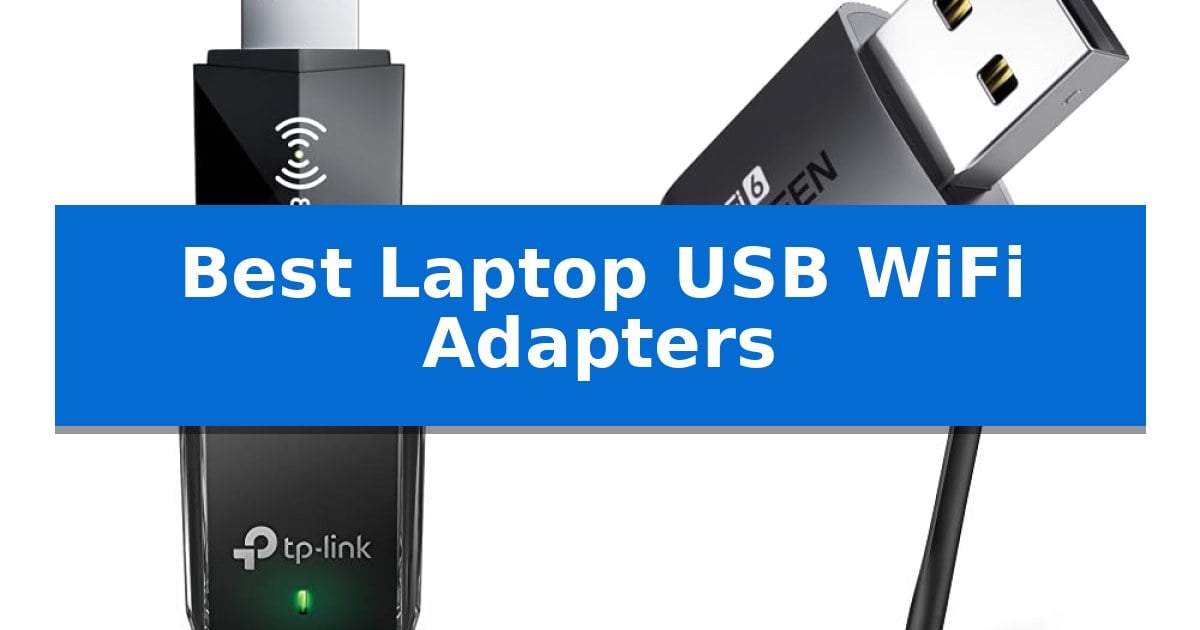
Struggling with a slow or unreliable internet connection on your laptop? Whether your internal card is outdated or you need to boost signal reception, finding the right hardware can make a significant difference. The Best Laptop USB WiFi Adapters offer a simple, plug-and-play solution to modernize your machine's wireless capabilities without requiring internal hardware modifications.
Our guide focuses on identifying the most effective adapters based on their technical specifications and real-world utility. We examine how different form factors, antenna designs, and wireless standards impact your daily browsing, streaming, and gaming experience, ensuring you choose a device that fits your specific connectivity needs.
Best Laptop USB WiFi Adapters in 2026
Quick Comparison
| Product | Best For | Key Strength | Score |
|---|---|---|---|
| Nineplus AX1800 USB WiFi Adapter | Best Overall | WiFi 6 AX1800 speeds for faster wireless performance. | 4.9 |
| UGREEN AX900 USB WiFi Adapter | Driver-Free Windows Setup | Built-in drivers allow for quick, CD-free installation on Windows 10/11. | 4.8 |
| TP-Link Archer T3U USB WiFi Adapter | Reliable Dual-Band Performance | Dual-band 2.4G/5G support for flexible network selection. | 4.7 |
| TP-Link Archer T2U Plus USB WiFi Adapter | Extended Range High-Gain Antenna | Adjustable 5dBi high-gain antenna for improved signal reception. | 4.3 |
| TP-Link Archer T2U Nano USB WiFi Adapter | Compact Pick for Tight Spaces | Miniature Nano design that does not block surrounding ports. | 4.7 |
How We Chose
- Wireless Standard: Prioritizing support for modern protocols like WiFi 6 to ensure faster data throughput and lower latency.
- Compatibility: Verifying operating system support, specifically focusing on Windows 11 and 10 integration.
- Form Factor: Assessing whether the design is compact for travel or features high-gain antennas for improved range.
- Installation Process: Evaluating the presence of built-in drivers or plug-and-play functionality to minimize setup complexity.
- Security: Checking for support of current encryption protocols like WPA3 to keep your network protected.
1 Nineplus AX1800 USB WiFi Adapter — Fastest WiFi 6 Speeds
Upgrading your desktop or laptop to the latest wireless standard is simplified with the Nineplus AX1800 USB WiFi Adapter. This compact device leverages WiFi 6 (802.11AX) technology to provide a significant performance jump, offering speeds up to 1201Mbps on the 5GHz band and 574Mbps on the 2.4GHz band for smoother 4K streaming and gaming.
Designed for convenience, the adapter features a tiny nano design that prevents it from blocking adjacent USB ports on your computer. It utilizes a Super USB 3.0 interface, which is engineered to be 10 times faster than older USB 2.0 connections, ensuring a more stable and solid data transfer for your wireless network.
The hardware includes a high-gain WiFi antenna that works to enhance both signal reception and transmission stability. Security is also prioritized, as the adapter supports the WPA3 security protocol, alongside WPA2, WPA, and WEP, helping to protect your network from unauthorized access.
Setup is straightforward with its plug-and-play functionality for Windows 11 and 10 systems, which automatically detect and install the necessary drivers. This makes it a practical, cost-effective solution for extending the connectivity life of your existing PC or laptop without requiring complex hardware installations.
Best for: Users running Windows 10 or 11 who need a compact, high-speed WiFi 6 upgrade for their desktop or laptop.
Skip if: Users operating on macOS, Windows 7, or older legacy systems, as this adapter is not compatible with those platforms.
PROS
- WiFi 6 AX1800 speeds for faster wireless performance.
- Compact nano design that avoids blocking other USB ports.
- High-gain antenna for improved signal stability.
- WPA3 security support for modern network protection.
CONS
- Limited OS compatibility (Windows 10/11 only).
2 UGREEN AX900 USB WiFi Adapter — Driver-Free Windows Setup
Connecting a desktop computer to a wireless network without the hassle of manual software installation is the primary advantage of the UGREEN AX900 USB WiFi Adapter. This compact device simplifies the process by featuring built-in drivers specifically for Windows 10 and 11, allowing for a seamless, CD-free setup that saves time for users who need immediate connectivity.
The UGREEN AX900 USB WiFi Adapter utilizes WiFi 6 technology to provide efficient data transmission. It operates as a dual-band device, capable of reaching speeds up to 600 Mbps on the 5 GHz band and 287 Mbps on the 2.4 GHz band. To fully leverage these speeds, pairing the adapter with a compatible WiFi 6 router is recommended.
Beyond its primary function as a receiver, this adapter supports a Receive & Transmit mode. This allows a networked desktop to act as a wireless hotspot, sharing its internet connection with other devices. The unit is designed for security, supporting WPA-PSK, WPA2-PSK, and WPA/WPA2 mixed encryption modes to help keep your connection protected.
Measuring just 0.79 x 0.39 x 0.2 inches, the adapter is highly portable and unobtrusive when plugged into a USB port. For optimal performance, the manufacturer recommends maintaining a distance of within 30 feet from the router. Please note that this model is strictly compatible with Windows 10/11 X86/X64 systems and does not support MacOS, Linux, or older versions of Windows.
Best for: Windows 10/11 desktop users who need a compact, driver-free wireless solution for WiFi 6 networks.
Skip if: Users operating on MacOS, Linux, or older Windows versions, or those requiring a long-range connection beyond 30 feet.
PROS
- Built-in drivers allow for quick, CD-free installation on Windows 10/11.
- WiFi 6 support enables high-speed transmission and lower latency.
- Dual-band functionality provides flexibility between 5 GHz and 2.4 GHz connections.
- Compact form factor ensures it does not obstruct adjacent ports.
CONS
- Limited OS compatibility excludes MacOS, Linux, and older Windows versions.
- Range limitation requires placement within 30 feet of the router for best results.
3 TP-Link Archer T3U USB WiFi Adapter — Reliable Dual-Band Performance
Reliable wireless connectivity is essential for maintaining a stable network connection on desktop PCs and laptops that lack integrated hardware or require an upgrade. The TP-Link Archer T3U USB WiFi Adapter provides a compact solution for users seeking to integrate dual-band 2.4G/5G capabilities into their existing setup.
This adapter utilizes USB 3.0 technology, which supports faster data transfer rates compared to legacy USB 2.0 interfaces. Its design is notably portable, measuring just 1.59 inches in length, making it a practical choice for users who need to add wireless functionality without occupying significant space around their device ports.
Performance is supported by MU-MIMO technology, which enables the adapter to handle multiple data streams simultaneously. This feature is designed to facilitate a more consistent connection, particularly in environments where multiple devices are competing for bandwidth. The inclusion of Beamforming further assists in directing the wireless signal toward the connected PC for improved stability.
Compatibility is broad, with native support for Windows 11, 10, 8.1, 8, 7, XP, and Mac OS X 10.9-10.14. The unit is backed by a 2-year manufacturer warranty, providing a standard period of coverage for the hardware components.
Best for: Users needing a compact, plug-and-play dual-band wireless upgrade for desktop or laptop computers running Windows or legacy Mac OS.
Skip if: Users requiring specialized high-gain external antennas for long-range connectivity or those seeking Wi-Fi 6/6E standards.
PROS
- Dual-band 2.4G/5G support for flexible network selection.
- USB 3.0 interface for efficient data transfer.
- MU-MIMO and Beamforming for improved connection stability.
- Compact, portable design that minimizes port obstruction.
CONS
- Limited physical size may not provide the same signal range as models with external high-gain antennas.
4 TP-Link Archer T2U Plus USB WiFi Adapter — Extended Range High-Gain Antenna
The TP-Link Archer T2U Plus USB WiFi Adapter features an adjustable, multi-directional high-gain 5dBi antenna designed to enhance signal reception and transmission. This compact device allows users to upgrade their existing desktop or laptop systems to 802.11ac standards, providing a significant step up from older wireless N speeds.
Equipped with dual-band technology, this adapter offers flexible connectivity by supporting both 2.4 GHz and 5 GHz bands. Users can achieve speeds up to 200 Mbps on the 2.4 GHz band and up to 433 Mbps on the 5 GHz band, which supports various activities like web surfing, streaming, and gaming. Performance is dependent on environmental factors, including distance from the router and physical obstructions like walls.
Installation is straightforward, utilizing a user-friendly interface. To begin, users must download the necessary drivers from the official TP-Link website. The device is specifically engineered for Windows environments, maintaining compatibility with Windows 11, 10, 8.1, 8, 7, and XP.
The TP-Link Archer T2U Plus USB WiFi Adapter provides a practical solution for those looking to improve wireless range and stability. Its rotating antenna design allows for precise positioning toward the router to optimize signal strength, making it a functional addition for users requiring a more reliable connection than standard internal cards might provide.
Best for: Desktop and laptop users running Windows who need to improve their wireless signal range and stability with an adjustable high-gain antenna.
Skip if: Users operating on macOS, Linux, or ChromeOS, as this device is strictly limited to Windows compatibility.
PROS
- Adjustable 5dBi high-gain antenna for improved signal reception.
- Dual-band 802.11ac support for faster wireless speeds.
- Compact, portable design suitable for both desktops and laptops.
- Simple installation process via dedicated driver download.
CONS
- Windows-only compatibility prevents use on other operating systems.
- Performance is subject to environmental interference and physical distance.
5 TP-Link Archer T2U Nano USB WiFi Adapter — Compact Pick for Tight Spaces
The TP-Link Archer T2U Nano USB WiFi Adapter offers a discreet networking solution for desktop computers, measuring just 0.73 inches in height and 0.59 inches in length. Its miniature Nano design allows users to plug the device into a USB port and leave it permanently installed without obstructing adjacent ports or creating a bulky profile.
This adapter supports dual-band wireless connectivity, enabling operation on both 2.4GHz and 5GHz frequencies. This dual-band capability is intended to provide a stable, lag-free experience for internet tasks. The device is compatible with a wide range of operating systems, including Windows 11, 10, 8.1, 8, 7, XP, and Mac OS X 10.9-10.14.
Installation may require downloading the latest drivers directly from the TP-Link website to ensure proper functionality with specific operating systems. The manufacturer includes a 2-year warranty and provides 24/7 technical support to assist with setup or configuration needs.
Designed for users who need to add or upgrade wireless capabilities on a desktop PC, this adapter balances a compact form factor with dual-band performance. It is a practical choice for those looking to maintain a clean workspace while achieving reliable network connectivity.
Best for: Desktop PC users who require a compact, unobtrusive wireless adapter for dual-band network connectivity.
Skip if: Users who require high-gain external antennas for long-range signal reception or those who prefer a plug-and-play experience without potential driver installation steps.
PROS
- Miniature Nano design that does not block surrounding ports.
- Dual-band (2.4G/5G) support for flexible network connectivity.
- 2-year manufacturer warranty with 24/7 technical support.
CONS
- Driver installation may be required for optimal performance.
- Limited physical size may not provide the range of adapters with external antennas.
Best Laptop USB WiFi Adapters Buying Guide
Understanding Wireless Standards
The wireless standard, such as WiFi 5 (802.11ac) or WiFi 6 (802.11ax), dictates the maximum potential speed and efficiency of your connection. WiFi 6 adapters are generally preferred for newer setups, as they handle high-bandwidth tasks like 4K streaming and gaming with greater stability.
When selecting an adapter, ensure your router matches or exceeds the standard of the adapter to fully utilize its capabilities. While backward compatibility is standard, you will only see the performance benefits of a newer standard if your entire network environment supports it.
Form Factor and Antenna Design
USB WiFi adapters come in two primary designs: nano-sized dongles and those with external high-gain antennas. Nano adapters are ideal for users who prioritize portability and want a 'plug-and-forget' experience that doesn't obstruct adjacent USB ports.
Conversely, adapters with external antennas are better suited for desktop or stationary laptop setups where signal strength is a concern. These antennas can often be adjusted to better capture signals, making them more effective in environments where the router is behind walls or at a distance.
Driver Installation and OS Compatibility
Ease of use is a critical factor, especially for users who prefer not to manage complex software. Many modern adapters now feature built-in drivers, allowing for a seamless plug-and-play experience on Windows 10 and 11 systems.
Always check the manufacturer's compatibility list before purchasing. Some adapters are strictly limited to specific Windows versions and may not support macOS, Linux, or older operating systems like Windows 7 or XP, which could lead to installation failures.
Security Protocols
Modern network security is non-negotiable. Ensure your chosen adapter supports the latest WPA3 security protocol, which provides more robust protection against unauthorized access compared to older WPA2 or WEP standards.
Using an adapter that supports current encryption ensures that your data remains secure while you are connected to public or home networks. This is particularly important for users who frequently travel and rely on various wireless access points.
Interface Speed
The USB interface itself can be a bottleneck. Adapters utilizing USB 3.0 are significantly faster and more stable than those using the older USB 2.0 standard. This is especially relevant for high-speed WiFi 6 adapters that need to transfer large amounts of data quickly.
If you are plugging your adapter into a USB 2.0 port, you may experience limited performance regardless of the adapter's rated speed. Always aim to use a USB 3.0 or higher port on your laptop to ensure the hardware is not restricted by the connection port.
Frequently Asked Questions
Do I need to install drivers for these adapters?
Many modern adapters, especially those from brands like UGREEN or Nineplus, offer plug-and-play functionality on Windows 10/11. However, some models may still require a manual driver download from the manufacturer's website for optimal performance.
Will a USB WiFi adapter work on my Mac?
Compatibility varies by model. While some TP-Link adapters support macOS, many newer WiFi 6 adapters are designed specifically for Windows. Always check the product specifications for OS support before buying.
Can I use a WiFi 6 adapter with a WiFi 5 router?
Yes, WiFi standards are backward compatible. You can use a WiFi 6 adapter with an older router, but you will be limited to the speed and features of the router's standard.
Why is my connection speed slower than advertised?
Actual speeds depend on many factors, including the distance from your router, physical obstacles like walls, interference from other devices, and the speed of your internet service provider plan.
Does the antenna size really matter?
Yes, high-gain antennas typically provide better signal reception and transmission stability, which is beneficial if your laptop is far from the router or in an area with weak coverage.
Conclusion: Our Top Pick
Choosing the right adapter depends on whether you prioritize raw speed, portability, or signal range. For most users, the Nineplus AX1800 USB WiFi Adapter stands out as the best overall choice due to its high-speed WiFi 6 performance, compact design, and stable high-gain antenna, making it a versatile upgrade for both laptops and desktop computers.
While other options like the UGREEN AX900 offer excellent driver-free convenience and the TP-Link Nano series provides unmatched portability, the Nineplus model balances these features effectively. Ensure your system meets the Windows 10/11 requirements to take full advantage of these modern wireless improvements.