
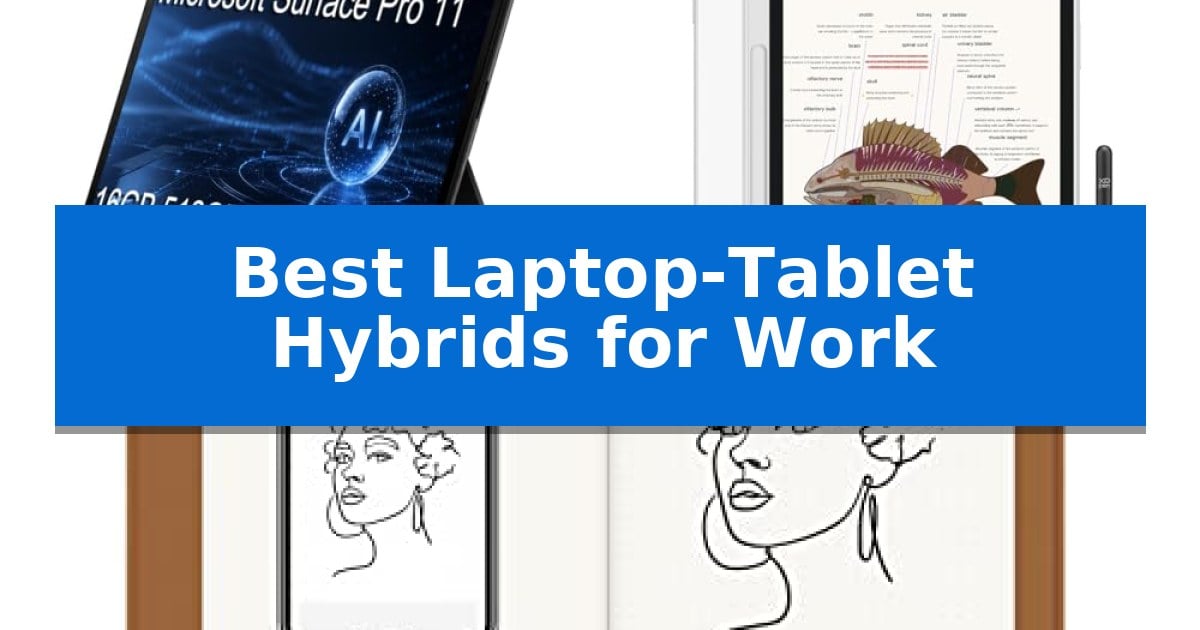
Finding the right balance between a portable tablet and a functional workstation is essential for modern professionals. Whether you are managing complex projects or taking detailed notes during meetings, the Best Laptop-Tablet Hybrids for Work provide the flexibility needed to transition between tasks seamlessly.
Our guide focuses on high-performance devices that prioritize efficiency, connectivity, and portability. By evaluating key hardware specifications and specialized features, we help you identify the ideal tool to support your specific professional requirements and daily work habits.
Best Laptop-Tablet Hybrids for Work in 2026: Boost Your Productivity
Quick Comparison
| Product | Best For | Key Strength | Score |
|---|---|---|---|
| Microsoft Surface Pro 2-in-1 Laptop Tablet | Best Overall | 45 TOPS NPU for accelerated AI-powered productivity tasks. | 4.9 |
| XPPen Magic Note Pad Tablet | Paper-Like Digital Note Taking | 16K pressure sensitivity with the X3 Pro Pencil 2 for precise annotation. | 4.4 |
| HUION Note Digital Notebook | Real-Time Handwritten Sync | Real-time synchronization of handwritten notes to mobile devices. | 4.9 |
How We Chose
- Processing power and multitasking efficiency for business applications.
- Display quality, including resolution, refresh rates, and color accuracy for visual tasks.
- Input versatility, focusing on stylus sensitivity and keyboard integration.
- Connectivity options and wireless reliability for remote and hybrid environments.
- Portability and battery longevity for professionals on the move.
1 Microsoft Surface Pro 2-in-1 Laptop Tablet — AI-Powered Professional Productivity
The Microsoft Surface Pro 2-in-1 Laptop Tablet integrates a 45 TOPS NPU to accelerate on-device AI tasks, making it a specialized tool for professionals who rely on Copilot+ PC capabilities for daily workflows. This device is built to meet MIL-STD 810H durability standards, ensuring it remains a reliable companion for hybrid work environments and frequent travel.
Performance is driven by the Qualcomm Snapdragon X Elite processor, which works alongside 16GB of DDR5 memory to facilitate smooth multitasking. The 13-inch 2.8K PixelSense Flow OLED touchscreen features a 120Hz dynamic refresh rate, providing high-resolution visuals that are well-suited for detailed content review and professional presentations.
Connectivity options include two USB4 ports capable of driving dual 4K monitors at 60Hz, alongside Wi-Fi 7 and Bluetooth 5.4 for high-speed wireless integration. The front-facing QHD Surface Studio Camera utilizes Windows Studio Effects, such as automatic framing and eye contact, to maintain professional standards during video meetings.
Designed for portability, the unit weighs less than two pounds and supports up to 14 hours of battery life with fast charging. It runs Windows 11 Pro, providing enterprise-grade security features like BitLocker encryption and Remote Desktop access, ensuring that it fits securely into existing business infrastructure.
Best for: Business professionals and remote workers who require a lightweight, AI-capable device for multitasking and high-quality video conferencing.
Skip if: Users who require a traditional laptop form factor with a fixed keyboard base or those who need compatibility with x86-specific legacy software that may not be optimized for the Snapdragon architecture.
PROS
- 45 TOPS NPU for accelerated AI-powered productivity tasks.
- 13-inch 2.8K OLED 120Hz display for vibrant and smooth visuals.
- MIL-STD 810H durability ensures reliable performance for mobile professionals.
- Dual USB4 ports support external 4K monitor setups without a dock.
CONS
- Resealed unit due to SSD upgrade, though backed by specialized warranties.
- Limited to two USB-C ports, which may necessitate adapters for legacy peripherals.
2 XPPen Magic Note Pad Tablet — Paper-Like Digital Note Taking
The XPPen Magic Note Pad Tablet distinguishes itself through an AG nano-etched LCD screen that utilizes TCL NXTpaper 3.0 technology, designed to reduce ambient light interference by up to 95% for a paper-like visual experience. Unlike standard e-ink devices, this 10.95-inch tablet operates on the Android 14 system, providing a versatile platform for both professional productivity and digital note-taking.
Performance is driven by the X3 Pro smart chip, which powers the included X3 Pro Pencil 2. This stylus features 16K pressure sensitivity and a soft nib, allowing for precise control over stroke thickness and color depth. Users can leverage the 90Hz high refresh rate for smooth page transitions and a clear display, supported by a brightness level of 400 nits and a color gamut of 16.7 million colors.
For professional workflows, the tablet includes the XPPen Notes app, which supports handwriting-to-text conversion, PDF editing, and AI-assisted features like summarizing documents or creating flashcards. When the system is updated to 1PAE, users gain access to MyScript Notes and MyScript Math, enabling the recognition of complex handwritten equations and shapes across 66 languages.
Designed for portability and remote collaboration, the device weighs only 495g and is 7mm thick. It is equipped with a 13-megapixel front camera, dual microphones, and dual speakers to facilitate clear communication during meetings. The 8000mAh battery ensures extended use, while the TÜV SÜD Low Blue Light Certification emphasizes eye comfort during long writing or reading sessions.
The tablet offers three distinct color modes—Monochrome, Light Color, and Nature Color—accessible via a dedicated X-key. Because the etched glass screen is optimized for frontal viewing to minimize glare, users should position the device directly in front of them to achieve the intended paper-like clarity and anti-glare benefits.
Best for: Professionals and students who require a versatile Android-based tablet with a high-precision stylus for extensive note-taking, document annotation, and remote meetings.
Skip if: Users who prioritize a traditional e-ink display for outdoor readability or those who need to run multiple high-performance software applications simultaneously.
PROS
- 16K pressure sensitivity with the X3 Pro Pencil 2 for precise annotation.
- TCL NXTpaper 3.0 technology reduces glare and eye strain.
- Android 14 ecosystem allows for flexible app integration and cloud storage.
- AI-powered handwriting recognition via MyScript tools for math and text.
CONS
- Narrow viewing angles due to the AG nano-etched screen technology.
- Performance limitations when running multiple software programs simultaneously.
3 HUION Note Digital Notebook — Real-Time Handwritten Sync
The HUION Note Digital Notebook bridges the gap between traditional tactile writing and digital workflows by capturing handwritten notes on standard A5 paper and syncing them in real-time to mobile devices. This 2-in-1 tool functions as a physical notepad for meetings or brainstorming sessions while simultaneously generating vector-based digital copies, ensuring your handwritten ideas are preserved and searchable.
Equipped with Bluetooth 5.0 for fast, automatic pairing, the device transfers your work to the free Huion Note app on iOS and Android. Beyond simple digitization, the system allows for audio recording synced to your handwriting, enabling you to replay the note-taking process to capture context. Users can organize, merge, or split pages within the app and export content as images, PDFs, or MP4 files for easy sharing.
Versatility is a core design choice, as the product doubles as a graphics tablet when the paper is replaced with the included panel. This allows for digital sketching or design work when connected to a PC. The system is powered by a battery designed for 18 hours of continuous use, with a 30-day standby time, making it a reliable companion for long workdays or travel.
The package includes a battery-free pen, a magnetic sleeve, and essential accessories like ballpoint refills and plastic nibs. While it excels at digitizing analog notes, it is a specialized tool that relies on the Huion Note app for its advanced features, meaning it is best suited for those who prioritize the feel of pen-on-paper but require the convenience of digital organization.
Best for: Professionals and students who prefer the tactile experience of writing on paper but need to digitize, organize, and share their notes instantly.
Skip if: Users who require a full-featured laptop or tablet for heavy multitasking, software compatibility, or complex computing tasks beyond note-taking and basic sketching.
PROS
- Real-time synchronization of handwritten notes to mobile devices.
- Dual-functionality as a graphics tablet for PC connectivity.
- Integrated audio recording to sync with handwritten notes.
- Long-lasting battery with 18 hours of use per charge.
CONS
- Requires the Huion Note app for full functionality and file management.
- Limited to A5 paper size for the physical note-taking component.
Best Laptop-Tablet Hybrids for Work Buying Guide
Processing Power and Performance
For professional workloads, the internal processor is the most critical component. Look for chips that offer high efficiency and enough power to handle multitasking without significant lag or thermal throttling.
Devices equipped with modern mobile processors, such as the Qualcomm Snapdragon X Elite, provide a balance of speed and battery life, which is essential for users who spend their day switching between office suites, web browsers, and communication tools.
Display Technology and Visual Clarity
A high-resolution display is vital for content review and detailed work. Features like OLED panels and high refresh rates, such as 120Hz, ensure that text is sharp and motion is fluid, reducing eye strain during long hours.
Consider the brightness levels, measured in nits, if you frequently work in varied lighting conditions. A display that offers high brightness and anti-glare technology will maintain visibility in both office and outdoor settings.
Input Precision and Stylus Support
If your work involves annotating documents, sketching, or digital note-taking, the quality of the stylus is paramount. Look for high pressure sensitivity levels and low latency to ensure that your digital writing feels as natural as pen on paper.
Advanced features like magnetic attachment for the pen and customizable shortcut keys can significantly speed up your workflow, allowing you to switch tools or erase mistakes without navigating through complex software menus.
Connectivity and Peripheral Compatibility
A truly versatile hybrid must connect easily to your existing setup. Check for multiple USB-C (USB4) ports, which allow for high-speed data transfer and the ability to drive external monitors without requiring a bulky docking station.
Reliable wireless standards like Wi-Fi 7 and Bluetooth 5.4 are essential for maintaining stable connections during video calls and ensuring your peripherals, such as mice and keyboards, remain responsive throughout the day.
Portability and Build Quality
For hybrid workers, weight and durability are key considerations. Devices built to MIL-STD 810H standards offer peace of mind, ensuring the hardware can withstand the rigors of frequent travel and daily commutes.
A slim, lightweight design is only useful if it doesn't compromise battery life. Prioritize devices that offer at least a full workday of power on a single charge, along with fast-charging capabilities to minimize downtime.
Frequently Asked Questions
Can a tablet replace my laptop for professional work?
Many modern hybrids run full desktop operating systems like Windows 11 Pro, allowing them to handle standard business applications, multitasking, and peripheral connectivity just like a traditional laptop.
What is the benefit of an OLED display for work?
OLED displays offer superior contrast, deeper blacks, and vibrant colors compared to standard LCD screens, which is particularly beneficial for professionals involved in content creation, design, or high-end document review.
Are digital notebooks better than standard tablets?
Digital notebooks are specialized for handwriting and note-taking, often featuring paper-like textures and dedicated apps. They are ideal for users who prioritize a tactile writing experience over the general-purpose computing capabilities of a tablet.
How important is NPU performance in a work device?
An NPU (Neural Processing Unit) accelerates AI-powered tasks such as background blur in video calls, automatic framing, and generative AI features, which can streamline workflows and improve the quality of remote collaboration.
Do I need Wi-Fi 7 for my office setup?
While Wi-Fi 6 is sufficient for most tasks, Wi-Fi 7 offers faster speeds and lower latency, which can be advantageous in crowded office environments or when handling large file transfers and high-definition video conferencing.
Conclusion: Our Top Pick
For professionals seeking the most versatile and powerful device, the Microsoft Surface Pro 2-in-1 Laptop Tablet stands out as the premier choice. Its combination of a high-resolution OLED touchscreen, AI-accelerated performance, and robust Windows 11 Pro integration makes it uniquely suited for demanding business environments.
While other devices like the XPPen Magic Note Pad or HUION Note offer specialized benefits for note-taking and sketching, the Microsoft Surface Pro provides the comprehensive computing power and connectivity required to serve as a primary workstation. It is the most reliable option for users who need to transition effortlessly between intensive office tasks and mobile productivity.