
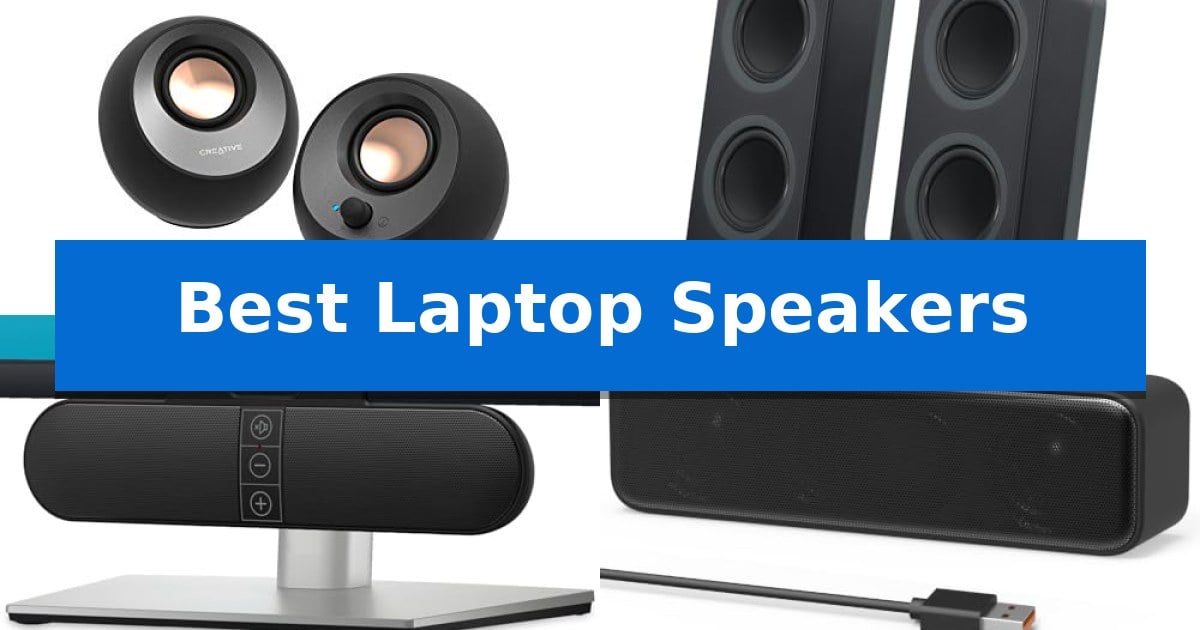
Finding the right audio upgrade for your computer can significantly improve your daily workflow, whether you are attending virtual meetings or enjoying multimedia content. Many built-in laptop audio systems struggle to provide depth or clarity, making external solutions a practical necessity for a better listening experience.
We have evaluated the Best Laptop Speakers to help you identify which models offer the most reliable connectivity and sound quality for your specific workspace. From compact soundbars to versatile desktop units, these options address common limitations in portable audio setups.
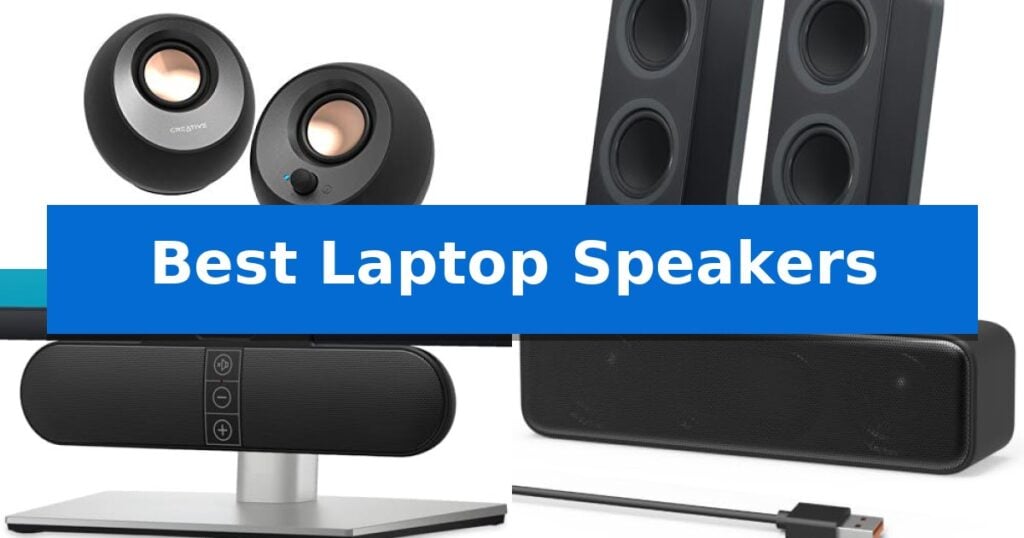
Best Laptop Speakers in 2026: Upgrade Your Audio Clarity
Quick Comparison
| Product | Best For | Key Strength | Score |
|---|---|---|---|
| Creative Pebble V3 Desktop Speakers | Best Overall | Clear Dialog audio processing enhances speech intelligibility in media. | 4.9 |
| Logitech Z207 Stereo Computer Speakers | Seamless Bluetooth Switching | Easy-Switch technology for seamless device transitions | 4.7 |
| XKX Monitor Clip-on Computer Speakers | Space-Saving Monitor Mount | Space-saving monitor-mount design that clears desk clutter. | 4.8 |
| LIELONGREN USB Computer Sound Bar | Minimalist Single-Cable Setup | Single USB cable handles both power and audio input. | 4.6 |
| Amazon Basics USB-Powered Computer Speakers | Budget-Friendly Portable Option | USB-powered design simplifies cable management and eliminates external power adapters. | 4.9 |
How We Chose
- Connectivity options including USB-C, Bluetooth, and 3.5mm AUX compatibility.
- Physical footprint and mounting versatility for different monitor and desk configurations.
- Audio processing features designed to enhance vocal clarity in meetings and media.
- Power efficiency and cable management solutions to reduce desktop clutter.
- Build quality and driver configuration for balanced sound reproduction.
1 Creative Pebble V3 Desktop Speakers — Best for Clear Dialog
Achieving clear, intelligible audio during video calls and media playback often requires more than just standard built-in hardware. The Creative Pebble V3 Desktop Speakers address this by utilizing custom-tuned 2.25" full-range drivers that provide a 50% increase in loudness compared to previous iterations, alongside a built-in gain switch that pushes output to 8W RMS and a peak of 16W when connected to a 10W USB-C or USB-A port.
Designed for a clutter-free workspace, these speakers utilize a single USB-C cable for both power and audio transmission, eliminating the need for extra 3.5mm wiring. For users with older hardware, the package includes a USB-C to USB-A adapter to maintain compatibility. The signature 45° elevated driver design ensures that sound is directed toward the listener's ears, creating a focused audio sweet spot on the desk.
Beyond wired connectivity, the system integrates Bluetooth 5.0 for wireless streaming from mobile devices, offering flexibility for casual listening away from the computer. For those who prefer analog connections, a 3.5mm AUX-in jack is available for universal compatibility with other audio sources.
A standout feature is the Clear Dialog audio processing, which is engineered to isolate and enhance spoken words in YouTube videos, movies, and series. This processing occurs without distorting the background audio effects, allowing for better speech clarity without the need to increase the overall volume to uncomfortable levels.
Best for: Users who prioritize vocal clarity for video calls and media consumption while maintaining a minimalist, cable-managed desk setup.
Skip if: Users requiring deep, room-filling sub-bass or those who do not have a 10W USB port available to power the amplified gain mode.
PROS
- Clear Dialog audio processing enhances speech intelligibility in media.
- Minimalist single-cable connectivity via USB-C reduces desk clutter.
- 45° elevated drivers direct sound precisely toward the listener.
- Bluetooth 5.0 integration allows for convenient wireless streaming.
CONS
- Requires a 10W USB port to utilize the full amplified gain mode.
- AUX-in cable not included for analog connections.
2 Logitech Z207 Stereo Computer Speakers — Seamless Bluetooth Switching
Achieving clear, reliable audio from a computer setup often requires moving beyond integrated hardware. The Logitech Z207 Stereo Computer Speakers address this by providing a dedicated 2.0 stereo system that utilizes active drivers paired with passive radiators to deliver full-range sound and enhanced bass extension.
These speakers offer significant flexibility for modern workspaces through Bluetooth 4.2 wireless connectivity and a standard 3.5mm input. The inclusion of Logitech Easy-Switch technology is a standout feature, allowing users to transition between audio sources simply by pausing playback on one device and starting it on another, making it straightforward to manage audio from a PC, tablet, or smartphone.
Designed with the user's desk environment in mind, the unit includes an on-speaker headphone jack for private listening, alongside integrated controls for volume, power, and Bluetooth pairing. With a compact footprint measuring approximately 9.5 inches in height, these speakers fit easily into most desktop configurations without consuming excessive space.
The system provides a total of 10 Watts peak power, ensuring sufficient output for typical desktop tasks. While the speakers are versatile, they are best suited for users who prioritize connectivity and ease of use over high-fidelity studio monitoring or deep, room-filling bass.
Best for: Users who need a compact, versatile speaker system that can easily switch between multiple Bluetooth and wired audio sources.
Skip if: Users who require high-output audio for large rooms or those seeking dedicated subwoofer performance for deep bass.
PROS
- Easy-Switch technology for seamless device transitions
- Dual connectivity options via Bluetooth or 3.5mm cable
- Integrated headphone jack for convenient private listening
- Passive radiator design for improved bass response
CONS
- 10 Watts peak power may be limited for large spaces
- No dedicated subwoofer for deep low-end frequency output
3 XKX Monitor Clip-on Computer Speakers — Space-Saving Monitor Mount
Maximizing desk real estate often requires creative hardware placement, and the XKX Monitor Clip-on Computer Speakers address this by offering a versatile mounting system that attaches directly to your monitor. This design choice allows the unit to be positioned at the top, side, or bottom of a screen, effectively clearing space on a crowded workspace.
The audio system is built with dual ultra-magnetic drivers and dual passive radiators, engineered to deliver stereo sound with enhanced volume and bass. To ensure consistent audio orientation regardless of mounting position, the device features Adaptive-Channel-Switching driven by an integrated G-sensor, which automatically adjusts the left and right channels based on the speaker's physical orientation.
Connectivity is handled via a standard USB interface, with an included USB-C to USB adapter to support modern laptops, tablets, and desktop systems. The unit is compatible with Windows, macOS, ChromeOS, and Linux environments. Users can manage audio output through three intuitive touch buttons located on the front panel, providing quick access to volume control and muting functions.
Installation requires ensuring the computer's audio driver is current and that the USB port is functioning correctly. While the clamp is designed for monitors, the manufacturer notes that it is not compatible with televisions or projectors. The device comes with a 24-month worry-free warranty to support long-term use.
Best for: Users with limited desk space who need a compact, monitor-mounted audio solution for their PC or laptop.
Skip if: Users who require audio output for televisions, projectors, or devices lacking a functional USB port.
PROS
- Space-saving monitor-mount design that clears desk clutter.
- Adaptive-Channel-Switching ensures correct stereo orientation regardless of mounting position.
- Broad compatibility with USB and USB-C devices via included adapter.
- Convenient touch controls for volume and muting.
CONS
- Incompatible with TVs and projectors, limiting use to computer-based setups.
- Requires active USB port and updated audio drivers for proper functionality.
4 LIELONGREN USB Computer Sound Bar — Minimalist Single-Cable Setup
Managing desktop audio often involves balancing limited workspace with the need for clear sound. The LIELONGREN USB Computer Sound Bar addresses this by utilizing a single USB cable for both power and audio signal, effectively eliminating the need for a 3.5mm AUX jack and reducing cable clutter on your desk.
Engineered with Dual 3W High-Excursion Drivers and a Passive Radiator, this sound bar is designed to provide a wider dynamic range and enhanced bass compared to standard integrated laptop speakers. The manufacturer recently increased the product thickness to create a larger sound cavity, which contributes to improvements in overall volume and audio output.
Setup is straightforward, particularly for Windows users who can simply select the device from their taskbar settings. The minimalist, classic design allows the unit to sit neatly underneath most monitors, making it a practical choice for users looking to improve their audio experience without occupying significant desk real estate.
Compatibility is broad, supporting Windows, macOS, Linux, and ChromeOS, ensuring it integrates easily with various laptop and desktop brands. The inclusion of dedicated volume control buttons provides immediate tactile adjustment, a feature added based on user feedback to simplify daily operation.
Best for: Users seeking a space-saving, single-cable audio solution for desktop or laptop setups.
Skip if: Users who require high-fidelity audio for professional editing or those who prefer a multi-speaker surround sound system.
PROS
- Single USB cable handles both power and audio input.
- Compact, minimalist design fits easily under most monitors.
- Dedicated volume controls for quick adjustments.
- Broad system compatibility across major operating systems.
CONS
- Limited to 3W drivers, which may not satisfy users seeking high-volume or room-filling sound.
5 Amazon Basics USB-Powered Computer Speakers — Budget-Friendly Portable Option
The Amazon Basics USB-Powered Computer Speakers provide a streamlined audio solution for desktop or laptop setups by utilizing a single USB-powered (5V) connection for both power and signal. This design eliminates the need for bulky external power bricks, making the unit a practical choice for users who prioritize desk space and portability.
Measuring approximately 2.76 by 3.55 by 5.3 inches, these speakers are engineered for compact environments. The front-facing control knob serves as both the power switch and volume adjustment, allowing for quick, tactile control without navigating through system menus. The inclusion of a 3.5mm headphone jack on the front panel offers additional flexibility, enabling users to switch to private listening without disconnecting the speakers from the computer.
With a frequency range of 103 Hz – 20 KHz and a total of 2.2 watts RMS power, these speakers are designed for standard desktop audio tasks. The plug-and-play functionality ensures compatibility across most systems without requiring specialized drivers, simplifying the installation process for immediate use.
The lightweight construction, weighing roughly 1.4 pounds, supports the portability of the system. By consolidating power and audio into a simple interface, these speakers offer a straightforward, no-frills approach to improving upon integrated laptop audio.
Best for: Users seeking a compact, USB-powered audio solution for basic desktop or laptop sound reinforcement.
Skip if: Users requiring high-fidelity audio, deep bass response, or high-wattage output for media production or large room coverage.
PROS
- USB-powered design simplifies cable management and eliminates external power adapters.
- Compact footprint fits easily on crowded desks or in travel bags.
- Integrated 3.5mm headphone jack allows for convenient audio switching.
- Plug-and-play setup requires no driver installation.
CONS
- Low power output of 2.2 watts RMS limits volume and sound depth.
- Wired connection required for both power and audio signal.
Best Laptop Speakers Buying Guide
Connectivity and Compatibility
The most critical factor when selecting speakers is how they interface with your computer. Modern USB-C connectivity is highly recommended for newer laptops, as it often allows for a single-cable solution that handles both power and audio data, significantly reducing cable mess.
For users with older hardware, ensure your chosen speakers include a USB-A adapter or a standard 3.5mm AUX input. Bluetooth capability is an added benefit for those who want to switch audio sources between their laptop and mobile devices without manually unplugging cables.
Form Factor and Desk Space
If your desk space is limited, consider a monitor-mounted soundbar or a compact 2.0 speaker system. Clip-on speakers are designed to attach directly to your display, freeing up valuable surface area while maintaining a direct line of sound to your ears.
For those with more room, traditional desktop speakers with elevated drivers can provide a better soundstage. An angled design directs audio output toward the user, which is essential for maintaining clarity during long listening sessions.
Audio Processing and Clarity
Not all speakers are tuned for the same purpose. If you primarily use your computer for video calls or watching educational content, look for models that feature Clear Dialog audio processing. This technology is specifically engineered to isolate and boost vocal frequencies.
For a more immersive experience, look for systems that incorporate passive radiators. These components help small speakers produce deeper, more resonant bass than would otherwise be possible with compact drivers alone.
Power Requirements
Most laptop speakers are USB-powered, which is convenient but can be limited by the power output of your computer's ports. Some models feature a built-in gain switch that allows you to amplify the audio signal when connected to a high-power USB-C port.
Always check the power specifications of your laptop's ports. If you require maximum volume, ensure your speakers are compatible with the power delivery standards of your specific computer to avoid distortion or low-volume issues.
Ease of Use and Controls
Accessibility is key for daily use. Look for speakers with front-facing volume controls or touch-sensitive buttons. Having the ability to mute or adjust volume quickly without navigating through software menus is a significant convenience.
Plug-and-play functionality is standard for most modern computer speakers, meaning you should not need to install complex drivers. A simple USB connection should be recognized immediately by Windows, macOS, or Linux systems.
Frequently Asked Questions
Do I need a separate power adapter for these speakers?
Most of the speakers listed are USB-powered, meaning they draw power directly from your computer's USB port. You typically do not need an external wall adapter unless the specific model requires higher wattage for maximum output.
Can I use these speakers with a monitor that doesn't have a built-in sound card?
Yes, these speakers connect to your computer via USB or 3.5mm jack, bypassing the need for the monitor to handle audio processing. Your computer will recognize the speakers as an external playback device.
Will these speakers work with my MacBook?
Most modern USB speakers are compatible with macOS. If your MacBook only has USB-C ports, ensure you choose a speaker that includes a USB-C cable or a reliable USB-C to USB-A adapter.
Are clip-on speakers compatible with all monitor types?
Clip-on speakers are generally designed for standard flat-panel monitors. However, you should check the clamp dimensions against your monitor's thickness to ensure a secure fit.
What is the benefit of 45-degree elevated drivers?
Elevated drivers are angled to point the sound directly at your ears rather than at your chest or the desk surface. This positioning helps improve the clarity and detail of the audio you hear.
Conclusion: Our Top Pick
When selecting the right audio equipment for your workspace, the Creative Pebble V3 Desktop Speakers stand out as a versatile choice. Their combination of USB-C connectivity, Bluetooth 5.0, and specialized Clear Dialog processing makes them highly effective for both professional communication and general media consumption.
While other options like the XKX monitor-mounted speakers or the Logitech Z207 offer unique benefits for specific desk layouts, the Creative Pebble V3 provides a balanced feature set that fits most standard setups. Their compact footprint and elevated driver design ensure that you get high-quality audio without sacrificing valuable desk space.