
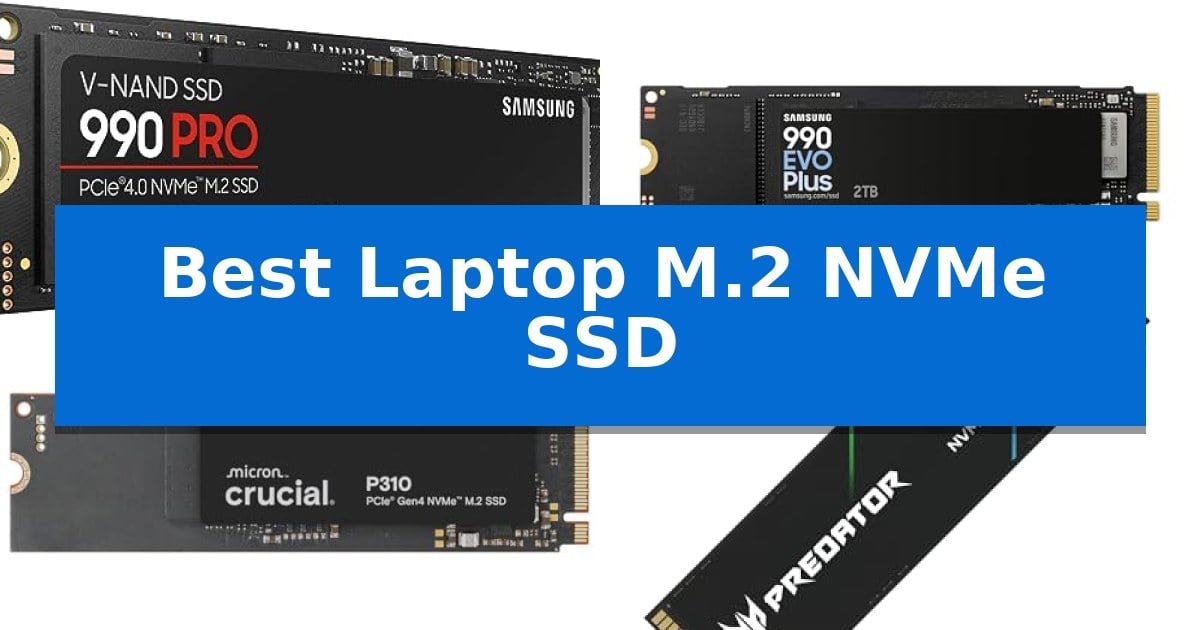
Upgrading your internal storage is one of the most effective ways to improve system responsiveness and handle large file transfers. Finding the Best Laptop M.2 NVMe SSD requires balancing your specific interface requirements with the sustained performance needed for your daily workload.
Whether you are managing heavy video editing projects, loading massive game libraries, or simply looking for faster boot times, selecting the right drive is essential. We have analyzed current market options to help you identify which M.2 NVMe drive aligns with your performance needs and hardware compatibility.
Best Laptop M.2 NVMe SSD in 2026: Maximize your storage speed
Quick Comparison
| Product | Best For | Key Strength | Score |
|---|---|---|---|
| Samsung 990 PRO NVMe SSD | Best Overall | High-speed PCIe 4.0 performance with read speeds up to 7,450 MB/s. | 4.9 |
| Samsung 990 EVO Plus NVMe SSD | Efficient Speed for Modern Laptops | High sequential read/write speeds up to 7,250/6,300MB/s. | 4.9 |
| Crucial P310 NVMe SSD | Optimized for Handhelds and Laptops | High-speed PCIe 4.0 performance reaching up to 7,100 MB/s read speeds. | 4.5 |
| Acer Predator GM7 NVMe SSD | Fast Loading for Enthusiast Gaming | High-performance PCIe 4.0 interface with read speeds up to 7400 MB/s. | 4.7 |
| Kingston NV3 NVMe SSD | Balanced Gen4 Performance Value | High-speed PCIe 4.0 Gen 4×4 performance up to 6,000MB/s. | 4.3 |
How We Chose
- Interface Compatibility: Verifying support for PCIe 4.0 and backward compatibility with Gen3 systems.
- Sequential Throughput: Comparing manufacturer-rated read and write speeds for real-world file handling.
- Thermal Efficiency: Assessing controller design and power management features that prevent throttling.
- Capacity Options: Evaluating the availability of storage tiers to suit different user requirements.
- Software Support: Checking for included management tools for firmware updates and drive health monitoring.
1 Samsung 990 PRO NVMe SSD — Peak Performance for Heavy Workloads
The Samsung 990 PRO NVMe SSD is engineered for high-end computing and heavy-duty workstations, utilizing the PCIe 4.0 interface to reach read and write speeds of up to 7,450 MB/s and 6,900 MB/s respectively. This drive is designed to provide significant bandwidth for demanding tasks, including gaming, video editing, and complex data analysis.
Built with a focus on efficiency, this drive offers up to 50% improved performance per watt compared to its predecessor, the 980 PRO. This power efficiency allows for sustained high-performance output while managing energy consumption, making it a suitable choice for users who require consistent speed during intensive operations.
The 2TB model provides ample storage capacity for large libraries of games and creative project files. With its standard M.2 2280 form factor, it is compatible with a wide range of modern laptops and desktop motherboards that support the PCIe 4.0 standard, ensuring a straightforward installation process for system upgrades.
Backed by a 5-year manufacturer warranty, this internal solid state drive is constructed for longevity in demanding environments. Whether you are a professional creator or a power user, the drive's architecture is optimized to handle heavy computing workloads without compromising on reliability or speed.
Best for: High-end computing, gaming, and heavy-duty workstation tasks that require rapid data transfer and sustained performance.
Skip if: Users with laptops or motherboards limited to PCIe 3.0 or older interfaces, as this drive will not reach its maximum rated performance.
PROS
- High-speed PCIe 4.0 performance with read speeds up to 7,450 MB/s.
- Improved power efficiency offering up to 50% better performance per watt.
- 5-year manufacturer warranty for long-term reliability.
- Versatile storage options ranging from 1TB to 4TB.
CONS
- Requires PCIe 4.0 compatibility to achieve advertised maximum speeds.
2 Samsung 990 EVO Plus NVMe SSD — Efficient Speed for Modern Laptops
Upgrading your machine's storage requires a balance of speed and thermal efficiency, and the Samsung 990 EVO Plus NVMe SSD addresses this by utilizing a specialized nickel-coated controller. This design choice focuses on maintaining consistent performance while managing power consumption, making it a practical choice for users looking to improve data processing without significantly impacting battery life.
The drive leverages the latest NAND memory to achieve sequential read/write speeds up to 7,250/6,300MB/s. These metrics are supported by Intelligent TurboWrite 2.0 technology, which is specifically engineered to handle large-file performance, ensuring that heavy data transfers remain efficient during demanding tasks.
Compatibility is a central feature, as the drive supports both PCIe 4.0 x4 and PCIe 5.0 x2 interfaces. This flexibility allows the drive to adapt to different motherboard bandwidth configurations, providing a versatile upgrade path for modern laptops and desktop systems.
Maintenance is simplified through the Samsung Magician Software, which provides a centralized interface for firmware updates, drive health monitoring, and security encryption. This ensures the drive remains optimized over its lifespan, keeping performance levels consistent with its initial specifications.
Best for: Users seeking a high-speed, power-efficient storage upgrade that supports both PCIe 4.0 and 5.0 interface standards.
Skip if: Users requiring extreme PCIe 5.0 x4 bandwidth, as this drive is optimized for PCIe 5.0 x2 configurations.
PROS
- High sequential read/write speeds up to 7,250/6,300MB/s.
- Nickel-coated controller for improved thermal management.
- Dual-interface compatibility supporting PCIe 4.0 x4 and 5.0 x2.
- Intelligent TurboWrite 2.0 for enhanced large-file performance.
CONS
- PCIe 5.0 performance limited to x2 lane configuration.
3 Crucial P310 NVMe SSD — Optimized for Handhelds and Laptops
Upgrading your storage to a high-performance drive can significantly reduce wait times during system boot-ups and application launches. The Crucial P310 2TB SSD utilizes PCIe 4.0 technology to deliver read speeds up to 7,100 MB/s and write speeds up to 6,000 MB/s, offering a substantial boost for users transitioning from older Gen3 hardware.
Designed for versatility, this M.2 2280 form factor drive is compatible with a wide range of systems, including standard laptops, desktop PCs, and popular handheld gaming consoles like the ROG Ally X and Lenovo Legion Go. Its integration of advanced G8 NAND and built-in thermal control ensures consistent operation under load, making it a reliable choice for both casual gamers and professionals handling media-heavy workflows.
Beyond raw speed, the Crucial P310 2TB SSD enhances daily productivity by accelerating common tasks such as multitasking in Microsoft Excel or launching resource-intensive software like Adobe Photoshop. The inclusion of Acronis Data Recovery software adds a layer of utility for managing and protecting your data during the transition process.
With a 5-year limited warranty, this drive provides long-term peace of mind for users seeking a balance of capacity and performance. Whether you are expanding your handheld console's library or optimizing a workstation, the drive's backward compatibility with PCIe Gen3 systems ensures it fits into diverse hardware configurations without requiring a full system overhaul.
Best for: Users looking to upgrade their laptop, desktop, or handheld gaming console with high-capacity, fast PCIe 4.0 storage.
Skip if: Users requiring specialized enterprise-grade endurance or those with older devices that do not support the M.2 2280 form factor.
PROS
- High-speed PCIe 4.0 performance reaching up to 7,100 MB/s read speeds.
- Broad compatibility with laptops, desktops, and major handheld gaming consoles.
- Backward compatible with PCIe Gen3 systems for flexible upgrades.
- Includes Acronis Data Recovery software for easier data management.
CONS
- Requires M.2 2280 slot availability, which may not be present in all legacy hardware.
4 Acer Predator GM7 NVMe SSD — Fast Loading for Enthusiast Gaming
Upgrading your storage to the Acer Predator GM7 1TB SSD provides a significant boost for demanding laptop and desktop environments. By utilizing the PCIe 4.0 Gen4 interface, this drive achieves impressive read speeds up to 7400 MB/s and write speeds up to 6500 MB/s, making it a robust choice for gaming enthusiasts and content creators who require rapid file access.
The drive integrates HMB (Host Memory Buffer) and SLC Cache technology to streamline data transmission and improve load times during intensive tasks. To maintain stability under heavy workloads, it features advanced Thermal Throttling and power management systems, which work automatically to regulate temperatures and prevent overheating.
Beyond raw speed, the Acer Predator GM7 1TB SSD includes access to Biwin Intelligence management software. This utility simplifies drive maintenance by offering tools for performance testing, data migration, and drive cloning, ensuring a secure and organized storage experience for users upgrading their internal hardware.
Designed for versatility, this M.2 2280 form factor drive is compatible with laptops, desktops, and the PS5. It balances high-performance output with lower power consumption, resulting in a more efficient drive that generates less heat during operation.
Best for: Enthusiasts and gamers looking to maximize storage speed and efficiency in PCIe 4.0-compatible laptops, desktops, or PS5 consoles.
Skip if: Users with older laptops or motherboards limited to PCIe 3.0 interfaces, as they will not be able to utilize the drive's full speed potential.
PROS
- High-performance PCIe 4.0 interface with read speeds up to 7400 MB/s.
- Advanced thermal management through automatic thermal throttling.
- Includes Biwin Intelligence software for easy data migration and cloning.
- Efficient power consumption design to minimize heat generation.
CONS
- Requires PCIe 4.0 support to achieve advertised maximum speeds.
- Capacity limited to 1TB for this specific model variant.
5 Kingston NV3 NVMe SSD — Balanced Gen4 Performance Value
Upgrading your machine with the Kingston NV3 1TB M.2 2280 NVMe SSD provides a significant boost to storage capacity and data throughput. Utilizing PCIe 4.0 Gen 4×4 technology, this drive is engineered to deliver high-speed performance, reaching read speeds of up to 6,000MB/s and write speeds of up to 4,000MB/s. This level of throughput is particularly beneficial for users handling large file transfers or those looking to reduce load times in demanding applications.
Designed for efficiency, this drive is an ideal solution for users seeking high-speed, low-power storage in a compact form factor. The M.2 2280 interface ensures broad compatibility with most modern laptops and desktop motherboards that support NVMe standards, making it a versatile choice for system builders or those looking to breathe new life into an aging machine.
Beyond raw speed, the inclusion of Acronis cloning software simplifies the transition process, allowing for seamless data migration from an existing drive. This utility is particularly useful for those looking to upgrade their primary boot drive without the need for a clean operating system installation, effectively preserving your current software environment and settings.
Reliability is supported by a 5-year limited warranty, providing long-term assurance for your data storage investment. The drive's slim profile and lightweight design make it a practical choice for space-constrained builds where thermal management and power efficiency are priorities. While it lacks an integrated heatsink, its low-power design is optimized for environments where thermal headroom is managed by the host system's airflow.
Best for: Users looking to upgrade their laptop or desktop storage with a high-speed, power-efficient PCIe 4.0 Gen 4 drive.
Skip if: Users requiring specialized high-end heatsinks for sustained heavy-duty professional workloads or those with devices limited to PCIe 3.0 interfaces.
PROS
- High-speed PCIe 4.0 Gen 4×4 performance up to 6,000MB/s.
- Includes Acronis cloning software for easy data migration.
- Energy-efficient design suitable for low-power storage needs.
- Backed by a comprehensive 5-year limited warranty.
CONS
- Lacks an integrated heatsink for thermal management in intensive environments.
Best Laptop M.2 NVMe SSD Buying Guide
Understanding M.2 NVMe Compatibility
The most critical step in choosing an SSD is confirming your laptop's M.2 slot interface. Most modern laptops utilize the PCIe 4.0 standard, which offers significantly higher bandwidth than older Gen3 drives. While many Gen4 drives are backward compatible, you should verify if your motherboard supports the full speed potential of the drive you select.
Additionally, check the physical form factor. The M.2 2280 standard is the most common size for laptops, but some ultra-slim devices or handheld consoles may have specific clearance requirements. Always ensure your laptop has enough physical space for the drive and any integrated heat spreader if applicable.
Performance and Throughput
Sequential read and write speeds are the primary metrics for evaluating how quickly a drive can move large files. For tasks like 4K video editing or transferring massive game assets, higher throughput directly reduces wait times. Look for drives that utilize advanced NAND technology to maintain these speeds during sustained operations.
It is also important to consider the role of SLC caching. Many drives use a portion of their storage as a high-speed buffer to accelerate write operations. Once this cache fills up, speeds may drop, so users with heavy, continuous write workloads should prioritize drives designed for high-end computing.
Thermal Management
High-performance NVMe SSDs generate heat, especially during intensive tasks. If a drive gets too hot, it will trigger thermal throttling, which intentionally slows down performance to protect the hardware. Drives with efficient, nickel-coated controllers or advanced power management are better at maintaining peak speeds without overheating.
In cramped laptop chassis, airflow is often limited. Choosing a drive known for power efficiency can help keep your system cooler and potentially extend battery life. If your laptop has a dedicated thermal pad or heat sink, ensure the SSD you choose is compatible with that cooling solution.
Storage Capacity Requirements
Selecting the right capacity depends on your specific use case. For casual users or those primarily browsing and using office applications, a 1TB drive is often sufficient. However, gamers and content creators should consider 2TB or 4TB models to accommodate modern, large-file software and media libraries.
Keep in mind that SSD performance can sometimes vary based on capacity, as larger drives may have more NAND flash chips available for parallel processing. Always check the specific model's performance ratings, as they can differ between the 1TB and 2TB versions of the same product line.
Software and Maintenance
Reliability is just as important as speed. Many manufacturers provide proprietary management software that allows you to monitor drive health, perform secure erases, and install critical firmware updates. These tools are invaluable for ensuring your SSD continues to perform like new over several years.
Look for drives that include or support data migration software. This makes the process of cloning your existing operating system and files to a new drive much simpler, allowing for a seamless transition without the need for a clean Windows installation.
Frequently Asked Questions
Can I use a PCIe 4.0 SSD in a PCIe 3.0 laptop slot?
Yes, most PCIe 4.0 NVMe SSDs are backward compatible with PCIe 3.0 slots. However, the drive will be limited to the maximum speed supported by your laptop's PCIe 3.0 interface.
What is the difference between M.2 2280 and other sizes?
The numbers in M.2 2280 refer to the physical dimensions: 22mm wide and 80mm long. This is the standard size for most laptop and desktop motherboards.
Do I need a heat sink for my laptop SSD?
Most laptops are designed to cool the SSD using the chassis or a pre-installed thermal pad. You should only add an aftermarket heat sink if your laptop has sufficient clearance, as it may prevent the back cover from closing.
How do I move my data to the new SSD?
Many manufacturers offer free cloning software, such as Acronis, which allows you to copy your existing drive's contents to the new SSD before installing it.
Does an SSD improve gaming performance?
An NVMe SSD significantly improves load times for games and reduces stuttering caused by slow asset streaming, though it generally does not increase your maximum frame rate.
Conclusion: Our Top Pick
For users seeking the highest level of performance, the Samsung 990 PRO NVMe SSD stands out as the premier choice. Its combination of high-speed PCIe 4.0 throughput and improved power efficiency makes it ideal for demanding workstations and high-end gaming setups.
While other options offer excellent value or specific optimizations for handhelds, the Samsung 990 PRO NVMe SSD provides the most consistent results for heavy workloads. Ensure your laptop supports the M.2 2280 form factor to take full advantage of its capabilities.