
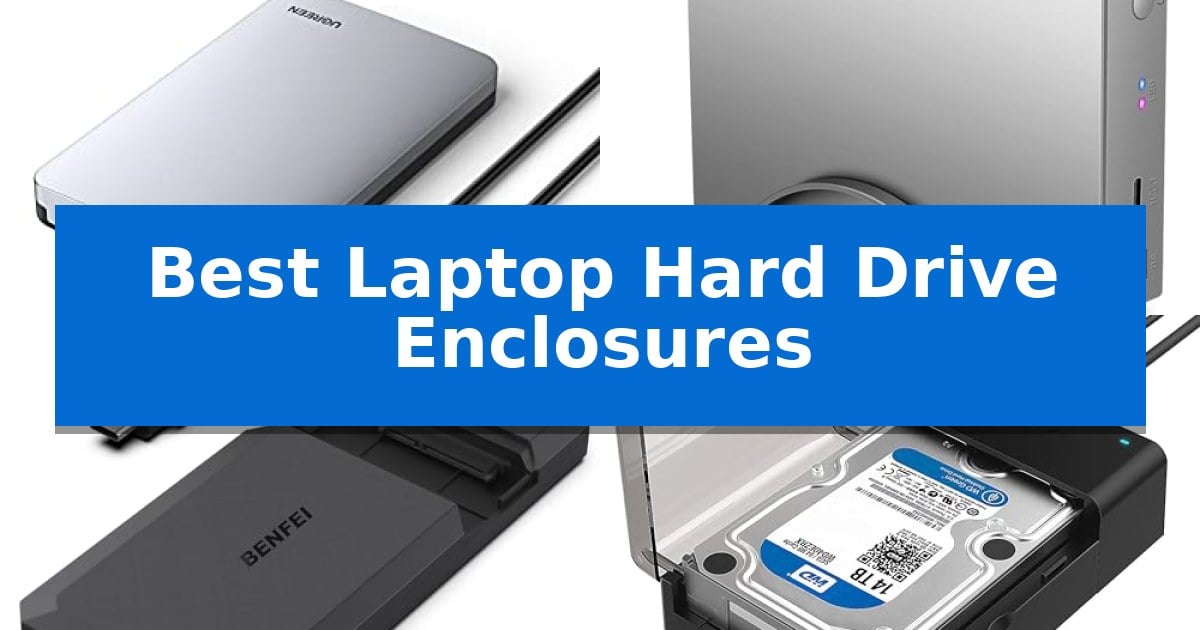
Finding the right way to repurpose an old internal drive or expand your current laptop storage can be a challenge. The Best Laptop Hard Drive Enclosures provide a simple, effective solution by converting your bare SATA drives into portable, high-speed external storage devices.
Whether you are looking to back up important files, upgrade your system, or retrieve data from a retired computer, choosing the right enclosure is essential. We have analyzed various models to help you understand which features, such as tool-free installation and high-speed transfer protocols, best suit your specific storage needs.
Best Laptop Hard Drive Enclosures in 2026
Quick Comparison
| Product | Best For | Key Strength | Score |
|---|---|---|---|
| UGREEN USB C Hard Drive Enclosure | Best Overall | Tool-free installation for quick drive swapping. | 4.9 |
| RSHTECH 3.5 Inch Hard Drive Enclosure | Versatile Desktop Storage | Supports high-capacity storage up to 24TB. | 4.5 |
| BENFEI 2.5 Inch Hard Drive Enclosure | Tool-Free Portable Design | Tool-free installation for quick and easy drive swapping. | 4.3 |
| SABRENT Hard Drive Docking Station | Quick Swap Desktop Access | Tool-free, hot-swap design for quick drive changes. | 4.6 |
| ORICO 2.5 Inch Hard Drive Enclosure | Slim Budget-Friendly Choice | Tool-free installation for quick drive swapping. | 4.5 |
How We Chose
- Interface Compatibility: We prioritize enclosures that support standard SATA I/II/III connections and modern USB-C or USB 3.0 host interfaces.
- Data Transfer Speed: We evaluate support for UASP protocols, which significantly improve transfer efficiency compared to standard USB connections.
- Build Quality and Thermal Management: We look for materials like aluminum that assist in heat dissipation to protect sensitive drive components during operation.
- Ease of Installation: We favor tool-free designs that allow for quick, secure drive swapping without the need for specialized hardware.
- Physical Versatility: We consider support for different drive form factors, such as 2.5-inch or 3.5-inch drives, to ensure the enclosure fits your specific hardware.
1 UGREEN USB C Hard Drive Enclosure — Fast USB-C Aluminum Build
Transforming an internal drive into a portable storage solution is a straightforward process with the UGREEN USB C Hard Drive Enclosure. This device is engineered to house 2.5-inch SATA SSDs or HDDs, providing a robust aluminum exterior that protects your drive while facilitating efficient heat dissipation without the need for a cooling fan.
Performance is managed by the integrated ASM235CM chipset, which supports the UASP accelerated transmission protocol. This setup is designed to deliver transfer speeds up to 6Gbps, offering a reliable interface for users looking to back up files, upgrade system storage, or retrieve data from legacy drives.
Compatibility is a primary focus, as the enclosure supports a wide range of 2.5-inch SATA III, II, and I drives with capacities up to 6TB. The tool-free installation design allows for quick, plug-and-play operation across Windows, Mac OS, and Linux systems, as well as game consoles and smart TVs.
The inclusion of a USB-C to USB-C cable ensures modern connectivity, utilizing the USB 3.1 Gen 2 standard. For setups limited to USB-A ports, users can easily adapt the connection, making this a versatile tool for various hardware environments without requiring an external power supply.
Best for: Users needing a portable, tool-free way to convert 2.5-inch SATA drives into external storage for backups or data retrieval.
Skip if: Users requiring support for 3.5-inch desktop hard drives or NVMe M.2 SSDs, as this enclosure is strictly limited to 2.5-inch SATA interfaces.
PROS
- Tool-free installation for quick drive swapping.
- Aluminum alloy casing ensures passive heat dissipation.
- UASP protocol support for optimized data transfer speeds.
- Broad compatibility with SATA drives up to 6TB.
CONS
- Limited to 2.5-inch SATA drives only.
- Requires an adapter cable for devices lacking USB-C ports.
2 RSHTECH 3.5 Inch Hard Drive Enclosure — Versatile Desktop Storage
Managing large-capacity desktop storage requires a reliable interface, and the RSHTECH 3.5 Inch Hard Drive Enclosure offers a flexible solution by supporting internal 3.5-inch or 2.5-inch SATA drives with capacities up to 24TB. Its aluminum housing is specifically engineered for heat dissipation, ensuring the drive remains protected during extended operation.
Connectivity is handled via a 2-in-1 USB cable that includes both USB-A and USB-C connectors, providing broad compatibility with laptops, PCs, and gaming consoles like the PS4 or Xbox. The unit utilizes the ASM1153E chip to maintain data transfer rates up to 5Gbps, with UASP technology support available to help optimize performance when paired with compatible hardware.
Usability features include an electronic power button and an automatic sleep function that triggers after 10 minutes of inactivity to preserve drive life. The enclosure also features dual LED indicators—red for power and blue for activity—allowing for quick status monitoring at a glance.
The design prioritizes versatility with a removable stand, allowing the enclosure to be positioned vertically to save desk space or laid flat depending on the user's setup. Bottom vents further assist in maintaining airflow, balancing the need for a compact footprint with the thermal requirements of high-capacity hard drives.
Best for: Users needing a high-capacity, versatile desktop storage solution that supports both 3.5-inch and 2.5-inch SATA drives with flexible USB-C or USB-A connectivity.
Skip if: Users who require portable, bus-powered storage, as this unit is designed for desktop use and requires external power.
PROS
- Supports high-capacity storage up to 24TB.
- Includes a 2-in-1 USB cable for broad host compatibility.
- Aluminum housing and bottom vents improve heat dissipation.
- Vertical or horizontal orientation options via the included stand.
CONS
- Requires external power for operation.
- Desktop-focused design is less suitable for mobile use.
3 BENFEI 2.5 Inch Hard Drive Enclosure — Tool-Free Portable Design
The BENFEI 2.5 Inch Hard Drive Enclosure simplifies data management by offering a tool-free installation process that allows users to swap 2.5-inch SATA drives without needing extra hardware or drivers. This enclosure is designed for efficiency, supporting UASP SATA III transmission protocols to enable data transfer rates up to 5 Gbps, which helps reduce wait times when moving large files between devices.
Versatility is a core component of its design, featuring both USB Type-C and Type-A connectivity. This dual-interface approach ensures compatibility with a wide range of hardware, including laptops, phones, tablets, and gaming consoles like the PS4. It is specifically engineered to house 7mm and 9.5mm thick SATA drives with capacities up to 6TB, making it a practical solution for repurposing internal SSDs or HDDs as portable external storage.
Built for convenience, the device is hot-swappable and functions as a true plug-and-play accessory across Windows, Linux, and MacOS 8.0 or later. The compact build, measuring approximately 5.3 inches in length, ensures it remains portable for users who need to carry their data on the go. An 18-month unconditional warranty is included to provide long-term support for the enclosure's components.
While this enclosure offers a streamlined experience, users should note that its performance is dependent on the specific SATA drive installed inside. It is an ideal choice for those looking to convert spare internal drives into functional external storage without the complexity of traditional mounting hardware.
Best for: Users who need a versatile, tool-free way to convert 2.5-inch SATA drives into portable external storage for laptops, tablets, or gaming consoles.
Skip if: Users requiring support for 3.5-inch desktop hard drives or those needing specialized ruggedized protection for outdoor environments.
PROS
- Tool-free installation for quick and easy drive swapping.
- Dual USB Type-C and Type-A connectivity for broad device compatibility.
- Supports UASP protocol for faster data transfer speeds.
- Includes an 18-month unconditional warranty.
CONS
- Limited to 2.5-inch SATA drives only.
- Performance is inherently tied to the speed of the internal drive used.
4 SABRENT Hard Drive Docking Station — Quick Swap Desktop Access
Managing multiple storage drives requires a reliable interface, and the SABRENT USB 3.0 to SATA Hard Drive Docking Station simplifies this by offering a tool-free, lay-flat bay that accepts both 2.5-inch and 3.5-inch SATA drives. By eliminating the need for complex enclosures or internal mounting, this device allows for immediate access to bare drives, making it a practical solution for data transfers or drive management.
The unit utilizes a USB 3.0 interface with UASP support, which helps optimize transfer speeds when paired with a compatible host computer. It is designed for straightforward operation, featuring a plug-and-play setup that functions across Windows, macOS, and Linux without requiring additional drivers. An integrated LED indicator provides clear visual confirmation of power and drive activity during use.
Stability is a core consideration, particularly for larger drives. The included 12V/2A AC power adapter is essential for spinning up 3.5-inch hard drives, ensuring consistent power delivery that USB bus power alone cannot provide. While the device is highly functional, users should note that it is strictly for SATA I/II/III drives and does not support IDE, PATA, or M.2 NVMe formats.
Compatibility requires attention to your host hardware. The station connects via a USB Type-A cable, meaning users with only USB-C ports will need to supply their own adapter. Furthermore, because the device acts as a bridge, it does not pass through S.M.A.R.T. diagnostic data, and users on macOS may need to remount drives after the system wakes from sleep.
Best for: Users who need a quick, tool-free way to access and swap multiple 2.5-inch or 3.5-inch SATA hard drives or SSDs on a desktop.
Skip if: Users who require support for M.2 NVMe drives, IDE/PATA legacy drives, or those seeking a native USB-C connection without using an adapter.
PROS
- Tool-free, hot-swap design for quick drive changes.
- Included 12V power adapter ensures stability for 3.5-inch drives.
- UASP support for optimized data transfer speeds.
- Broad compatibility with Windows, macOS, and Linux.
CONS
- No native USB-C support; requires an adapter for modern ports.
- Does not support M.2 NVMe, M.2 SATA, or IDE drives.
- S.M.A.R.T. diagnostics are not passed through the USB bridge.
5 ORICO 2.5 Inch Hard Drive Enclosure — Slim Budget-Friendly Choice
Transforming an internal drive into a portable storage solution is a straightforward process with the ORICO 2.5 Inch Hard Drive Enclosure. This device allows you to repurpose 2.5-inch SATA I/II/III HDDs or SSDs, providing a simple way to expand your storage capacity for laptops, gaming consoles, or routers without requiring complex hardware modifications.
The enclosure features a tool-free design, allowing for quick installation by simply sliding the cover off, inserting your drive, and securing it back in place. It supports UASP accelerated transmission protocol, which can enhance data transfer speeds when paired with a compatible system, while the USB 3.0 interface ensures broad connectivity with a maximum theoretical speed of 5Gbps.
Constructed from lightweight ABS material, the unit is designed for portability and daily use. It is compatible with both 7mm and 9.5mm drive heights, making it a versatile choice for various legacy or spare drives you may have on hand. Because it is plug-and-play, no additional drivers are required for operation across most modern operating systems including Windows, Linux, and Mac OS.
While this enclosure offers a convenient and budget-friendly way to manage external data, it is important to note that it relies on the host device for power via the USB connection. It is an ideal choice for users seeking a simple, portable, and efficient way to handle external storage needs without the clutter of extra power cables.
Best for: Users looking for a simple, tool-free way to convert spare 2.5-inch SATA drives into portable external storage.
Skip if: Users who require high-speed NVMe performance or need an enclosure for 3.5-inch desktop-sized hard drives.
PROS
- Tool-free installation for quick drive swapping.
- Supports UASP protocol for faster data transfer.
- Wide compatibility with various operating systems and devices like consoles and routers.
- Lightweight and portable ABS construction.
CONS
- USB 3.0 speed limit compared to newer USB 3.1 or 3.2 standards.
- ABS plastic build may feel less durable than aluminum alternatives.
Best Laptop Hard Drive Enclosures Buying Guide
Understanding Drive Compatibility
Before selecting an enclosure, you must identify the physical size and interface of your drive. Most laptops utilize 2.5-inch SATA drives, which are compact and bus-powered. Desktop-grade 3.5-inch drives are larger and typically require an external power adapter to function correctly.
Always check if your drive is a mechanical HDD or a Solid State Drive (SSD). While most enclosures support both, ensuring the physical dimensions—such as 7mm or 9.5mm thickness—match your specific drive is crucial for a secure fit.
The Importance of Transfer Protocols
The speed at which you can move files depends heavily on the interface protocol. Look for enclosures that support UASP (USB Attached SCSI Protocol), which allows for faster data processing by enabling multiple commands to be queued simultaneously.
While USB 3.0 is standard for many legacy devices, USB 3.1 Gen 2 or USB-C connections offer significantly higher bandwidth, which is particularly beneficial when using high-speed SSDs to avoid bottlenecks.
Thermal Management and Build Materials
Hard drives and SSDs generate heat during sustained read and write operations. Enclosures crafted from aluminum alloy provide superior passive cooling compared to plastic alternatives, helping to maintain optimal performance without the need for noisy cooling fans.
Proper heat dissipation not only keeps your data transfer speeds stable but also contributes to the long-term health of your drive by preventing thermal throttling.
Tool-Free vs. Screw-Based Designs
If you plan on swapping drives frequently, a tool-free enclosure is highly recommended. These designs use sliding covers or latch mechanisms that allow you to install or remove a drive in seconds without needing a screwdriver.
Screw-based enclosures offer a more permanent, rigid mounting solution. These are ideal if you intend to keep a single drive inside the enclosure for long-term use, as they provide a very secure, vibration-resistant fit.
Power Requirements for External Drives
Most 2.5-inch enclosures are bus-powered, meaning they draw electricity directly from your laptop's USB port. This makes them highly portable and convenient for travel.
However, 3.5-inch drives require more power than a standard USB port can provide. If you are using a 3.5-inch enclosure, ensure it includes a dedicated 12V power adapter to prevent data corruption or drive failure caused by insufficient voltage.
Frequently Asked Questions
Can I use an M.2 NVMe drive in these enclosures?
No, the enclosures listed here are designed specifically for SATA interface drives. M.2 NVMe drives require a different type of enclosure with a PCIe-based interface.
Do I need to format my drive after putting it in an enclosure?
If the drive already contains data, it should be recognized immediately by your operating system. If it is a brand-new drive, you will need to initialize and format it using your computer's disk management utility.
Will these enclosures work with game consoles?
Many of these enclosures are compatible with devices like PS4, PS5, or Xbox, provided the console supports external storage and the drive meets the console's capacity and speed requirements.
What happens if my laptop only has USB-A ports?
Most USB-C enclosures are backward compatible. You can use a USB-C to USB-A cable or an adapter to connect the device to a standard USB-A port, though you may be limited to the speed of that specific port.
Are these enclosures hot-swappable?
Most modern enclosures support hot-swapping, allowing you to connect or disconnect the drive while the computer is running. However, always ensure you 'eject' or 'safely remove' the drive in your operating system before unplugging it to prevent data loss.
Conclusion: Our Top Pick
Selecting the right storage accessory depends on your specific drive type and how often you need to access your data. For most users, a reliable, fast, and well-built enclosure is the key to turning an internal drive into a versatile tool for backups and file transfers.
We recommend the UGREEN USB C Hard Drive Enclosure as our top choice. Its combination of a high-speed USB 3.1 Gen 2 interface, UASP support, and durable aluminum construction makes it an excellent, long-lasting solution for 2.5-inch SATA drives. While it excels in performance and heat management, ensure your drive is a 2.5-inch SATA model, as this unit is not designed for larger 3.5-inch desktop drives.