
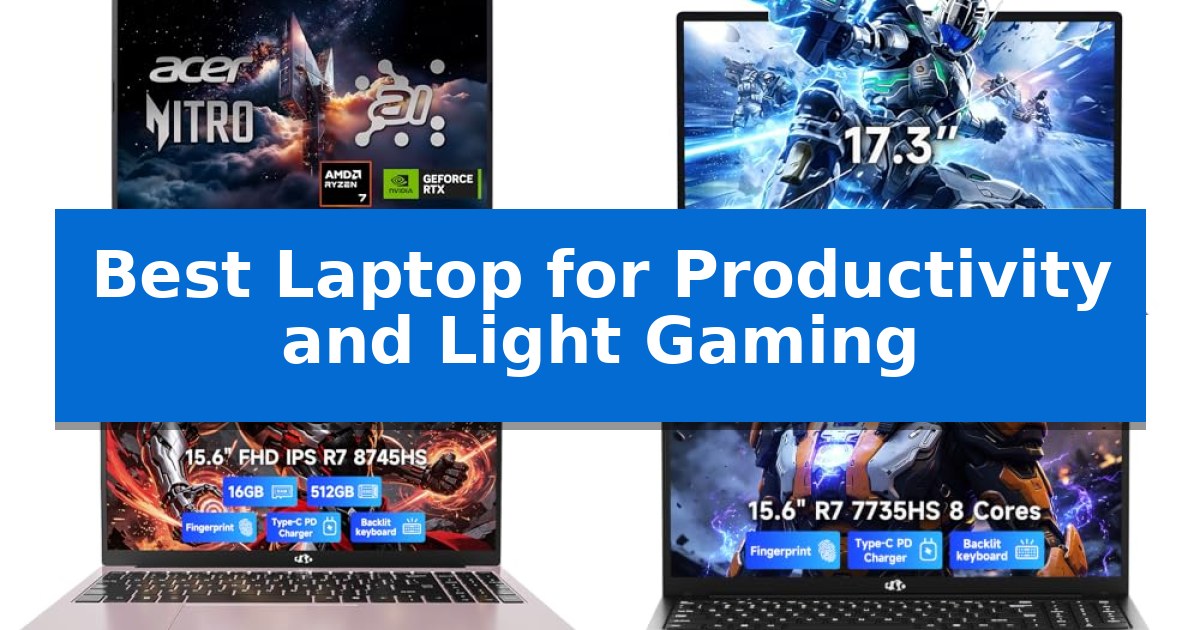
Finding the right hardware that bridges the gap between demanding office tasks and casual entertainment is a common challenge for professionals and students alike. You need a machine that handles complex spreadsheets and creative software during the day, yet remains responsive enough for light gaming sessions in the evening.
The Best Laptop for Productivity and Light Gaming must balance raw processing speed with thermal efficiency and display clarity. Whether you are managing large datasets or streaming high-definition content, the following selections focus on hardware configurations that deliver consistent performance without unnecessary bulk.
Best Laptop for Productivity and Light Gaming in 2026
Quick Comparison
| Product | Best For | Key Strength | Score |
|---|---|---|---|
| Acer Nitro V 16S Gaming Laptop | Best Overall | High-speed 32GB DDR5 memory for efficient multitasking. | 4.9 |
| NIMO N179 Gaming Laptop | Expansive 17-Inch Workspace | Professional-grade expandability with dual RAM and SSD slots. | 4.6 |
| NIMO N158 AI Laptop | Future-Proof Upgradable Design | Upgradable RAM and storage with dual DDR5 slots and dual PCIe 4.0 SSD bays. | 4.6 |
| NIMO N159 Gaming Laptop | Responsive Multitasking Power | AMD Ryzen 7 7735HS processor for responsive multitasking. | 4.7 |
| KAIGERR LX15PRO Gaming Laptop | Balanced Productivity and Gaming | 24GB LPDDR5 memory for efficient multitasking | 4.3 |
How We Chose
- Processor and GPU capability for handling multitasking and light gaming loads.
- Display resolution, color accuracy, and refresh rate for both work and media consumption.
- Memory and storage expandability to ensure long-term utility.
- Port selection and connectivity standards for peripheral integration.
- Physical design, including weight and hinge flexibility, for mobile productivity.
1 Acer Nitro V 16S Gaming Laptop — High-End AI Performance
The Acer Nitro V 16S Gaming Laptop integrates the advanced NVIDIA Blackwell architecture, utilizing its GeForce RTX 5060 Laptop GPU to deliver significant AI-driven graphical fidelity. This machine is engineered for users who require a balance between high-end productivity and immersive gaming, supported by a powerful AMD Ryzen 7 260 CPU that provides up to 38 AI Overall TOPS.
Visuals are rendered on a 16-inch WUXGA display that features 100% sRGB color coverage, ensuring accurate color reproduction for creative tasks. The 180Hz refresh rate provides fluid motion, which is essential for both competitive gaming and smooth navigation during intensive productivity workflows. The integration of DLSS 4 technology further enhances performance by utilizing neural rendering to boost frame rates and improve image quality.
Equipped with 32GB of DDR5 5600MHz memory and a 1TB PCIe Gen 4 SSD, the system is built to handle multitasking and large file transfers efficiently. The inclusion of two PCIe M.2 slots allows for potential storage expansion, offering flexibility as your project needs grow. Connectivity is supported by Wi-Fi 6, ensuring stable network performance for streaming or remote collaboration.
This laptop balances performance with a practical design, weighing 4.63 pounds and measuring 0.79 inches in thickness. It includes a one-year International Travelers Limited Warranty, providing peace of mind for professionals who travel frequently. The combination of high-capacity memory and dedicated AI-accelerated hardware makes it a versatile tool for demanding digital environments.
Best for: This laptop is best for professionals and gamers who need a high-performance machine capable of handling AI-driven creative tasks and modern gaming.
Skip if: Skip this model if you require a lightweight ultrabook for basic office tasks, as the gaming-focused hardware and cooling requirements result in a heavier, thicker chassis.
PROS
- High-speed 32GB DDR5 memory for efficient multitasking.
- 180Hz WUXGA display with 100% sRGB coverage for color-accurate work.
- AI-accelerated performance via NVIDIA Blackwell architecture and RTX 5060 GPU.
- Expandable storage with an additional PCIe M.2 slot.
CONS
- Heavier chassis compared to standard productivity-focused laptops.
- Limited to 32GB maximum RAM capacity.
2 NIMO N179 Gaming Laptop — Expansive 17-Inch Workspace
The NIMO N179 Gaming Laptop is built for professionals who require a expansive 17.3-inch workspace without sacrificing portability. Featuring an ultra-slim 18.8mm profile and weighing under 2.1kg, this device is designed to handle demanding multitasking, such as managing large spreadsheets or running complex simulations, while remaining light enough for daily commutes.
Performance is driven by the AMD Ryzen 7 7735HS processor and Radeon 680M graphics, providing the necessary power for both creative editing and light gaming. The system supports significant hardware growth, offering dual DDR5 SO-DIMM slots for up to 64GB of memory and dual M.2 PCIe 4.0×4 SSD slots for extensive storage expansion, allowing users to scale the machine as their professional needs evolve.
Collaboration and connectivity are central to its design. The 180-degree lay-flat hinge facilitates easy screen sharing during meetings, while the dual full-function USB 3.2 Type-C ports support power delivery, video output, and high-speed data transfer. Users can connect to 4K external monitors and peripherals without relying on external dongles, thanks to the inclusion of five total USB ports and an integrated SD card reader.
Security and reliability are integrated throughout the hardware. A physical privacy shutter on the 2.0MP camera and a fingerprint sensor built into the touchpad provide secure access. With WiFi 6E connectivity for low-latency networking and a 58Wh battery paired with a 100W PD adapter, the laptop is equipped for sustained productivity in diverse work environments.
Best for: Data analysts, project managers, and students who need a large-screen, expandable laptop for heavy multitasking and light gaming.
Skip if: Users who prioritize extreme portability or a smaller form factor, as the 17.3-inch display and chassis size may be too large for compact workspaces.
PROS
- Professional-grade expandability with dual RAM and SSD slots.
- Versatile connectivity including dual full-function USB-C ports and HDMI 2.1.
- Large 17.3-inch display ideal for side-by-side window management.
- Enhanced security features including a physical camera shutter and fingerprint sensor.
CONS
- Large physical footprint due to the 17.3-inch screen size.
- Moderate battery capacity of 58Wh may require frequent use of the 100W PD charger during intensive tasks.
3 NIMO N158 AI Laptop — Future-Proof Upgradable Design
Balancing professional workloads with casual entertainment requires hardware that adapts to shifting demands. The NIMO N158 AI Laptop addresses this by pairing the AMD Ryzen 7 8745HS processor with Radeon 780M integrated graphics, providing a foundation for both AI-assisted productivity tasks and light gaming sessions like Fortnite Performance Mode or League of Legends.
Designed for users who prioritize longevity and adaptability, this machine features upgradable DDR5 5600MHz memory across two slots, supporting up to 64GB of RAM. The internal architecture includes dual M.2 PCIe 4.0 SSD bays and a Micro SD slot, allowing for significant storage expansion as project files or media libraries grow.
Connectivity is a primary focus, eliminating the need for external dongles in most workstation setups. The chassis includes USB4, HDMI 2.1, and multiple USB-A ports, enabling direct connections to dual external monitors, high-speed storage, and various peripherals. This makes the unit a viable candidate for those transitioning between home office environments and mobile workspaces.
As a Best Laptop for Productivity and Light Gaming, the device emphasizes a balance of processing power and physical flexibility. With its 100W Fast PD charging capability and a durable build, it serves as a practical tool for students, creators, and professionals who require a machine that can evolve with their technical requirements.
Best for: Students, creators, and professionals who need a highly upgradeable laptop for multitasking and light gaming.
Skip if: Users who require a dedicated high-end GPU for intensive 3D rendering or AAA gaming at maximum settings.
PROS
- Upgradable RAM and storage with dual DDR5 slots and dual PCIe 4.0 SSD bays.
- Versatile connectivity featuring USB4 and HDMI 2.1 for multi-monitor setups.
- Efficient multitasking powered by the AMD Ryzen 7 8745HS processor.
- Integrated Radeon 780M graphics suitable for light gaming and creative workflows.
CONS
- Integrated graphics limitations for demanding professional 3D applications or modern high-fidelity gaming.
4 NIMO N159 Gaming Laptop — Responsive Multitasking Power
The NIMO N159 Gaming Laptop is built to bridge the gap between demanding multitasking and portable utility, featuring an AMD Ryzen 7 7735HS processor that provides eight cores for heavy workloads. This machine is engineered for users who need to switch between coding tools, spreadsheets, and creative applications without experiencing the system slowdowns often associated with mainstream, lower-power mobile CPUs.
Visual performance is handled by the AMD Radeon 680M integrated graphics, which utilizes RDNA 2 architecture to support light photo editing, streaming, and casual creative tasks. The internal configuration includes 16GB of DDR5 5600MHz memory and a 256GB PCIe 4.0 SSD, a combination designed to reduce load times and improve responsiveness when managing large files or numerous browser tabs simultaneously.
Designed for versatility in varied environments, the laptop includes a backlit US keyboard for low-light productivity and a 180-degree hinge for flexible viewing angles. The 15.6-inch Full HD display provides a spacious workspace for split-screen tasks, while the inclusion of a fingerprint reader integrated into the touchpad adds a layer of convenience for secure, rapid logins.
Connectivity is a priority, with the device offering two full-function USB-C ports that support 100W PD charging, alongside HDMI 2.0, three USB-A ports, and a Micro SD card reader. This port selection allows users to connect multiple peripherals and external monitors without relying on external dongles. The unit maintains a portable form factor, weighing under 1.7 kg, and includes a 2-year manufacturer warranty with US-based support.
Choosing the right hardware for productivity and light gaming requires balancing raw processing power with physical portability. The NIMO N159 Gaming Laptop offers a compelling middle ground by prioritizing high-speed memory and a robust processor in a slim chassis, making it a practical choice for students and professionals who need a reliable, multi-purpose machine.
Best for: Students and professionals who require a portable, multitasking-capable machine for productivity and light creative tasks.
Skip if: Users who require high-end dedicated graphics for intensive 3D gaming or massive local storage for large media libraries.
PROS
- AMD Ryzen 7 7735HS processor for responsive multitasking.
- 16GB DDR5 5600MHz RAM for efficient app switching.
- 100W PD charging via dual USB-C ports for flexible power.
- Comprehensive port selection including HDMI and Micro SD reader.
CONS
- 256GB SSD may be limiting for users with large file storage needs.
- Integrated graphics are optimized for light tasks rather than high-end gaming.
5 KAIGERR LX15PRO Gaming Laptop — Balanced Productivity and Gaming
Balancing professional workflows with casual gaming requires a machine that handles both intensive multitasking and graphical demands without sacrificing portability. The KAIGERR LX15PRO Gaming Laptop addresses this need by pairing an Intel Core i5-12600H processor with 24GB of LPDDR5 memory, providing a foundation for both productivity software and light gaming sessions.
Designed for users who move between campus, the office, and home, the KAIGERR LX15PRO Gaming Laptop weighs just 1.65kg. Its 15.6-inch Full HD display features a 180-degree hinge, allowing for flexible content sharing during collaborative meetings. The inclusion of WiFi 6 and Bluetooth 5.2 ensures stable connectivity for remote work and peripheral pairing.
Storage and memory expansion are central to its design. The device comes with a 512GB M.2 NVMe PCIe 3.0 SSD, with dual M.2 slots capable of supporting up to 4TB of total storage. The 54.72Wh battery is engineered to provide power throughout the workday, while a physical privacy switch on the 1MP webcam adds a layer of security for video communication.
Connectivity is well-supported with a comprehensive port selection, including three USB 3.2 ports and two Type-C ports, ensuring compatibility with a wide range of external devices. This combination of high-speed memory, expandable storage, and a lightweight chassis makes it a practical choice for those seeking a versatile computing solution.
Best for: Students and professionals who require a portable, high-memory machine capable of handling multitasking and light gaming.
Skip if: Users who require dedicated high-end workstation graphics or a larger display for professional-grade video editing.
PROS
- 24GB LPDDR5 memory for efficient multitasking
- Expandable storage with dual M.2 slots supporting up to 4TB
- Ultra-portable 1.65kg design for easy travel
- Physical privacy switch on the webcam
CONS
- 1MP webcam resolution may be limiting for high-fidelity video calls
- HDMI 1.4 connectivity restricts output options compared to newer standards
Best Laptop for Productivity and Light Gaming Buying Guide
Processor and Graphics Performance
The central processor is the heart of your productivity, dictating how quickly you can switch between browser tabs, video calls, and creative applications. For light gaming, integrated or entry-level dedicated graphics are essential to maintain smooth frame rates without requiring a massive, power-hungry chassis.
Look for processors that offer high core counts to manage background processes efficiently. When paired with capable graphics, these systems ensure that your work remains fluid and your gaming experience stays free of stuttering.
Memory and Storage Scalability
Productivity workflows often demand significant RAM to keep multiple applications open simultaneously. Opting for systems with DDR5 memory provides a noticeable boost in data transfer speeds compared to older standards.
Storage is equally critical; having PCIe Gen 4 SSD slots allows for rapid file access and quick system boot times. Prioritize models that offer accessible M.2 slots, as this allows you to expand your storage capacity as your project archives grow over time.
Display Quality and Ergonomics
Since you will likely spend hours looking at your screen, display quality is non-negotiable. A Full HD or WUXGA resolution with 100% sRGB coverage ensures that text is sharp and colors are accurate for creative work.
Ergonomic features like a backlit keyboard and a responsive touchpad are vital for late-night sessions. Additionally, a 180-degree hinge can be a significant advantage when you need to share your screen during collaborative meetings or study sessions.
Connectivity and Port Versatility
A productive workspace often requires connecting to external monitors, high-speed storage, and various peripherals. Laptops equipped with USB4 or full-function USB-C ports provide the flexibility to handle video output, data transfer, and power delivery through a single cable.
Having a variety of ports, including HDMI and USB-A, reduces the need for cumbersome dongles. This is particularly important for professionals who frequently move between home offices, meeting rooms, and travel environments.
Portability and Build Durability
Balancing power with portability is the ultimate goal for a hybrid-use laptop. A chassis that weighs under 2kg is generally ideal for commuting, while robust materials ensure the device can withstand the rigors of daily transport.
Consider the battery and charging system as well. Models that support 100W Power Delivery (PD) charging via USB-C offer a significant convenience, allowing you to use a compact charger instead of a bulky, proprietary power brick.
Frequently Asked Questions
Can these laptops handle professional video editing?
Yes, many of these models feature high-performance processors and dedicated or advanced integrated graphics capable of handling 1080p and 4K content editing, especially when paired with sufficient RAM.
Is it better to have soldered RAM or upgradeable slots?
For long-term productivity, upgradeable DDR5 slots are superior. They allow you to increase your memory capacity as your software demands grow, extending the life of your machine.
What does 'Light Gaming' mean in this context?
It refers to playing popular titles like Minecraft, Valorant, or League of Legends at smooth frame rates, rather than demanding AAA titles at maximum graphical settings.
Do these laptops support external monitors?
Most of these models include HDMI 2.1 or USB-C/USB4 ports that support high-resolution external display output, making them suitable for multi-monitor workstation setups.
Why is Wi-Fi 6E important for productivity?
Wi-Fi 6E provides access to the 6GHz band, which offers lower latency and more stable connections in crowded environments like offices or coffee shops, ensuring uninterrupted video calls and file uploads.
Conclusion: Our Top Pick
For those seeking the best balance of performance and versatility, the Acer Nitro V 16S Gaming Laptop stands out as the top recommendation. Its combination of a powerful AMD Ryzen 7 processor and the NVIDIA GeForce RTX 5060 GPU provides the necessary horsepower for both demanding creative applications and smooth gaming experiences.
While its high-end components are excellent for performance, users should ensure they have adequate desk space for the 16-inch form factor. This laptop is a reliable, future-ready choice for anyone who refuses to compromise between their professional output and their entertainment needs.