
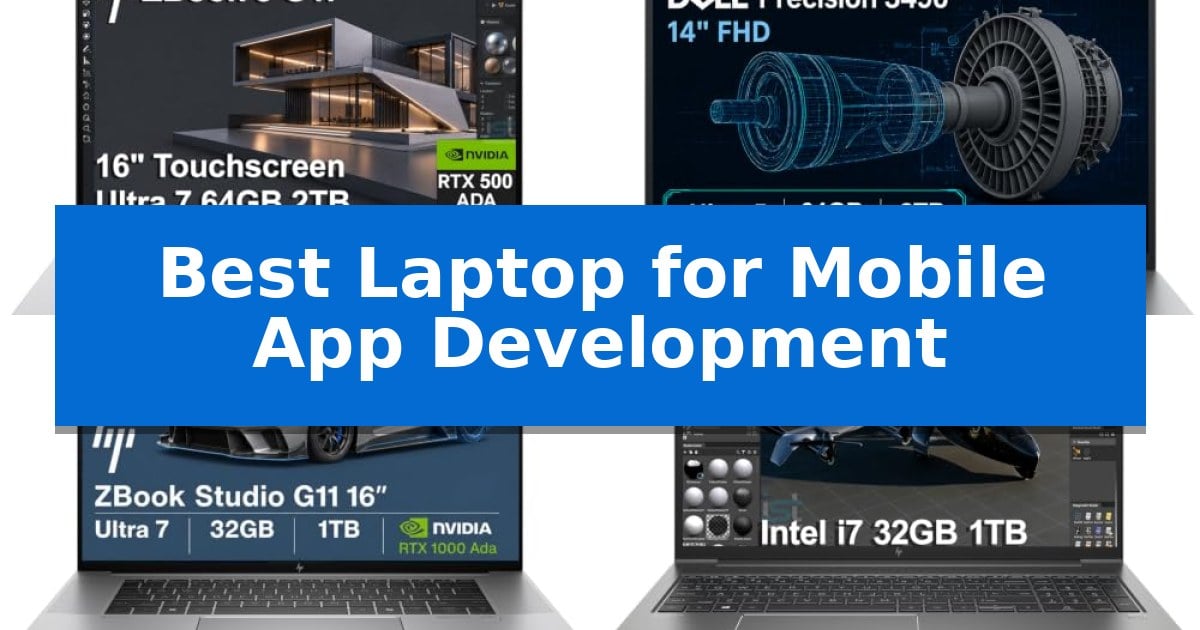
Developing mobile applications requires a machine that can handle resource-intensive IDEs, emulators, and complex compilation tasks without stuttering. Finding the Best Laptop for Mobile App Development means balancing raw processing power with the portability needed for a modern, hybrid workflow.
Whether you are building for iOS, Android, or cross-platform environments, your hardware must support multitasking across multiple virtual environments and debugging tools. This guide evaluates professional-grade mobile workstations to help you select a reliable machine that keeps your development cycle efficient and productive.
Best Laptop for Mobile App Development in 2026: AI-Ready Power
Quick Comparison
| Product | Best For | Key Strength | Score |
|---|---|---|---|
| HP ZBook 8 G1i Mobile Workstation | Best Overall | High-performance multitasking with 64GB DDR5 RAM and a 16-core processor. | 4.9 |
| Dell Precision 3490 Mobile Workstation | Portable Power for Developers | High-capacity 64GB DDR5 RAM for seamless multitasking. | 4.3 |
| HP ZBook Studio G11 Mobile Workstation | Advanced Thermal Management | High-performance Intel Core Ultra 7 processor for demanding compilation and multitasking. | 4.7 |
| HP ZBook Power Mobile Workstation | Robust Build for Heavy Workloads | MIL-STD 810H certified durable all-aluminum construction. | 4.5 |
How We Chose
- Processing power and multi-core performance for rapid code compilation.
- RAM capacity to support multiple emulators, containers, and IDE instances simultaneously.
- Storage speed and capacity for large project files and local database management.
- Display quality and screen real estate for efficient code readability and UI design.
- Connectivity options to support external monitors and peripheral development hardware.
1 HP ZBook 8 G1i Mobile Workstation — High-Performance AI Development
Developing mobile applications requires a balance of raw compute power for compiling code and portability for working on the go. The HP ZBook 8 G1i Mobile Workstation addresses this by integrating the Intel Core Ultra 7 255H Processor with 16 cores and 16 threads, providing the necessary overhead for resource-heavy IDEs and local simulation environments.
For developers working with AI-enhanced workflows or graphics-intensive applications, the inclusion of the NVIDIA RTX 500 Ada GPU with 4GB of dedicated memory offers specialized performance. This hardware is complemented by 64GB of DDR5 RAM, ensuring that multitasking between multiple virtual machines, containers, and browser tabs remains fluid without memory bottlenecks.
The device features a 16-inch WUXGA touchscreen with anti-glare technology, which is useful for maintaining visibility in varied lighting conditions. Connectivity is robust for a mobile workstation, offering 2x Thunderbolt 4 ports for high-speed data transfer and external display support up to 8K, alongside Wi-Fi 7 for stable, high-bandwidth network access during remote deployments.
Security and usability are integrated through HP Wolf Pro Security and a built-in fingerprint reader, providing enterprise-grade protection for sensitive source code and project data. The inclusion of a 5MP IR privacy-shutter webcam and AI-driven audio features ensures that remote collaboration remains professional, while the Windows 11 Pro environment provides native support for professional development tools.
Best for: Professional mobile app developers and engineers who require high-performance hardware for local compilation, AI-assisted coding, and resource-intensive simulation tasks.
Skip if: Users who prioritize a lightweight, ultra-portable form factor for casual coding or travel may find the 3.79-pound weight and 16-inch footprint less convenient than a dedicated ultrabook.
PROS
- High-performance multitasking with 64GB DDR5 RAM and a 16-core processor.
- Comprehensive connectivity including dual Thunderbolt 4 ports and Wi-Fi 7.
- Enterprise-grade security features like HP Wolf Pro Security and IR facial recognition.
- ISV-certified hardware ensuring reliability for demanding professional software.
CONS
- Larger 16-inch form factor may be less portable than smaller laptop alternatives.
- Resealed unit status due to memory and storage upgrades.
2 Dell Precision 3490 Mobile Workstation — Portable Power for Developers
The Dell Precision 3490 Mobile Workstation provides a specialized balance of portability and professional-grade performance for developers who require a reliable machine on the move. Weighing just 3.09 lbs and built to MIL-STD 810H military standards, this laptop is designed to withstand the rigors of travel while maintaining the power necessary for demanding software development environments.
Equipped with the Intel Core Ultra 5 135H Processor featuring 14 cores, this workstation handles complex multitasking and AI-assisted workflows with ease. The system is configured with 64GB DDR5 RAM and a 2TB SSD, ensuring that developers have the memory and storage capacity required for running virtual machines, large-scale codebases, and resource-heavy development tools without significant load times.
Visual clarity is managed by a 14-inch FHD display, while the inclusion of two Thunderbolt 4 ports and an HDMI port allows for a multi-monitor setup supporting up to three external displays at 4K resolution. For professional collaboration, the integrated 1080p FHD HDR RGB webcam includes a privacy shutter, ensuring secure and clear communication during remote meetings or team sprints.
Connectivity is robust, featuring Ethernet, Wi-Fi 6, and Bluetooth to ensure stable network access in various office or on-site environments. The ISV certifications further validate the machine's compatibility with professional-grade applications, providing developers with the assurance that their hardware is optimized for stable, consistent performance across diverse technical workflows.
Best for: Professional developers and engineers who need a portable, ISV-certified workstation capable of handling demanding software development and multitasking on the go.
Skip if: Users who require a larger screen for extensive split-screen coding or those who prefer a dedicated high-end GPU for intensive 3D rendering or machine learning tasks.
PROS
- High-capacity 64GB DDR5 RAM for seamless multitasking.
- Portable 3.09 lbs design tested to MIL-STD 810H standards.
- Versatile connectivity with dual Thunderbolt 4 and Ethernet ports.
- ISV certifications for reliable professional application compatibility.
CONS
- 14-inch FHD display may feel constrained for complex multi-window development workflows.
- Resealed unit due to memory and storage upgrades.
3 HP ZBook Studio G11 Mobile Workstation — Advanced Thermal Management
Developing mobile applications requires a machine capable of handling intensive compilation tasks, virtualization, and multitasking without stuttering. The HP ZBook Studio G11 Mobile Workstation addresses these needs by integrating the Intel Core Ultra 7 165H processor, featuring 16 cores and 22 threads, which provides the necessary computational overhead for complex integrated development environments and local backend services.
For developers working with AI-integrated features or graphics-heavy applications, the inclusion of the NVIDIA RTX 1000 Ada GPU with 6GB of dedicated memory offers a significant advantage. This hardware acceleration ensures that rendering simulations and AI-assisted workflows remain fluid, while the 32GB of DDR5 RAM allows for seamless switching between multiple virtual machines, code editors, and browser-based testing tools.
The 16-inch WUXGA display provides a spacious workspace for side-by-side code comparison, and its 100% sRGB color gamut ensures accuracy for UI/UX design tasks. Connectivity is a primary strength for mobile setups, as the device includes two Thunderbolt 4 ports and Wi-Fi 7, enabling high-speed data transfers and reliable multi-monitor configurations for an expanded development environment.
Designed for professional reliability, the laptop features an advanced thermal system that sustains peak performance during long coding sessions. The inclusion of Windows 11 Pro provides enterprise-grade security tools like BitLocker, which is essential for protecting proprietary source code and sensitive project data while working in varied environments.
Best for: Professional mobile app developers and engineers who require high-performance computing, virtualization support, and reliable multi-monitor connectivity in a portable workstation.
Skip if: Users who prioritize extreme portability or a lightweight chassis may find the 3.83-pound weight and 16-inch form factor less convenient for frequent travel compared to ultrabook alternatives.
PROS
- High-performance Intel Core Ultra 7 processor for demanding compilation and multitasking.
- NVIDIA RTX 1000 Ada GPU provides dedicated power for AI development and graphics rendering.
- Comprehensive connectivity including dual Thunderbolt 4 ports and Wi-Fi 7 for high-speed peripherals.
- ISV certified hardware ensures stability with professional-grade engineering and design software.
CONS
- Heavier 3.83-pound chassis may be less ideal for users seeking a highly portable ultrabook.
- 16-inch form factor occupies more desk and bag space than smaller 13 or 14-inch alternatives.
4 HP ZBook Power Mobile Workstation — Robust Build for Heavy Workloads
Engineered for high-productivity technical environments, the HP ZBook Power Mobile Workstation features a durable all-aluminum chassis that meets MIL-STD 810H standards, ensuring it can withstand the rigors of frequent travel and demanding development workflows. This mobile workstation is built to provide reliable performance for complex tasks, utilizing an Intel Core i7-12800H processor with 14 cores and 20 threads, paired with 32GB of DDR5 memory to handle intensive multitasking and large codebases with ease.
For developers who rely on graphical interfaces or require accelerated rendering, the inclusion of an NVIDIA RTX A1000 4GB GDDR6 professional graphics card provides the necessary power for 3D modeling and technical design applications. The system is further bolstered by a 1TB SSD, which facilitates fast load times and efficient data handling. Its ISV certifications offer assurance that the hardware is optimized for stability with critical professional software, including AutoCAD and MATLAB.
The 15.6-inch FHD (1920×1080) IPS anti-glare display offers a clear, comfortable workspace, while the machine's connectivity options are designed for professional versatility. Users can connect up to two external monitors via Thunderbolt 4 and HDMI at 4K resolution, eliminating the need for a docking station. With Wi-Fi 6, Bluetooth 5.3, and a dedicated RJ-45 Ethernet port, the device ensures stable and high-speed network access for remote collaboration and cloud-based development environments.
Security and convenience are integrated through Windows 11 Pro, which includes enterprise-grade features like BitLocker and Remote Desktop. The laptop also features a backlit keyboard with a numeric keypad for efficient data entry and an HD webcam equipped with a privacy shutter for secure video conferencing. Powered by an 83Wh battery, this workstation is designed to maintain productivity throughout the workday, whether in the office or on the move.
Best for: Professional mobile app developers and engineers who require ISV-certified stability, multi-monitor support, and a durable, high-performance workstation for demanding technical workloads.
Skip if: Users who prioritize a lightweight, ultra-portable form factor or those who do not require professional-grade dedicated graphics and ISV-certified hardware for their development tasks.
PROS
- MIL-STD 810H certified durable all-aluminum construction.
- ISV certifications ensure stable performance for professional software.
- Thunderbolt 4 and HDMI support for dual 4K external monitors.
- 32GB DDR5 memory for efficient handling of large datasets.
CONS
- 4.25-pound weight is heavier than standard consumer ultrabooks.
- 90-day warranty period is shorter than typical new-device coverage.
Best Laptop for Mobile App Development Buying Guide
Processing Power and Multitasking
Mobile development often involves running heavy IDEs like Android Studio or Xcode alongside several emulators. A processor with a high core count and strong multi-threaded performance is essential to prevent bottlenecks during build times.
Look for modern mobile-focused processors that offer a balance between high-frequency burst speeds for compiling and power efficiency for extended coding sessions away from a desk.
Memory and Storage Requirements
For developers, RAM is the most critical component after the CPU. 32GB is currently the recommended baseline for professional mobile development, while 64GB provides the necessary headroom for complex projects and virtualization.
Fast NVMe SSD storage is equally important. It significantly reduces the time required to load large project repositories and launch development environments, ensuring your workflow remains fluid.
Display and Visual Clarity
A high-resolution display with an anti-glare coating is vital for long hours of coding. Increased vertical resolution, such as the 16:10 aspect ratio found in many modern workstations, provides more space for your code editor and terminal windows.
Color accuracy is also a factor if your development work involves UI/UX design or asset integration, ensuring that what you see on screen matches the final output on mobile devices.
Connectivity and Expansion
Mobile app development often requires connecting to various test devices, external displays, and networking hardware. A robust selection of ports, including Thunderbolt 4, is essential for high-speed data transfer and multi-monitor setups.
Reliable wireless connectivity, such as Wi-Fi 7, ensures that downloading large SDKs and pushing code to remote repositories remains fast and stable in any environment.
Build Quality and Portability
As a developer, your machine is your primary tool, and it needs to withstand the rigors of daily travel. Workstations that meet military-grade durability standards offer peace of mind when moving between home, office, and client sites.
Weight and chassis design play a significant role in long-term comfort. A well-engineered laptop provides the necessary thermal management to keep performance high without requiring an excessively bulky or heavy frame.
Frequently Asked Questions
How much RAM do I really need for mobile app development?
While 16GB might suffice for basic tasks, 32GB is the standard for professional mobile development. If you frequently run multiple emulators or Docker containers, 64GB is highly recommended to avoid system slowdowns.
Is a dedicated GPU necessary for mobile development?
While not strictly required for writing code, a dedicated GPU is beneficial if your development work includes 3D graphics, game development, or AI-integrated features that require hardware acceleration.
Why are mobile workstations preferred over standard laptops?
Mobile workstations are built for sustained performance under heavy loads. They often feature ISV certifications, better thermal management, and more robust port selections than consumer-grade laptops, which is critical for professional development workflows.
Does screen resolution impact my coding productivity?
Yes, higher resolution and taller aspect ratios allow you to view more lines of code simultaneously, reducing the need for constant scrolling and improving your ability to manage complex file structures.
Can I upgrade the RAM and SSD later?
Many mobile workstations offer upgradeable components, but it is always best to check the specific model specifications. Purchasing a configuration that meets your needs upfront is usually the most efficient approach.
Conclusion: Our Top Pick
Selecting the right hardware is a foundational step in your development career. The HP ZBook 8 G1i Mobile Workstation stands out as our top pick due to its combination of high-performance processing, generous 64GB RAM, and professional-grade reliability. Its ability to handle complex AI development and rendering tasks makes it a versatile tool for any serious mobile developer.
While other options like the Dell Precision 3490 offer excellent portability, the ZBook 8 G1i provides the most comprehensive feature set for demanding, long-term development projects. Investing in a machine that balances power, connectivity, and durability will ensure that your development environment remains a productive asset for years to come.