
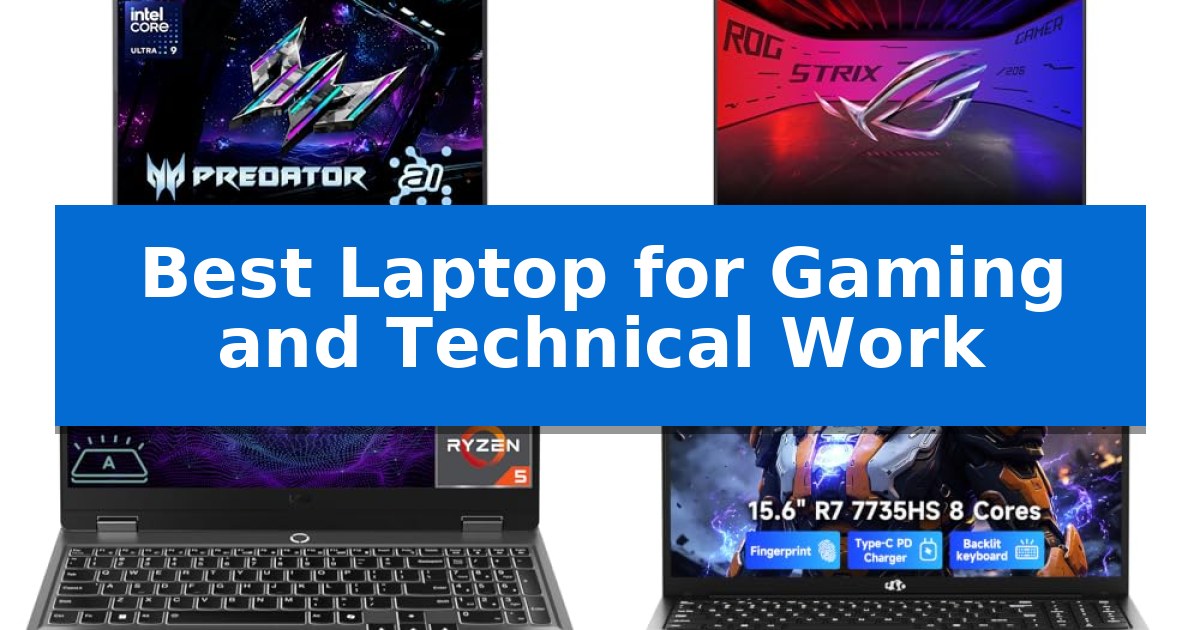
Finding the Best Laptop for Gaming and Technical Work requires balancing high-end processing power with the portability needed for daily professional tasks. Whether you are rendering complex 3D models, compiling code, or engaging in high-fidelity gaming, the right machine must manage thermal loads efficiently while providing a responsive, high-resolution display.
Our evaluation focuses on hardware configurations that support demanding software environments and modern gaming titles. We examine key specifications like GPU architecture, RAM capacity, and port versatility to help you identify a system that aligns with your specific technical requirements and mobile workspace needs.
Best Laptop for Gaming and Technical Work in 2026
Quick Comparison
| Product | Best For | Key Strength | Score |
|---|---|---|---|
| Acer Predator Helios Neo 14 | Best Overall | High-performance hardware featuring the Intel Core Ultra 9 and RTX 5070. | 4.9 |
| ASUS ROG Strix G16 | Advanced Cooling for Intense Workloads | Tool-free access for easy RAM and SSD upgrades. | 4.5 |
| Lenovo LOQ Gaming Laptop | Reliable Power for Modern Gaming | 32GB DDR5 RAM provides significant headroom for multitasking and technical applications. | 4.4 |
| NIMO 15.6 Inch Gaming Laptop | Balanced Portability and Processing Power | AMD Ryzen 7 7735HS processor provides strong multitasking capability. | 4.3 |
How We Chose
- Processing and Graphics: Evaluating the CPU and GPU architecture for multitasking and rendering capabilities.
- Display Fidelity: Assessing refresh rates, resolution, and color accuracy for both creative work and gaming.
- Thermal Management: Reviewing cooling solutions designed to maintain performance during sustained heavy loads.
- Connectivity and Expansion: Checking for essential ports and upgradeability to ensure long-term utility.
- Portability and Build: Considering the balance between chassis durability and overall weight for mobile professionals.
1 Acer Predator Helios Neo 14 — AI-Powered Performance for Creators
The Acer Predator Helios Neo 14 integrates the Intel Core Ultra 9 processor 285H and the NVIDIA GeForce RTX 5070 laptop GPU into a compact 14.5-inch chassis, providing a high-performance solution for users balancing intensive technical workloads with gaming. The inclusion of an NPU for AI-driven tasks, such as background removal and audio optimization, allows for efficient multitasking during streaming or creative production.
Visual fidelity is managed through a 14.5-inch WQXGA matte display featuring a 165Hz refresh rate and 100% sRGB color gamut coverage. The integration of NVIDIA G-SYNC and Advanced Optimus ensures smooth, tear-free frame delivery, while the NVIDIA Blackwell architecture supports advanced ray tracing and neural rendering via DLSS 4 and fifth-generation Tensor Cores.
Thermal management is handled by the 5th Gen AeroBlade 3D fan system and Vortex Flow technology, utilizing liquid metal thermal grease to maintain system efficiency under load. The metal-built chassis houses a customizable 3-zone RGB lighting keyboard, offering both structural durability and aesthetic personalization for mobile setups.
Connectivity options include a Thunderbolt 4 port, a USB Type-C port with 90W charging support, and an HDMI 2.1 port capable of driving high-resolution displays. With 32GB of LPDDR5X onboard memory and a 1TB PCIe Gen 4 SSD, the system provides a robust foundation for demanding applications and large datasets.
Best for: Users requiring a portable, high-performance machine capable of handling both modern gaming titles and intensive technical or creative AI-accelerated workflows.
Skip if: Users who prioritize maximum screen real estate or require extensive internal storage expansion beyond the single available M.2 slot.
PROS
- High-performance hardware featuring the Intel Core Ultra 9 and RTX 5070.
- Advanced AI capabilities via dedicated NPU and NVIDIA Tensor Cores.
- Efficient thermal design using liquid metal and 5th Gen AeroBlade fans.
- Versatile connectivity including Thunderbolt 4 and HDMI 2.1.
CONS
- Limited internal storage expansion with only one available M.2 slot.
- Compact 14.5-inch form factor may be restrictive for users needing larger display workspaces.
2 ASUS ROG Strix G16 — Advanced Cooling for Intense Workloads
Managing resource-heavy gaming sessions alongside demanding technical workflows requires a machine that balances raw power with thermal efficiency. The ASUS ROG Strix G16 addresses this by integrating an Intel Core i5 Processor 14450HX with an NVIDIA GeForce RTX 5050 Laptop GPU, utilizing the NVIDIA Blackwell architecture to support advanced features like DLSS 4.
Visual fidelity is managed through a 16-inch 16:10 FHD+ display with a 165Hz refresh rate and a 3ms response time. To maintain clarity in varied lighting, the screen features a specialized AGLR film that minimizes glare while Dolby Vision HDR enhances color depth. The display remains consistent even at wide viewing angles, ensuring that technical diagrams and game environments appear sharp.
Thermal management is a priority, handled by ROG Intelligent Cooling. This system employs an end-to-end vapor chamber, tri-fan technology, and Conductonaut extreme liquid metal on the chipset to sustain performance during prolonged use. For users who prioritize system control, the MUX Switch with Advanced Optimus allows for a 5-10% boost in gaming performance by routing frames directly from the dGPU, while also managing battery efficiency by toggling between the iGPU and dGPU.
The chassis is designed for practical maintenance, featuring tool-free access that allows users to upgrade the 16GB DDR5-5600MHz memory or the 512GB PCIe Gen 4 SSD by simply sliding a latch. Aesthetics are customizable via a 360° RGB light bar that syncs with peripherals, though it can be completely disabled using Stealth Mode for professional environments.
Best for: Users who require a balance of high-refresh gaming capabilities and efficient multitasking for technical software workloads.
Skip if: Users who prioritize extreme portability or need a higher-capacity internal storage drive pre-installed out of the box.
PROS
- Tool-free access for easy RAM and SSD upgrades.
- Advanced thermal management with liquid metal and tri-fan cooling.
- MUX Switch for direct GPU frame routing.
- AGLR film display coating for reduced glare.
CONS
- 512GB storage capacity may be limiting for large game libraries.
- 5.84-pound weight makes it less ideal for frequent travel.
3 Lenovo LOQ Gaming Laptop — Reliable Power for Modern Gaming
Balancing high-frame-rate gaming with demanding technical workflows requires a machine capable of sustained thermal management and rapid data processing. The Lenovo LOQ Gaming Laptop addresses this by pairing an AMD Ryzen 5 7235HS processor with an NVIDIA GeForce RTX 4050 GPU, providing a foundation for both creative software and modern gaming titles.
The visual experience is driven by a 15.6-inch 144Hz FHD IPS display that features G-SYNC technology, which helps synchronize the refresh rate with the GPU output to minimize screen tearing. With a brightness rating of 300 nits and an anti-glare finish, the screen is designed to maintain visibility in various indoor lighting conditions.
For technical tasks that require significant multitasking, the system includes 32GB of DDR5 RAM, which offers faster data transfer rates compared to older memory standards. Storage needs are met by a 1TB PCIe M.2 SSD, providing ample space for large project files and game libraries, with the internal architecture supporting upgrades up to 64GB of RAM and 8TB of total storage.
Connectivity is handled through a versatile array of ports, including USB-C, three USB-A ports, and an HDMI output, allowing for multi-monitor setups. Network stability is supported by Wi-Fi 6 and a dedicated Ethernet RJ45 port, ensuring reliable connections for online gaming or large file transfers. The unit is finished in a grey chassis measuring 0.86 inches in height, weighing 5.25 pounds.
Best for: Users who need a balanced machine for both gaming and technical productivity tasks that benefit from high-speed DDR5 memory and a dedicated GPU.
Skip if: Users who require a lightweight, ultra-portable device for frequent travel, as the 5.25-pound weight and gaming-focused chassis may be cumbersome for daily commuting.
PROS
- 32GB DDR5 RAM provides significant headroom for multitasking and technical applications.
- 144Hz G-SYNC display ensures smooth motion during gaming and high-refresh-rate content.
- Expandable storage and memory options allow for future-proofing up to 64GB RAM and 8TB SSD.
- Comprehensive port selection including Ethernet and HDMI supports versatile peripheral and display configurations.
CONS
- 5.25-pound weight is heavier than standard ultrabooks, impacting portability.
- Limited battery life is typical for gaming-focused hardware, necessitating proximity to power outlets during heavy use.
4 NIMO 15.6 Inch Gaming Laptop — Balanced Portability and Processing Power
Balancing the demands of high-intensity multitasking and creative workflows requires hardware that avoids the common performance bottlenecks found in standard office machines. The NIMO 15.6 Inch Gaming Laptop addresses this by utilizing the AMD Ryzen 7 7735HS processor, a chip specifically chosen to maintain responsiveness when managing heavy browser loads, coding environments, and creative applications simultaneously.
Beyond raw processing, the device integrates 16GB of DDR5 5600MHz memory and a 256GB PCIe 4.0 SSD to accelerate file access and application switching. For visual tasks, the integrated Radeon 680M graphics based on RDNA 2 architecture provides the necessary overhead for light photo editing, streaming, and media-heavy presentations, ensuring the system remains capable as workloads scale beyond basic document editing.
Design considerations prioritize both utility and mobility, featuring a slim clamshell chassis that weighs under 1.7 kg. The inclusion of a 100W PD charger and dual USB-C ports offers a flexible power and connectivity ecosystem, allowing users to connect external displays and peripherals without relying on multiple proprietary adapters. The 15.6-inch Full HD display and backlit keyboard further support extended work sessions in varied lighting environments.
Security and long-term reliability are integrated through a fingerprint reader for rapid authentication and a 2-year manufacturer warranty with US-based support. This focus on a clear service path and practical hardware choices makes the NIMO 15.6 Inch Gaming Laptop a viable candidate for students and professionals seeking a stable, portable workstation.
Best for: Students and professionals who require a portable, responsive machine for multitasking, coding, and light creative work.
Skip if: Users who require dedicated high-end discrete graphics for intensive 3D rendering or professional-grade gaming.
PROS
- AMD Ryzen 7 7735HS processor provides strong multitasking capability.
- 16GB DDR5 5600MHz memory ensures smooth performance under heavy loads.
- 100W PD charging via USB-C offers flexible power options.
- 2-year manufacturer warranty with US-based support provides long-term peace of mind.
CONS
- 256GB SSD capacity may require external storage upgrades for large media libraries.
- Integrated graphics are optimized for light creation rather than heavy 3D gaming.
Best Laptop for Gaming and Technical Work Buying Guide
Processing Power and Multitasking
The core of any technical workstation is the processor. For tasks like software development, data analysis, and video editing, look for high-core-count CPUs that can handle multiple threads simultaneously. These chips ensure that your system remains responsive even when running resource-heavy IDEs or virtual machines alongside background applications.
Gaming performance also relies heavily on the CPU, but it is equally dependent on the GPU. Modern laptops utilizing advanced architectures like Blackwell provide significant boosts in ray tracing and neural rendering. Ensure your choice includes a dedicated GPU that meets the requirements of your most demanding software or game titles.
Display Quality for Precision Work
A high-quality display is essential for both technical accuracy and gaming immersion. Look for WQXGA or similar high-resolution panels that offer a 16:10 aspect ratio, which provides more vertical screen real estate for coding or timeline-based editing. A fast refresh rate, such as 165Hz, is critical for smooth motion in games and reduces eye strain during long work sessions.
Color accuracy is another vital factor for creators. Displays with 100% sRGB coverage ensure that the colors you see on screen are consistent with your final output. Features like G-SYNC or Advanced Optimus further enhance the experience by eliminating screen tearing and optimizing battery life when the dedicated GPU is not required.
Thermal Management and Cooling
High-performance components generate significant heat, which can lead to thermal throttling if not managed properly. Look for laptops featuring advanced cooling technologies like vapor chambers, liquid metal thermal grease, and multi-fan setups. These systems are designed to dissipate heat quickly, allowing the CPU and GPU to maintain peak performance for longer periods.
Effective airflow design is just as important as the cooling hardware itself. Laptops that utilize vector heat pipes or specialized fan blades can move more air through the chassis, keeping the keyboard area and internal components cooler. This prevents performance drops during intense rendering or extended gaming sessions.
Connectivity and Portability
A professional laptop must be able to connect to a variety of peripherals, from external monitors to high-speed storage drives. Look for a mix of Thunderbolt 4, USB-C, and HDMI 2.1 ports to ensure compatibility with your existing desk setup. Having multiple ports reduces the need for dongles and simplifies your workflow.
Portability remains a key consideration for those who work on the go. While gaming laptops are traditionally heavier, modern designs have become increasingly slim without sacrificing power. Consider the total weight and the power delivery options, such as USB-C charging, which can make it easier to travel without carrying a bulky proprietary power brick.
Upgradeability and Long-Term Value
The ability to upgrade your RAM or storage can significantly extend the lifespan of your laptop. Some models offer tool-free access to internal components, allowing you to add more memory or a larger SSD as your project needs grow. This modularity is a major advantage for technical users who may need to scale their hardware over time.
Warranty and support are also part of the long-term value equation. Look for manufacturers that provide dedicated support for their high-performance lines, as this can be invaluable if you encounter technical issues. A robust warranty ensures that your investment is protected, allowing you to focus on your work or gaming without worry.
Frequently Asked Questions
Can I use a gaming laptop for professional technical work?
Yes, gaming laptops are often excellent for technical work because they feature powerful CPUs, dedicated GPUs, and robust cooling systems that are well-suited for tasks like 3D rendering, software compilation, and data processing.
What is the benefit of a high refresh rate display for work?
A high refresh rate, such as 165Hz, makes scrolling through code, documents, and web pages feel much smoother and more responsive, which can reduce eye fatigue during long hours of work.
Is it better to have more RAM or a faster CPU?
It depends on your workload. For multitasking and running virtual machines, more RAM is often more beneficial. For tasks like code compilation or gaming, a faster CPU with a strong GPU is usually the priority.
Why is thermal management important in these laptops?
Effective thermal management prevents the laptop from 'throttling' or slowing down its components when they get too hot, ensuring consistent performance during heavy workloads.
Do I need a dedicated GPU for technical work?
If your work involves 3D modeling, video editing, or machine learning, a dedicated GPU is essential. For basic coding or office tasks, integrated graphics may be sufficient, but a dedicated GPU provides more versatility.
Conclusion: Our Top Pick
Choosing the right machine depends on your specific balance of mobility and raw power. For those who need a versatile, high-performance system that excels in both creative technical tasks and modern gaming, the Acer Predator Helios Neo 14 stands out as a top contender. Its combination of the Intel Core Ultra 9 processor and the latest NVIDIA RTX 50 Series graphics provides the necessary horsepower for demanding applications, while its compact 14.5-inch form factor ensures it remains portable enough for daily use.
While other options like the ASUS ROG Strix G16 offer larger displays and advanced cooling for stationary setups, the Acer Predator Helios Neo 14 provides a superior balance for users who prioritize performance density. Always consider your primary use case—whether it's heavy rendering or mobile coding—to ensure the cooling and port selection meet your specific workflow requirements.