
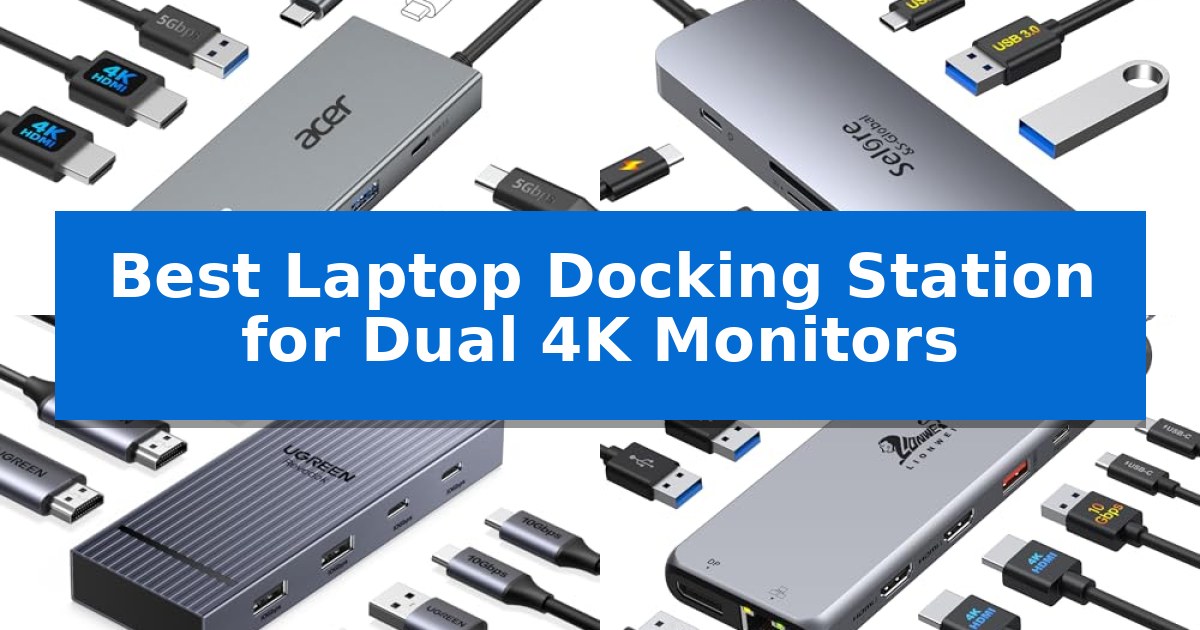
Managing a high-resolution workspace requires reliable hardware that can handle heavy data and video streams without stuttering. Finding the Best Laptop Docking Station for Dual 4K Monitors is essential for professionals who need to extend their screen real estate while maintaining a clean, efficient desk setup.
Whether you are working with a Windows laptop or a Mac, the right dock bridges the gap between your portable device and a desktop-class workstation. We have analyzed the latest hardware to help you identify which connectivity solutions offer the stability and port selection your specific workflow demands.
Best Laptop Docking Station for Dual 4K Monitors in 2026
Quick Comparison
| Product | Best For | Key Strength | Score |
|---|---|---|---|
| Acer USB-C Docking Station | Best Overall | Supports dual 4K@60Hz display output via dual HDMI ports. | 4.9 |
| Selore USB-C Docking Station | High-Refresh Dual Monitor Support | Supports dual 4K@60Hz output for high-resolution displays. | 4.7 |
| UGREEN Revodok Pro Docking Station | Fast 10Gbps Data Transfer | Supports Dual 4K@60Hz display configurations. | 4.9 |
| LIONWEI USB-C Docking Station | Versatile Triple Display Connectivity | 13-in-1 connectivity including dual 4K HDMI and DisplayPort. | 4.6 |
| WAVLINK DisplayLink Docking Station | Universal Compatibility for All Laptops | Dual 4K@60Hz display support via DisplayLink. | 4.8 |
How We Chose
- Display Output Stability: We prioritized models capable of maintaining 4K resolution at 60Hz across two external monitors.
- System Compatibility: We assessed how each dock handles display extension versus mirroring across different operating systems.
- Power Delivery Efficiency: We examined the wattage throughput to ensure the dock can effectively charge connected laptops.
- Data Connectivity: We reviewed the number and speed of USB-A and USB-C ports for peripheral support.
- Build and Design: We considered the physical footprint and the reliability of the integrated connection cables.
1 Acer USB-C Docking Station — Smooth 60Hz Dual 4K Output
The Acer USB-C Docking Station provides a centralized hub for dual-monitor setups by utilizing two HDMI ports capable of 4K@60Hz resolution. This 9-in-1 device is designed to expand connectivity for laptops equipped with a full-featured USB-C port that supports DisplayPort Alt Mode, data, and power delivery.
Beyond display capabilities, the unit acts as a comprehensive workstation accessory. It features three USB-A ports and one USB-C port, all supporting 5Gbps data transfer speeds, alongside dedicated SD and MicroSD card slots. The integrated 100W PD charging capability allows users to pass power through the dock to their laptop, provided they use an appropriate power adapter.
Designed for durability and security, the dock features an aluminum alloy body and a built-in 0.65FT cable. A physical lock button is included to manage device security, with specific operational modes for Windows and Mac users. The device is plug-and-play ready for Windows, while Mac users may need to adjust privacy settings to ensure full functionality.
Compatibility is a primary consideration for this docking station. While it integrates seamlessly with various laptops, Mac users should note that the device supports mirroring across external monitors rather than independent extended displays. Ensuring your laptop, cables, and monitors support HDMI 2.0 or higher is essential to achieving the full 4K@60Hz output.
Best for: Users with a full-featured USB-C laptop who need to connect dual 4K monitors and multiple peripherals through a single port.
Skip if: Mac users who require independent extended displays across multiple monitors, as this dock only supports mirroring on macOS.
PROS
- Supports dual 4K@60Hz display output via dual HDMI ports.
- Includes 100W Power Delivery pass-through charging.
- Features 9-in-1 connectivity including USB-A, USB-C, and SD/MicroSD slots.
- Durable aluminum alloy construction with a built-in cable.
CONS
- Dual display output on macOS is limited to mirroring.
- Requires a full-featured USB-C port with DisplayPort Alt Mode support.
2 Selore USB-C Docking Station — High-Refresh Dual Monitor Support
Expanding your workspace with dual displays requires a reliable connection that maintains high resolution and refresh rates. The Selore USB-C Docking Station addresses this by providing dual 4K@60Hz HDMI ports, allowing for crisp, fluid visuals across two monitors when connected to a compatible Thunderbolt or full-featured USB-C port.
Beyond display capabilities, this 8-in-1 hub serves as a central connectivity point for your peripherals. It includes two USB 3.0 ports and a USB-C data port, all supporting speeds up to 5Gbps, alongside integrated SD and microSD card slots for efficient file transfers. The inclusion of a 100W Power Delivery port ensures your laptop remains charged while you work, with an 85W output to the host device.
Designed for versatility in both home and office environments, the dock features a compact, lightweight build that integrates easily into any desk setup. Its plug-and-play functionality simplifies the transition between mobile and stationary work, provided your laptop supports the necessary video output standards.
It is important to note that performance varies by operating system. While Windows users can utilize MST mode to extend their desktop across two monitors, macOS users are limited to mirror mode. Additionally, the device requires a host laptop with a Thunderbolt or full-featured USB-C port to enable video output, making it essential to verify your computer's specifications before purchase.
Best for: Windows laptop users seeking a compact, all-in-one solution for dual 4K monitor setups and peripheral connectivity.
Skip if: Mac users who require extended desktop functionality across two monitors, as this device supports mirror mode only on macOS.
PROS
- Supports dual 4K@60Hz output for high-resolution displays.
- Includes 100W Power Delivery to keep laptops charged during use.
- Versatile 8-in-1 connectivity including SD/microSD slots and high-speed USB 3.0 ports.
- Compact and portable design suitable for various workspaces.
CONS
- Limited to mirror mode on macOS devices.
- Requires a Thunderbolt or full-featured USB-C port for video functionality.
- Power adapter and charging cable are not included.
3 UGREEN Revodok Pro Docking Station — Fast 10Gbps Data Transfer
The UGREEN Revodok Pro Docking Station is a 7-in-1 peripheral solution designed to expand a single USB-C connection into a multi-port workstation. It features dual HDMI ports capable of supporting Dual 4K@60Hz output, provided the host laptop supports DP1.4 and utilizes a full-function USB-C or Thunderbolt 3/4 port.
Connectivity is a primary focus, offering four high-speed data ports consisting of two USB-A and two USB-C interfaces, all supporting 10Gbps transfer speeds. These ports are optimized for peripherals like mice and keyboards, though they do not support video output or charging. The unit also includes a dedicated 100W PD charging port, which requires an external power adapter to pass power through to the connected laptop.
Design and compatibility are tailored for modern ultrabooks and professional laptops, including models from HP, Thinkpad, Dell, and ASUS. The aluminum housing keeps the device compact, measuring less than an inch in width. Users should note that while Windows systems support extended dual-screen configurations, macOS devices are restricted to mirror mode, meaning all connected external monitors will display identical content.
When integrating this dock, ensure that all cables used are rated for the required 10Gbps data throughput to maintain performance. The lack of an included power adapter means users must supply their own 100W+ charger to utilize the power delivery feature, making it a modular choice for those who already possess high-wattage USB-C power bricks.
Best for: Windows laptop users seeking a compact, high-speed 10Gbps data hub with dual 4K monitor support.
Skip if: macOS users who require extended (non-mirrored) dual-monitor support or those who do not have a 100W+ USB-C power adapter.
PROS
- Supports Dual 4K@60Hz display configurations.
- Four ports capable of 10Gbps data transfer speeds.
- Integrated 100W Power Delivery pass-through charging.
- Compact aluminum construction for portability.
CONS
- macOS devices are limited to mirror mode for external displays.
- Power adapter and charging cable not included.
- Data ports do not support video or charging.
4 LIONWEI USB-C Docking Station — Versatile Triple Display Connectivity
Managing multiple high-resolution displays requires a robust interface capable of handling significant bandwidth, and the LIONWEI USB-C Docking Station addresses this with a comprehensive 13-in-1 design. This hub simplifies cable management by consolidating video, data, and power delivery into a single connection, making it a practical choice for users looking to expand their workstation connectivity.
The device provides extensive display options, featuring two HDMI ports and a DisplayPort, which support up to 4K resolution at 60Hz. While Windows systems can leverage MST and SST for extended display modes, it is important to note that macOS is limited to extending to a single monitor at 4K resolution. This distinction is critical for users planning their multi-monitor setup.
Beyond display capabilities, the dock includes high-speed connectivity options such as two USB-C ports that support both 10Gbps data transfer and 100W Power Delivery. Because the station requires 13W to operate, it provides up to 87W of power to a connected laptop. The inclusion of a Gigabit Ethernet port and a 3.5mm audio jack further enhances its utility for stationary desk setups.
Designed for plug-and-play functionality, the unit integrates seamlessly into existing workflows without requiring complex driver installations. With an 18-month warranty, the hardware offers a reliable foundation for users needing to bridge the gap between portable laptops and a full-scale desktop environment.
Best for: Windows users who require a high-bandwidth, 13-in-1 connectivity solution for dual or triple 4K monitor configurations.
Skip if: Mac users who specifically require extended display support for more than one external monitor, as this device is limited to a single extended display on macOS.
PROS
- 13-in-1 connectivity including dual 4K HDMI and DisplayPort.
- 100W Power Delivery with 10Gbps high-speed data transfer.
- Plug-and-play setup for immediate integration.
- Gigabit Ethernet port for stable, high-speed networking.
CONS
- macOS limitation restricts extended display mode to only one monitor.
- Power overhead consumes 13W, reducing total charging output to 87W.
5 WAVLINK DisplayLink Docking Station — Universal Compatibility for All Laptops
Expanding your workspace for dual-monitor productivity often requires a reliable bridge between your laptop and external displays. The WAVLINK DisplayLink Docking Station utilizes DisplayLink technology to facilitate a connection for up to two 4K monitors at 60Hz through a single USB port, providing a streamlined solution for home and office environments.
This docking station offers significant flexibility with its 2 HDMI and 2 DisplayPort interface configuration, allowing for various dual-monitor combinations. It is designed to integrate into diverse setups, supporting USB-A, USB-C, and Thunderbolt laptops across Windows, macOS, and ChromeOS platforms. Note that this unit is intended for standard productivity tasks and is not optimized for high-frame-rate gaming or DRM-protected streaming.
Beyond display output, the station acts as a central hub for peripherals, featuring 6 USB 3.0 Type-A ports, a Gigabit Ethernet port, and a 3.5mm audio jack. While it provides extensive connectivity, it does not support laptop charging, meaning users will need to keep their original power adapter connected separately.
Installation requires the use of DisplayLink drivers to enable video output, ensuring compatibility with modern operating systems including Apple Silicon. With its compact dimensions and comprehensive port selection, it serves as a practical tool for users managing multiple accessories and external displays simultaneously.
Best for: Users needing a universal, multi-port docking solution to drive dual 4K monitors across various laptop types without requiring power delivery.
Skip if: Users who require a single-cable solution that also charges their laptop or those who need high-performance connectivity for gaming or DRM-protected media.
PROS
- Dual 4K@60Hz display support via DisplayLink.
- Universal compatibility with USB-A, USB-C, and Thunderbolt ports.
- Extensive peripheral connectivity with six USB 3.0 ports and Gigabit Ethernet.
CONS
- No laptop charging capability provided.
- DisplayLink driver installation required for video output.
- Not suitable for gaming or DRM-protected streaming content.
Best Laptop Docking Station for Dual 4K Monitors Buying Guide
Understanding Display Standards
The ability to drive two 4K displays depends heavily on your laptop's DisplayPort Alt Mode support. Before purchasing, verify that your computer's USB-C or Thunderbolt port is capable of transmitting video signals, as data-only ports will not function for external monitors.
Additionally, note that macOS often handles external displays differently than Windows. Many docks that support extended dual-screen setups on Windows may be limited to mirror mode on Mac devices due to inherent system architecture constraints.
Power Delivery Requirements
A docking station with Power Delivery (PD) allows you to charge your laptop through the same cable used for data and video. Ensure the dock's power output matches or exceeds your laptop's requirements to avoid slow charging warnings.
Remember that the dock itself consumes a portion of the power supplied by your wall adapter. If a dock requires 15W to operate, a 100W input will result in 85W being delivered to your machine.
Data Transfer Speeds
If your workflow involves moving large files, look for docks featuring 10Gbps USB ports. These ports significantly reduce wait times when transferring data from external SSDs or high-speed flash drives.
Always check if the USB ports are intended for data or if they also support peripheral charging. Using high-speed ports for simple mouse or keyboard connections is fine, but reserving them for storage devices maximizes your efficiency.
Connection Versatility
Consider the number of legacy ports you need, such as USB-A for older peripherals or SD/MicroSD slots for media professionals. A dock that consolidates these connections into one cable helps maintain a clutter-free environment.
The length of the built-in cable can also impact your desk layout. A longer cable provides more flexibility for placement, while a shorter, integrated cable often results in a more compact and portable design.
Operating System Limitations
Always check the driver requirements for your specific operating system. Some universal docks rely on proprietary technology like DisplayLink, which requires software installation to enable video output.
Conversely, plug-and-play devices typically use the laptop's native hardware, which is often more stable for high-frame-rate tasks but may have stricter compatibility requirements regarding the laptop's internal graphics capabilities.
Frequently Asked Questions
Will these docks work with my MacBook?
Most of these docks are compatible with MacBooks, but many are limited to mirror mode for dual displays. Always check your specific laptop's port specifications.
Do I need a separate power adapter for the dock?
Many docks require you to plug your laptop's existing USB-C power adapter into the dock's PD port to pass power through to the computer.
Can I use these for gaming?
While these docks are excellent for productivity, they are generally not designed for high-frame-rate gaming or intensive video editing.
What is the difference between MST and SST?
MST (Multi-Stream Transport) allows Windows laptops to extend different content to two monitors, while SST (Single-Stream Transport) often limits users to mirroring the same image.
Why is my monitor not displaying 4K?
Ensure your laptop, the cables, and the monitors all support the necessary HDMI 2.0 or DisplayPort standards required for 4K at 60Hz.
Conclusion: Our Top Pick
Choosing the right hardware for your desk setup depends on your specific laptop's port capabilities and your need for extended screen space. For most users requiring a balance of high-speed data transfer and reliable dual-monitor support, the Acer USB-C Docking Station stands out as a versatile and efficient solution.
The Acer USB-C Docking Station provides the necessary 4K@60Hz output and 100W PD charging to keep your workstation powered and productive. Its 9-in-1 design covers essential connectivity needs, making it a dependable choice for those looking to streamline their professional environment.