
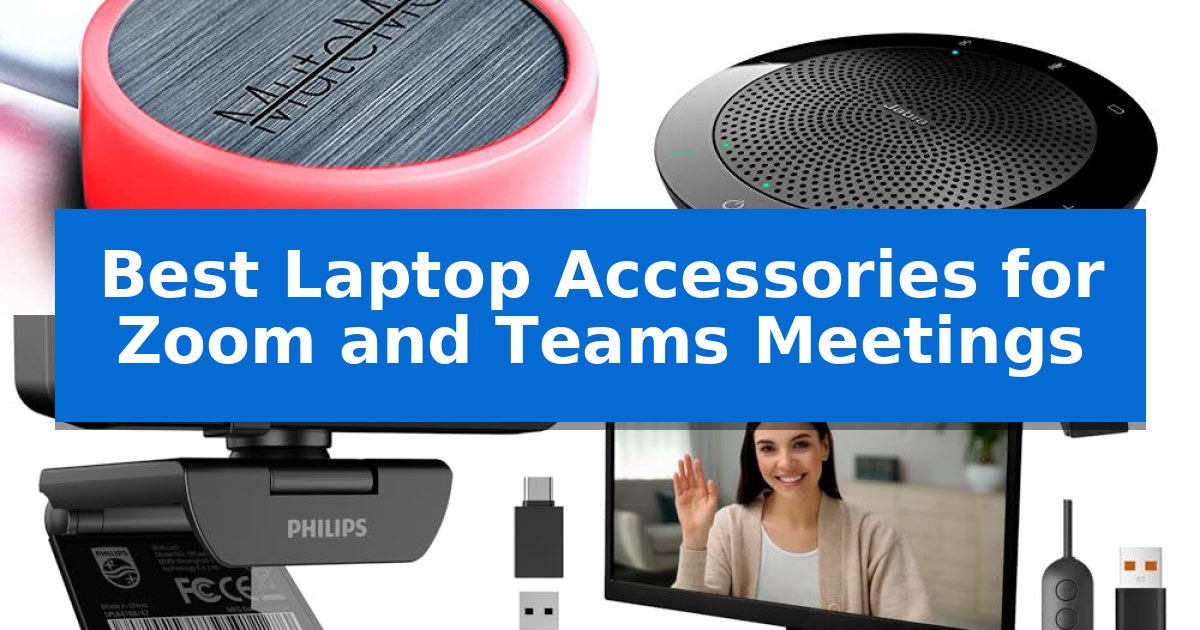
Navigating virtual conferences requires more than just a stable internet connection; it demands reliable hardware that keeps you focused on the conversation. Whether you are managing back-to-back calls or presenting to a large team, the right tools can significantly reduce technical friction and improve your overall presence.
We have analyzed the Best Laptop Accessories for Zoom and Teams Meetings to help you streamline your remote workspace. From physical mute controls to high-definition optics, these selections prioritize ease of use and consistent performance for your daily professional communication.
Best Laptop Accessories for Zoom and Teams Meetings in 2026
Quick Comparison
| Product | Best For | Key Strength | Score |
|---|---|---|---|
| MuteMe Illuminated Mute Button | Best Overall | Physical mute button provides immediate, tactile control over meeting audio. | 4.9 |
| Jabra Speak 510 Speakerphone | Professional Audio for Group Calls | Flexible connectivity via both Bluetooth and USB. | 4.4 |
| PHILIPS 4K Webcam | Superior Clarity for Virtual Meetings | 4K Ultra HD resolution for professional-grade video clarity. | 4.9 |
| GLOUEN LED Video Light | Eliminate Shadows on Camera | Plug-and-play USB connectivity requires no drivers or battery management. | 4.9 |
| Logitech Zone Vibe 100 Headphones | Lightweight Comfort for Long Calls | Flip-to-mute microphone for instant privacy. | 4.6 |
How We Chose
- Compatibility with major platforms including Zoom, Microsoft Teams, and Google Meet.
- Ease of setup, prioritizing plug-and-play functionality over complex driver installation.
- Physical design and ergonomics for long-term comfort and workspace efficiency.
- Specific utility for remote communication, such as privacy features and clear status indicators.
- Reliability of hardware connections, including USB stability and wireless range.
1 MuteMe Illuminated Mute Button — Instant One-Touch Meeting Control
The MuteMe Illuminated Mute Button provides a dedicated physical interface for managing audio during virtual meetings, eliminating the need to navigate on-screen menus to toggle your microphone. By offering a tactile, one-touch solution, it serves as a direct productivity tool for users frequently switching between active speaking and muted states on platforms like Zoom, Teams, and Google Meet.
This device features 8 customizable LED colors that provide a clear, visual indicator of your current microphone status, helping to reduce interruptions from housemates or co-workers. Measuring 2.3 inches in width and length with a 1-inch height, the compact unit is designed to sit unobtrusively on a desk while remaining within easy reach.
Compatibility requires the installation of the free MuteMe software, which supports Windows 10/11 (X64) and macOS 11+ (Intel/Apple Silicon). The software is essential for the hardware to sync with conferencing applications, and users are encouraged to verify software compatibility before purchase.
While the MuteMe Illuminated Mute Button streamlines meeting control, it is a specialized peripheral that relies entirely on software integration to function. Users should ensure their operating system meets the specific requirements and that they are comfortable with the mandatory companion software installation.
Best for: Users who want a physical, visual indicator and one-touch control for their microphone status during virtual meetings.
Skip if: Users who prefer keyboard shortcuts or do not wish to install mandatory third-party software to manage their hardware.
PROS
- Physical mute button provides immediate, tactile control over meeting audio.
- Customizable LED colors offer a clear visual status indicator to prevent interruptions.
- Compact dimensions ensure the device occupies minimal desk space.
- Broad platform compatibility including Zoom, Teams, and Google Meet.
CONS
- Mandatory software installation required for the device to function.
- OS compatibility limitations restricted to specific versions of Windows and macOS.
2 Jabra Speak 510 Speakerphone — Professional Audio for Group Calls
Clear, professional audio is essential for effective communication during virtual meetings, and the Jabra Speak 510 (2025 Edition) Portable USB Bluetooth Speaker is designed to provide a high-quality alternative to standard laptop speakers. This compact device serves as a dedicated speakerphone, ensuring that voices are captured and projected with clarity across platforms like Microsoft Teams, Google Meet, and Zoom.
The Jabra Speak 510 (2025 Edition) offers flexible connectivity, allowing users to link their devices via Bluetooth or USB. This dual-connection capability makes it a versatile tool for those who switch between desktop computers, laptops, and smartphones. Its portable design, measuring just 4.72 inches in width and length, ensures it can be easily transported for meetings on the go.
Setting up the speakerphone is straightforward, as it is built for quick integration with various communication devices and soft-phone applications. With its 2-year manufacturer warranty, the unit provides a reliable solution for maintaining professional audio standards in diverse environments, whether at a desk or in a remote workspace.
While the device excels in portability and ease of use, it is important to note that it is a dedicated audio peripheral. Users should ensure their workspace supports the necessary Bluetooth or USB connectivity to fully utilize its features during calls.
Best for: Professionals who need a portable, easy-to-setup speakerphone for clear audio during virtual meetings across multiple devices.
Skip if: Users who require a complex multi-microphone array for large conference rooms or those who prefer a permanent, wired-only audio installation.
PROS
- Flexible connectivity via both Bluetooth and USB.
- Portable and compact design for easy travel.
- Quick setup compatible with major meeting platforms.
- Professional audio quality for sharp and clear calls.
CONS
- Limited to personal or small-group use due to its compact form factor.
3 PHILIPS 4K Webcam — Superior Clarity for Virtual Meetings
Achieving a professional presence during virtual meetings often hinges on video quality and reliable audio. The PHILIPS 4K Webcam addresses this by providing 4K Ultra HD resolution, which delivers sharp, vivid imagery to help you maintain a polished appearance during business presentations or remote teaching sessions.
Beyond its visual capabilities, this camera serves as an all-in-one communication tool with an integrated microphone. This design choice allows for clear voice capture without the need for additional peripheral hardware, simplifying your desk setup for daily Zoom, Teams, or Skype calls.
Security is prioritized through a physical privacy shutter. This mechanical cover allows you to block the lens instantly when not in use, providing a tangible sense of safety for home office environments. The unit also features a plug and play USB connection, ensuring it works immediately upon connection without the requirement for complex driver installations.
Compatibility is broad, as the device is engineered to function across major platforms including Windows and macOS. Whether you are conducting telehealth appointments or collaborating on Google Meet, the PHILIPS 4K Webcam offers a versatile, hassle-free solution for professional remote work.
Best for: Professionals and remote workers seeking a high-resolution, all-in-one video and audio solution that is simple to set up.
Skip if: Users who require advanced external audio interfaces, specialized lighting controls, or a mounting system for non-standard monitor configurations.
PROS
- 4K Ultra HD resolution for professional-grade video clarity.
- Physical privacy shutter provides mechanical security.
- Plug and play USB setup eliminates the need for software drivers.
- Integrated microphone reduces the need for extra equipment.
CONS
- Limited 3-month warranty period compared to some industry standards.
4 GLOUEN LED Video Light — Eliminate Shadows on Camera
Achieving professional-grade lighting for virtual meetings often requires more than just ambient room light, especially when dealing with harsh shadows or backlighting. The GLOUEN LED Video Light addresses this by providing a compact, plug-and-play solution that clips directly to your monitor or mounts to a webcam, ensuring your face remains clearly illuminated during Zoom or Teams calls.
This device simplifies setup by eliminating the need for batteries or complex software. It connects via a standard USB port and features an inline controller for quick adjustments. Users can toggle between 3 color modes—white, warm, and mixed—and choose from 10 brightness levels to match the specific lighting conditions of their workspace.
The design prioritizes versatility and desk space. By offering both a flexible clip-on mount and a magnetic base, it provides a stable, low-profile alternative to bulky ring lights. This makes it a practical choice for remote professionals and students who need consistent, flicker-free illumination without cluttering their desk area.
While this light is highly effective for close-range video conferencing, its performance is optimized for direct, face-on illumination. It is a straightforward, hardware-focused tool that integrates seamlessly into existing remote work setups without requiring additional technical configuration.
Best for: Remote professionals and students needing a compact, easy-to-use lighting solution to improve video quality during virtual meetings.
Skip if: Users who require high-output studio lighting for large rooms or those who prefer wireless, battery-powered lighting solutions.
PROS
- Plug-and-play USB connectivity requires no drivers or battery management.
- Versatile mounting options including a clip-on design and magnetic base for various monitor types.
- Adjustable lighting with 3 color modes and 10 brightness levels to suit different environments.
- Space-saving design that provides a cleaner look than traditional ring lights.
CONS
- Wired connection necessitates proximity to a USB port on the computer.
- Fixed illumination angle is best suited for direct, front-facing video conferencing.
5 Logitech Zone Vibe 100 Headphones — Lightweight Comfort for Long Calls
Maintaining focus during virtual meetings requires reliable audio hardware that minimizes distractions. The Logitech Zone Vibe 100 Headphones are designed to support extended professional communication with a lightweight, over-ear construction that prioritizes comfort during long sessions.
These headphones integrate noise-canceling technology utilizing beamforming and digital signal processing to isolate your voice from background noise. The inclusion of a flip-to-mute microphone provides an immediate privacy solution, while the multipoint Bluetooth connectivity allows for seamless switching between devices, such as a laptop and a smartphone.
Designed for versatility, the Logitech Zone Vibe 100 Headphones feature 40 mm speakers intended to deliver clear audio for both meetings and media consumption. The unit offers up to 18 hours of battery life on a single charge, supporting extended workdays without frequent interruptions.
With a focus on sustainability and ergonomics, the device incorporates 25% certified post-consumer recycled plastic and utilizes memory foam earpads to reduce physical fatigue. These headphones are compatible with major platforms including Microsoft Teams, Zoom, and Google Meet, ensuring straightforward setup for common office environments.
Best for: Professionals seeking a lightweight, wireless headset with integrated mute controls for frequent video conferencing.
Skip if: Users who require a wired connection or a detachable boom microphone for specialized studio recording applications.
PROS
- Flip-to-mute microphone for instant privacy.
- Multipoint Bluetooth for easy device switching.
- Lightweight memory foam design for long-term comfort.
- Noise-canceling beamforming for clear voice capture.
CONS
- No wired connection option provided.
- 18-hour battery life may require daily charging for heavy users.
Best Laptop Accessories for Zoom and Teams Meetings Buying Guide
Prioritizing Audio Clarity
Clear communication is the foundation of any virtual meeting. When choosing audio accessories, consider whether you prefer a headset for private listening or a speakerphone for group collaboration. Noise-canceling technology is essential if you work in a shared or busy environment, as it helps isolate your voice from background sounds.
Look for devices that offer multipoint Bluetooth or simple USB connectivity. These features allow you to switch between devices seamlessly, ensuring you never miss the start of a meeting regardless of your current setup.
Optimizing Your Visual Presence
A high-quality webcam can make a significant difference in how you are perceived during professional presentations. Look for 4K resolution capabilities if you need sharp, vivid detail. Additionally, a physical privacy shutter is a critical feature for maintaining security when your camera is not in use.
Lighting is equally important. Even a high-end camera will struggle in poor light. A dedicated LED panel light with adjustable brightness and color modes helps eliminate harsh shadows and ensures you remain visible and professional on camera.
Streamlining Meeting Control
One of the most common frustrations in virtual meetings is the delay caused by finding the mute button on your screen. A dedicated physical mute button provides an immediate, tactile way to manage your audio status without interrupting your workflow.
These devices often include visual indicators, such as LED lights, that show your current status. This not only prevents accidental unmuted moments but also serves as a clear signal to others in your home or office that you are currently in a meeting.
Ergonomics and Comfort
If your meetings often last for hours, the comfort of your gear is paramount. Lightweight headphones with memory foam earpads reduce pressure during long calls, preventing fatigue. A design that is comfortable to wear for extended periods is just as important as the audio quality itself.
Consider the weight and portability of your accessories. If you frequently move between a home office and other locations, compact, travel-friendly designs ensure you can maintain your professional setup wherever you go.
Compatibility and Software Requirements
Before purchasing, always verify the software requirements for your chosen accessory. Some advanced tools require specific companion apps to function correctly with your operating system, whether you are using Windows or macOS.
Ensure the device is compatible with your specific hardware, such as checking for available USB ports or Bluetooth version support. A truly effective accessory should integrate into your existing workflow with minimal configuration.
Frequently Asked Questions
Do I need special software for these accessories?
Some accessories, like the MuteMe button, require specific companion software to sync with your meeting platforms. Always check the manufacturer's requirements before purchase.
Can I use these devices with both Zoom and Teams?
Most modern USB and Bluetooth meeting accessories are designed for universal compatibility and work seamlessly across Zoom, Microsoft Teams, and Google Meet.
Is a 4K webcam necessary for daily meetings?
While 1080p is often sufficient, a 4K webcam provides superior clarity and detail, which can be beneficial for professional presentations or if you need to crop your frame.
How do I prevent shadows on my face during calls?
Using a dedicated LED video light with adjustable brightness and color modes is the most effective way to eliminate shadows and ensure consistent, professional lighting.
Are wireless headsets better than wired ones?
Wireless headsets offer greater freedom of movement, but you must ensure they have sufficient battery life for your longest meetings. Wired options provide a reliable, battery-free connection.
Conclusion: Our Top Pick
For most remote professionals, the MuteMe Illuminated Mute Button stands out as the most impactful addition to a virtual meeting setup. By providing a dedicated, physical control for your microphone, it eliminates the stress of searching for on-screen buttons and helps prevent accidental interruptions.
Its ability to provide a clear visual status indicator makes it an essential tool for maintaining privacy and productivity. While other accessories like high-resolution webcams and professional lighting are valuable for visual presence, the MuteMe button offers the most immediate improvement to your daily meeting workflow.